Skip to content
Live2Tech
  • iPhone
  • Windows
    • Windows 11
    • Windows 10
  • Office
    • Word
    • Excel
    • Powerpoint
    • Outlook
  • Google
    • Google Docs
    • Google Sheets
    • Google Slides
    • Gmail
    • Chrome
    • Google Drive
  • Mac & Apple
    • Mac
    • iPad
    • Apple Watch
  • All Tutorials

Kermit Matthews

Kermit Matthews runs Live2Tech from just outside Philadelphia. He is an IT specialist with over 20 years of experience, from a university help desk to small-business IT, IT management and his own consulting practice, and has written tech guides full time since 2020. Steps are checked against the current software on a real device or the maker's official documentation. More about Kermit.
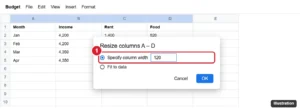
Google Sheets Resize columns dialog with Specify column width set to 120 highlighted for selected columns

How to Make Columns the Same Width (Distribute Evenly) in Google Sheets

November 18, 2026July 15, 2022 by Kermit Matthews

Make multiple columns the same width in Google Sheets with Resize columns, by dragging one selected border, or fit them to data. Rows too. Continue Reading How to Make Columns the Same Width (Distribute Evenly) in Google Sheets

Categories Google Sheets
Word Columns dialog with Two columns selected and the Line between checkbox highlighted, with the preview showing a line between columns

How to Add Lines Between Columns in Word 2013 and Later

November 13, 2026July 5, 2022 by Kermit Matthews

Add a vertical line between columns in Word 2013 and newer with More Columns > Line between, fix a line that will not show, and customize its style. Continue Reading How to Add Lines Between Columns in Word 2013 and Later

Categories Word
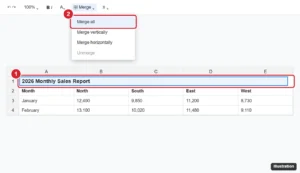
Online spreadsheet with a title typed in the first row, cells A1 to E1 selected, and the Merge cells menu with Merge all highlighted

How to Make a Title in Google Sheets

November 10, 2026June 24, 2022 by Kermit Matthews

Make a title in Google Sheets: add a title row, merge and center it, format it, freeze it, print it on every page, and name the file and sheet tabs. Continue Reading How to Make a Title in Google Sheets

Categories Google Sheets
iPhone document editing app with the Edit pencil button and the formatting toolbar above the keyboard highlighted

How to Edit a Word Document on an iPhone 13

November 10, 2026June 17, 2022 by Kermit Matthews

Edit a Word document on an iPhone 13 with the free Word app: open files from email or Files, use the edit toolbar, track changes, save, and share, or use Pages. Continue Reading How to Edit a Word Document on an iPhone 13

Categories Word
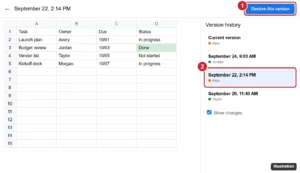
Spreadsheet version history view with an earlier version selected and the Restore this version button highlighted

How to Restore a Version From Version History in Google Sheets

November 10, 2026June 17, 2022 by Kermit Matthews

Restore an earlier version of a Google Sheets file from version history, recover only certain data with Make a copy, and name versions for later. Continue Reading How to Restore a Version From Version History in Google Sheets
Categories Google Sheets
iPhone Settings Notifications YouTube page with the Badges switch highlighted

Why Is There a Red Number on My YouTube App Icon?

November 14, 2026June 17, 2022 by Kermit Matthews

The red number on the YouTube icon is a notification badge. Clear it by checking notifications, or turn off Badges in iPhone Settings > Notifications > YouTube. Continue Reading Why Is There a Red Number on My YouTube App Icon?

Categories iPhone Tags iphone 7
Google Docs app on a phone with the Share and export menu open and the Send a copy PDF option highlighted

How to Save a Google Doc as a PDF on Your Phone

November 10, 2026June 15, 2022 by Kermit Matthews

Save a Google Doc as a PDF on iPhone or Android from Share & export, find where the PDF is saved, and use Print to PDF as an alternative. Continue Reading How to Save a Google Doc as a PDF on Your Phone

Categories Google Docs
Webmail settings General tab with Default reply behavior set to Reply all

How to Change the Default Reply Behavior in Gmail

November 10, 2026June 13, 2022 by Kermit Matthews

Set Gmail to Reply or Reply all by default in Settings > General > Default reply behavior on the web, and in the Gmail app settings on Android. Continue Reading How to Change the Default Reply Behavior in Gmail

Categories Gmail
iphone se how add outlook email

How to Add Email Account to iPhone SE from Outlook.com

November 15, 2026June 13, 2022 by Kermit Matthews

Setting up an email account on their smartphone is one of the first things that many people will do on their devices. The iPhone’s Mail… Continue Reading How to Add Email Account to iPhone SE from Outlook.com

Categories iPhone Tags iphone se
Spreadsheet print screen with the settings menu open and Print Selection highlighted, and a preview showing only the selected cells

How to Print Part of a Spreadsheet in Excel

November 10, 2026June 13, 2022 by Kermit Matthews

Print only part of an Excel spreadsheet with Print Selection or a saved print area, print separate ranges, and fit the selection on one page. Continue Reading How to Print Part of a Spreadsheet in Excel

Categories Excel Tags excel 2013
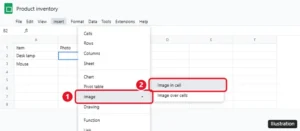
Google Sheets Insert menu with Image and Image in cell highlighted

How to Insert an Image Into a Cell in Google Sheets

November 12, 2026June 9, 2022 by Kermit Matthews

Insert an image into a cell in Google Sheets with Insert > Image > Image in cell or the IMAGE function, lock it in place, and fix images that won’t show. Continue Reading How to Insert an Image Into a Cell in Google Sheets
Categories Google Sheets
Streaming stick Settings screen on a TV with the My Fire TV tile highlighted

10 Things to Know About the Amazon Fire TV Stick Before You Buy One

November 18, 2026June 8, 2022 by Kermit Matthews

What to know before buying a Fire TV Stick: which model fits your TV, what you need, subscription costs, Vega OS limits, storage, and setup tips. Continue Reading 10 Things to Know About the Amazon Fire TV Stick Before You Buy One

Categories Fire TV
Phone Messages settings with Low-Quality Image Mode switched off

How to Turn Off Low Quality Image Mode on iPhone

November 10, 2026June 4, 2022 by Kermit Matthews

Turn off Low Quality Image Mode on iPhone 7 in Settings > Messages so photos send at full quality. Check Low Data Mode if images still look compressed. Continue Reading How to Turn Off Low Quality Image Mode on iPhone

Categories iPhone Tags iphone 7
Music streaming app Playback settings on iPhone with audio normalization on and Volume level options Loud, Normal and Quiet

How to Change the Spotify Volume Level on iPhone

November 10, 2026June 3, 2022 by Kermit Matthews

Change the Spotify volume level on iPhone to Loud, Normal, or Quiet under Settings and privacy > Playback, and fix low or uneven Spotify volume. Continue Reading How to Change the Spotify Volume Level on iPhone

Categories iPhone
Phone home screen with an app touched and held, showing a menu with Remove App highlighted

How to Delete Apps on iPhone SE (and Any iPhone)

November 14, 2026June 1, 2022 by Kermit Matthews

Delete apps on iPhone SE from the Home Screen, App Library or Settings, offload apps to save space, and fix apps that won’t delete. Continue Reading How to Delete Apps on iPhone SE (and Any iPhone)

Categories iPhone Tags iphone se, Storage
iPhone Cellular settings with Cellular Data turned on and the FaceTime switch under Cellular Data highlighted

How to Use FaceTime Without Wi-Fi on an iPhone 6

November 10, 2026May 30, 2022 by Kermit Matthews

Go to Settings > Cellular, turn on Cellular Data, and switch on FaceTime. How much data FaceTime uses, tips to save data, and fixes if calls fail. Continue Reading How to Use FaceTime Without Wi-Fi on an iPhone 6

Categories iPhone Tags FaceTime, ios 9, iphone 6
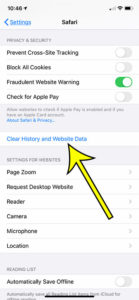
how to clear iPhone 6 Safari history

How to Check History on iPhone 6

November 18, 2026May 27, 2022 by Kermit Matthews

When you visit a website in the Safari browser on your iPhone, that page is saved to your history. Use these steps if you need… Continue Reading How to Check History on iPhone 6

Categories iPhone Tags iOS 13, iphone 6, safari
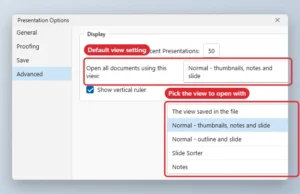
Presentation Options Advanced page with the Open all documents using this view list open

How to Change the Default View in PowerPoint

November 10, 2026May 27, 2022 by Kermit Matthews

Change the view PowerPoint opens with: File > Options > Advanced > Open all documents using this view. Plus Slide Show monitor settings. Continue Reading How to Change the Default View in PowerPoint

Categories Powerpoint
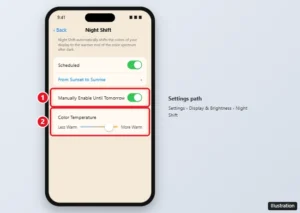
iPhone Night Shift settings with Scheduled, Manually Enable Until Tomorrow, and the Color Temperature slider highlighted

Where Is the Blue Light Filter on an iPhone? (Night Shift)

November 18, 2026May 27, 2022 by Kermit Matthews

The iPhone’s blue light filter is Night Shift. Turn it on in Settings or Control Center, schedule it, make it warmer, or use Color Filters for a stronger tint. Continue Reading Where Is the Blue Light Filter on an iPhone? (Night Shift)

Categories iPhone Tags Display, iOS 12, iphone 7
Phone document editor with all text selected and the Format panel Paragraph tab open, Line spacing set to 2.00 and highlighted

How to Double Space an Entire Document in the Google Docs iPhone App

November 10, 2026May 23, 2022 by Kermit Matthews

Double space a whole document in the Google Docs iPhone app: select all, open Format > Paragraph, and set line spacing to 2.00, plus troubleshooting tips. Continue Reading How to Double Space an Entire Document in the Google Docs iPhone App

Categories iPhone, Google Docs Tags google docs
iPad Control Center with the Screen Rotation Lock button highlighted and turned on

How to Unlock Screen Rotation on an iPad

November 16, 2026May 23, 2022 by Kermit Matthews

Unlock screen rotation on an iPad from Control Center, check the side switch on older iPads, and fix an iPad that won’t rotate. Continue Reading How to Unlock Screen Rotation on an iPad

Categories iPad
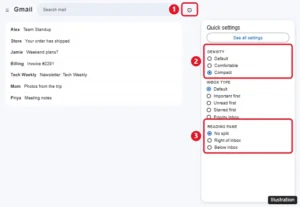
Gmail Quick settings panel with the Settings gear, Density options, Inbox type, and Reading pane options highlighted

How to Change the View in Gmail

November 16, 2026May 20, 2022 by Kermit Matthews

Change the view in Gmail with Quick settings: density, inbox type, reading pane, conversation view, and theme, on a computer, iPhone, or Android. Continue Reading How to Change the View in Gmail

Categories Gmail
Word Review tab with Word Count clicked and the Word Count dialog showing character counts with and without spaces

How to Get a Character Count in Microsoft Word

November 10, 2026May 18, 2022 by Kermit Matthews

Click Review > Word Count or press Ctrl + Shift + G to see characters with and without spaces. How to count a selection and steps for Mac and mobile. Continue Reading How to Get a Character Count in Microsoft Word

Categories Word
Checkout page with the promo code field highlighted

Microsoft Edge Coupons on iPhone: Feature Retired

November 10, 2026May 18, 2022 by Kermit Matthews

Microsoft retired the Edge Coupons feature, so the iPhone toggle is gone. Here is what changed and how to find valid discount codes now. Continue Reading Microsoft Edge Coupons on iPhone: Feature Retired

Categories iPhone Tags iOS 14, iPhone 11, iPhone Apps
Phone App Store settings with the Offload Unused Apps switch turned off and highlighted

How to Stop Your iPhone From Deleting Apps Automatically

November 10, 2026May 16, 2022 by Kermit Matthews

Stop your iPhone from deleting apps by turning off Offload Unused Apps, restore offloaded apps, and block app deletion with Screen Time. Continue Reading How to Stop Your iPhone From Deleting Apps Automatically

Categories iPhone
Windows 10 Settings Apps and features list with Sort by set to Install date highlighted

How to Sort Programs by Most Recently Installed in Windows 10

November 10, 2026May 16, 2022 by Kermit Matthews

Sort programs by install date in Windows 10 using Settings, the Installed On column in Control Panel, or PowerShell, and learn why some dates look wrong. Continue Reading How to Sort Programs by Most Recently Installed in Windows 10

Categories Windows 10
Online document toolbar with the Text color button open showing the color palette and the Custom option highlighted, with colored text in the document

How to Change Font Color in Google Docs (Desktop and Mobile)

September 29, 2026May 13, 2022 by Kermit Matthews

Change font color in Google Docs on a computer or phone, use custom hex colors, apply colors fast with paint format or styles, and set a default color. Continue Reading How to Change Font Color in Google Docs (Desktop and Mobile)

Categories Google Docs
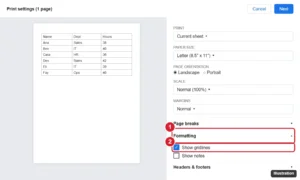
Spreadsheet print settings panel with the Formatting section open and Show gridlines checked, next to a preview page with gridlines

How to Print With Gridlines in Google Sheets

November 15, 2026May 12, 2022 by Kermit Matthews

Print gridlines in Google Sheets by checking Show gridlines in print settings, or add borders for darker lines, print a selection, and fit it on one page. Continue Reading How to Print With Gridlines in Google Sheets
Categories Google Sheets
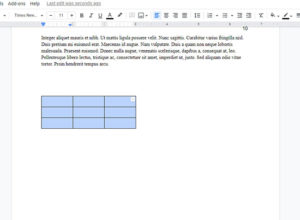
Google Docs table with a cell right-clicked and the Insert column right option highlighted

How to Add a Column to a Table in Google Docs

November 16, 2026May 11, 2022 by Kermit Matthews

Add a column to a Google Docs table: right-click a cell and choose Insert column left or right, or use Format > Table. Plus mobile steps and sizing tips. Continue Reading How to Add a Column to a Table in Google Docs

Categories Google Docs
Photoshop Character panel with the Underline button highlighted and selected text underlined on the canvas

How to Underline Existing Text in Photoshop CS5

November 10, 2026May 10, 2022 by Kermit Matthews

Underline existing text in Photoshop CS5 with the Type tool and the Character panel’s Underline button or Ctrl + Shift + U, plus custom line options. Continue Reading How to Underline Existing Text in Photoshop CS5

Categories Photoshop Tags photoshop cs5
PowerPoint Insert tab with the Text Box button highlighted

How to Add or Delete a Text Box in PowerPoint

November 17, 2026May 9, 2022 by Kermit Matthews

Add a PowerPoint text box from Insert > Text Box or the keyboard, delete it by its border, and remove placeholders or Slide Master boxes that keep coming back. Continue Reading How to Add or Delete a Text Box in PowerPoint

Categories Powerpoint
make smaller table in Google Docs

How to Make a Table Smaller in Google Docs

May 5, 2023May 4, 2022 by Kermit Matthews

Make a table smaller in Google Docs by dragging gridlines, setting sizes in Table options, trimming cell padding and font size, plus the iPhone and Android app. Continue Reading How to Make a Table Smaller in Google Docs

Categories Google Docs
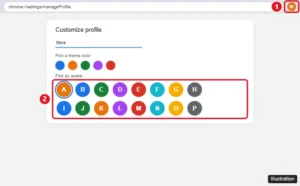
Google Chrome Customize profile page with the avatar grid and a selected avatar highlighted

How to Change Your Google Chrome Profile Avatar

November 10, 2026May 3, 2022 by Kermit Matthews

Change your Google Chrome profile avatar from Customize profile, or change your Google Account photo so it updates in Chrome, Gmail, and other Google apps. Continue Reading How to Change Your Google Chrome Profile Avatar

Categories Chrome Tags Profiles
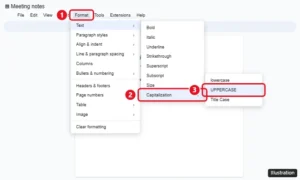
Google Docs Format menu open to Text, then Capitalization, with UPPERCASE highlighted

How to Convert Text to Uppercase in Google Docs

November 12, 2026April 29, 2022 by Kermit Matthews

Select the text and click Format > Text > Capitalization > UPPERCASE. The same menu has lowercase and Title Case. Plus mobile options and fixes. Continue Reading How to Convert Text to Uppercase in Google Docs

Categories Google Docs
Microsoft Word Shape Format tab with the Shape Outline menu open and No Outline highlighted for a selected text box

How to Remove the Border From a Text Box in Word

November 13, 2026April 27, 2022 by Kermit Matthews

Remove the border from a text box in Word with Shape Outline > No Outline, remove fills, make borderless text boxes the default, and fix borders that remain. Continue Reading How to Remove the Border From a Text Box in Word

Categories Word
iPhone Settings Camera Preserve Settings page with the Creative Controls switch highlighted

How to Keep Your Photo Filter in the iPhone Camera App

November 18, 2026April 20, 2022 by Kermit Matthews

Keep your last filter in the iPhone Camera app by turning on Creative Controls in Settings > Camera > Preserve Settings. What each option saves and more. Continue Reading How to Keep Your Photo Filter in the iPhone Camera App

Categories iPhone Tags iphone 7
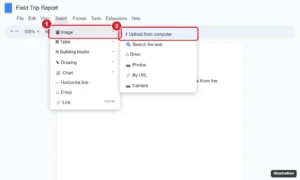
Online document editor with the Insert menu open, Image selected, and the Upload from computer option highlighted

How to Upload a Picture to Google Docs (Computer and Phone)

November 16, 2026April 19, 2022 by Kermit Matthews

Upload a picture to Google Docs from your computer, Drive, Photos, the web, or your phone, then resize it, wrap text around it, and add alt text. Continue Reading How to Upload a Picture to Google Docs (Computer and Phone)

Categories Google Docs
Phone Fingerprint and Passcode settings with fingerprint options and the Turn Passcode Off button highlighted

How to Turn Off the Passcode on an iPhone 7

November 15, 2026April 11, 2022 by Kermit Matthews

Turn off the passcode on an iPhone 7 in Touch ID & Passcode settings, learn what stops working, fix a grayed-out option, and faster unlock alternatives. Continue Reading How to Turn Off the Passcode on an iPhone 7

Categories iPhone Tags iphone 7, passcode, Security
Excel Options Advanced page with the Zoom on roll with IntelliMouse checkbox cleared and highlighted

How to Stop Excel From Zooming When You Scroll the Mouse Wheel

November 10, 2026April 8, 2022 by Kermit Matthews

Stop Excel zooming on scroll: File > Options > Advanced, uncheck Zoom on roll with IntelliMouse. Plus fixes for a stuck Ctrl key and touchpad zoom. Continue Reading How to Stop Excel From Zooming When You Scroll the Mouse Wheel

Categories Excel
Phone mail app reply screen with a pop-up asking whether to include attachments from the original message

How to Include Attachments When Replying on an iPhone

November 10, 2026April 6, 2022 by Kermit Matthews

Include original attachments when replying in iPhone Mail by tapping Include, forwarding the email, or attaching the file again manually. Continue Reading How to Include Attachments When Replying on an iPhone

Categories iPhone
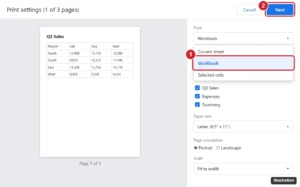
Online spreadsheet print settings panel with the Print dropdown open, showing Current sheet, Workbook and Selected cells, with Workbook highlighted and sheet checkboxes below

How to Print an Entire Workbook in Google Sheets

November 15, 2026April 5, 2022 by Kermit Matthews

Print every tab in Google Sheets: press Ctrl + P, change Print from Current sheet to Workbook, pick sheets, then click Next. Plus PDF tips. Continue Reading How to Print an Entire Workbook in Google Sheets

Categories Google Sheets
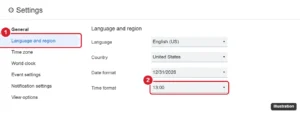
Calendar settings page with Language and region open and the Time format menu set to 13:00

How to Switch to a 24-Hour Clock in Google Calendar

November 18, 2026April 4, 2022 by Kermit Matthews

Switch Google Calendar to a 24-hour clock on the web in Language and region, and on Android or iPhone through your phone’s date and time settings. Continue Reading How to Switch to a 24-Hour Clock in Google Calendar

Categories Google Calendar
iPhone Settings Privacy Microphone screen with app switches, one being turned off

How to Turn Off Microphone Access on iPhone

November 16, 2026April 1, 2022 by Kermit Matthews

Turn off microphone access on iPhone app by app in Privacy & Security, stop Siri listening, remove the dictation key, and check which apps used your mic. Continue Reading How to Turn Off Microphone Access on iPhone

Categories iPhone Tags iOS 12, Privacy
Phone companion watch app Notifications settings with the Notification Indicator switch turned off and highlighted

How to Turn Off Read Receipts on Apple Watch

November 15, 2026March 31, 2022 by Kermit Matthews

Turn off read receipts on Apple Watch in the Watch app with a custom Messages setting, turn them off on iPhone for both, or change them per conversation. Continue Reading How to Turn Off Read Receipts on Apple Watch

Categories Apple Watch
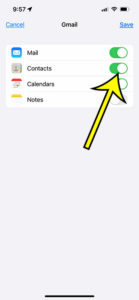
how to back up iPhone 13 contacts to Gmail

How to Back Up iPhone 13 Contacts to Gmail

November 15, 2026March 24, 2022 by Kermit Matthews

It’s always a good practice to backup all your iPhone data to a safe location. This way, you can retrieve your important pictures, videos, and… Continue Reading How to Back Up iPhone 13 Contacts to Gmail

Categories iPhone Tags iphone 13
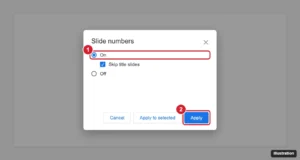
Slide numbers dialog in a presentation app with On selected, Skip title slides checked, and the Apply button highlighted

How to Add Slide Numbers in Google Slides

November 18, 2026March 22, 2022 by Kermit Matthews

Add slide numbers in Google Slides from Insert > Slide numbers, skip the title slide, number only some slides, change the style, and remove them. Continue Reading How to Add Slide Numbers in Google Slides

Categories Google Slides
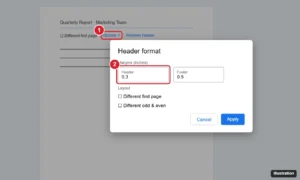
Google Docs Header format dialog with the Header margin field highlighted, opened from the header Options menu

How to Change the Header Margin in Google Docs

November 14, 2026March 21, 2022 by Kermit Matthews

Change the header margin in Google Docs: double-click the header, choose Options > Header format, and set a new Header margin. Plus fixes and tips. Continue Reading How to Change the Header Margin in Google Docs

Categories Google Docs Tags Header, Margins
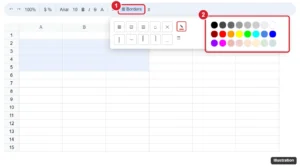
Spreadsheet toolbar Borders menu open with the Border color pencil and color palette highlighted

How to Change Cell Border Color in Google Sheets

November 10, 2026March 18, 2022 by Kermit Matthews

Change cell border color in Google Sheets by choosing a color with the Borders pencil before applying borders, recolor existing borders, and use mobile. Continue Reading How to Change Cell Border Color in Google Sheets

Categories Google Sheets
Presentation editor Selection pane listing a picture selected for deletion

How to Delete a Picture in PowerPoint

November 10, 2026March 17, 2022 by Kermit Matthews

Delete a picture in PowerPoint by selecting it and pressing Delete, and remove pictures stuck in the background or slide master. Continue Reading How to Delete a Picture in PowerPoint

Categories Powerpoint Tags powerpoint 2013
File Explorer with a font file right-clicked and Install for all users highlighted

How to Add Fonts to Photoshop CS5 (Windows and Mac)

November 10, 2026March 15, 2022 by Kermit Matthews

Add fonts to Photoshop CS5 by installing them in Windows or macOS and restarting Photoshop, plus fixes when a new font does not appear. Continue Reading How to Add Fonts to Photoshop CS5 (Windows and Mac)

Categories Photoshop
Older posts
Newer posts
← Previous Page1 … Page42 Page43 Page44 … Page56 Next →

Join Our Free Newsletter

Featured guides and deals

You may opt out at any time.
Read our Privacy Policy

Live2Tech

Plain-English, step-by-step guides for the devices and apps you use every day.

Apple

  • iPhone
  • iPad
  • Mac
  • Apple Watch

Windows

  • Windows 11
  • Windows 10

Microsoft Office

  • Word
  • Excel
  • Powerpoint
  • Outlook

Google

  • Google Docs
  • Google Sheets
  • Google Slides
  • Gmail
  • Chrome
  • Google Drive
  • About Us
  • Contact
  • Disclaimer
  • Privacy Policy
© Live2Tech.com 2026
  • iPhone
  • Windows
    • Windows 11
    • Windows 10
  • Office
    • Word
    • Excel
    • Powerpoint
    • Outlook
  • Google
    • Google Docs
    • Google Sheets
    • Google Slides
    • Gmail
    • Chrome
    • Google Drive
  • Mac & Apple
    • Mac
    • iPad
    • Apple Watch
  • All Tutorials