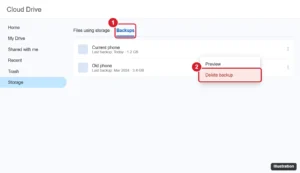
How to Delete a Backup From Google Drive: A Step-by-Step Guide
Delete a backup from Google Drive on a computer or Android, remove WhatsApp and app backups, and learn what happens after deleting and how to free storage.
Delete a backup from Google Drive on a computer or Android, remove WhatsApp and app backups, and learn what happens after deleting and how to free storage.
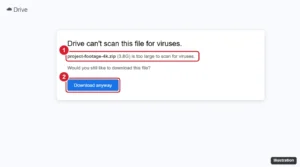
Download large files from Google Drive in your browser, with Drive for desktop, or with Google Takeout, and fix split ZIPs and download quota errors.
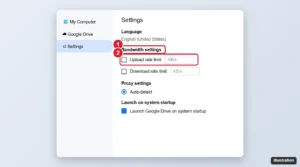
Make Google Drive uploads faster: check your upload speed, use a wired connection and Drive for desktop, remove rate limits, and zip small files.
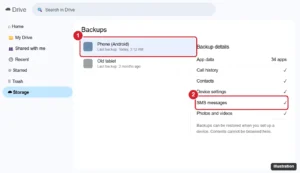
You cannot read SMS backups in Google Drive, but you can confirm they exist, restore them to a phone, or create a readable text backup. Here is how.
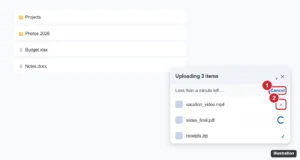
Cancel a Google Drive upload from the upload panel on the web, in the Drive app, or in Drive for desktop, and delete any files that already uploaded.
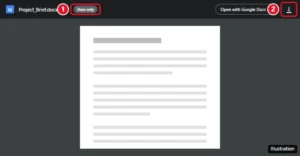
Most view-only Google Drive files can be downloaded normally. Here is how, what it means when download is disabled, and how owners change the setting.
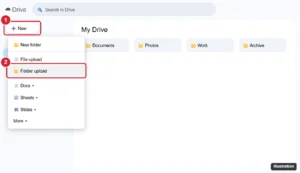
Transfer Dropbox files to Google Drive by downloading and uploading, copying between the desktop apps, or using a cloud-to-cloud service.
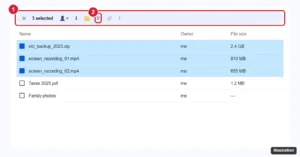
Delete multiple files in Google Drive at once with Ctrl, Shift, or Select all, find large and old files to remove, empty the trash, and restore mistakes.
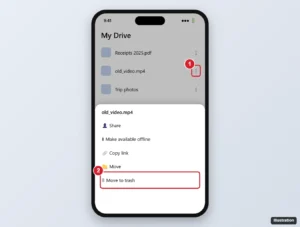
Delete files from Google Drive on iPhone: remove one or several files, empty the trash to free up storage, restore mistakes, and understand shared files.