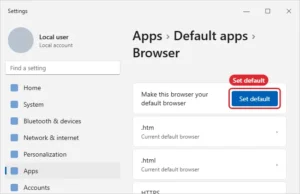
How to Set Google as Your Default Browser in Windows 11
Make Chrome your default browser in Windows 11 with Set default, or keep Edge and make Google your search engine. Continue Reading How to Set Google as Your Default Browser in Windows 11
How-to guides and tutorials to help you perform specific tasks and use the Google Chrome Web browser.
Make Chrome your default browser in Windows 11 with Set default, or keep Edge and make Google your search engine. Continue Reading How to Set Google as Your Default Browser in Windows 11
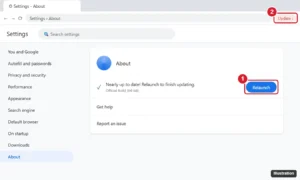
Update Chrome on Windows 10 from Help > About Google Chrome, understand the Update button, and fix Chrome updates that fail or are disabled. Continue Reading How to Update Chrome on Windows 10 (and Fix Update Errors)
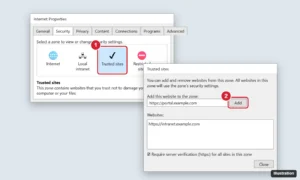
Chrome has no trusted sites list, but you can allow pop-ups, notifications, and more per site, or add sites to the Windows Trusted sites zone. Continue Reading How to Add Trusted Sites in Google Chrome on Windows 10
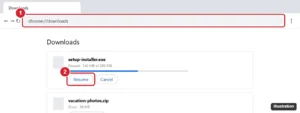
A CRDOWNLOAD file is an unfinished Chrome download. Resume or retry it from chrome://downloads to get the real file, or delete it safely. Continue Reading How to Open a CRDOWNLOAD File in Windows 10
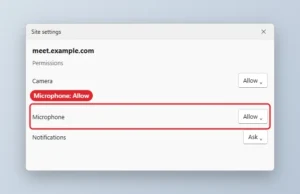
Allow microphone access in Chrome: set the site permission to Allow, pick the right mic, and turn on microphone access in Windows privacy settings. Continue Reading How to Allow Microphone Access in Chrome on Windows 10 and 11
Make Chrome open in full screen on Windows 10 with the –start-fullscreen shortcut flag, plus maximized and kiosk modes and how to exit them. Continue Reading How to Make Chrome Always Open in Full Screen on Windows 10
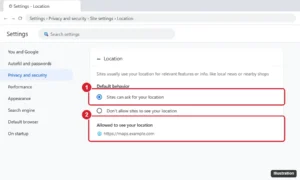
Enable location in Chrome on Windows 10: allow sites to ask, turn on Windows location services for desktop apps, allow individual sites, and fix accuracy. Continue Reading How to Enable Location in Chrome on Windows 10
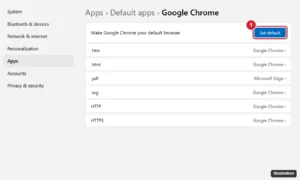
Install Chrome on Windows 11: open Edge, go to google.com/chrome, download and run the installer, then set Chrome as default in Settings > Apps. Continue Reading How to Install Google Chrome on Windows 11
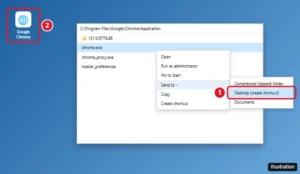
Create a Google Chrome desktop shortcut on Windows 10 or 11 by dragging it from Start or using Send to, and make shortcuts for websites or Chrome profiles. Continue Reading How to Create a Google Chrome Shortcut on Your Desktop

Click the Chrome menu > Passwords and autofill > Google Password Manager, pick a site, and click the eye icon. Steps for phones, export, and Checkup. Continue Reading How to View Your Saved Passwords in Google Chrome

Make Chrome download PDFs instead of opening them: change the PDF documents setting, save single files, pick a folder, and do the same in Edge and Firefox. Continue Reading How to Download PDFs Instead of Opening Them in Chrome
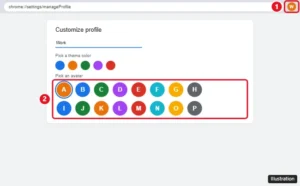
Change your Google Chrome profile avatar from Customize profile, or change your Google Account photo so it updates in Chrome, Gmail, and other Google apps. Continue Reading How to Change Your Google Chrome Profile Avatar
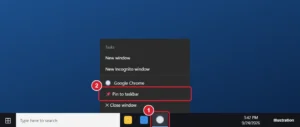
Pin Google Chrome to the Windows 10 taskbar from the taskbar or Start menu, plus how to pin websites and Chrome profiles and fix a missing option. Continue Reading How to Add Google Chrome to the Taskbar in Windows 10
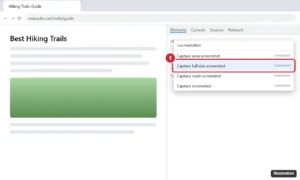
Take a screenshot of an entire web page in Chrome with the built-in Developer Tools command, an extension, Edge, Print to PDF, or on your phone. Continue Reading How to Take a Full-Page Screenshot in Google Chrome
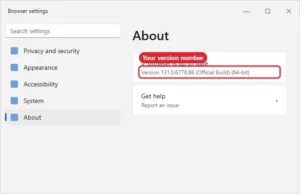
Find your Chrome version: menu > Help > About Google Chrome, which also checks for updates. Or type chrome://version for full details. Continue Reading How to Find Your Google Chrome Version Number
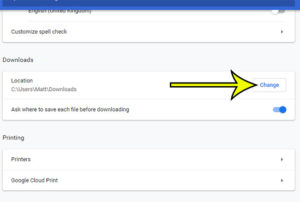
Most Web browsers that you use in Windows 10 are going to download files to your computer’s Downloads folder by default. This can help to… Continue Reading Can I Change the Download Folder in Google Chrome in Windows 10?
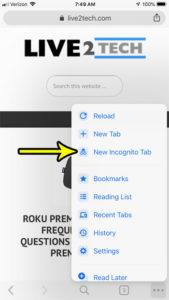
Private browsing is a feature that has long been available in popular Web browsers that you use on your computer. It’s a useful feature, and… Continue Reading Two Ways to Create a Private Browsing Tab in Chrome on an iPhone
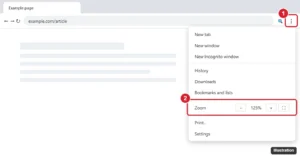
Zoom in and out in Chrome with shortcuts or the menu, set a default zoom for all sites, reset site zoom levels, and zoom on Android and iPhone. Continue Reading How to Change the Page Zoom in Google Chrome
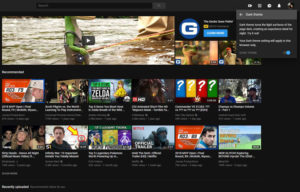
Have you seen someone else using Youtube on their computer and noticed that their screen was a dark gray color instead of white? Not only… Continue Reading How to Enable Dark Mode in the Youtube Desktop Site
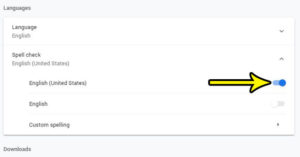
Spell check is a feature that some people like to rely on heavily, but feels like a nuisance for others. If you are one of… Continue Reading How to Enable Spell Check in the Google Chrome Web Browser
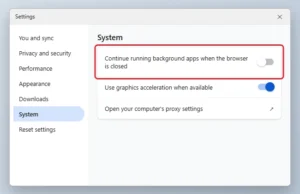
Turn off Continue running background apps in Chrome so it fully quits when closed, confirm it in Task Manager, and cut memory use further. Continue Reading How to Stop Chrome From Running in the Background
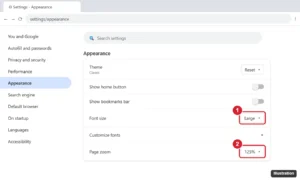
Make text bigger in Google Chrome by changing the font size, setting a minimum font size, or zooming pages on desktop, Android, and iPhone. Shortcuts included. Continue Reading How to Make Text Bigger in Google Chrome (Font Size and Zoom)
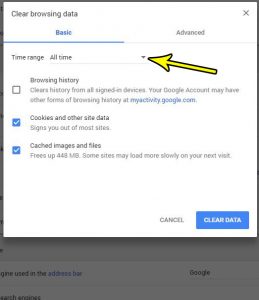
Google Chrome, like many other Web browsers, stores a lot of data when you browse the Internet. Typically this is done to improve your experience… Continue Reading How to Clear Browsing Data in Google Chrome
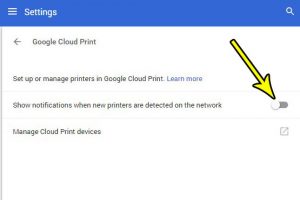
Google Cloud Print is a handy feature in Google Chrome that lets you print to local, network, and even remote printers. Part of the Google… Continue Reading How to Turn Off Google Cloud Print Notifications for New Printers
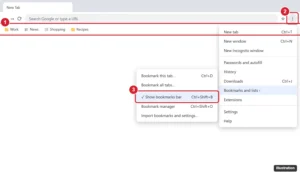
Press Ctrl + Shift + B (Command + Shift + B on Mac), or open the Chrome menu > Bookmarks and lists and uncheck Show bookmarks bar. Plus other options. Continue Reading How to Hide the Bookmarks Bar in Google Chrome
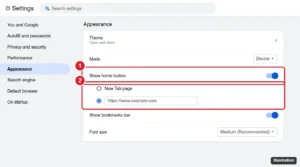
Show or hide the Home button in Google Chrome from Settings > Appearance, choose the page it opens, and change it on Android. Plus troubleshooting. Continue Reading How to Show or Hide the Home Button in Google Chrome
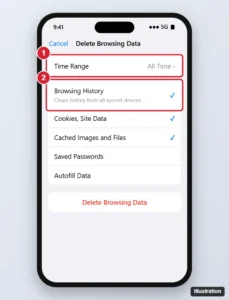
Delete Chrome browsing history on iPhone for any time range, choose which data to clear, remove individual sites, and manage synced history and activity. Continue Reading How to Delete Browsing History in Chrome on iPhone
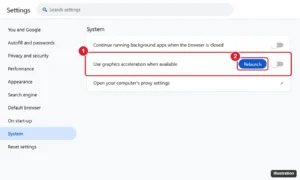
Turn off hardware acceleration in Chrome, Edge, Firefox, Discord, Spotify, Slack, Steam, and Office to fix flickering, black screens, and crashes. Continue Reading How to Turn Off Hardware Acceleration in Chrome, Edge, Firefox, Discord, and More
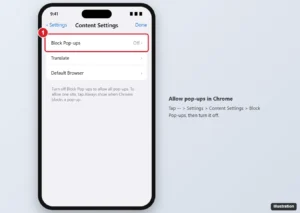
In Chrome, tap More > Settings > Content Settings > Block Pop-ups and turn it off, or tap Always show for one site. Safari steps and safety tips too. Continue Reading How to Stop Blocking Pop-ups in the Chrome iPhone App