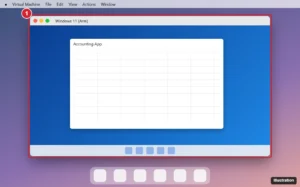
How to Run Windows Programs on a Mac (Apple Silicon and Intel)
Run Windows programs on a Mac with Parallels, free VMware Fusion or UTM, CrossOver, a cloud PC or Boot Camp. Compare costs and setup steps.
Run Windows programs on a Mac with Parallels, free VMware Fusion or UTM, CrossOver, a cloud PC or Boot Camp. Compare costs and setup steps.
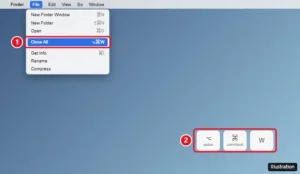
Close all windows on a Mac with Option + Command + W, Option-click the red button, quit several apps at once, and stop windows reopening after restart.
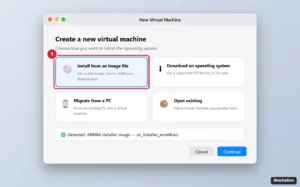
Run Windows on a Mac: Windows 11 ARM with Parallels, VMware Fusion or UTM on Apple silicon, or Boot Camp on Intel Macs. Setup, licensing and limits.
Install Windows on a Mac: use a virtual machine with Windows 11 Arm on Apple silicon, or Boot Camp with Windows 10 on Intel Macs. Plus licensing.
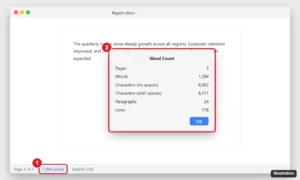
Check word count on a Mac in Word, Pages and Google Docs, count a selection, and find workarounds for TextEdit and Notes using Shortcuts or Terminal.
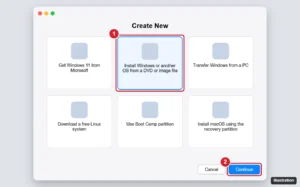
Install Windows 10 in Parallels on an Intel Mac from the ISO, finish setup with Parallels Tools, and install Windows 11 for Arm on Apple silicon Macs instead.
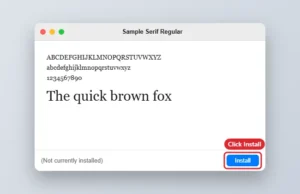
Install a .ttf or .otf font on your Mac, restart Word, and pick it from the font list. Plus cloud fonts and sharing tips.
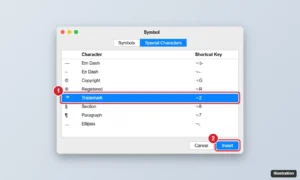
Insert the trademark symbol in Word on a Mac with Option + 2, type ™ for AutoCorrect, or use Insert > Advanced Symbol. Plus ® and © shortcuts.
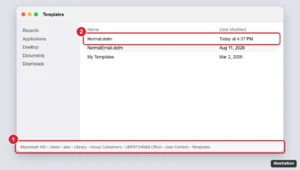
Reset Word to default settings on a Mac by renaming Normal.dotm, resetting the ribbon, moving Word’s preferences file, and checking AutoCorrect and add-ins.
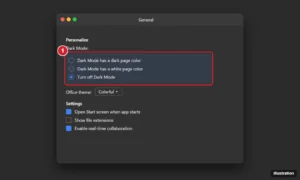
Turn on dark mode in Word for Mac through macOS Appearance, then choose a dark or white page or turn it off in Word > Settings > General.
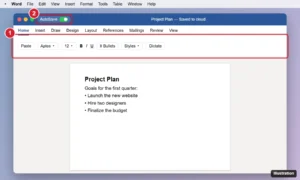
Learn Microsoft Word on a Mac: install and sign in, navigate the ribbon and menus, create and save documents, use Mac shortcuts, share files, and export PDFs.
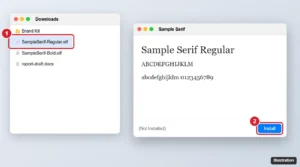
Import fonts into Word on a Mac by installing them with Font Book, restarting Word, and embedding fonts for sharing. Includes fixes for missing fonts.
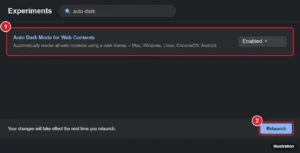
Google Docs has no web dark mode, but on a Mac you can darken it with an extension like Dark Reader or Chrome’s Auto Dark Mode, plus the mobile app dark theme.
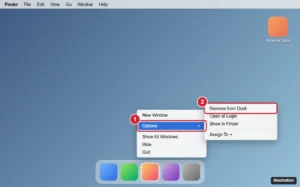
Remove a Google Chrome icon from your Mac desktop: delete the alias, eject the installer disk, or remove Chrome from the Dock without uninstalling it.
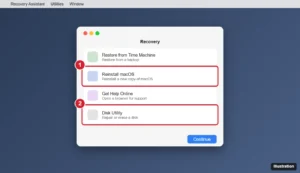
Use Command-R on a Mac to start macOS Recovery on Intel Macs, the power button method on Apple silicon, what each Recovery tool does, and Command-R in apps.
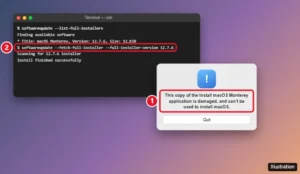
Fix the “Install macOS Monterey application is damaged” error: download a fresh installer, use the softwareupdate command, check the date, or rebuild your USB.
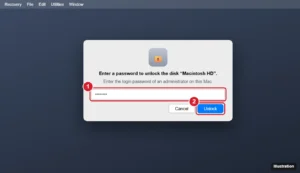
Seeing Enter a password to unlock the disk Macintosh HD? Learn which password to use, how to recover access if you forgot it, and why it appears.
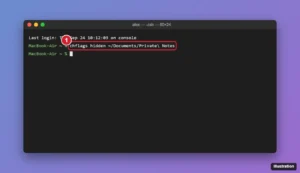
Hide a folder on a Mac with Terminal’s chflags hidden command, show it with Command + Shift + period, or lock it in an encrypted disk image.
macOS Sonoma vs. Ventura compared: features, supported Macs, performance, and security updates, plus which macOS you should run on your Mac in 2026.
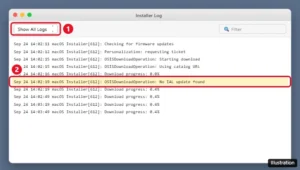
“No IAL update found” is a macOS installer log line. Here’s what it means and 7 fixes for a stuck Mac install, from date and time to a USB installer.
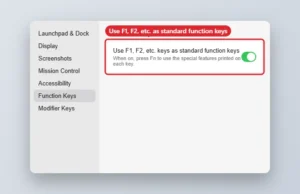
Fix F3 not opening Mission Control on a Mac: try Fn + F3, check the Function Keys setting, restore shortcuts, and test the key.
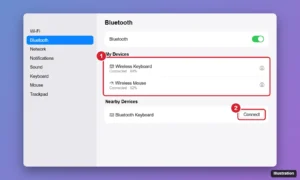
Choose the best wireless keyboard and mouse for your Mac: Apple Magic accessories vs. Logitech MX, what to look for, and how to connect them.
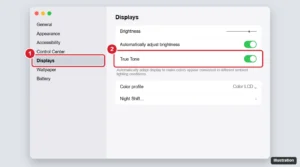
Learn what True Tone does on a Mac, which Macs support it, how to turn it on or off in Displays or Control Center, and how it differs from Night Shift.
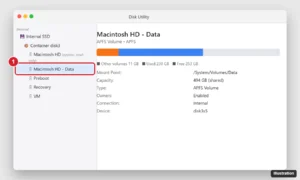
Macintosh HD is the read-only macOS system volume; Macintosh HD – Data holds your files. Learn how they share storage and when to erase them.
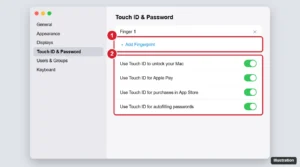
Magic Keyboard Touch ID not working? Check pairing, fingerprints, macOS updates, and Touch ID settings, then reset the keyboard with these step-by-step fixes.
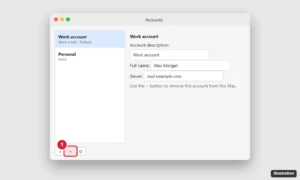
Sign out of Outlook on a Mac by removing the account in Outlook > Settings > Accounts, or sign out of Microsoft 365 for all Office apps.
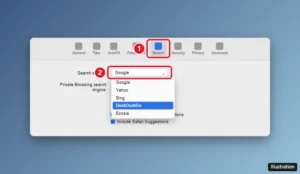
Change the default search engine in Safari on a Mac from Settings > Search, set a separate private browsing engine, and fix a search engine that keeps changing.
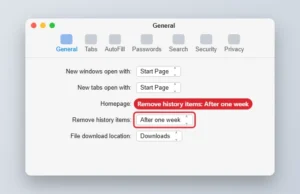
Set Safari on a Mac to remove history items after one week in Settings > General, or clear history immediately from the History menu.
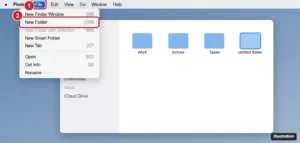
Create a new folder on a MacBook Air with Shift + Command + N, the File menu, or a right-click, and make folders from selected files.
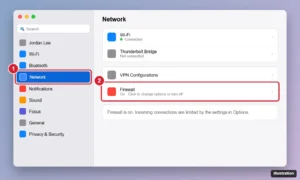
Turn the Mac firewall off or on in macOS Sequoia, Sonoma, Ventura, and older versions like High Sierra, plus the Terminal command and how to allow a single app.
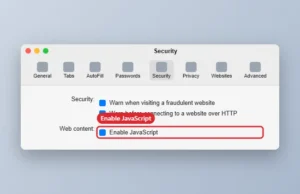
Turn off JavaScript in Safari on a Mac in Settings > Security, disable it temporarily from the Develop menu, and see what changes when it is off.
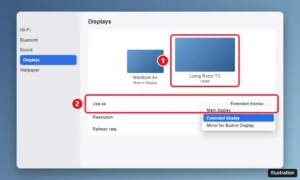
Connect a MacBook Air to a TV with a USB-C to HDMI adapter, mirror or extend your screen, send sound to the TV, and fix no picture or overscan issues.
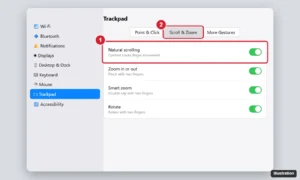
Change scrolling on a MacBook Air: turn natural scrolling off or on, adjust trackpad and mouse scroll speed, and always show scroll bars.