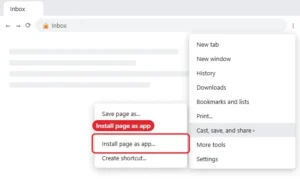
How to Pin Gmail to the Taskbar in Windows 11
Pin Gmail to the Windows 11 taskbar by installing it as an app from Chrome or Edge, then choosing Pin to taskbar. Continue Reading How to Pin Gmail to the Taskbar in Windows 11
How-to guides and tutorials to help you perform specific tasks and use the Gmail application on your phone and computer.
Pin Gmail to the Windows 11 taskbar by installing it as an app from Chrome or Edge, then choosing Pin to taskbar. Continue Reading How to Pin Gmail to the Taskbar in Windows 11
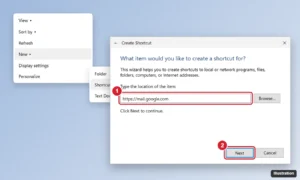
Add a Gmail icon to your Windows 11 desktop by installing Gmail as an app in Chrome or Edge or creating a shortcut, then pin it to the taskbar and Start menu. Continue Reading How to Put a Gmail Icon on Your Windows 11 Desktop
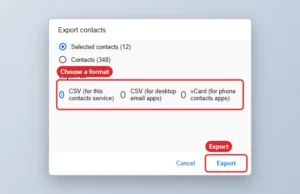
Export Gmail contacts from Google Contacts in a browser: select contacts, click Export and choose Google CSV, Outlook CSV or vCard. Continue Reading How to Export Gmail Contacts
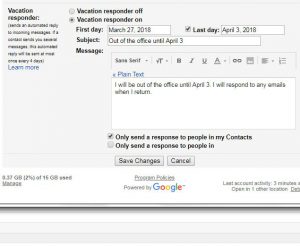
A vacation response in your Gmail account can help to eliminate some potential confusion when you aren’t going to be replying to emails for a… Continue Reading How to Set a Vacation Response in Gmail
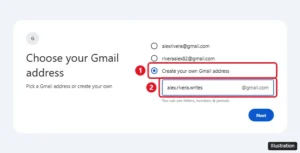
Create a new Gmail account in about five minutes on a computer, iPhone, or Android, plus username rules, adding a second account, and phone number tips. Continue Reading How to Create a New Gmail Account (Computer, iPhone, and Android)

Set Gmail to Reply or Reply all by default in Settings > General > Default reply behavior on the web, and in the Gmail app settings on Android. Continue Reading How to Change the Default Reply Behavior in Gmail
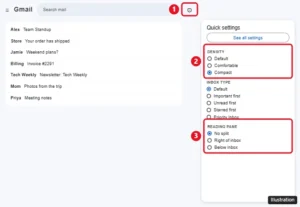
Change the view in Gmail with Quick settings: density, inbox type, reading pane, conversation view, and theme, on a computer, iPhone, or Android. Continue Reading How to Change the View in Gmail
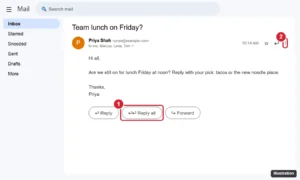
Reply all in Gmail by clicking Reply all under the message, or use the three-dot menu in the app. Plus the A shortcut and how to make it the default. Continue Reading How to Reply All in Gmail

Remove the preview window at the bottom of your Gmail inbox by setting Reading pane to No split, or move it to the right. Steps for Quick settings and more. Continue Reading How to Remove the Email Preview Window at the Bottom of Gmail

Remove or turn off your Gmail signature on a computer, Android, or iPhone, stop it on replies, remove it from one email, and fix one that keeps showing. Continue Reading How to Remove a Signature From Gmail (Desktop and Mobile)

Bcc means blind carbon copy: Gmail sends a copy without showing that address to anyone else. Here is how to use Bcc on a computer and phone. Continue Reading What Does Bcc Mean in Gmail? How to Use It

Add a clickable link to your Gmail signature: create a signature, link text or a logo image, set defaults, and understand how it works in the Gmail apps. Continue Reading How to Add a Link to Your Gmail Signature

Remove your Google profile picture from Personal info in your Google Account on a computer or phone, and see where the change appears. Continue Reading How to Delete Your Google Profile Picture
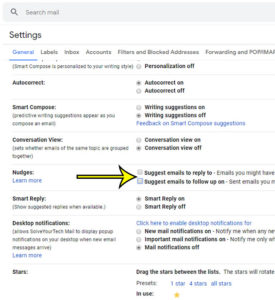
Are you accustomed to seeing your newest emails at the top of your inbox when you open Gmail in Chrome, Firefox or Edge? If you… Continue Reading Why Are Old Emails and Sent Emails Appearing at the Top of My Gmail Inbox?
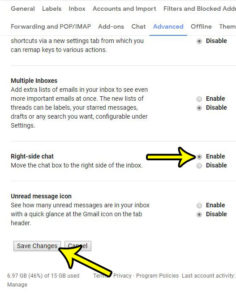
The chat feature in your Gmail inbox provides a way for you to communicate with your contacts in another way. Chat is nearly instantaneous, and… Continue Reading How to Move Chat to the Right Side of the Window in Gmail
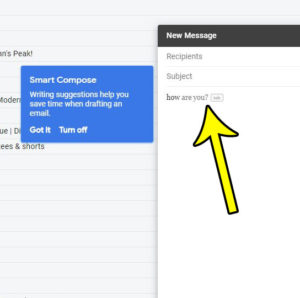
When you are writing communications through email or text, it’s fairly typical to use some common expressions. Gmail has a feature called Smart Compose that… Continue Reading How to Turn Off Gmail Writing Suggestions
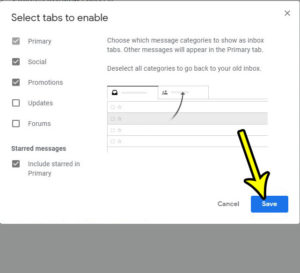
The Gmail inbox can be customized to display your messages in a couple of different ways. The default option, however, creates tabs in the inbox,… Continue Reading How to Add or Remove Tabs in the New Gmail Inbox
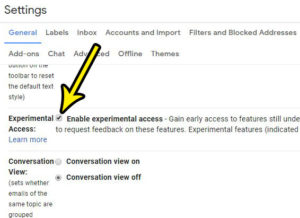
You have access to a number of different features and settings when you use Gmail. Whether it’s something that can help you be more productive,… Continue Reading How to Enable Experimental Access in Gmail
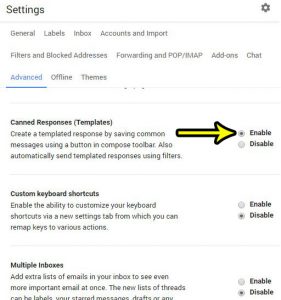
If you receive a lot of emails that are about the same subject, it’s possible that you find yourself typing the same email over and… Continue Reading How to Enable Canned Responses in Gmail
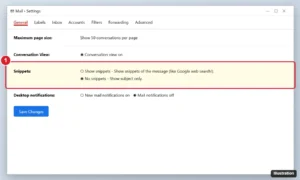
Stop Gmail from showing message previews by setting Snippets to No snippets, turning off the reading pane, and hiding notification previews on your phone. Continue Reading How to Stop Showing Message Previews in Gmail
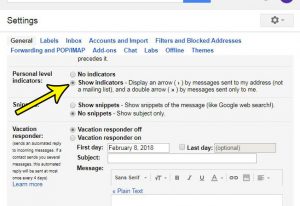
Gmail does a good job of fitting a lot of information into your inbox. You might already be seeing different labels and indicators that let… Continue Reading How to Show Personal Level Indicators in Gmail
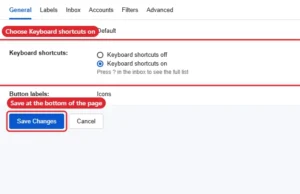
Turn Gmail keyboard shortcuts on or off in Settings > See all settings > General, then Save Changes. Includes key shortcuts and custom keys. Continue Reading How to Enable or Disable Keyboard Shortcuts in Gmail
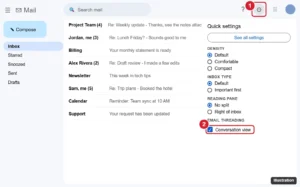
Turn off Conversation view in Gmail on the web, Android, and iPhone so each email shows separately, plus what changes and how to fix common issues. Continue Reading How to Turn Off Conversation View in Gmail (Web, Android, iPhone)
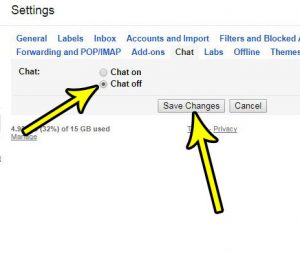
The Gmail interface can be a little intimidating to people that are new to the email service but, overtime, you become familiar with it and… Continue Reading How to Turn Off Chat in Gmail
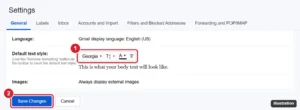
Change the default font in Gmail under Settings > General > Default text style. Set font, size, and color, and fix a default that won’t stick. Continue Reading How to Change the Default Font in Gmail
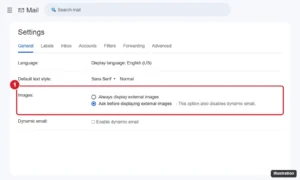
Make Gmail ask before displaying external images on a computer, Android, or iPhone to block tracking pixels, and learn what changes when you do. Continue Reading How to Make Gmail Ask Before Displaying External Images
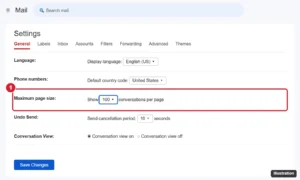
Show up to 100 conversations per page in Gmail with the Maximum page size setting, and learn to select all emails and fit more on screen. Continue Reading How to Show More Conversations per Page in Gmail (Up to 100)