Skip to content
Live2Tech
  • iPhone
  • Windows
    • Windows 11
    • Windows 10
  • Office
    • Word
    • Excel
    • Powerpoint
    • Outlook
  • Google
    • Google Docs
    • Google Sheets
    • Google Slides
    • Gmail
    • Chrome
    • Google Drive
  • Mac & Apple
    • Mac
    • iPad
    • Apple Watch
  • All Tutorials

Kermit Matthews

Kermit Matthews runs Live2Tech from just outside Philadelphia. He is an IT specialist with over 20 years of experience, from a university help desk to small-business IT, IT management and his own consulting practice, and has written tech guides full time since 2020. Steps are checked against the current software on a real device or the maker's official documentation. More about Kermit.
Excel 2010 Print screen with the scaling option set to Fit Sheet on One Page and the preview showing the whole sheet on one page

How to Make an Excel 2010 Spreadsheet Fit on One Page

November 18, 2026March 14, 2022 by Kermit Matthews

Make an Excel 2010 sheet fit on one page: File > Print > Fit Sheet on One Page, or set Scale to Fit to 1 page wide by 1 tall. Plus readability tips. Continue Reading How to Make an Excel 2010 Spreadsheet Fit on One Page
Categories Excel
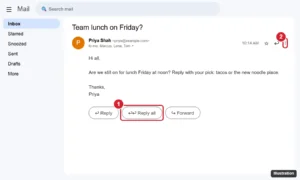
Gmail on a computer showing an open email with the Reply all button highlighted below the message

How to Reply All in Gmail

November 10, 2026March 11, 2022 by Kermit Matthews

Reply all in Gmail by clicking Reply all under the message, or use the three-dot menu in the app. Plus the A shortcut and how to make it the default. Continue Reading How to Reply All in Gmail

Categories Gmail
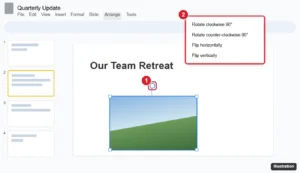
Presentation editor with a selected image showing the rotation handle and the Arrange Rotate menu highlighted

How to Rotate a Picture in Google Slides (Any Angle)

November 17, 2026March 9, 2022 by Kermit Matthews

Rotate a picture in Google Slides with the rotation handle, Arrange > Rotate for 90-degree turns and flips, or an exact angle in Format options. Continue Reading How to Rotate a Picture in Google Slides (Any Angle)

Categories Google Slides Tags Featured Slides Guides, Image Rotation
Spreadsheet with column B selected and its column menu open, with Sort sheet Z to A highlighted

How to Sort a Column From Highest to Lowest in Google Sheets

November 15, 2026March 8, 2022 by Kermit Matthews

Sort a column from highest to lowest in Google Sheets with Sort sheet Z to A, keep headers in place, sort by multiple columns, or use the SORT function. Continue Reading How to Sort a Column From Highest to Lowest in Google Sheets

Categories Google Sheets
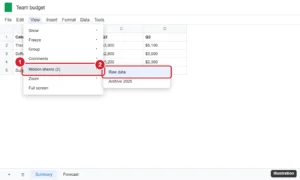
Spreadsheet View menu with Hidden sheets expanded, listing two hidden sheets to unhide

How to Unhide a Sheet in Google Sheets (Desktop and Mobile)

November 10, 2026March 8, 2022 by Kermit Matthews

Unhide a sheet in Google Sheets with View > Hidden sheets or the All Sheets list, unhide on mobile, and fix a grayed-out Hidden sheets option. Continue Reading How to Unhide a Sheet in Google Sheets (Desktop and Mobile)

Categories Google Sheets
google docs no header

How to Take Off Header in Google Docs

November 18, 2026March 3, 2022 by Kermit Matthews

The header section of your document is a useful place to put important information like your last name or page number. Many schools and corporations… Continue Reading How to Take Off Header in Google Docs

Categories Google Docs Tags Header
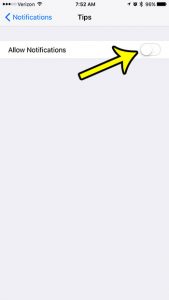
how to turn off tips notifications on iphone 7

How to Turn Off Tips on iPhone 7

November 15, 2026March 2, 2022 by Kermit Matthews

Your iPhone has an app called Tips that offers assorted pointers and guides for ways to do things on your device. This is helpful for… Continue Reading How to Turn Off Tips on iPhone 7

Categories iPhone Tags iphone 7
iPhone Phone app Favorites list in edit mode with the red minus button and Delete highlighted

How to Remove a Contact from Favorites on iPhone 13

November 10, 2026February 28, 2022 by Kermit Matthews

Remove a contact from Favorites on iPhone 13 in the Phone app with Edit or a swipe, plus how to reorder favorites and stop them from coming back. Continue Reading How to Remove a Contact from Favorites on iPhone 13

Categories iPhone
Format Cells dialog with Custom selected and a 12-digit zero format in the Type box

How to Format UPC Codes in Excel

November 10, 2026February 24, 2022 by Kermit Matthews

Keep UPC codes at 12 digits in Excel with a custom format of twelve zeros. Stops lost leading zeros and scientific notation. Continue Reading How to Format UPC Codes in Excel

Categories Excel Tags excel, excel 2013
how to remove the mail icon in windows 10

How to Remove Mail Icon from Taskbar – Windows 10

November 15, 2026February 23, 2022 by Kermit Matthews

The taskbar that appears at the bottom of the screen in Windows 10 is a useful location for the apps that you use the most.… Continue Reading How to Remove Mail Icon from Taskbar – Windows 10

Categories Windows 10
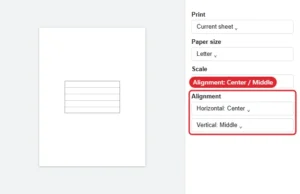
Spreadsheet print settings with Alignment set to Center horizontally and Middle vertically

How to Print in the Middle of the Page in Google Sheets

November 15, 2026February 22, 2022 by Kermit Matthews

Center a Google Sheets printout: open File > Print, expand Formatting and set Alignment to Center and Middle. Plus scale and margin tips. Continue Reading How to Print in the Middle of the Page in Google Sheets

Categories Google Sheets
Webmail quick settings panel with Reading pane options No split, Right of inbox and Below inbox, with No split selected

How to Remove the Preview Pane at the Bottom of Gmail

November 18, 2026February 21, 2022 by Kermit Matthews

Remove the preview window at the bottom of your Gmail inbox by setting Reading pane to No split, or move it to the right. Steps for Quick settings and more. Continue Reading How to Remove the Preview Pane at the Bottom of Gmail

Categories Gmail
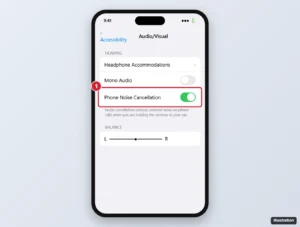
iPhone Accessibility Audio/Visual settings with the Phone Noise Cancellation switch highlighted

How to Enable Phone Noise Cancellation on an iPhone 7

November 10, 2026February 18, 2022 by Kermit Matthews

Turn on Phone Noise Cancellation on an iPhone 7 in Accessibility settings, learn what it does on calls, and get tips to reduce noise the other person hears. Continue Reading How to Enable Phone Noise Cancellation on an iPhone 7

Categories iPhone Tags iphone 7, Phone, Sounds
Word Borders and Shading dialog on the Shading tab with a light fill color chosen and Apply to set to Paragraph highlighted

How to Remove Paragraph Shading in Word

November 14, 2026February 14, 2022 by Kermit Matthews

Remove paragraph shading in Word with the Shading button or Borders and Shading, and clear highlighting, pasted backgrounds and field shading. Continue Reading How to Remove Paragraph Shading in Word

Categories Word Tags word 2013
Google Docs table with a row selected and the right-click menu showing Insert row below highlighted

How to Add a Row to a Table in Google Docs

November 16, 2026February 8, 2022 by Kermit Matthews

Right-click a cell and choose Insert row above or below, or press Tab in the last cell to add a row at the end. Steps for several rows and the mobile app. Continue Reading How to Add a Row to a Table in Google Docs

Categories Google Docs Tags Rows
Desktop music streaming app settings with the Social section showing Share my listening activity switched off and See what your friends are playing switched off

How to Hide Friend Activity in the Spotify Desktop App

November 10, 2026February 7, 2022 by Kermit Matthews

Hide Friend Activity in Spotify desktop: stop sharing your listening activity, turn off the friends panel, or use a Private session. Mobile steps too. Continue Reading How to Hide Friend Activity in the Spotify Desktop App

Categories Streaming Tags spotify
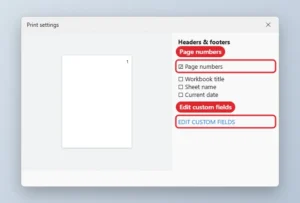
Print settings panel with Page numbers checked and Edit custom fields highlighted
How to Put Page Numbers at the Top in Google Sheets

November 18, 2026February 3, 2022 by Kermit Matthews

Move Google Sheets page numbers to the top: File, Print, Headers and footers, check Page numbers, then Edit custom fields to place them in the header. Continue Reading How to Put Page Numbers at the Top in Google Sheets
Categories Google Sheets
iPhone Face ID and Passcode settings with the Erase Data switch after 10 failed passcode attempts highlighted

How to Turn Off the iPhone Erase Data Setting

November 15, 2026February 2, 2022 by Kermit Matthews

Stop your iPhone from erasing all data after 10 failed passcode attempts: turn off Erase Data in Face ID & Passcode, and learn what happens after lockouts. Continue Reading How to Turn Off the iPhone Erase Data Setting

Categories iPhone Tags iphone 7, Security
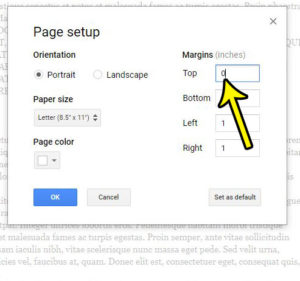
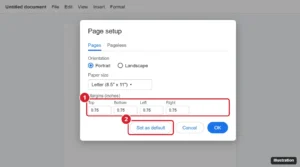
Google Docs Page setup dialog with the margin boxes and Set as default button highlighted

How to Set Default Margins in Google Docs

November 18, 2026January 27, 2022 by Kermit Matthews

Set default margins in Google Docs with File > Page setup > Set as default, change margins for one document or with the ruler, and fix defaults. Continue Reading How to Set Default Margins in Google Docs

Categories Google Docs Tags Margins
hold down ctrl and select multiple cells

How to Select Cells in Excel 2013

November 15, 2026January 26, 2022 by Kermit Matthews

Making cell selections in spreadsheet applications like Google Sheets or Microsoft Excel can be as easy as clicking on the cell you want. Maybe if… Continue Reading How to Select Cells in Excel 2013

Categories Excel Tags excel 2013
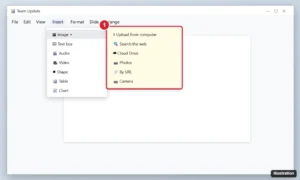
Online presentation editor with Insert and Image menus open showing Upload from computer, Search the web, Drive, Photos, By URL and Camera

How to Insert a Picture in Google Slides (Every Method)

November 17, 2026January 24, 2022 by Kermit Matthews

Insert a picture in Google Slides from your computer, the web, Drive, Photos, a URL or camera, then resize, crop, mask, replace it or set it as the background. Continue Reading How to Insert a Picture in Google Slides (Every Method)

Categories Google Slides
Presentation editor with an image selected and the right-click menu showing Copy and Duplicate

How to Make a Copy of a Picture in Google Slides

November 10, 2026January 21, 2022 by Kermit Matthews

Copy a picture in Google Slides with Ctrl + D to duplicate or Ctrl + C and Ctrl + V to paste elsewhere. Save it via Keep or by downloading the slide. Continue Reading How to Make a Copy of a Picture in Google Slides

Categories Google Slides
iPhone Battery settings with Low Power Mode turned on and highlighted, which grays out Auto-Lock

How to Fix iPhone Auto-Lock Greyed Out

November 18, 2026January 20, 2022 by Kermit Matthews

Auto-Lock greyed out at 30 seconds? Turn off Low Power Mode by iPhone model, see why it comes back, and check for a school or work limit on the setting. Continue Reading How to Fix iPhone Auto-Lock Greyed Out

Categories iPhone Tags battery
how to change default browser in edge on iphone

How to Change the Default Search Engine in Edge on an iPhone

November 18, 2026January 18, 2022 by Kermit Matthews

If you are a user of the Microsoft edge iPhone app then you may not like that your searches from the address bar are occurring… Continue Reading How to Change the Default Search Engine in Edge on an iPhone

Categories iPhone Tags iphone 7
Presentation app Insert tab with the Shapes gallery open and the Line Arrow shape highlighted, plus an arrow drawn on the slide

How to Add an Arrow in PowerPoint (Draw, Style, and Animate)

November 10, 2026January 17, 2022 by Kermit Matthews

Add an arrow in PowerPoint with Insert > Shapes, draw straight or connector arrows, change color and arrowheads, and animate the arrow so it appears on cue. Continue Reading How to Add an Arrow in PowerPoint (Draw, Style, and Animate)

Categories Powerpoint Tags Featured Powerpoint Guides, Objects, powerpoint 2013
double-click the layer to rename it

How to Rename a Layer in Photoshop CS5

November 17, 2026December 30, 2021 by Kermit Matthews

Being able to accurately identify your layers in Photoshop can help to alleviate a lot of aggravation in the program, especially if your files contain… Continue Reading How to Rename a Layer in Photoshop CS5

Categories Photoshop Tags photoshop cs5
Phone Night Shift settings screen with Scheduled turned on, a sunset to sunrise schedule, and the Color Temperature slider highlighted

How to Enable Night Shift Mode in iOS 10 (Schedule and Settings)

November 14, 2026December 29, 2021 by Kermit Matthews

Turn on Night Shift in iOS 10 from Control Center or Settings, schedule it from sunset to sunrise, adjust color warmth, and fix a missing schedule. Continue Reading How to Enable Night Shift Mode in iOS 10 (Schedule and Settings)

Categories iPhone Tags iphone 7
Excel Page Layout tab with the Print Area menu open and Set Print Area highlighted

How to Set the Print Area in Excel 2013

November 10, 2026December 28, 2021 by Kermit Matthews

Set the print area in Excel 2013 from Page Layout > Print Area, add to it, print multiple areas, fit it on one page, and clear it. Continue Reading How to Set the Print Area in Excel 2013

Categories Excel Tags excel 2013
Spreadsheet with column B selected and Copy highlighted in the right-click menu

How to Copy a Column in Excel (6 Methods)

November 18, 2026December 27, 2021 by Kermit Matthews

Copy a column in Excel with copy and paste, Insert Copied Cells, Ctrl + drag, or Paste Special, and learn how formulas change when you copy them. Continue Reading How to Copy a Column in Excel (6 Methods)

Categories Excel Tags Featured Excel Guides
how to turn on the spell checker on an iphone 7

How to Turn on iPhone 7 Spell Check

November 15, 2026December 20, 2021 by Kermit Matthews

While long-time smartphone users have grown accustomed to typing on the smaller phone keyboards, it’s still pretty common to mistype a letter here and there… Continue Reading How to Turn on iPhone 7 Spell Check

Categories iPhone Tags ios 10
iPhone Contacts settings Sort Order screen with First, Last selected

How to Sort Contacts by First Name on iPhone 13 (and Other iPhones)

November 10, 2026December 16, 2021 by Kermit Matthews

Sort contacts by first name on iPhone 13 in Settings > Apps > Contacts > Sort Order, plus display order tips and fixes for contacts in the wrong place. Continue Reading How to Sort Contacts by First Name on iPhone 13 (and Other iPhones)

Categories iPhone
iPhone Settings Find My iPhone screen with Find My iPhone, Find My network, and Send Last Location turned on

How to Add a Device to Find My on iPhone

November 17, 2026December 10, 2021 by Kermit Matthews

Add an iPhone, iPad, Mac, Apple Watch, AirPods or AirTag to Find My: where each switch lives, the 32-item limit, family sharing and fixes for a missing device. Continue Reading How to Add a Device to Find My on iPhone

Categories iPhone
Google Docs Insert special characters window with a search for e acute and the é character highlighted

How to Put an Accent Over a Letter in Google Docs

November 17, 2026December 9, 2021 by Kermit Matthews

Add accented letters in Google Docs with Insert > Symbols > Special characters, or type them from a Windows, Mac, Chromebook or phone keyboard. Steps for each. Continue Reading How to Put an Accent Over a Letter in Google Docs

Categories Google Docs
Phone music streaming app Settings and privacy screen scrolled to the bottom with the Log out button highlighted

How to Sign Out of Spotify on iPhone (and Everywhere Else)

November 10, 2026December 8, 2021 by Kermit Matthews

Log out of Spotify on iPhone from Settings and privacy, sign out of every device with Sign out everywhere, and what happens to your downloads. Continue Reading How to Sign Out of Spotify on iPhone (and Everywhere Else)

Categories iPhone Tags iphone 7
Google Sheets with the file name box at the top being edited and the File menu Rename option highlighted

How to Change a File Name in Google Sheets

November 10, 2026December 7, 2021 by Kermit Matthews

Change a file name in Google Sheets: click the name at the top left, type a new one, and press Enter, or use File > Rename. Plus Drive and mobile steps. Continue Reading How to Change a File Name in Google Sheets

Categories Google Sheets
Word Layout tab with the Size menu open showing Letter, Legal, and A4 paper sizes, with A4 highlighted

How to Change Paper Size in Word

November 18, 2026December 7, 2021 by Kermit Matthews

Change the paper size in Word from the Layout tab, enter a custom width and height, use a different size for some pages, and fix printouts that do not match. Continue Reading How to Change Paper Size in Word

Categories Word
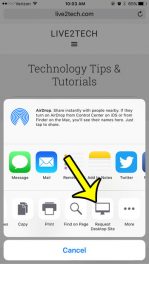
request desktop version of website on iphone

How to View Desktop Version on iPhone When Visiting a Web Page

November 15, 2026December 3, 2021 by Kermit Matthews

The Web browsers that you use on your iPhone have come a long way since the device was first introduced. Modern Web browsers are very… Continue Reading How to View Desktop Version on iPhone When Visiting a Web Page

Categories iPhone Tags ios 9, iphone 6
Spreadsheet app with a picture selected, the Picture Format tab open and the Crop menu showing Crop to Shape and Aspect Ratio options

How to Crop a Picture in Excel (Shapes, Ratios and More)

November 10, 2026December 2, 2021 by Kermit Matthews

Crop a picture in Excel with the Picture Format tab: trim edges, crop to a circle or aspect ratio, reset a crop and delete cropped areas. Continue Reading How to Crop a Picture in Excel (Shapes, Ratios and More)

Categories Excel Tags Cropping, excel 2013, Pictures
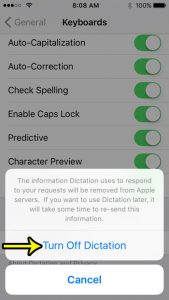
how to disable dictation on iphone se

How to Remove Microphone from Keyboard on iPhone SE

November 15, 2026November 22, 2021 by Kermit Matthews

The keyboard on your iPhone includes some things other than numbers and letters. You can also add special characters or emojis, or you can use… Continue Reading How to Remove Microphone from Keyboard on iPhone SE

Categories iPhone Tags iphone se
iPad Settings Sounds Keyboard Feedback screen with the Sound switch turned off

How to Turn Off Keyboard Clicks on an iPad

November 18, 2026November 19, 2021 by Kermit Matthews

Turn off keyboard clicks on your iPad in Settings > Sounds > Keyboard Feedback, plus other ways to silence typing sounds and fixes if clicks keep playing. Continue Reading How to Turn Off Keyboard Clicks on an iPad

Categories iPad
Windows 10 Touchpad settings with the Touchpad sensitivity dropdown open and options highlighted

How to Change Touchpad Sensitivity in Windows 10

November 10, 2026November 12, 2021 by Kermit Matthews

Change touchpad sensitivity in Windows 10 in Settings or your touchpad maker’s software, adjust cursor speed, and stop accidental palm taps. Continue Reading How to Change Touchpad Sensitivity in Windows 10

Categories Windows 10
how to delete a friend in pokemon go

How to Delete a Friend in Pokemon Go

November 15, 2026November 10, 2021 by Kermit Matthews

When you play Pokémon Go you can do much more than just catch Pokemon. You can also interact with other players around you through trading,… Continue Reading How to Delete a Friend in Pokemon Go

Categories iPhone Tags pokemon go
PowerPoint Picture Tools Format tab with the Rotate menu open and Flip Horizontal highlighted

How to Flip a Picture in PowerPoint 2013

November 10, 2026November 9, 2021 by Kermit Matthews

Flip a picture in PowerPoint 2013 and later with Format > Rotate > Flip Horizontal or Flip Vertical, plus how to flip shapes and undo a flip. Continue Reading How to Flip a Picture in PowerPoint 2013

Categories Powerpoint Tags Featured Powerpoint Guides, Image Rotation, Pictures, powerpoint 2013
how to turn off drag and drop in word 2013

How to Disable the Drag and Drop Word 2013 Feature

November 15, 2026November 8, 2021 by Kermit Matthews

Have you ever been proofreading a document that you wrote and discovered that an entire phrase, sentence, or paragraph seemed to be completely misplaced? While… Continue Reading How to Disable the Drag and Drop Word 2013 Feature

Categories Word Tags word 2013
how to rename a tab in excel 2016

How to Change a Tab Name in Excel 2016

November 15, 2026November 5, 2021 by Kermit Matthews

When you first start working with Microsoft Excel and are familiarizing yourself with some basic formulas, you may not give much thought to the names… Continue Reading How to Change a Tab Name in Excel 2016

Categories Excel Tags excel 2016
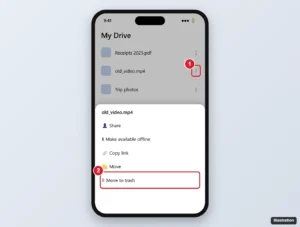
Cloud drive app on iPhone with a file action menu open and Move to trash highlighted

How to Delete Files From Google Drive on iPhone

November 14, 2026November 2, 2021 by Kermit Matthews

Delete files from Google Drive on iPhone: remove one or several files, empty the trash to free up storage, restore mistakes, and understand shared files. Continue Reading How to Delete Files From Google Drive on iPhone

Categories Google Drive, iPhone
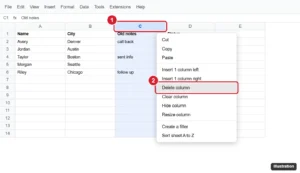
Spreadsheet with column C selected and Delete column highlighted in the right-click menu

How to Delete a Column in Google Sheets (Desktop and Mobile)

November 15, 2026October 28, 2021 by Kermit Matthews

Delete a column in Google Sheets with the right-click menu, Edit menu, or a shortcut, delete several at once, and see how formulas react. Continue Reading How to Delete a Column in Google Sheets (Desktop and Mobile)

Categories Google Sheets Tags Columns, Featured Sheets Guides
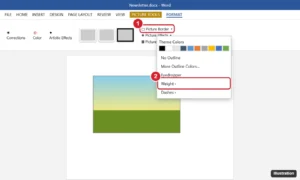
Word 2013 Picture Tools Format tab with the Picture Border menu open showing colors, Weight, and Dashes

How to Add a Border to a Picture in Word

November 7, 2026October 27, 2021 by Kermit Matthews

Add a border to a picture in Word 2013: select it, then Format > Picture Border to pick a color, weight, and dashes. Plus picture styles and fixes. Continue Reading How to Add a Border to a Picture in Word

Categories Word Tags word 2013
Word Options Display page with the formatting marks checkboxes highlighted under Always show these formatting marks on the screen

How to Hide Formatting Marks in Word

November 18, 2026October 26, 2021 by Kermit Matthews

Hide formatting marks in Word 2013 and later with Show/Hide ¶ or Ctrl + Shift + 8, and turn off marks that stay visible in Word Options. Continue Reading How to Hide Formatting Marks in Word

Categories Word Tags Featured Word Guides, Formatting, word 2013
how to switch to a4 paper in excel 2013

How to Print Excel Sheet in A4 Size in Excel 2013

November 15, 2026October 21, 2021 by Kermit Matthews

The print settings for an Excel spreadsheet are frequently an afterthought for Excel users, as the focus is on ensuring that the data in the… Continue Reading How to Print Excel Sheet in A4 Size in Excel 2013

Categories Excel Tags excel 2013
Older posts
Newer posts
← Previous Page1 … Page43 Page44 Page45 … Page56 Next →

Join Our Free Newsletter

Featured guides and deals

You may opt out at any time.
Read our Privacy Policy

Live2Tech

Plain-English, step-by-step guides for the devices and apps you use every day.

Apple

  • iPhone
  • iPad
  • Mac
  • Apple Watch

Windows

  • Windows 11
  • Windows 10

Microsoft Office

  • Word
  • Excel
  • Powerpoint
  • Outlook

Google

  • Google Docs
  • Google Sheets
  • Google Slides
  • Gmail
  • Chrome
  • Google Drive
  • About Us
  • Contact
  • Disclaimer
  • Privacy Policy
© Live2Tech.com 2026
  • iPhone
  • Windows
    • Windows 11
    • Windows 10
  • Office
    • Word
    • Excel
    • Powerpoint
    • Outlook
  • Google
    • Google Docs
    • Google Sheets
    • Google Slides
    • Gmail
    • Chrome
    • Google Drive
  • Mac & Apple
    • Mac
    • iPad
    • Apple Watch
  • All Tutorials