To turn on phone noise cancellation on an iPhone 7, open Settings > General > Accessibility and turn on Phone Noise Cancellation (on iOS 13 and later, go to Settings > Accessibility > Audio/Visual). It’s usually on by default. This feature uses the iPhone’s extra microphones to reduce background noise you hear on calls when you hold the phone to your ear. It doesn’t affect speakerphone, headphones, or what the other person hears.
How to turn phone noise cancellation on or off
- Open Settings.
- On iOS 13 or later (iPhone 7 can run up to iOS 15), tap Accessibility > Audio/Visual. On iOS 12 or earlier, tap General > Accessibility.
- Turn on Phone Noise Cancellation. The switch is green when it’s on.
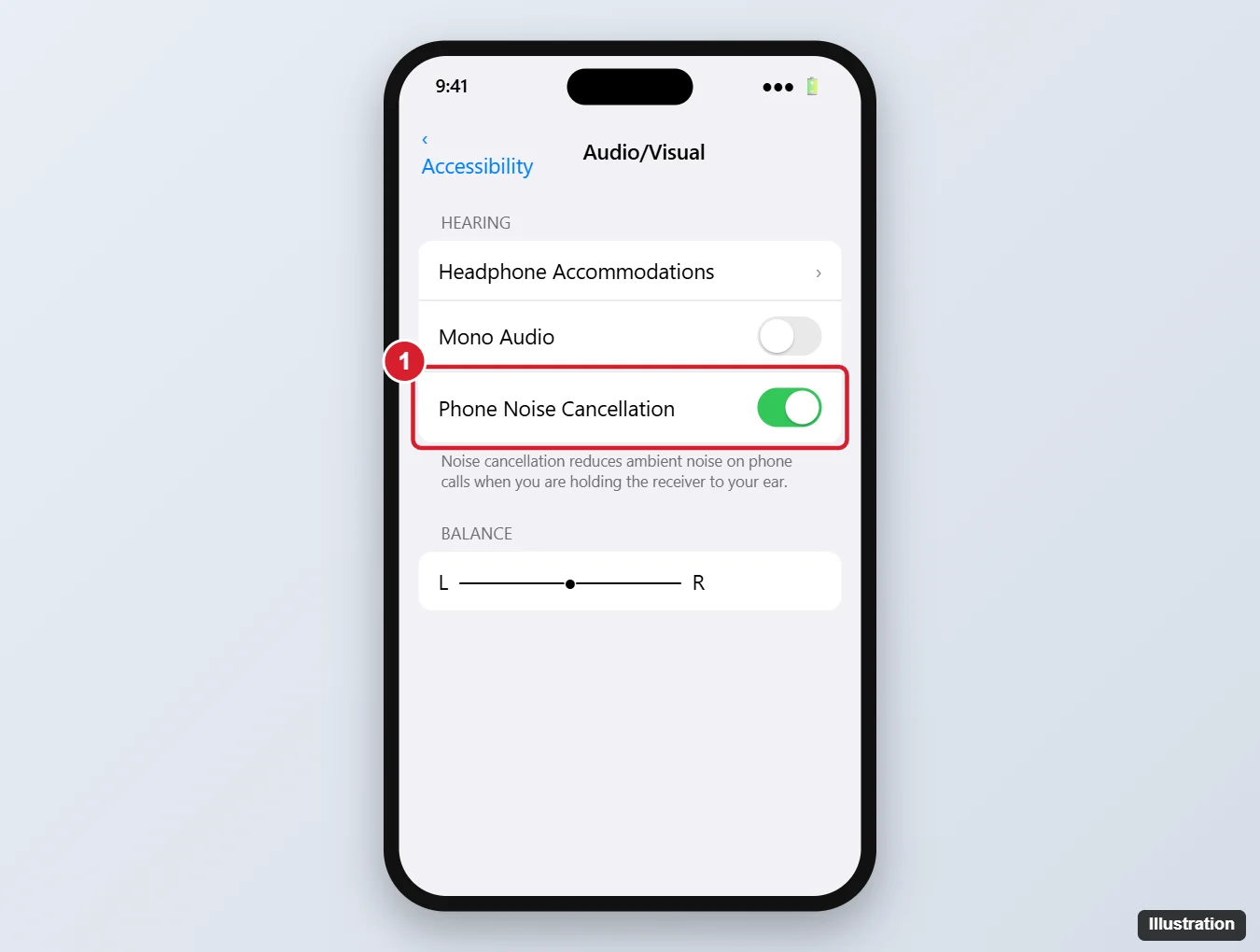
What phone noise cancellation does
- Reduces steady background noise, like traffic or wind, in the call audio you hear through the earpiece.
- Works only when you hold the iPhone to your ear. It doesn’t apply on speakerphone or with headphones.
- Some people with hearing aids or sensitivity to certain sounds turn it off because it can make calls sound slightly different.
On newer iPhones, Apple removed this setting on some models and uses other noise reduction instead. It’s available on the iPhone 7 and many older models.
Reduce background noise the other person hears
Phone Noise Cancellation affects what you hear. To help the other person hear you better on an iPhone 7:
- Keep the bottom microphone and the small microphone near the camera uncovered and clean.
- Remove bulky cases that block microphones.
- Move somewhere quieter, or use wired earbuds with a built-in mic.
Newer iPhones (iPhone XS and later with iOS 15 or later) offer Voice Isolation: during a call, open Control Center, tap Mic Mode, and choose Voice Isolation. The iPhone 7 doesn’t support this feature.
If calls still sound noisy or muffled
- Clean the earpiece and microphones gently with a soft, dry brush.
- Restart your iPhone.
- Check Bluetooth. If the call is going to a car or headset, turn Bluetooth off to test the iPhone’s earpiece.
- Update iOS in Settings > General > Software Update.
- Hardware issues: The iPhone 7 had a known audio issue on some units. If the microphone or speaker is unreliable, contact Apple Support.
Frequently asked questions
Why can’t I find Phone Noise Cancellation?
It isn’t available on every iPhone model or iOS version. Check Settings > Accessibility > Audio/Visual. If it’s not there, your model doesn’t offer it.
Does this work with AirPods?
No. AirPods have their own noise cancellation and microphone settings, found in Settings when they’re connected.
Should I leave it on?
For most people, yes. Turn it off only if calls sound strange to you or you have trouble hearing with it on.

Kermit Matthews is a freelance writer based in Philadelphia, Pennsylvania with more than a decade of experience writing technology guides. He has a Bachelor’s and Master’s degree in Computer Science and has spent much of his professional career in IT management.
He specializes in writing content about iPhones, Android devices, Microsoft Office, and many other popular applications and devices.