Skip to content
Live2Tech
  • iPhone
  • Windows
    • Windows 11
    • Windows 10
  • Office
    • Word
    • Excel
    • Powerpoint
    • Outlook
  • Google
    • Google Docs
    • Google Sheets
    • Google Slides
    • Gmail
    • Chrome
    • Google Drive
  • Mac & Apple
    • Mac
    • iPad
    • Apple Watch
  • All Tutorials

Photoshop

How-to guides and tutorials to help you perform specific tasks and use the Adobe photoshop application on your computer.

Infographic comparing legal ways to use a professional photo editor for free on Windows: 7-day desktop trial, free mobile tier, school license and free alternatives, with the trial card highlighted

How to Get Photoshop Free on Windows 10 (Legal Options Only)

November 14, 2026September 12, 2024 by Kermit Matthews

Legal ways to get Photoshop free on Windows 10: the 7-day trial and how to cancel, the free mobile tier, school licenses, and free alternatives. Continue Reading How to Get Photoshop Free on Windows 10 (Legal Options Only)

Categories Photoshop, Windows 10
Photoshop with an object selected, a Hue/Saturation adjustment layer with a mask in the Layers panel, and the Hue slider in the Properties panel highlighted

How to Change the Color of an Object in Photoshop

November 14, 2026January 2, 2024 by Kermit Matthews

Change the color of an object in Photoshop with a Hue/Saturation adjustment layer, a Solid Color layer, Replace Color, or the Color Replacement Tool. Continue Reading How to Change the Color of an Object in Photoshop

Categories Photoshop
Photoshop Character panel with the Underline button highlighted and selected text underlined on the canvas

How to Underline Existing Text in Photoshop CS5

November 10, 2026May 10, 2022 by Kermit Matthews

Underline existing text in Photoshop CS5 with the Type tool and the Character panel’s Underline button or Ctrl + Shift + U, plus custom line options. Continue Reading How to Underline Existing Text in Photoshop CS5

Categories Photoshop Tags photoshop cs5
File Explorer with a font file right-clicked and Install for all users highlighted

How to Add Fonts to Photoshop CS5 (Windows and Mac)

November 10, 2026March 15, 2022 by Kermit Matthews

Add fonts to Photoshop CS5 by installing them in Windows or macOS and restarting Photoshop, plus fixes when a new font does not appear. Continue Reading How to Add Fonts to Photoshop CS5 (Windows and Mac)

Categories Photoshop
double-click the layer to rename it

How to Rename a Layer in Photoshop CS5

November 17, 2026December 30, 2021 by Kermit Matthews

Being able to accurately identify your layers in Photoshop can help to alleviate a lot of aggravation in the program, especially if your files contain… Continue Reading How to Rename a Layer in Photoshop CS5

Categories Photoshop Tags photoshop cs5
Windows 11 Settings Accounts Other users page with the Add other user Add account button highlighted, used to give each person a separate password-protected browser profile

Where Is the Character Panel in Photoshop CS5? (3 Ways to Open It)

November 10, 2026October 14, 2021 by Kermit Matthews

Open the Character panel in Photoshop CS5 from Window > Character, the Type tool options bar or the panel dock, and learn what each type setting does. Continue Reading Where Is the Character Panel in Photoshop CS5? (3 Ways to Open It)

Categories Photoshop Tags photoshop cs5
Photoshop Layers panel with the right-click menu open and Duplicate Layer highlighted

How to Duplicate a Layer in Photoshop CS5 (and Newer)

November 17, 2026April 6, 2021 by Kermit Matthews

Duplicate a layer in Photoshop CS5 with Ctrl + J, the right-click menu, or the Move tool, plus how to copy layers to another document. Continue Reading How to Duplicate a Layer in Photoshop CS5 (and Newer)

Categories Photoshop
Image editor Keyboard Shortcuts and Menus dialog on the Menus tab with the visibility eye column and a hidden menu item highlighted

How to Hide a Menu Item in Photoshop CC

November 14, 2026January 25, 2019 by Kermit Matthews

Hide menu items in Photoshop CC with Edit > Menus, show hidden commands again, color-code menus, save a custom menu set, and reset to the defaults. Continue Reading How to Hide a Menu Item in Photoshop CC

Categories Photoshop
select the system info option

How to Check Your System Info in Photoshop

November 14, 2026January 23, 2019 by Kermit Matthews

In Photoshop, choose Help > System Info. A window opens with a plain-text report of your Photoshop version, operating system, processor, memory, graphics card and… Continue Reading How to Check Your System Info in Photoshop

Categories Photoshop
Image editor Performance preferences showing the detected graphics processor and a Windows graphics setting note

How to Check if Photoshop Uses Integrated or Dedicated Graphics

November 14, 2026December 19, 2018 by Kermit Matthews

See which GPU Photoshop uses in Preferences > Performance, and switch it to the dedicated card with Windows Graphics settings set to High performance. Continue Reading How to Check if Photoshop Uses Integrated or Dedicated Graphics

Categories Photoshop Tags photoshop cc
Photo editing app with the Help menu open and About highlighted, and an About window showing the release year and version number highlighted

What Version of Adobe Photoshop Do I Have? How to Check

November 14, 2026March 14, 2018 by Kermit Matthews

Find your Photoshop version: Help > About Photoshop on Windows or Photoshop > About Photoshop on Mac. Plus Creative Cloud and a version list. Continue Reading What Version of Adobe Photoshop Do I Have? How to Check

Categories Photoshop
Photoshop Canvas Size dialog with the new width and height fields and the Anchor grid highlighted

How to Change the Canvas Size in Photoshop CS5

November 10, 2026March 13, 2018 by Kermit Matthews

Change canvas size in Photoshop CS5 with Image > Canvas Size (Ctrl+Alt+C). Set the anchor and fill color, add borders, or expand with the Crop tool. Continue Reading How to Change the Canvas Size in Photoshop CS5

Categories Photoshop
Image editor Layers panel with the eye icon turned off to hide one layer

How to Hide a Layer in Photoshop CS5

November 17, 2026March 13, 2018 by Kermit Matthews

Hide a layer in Photoshop CS5 by clicking its eye icon in the Layers panel. Alt-click an eye to show only that layer. Works in newer versions too. Continue Reading How to Hide a Layer in Photoshop CS5

Categories Photoshop
how to use bigger font sizes in photoshop

How to Use Bigger Font Sizes in Photoshop CS5

November 10, 2026March 12, 2018 by Kermit Matthews

Are you making a Photoshop image that has a very high resolution, and you’re finding that you just can’t make your text large enough? When… Continue Reading How to Use Bigger Font Sizes in Photoshop CS5

Categories Photoshop
Image editor with the document tab showing RGB/8 and the Image Mode menu open with RGB Color checked

How to Check if an Image Is RGB or CMYK in Photoshop

November 14, 2026July 28, 2017 by Kermit Matthews

See whether an image is RGB or CMYK in Photoshop from the document tab, Image > Mode, or Channels, and learn when and how to convert. Continue Reading How to Check if an Image Is RGB or CMYK in Photoshop

Categories Photoshop Tags photoshop cs6
Image editor with the Type tool options bar font menu highlighted and a text layer selected in the Layers panel

How to Change the Font of a Text Layer in Photoshop

November 10, 2026April 26, 2017 by Kermit Matthews

Change the font of a whole text layer or selected words in Photoshop with the Type tool, Character panel, or Properties panel, plus common fixes. Continue Reading How to Change the Font of a Text Layer in Photoshop

Categories Photoshop Tags photoshop cs5
Image editor Layers panel with two layers selected and the right-click menu showing Merge Layers highlighted

How to Merge Layers in Photoshop CS5 (and Newer)

November 17, 2026January 17, 2017 by Kermit Matthews

Merge layers in Photoshop CS5 with Merge Layers, Merge Down, Merge Visible, or Flatten Image, plus Stamp Visible and Smart Objects to keep originals. Continue Reading How to Merge Layers in Photoshop CS5 (and Newer)

Categories Photoshop
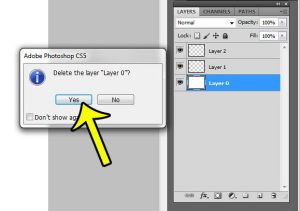
how to delete background layer in photoshop cs5

How to Delete the Background Layer in Photoshop CS5

November 17, 2026July 21, 2016 by Kermit Matthews

Working with layers is one of the most important elements of Adobe Photoshop CS5. You can do a lot to a layer, such as resizing… Continue Reading How to Delete the Background Layer in Photoshop CS5

Categories Photoshop
reduce jpeg size with save for web

How to Reduce the File Size of a JPEG in Photoshop CS5

November 10, 2026April 13, 2016 by Kermit Matthews

JPEG files can have very large file sizes, especially if they are images that you are exporting from a digital camera. While large image files… Continue Reading How to Reduce the File Size of a JPEG in Photoshop CS5

Categories Photoshop Tags photoshop cs5
resize layer Photoshop

How to Resize a Layer in Photoshop CS5

November 10, 2026April 11, 2016 by Kermit Matthews

Photoshop CS5 allows you to change the size of an image in a couple of different ways. But many of these methods will change the… Continue Reading How to Resize a Layer in Photoshop CS5

Categories Photoshop Tags photoshop cs5
Image editor Layers panel right-click menu on a type layer with Rasterize Type

How to Rasterize Text in Photoshop CS5

November 10, 2026November 20, 2013 by Kermit Matthews

Rasterize text in Photoshop CS5 with Layer > Rasterize > Type or right-click the layer. Duplicate it first, or use a Smart Object to stay editable. Continue Reading How to Rasterize Text in Photoshop CS5

Categories Photoshop Tags photoshop cs5
Photoshop Layers panel with the lock buttons row and the Background layer lock icon highlighted

How to Unlock a Layer in Photoshop

November 17, 2026November 15, 2013 by Kermit Matthews

Clear a Photoshop layer lock by clicking its lock icon or pressing Ctrl + /, and turn the Background layer into a normal layer with Layer From Background. Continue Reading How to Unlock a Layer in Photoshop

Categories Photoshop Tags photoshop cs5
Dark image editor with the shape tool flyout open and Rectangle Tool highlighted, and a blue square being drawn on the canvas with its dimensions shown

How to Draw a Square or Rectangle in Photoshop CS5

November 10, 2026November 14, 2013 by Kermit Matthews

Draw a square or rectangle in Photoshop CS5 with the Rectangle Tool or Rectangular Marquee, set exact sizes, add outlines, and make rounded corners. Continue Reading How to Draw a Square or Rectangle in Photoshop CS5

Categories Photoshop Tags photoshop cs5

Join Our Free Newsletter

Featured guides and deals

You may opt out at any time.
Read our Privacy Policy

Live2Tech

Plain-English, step-by-step guides for the devices and apps you use every day.

Apple

  • iPhone
  • iPad
  • Mac
  • Apple Watch

Windows

  • Windows 11
  • Windows 10

Microsoft Office

  • Word
  • Excel
  • Powerpoint
  • Outlook

Google

  • Google Docs
  • Google Sheets
  • Google Slides
  • Gmail
  • Chrome
  • Google Drive
  • About Us
  • Contact
  • Disclaimer
  • Privacy Policy
© Live2Tech.com 2026
  • iPhone
  • Windows
    • Windows 11
    • Windows 10
  • Office
    • Word
    • Excel
    • Powerpoint
    • Outlook
  • Google
    • Google Docs
    • Google Sheets
    • Google Slides
    • Gmail
    • Chrome
    • Google Drive
  • Mac & Apple
    • Mac
    • iPad
    • Apple Watch
  • All Tutorials