Skip to content
Live2Tech
  • iPhone
  • Windows
    • Windows 11
    • Windows 10
  • Office
    • Word
    • Excel
    • Powerpoint
    • Outlook
  • Google
    • Google Docs
    • Google Sheets
    • Google Slides
    • Gmail
    • Chrome
    • Google Drive
  • Mac & Apple
    • Mac
    • iPad
    • Apple Watch
  • All Tutorials

Kermit Matthews

Kermit Matthews runs Live2Tech from just outside Philadelphia. He is an IT specialist with over 20 years of experience, from a university help desk to small-business IT, IT management and his own consulting practice, and has written tech guides full time since 2020. Steps are checked against the current software on a real device or the maker's official documentation. More about Kermit.
Phone Control Center with the flashlight brightness control expanded into a tall four-level slider, with the level highlighted and the flashlight icon below

How to Use the Flashlight on iPhone (Every Quick Way)

November 18, 2026January 30, 2014 by Kermit Matthews

Turn on the iPhone flashlight from Control Center, the Lock Screen, Siri, the Action button or Back Tap, adjust brightness and fix a grayed-out button. Continue Reading How to Use the Flashlight on iPhone (Every Quick Way)

Categories iPhone Tags iphone 5
how to delete a recorded video on the iphone 5

How to Delete a Video on the iPhone

November 10, 2026December 19, 2013 by Kermit Matthews

This article contains affiliate links. If you buy through one of them, Live2Tech may earn a commission at no extra cost to you. As an… Continue Reading How to Delete a Video on the iPhone

Categories iPhone Tags ios 7, iphone 5
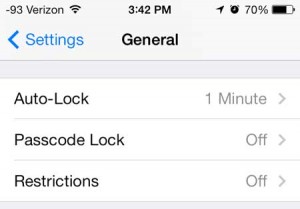
how to disable the screen from automatically shutting off on the iphone 5

How to Prevent Your iPhone 5 Screen From Automatically Turning Off

November 18, 2026December 6, 2013 by Kermit Matthews

This article contains affiliate links. If you buy through one of them, Live2Tech may earn a commission at no extra cost to you. As an… Continue Reading How to Prevent Your iPhone 5 Screen From Automatically Turning Off

Categories iPhone Tags ios 7, iphone 5
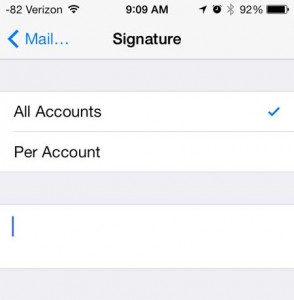
how to delete the sent from my iphone signature on emails

Removing Sent From My iPhone Signature from Emails

April 27, 2023November 27, 2013 by Kermit Matthews

This article contains affiliate links. If you buy through one of them, Live2Tech may earn a commission at no extra cost to you. As an… Continue Reading Removing Sent From My iPhone Signature from Emails

Categories iPhone Tags ios 7, iphone
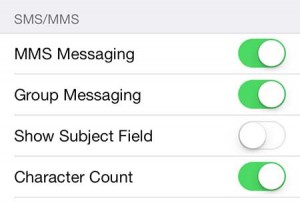
how to enable picture and video messages on the iphone 5

How to Turn On MMS Picture Messaging on iPhone

November 18, 2026November 23, 2013 by Kermit Matthews

This article contains affiliate links. If you buy through one of them, Live2Tech may earn a commission at no extra cost to you. As an… Continue Reading How to Turn On MMS Picture Messaging on iPhone

Categories iPhone Tags ios 7, iphone 5
Image editor Layers panel right-click menu on a type layer with Rasterize Type

How to Rasterize Text in Photoshop CS5

November 10, 2026November 20, 2013 by Kermit Matthews

Rasterize text in Photoshop CS5 with Layer > Rasterize > Type or right-click the layer. Duplicate it first, or use a Smart Object to stay editable. Continue Reading How to Rasterize Text in Photoshop CS5

Categories Photoshop Tags photoshop cs5
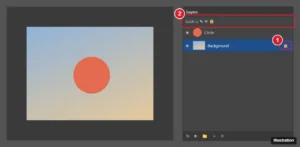
Photoshop Layers panel with the lock buttons row and the Background layer lock icon highlighted

How to Unlock a Layer in Photoshop

November 17, 2026November 15, 2013 by Kermit Matthews

Clear a Photoshop layer lock by clicking its lock icon or pressing Ctrl + /, and turn the Background layer into a normal layer with Layer From Background. Continue Reading How to Unlock a Layer in Photoshop

Categories Photoshop Tags photoshop cs5
Dark image editor with the shape tool flyout open and Rectangle Tool highlighted, and a blue square being drawn on the canvas with its dimensions shown

How to Draw a Square or Rectangle in Photoshop CS5

November 10, 2026November 14, 2013 by Kermit Matthews

Draw a square or rectangle in Photoshop CS5 with the Rectangle Tool or Rectangular Marquee, set exact sizes, add outlines, and make rounded corners. Continue Reading How to Draw a Square or Rectangle in Photoshop CS5

Categories Photoshop Tags photoshop cs5
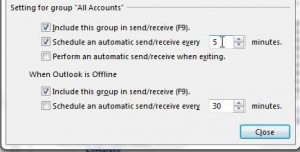
how to check for new mail more frequently in outlook 2013

How to Make Outlook Check for Mail More Often in Outlook 2013

November 18, 2026November 13, 2013 by Kermit Matthews

This article contains affiliate links. If you buy through one of them, Live2Tech may earn a commission at no extra cost to you. As an… Continue Reading How to Make Outlook Check for Mail More Often in Outlook 2013

Categories Outlook Tags outlook 2013
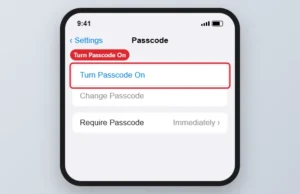
Passcode settings with Turn Passcode On highlighted

How to Require a Passcode to Unlock an iPhone

November 17, 2026November 9, 2013 by Kermit Matthews

Set a passcode on an iPhone 5 in Settings, Passcode, Turn Passcode On, and set Require Passcode to Immediately for the best protection. Continue Reading How to Require a Passcode to Unlock an iPhone

Categories iPhone Tags iphone 5
how to add emoji to the iphone 5

How to Add the Emoji Keyboard on iPhone

November 17, 2026November 7, 2013 by Kermit Matthews

This article contains affiliate links. If you buy through one of them, Live2Tech may earn a commission at no extra cost to you. As an… Continue Reading How to Add the Emoji Keyboard on iPhone

Categories iPhone Tags iphone 5
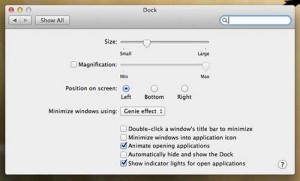
Select your dock location

How to Change the Dock Position in Mac OS X 10.8

October 20, 2026March 10, 2013 by Kermit Matthews

This article contains affiliate links. If you buy through one of them, Live2Tech may earn a commission at no extra cost to you. As an… Continue Reading How to Change the Dock Position in Mac OS X 10.8

Categories MacBook Air
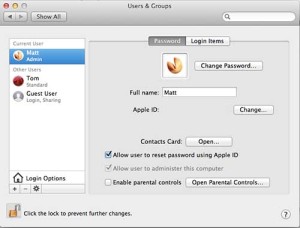
Click the Change Password button

How to Change the User Password on the MacBook Air

November 17, 2026March 7, 2013 by Kermit Matthews

This article contains affiliate links. If you buy through one of them, Live2Tech may earn a commission at no extra cost to you. As an… Continue Reading How to Change the User Password on the MacBook Air

Categories MacBook Air
Phone with a Home button showing the top Sleep/Wake button and the Home button highlighted, with a screenshot thumbnail in the corner

How to Take a Screenshot on Any iPhone

November 18, 2026March 4, 2013 by Kermit Matthews

Take a screenshot on an iPhone 5 by pressing the top and Home buttons together. See the buttons for every iPhone, where screenshots go, and fixes. Continue Reading How to Take a Screenshot on Any iPhone

Categories iPhone
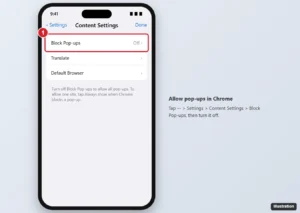
Chrome app on iPhone Content Settings screen with Block Pop-ups highlighted

How to Stop Blocking Pop-ups in the Chrome iPhone App

November 10, 2026December 29, 2012 by Kermit Matthews

In Chrome, tap More > Settings > Content Settings > Block Pop-ups and turn it off, or tap Always show for one site. Safari steps and safety tips too. Continue Reading How to Stop Blocking Pop-ups in the Chrome iPhone App

Categories Chrome, iPhone
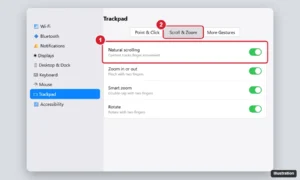
Laptop System Settings Trackpad pane on the Scroll and Zoom tab with the Natural scrolling switch highlighted

How to Change Scrolling Direction and Speed on a MacBook Air

November 10, 2026December 20, 2012 by Kermit Matthews

Change scrolling on a MacBook Air: turn natural scrolling off or on, adjust trackpad and mouse scroll speed, and always show scroll bars. Continue Reading How to Change Scrolling Direction and Speed on a MacBook Air

Categories Mac, MacBook Air
how to display battery percentage on the ipad 2

How to Display Battery Percentage on Your iPad 2

November 18, 2026December 16, 2012 by Kermit Matthews

One of the key elements of the iOS operating system that is on your iPad 2 is the minimalistic approach that is taken in deciding… Continue Reading How to Display Battery Percentage on Your iPad 2

Categories iPad
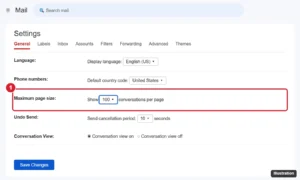
Webmail general settings with the maximum page size set to show 100 conversations per page

How to Show More Conversations per Page in Gmail (Up to 100)

November 14, 2026December 12, 2012 by Kermit Matthews

Show up to 100 conversations per page in Gmail with the Maximum page size setting, and learn to select all emails and fit more on screen. Continue Reading How to Show More Conversations per Page in Gmail (Up to 100)

Categories Gmail
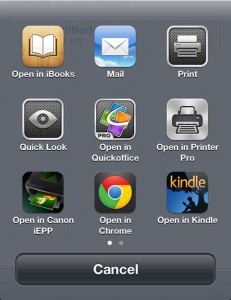
how to open a mail pdf in the ibooks app

How to Open a PDF in an iPhone Mail Message Using iBooks

November 17, 2026December 11, 2012 by Kermit Matthews

Smartphones are making it easier and easier to get an experience similar to the one that you find on your laptop or desktop computer. A… Continue Reading How to Open a PDF in an iPhone Mail Message Using iBooks

Categories iPhone
how to download purchased tv episodes to oyur ipad 2

How to Download a Purchased TV Show to Your iPad 2

November 14, 2026December 9, 2012 by Kermit Matthews

This article contains affiliate links. If you buy through one of them, Live2Tech may earn a commission at no extra cost to you. As an… Continue Reading How to Download a Purchased TV Show to Your iPad 2

Categories iPad
Acer Aspire V3-571G-6407 2

Acer Aspire V3-571G-6407 15.6-Inch Laptop (Black) Review

November 10, 2026December 8, 2012 by Kermit Matthews

This article contains affiliate links. If you buy through one of them, Live2Tech may earn a commission at no extra cost to you. As an… Continue Reading Acer Aspire V3-571G-6407 15.6-Inch Laptop (Black) Review

Categories Acer
HP Pavilion g6-2218nr front

HP Pavilion g6-2218nr 15.6-Inch Laptop Review

November 10, 2026December 6, 2012 by Kermit Matthews

This article contains affiliate links. If you buy through one of them, Live2Tech may earn a commission at no extra cost to you. As an… Continue Reading HP Pavilion g6-2218nr 15.6-Inch Laptop Review

Categories HP
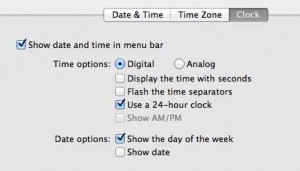
how to use a 24 hour clock on your macbook air

How to Use a 24-Hour Clock on Your MacBook Air

November 10, 2026December 4, 2012 by Kermit Matthews

Depending upon your current location, personal preferences or current state of mind, you might want to display your clock in a different way than Apple… Continue Reading How to Use a 24-Hour Clock on Your MacBook Air

Categories MacBook Air
Newer posts
← Previous Page1 … Page55 Page56

Join Our Free Newsletter

Featured guides and deals

You may opt out at any time.
Read our Privacy Policy

Live2Tech

Plain-English, step-by-step guides for the devices and apps you use every day.

Apple

  • iPhone
  • iPad
  • Mac
  • Apple Watch

Windows

  • Windows 11
  • Windows 10

Microsoft Office

  • Word
  • Excel
  • Powerpoint
  • Outlook

Google

  • Google Docs
  • Google Sheets
  • Google Slides
  • Gmail
  • Chrome
  • Google Drive
  • About Us
  • Contact
  • Disclaimer
  • Privacy Policy
© Live2Tech.com 2026
  • iPhone
  • Windows
    • Windows 11
    • Windows 10
  • Office
    • Word
    • Excel
    • Powerpoint
    • Outlook
  • Google
    • Google Docs
    • Google Sheets
    • Google Slides
    • Gmail
    • Chrome
    • Google Drive
  • Mac & Apple
    • Mac
    • iPad
    • Apple Watch
  • All Tutorials