
How to Manage Contact Permissions on iPhone
Apps often ask for your contacts so they can find friends who already use the service or fill in recipients for you, and that list… Continue Reading How to Manage Contact Permissions on iPhone
 Kermit Matthews
Apps often ask for your contacts so they can find friends who already use the service or fill in recipients for you, and that list… Continue Reading How to Manage Contact Permissions on iPhone
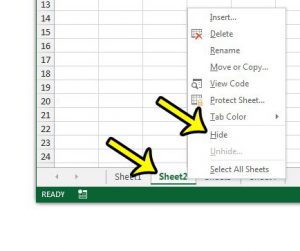
A lookup table, a list of rates or a sheet full of helper formulas often needs to stay in the workbook without cluttering the view.… Continue Reading How to Hide a Worksheet in Excel

The camera app on your iPhone is actually quite good, and its effectiveness, combined with its convenience, has made it the single most popular camera… Continue Reading How to Download a Picture from a Website to Your iPhone
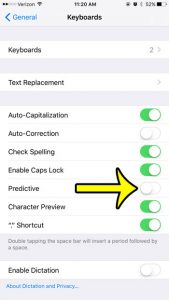
QuickType is the older name for what Apple now calls predictive text: the row of three word suggestions that sits above the iPhone keyboard. To… Continue Reading How to Turn Off Predictive Text (QuickType) on iPhone

When you redeem a gift card on your iPhone, or if you get a refund for something in the iTunes store, you wind up with… Continue Reading How to See How Much Money You Have on iTunes

JPEG files can have very large file sizes, especially if they are images that you are exporting from a digital camera. While large image files… Continue Reading How to Reduce the File Size of a JPEG in Photoshop CS5

Photoshop CS5 allows you to change the size of an image in a couple of different ways. But many of these methods will change the… Continue Reading How to Resize a Layer in Photoshop CS5

A yellow battery on your iPhone means Low Power Mode is on. Learn what it does, how to turn it off in Settings or Control Center, and why it keeps coming back. Continue Reading Yellow iPhone Battery Icon: What It Means and How to Fix It
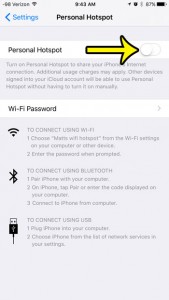
You glance at your iPhone and see the Personal Hotspot indicator, or you notice a laptop across the room is still browsing on your cellular… Continue Reading How to Turn Off Personal Hotspot on iPhone
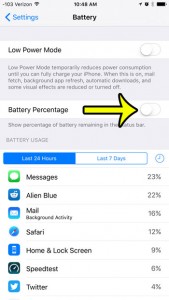
We have previously written about how to enable battery percentage in iOS 9 to help you gain a more accurate idea of your remaining battery… Continue Reading How to Disable Battery Percentage Display on an iPhone 6

The printout you’re after is called Notes Pages: each sheet of paper shows one slide on the top half and that slide’s speaker notes underneath.… Continue Reading How to Print PowerPoint Slides With Notes
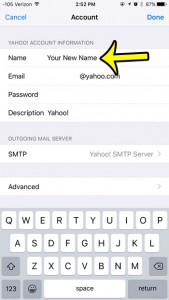
The “sent from” name on the emails that you create is a critical part in whether or not someone decides to read that email. So… Continue Reading How to Change the Name on Emails You Send in iOS 9 on an iPhone

An email that claims to come from your bank, or a reply that landed hours after it was sent, can be checked by reading its… Continue Reading How to View Full Email Headers in Outlook
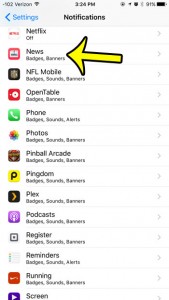
Breaking-news banners, channel updates and Top Stories alerts can pile up fast. To stop every Apple News alert on your iPhone, open Settings, tap Notifications,… Continue Reading How to Turn Off Apple News Notifications on iPhone
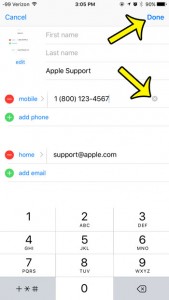
When a friend gets a new phone number, the quickest fix is to edit the contact you already have rather than saving a second card.… Continue Reading How to Change a Contact’s Phone Number on iPhone
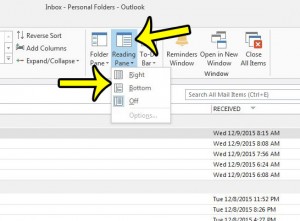
When Outlook shows only a list of messages and you have to double-click each one to read it, the Reading Pane is turned off. In… Continue Reading How to Show the Reading Pane in Outlook

You want a report title centered over the columns of a table, but you do not want merged cells getting in the way of sorting,… Continue Reading How to Center Text Across Multiple Cells in Excel

The sheet opens, and the A, B, C labels across the top and the 1, 2, 3 labels down the side are gone. In current… Continue Reading How to Show Row Numbers and Column Letters in Excel
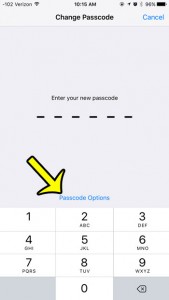
If typing six digits every time feels like too much, your iPhone can still use a shorter code. Open Settings > Face ID & Passcode… Continue Reading How to Use a 4-Digit Passcode on iPhone
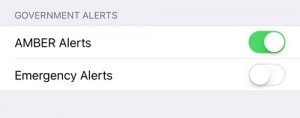
An AMBER or emergency alert arrives with a loud, alarm-like sound, often on every phone in the room at once. You can control some of… Continue Reading How to Change Government Alert Settings on iPhone
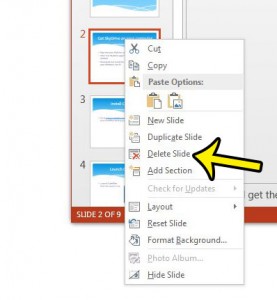
To delete a slide in PowerPoint, click its thumbnail in the pane on the left side of the window and press Delete, or right-click the… Continue Reading How to Delete a Slide in PowerPoint
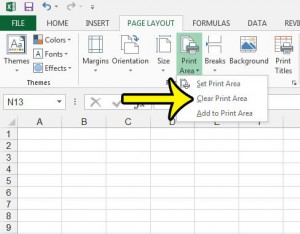
If Excel keeps printing the same small block of cells and ignores the rest of the sheet, the worksheet most likely has a saved print… Continue Reading How to Clear a Print Area in Excel

Saved someone as “Dentist Guy,” misspelled a coworker’s surname, or need to update a friend’s name after they changed it? You can fix it in… Continue Reading How to Change a Contact Name on iPhone

After using your iPad for a short period of time, you will notice that some of your app icons have a red circle with a… Continue Reading How to Remove the Badge App Icon for the iPad App Store

Show the menu bar in Windows 7 Explorer with the Alt key, or turn it on permanently with Organize > Layout > Menu bar or Always show menus. Continue Reading How to Show the Menu Bar in Windows 7 Explorer

If you put a lot of time into the playlists that you create in iTunes, then you may eventually decide to print out a particularly… Continue Reading How to Print a Playlist in iTunes
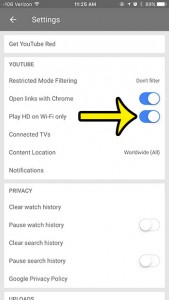
Streaming video is one of the biggest culprits when it comes to cellular data usage. YouTube is the biggest distributor of online streaming video content,… Continue Reading How to Only Watch HD Video in the iPhone YouTube App on Wi-Fi

Check free storage on an iPad in Settings > General > iPad Storage, or Storage & iCloud Usage on iOS 9. Learn what uses space and how to free it up. Continue Reading How to Check Available Storage Space on an iPad (iOS 9 and Later)

Set Excel to manual calculation in Formulas > Calculation Options, recalculate with F9, and switch back to automatic. Continue Reading How to Switch to Manual Calculation in Excel

Windows and Mac users alike are able to store individual files inside of folders. This storage method makes it easier to group similar files so… Continue Reading How to Hide an App In a Folder in iOS 9

Turn on the iPhone flashlight from Control Center, the Lock Screen, Siri or the Action button, change its brightness and fix a missing button. Continue Reading Where Is the Flashlight on My iPhone? How to Turn It On
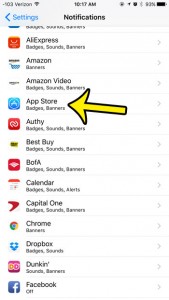
If App Store banners and that red number on the App Store icon have worn out their welcome, open Settings, tap Notifications, tap App Store… Continue Reading How to Turn Off App Store Notifications on iPhone
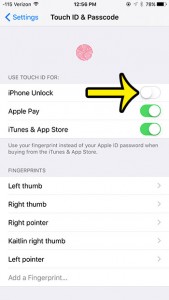
If you no longer want a fingerprint to open your iPhone or approve purchases, go to Settings > Touch ID & Passcode, enter your passcode,… Continue Reading How to Turn Off Touch ID on iPhone
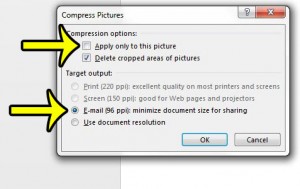
Shrink a PowerPoint file with Compress Media under File > Info: pick Full HD, HD or Standard, trim clips first, link instead of embed, and see the Mac limits. Continue Reading How to Compress Video and Audio in PowerPoint
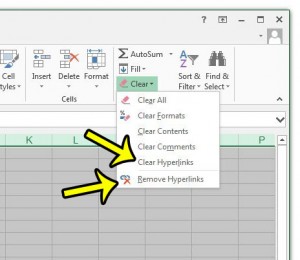
To remove every hyperlink on a sheet in Excel, press Ctrl+A to select all cells, right-click any selected cell, and choose Remove Hyperlinks. The words… Continue Reading How to Remove All Hyperlinks in Excel
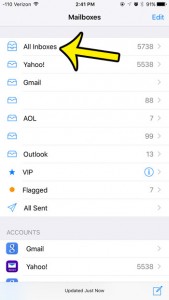
Last updated: December 1, 2016 Your email address can often become the target of unwanted newsletters, spam, and promotional messages that you will never read.… Continue Reading How to Mark All Emails as Read on an iPhone 6

Show the ruler in Word from View > Ruler, turn on the vertical ruler in Word Options, and fix a missing ruler in Word 2013 through Microsoft 365. Continue Reading How to Show the Ruler in Word (Horizontal and Vertical)
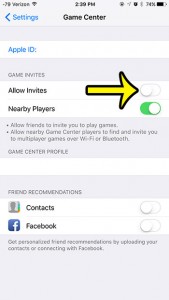
Game invites popping up mid-task, or friend requests from people you don’t know, usually trace back to Game Center. On current versions of iOS there… Continue Reading How to Turn Off Game Center Invites on iPhone

Block pop-ups in Safari on iPad in Settings > Apps > Safari, allow them for one site when needed, and stop scam pop-ups and ads. Continue Reading How to Block Pop-ups in Safari on iPad
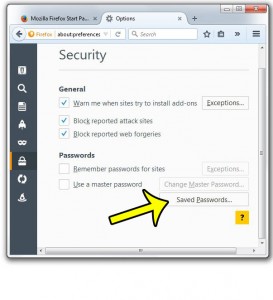
A large number of websites that you visit on the Internet have some form of account for which you can sign up. Whether it is… Continue Reading How to View Saved Passwords in Firefox
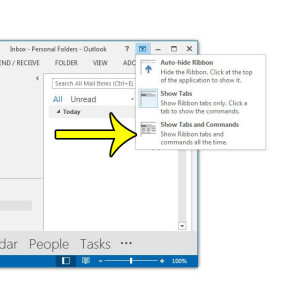
The Outlook toolbar with Home, Send / Receive and View has vanished, leaving tab names or nothing at all. It’s only hidden. In classic Outlook… Continue Reading How to Show the Ribbon in Outlook
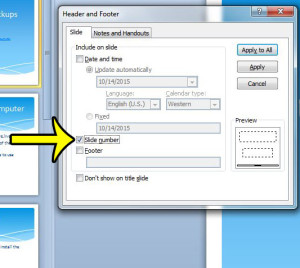
PowerPoint calls them slide numbers, not page numbers. To add them, go to Insert > Slide Number (or Insert > Header & Footer), check Slide… Continue Reading How to Add Page Numbers in PowerPoint
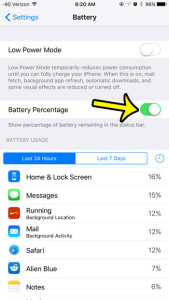
A battery icon tells you “about half,” but not whether you have 23% or 38% left, and that gap matters before a long drive or… Continue Reading How to Show Battery Percentage as a Number on iPhone
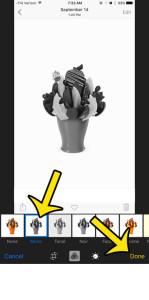
You have one color shot that would look better in black and white, and you would rather not install another app. In the Photos app,… Continue Reading How to Make a Photo Black and White on iPhone
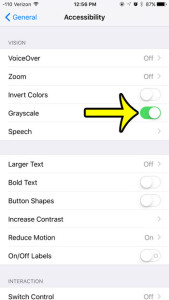
People switch an iPhone to black and white to make apps less eye-catching, to check whether a design still reads without color, or because long… Continue Reading How to Make an iPhone Black and White
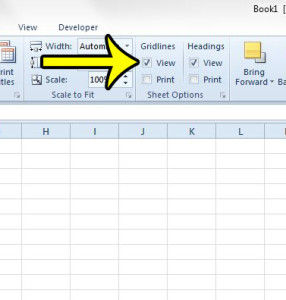
Missing Excel gridlines almost always come down to one of three things: the Gridlines check box on the View tab is cleared, the cells have… Continue Reading Excel Gridlines Missing? How to Show Them Again

Turn off Wi-Fi on an iPhone 6 in Settings, Wi-Fi. Learn why the Control Center button only disconnects temporarily on iOS 11 and later. Continue Reading How to Turn Off Wi-Fi on iPhone

Turn off LED Flash for Alerts on iPhone in Accessibility settings, or keep it only for silent mode, and fix other lights you might see. Continue Reading How to Stop the iPhone Light From Flashing for Alerts
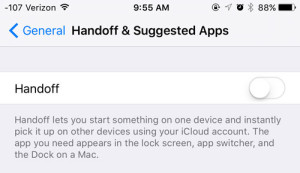
Seeing a Safari, Mail or Notes icon from your Mac or iPad pop up at the bottom of the iPhone App Switcher? That is Handoff… Continue Reading How to Turn Off Handoff on iPhone

Open private tabs in Safari on iPhone from the Tabs view, lock them with Face ID, and learn what Private Browsing does and does not hide. Continue Reading How to Use Private Browsing on iPhone