
How to Open Control Center on iPhone
Open Control Center on an iPhone 7 by swiping up from the bottom edge. Learn to use it inside apps and customize which controls appear. Continue Reading How to Open Control Center on iPhone
 Kermit Matthews
Open Control Center on an iPhone 7 by swiping up from the bottom edge. Learn to use it inside apps and customize which controls appear. Continue Reading How to Open Control Center on iPhone

Go to Settings > General > About > Name and type a new name. It changes your Bluetooth, AirDrop, and hotspot name. How to rename accessories too. Continue Reading How to Change the Bluetooth Name on an iPhone

Remove gridlines in Word 2013 and later: hide page gridlines on the View tab, turn off table gridlines, and remove table borders that print. Continue Reading How to Show or Remove Gridlines in Word (Page and Table Gridlines)
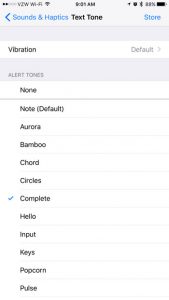
Learning how to change the iPhone text messaging sounds is one of the first pieces of information that many iPhone users will seek out when they… Continue Reading How to Change iPhone Text Messaging Sounds
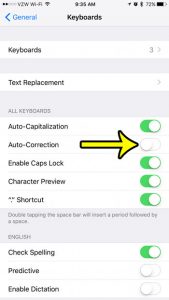
You type a name or a bit of slang, press Space, and your iPhone swaps it for a word you never meant. If that keeps… Continue Reading How to Turn Off Autocorrect on iPhone

Lock a picture to a cell in Excel with Move and size with cells or Place in Cell, and protect the sheet so images can’t be moved or deleted. Continue Reading How to Lock an Image to a Cell in Excel

Factory reset an iPhone 7 in Settings > General > Transfer or Reset iPhone > Erase All Content and Settings. Plus how to reset without the passcode. Continue Reading How to Factory Reset an iPhone 7
Set Excel column width and row height in inches using Page Layout view, change ruler units, and learn how Excel character widths convert. Continue Reading How to Set Excel Column Width in Inches

Turn off hyphenation in Word 2013 and later with Layout > Hyphenation > None, turn it back on, stop it for one paragraph, and remove leftover hyphens. Continue Reading How to Turn Hyphenation On or Off in Word
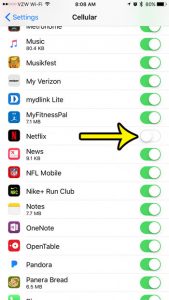
Netflix gives you two levels of control on an iPhone. To stop it from using cellular data at all, open Settings > Cellular and turn… Continue Reading How to Stop Netflix From Using Cellular Data on iPhone

Set up Netflix on an iPhone 7: install the last compatible app version from Purchased, sign in, adjust downloads and data, and what to do if it won’t install. Continue Reading How to Get Netflix on an Older iPhone
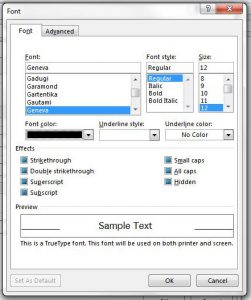
The default settings in Outlook 2013 are typically fine for most users, but you might eventually decide to change some options, such as how often… Continue Reading How to Change the Default Font in Outlook 2013
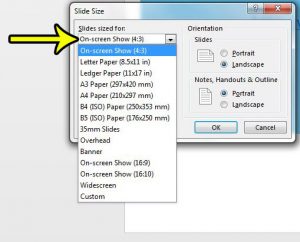
If your slides sit inside black bars on a TV or projector, or the edges get cut off when you print, the slide size does… Continue Reading How to Change the Slide Size in PowerPoint

Turn off iMessage on iPhone 7 in Settings > Messages, keep Send as SMS on, and deregister your number if you switch to Android. Continue Reading How to Turn Off iMessage on iPhone

Find square roots in Excel with =SQRT(A2) or =A2^(1/2), calculate cube and nth roots, handle negative numbers and show the square root symbol. Continue Reading How to Find the Square Root in Excel

Send a folder in Outlook by zipping it and attaching the ZIP, or share it with a OneDrive link to avoid attachment size limits. Covers Windows, Mac and web. Continue Reading How to Send a Folder in Outlook (Zip or Share a Link)
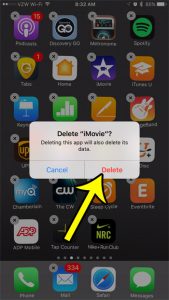
Deleting iMovie also deletes the projects stored inside it, so export or share any project you want to keep before you remove the app. After… Continue Reading How to Delete iMovie From Your iPhone
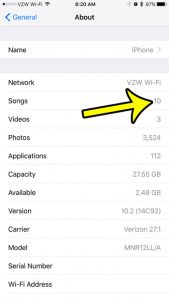
The Songs list in the Music app doesn’t show an obvious total, so the quickest place to look is Settings: tap General, then About, and… Continue Reading How to See How Many Songs Are on Your iPhone

Insert a new worksheet in Excel with the + button, Shift + F11, Home > Insert > Insert Sheet, or a right-click, and add several sheets at once. Continue Reading How to Insert a New Worksheet in Excel (4 Ways)

Merge layers in Photoshop CS5 with Merge Layers, Merge Down, Merge Visible, or Flatten Image, plus Stamp Visible and Smart Objects to keep originals. Continue Reading How to Merge Layers in Photoshop CS5 (and Newer)

Insert a check mark in Word with Insert > Symbol (Wingdings 252), by typing 2713 then Alt + X, or add a clickable check box from the Developer tab. Continue Reading How to Insert a Check Mark in Word
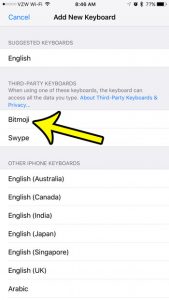
To use Bitmoji on an iPhone you need three things: the Bitmoji app with an avatar you’ve created, the Bitmoji keyboard added in Settings, and… Continue Reading How to Get the Bitmoji Keyboard on iPhone

Set a song as your iPhone alarm sound in the Clock app, see which songs work, change the Sleep schedule wake-up sound, and fix alarms that play the wrong tone. Continue Reading How to Set a Song as Your Alarm on iPhone (Any Model)
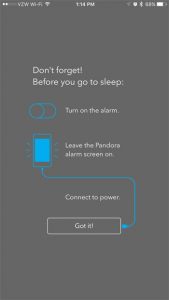
The alarm clock on your iPhone is incredibly useful, and may have already replaced any separate alarm clock that you had previously used. You can… Continue Reading How to Use the Pandora App as an Alarm Clock on Your iPhone

You accepted a meeting invitation, went back to check the agenda in the email, and it was no longer in your Inbox. Outlook did not… Continue Reading How to Stop Outlook from Deleting Meeting Requests

Stop Excel from changing numbers to dates by formatting cells as Text, typing an apostrophe, entering fractions correctly, or importing CSVs as text. Continue Reading How to Stop Excel from Changing Numbers to Dates

Find your iPhone 7 serial number in Settings > General > About, in Finder or iTunes, your Apple Account, or on the box, plus what to do if it won’t turn on. Continue Reading How to Find the Serial Number on an iPhone 7 (5 Ways)
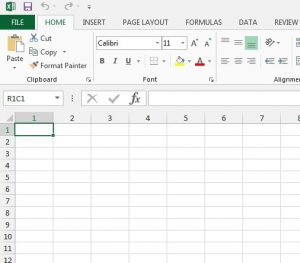
You open a spreadsheet and the column headings read 1, 2, 3 instead of A, B, C, and a simple formula in the formula bar… Continue Reading Why Does Excel Show Column Numbers Instead of Letters?
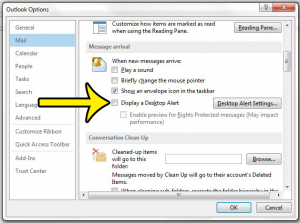
You are halfway through a sentence and a new-mail pop-up slides into the corner of the screen. In classic Outlook for Windows you stop it… Continue Reading How to Turn Off Desktop Alerts in Outlook

Change the font of a whole Word document with Ctrl+A, theme fonts or the Normal style, check headers and text boxes, and set a default only if you want one. Continue Reading How to Change the Font for an Entire Document in Word
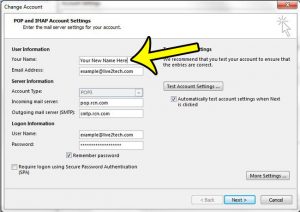
If your emails arrive showing an old name, a nickname or only your address, the fix depends on the kind of account you send from.… Continue Reading How to Change Your Name on Emails Sent From Outlook
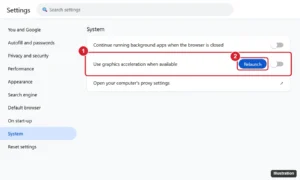
Turn off hardware acceleration in Chrome, Edge, Firefox, Discord, Spotify, Slack, Steam, and Office to fix flickering, black screens, and crashes. Continue Reading How to Turn Off Hardware Acceleration in Chrome, Edge, Firefox, Discord, and More
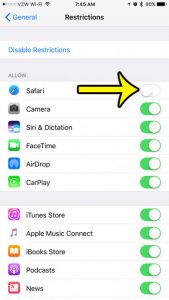
If you are hiding Safari from a child, Screen Time’s parental controls let a parent block an app on the child’s iPhone until the parent… Continue Reading How to Hide Safari on iPhone
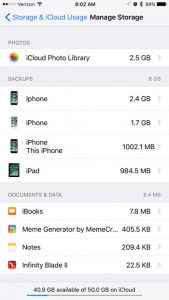
On a current iPhone, open Settings, tap your name, then tap iCloud. The bar graph at the top shows how much of your iCloud storage… Continue Reading How to Check Remaining iCloud Storage on iPhone
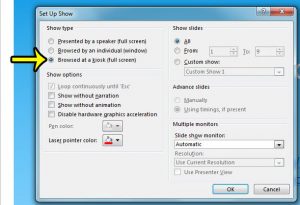
A slide show playing in a trade-show booth, a hotel lobby or a museum corner has nobody standing beside it to press the arrow key.… Continue Reading How to Use Kiosk Mode in PowerPoint
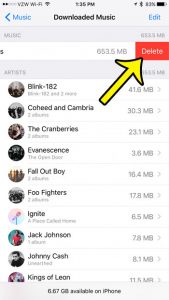
An offline music library can easily fill several gigabytes of iPhone storage. The fastest full clean-up is Settings > Apps > Music > Downloaded Music,… Continue Reading How to Delete Music From Your iPhone

An iPhone adjusts for daylight saving time when its automatic Date & Time switches are on. See which switches to check and what to do if the clock didn’t move. Continue Reading Will My iPhone Change for Daylight Saving Time?

See the exact time each text was sent on iPhone by swiping left in Messages, plus how to find dates, delivered and read times. Continue Reading How to See What Time a Text Message Was Sent on iPhone
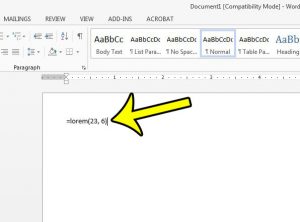
When you are building a template, a brochure layout or a page mock-up, you often need the page to look full before the real words… Continue Reading How to Add Filler Text in Word
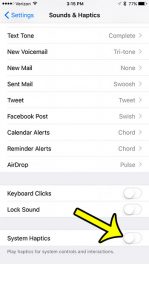
If every switch you flip, every key you type and every long press makes your iPhone tap back at you, start with one setting: open… Continue Reading How to Turn Off Haptic Feedback on iPhone
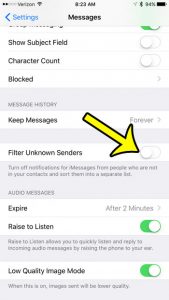
Your iPhone’s Messages app might have two tabs at the top of it, and all of your texts may be split between these two tabs.… Continue Reading How to Remove the Unknown Senders Tab on the iPhone 7
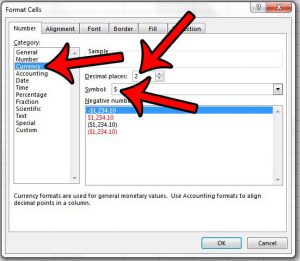
When people ask how to show a dollar sign in Excel, they usually mean one of two looks. Either the $ sits right against the… Continue Reading How to Show a Dollar Sign Next to Numbers in Excel
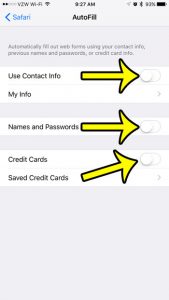
Safari keeps filling in your old address, a card you meant to delete, or a password on a phone the whole family uses. AutoFill has… Continue Reading How to Turn Off AutoFill on iPhone
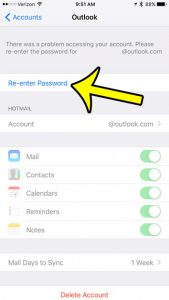
***Traffic here always increases when there is a sign-in issue with a major service provider. Unfortunately, in most cases, there isn’t much you can do… Continue Reading Why Isn’t There an Option to Change My Email Password on My iPhone 7?

Turn on Calls on Other Devices on iPhone to answer calls on your iPad or Mac, check the requirements, and fix a switch that won’t turn on. Continue Reading How to Turn On Calls on Other Devices on iPhone

The moon on your iPhone means Do Not Disturb is on. Learn what each moon icon means, how to turn it off in Control Center, and why it keeps coming back. Continue Reading Why Is There a Moon on My iPhone? (And How to Turn It Off)
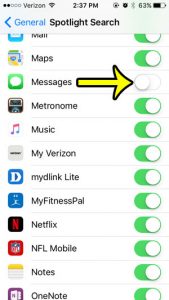
If you use the Spotlight Search feature on your iPhone, then you are probably aware of how much easier it can make it to find… Continue Reading How to Remove Text Messages from iPhone Spotlight Search
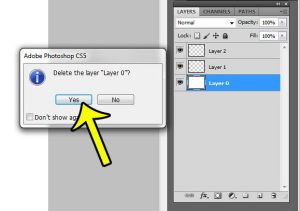
Working with layers is one of the most important elements of Adobe Photoshop CS5. You can do a lot to a layer, such as resizing… Continue Reading How to Delete the Background Layer in Photoshop CS5
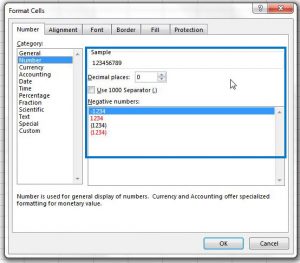
Excel 2013 can do a very good job of automatically detecting the type of information that you have entered into a cell. Unfortunately it does not… Continue Reading How to Apply Number Formatting to a Cell in Excel 2013

Hide the iPhone status bar location arrow for system services in Location Services > System Services > Status Bar Icon. Continue Reading How to Hide the Location Icon for iPhone System Services