Skip to content
Live2Tech
  • iPhone
  • Windows
    • Windows 11
    • Windows 10
  • Office
    • Word
    • Excel
    • Powerpoint
    • Outlook
  • Google
    • Google Docs
    • Google Sheets
    • Google Slides
    • Gmail
    • Chrome
    • Google Drive
  • Mac & Apple
    • Mac
    • iPad
    • Apple Watch
  • All Tutorials

Kermit Matthews

Kermit Matthews runs Live2Tech from just outside Philadelphia. He is an IT specialist with over 20 years of experience, from a university help desk to small-business IT, IT management and his own consulting practice, and has written tech guides full time since 2020. Steps are checked against the current software on a real device or the maker's official documentation. More about Kermit.
Image editor with the document tab showing RGB/8 and the Image Mode menu open with RGB Color checked

How to Check if an Image Is RGB or CMYK in Photoshop

November 14, 2026July 28, 2017 by Kermit Matthews

See whether an image is RGB or CMYK in Photoshop from the document tab, Image > Mode, or Channels, and learn when and how to convert. Continue Reading How to Check if an Image Is RGB or CMYK in Photoshop

Categories Photoshop Tags photoshop cs6
Phone app store Purchased list where apps not on the device show a cloud download icon instead of an Open button

Why Is There a Cloud Next to an App in the iPhone App Store?

November 10, 2026July 28, 2017 by Kermit Matthews

A cloud next to an app in the App Store means you own it but it isn’t on this iPhone. Tap to re-download free. Learn about offloading and download fixes. Continue Reading Why Is There a Cloud Next to an App in the iPhone App Store?

Categories iPhone Tags iphone 7
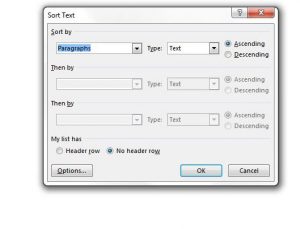
how to sort a list in word 2013

How to Sort a List Alphabetically in Word

November 18, 2026July 26, 2017 by Kermit Matthews

You have typed a guest list, glossary or reading list into Word in no particular order. Word can put them in A to Z order… Continue Reading How to Sort a List Alphabetically in Word

Categories Word Tags word 2013
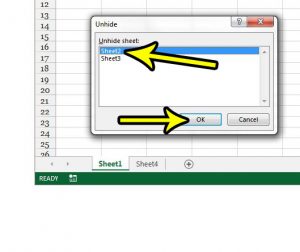
how to unhide a worksheet in excel 2013

How to Unhide a Worksheet Tab in Excel

November 9, 2026July 24, 2017 by Kermit Matthews

A worksheet tab that was there yesterday is gone, but the formulas that use it still work. The sheet is most likely hidden, not deleted.… Continue Reading How to Unhide a Worksheet Tab in Excel

Categories Excel Tags excel 2013
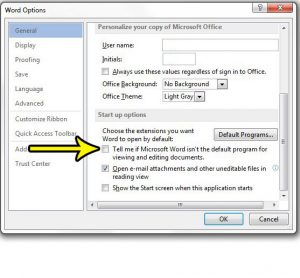
how to turn off the word 2013 default program nag

How to Turn Off the Default Program Prompt in Word

November 18, 2026July 18, 2017 by Kermit Matthews

If Word greets you with a message saying it isn’t your default program for viewing and editing documents every time it opens, you have two… Continue Reading How to Turn Off the Default Program Prompt in Word

Categories Word Tags word 2013
Phone 3D and Haptic Touch settings with the 3D Touch switch on and a sensitivity slider set between Light, Medium and Firm

How to Adjust or Turn Off Haptic Touch on iPhone

November 18, 2026July 18, 2017 by Kermit Matthews

Change 3D Touch sensitivity on an iPhone 7 to Light, Medium or Firm in Settings > Accessibility > Touch, or turn 3D Touch off and use Haptic Touch instead. Continue Reading How to Adjust or Turn Off Haptic Touch on iPhone

Categories iPhone Tags iphone 7
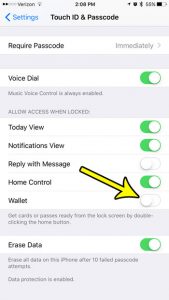
how to disable wallet on the iphone lock screen

How to Remove Wallet From the iPhone Lock Screen

November 10, 2026July 14, 2017 by Kermit Matthews

If Apple Pay keeps popping up when you press the side button, or you do not want your cards reachable from a locked iPhone, there… Continue Reading How to Remove Wallet From the iPhone Lock Screen

Categories iPhone Tags iphone 7
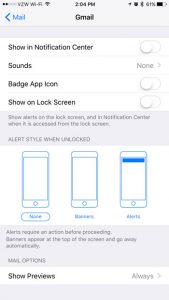
how to turn off email notifications for one account on an iphone 7

How to Turn Off Notifications for One Mail Account on iPhone

November 17, 2026July 14, 2017 by Kermit Matthews

When a work mailbox and a personal mailbox share one iPhone, every newsletter and reply-all chain can light up your screen. You do not have… Continue Reading How to Turn Off Notifications for One Mail Account on iPhone

Categories iPhone Tags iphone 7
iPhone Maps settings with the Distances options In Miles and In Kilometers highlighted

How to Switch Between Miles and Kilometers in iPhone Maps

November 17, 2026July 13, 2017 by Kermit Matthews

Switch between miles and kilometers in Apple Maps on iPhone from Maps settings, plus how to change units in Google Maps, Waze, and iOS region. Continue Reading How to Switch Between Miles and Kilometers in iPhone Maps

Categories iPhone Tags iphone 7
Word processor Home tab with the Text Effects menu open to Outline, showing outline colors and weight options, and outlined text on the page

How to Outline Text in Word

November 12, 2026July 12, 2017 by Kermit Matthews

Outline text in Word with Home > Text Effects > Outline, set color and weight, make hollow letters with Format Text Effects, and remove outlines. Continue Reading How to Outline Text in Word

Categories Word Tags word 2013
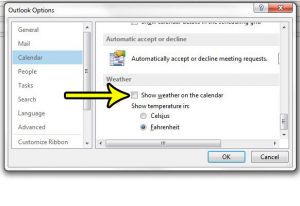
how to remove weather from the calendar in outlook 2013

How to Remove Weather from the Outlook Calendar

November 8, 2026July 11, 2017 by Kermit Matthews

If a forecast strip sits above your calendar and you never asked for it, where you turn it off depends on which Outlook you use.… Continue Reading How to Remove Weather from the Outlook Calendar

Categories Outlook Tags outlook 2013
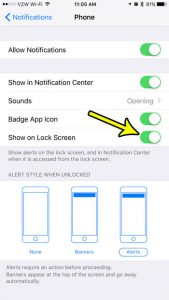
how to show missed calls on the iphone 7 lock screen

How to Show Missed Calls on the iPhone Lock Screen

November 17, 2026July 10, 2017 by Kermit Matthews

You pick up your iPhone, the Lock Screen is empty, and only later do you find out someone called. When missed calls never show up… Continue Reading How to Show Missed Calls on the iPhone Lock Screen

Categories iPhone Tags iphone 7
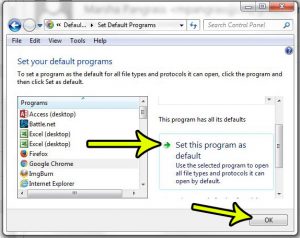
how to set the default browser for excel 2013 links

How to Set the Default Browser for Excel Links

November 18, 2026July 10, 2017 by Kermit Matthews

You click a link in a spreadsheet and it opens in a browser you never use. Excel has no browser setting of its own: it… Continue Reading How to Set the Default Browser for Excel Links

Categories Excel Tags excel 2013
Comparison grid of streaming player types showing resolution, HDR, Wi-Fi and remote features

Which Roku Should I Buy? How to Compare Roku Models

November 10, 2026July 7, 2017 by Kermit Matthews

The 2017 Roku line-up has been replaced. Here is how to choose a Roku today: match 4K and HDR to your TV, then compare Wi-Fi, remotes and extras. Continue Reading Which Roku Should I Buy? How to Compare Roku Models

Categories Roku
iPhone Settings for the browser Advanced page with the JavaScript toggle

How to Turn Off JavaScript in Safari on iPhone

November 17, 2026July 6, 2017 by Kermit Matthews

Turn off JavaScript in Safari on iPhone in Settings > Apps > Safari > Advanced (Settings > Safari > Advanced on older iOS), and what changes when it is off. Continue Reading How to Turn Off JavaScript in Safari on iPhone

Categories iPhone Tags iphone 7
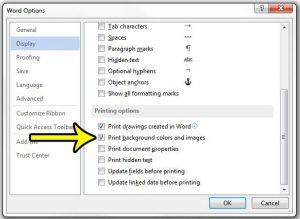
how to print background colors and pictures in word 2013

How to Print Background Colors and Images in Word

November 17, 2026July 5, 2017 by Kermit Matthews

Your page color or background picture looks right on screen, but the printout comes out white. In desktop Word for Windows, the fix is one… Continue Reading How to Print Background Colors and Images in Word

Categories Word Tags word 2013
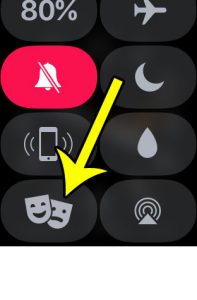
how to enable theater mode on apple watch

How Do I Turn on Theater Mode on My Apple Watch?

November 17, 2026June 28, 2017 by Kermit Matthews

You are likely accustomed to putting your iPhone into silent mode when you are in a quiet environment such as a theater. But when you… Continue Reading How Do I Turn on Theater Mode on My Apple Watch?

Categories Apple Watch
iPhone Settings Safari Tabs section with the Tab Bar layout selected and highlighted

How to Show the Tab Bar in Safari on iPhone 7

November 17, 2026June 27, 2017 by Kermit Matthews

Show the Safari tab bar on iPhone 7: Settings > Safari > Tabs > Tab Bar. Plus Landscape Tab Bar, Single Tab, and tab tricks for iOS 15. Continue Reading How to Show the Tab Bar in Safari on iPhone 7

Categories iPhone Tags iphone 7
iPhone watch companion app General About screen showing the watch software Version row

How to Check the watchOS Version on Apple Watch

November 16, 2026June 27, 2017 by Kermit Matthews

Find the watchOS version on your Apple Watch or in the Apple Watch app on iPhone, see what the number means for watchOS 27, and what to do if you are behind. Continue Reading How to Check the watchOS Version on Apple Watch

Categories Apple Watch
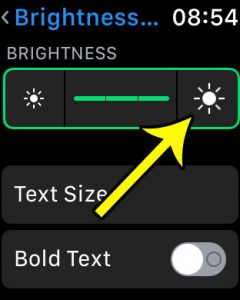
how to make screen brighter on apple watch

How to Increase Brightness on the Apple Watch

November 16, 2026June 22, 2017 by Kermit Matthews

The Apple Watch is a great little device that is very helpful when you are exercising, or as an aid for some of the simpler… Continue Reading How to Increase Brightness on the Apple Watch

Categories Apple Watch
how to stop breathe reminders on the apple watch

How to Stop Breathe Reminders on the Apple Watch

November 10, 2026June 22, 2017 by Kermit Matthews

When I first got my Apple Watch, it was like a new toy, and I wanted to use it for everything. I also wanted to… Continue Reading How to Stop Breathe Reminders on the Apple Watch

Categories Apple Watch Tags Fitness, iphone 7
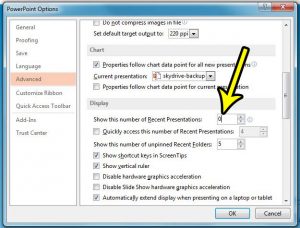
how to stop showing recent documents in powerpoint 2013

How to Stop Showing Recent Presentations in PowerPoint

November 18, 2026June 21, 2017 by Kermit Matthews

On a shared or family PC, anyone who opens PowerPoint can see the names of the presentations you worked on last. To hide that list… Continue Reading How to Stop Showing Recent Presentations in PowerPoint

Categories Powerpoint Tags powerpoint 2013
Spreadsheet Fill Effects dialog with Two colors selected, Color 1 and Color 2 set, Horizontal shading style and a variant highlighted, with a sample preview

How to Use a Gradient Fill Effect in Excel 2013

November 10, 2026June 19, 2017 by Kermit Matthews

Add a gradient fill in Excel 2013: select cells, press Ctrl + 1, go to Fill > Fill Effects, pick two colors and a style. Plus shapes and charts. Continue Reading How to Use a Gradient Fill Effect in Excel 2013

Categories Excel Tags excel 2013
how to change the keyboard order on an iphone 7

How to Change the Order of Keyboards on iPhone

November 9, 2026June 15, 2017 by Kermit Matthews

If you type in two languages, landing on the wrong keyboard every time you start a message gets old fast. On current versions of iOS,… Continue Reading How to Change the Order of Keyboards on iPhone

Categories iPhone Tags iphone 7
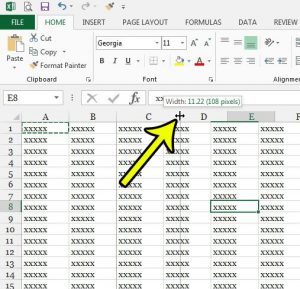
how to elongate a cell in excel 2013

How to Make a Cell Longer in Excel

November 18, 2026June 14, 2017 by Kermit Matthews

A cell in Excel can grow in two directions: wider, by changing the column width, or taller, by changing the row height. Either way, Excel… Continue Reading How to Make a Cell Longer in Excel

Categories Excel Tags excel 2013
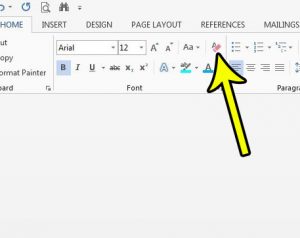
how to clear formatting in word 2013

How to Clear Formatting From Selected Text in Word

November 18, 2026June 14, 2017 by Kermit Matthews

A paragraph copied from an email or a web page lands in your report with a different font, odd colors and extra spacing, while everything… Continue Reading How to Clear Formatting From Selected Text in Word

Categories Word Tags word 2013
Format Cells dialog on the Alignment tab with Shrink to fit checked under Text control

How to Shrink Text to Fit Inside a Cell in Excel

November 10, 2026June 12, 2017 by Kermit Matthews

Shrink text to fit inside a cell in Excel with Format Cells > Alignment > Shrink to fit, and learn when to use Wrap text or AutoFit instead. Continue Reading How to Shrink Text to Fit Inside a Cell in Excel

Categories Excel Tags excel 2013
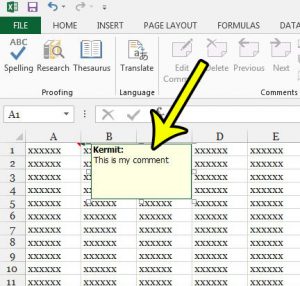
how to add a comment in excel 2013

How to Add a Comment in Excel

November 10, 2026June 8, 2017 by Kermit Matthews

What Excel 2013 called a comment is now called a note, and a comment in current Excel is a threaded conversation that other people can… Continue Reading How to Add a Comment in Excel

Categories Excel Tags excel 2013
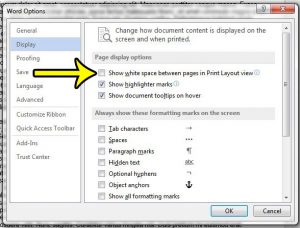
how to hide white space in print layout view in word

How to Hide White Space Between Pages in Word

November 18, 2026June 7, 2017 by Kermit Matthews

The fastest way to close the gap between pages in Word is to stay in Print Layout view, point to the top or bottom edge… Continue Reading How to Hide White Space Between Pages in Word

Categories Word Tags word 2013
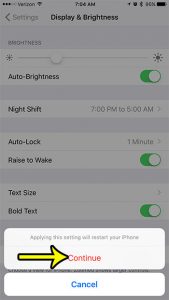
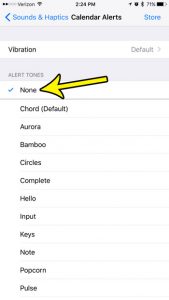
how to turn off calendar alert sound iphone 7

How to Turn Off Calendar Alert Sounds on iPhone

November 18, 2026June 7, 2017 by Kermit Matthews

A chime for every meeting, birthday and reminder adds up fast, especially on a busy day. To silence it, open Settings > Sounds & Haptics… Continue Reading How to Turn Off Calendar Alert Sounds on iPhone

Categories iPhone Tags iphone 7
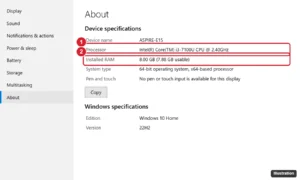
Windows 10 Settings About page showing device specifications with processor and installed RAM highlighted

Acer Aspire E 15 E5-575-33BM: Specs and FAQ

November 10, 2026June 7, 2017 by Kermit Matthews

Acer Aspire E 15 E5-575-33BM specs and FAQ: Core i3-7100U, Full HD screen, 1 TB HDD. Can it run Windows 11, and how to upgrade the RAM and SSD. Continue Reading Acer Aspire E 15 E5-575-33BM: Specs and FAQ

Categories Acer
Spreadsheet Options dialog on Customize Ribbon with the Developer tab checked under Main Tabs and the OK button highlighted

How to Show the Developer Tab in Excel (2013 and Later)

November 15, 2026June 6, 2017 by Kermit Matthews

Show the Developer tab in Excel 2013, 2016, 2019, 2021, and Microsoft 365 on Windows or Mac, and learn what its macro, VBA, and control tools do. Continue Reading How to Show the Developer Tab in Excel (2013 and Later)

Categories Excel Tags excel 2013
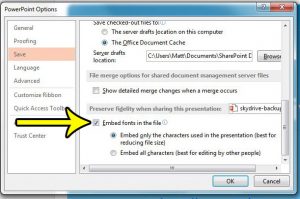
how to embed fonts into the file in powerpoint 2013

How to Embed Fonts in the File in Powerpoint 2013

November 17, 2026June 5, 2017 by Kermit Matthews

The fonts that you use in your Powerpoint presentation can have a big impact on people’s reactions to certain types of information that you display.… Continue Reading How to Embed Fonts in the File in Powerpoint 2013

Categories Powerpoint Tags powerpoint 2013
Phone cellular Roaming settings with Voice Roaming, Data Roaming and an International CDMA switch turned off

How to Turn Off International CDMA on an iPhone 7

November 10, 2026June 1, 2017 by Kermit Matthews

Turn off International CDMA on an iPhone 7 in Settings > Cellular > Roaming. Learn what it does, how it differs from Data Roaming and why it may be missing. Continue Reading How to Turn Off International CDMA on an iPhone 7

Categories iPhone Tags iphone 7
how to bold text on the iphone 7

How to Turn On Bold Text on iPhone

November 16, 2026May 31, 2017 by Kermit Matthews

Thin system text can be hard to read in bright sunlight, on a dim screen at night, or when your eyes are tired at the… Continue Reading How to Turn On Bold Text on iPhone

Categories iPhone Tags iphone 7
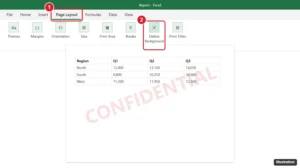
Excel Page Layout tab with the Delete Background button highlighted and a faint watermark in the header

How to Remove a Watermark From a Spreadsheet in Excel 2013

November 18, 2026May 30, 2017 by Kermit Matthews

Most Excel watermarks are header pictures: open Page Layout view and delete &[Picture]. For backgrounds, click Page Layout > Delete Background. All methods. Continue Reading How to Remove a Watermark From a Spreadsheet in Excel 2013

Categories Excel Tags excel 2013
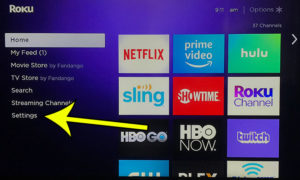
open roku settings

Roku Premiere Plus FAQ – Frequently Asked Questions About the Roku Premiere Plus

November 10, 2026May 26, 2017 by Kermit Matthews

This article contains affiliate links. If you buy through one of them, Live2Tech may earn a commission at no extra cost to you. As an… Continue Reading Roku Premiere Plus FAQ – Frequently Asked Questions About the Roku Premiere Plus

Categories Roku, Featured
how to stop saving copies of sent emails in outlook 2013

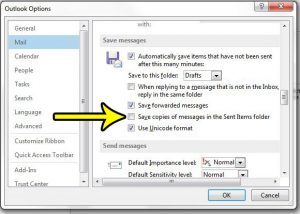
How to Stop Saving Sent Messages in Outlook

November 16, 2026May 25, 2017 by Kermit Matthews

Maybe several people share one computer, your mailbox keeps hitting its size limit, or every message you send shows up twice. In classic Outlook for… Continue Reading How to Stop Saving Sent Messages in Outlook

Categories Outlook Tags outlook 2013
Phone voice assistant settings with Talk to the assistant set to Off and the side button option switched off

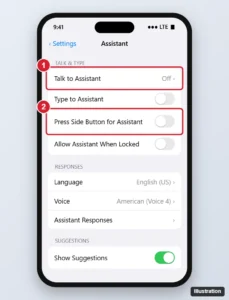
How to Turn Off Siri on iPhone (All iOS Versions)

November 16, 2026May 24, 2017 by Kermit Matthews

Turn off Siri on iPhone by disabling Talk to Siri and the side button option, block it on the Lock Screen and delete your Siri history. Continue Reading How to Turn Off Siri on iPhone (All iOS Versions)

Categories iPhone Tags iphone 7, siri
how to disable reddit app notifications on iphone 7

How to Turn Off Reddit Notifications on iPhone

November 18, 2026May 23, 2017 by Kermit Matthews

If replies, upvotes and “trending” posts from Reddit keep lighting up your iPhone, there are two places to stop them. To pick which kinds of… Continue Reading How to Turn Off Reddit Notifications on iPhone

Categories iPhone Tags iphone 7
Windows File Explorer with several documents selected and the right-click menu open, the Print option highlighted

How to Print Multiple Word Documents at Once

November 17, 2026May 23, 2017 by Kermit Matthews

Print multiple Word documents at once from File Explorer (up to 15 at a time), combine them into one print job, and fix a missing Print option. Continue Reading How to Print Multiple Word Documents at Once

Categories Word
how to end with the last slide in powerpoint 2013

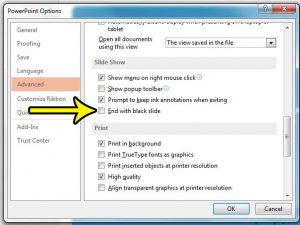
How to End With the Last Slide Instead of a Black Screen in Powerpoint 2013

November 18, 2026May 22, 2017 by Kermit Matthews

Many of the elements of your Powerpoint presentation will not occur until you have chosen to play the slideshow. However, there are other elements of… Continue Reading How to End With the Last Slide Instead of a Black Screen in Powerpoint 2013

Categories Powerpoint Tags powerpoint 2013
Spreadsheet Paste Special dialog with the Transpose checkbox selected to paste a vertical column as a horizontal row

How to Paste Vertical Data Horizontally in Excel (Transpose)

November 10, 2026May 18, 2017 by Kermit Matthews

Paste vertical data horizontally in Excel, or the reverse, with Paste Special Transpose, the Ctrl+Alt+V shortcut, or the TRANSPOSE function. Continue Reading How to Paste Vertical Data Horizontally in Excel (Transpose)

Categories Excel Tags excel 2013, Rows
App Store account screen with the Update All button and pending app updates

How to Check for App Updates on iPhone

November 10, 2026May 16, 2017 by Kermit Matthews

Check for app updates on iPhone from your App Store profile, tap Update All, and turn on automatic app updates in Settings. Continue Reading How to Check for App Updates on iPhone

Categories iPhone Tags iphone 7
how to remove the red number from the iphone 7 mail app

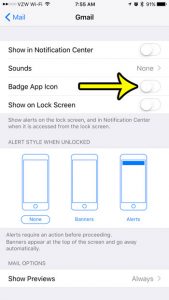
How to Get Rid of the Red Number on the Mail App on the iPhone 7

November 10, 2026May 15, 2017 by Kermit Matthews

Some of the apps on your iPhone might currently be showing a white number inside of a red circle. In a lot of cases, the… Continue Reading How to Get Rid of the Red Number on the Mail App on the iPhone 7

Categories iPhone
iPhone Storage screen with the storage usage bar and the Offload Unused Apps recommendation highlighted

iPhone 7 Low on Space? Try These 5 Ways to Free Up Storage

November 18, 2026May 10, 2017 by Kermit Matthews

Free up space on an iPhone 7: check Settings > General > iPhone Storage, offload apps, optimize photos, delete old messages, and clear downloads. Continue Reading iPhone 7 Low on Space? Try These 5 Ways to Free Up Storage

Categories iPhone Tags Featured iPhone Guides, iphone 7
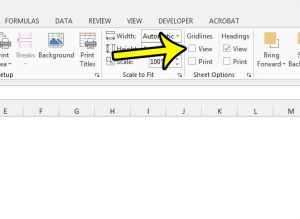
how to hide gridlines in excel 2013

How to Hide Gridlines in Excel

November 13, 2026May 4, 2017 by Kermit Matthews

To hide gridlines in Excel, open the View tab and clear the Gridlines check box in the Show group. The faint gray lines vanish at… Continue Reading How to Hide Gridlines in Excel

Categories Excel Tags excel 2013
Word processor print settings with the Pages per sheet option set to 2 Pages Per Sheet and a two-up print preview

How to Print Two Pages on One Sheet in Word

November 17, 2026May 2, 2017 by Kermit Matthews

Print two pages on one sheet in Word from the Print screen, use Page Setup for half-size pages, add double-sided printing, and keep shrunk pages readable. Continue Reading How to Print Two Pages on One Sheet in Word

Categories Word Tags word 2013
Spreadsheet Options Advanced page with Show sheet tabs checked under Display options for this workbook

How to Show Sheet Tabs in Excel: 6 Fixes When Tabs Are Missing

November 10, 2026May 1, 2017 by Kermit Matthews

Excel sheet tabs missing? Turn on Show sheet tabs in Options, move the scroll bar, maximize the window, or unhide hidden sheets. Steps for Windows, Mac, web. Continue Reading How to Show Sheet Tabs in Excel: 6 Fixes When Tabs Are Missing

Categories Excel Tags excel 2013
Image editor with the Type tool options bar font menu highlighted and a text layer selected in the Layers panel

How to Change the Font of a Text Layer in Photoshop
November 10, 2026April 26, 2017 by Kermit Matthews

Change the font of a whole text layer or selected words in Photoshop with the Type tool, Character panel, or Properties panel, plus common fixes. Continue Reading How to Change the Font of a Text Layer in Photoshop
Categories Photoshop Tags photoshop cs5
Older posts
Newer posts
← Previous Page1 … Page52 Page53 Page54 … Page56 Next →

Join Our Free Newsletter

Featured guides and deals

You may opt out at any time.
Read our Privacy Policy

Live2Tech

Plain-English, step-by-step guides for the devices and apps you use every day.

Apple

  • iPhone
  • iPad
  • Mac
  • Apple Watch

Windows

  • Windows 11
  • Windows 10

Microsoft Office

  • Word
  • Excel
  • Powerpoint
  • Outlook

Google

  • Google Docs
  • Google Sheets
  • Google Slides
  • Gmail
  • Chrome
  • Google Drive
  • About Us
  • Contact
  • Disclaimer
  • Privacy Policy
© Live2Tech.com 2026
  • iPhone
  • Windows
    • Windows 11
    • Windows 10
  • Office
    • Word
    • Excel
    • Powerpoint
    • Outlook
  • Google
    • Google Docs
    • Google Sheets
    • Google Slides
    • Gmail
    • Chrome
    • Google Drive
  • Mac & Apple
    • Mac
    • iPad
    • Apple Watch
  • All Tutorials