
How to Put an Apple Watch in Airplane Mode
Turn on Apple Watch airplane mode from Control Center or Settings, mirror your iPhone, and see what stays on in airplane mode. Continue Reading How to Put an Apple Watch in Airplane Mode
 Kermit Matthews
Turn on Apple Watch airplane mode from Control Center or Settings, mirror your iPhone, and see what stays on in airplane mode. Continue Reading How to Put an Apple Watch in Airplane Mode

Switch off Content & Privacy Restrictions on your own iPhone, lift one limit, remove limits from a child’s iPhone, and reset a forgotten Screen Time passcode. Continue Reading How to Turn Off Restrictions on an iPhone (Screen Time)
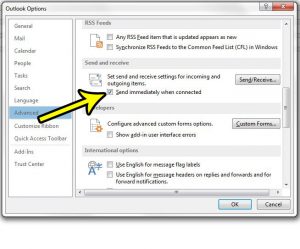
You click Send, the message disappears from the screen, and then it sits in the Outbox until Outlook runs its next send/receive or you press… Continue Reading How to Send Emails Immediately in Outlook
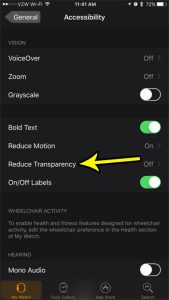
The Apple Watch face can be pretty bright, and is often quite legible for being such a small screen. But reading and seeing information on… Continue Reading How to Reduce Transparency on the Apple Watch
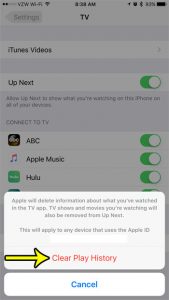
The TV app on your iPhone can consolidate a number of different movie and video streaming apps, allowing you to play a lot of different… Continue Reading How to Clear Your Play History in TV on an iPhone

Remove an email account from your iPhone in Settings, Apps, Mail, Mail Accounts, Delete Account. Server mail is not deleted. Continue Reading How to Delete an Email Account on iPhone
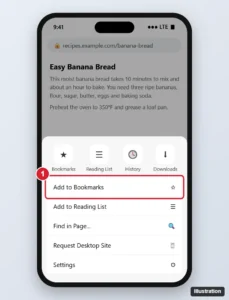
Bookmark a page in Chrome on iPhone: tap the three dots, then Add to Bookmarks. Plus finding, editing, folders and syncing your bookmarks. Continue Reading How to Create a Bookmark in the Google Chrome App on iPhone
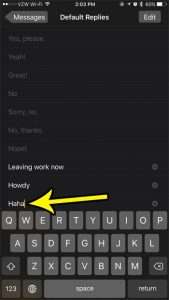
Your Apple Watch interacts with your iPhone really well, and has probably reduced the number of times that you need to perform certain tasks, or… Continue Reading How to Add a New Default Reply for Messages on Your Apple Watch

Back from a trip abroad and your iPhone Weather app now says 22 degrees when you think in Fahrenheit? Or you moved to Canada and… Continue Reading How to Change the Temperature Unit on iPhone
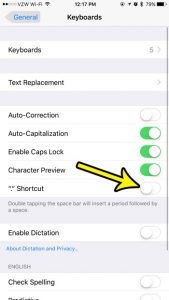
You tap the space bar twice to leave a little extra room, and the iPhone drops in a period instead. That is the “.” Shortcut,… Continue Reading How to Turn Off the Double-Space Period Shortcut on iPhone

Turn off Apple Watch turn alerts for driving, walking, or cycling in the Watch app, learn what the tones mean, and quiet Maps other ways. Continue Reading How to Turn Off Maps Turn Alerts on Apple Watch
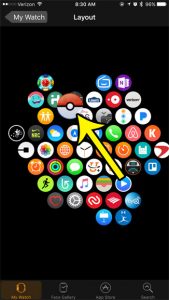
The quickest way to rearrange apps on Apple Watch from your iPhone is to open the Apple Watch app, tap My Watch, tap App View,… Continue Reading How to Rearrange Apps on Apple Watch
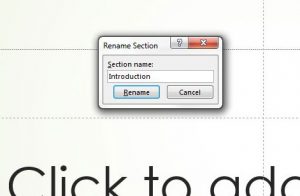
You open a long deck and the thumbnail pane is a wall of “Untitled Section” and “Default Section” headers. The fix takes seconds: right-click the… Continue Reading How to Rename a Section in PowerPoint
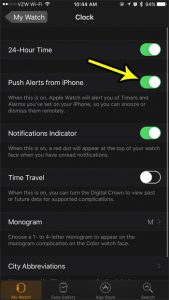
Open the Apple Watch app on your iPhone, tap My Watch, tap Clock and turn on Push Alerts from iPhone. From then on, when an… Continue Reading How to Get iPhone Alarms on Your Apple Watch
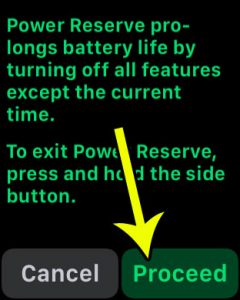
The Apple Watch battery life usually lasts me an entire day, with a decent amount of charge leftover when I put it on the charger… Continue Reading How to Enter Power Reserve Mode on the Apple Watch
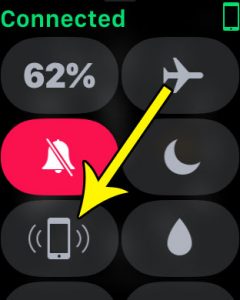
The iPhone and the Apple Watch can connect to one another to make a lot of tasks really convenient. In fact, you may find that… Continue Reading How to Use Your Apple Watch to Find Your iPhone
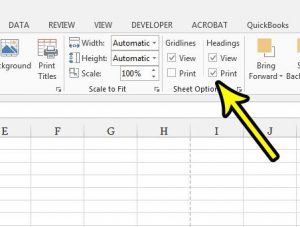
A printed spreadsheet full of numbers is hard to discuss when nobody can say “look at cell D14,” because the column letters and row numbers… Continue Reading How to Print Row and Column Headings in Excel
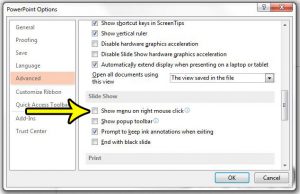
You right-click during a slide show, expecting to step back one slide, and a menu pops up on the big screen in front of everyone.… Continue Reading How to Disable Right-Click in a PowerPoint Slide Show
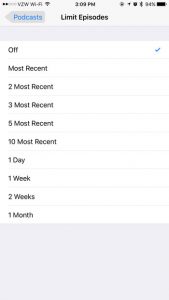
The old Limit Episodes setting is no longer part of the Podcasts app on current versions of iOS. Its job now belongs to Automatically Download,… Continue Reading How to Limit Downloaded Podcast Episodes on iPhone
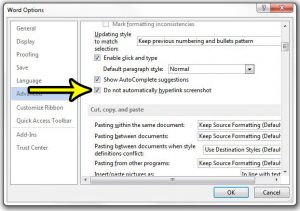
You inserted a screenshot of a web page into a Word document, clicked the picture to select it, and a browser opened the site instead.… Continue Reading How to Stop Word from Hyperlinking Screenshots
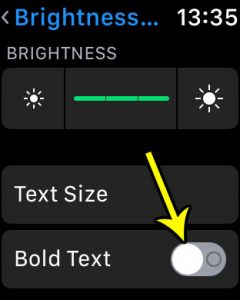
Turn on Bold Text on Apple Watch in Settings > Accessibility or from the Apple Watch app on iPhone, then restart the watch so the heavier letters take effect. Continue Reading How to Turn On Bold Text on Apple Watch
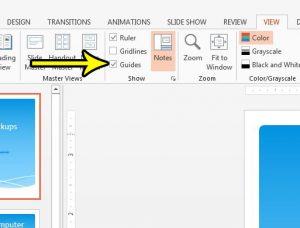
Lining up a logo, a photo and two text boxes by eye rarely works: something always ends up a few pixels off center. Guides fix… Continue Reading How to Turn On Guides in PowerPoint

Put your Apple Watch in Silent Mode from Control Center, watch Settings, or your iPhone, and learn how it differs from Do Not Disturb and Theater Mode. Continue Reading How to Put an Apple Watch in Silent Mode (4 Ways)
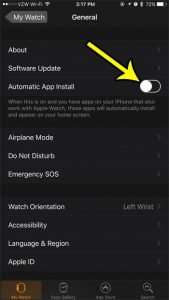
Some of the apps that you have installed on your iPhone have corresponding versions for the Apple Watch. Some of these Apple Watch apps are… Continue Reading How to Turn Off Automatic App Install for the Apple Watch
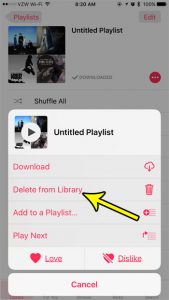
Playlists are fun to make. Whether you are looking for a group of songs that are fun based on a particular mood, or if you… Continue Reading How to Delete a Playlist from the iPhone Music App
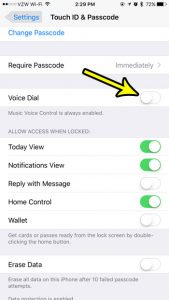
A call you didn’t make shows up in your recent calls, or your iPhone says “Voice Dial” from your pocket while the screen is still… Continue Reading How to Turn Off Voice Dial on iPhone
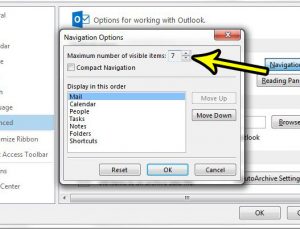
If the Calendar, People or Tasks shortcuts you used to click at the bottom of Outlook seem to have disappeared, they have most likely moved.… Continue Reading How to Show More Navigation Options in Outlook

See how much storage iMessage and texts use: Settings > General > iPhone Storage > Messages. Plus how to delete large attachments and free space. Continue Reading How to View iMessage and Text Message Storage on an iPhone
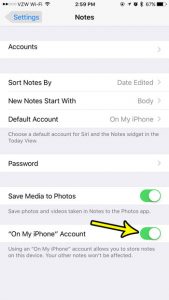
The Notes app on the iPhone is a great place to jot down ideas and save information that you think you may need again in… Continue Reading How to Enable the “On My iPhone” Account in Notes
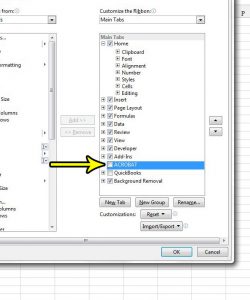
Draw, Developer, Help and a row of add-in tabs can crowd Excel’s ribbon until the tabs you actually use are hard to find. You can… Continue Reading How to Hide a Ribbon Tab in Excel

Make Outlook 2013 spell check every email before sending, turn on spell check as you type, set the proofing language, and fix spell check that won’t run. Continue Reading How to Automatically Spell Check Emails in Outlook
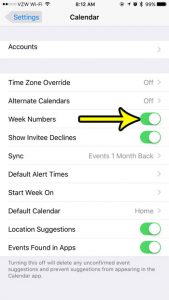
If your office, school or project plan talks about “week 37” instead of a date, you don’t have to count rows on a paper calendar.… Continue Reading How to Show Week Numbers in the iPhone Calendar
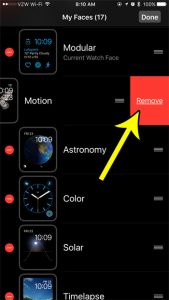
You can add and edit the watch faces on your Apple Watch to make the device appear as you would like it to. There are… Continue Reading How to Delete a Watch Face on an Apple Watch
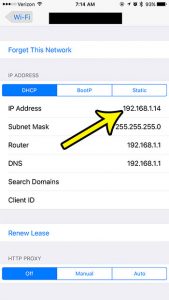
A network printer, a game console, a router setting or a support agent may ask for your iPhone’s address on the home network. To see… Continue Reading How to Find the Local IP Address on iPhone
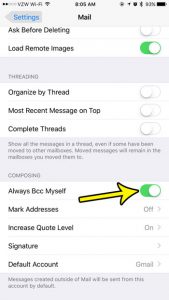
Keeping track of your sent emails can be a little tricky if you often access your email on a number of different devices. Certain types… Continue Reading How to Send Yourself a Copy of Every Email You Write on Your iPhone
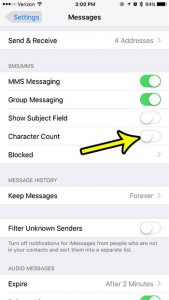
That small number such as 45/160 sitting above the Send button while you type a text is the iPhone’s character counter. To remove it, open… Continue Reading How to Show or Hide Character Count in iPhone Messages
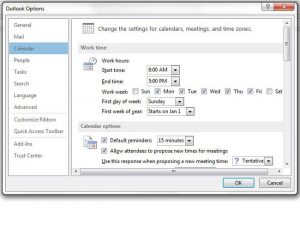
If colleagues keep sending you 7 a.m. meeting invitations, Outlook may think your day starts then. Your working hours tell other people’s scheduling tools when… Continue Reading How to Set Working Hours in Outlook
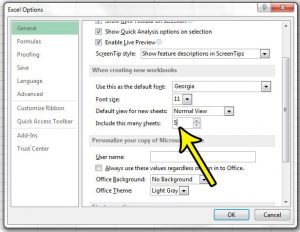
If every new workbook starts with one sheet and you immediately add two more so each month of a quarter has its own sheet, Excel… Continue Reading How to Change the Default Number of Sheets in Excel

Hide notification details on Apple Watch: Watch app > My Watch > Notifications > Tap to Show Full Notification (Notification Privacy on older watchOS). Continue Reading How to Enable Notification Privacy on Your Apple Watch
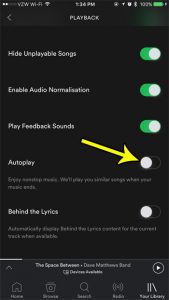
The Spotify music subscription service is some of the best money that I spend each month. You get access to a huge library of songs,… Continue Reading How to Turn Off Autoplay in the iPhone Spotify App
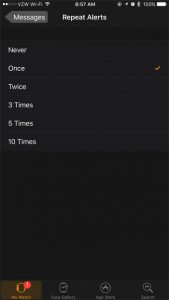
One of my favorite interactions between the Apple watch and my iPhone is how text messages are handled. The ability to glance down at your… Continue Reading How to Repeat Text Message Alerts on an Apple Watch

Turn on Apple Watch Nightstand Mode in Settings > General > Nightstand Mode, charge it on its side, use alarms, and fix it when it will not show. Continue Reading How to Enable Nightstand Mode on an Apple Watch
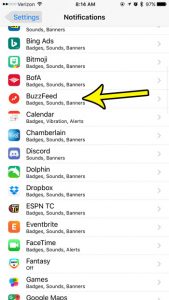
If BuzzFeed keeps lighting up your phone with quizzes, trending stories and breaking-news alerts, you can stop all of them in a few taps: open… Continue Reading How to Turn Off BuzzFeed Notifications on iPhone
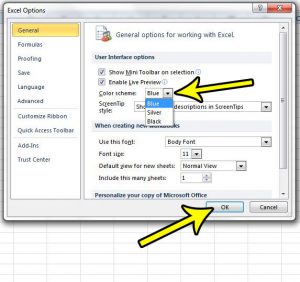
If Excel’s bright white window is tiring your eyes by mid-afternoon, or you want it to look different, the setting you need is the Office… Continue Reading How to Change the Color Scheme in Excel
When the number you need is on a flyer, a receipt or a business card rather than in your contacts, you type it in yourself.… Continue Reading How to Dial a Phone Number on iPhone
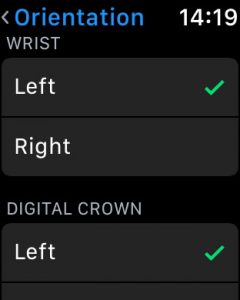
The Apple Watch differs is many ways from a traditional watch. But one of the biggest ways that it is different is the number of… Continue Reading How to Change the Orientation on the Apple Watch

Stop iPhone calendar alerts in Settings, Notifications, Calendar, or turn off specific alert types and default alert times. Continue Reading How to Turn Off Calendar Notifications on iPhone
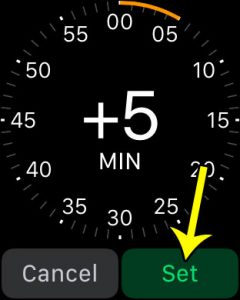
Different people have different relationships with time. Some people are naturally punctual or early, while others struggle to make their appointments every day. But figuring… Continue Reading How to Set Your Apple Watch Ahead 5 Minutes
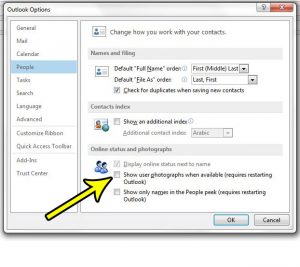
Contact photos in message headers and contact cards can make a busy inbox feel crowded, and some people prefer names over faces. In classic Outlook… Continue Reading How to Hide User Photos in Outlook

Turn off Time to Leave alerts on iPhone in Settings > Apps > Calendar > Default Alert Times, and change alerts for single events. Continue Reading How to Stop Time to Leave Alerts in iPhone Calendar