Skip to content
Live2Tech
  • iPhone
  • Windows
    • Windows 11
    • Windows 10
  • Office
    • Word
    • Excel
    • Powerpoint
    • Outlook
  • Google
    • Google Docs
    • Google Sheets
    • Google Slides
    • Gmail
    • Chrome
    • Google Drive
  • Mac & Apple
    • Mac
    • iPad
    • Apple Watch
  • All Tutorials

ios 8

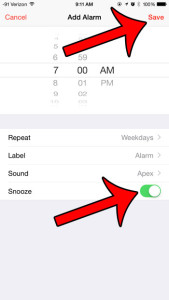
choose the snooze setting, then tap the save button

Creating and Editing Alarms on the iPhone 6

November 10, 2026April 7, 2023 by Kermit Matthews

Once you start to use the alarm utility on your iPhone it can be really useful. Not only is it a great way to wake… Continue Reading Creating and Editing Alarms on the iPhone 6

Categories iPhone, Apple Tags Featured iPhone Guides, ios 8, iphone 6
Phone browser tab overview with the Private tab group highlighted

How to Use Private Browsing on iPhone

November 10, 2026March 19, 2015 by Kermit Matthews

Open private tabs in Safari on iPhone from the Tabs view, lock them with Face ID, and learn what Private Browsing does and does not hide. Continue Reading How to Use Private Browsing on iPhone

Categories iPhone Tags ios 8, iphone

Join Our Free Newsletter

Featured guides and deals

You may opt out at any time.
Read our Privacy Policy

Live2Tech

Plain-English, step-by-step guides for the devices and apps you use every day.

Apple

  • iPhone
  • iPad
  • Mac
  • Apple Watch

Windows

  • Windows 11
  • Windows 10

Microsoft Office

  • Word
  • Excel
  • Powerpoint
  • Outlook

Google

  • Google Docs
  • Google Sheets
  • Google Slides
  • Gmail
  • Chrome
  • Google Drive
  • About Us
  • Contact
  • Disclaimer
  • Privacy Policy
© Live2Tech.com 2026
  • iPhone
  • Windows
    • Windows 11
    • Windows 10
  • Office
    • Word
    • Excel
    • Powerpoint
    • Outlook
  • Google
    • Google Docs
    • Google Sheets
    • Google Slides
    • Gmail
    • Chrome
    • Google Drive
  • Mac & Apple
    • Mac
    • iPad
    • Apple Watch
  • All Tutorials