Skip to content
Live2Tech
  • iPhone
  • Windows
    • Windows 11
    • Windows 10
  • Office
    • Word
    • Excel
    • Powerpoint
    • Outlook
  • Google
    • Google Docs
    • Google Sheets
    • Google Slides
    • Gmail
    • Chrome
    • Google Drive
  • Mac & Apple
    • Mac
    • iPad
    • Apple Watch
  • All Tutorials

Streaming

How-to guides and tutorials to help you perform specific tasks and use various applications and devices to stream content.

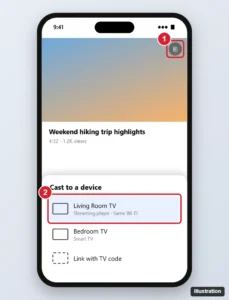
Android phone video app with the cast menu open and a TV streaming device selected

How to Screen Mirror a Google Pixel to Roku (What Works)

November 6, 2026May 9, 2024 by Kermit Matthews

Mirror or cast a Google Pixel to Roku by casting from apps, sharing media with the Roku app, or a mirroring app, and see why Screen Cast cannot find it. Continue Reading How to Screen Mirror a Google Pixel to Roku (What Works)

Categories Roku
Streaming account settings with Sign out of all devices highlighted

Does HBO Max Notify You of New Logins? How to Check Your Account

November 7, 2026May 6, 2024 by Kermit Matthews

HBO Max may not alert you to every new sign-in. Review Manage Devices, sign out of all devices, and change your password if anything looks wrong. Continue Reading Does HBO Max Notify You of New Logins? How to Check Your Account

Categories Streaming
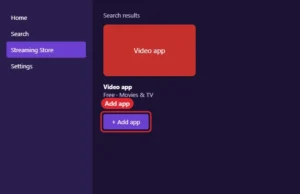
TV streaming store search results with a video app tile and Add app button highlighted

How to Get Google on Roku (What Works in 2026)

November 6, 2026April 30, 2024 by Kermit Matthews

Roku has no Google or Chrome app. Use Google on Roku by mirroring a PC, Android phone or iPhone, plus YouTube, Google Assistant and Google Photos. Continue Reading How to Get Google on Roku (What Works in 2026)

Categories Google, Roku

How to Change the Language on Netflix (Display, Audio, and Subtitles)

November 6, 2026April 6, 2024 by Kermit Matthews

Switching languages on Netflix is easy! Follow our guide to change audio and subtitles to your preferred language in just a few clicks. Continue Reading How to Change the Language on Netflix (Display, Audio, and Subtitles)

Categories Streaming
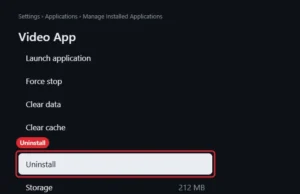
TV streaming stick app settings with the Uninstall option highlighted

How to Delete Apps on a Fire TV Stick

November 6, 2026November 16, 2023 by Kermit Matthews

Uninstall apps on a Fire TV Stick from Settings, Applications, Manage Installed Applications, or with the Menu button on the Apps screen. Continue Reading How to Delete Apps on a Fire TV Stick

Categories Fire TV
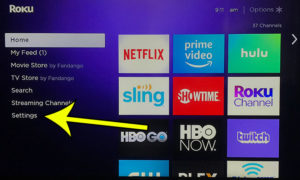
how restart roku premiere plus 4 How to Restart the Roku Premiere Plus

How to Restart the Roku Premiere Plus

November 6, 2026January 29, 2023 by Kermit Matthews

The Roku Premiere Plus is essentially a small computer, which means that apps or services on the app can occasionally stop working properly. This can… Continue Reading How to Restart the Roku Premiere Plus

Categories Roku
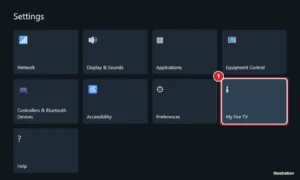
Streaming stick Settings screen on a TV with the My Fire TV tile highlighted

10 Things to Know About the Amazon Fire TV Stick Before You Buy One

November 6, 2026June 8, 2022 by Kermit Matthews

What to know before buying a Fire TV Stick: which model fits your TV, what you need, subscription costs, Vega OS limits, storage, and setup tips. Continue Reading 10 Things to Know About the Amazon Fire TV Stick Before You Buy One

Categories Fire TV
Desktop music streaming app settings with the Social section showing Share my listening activity switched off and See what your friends are playing switched off

How to Hide Friend Activity in the Spotify Desktop App

October 23, 2026February 7, 2022 by Kermit Matthews

Hide Friend Activity in Spotify desktop: stop sharing your listening activity, turn off the friends panel, or use a Private session. Mobile steps too. Continue Reading How to Hide Friend Activity in the Spotify Desktop App

Categories Streaming Tags spotify
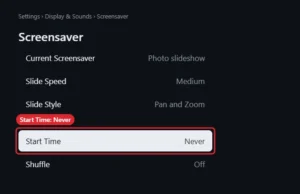
TV streaming stick screensaver settings with Start Time set to Never highlighted

How to Turn Off the Fire TV Stick Screensaver

November 6, 2026June 2, 2021 by Kermit Matthews

Stop the Fire TV Stick screensaver with Settings, Display and Sounds, Screensaver, Start Time, Never, or turn off Ambient Experience on newer models. Continue Reading How to Turn Off the Fire TV Stick Screensaver

Categories Fire TV
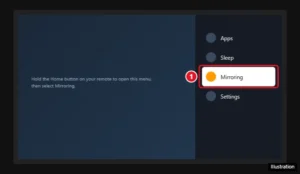
TV screen showing the Fire TV quick settings menu opened by holding the Home button, with the Mirroring option highlighted

How to Enable Display Mirroring on a Fire TV Stick

September 28, 2026April 1, 2021 by Kermit Matthews

Hold Home on your Fire TV remote and choose Mirroring, or go to Settings > Display & Sounds. How to connect Windows, Android, and iPhone, plus fixes. Continue Reading How to Enable Display Mirroring on a Fire TV Stick

Categories Fire TV
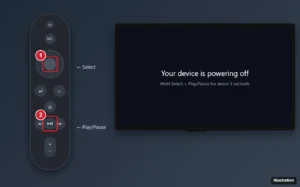
Streaming stick voice remote illustration with the center Select button and the Play/Pause button highlighted, next to a TV showing a powering off message

How to Restart an Amazon Fire TV Stick (3 Easy Ways)

September 28, 2026March 24, 2021 by Kermit Matthews

Restart a Fire TV Stick with the remote (Select + Play/Pause), from Settings, or by unplugging it, plus fixes if apps or the remote still misbehave. Continue Reading How to Restart an Amazon Fire TV Stick (3 Easy Ways)

Categories Fire TV
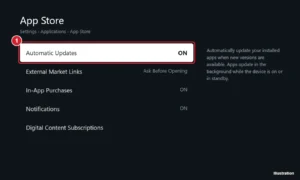
TV streaming device settings for the app store with Automatic Updates set to On

How to Update Apps Automatically on an Amazon Fire TV

November 6, 2026March 16, 2020 by Kermit Matthews

Turn on automatic app updates on Amazon Fire TV in Settings > Applications > Appstore, update apps manually, and fix apps that won’t update. Continue Reading How to Update Apps Automatically on an Amazon Fire TV

Categories Fire TV
is my internet fast enough for the fire tv stick

What Does a Firestick Do?

October 20, 2026August 7, 2018 by Kermit Matthews

This article contains affiliate links. If you buy through one of them, Live2Tech may earn a commission at no extra cost to you. As an… Continue Reading What Does a Firestick Do?

Categories Fire TV
Comparison grid of streaming player types showing resolution, HDR, Wi-Fi and remote features

Which Roku Should I Buy? How to Compare Roku Models

November 6, 2026July 7, 2017 by Kermit Matthews

The 2017 Roku line-up has been replaced. Here is how to choose a Roku today: match 4K and HDR to your TV, then compare Wi-Fi, remotes and extras. Continue Reading Which Roku Should I Buy? How to Compare Roku Models

Categories Roku
how restart roku premiere plus 1 Roku Premiere Plus FAQ - Frequently Asked Questions About the Roku Premiere Plus

Roku Premiere Plus FAQ – Frequently Asked Questions About the Roku Premiere Plus

October 20, 2026May 26, 2017 by Kermit Matthews

This article contains affiliate links. If you buy through one of them, Live2Tech may earn a commission at no extra cost to you. As an… Continue Reading Roku Premiere Plus FAQ – Frequently Asked Questions About the Roku Premiere Plus

Categories Roku, Featured

Join Our Free Newsletter

Featured guides and deals

You may opt out at any time.
Read our Privacy Policy

Live2Tech

Plain-English, step-by-step guides for the devices and apps you use every day.

Apple

  • iPhone
  • iPad
  • Mac
  • Apple Watch

Windows

  • Windows 11
  • Windows 10

Microsoft Office

  • Word
  • Excel
  • Powerpoint
  • Outlook

Google

  • Google Docs
  • Google Sheets
  • Google Slides
  • Gmail
  • Chrome
  • Google Drive
  • About Us
  • Contact
  • Disclaimer
  • Privacy Policy
© Live2Tech.com 2026
  • iPhone
  • Windows
    • Windows 11
    • Windows 10
  • Office
    • Word
    • Excel
    • Powerpoint
    • Outlook
  • Google
    • Google Docs
    • Google Sheets
    • Google Slides
    • Gmail
    • Chrome
    • Google Drive
  • Mac & Apple
    • Mac
    • iPad
    • Apple Watch
  • All Tutorials