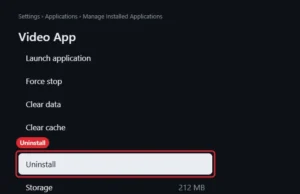
How to Delete Apps on a Fire TV Stick
Uninstall apps on a Fire TV Stick from Settings, Applications, Manage Installed Applications, or with the Menu button on the Apps screen. Continue Reading How to Delete Apps on a Fire TV Stick
How-to guides and tutorials to help you perform specific tasks and use the Amazon Fire TV to watch online videos.
Uninstall apps on a Fire TV Stick from Settings, Applications, Manage Installed Applications, or with the Menu button on the Apps screen. Continue Reading How to Delete Apps on a Fire TV Stick
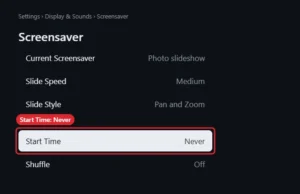
Stop the Fire TV Stick screensaver with Settings, Display and Sounds, Screensaver, Start Time, Never, or turn off Ambient Experience on newer models. Continue Reading How to Turn Off the Fire TV Stick Screensaver
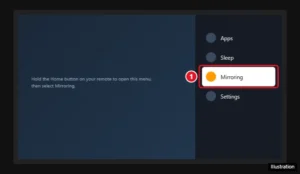
Hold Home on your Fire TV remote and choose Mirroring, or go to Settings > Display & Sounds. How to connect Windows, Android, and iPhone, plus fixes. Continue Reading How to Enable Display Mirroring on a Fire TV Stick
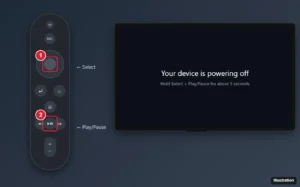
Restart a Fire TV Stick with the remote (Select + Play/Pause), from Settings, or by unplugging it, plus fixes if apps or the remote still misbehave. Continue Reading How to Restart an Amazon Fire TV Stick (3 Easy Ways)
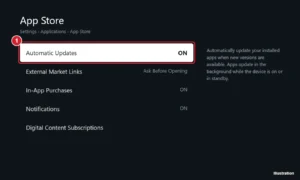
Turn on automatic app updates on Amazon Fire TV in Settings > Applications > Appstore, update apps manually, and fix apps that won’t update. Continue Reading How to Update Apps Automatically on an Amazon Fire TV
You might be asking yourself “what does a firestick do” if you’ve received one as a gift, if someone is asking for one as a… Continue Reading What Does a Firestick Do?