Skip to content
Live2Tech
  • iPhone
  • Windows
    • Windows 11
    • Windows 10
  • Office
    • Word
    • Excel
    • Powerpoint
    • Outlook
  • Google
    • Google Docs
    • Google Sheets
    • Google Slides
    • Gmail
    • Chrome
    • Google Drive
  • Mac & Apple
    • Mac
    • iPad
    • Apple Watch
  • All Tutorials

Kermit Matthews

Kermit Matthews runs Live2Tech from just outside Philadelphia. He is an IT specialist with over 20 years of experience, from a university help desk to small-business IT, IT management and his own consulting practice, and has written tech guides full time since 2020. Steps are checked against the current software on a real device or the maker's official documentation. More about Kermit.
Windows 11 Settings Accounts Other users page with the Add other user Add account button highlighted, used to give each person a separate password-protected browser profile

Where Is the Character Panel in Photoshop CS5? (3 Ways to Open It)

November 10, 2026October 14, 2021 by Kermit Matthews

Open the Character panel in Photoshop CS5 from Window > Character, the Type tool options bar or the panel dock, and learn what each type setting does. Continue Reading Where Is the Character Panel in Photoshop CS5? (3 Ways to Open It)

Categories Photoshop Tags photoshop cs5
Spanish keyboard layout with the N with tilde key, the accent dead key, and the inverted exclamation key highlighted

How to Turn Off the Spell Checker in Word 2013

November 10, 2026October 13, 2021 by Kermit Matthews

Turn off spell check in Word 2013: File > Options > Proofing, uncheck Check spelling as you type. Plus per-document and selected-text options. Continue Reading How to Turn Off the Spell Checker in Word 2013

Categories Word Tags word 2013
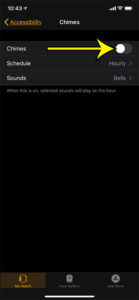
how to stop the hourly chimes on an Apple Watch

How to Turn Off Apple Watch Hourly Chime

November 18, 2026October 12, 2021 by Kermit Matthews

A digital watch such as the Apple Watch can produce a variety of sounds based on what you are doing, or what notifications you are… Continue Reading How to Turn Off Apple Watch Hourly Chime

Categories Apple Watch
Word Font dialog with the Small caps effect checked and a preview showing small capital letters

How to Type in Small Caps in Word 2013

November 10, 2026October 8, 2021 by Kermit Matthews

Select the text and press Ctrl + Shift + K, or open the Font dialog with Ctrl + D and check Small caps. How small caps differs from All caps, plus tips. Continue Reading How to Type in Small Caps in Word 2013

Categories Word Tags word 2013
Word Paragraph dialog on the Line and Page Breaks tab with the Widow/Orphan control checkbox highlighted

How to Turn Off Widow/Orphan Control in Word

November 18, 2026October 7, 2021 by Kermit Matthews

Turn off Widow/Orphan control in Word for one document or every new one, see why pages end early, and check the other pagination settings that leave gaps. Continue Reading How to Turn Off Widow/Orphan Control in Word

Categories Word Tags Breaks, word 2010
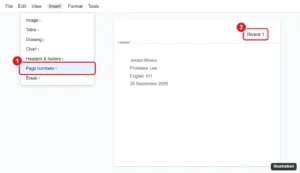
Document header with a last name and page number aligned to the top right, and the Insert Page numbers option highlighted

How to Add Your Last Name and Page Number in Google Docs

November 18, 2026October 5, 2021 by Kermit Matthews

Add your last name and page number to the top right of Google Docs for an MLA header: insert page numbers, type your name, and fix spacing issues. Continue Reading How to Add Your Last Name and Page Number in Google Docs

Categories Google Docs Tags Featured Docs Guides, Header
Online document editor with a hyperlink selected, the link preview card open, and the Edit link pencil button highlighted

How to Edit a Hyperlink in Google Docs (Computer and Mobile)

November 10, 2026September 30, 2021 by Kermit Matthews

Edit a hyperlink in Google Docs: change link text and address from the link card or Ctrl+K, edit on mobile, remove links, and stop automatic links. Continue Reading How to Edit a Hyperlink in Google Docs (Computer and Mobile)

Categories Google Docs
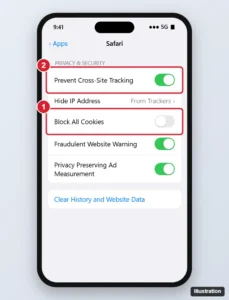
iPhone browser settings Privacy and Security section with the Block All Cookies switch turned off and highlighted

How to Enable Cookies in Safari on iPhone (11 and Other Models)

November 10, 2026September 24, 2021 by Kermit Matthews

Enable cookies in Safari on iPhone 11 or any iPhone by turning off Block All Cookies, allow cross-site cookies when a site needs them, and fix sign-in problems. Continue Reading How to Enable Cookies in Safari on iPhone (11 and Other Models)

Categories iPhone Tags iOS 13, iPhone 11, safari
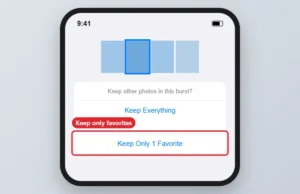
Burst photo options with Keep Only 1 Favorite highlighted

How to Manage Burst Photos on iPhone

November 18, 2026September 23, 2021 by Kermit Matthews

The Upload Burst Photos setting disappeared with My Photo Stream in 2023. Here is how to keep only your favourite burst frames on an iPhone 7. Continue Reading How to Manage Burst Photos on iPhone

Categories iPhone Tags camera, iphone 7
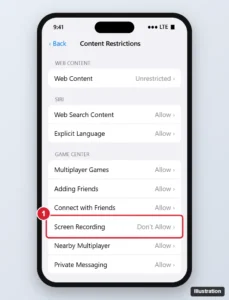
Phone Content Restrictions settings with the Game Center section Screen Recording option set to Don’t Allow highlighted

How to Disable Screen Recording on an iPhone 11

November 18, 2026September 22, 2021 by Kermit Matthews

Stop, hide, or fully block screen recording on iPhone 11: end a recording, remove it from Control Center, or restrict it with Screen Time. Continue Reading How to Disable Screen Recording on an iPhone 11

Categories iPhone
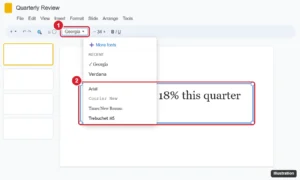
Presentation editor with a text box selected by its border and the toolbar font menu open listing fonts and More fonts

How to Change the Font in a Google Slides Text Box

November 17, 2026September 21, 2021 by Kermit Matthews

Change the font in a Google Slides text box, update several boxes at once, set theme fonts for every slide, add more fonts, and edit fonts on mobile. Continue Reading How to Change the Font in a Google Slides Text Box

Categories Google Slides
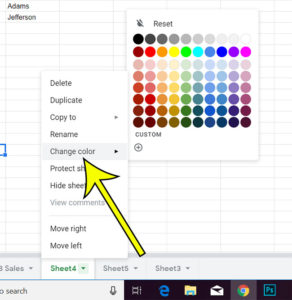
how to change the color of worksheet tabs in Google Sheets

How to Change the Color of the Sheet Tab in Google Sheets

November 15, 2026September 16, 2021 by Kermit Matthews

If your Google Sheets file has a lot of worksheets, finding the right one can be difficult. This is made even worse when the tabs… Continue Reading How to Change the Color of the Sheet Tab in Google Sheets

Categories Google Sheets
how remove item control center iphone 7

How to Remove Item – Control Center iPhone 7

November 18, 2026September 15, 2021 by Kermit Matthews

Becoming comfortable and familiar with all of the different settings and menus on your iPhone can be a little overwhelming. There are a lot o… Continue Reading How to Remove Item – Control Center iPhone 7

Categories iPhone
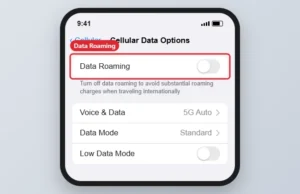
iPhone Cellular Data Options screen with the Data Roaming switch

How to Turn On Data Roaming on an iPhone

November 10, 2026September 9, 2021 by Kermit Matthews

Turn on data roaming on iPhone 7 and newer in Settings > Cellular > Cellular Data Options, and avoid surprise charges while traveling. Continue Reading How to Turn On Data Roaming on an iPhone

Categories iPhone Tags iphone 7
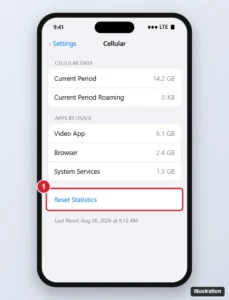
Phone Cellular settings scrolled to the bottom showing Current Period data usage, Reset Statistics highlighted, and the Last Reset date

How to Reset Cellular Data Usage Statistics on an iPhone 7 (and Newer)

November 18, 2026September 2, 2021 by Kermit Matthews

Reset your iPhone cellular data counter: Settings > Cellular > Reset Statistics. What it does, why totals differ from your carrier, and tips. Continue Reading How to Reset Cellular Data Usage Statistics on an iPhone 7 (and Newer)

Categories iPhone Tags iphone 7
print 4 slides per page in powerpoint 2013

How to Print Multiple Slides on One Page in PowerPoint

November 17, 2026August 31, 2021 by Kermit Matthews

A 30-slide lecture deck printed one slide per sheet uses 30 pieces of paper; printed six to a page it uses five. To put several… Continue Reading How to Print Multiple Slides on One Page in PowerPoint

Categories Powerpoint Tags powerpoint 2013
how to disable motion alerts on a schedule for the Ring video doorbell

How to Disable Ring Motion Alerts on a Schedule

November 15, 2026August 30, 2021 by Kermit Matthews

This article contains affiliate links. If you buy through one of them, Live2Tech may earn a commission at no extra cost to you. As an… Continue Reading How to Disable Ring Motion Alerts on a Schedule

Categories iPhone Tags iOS 14, iPhone 11, iPhone Apps, ring
how to change the default save location in powerpoint 2010

How to Change the Default Save Location in Powerpoint 2010

November 10, 2026August 23, 2021 by Kermit Matthews

Remembering to save work that you have completed in Microsoft Office programs like Powerpoint, Excel, and Word can save you a lot of headaches and… Continue Reading How to Change the Default Save Location in Powerpoint 2010

Categories Powerpoint Tags powerpoint 2010
Webmail settings General tab Signature section with the Signature defaults set to No signature highlighted and the delete option

How to Remove a Signature From Gmail (Desktop and Mobile)

November 10, 2026August 17, 2021 by Kermit Matthews

Remove or turn off your Gmail signature on a computer, Android, or iPhone, stop it on replies, remove it from one email, and fix one that keeps showing. Continue Reading How to Remove a Signature From Gmail (Desktop and Mobile)

Categories Gmail
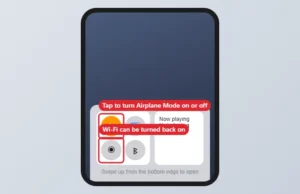
Phone Control Center with the Airplane Mode button turned on

How to Turn Airplane Mode On or Off on iPhone

November 17, 2026July 21, 2021 by Kermit Matthews

Turn Airplane Mode on or off on an iPhone 6 from Control Center or Settings, and turn Wi-Fi or Bluetooth back on while it stays active. Continue Reading How to Turn Airplane Mode On or Off on iPhone

Categories iPhone Tags ios 9
Outlook 2013 new message window with the Options tab, the Bcc button, and the Bcc field highlighted

How to Show the Bcc Field in Outlook

November 16, 2026July 12, 2021 by Kermit Matthews

Turn on the Bcc field in new Outlook (Options > Show fields > Show Bcc), classic Outlook (Options > Bcc) or Outlook for Mac, and see who you Bcc’d afterward. Continue Reading How to Show the Bcc Field in Outlook

Categories Outlook Tags outlook 2013
Google Sheets toolbar with the Borders menu open showing border types, border color, and border style

How to Delete GarageBand From an iPhone

November 14, 2026July 8, 2021 by Kermit Matthews

Delete GarageBand from your iPhone 7 from the Home Screen or iPhone Storage, save your songs first, choose offload vs. delete, and fix apps that won’t delete. Continue Reading How to Delete GarageBand From an iPhone

Categories iPhone Tags Deleting, ios 10
Phone Passwords app showing a saved website login in edit mode with the red Delete Password button highlighted

How to Delete a Saved Password on an iPhone 11 (and Newer)

November 18, 2026June 29, 2021 by Kermit Matthews

Delete saved passwords on an iPhone 11 or newer in the Passwords app or Settings, remove several at once, and recover one deleted by mistake. Continue Reading How to Delete a Saved Password on an iPhone 11 (and Newer)

Categories iPhone Tags safari, Security
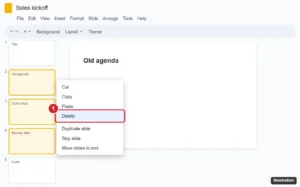
Online presentation editor with three slide thumbnails selected in the filmstrip and the right-click menu open with Delete highlighted

How to Delete More Than One Slide at a Time in Google Slides

November 10, 2026June 24, 2021 by Kermit Matthews

Delete multiple slides at once in Google Slides with Shift or Ctrl/Cmd click, use grid view for big decks, delete on mobile, and undo mistakes. Continue Reading How to Delete More Than One Slide at a Time in Google Slides

Categories Google Slides
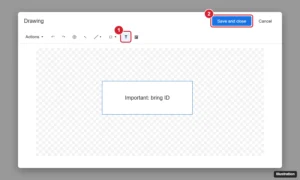
Google Docs Drawing window with the Text box tool highlighted and the Save and close button

Make a Text Box in Google Docs With Drawing or a Table

November 18, 2026June 16, 2021 by Kermit Matthews

Click Insert > Drawing > New, choose the Text box tool, draw and type, then Save and close. Or use a one-cell table. How to style, move, and edit it. Continue Reading Make a Text Box in Google Docs With Drawing or a Table

Categories Google Docs Tags Featured Docs Guides, Text Box
Phone companion watch app Notifications settings with the Notification Indicator switch turned off and highlighted

How to Turn Off the Red Dot Notification on Apple Watch

November 10, 2026June 10, 2021 by Kermit Matthews

Turn off the red dot on your Apple Watch face by disabling Notification Indicator on the iPhone or watch, or clear it by reading and clearing notifications. Continue Reading How to Turn Off the Red Dot Notification on Apple Watch

Categories Apple Watch
Word processor Design tab with the Watermark button open, showing Confidential and Do Not Copy watermark thumbnails and the Custom Watermark and Remove Watermark options highlighted

How to Add a Watermark in Microsoft Word 2016

November 18, 2026June 8, 2021 by Kermit Matthews

Add a watermark in Word 2016: Design > Watermark, then pick one or choose Custom Watermark for text or a logo. Plus removing and one-page tips. Continue Reading How to Add a Watermark in Microsoft Word 2016

Categories Word Tags Background, Featured Word Guides
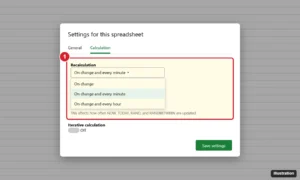
Online spreadsheet Settings dialog on the Calculation tab with Recalculation set to On change and every minute and Iterative calculation off

How to Change Recalculation Settings in Google Sheets

November 10, 2026May 25, 2021 by Kermit Matthews

Change Google Sheets recalculation to on change, every minute or every hour in File > Settings > Calculation, and learn how iterative calculation works. Continue Reading How to Change Recalculation Settings in Google Sheets

Categories Google Sheets
how to use volume up for burst pictures iphone

How to Take Burst Photos With the Volume Button on iPhone

November 18, 2026May 11, 2021 by Kermit Matthews

To shoot a burst with a volume button, open Settings, tap Camera and turn on Use Volume Up for Burst. Then open the Camera app… Continue Reading How to Take Burst Photos With the Volume Button on iPhone

Categories iPhone
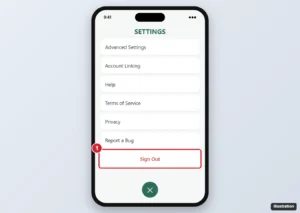
Game settings menu on iPhone scrolled to the bottom with the Sign Out option highlighted

How to Log Out of Pokémon GO

November 14, 2026May 6, 2021 by Kermit Matthews

Log out of Pokémon GO from the Poké Ball menu > Settings > Sign Out, switch to another account, and fix an app that keeps signing you back in. Continue Reading How to Log Out of Pokémon GO

Categories iPhone
how to get iPhone calendar to tell you when to leave

How to Enable “Time to Leave” in the iPhone Calendar App

November 14, 2026May 4, 2021 by Kermit Matthews

The Calendar app on your iPhone can be a very useful way to manage your appointments and events. It can show you notifications in a… Continue Reading How to Enable “Time to Leave” in the iPhone Calendar App

Categories iPhone Tags Calendar, Notifications
iPad browser start page Favorites with a favorite long-pressed and Delete highlighted in the menu

How to Delete a Favorite on an iPad (Safari Favorites)

November 10, 2026May 3, 2021 by Kermit Matthews

Delete a Safari favorite on an iPad from the start page or Bookmarks sidebar, remove several at once, and reorder or rename favorites instead. Continue Reading How to Delete a Favorite on an iPad (Safari Favorites)

Categories iPad
Windows Create Shortcut wizard with a website address typed in the location box and the Next button highlighted

How to Put a Netflix Icon on Your Windows Desktop

November 14, 2026April 29, 2021 by Kermit Matthews

Put a Netflix icon on your desktop with a website shortcut, install Netflix as an app from Edge or Chrome, or use the Store app, and give it the right icon. Continue Reading How to Put a Netflix Icon on Your Windows Desktop

Categories Windows 7, Windows 10 Tags Netflix
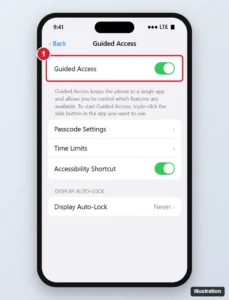
Phone Accessibility Guided Access settings with the Guided Access switch turned on and highlighted, plus Passcode Settings, Time Limits and Accessibility Shortcut options

How to Enable or Disable Guided Access on an iPhone 11

November 10, 2026April 29, 2021 by Kermit Matthews

Turn on Guided Access on iPhone 11: Settings > Accessibility > Guided Access, then triple-click the side button in an app to start. How to end it. Continue Reading How to Enable or Disable Guided Access on an iPhone 11

Categories iPhone
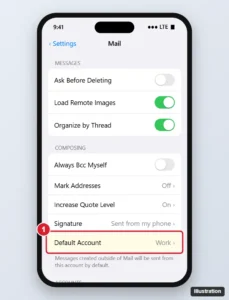
Phone Mail settings with the Default Account row highlighted under the Composing section, showing the chosen account

How to Change the Default Email Account on an iPhone 7

November 14, 2026April 28, 2021 by Kermit Matthews

Change the default email account on an iPhone 7 in Settings > Mail > Default Account, send from another account, or set Gmail or Outlook as default. Continue Reading How to Change the Default Email Account on an iPhone 7

Categories iPhone Tags iphone 7
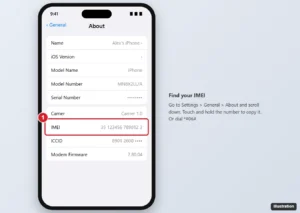
iPhone Settings General About screen with the IMEI number highlighted

How to Find the IMEI Number on an iPhone 6

November 10, 2026April 28, 2021 by Kermit Matthews

Go to Settings > General > About and scroll to IMEI, or dial *#06#. On the iPhone 6, it is also engraved on the back. Options if the phone won’t turn on. Continue Reading How to Find the IMEI Number on an iPhone 6

Categories iPhone Tags ios 9
how to download Hulu movie on iPhone

How to Download a Movie in the Hulu App on an iPhone

November 18, 2026April 23, 2021 by Kermit Matthews

Many of the popular streaming services have iPhone apps where you can watch their catalog of content on the device. Typically this is done by… Continue Reading How to Download a Movie in the Hulu App on an iPhone

Categories iPhone
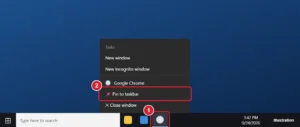
Windows 10 taskbar with the Chrome jump list open and Pin to taskbar highlighted

How to Add Google Chrome to the Taskbar in Windows 10

November 12, 2026April 22, 2021 by Kermit Matthews

Pin Google Chrome to the Windows 10 taskbar from the taskbar or Start menu, plus how to pin websites and Chrome profiles and fix a missing option. Continue Reading How to Add Google Chrome to the Taskbar in Windows 10

Categories Windows 10, Chrome
Word Shape Format tab with the Text Direction menu open and Rotate all text 90 degrees highlighted

How to Rotate Text in Word (Sideways or Any Angle)

November 13, 2026April 21, 2021 by Kermit Matthews

Put text in a text box, then use Shape Format > Text Direction to rotate 90 or 270 degrees, or drag the rotation handle. Steps for tables and WordArt too. Continue Reading How to Rotate Text in Word (Sideways or Any Angle)

Categories Word Tags Orientation
Spreadsheet ribbon on the Page Layout tab with the Sheet Options Headings Print checkbox highlighted

How to Print Without Column Letters and Row Numbers in Excel

November 13, 2026April 21, 2021 by Kermit Matthews

Print Excel sheets without column letters and row numbers by unchecking Headings > Print in Page Layout. Works in Excel 2013 through Microsoft 365. Continue Reading How to Print Without Column Letters and Row Numbers in Excel

Categories Excel Tags excel 2013
how to add new apps to the Home screen on an iPhone 11

Why Aren’t Apps Being Added to the Home Screen on My iPhone 11?

November 18, 2026April 20, 2021 by Kermit Matthews

For a long time iPhone owners have been able to download apps from the App Store and, once installed, the app would appear on the… Continue Reading Why Aren’t Apps Being Added to the Home Screen on My iPhone 11?

Categories iPhone
Online presentation editor with the File menu open, Download selected, and PNG image highlighted in the submenu

How to Download a Single Slide as a Picture in Google Slides

November 10, 2026April 19, 2021 by Kermit Matthews

Save one Google Slides slide as a PNG, JPEG or SVG with File > Download, get higher-resolution images, and export all slides as pictures. Continue Reading How to Download a Single Slide as a Picture in Google Slides

Categories Google Slides
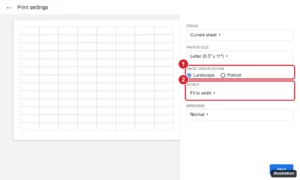
Spreadsheet print settings with a landscape page preview and the Page orientation option set to Landscape and Scale set to Fit to width

How to Print a Google Sheets Spreadsheet in Landscape

November 15, 2026April 13, 2021 by Kermit Matthews

Change the print orientation in Google Sheets to landscape, fit all columns on one page, repeat headers, and save a landscape PDF. Continue Reading How to Print a Google Sheets Spreadsheet in Landscape

Categories Google Sheets
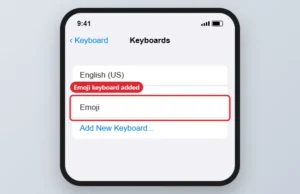
Keyboards settings list with the Emoji keyboard highlighted

How to Use Emojis in Text Messages on iPhone

November 10, 2026April 7, 2021 by Kermit Matthews

Use emojis in iPhone text messages: tap the smiley or globe key in Messages, or add the Emoji keyboard in Settings, General, Keyboard. Continue Reading How to Use Emojis in Text Messages on iPhone

Categories iPhone Tags ios 9, iphone 6
Photoshop Layers panel with the right-click menu open and Duplicate Layer highlighted

How to Duplicate a Layer in Photoshop CS5 (and Newer)

November 17, 2026April 6, 2021 by Kermit Matthews

Duplicate a layer in Photoshop CS5 with Ctrl + J, the right-click menu, or the Move tool, plus how to copy layers to another document. Continue Reading How to Duplicate a Layer in Photoshop CS5 (and Newer)

Categories Photoshop
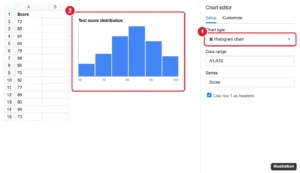
Spreadsheet with a histogram chart and the chart editor Chart type set to Histogram highlighted

How to Make a Histogram in Google Sheets (Step-by-Step)

November 18, 2026April 6, 2021 by Kermit Matthews

Make a histogram in Google Sheets with Insert > Chart and the Histogram chart type, adjust bucket size, and build a frequency table with FREQUENCY. Continue Reading How to Make a Histogram in Google Sheets (Step-by-Step)

Categories Google Sheets
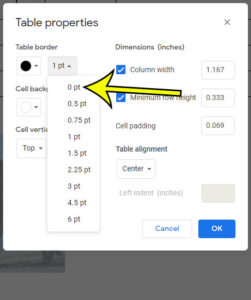
how to remove a table border in Google Docs

How to Remove a Table Border in Google Docs

November 18, 2026April 5, 2021 by Kermit Matthews

Google Docs has a number of different tools and formatting settings that let you customize your document. If you’ve inserted a table into your document,… Continue Reading How to Remove a Table Border in Google Docs

Categories Google Docs
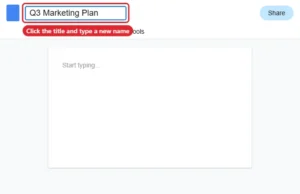
Online document editor with the title box at the top left selected for renaming

How to Rename a Document in Google Docs

November 18, 2026April 2, 2021 by Kermit Matthews

Rename a Google Doc by clicking its title, using File > Rename, or renaming it in Google Drive on a computer or phone. Continue Reading How to Rename a Document in Google Docs

Categories Google Docs Tags Files
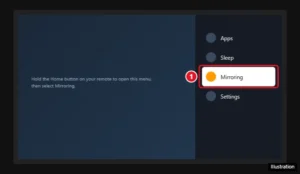
TV screen showing the Fire TV quick settings menu opened by holding the Home button, with the Mirroring option highlighted

How to Enable Display Mirroring on a Fire TV Stick

November 18, 2026April 1, 2021 by Kermit Matthews

Hold Home on your Fire TV remote and choose Mirroring, or go to Settings > Display & Sounds. How to connect Windows, Android, and iPhone, plus fixes. Continue Reading How to Enable Display Mirroring on a Fire TV Stick

Categories Fire TV
Google Sheets View menu open to Show with the Gridlines option highlighted

How to Remove Lines in Google Sheets

November 10, 2026April 1, 2021 by Kermit Matthews

Click View > Show and uncheck Gridlines to hide them. To remove borders, select cells and choose Borders > Clear borders. How to print without lines too. Continue Reading How to Remove Lines in Google Sheets

Categories Google
Older posts
Newer posts
← Previous Page1 … Page44 Page45 Page46 … Page56 Next →

Join Our Free Newsletter

Featured guides and deals

You may opt out at any time.
Read our Privacy Policy

Live2Tech

Plain-English, step-by-step guides for the devices and apps you use every day.

Apple

  • iPhone
  • iPad
  • Mac
  • Apple Watch

Windows

  • Windows 11
  • Windows 10

Microsoft Office

  • Word
  • Excel
  • Powerpoint
  • Outlook

Google

  • Google Docs
  • Google Sheets
  • Google Slides
  • Gmail
  • Chrome
  • Google Drive
  • About Us
  • Contact
  • Disclaimer
  • Privacy Policy
© Live2Tech.com 2026
  • iPhone
  • Windows
    • Windows 11
    • Windows 10
  • Office
    • Word
    • Excel
    • Powerpoint
    • Outlook
  • Google
    • Google Docs
    • Google Sheets
    • Google Slides
    • Gmail
    • Chrome
    • Google Drive
  • Mac & Apple
    • Mac
    • iPad
    • Apple Watch
  • All Tutorials