
How to Add a Page in Google Docs
Add a page in Google Docs with Ctrl + Enter or Insert > Break > Page break on a computer or phone, switch from Pageless to Pages, and delete extra pages. Continue Reading How to Add a Page in Google Docs
Our most popular and well-liked how-to guides and tutorials about topics involving the Google Docs word processing application.
Add a page in Google Docs with Ctrl + Enter or Insert > Break > Page break on a computer or phone, switch from Pageless to Pages, and delete extra pages. Continue Reading How to Add a Page in Google Docs
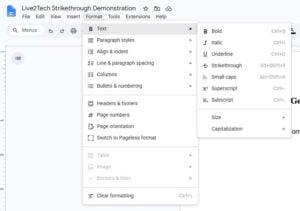
Draw a line through text in Google Docs with Alt + Shift + 5 (Command + Shift + X on Mac) or Format > Text > Strikethrough, on desktop and mobile. Continue Reading How to Draw a Line Through Text in Google Docs (Strikethrough)
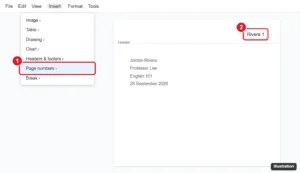
Add your last name and page number to the top right of Google Docs for an MLA header: insert page numbers, type your name, and fix spacing issues. Continue Reading How to Add Your Last Name and Page Number to the Top Right in Google Docs
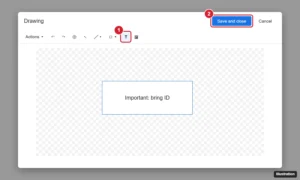
Click Insert > Drawing > New, choose the Text box tool, draw and type, then Save and close. Or use a one-cell table. How to style, move, and edit it. Continue Reading How to Insert a Text Box in Google Docs