Skip to content
Live2Tech
  • iPhone
  • Windows
    • Windows 11
    • Windows 10
  • Office
    • Word
    • Excel
    • Powerpoint
    • Outlook
  • Google
    • Google Docs
    • Google Sheets
    • Google Slides
    • Gmail
    • Chrome
    • Google Drive
  • Mac & Apple
    • Mac
    • iPad
    • Apple Watch
  • All Tutorials

Header

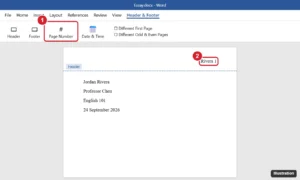
Word document header in editing mode with a last name and page number right-aligned, and the Page Number button highlighted

How to Add Your Last Name and Page Number in Word

September 24, 2026September 9, 2022 by Kermit Matthews

Add your last name and page number in Word: Insert > Page Number > Top of Page > Plain Number 3, then type your name before the number. MLA tips included. Continue Reading How to Add Your Last Name and Page Number in Word
Categories Word Tags Header, Page Numbers
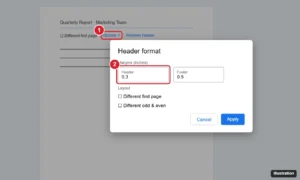
Google Docs Header format dialog with the Header margin field highlighted, opened from the header Options menu

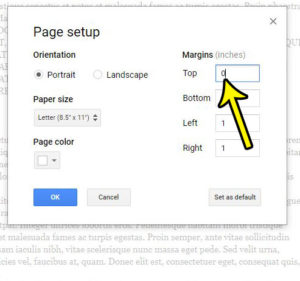
How to Change the Header Margin in Google Docs

September 24, 2026March 21, 2022 by Kermit Matthews

Change the header margin in Google Docs: double-click the header, choose Options > Header format, and set a new Header margin. Plus fixes and tips. Continue Reading How to Change the Header Margin in Google Docs

Categories Google Docs Tags Header, Margins
how remove header google docs 3 How to Take Off Header in Google Docs

How to Take Off Header in Google Docs

October 12, 2026March 3, 2022 by Kermit Matthews

The header section of your document is a useful place to put important information like your last name or page number. Many schools and corporations… Continue Reading How to Take Off Header in Google Docs

Categories Google Docs Tags Header
Document header with a last name and page number aligned to the top right, and the Insert Page numbers option highlighted

How to Add Your Last Name and Page Number to the Top Right in Google Docs

September 25, 2026October 5, 2021 by Kermit Matthews

Add your last name and page number to the top right of Google Docs for an MLA header: insert page numbers, type your name, and fix spacing issues. Continue Reading How to Add Your Last Name and Page Number to the Top Right in Google Docs

Categories Google Docs Tags Featured Docs Guides, Header

Join Our Free Newsletter

Featured guides and deals

You may opt out at any time.
Read our Privacy Policy

Live2Tech

Plain-English, step-by-step guides for the devices and apps you use every day.

Apple

  • iPhone
  • iPad
  • Mac
  • Apple Watch

Windows

  • Windows 11
  • Windows 10

Microsoft Office

  • Word
  • Excel
  • Powerpoint
  • Outlook

Google

  • Google Docs
  • Google Sheets
  • Google Slides
  • Gmail
  • Chrome
  • Google Drive
  • About Us
  • Contact
  • Disclaimer
  • Privacy Policy
© Live2Tech.com 2026
  • iPhone
  • Windows
    • Windows 11
    • Windows 10
  • Office
    • Word
    • Excel
    • Powerpoint
    • Outlook
  • Google
    • Google Docs
    • Google Sheets
    • Google Slides
    • Gmail
    • Chrome
    • Google Drive
  • Mac & Apple
    • Mac
    • iPad
    • Apple Watch
  • All Tutorials