Skip to content
Live2Tech
  • iPhone
  • Windows
    • Windows 11
    • Windows 10
  • Office
    • Word
    • Excel
    • Powerpoint
    • Outlook
  • Google
    • Google Docs
    • Google Sheets
    • Google Slides
    • Gmail
    • Chrome
    • Google Drive
  • Mac & Apple
    • Mac
    • iPad
    • Apple Watch
  • All Tutorials

Kermit Matthews

Kermit Matthews runs Live2Tech from just outside Philadelphia. He is an IT specialist with over 20 years of experience, from a university help desk to small-business IT, IT management and his own consulting practice, and has written tech guides full time since 2020. Steps are checked against the current software on a real device or the maker's official documentation. More about Kermit.
request a read receipt n outlook 2013

How to Request a Read Receipt in Outlook 2013

November 18, 2026March 29, 2021 by Kermit Matthews

Many popular email applications provide you with some advanced ways that you can send an email. One of these options involves read receipts, which is… Continue Reading How to Request a Read Receipt in Outlook 2013
Categories Outlook Tags outlook 2013
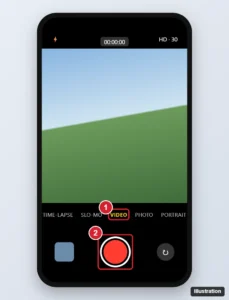
iPhone camera app with the Video mode and red record button highlighted

How to Record a Video on an iPhone 7 (Settings and Tips)

November 17, 2026March 25, 2021 by Kermit Matthews

Record a video on an iPhone 7 with the Camera app, choose 1080p or 4K, use slow motion and time-lapse, and get tips for steadier, sharper videos. Continue Reading How to Record a Video on an iPhone 7 (Settings and Tips)

Categories iPhone Tags camera
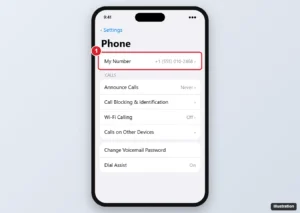
iPhone Settings Phone screen with My Number highlighted at the top

How to Find Your Phone Number on iPhone

November 17, 2026March 25, 2021 by Kermit Matthews

Find your number on iPhone from My Card in Contacts, Messages and FaceTime settings, the My Number line or each Dual SIM line, and what to do if none shows. Continue Reading How to Find Your Phone Number on iPhone

Categories iPhone Tags iphone 7, Phone
Phone Add New Keyboard screen listing Spanish keyboard options for Mexico, Latin America and Spain, with Spanish (Mexico) highlighted

How to Add a Spanish Keyboard on an iPhone 7

November 10, 2026March 25, 2021 by Kermit Matthews

Add a Spanish keyboard on an iPhone 7 in Keyboard settings, switch with the globe key, and type accents, n with tilde and inverted punctuation. Continue Reading How to Add a Spanish Keyboard on an iPhone 7

Categories iPhone Tags iphone 7
Word Home tab with the Strikethrough button highlighted and struck-through text selected in the document

How to Remove Strikethrough in Word (All Versions)

November 10, 2026March 24, 2021 by Kermit Matthews

Remove strikethrough in Microsoft Word with the Home tab button or Font dialog, clear it from a whole document, and remove Track Changes deletion lines. Continue Reading How to Remove Strikethrough in Word (All Versions)

Categories Word Tags word 2013
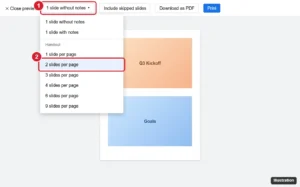
Presentation Print settings and preview toolbar with the layout dropdown open and Handout 2 slides per page highlighted

How to Print Two Slides per Page in Google Slides (and Double-Sided)

November 18, 2026March 22, 2021 by Kermit Matthews

Print two slides per page in Google Slides with the Handout layout in print preview, print on both sides of the paper, or save the handout as a PDF. Continue Reading How to Print Two Slides per Page in Google Slides (and Double-Sided)

Categories Google Slides
Gmail New Message window with the Bcc link and Bcc field highlighted

What Does Bcc Mean in Gmail? How to Use It

November 16, 2026March 19, 2021 by Kermit Matthews

Bcc means blind carbon copy: Gmail sends a copy without showing that address to anyone else. Here is how to use Bcc on a computer and phone. Continue Reading What Does Bcc Mean in Gmail? How to Use It

Categories Gmail
Word Picture Format tab with the Rotate menu open and Flip Horizontal highlighted

How to Mirror an Image in Word

November 12, 2026March 19, 2021 by Kermit Matthews

Click the picture, go to Picture Format > Rotate, and choose Flip Horizontal. How to mirror text and shapes, use Word for the web, and fix a grayed-out button. Continue Reading How to Mirror an Image in Word

Categories Word
iPad split keyboard with the keyboard key held down and the Dock and Merge option highlighted

How to Switch Back to the Regular Keyboard From a Split Keyboard on iPad

November 14, 2026March 18, 2021 by Kermit Matthews

Touch and hold the keyboard key and choose Dock and Merge, or pinch the halves together. How to turn off Split Keyboard and fix a floating keyboard. Continue Reading How to Switch Back to the Regular Keyboard From a Split Keyboard on iPad

Categories iPad
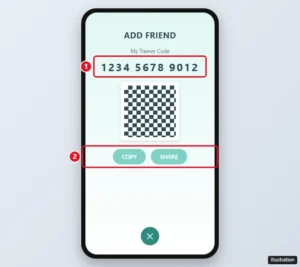
Pokemon GO Add Friend screen showing My Trainer Code with Copy and Share options highlighted

How to Find Your Trainer Code in Pokémon GO

November 18, 2026March 17, 2021 by Kermit Matthews

Find your 12-digit Trainer Code in Pokémon GO from your profile > Friends > Add Friend, then copy or share it. Plus how to add friends with their codes. Continue Reading How to Find Your Trainer Code in Pokémon GO

Categories Gaming Tags pokemon go
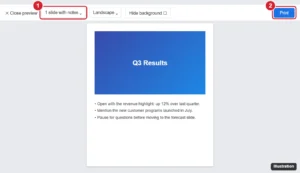
Presentation app print preview with the layout set to 1 slide with notes and the Print button highlighted

How to Print Speaker Notes in Google Slides

November 10, 2026March 15, 2021 by Kermit Matthews

Print speaker notes in Google Slides with the 1 slide with notes print layout, save slides and notes as a PDF, and print notes-only or PowerPoint notes pages. Continue Reading How to Print Speaker Notes in Google Slides

Categories Google Slides
Online spreadsheet with header cells selected and the Fill color palette open, with a light green swatch highlighted and the header row shaded green

How to Add Color to Cells in Google Sheets

November 10, 2026March 11, 2021 by Kermit Matthews

Add color to cells in Google Sheets: select cells and click Fill color, or color by value with conditional formatting. Plus alternating colors. Continue Reading How to Add Color to Cells in Google Sheets

Categories Google Sheets Tags Background
how to find Pokemon Ivs in Pokemon Go

How to Appraise a Pokemon in Pokemon Go

November 15, 2026March 10, 2021 by Kermit Matthews

When you are trying to catch them all in Pokemon Go you will likely catch more than one of many Pokemon. But not all Pokemon… Continue Reading How to Appraise a Pokemon in Pokemon Go

Categories iPhone Tags pokemon go
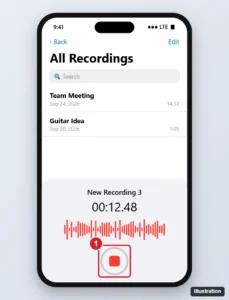
Phone voice recorder app showing a list of saved recordings and a live waveform with the red record and stop button highlighted at the bottom

How to Record a Voice Memo on an iPhone 7 (and Newer)

November 16, 2026March 10, 2021 by Kermit Matthews

Record a voice memo on iPhone 7 or later: open Voice Memos, tap the red Record button, then Stop. Plus trimming, enhancing, sharing and fixes. Continue Reading How to Record a Voice Memo on an iPhone 7 (and Newer)

Categories iPhone Tags iphone 7, iPhone Apps, Sounds, Voice Memos
how many apps do I have on my iphone 7

How to See How Many Apps Are on Your iPhone

November 14, 2026March 10, 2021 by Kermit Matthews

To see how many apps are on your iPhone, open Settings, tap General, then tap About. Apple lists the number of apps there, alongside the… Continue Reading How to See How Many Apps Are on Your iPhone

Categories iPhone Tags iphone 7
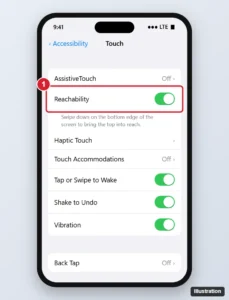
Phone accessibility Touch settings with the Reachability switch highlighted

How to Turn Reachability On or Off on iPhone (Stop the Screen Moving Down)

November 10, 2026March 5, 2021 by Kermit Matthews

Stop your iPhone screen moving down by turning off Reachability in Settings > Accessibility > Touch, or learn to use it on Face ID and Home button models. Continue Reading How to Turn Reachability On or Off on iPhone (Stop the Screen Moving Down)

Categories iPhone Tags ios 10
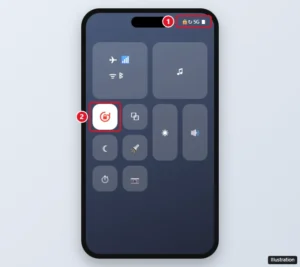
iPhone Control Center with the Portrait Orientation Lock button turned on and highlighted

What Does the Lock With a Circle Mean on iPhone?

November 12, 2026March 5, 2021 by Kermit Matthews

The lock with a circular arrow on iPhone is Portrait Orientation Lock. Here is how to turn it off in Control Center, add the button back, and fix rotation. Continue Reading What Does the Lock With a Circle Mean on iPhone?

Categories iPhone Tags Status Icons
Word Symbol dialog with the Greek and Coptic subset selected and the pi symbol highlighted, showing character code 03C0

How to Add a Pi Symbol (π) in Microsoft Word

November 10, 2026March 4, 2021 by Kermit Matthews

Add π in Word: type 03C0 then Alt + X, type \pi in an equation, or use Insert > Symbol. On a Mac, press Option + P. Plus capital Π and shortcuts. Continue Reading How to Add a Pi Symbol (π) in Microsoft Word

Categories Word
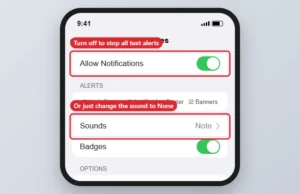
Phone Notifications settings for text messages with Allow Notifications and Sounds

How to Turn Off Text Message Notifications on iPhone

November 18, 2026March 2, 2021 by Kermit Matthews

Turn off text message notifications on iPhone 7 in Settings > Notifications > Messages, or silence sounds, previews or single chats. Continue Reading How to Turn Off Text Message Notifications on iPhone

Categories iPhone Tags iphone 7
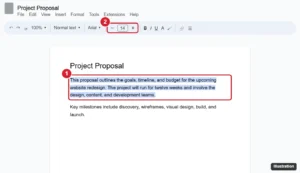
Document editor toolbar with selected text and the font size box with minus and plus buttons highlighted

How to Change Font Size in Google Docs (Computer and Mobile)

September 25, 2026March 2, 2021 by Kermit Matthews

Change font size in Google Docs with the size box, keyboard shortcuts, or paragraph styles, set a default size, and adjust text in the mobile app. Continue Reading How to Change Font Size in Google Docs (Computer and Mobile)

Categories Google Docs
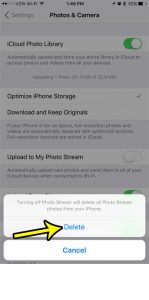
how to turn off photo stream on an iphone 7

How to Turn Off Photo Stream on an iPhone 7

November 15, 2026March 2, 2021 by Kermit Matthews

If you use multiple Apple devices and like to have all of your pictures accessible from every device, then the Photo Stream can be useful.… Continue Reading How to Turn Off Photo Stream on an iPhone 7

Categories iPhone Tags iphone 7
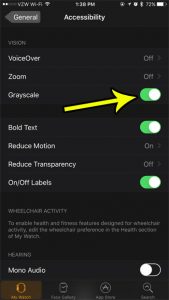
how to change the grayscale setting on the apple watch

How to Turn Off Grayscale on the Apple Watch

November 16, 2026March 1, 2021 by Kermit Matthews

Is everything on your watch in grayscale all of a sudden? Or did you see someone else’s watch that was in grayscale, and you thought… Continue Reading How to Turn Off Grayscale on the Apple Watch

Categories Apple Watch
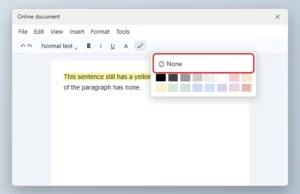
Online document editor highlight color palette open with the None option highlighted

How to Remove Text Highlighting in Google Docs

November 18, 2026March 1, 2021 by Kermit Matthews

Remove highlight color in Google Docs with Highlight color > None, and fix colors from comments, suggestions, table shading, or pasted text. Continue Reading How to Remove Text Highlighting in Google Docs

Categories Google Docs Tags Text Formatting
how to unhide desktop icons in windows 7

How to Hide or Unhide Desktop Icons in Windows 7

November 15, 2026February 26, 2021 by Kermit Matthews

The desktop icons on your Windows 7 computer are something that you might rely on heavily, or they might be blocking your favorite picture. Depending… Continue Reading How to Hide or Unhide Desktop Icons in Windows 7

Categories Windows 7
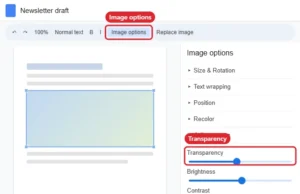
Online document editor with an image selected and the Image options panel open to Adjustments with the Transparency slider

How to Make a Picture More Transparent in Google Docs

November 17, 2026February 26, 2021 by Kermit Matthews

Make an image more transparent in Google Docs with Image options > Adjustments > Transparency, add a faded watermark, and handle transparent backgrounds. Continue Reading How to Make a Picture More Transparent in Google Docs

Categories Google Docs
how to unhide columns in Excel 2016

How to Unhide Columns in Excel 2016

November 18, 2026February 25, 2021 by Kermit Matthews

Hiding columns is a great tool in Microsoft Excel when you have data that you can’t delete, but don’t want to leave visible. But you… Continue Reading How to Unhide Columns in Excel 2016

Categories Excel
how to permanently delete iphone pictures from recently deleted

How to Permanently Delete iPhone Pictures from the Recently Deleted Folder

November 15, 2026February 25, 2021 by Kermit Matthews

Pictures are perhaps the one item that everyone is concerned about losing when they need to reset their phone and switch devices. Due to this… Continue Reading How to Permanently Delete iPhone Pictures from the Recently Deleted Folder

Categories iPhone
how to enable or disable restricted mode in YouTube

How to Enable YouTube Restricted Mode on an iPhone 11

November 15, 2026February 24, 2021 by Kermit Matthews

YouTube is a useful resource for an enormous variety of content. Whether you are looking for entertainment or instructional content, it’s likely that you will… Continue Reading How to Enable YouTube Restricted Mode on an iPhone 11

Categories iPhone
Webmail settings Signature section with signature text selected and the Edit link dialog open showing link text and a web address, highlighted

How to Add a Link to Your Gmail Signature

November 11, 2026February 24, 2021 by Kermit Matthews

Add a clickable link to your Gmail signature: create a signature, link text or a logo image, set defaults, and understand how it works in the Gmail apps. Continue Reading How to Add a Link to Your Gmail Signature

Categories Gmail
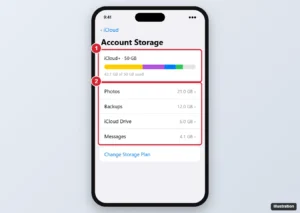
iPhone iCloud storage screen with the usage bar and the list of apps using iCloud storage highlighted

How to Check What’s Using Your iCloud Storage on iPhone

November 18, 2026February 24, 2021 by Kermit Matthews

See what’s using your iCloud storage on iPhone in Settings > your name > iCloud, then free up space from backups, photos, messages, and files. Continue Reading How to Check What’s Using Your iCloud Storage on iPhone

Categories iPhone
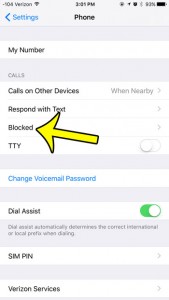
view the blocked caller list in ios 9

How to View the List of Blocked Callers in iOS 9

November 18, 2026February 23, 2021 by Kermit Matthews

When spam callers and telemarketers and calling you repeatedly, blocking their calls can be useful. Tapping on the little “i” next to a recent call… Continue Reading How to View the List of Blocked Callers in iOS 9

Categories iPhone Tags ios 9, iphone 6
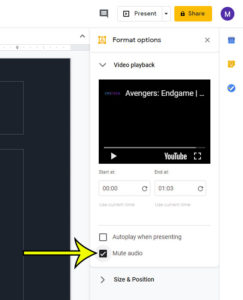
how to mute audio in a video in google slides

How to Mute Audio in a Video in Google Slides

November 18, 2026February 23, 2021 by Kermit Matthews

Adding a video to a presentation in Google Slides can make it easy for you to convey images and information that would be difficult or… Continue Reading How to Mute Audio in a Video in Google Slides

Categories Google Slides
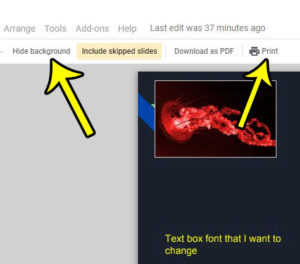
how to print with no background in google slides

How to Hide the Background When Printing in Google Slides

November 15, 2026February 23, 2021 by Kermit Matthews

When you create a presentation in Google Slides, your primary concern is often how it will look on a screen. This can lead you to… Continue Reading How to Hide the Background When Printing in Google Slides

Categories Google Slides
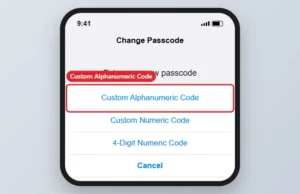
iPhone Change Passcode screen with Passcode Options showing Custom Alphanumeric Code

How to Use Letters in Your iPhone Passcode

November 15, 2026February 22, 2021 by Kermit Matthews

Switch your iPhone to a Custom Alphanumeric Code in Face ID & Passcode settings to use letters and numbers in your passcode. Continue Reading How to Use Letters in Your iPhone Passcode

Categories iPhone Tags ios 10, iphone 7, passcode, Security
Online document with the footer open for editing, the page number selected, and the Options menu showing Page numbers highlighted

How to Remove Page Numbers in Google Docs (All, First Page, or One Section)

November 10, 2026February 19, 2021 by Kermit Matthews

Remove page numbers in Google Docs from every page, hide them on the first page, or remove them from one section, on computer or mobile. Continue Reading How to Remove Page Numbers in Google Docs (All, First Page, or One Section)

Categories Google Docs
Outlook new email with the Format Text tab open and the Strikethrough button highlighted, with struck-through text in the message

How to Strike Through Text in Microsoft Outlook

November 10, 2026February 19, 2021 by Kermit Matthews

Strike through text in Outlook with the Format Text tab, the Font dialog (Ctrl + D), or the new Outlook toolbar. Plus fixes when strikethrough is grayed out. Continue Reading How to Strike Through Text in Microsoft Outlook

Categories Outlook
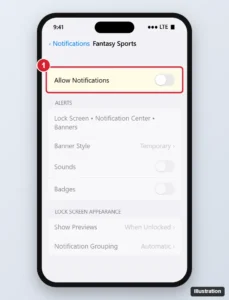
Phone notification settings for a sports app with Allow Notifications switched off

How to Turn Off ESPN Fantasy App Notifications on iPhone

November 10, 2026February 19, 2021 by Kermit Matthews

Turn off ESPN Fantasy notifications on iPhone in Settings > Notifications, or choose which league alerts you get in the app, and make alerts quieter. Continue Reading How to Turn Off ESPN Fantasy App Notifications on iPhone

Categories iPhone Tags iphone 7, Notifications
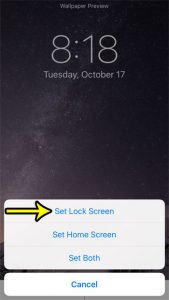
how to change the lock screen picture on an iphone 7

How to Change the Lock Screen Background on an iPhone 7

November 15, 2026February 18, 2021 by Kermit Matthews

When you press the Power button on a locked iPhone screen you will see a picture behind the date and time. This is called the… Continue Reading How to Change the Lock Screen Background on an iPhone 7

Categories iPhone Tags iphone 7
Yahoo Mail Settings Mailboxes page with Mailboxes and the Add button for disposable email addresses highlighted

Yahoo Mail Disposable Addresses: How They Work With Plus

November 12, 2026February 17, 2021 by Kermit Matthews

Create a disposable email address in Yahoo Mail from Settings > Mailboxes, send mail from it, delete it, and see the free and Yahoo Mail Plus limits. Continue Reading Yahoo Mail Disposable Addresses: How They Work With Plus

Categories Web Tags yahoo mail
Two phones side by side, one showing the standard emoji keyboard with a grid of emoji and the other showing a personalized cartoon avatar sticker keyboard, each highlighted

What Is the Difference Between Emoji and Bitmoji on iPhone?

November 16, 2026February 17, 2021 by Kermit Matthews

Emoji are keyboard characters; Bitmoji are Snap avatar stickers, now through Snapchat since the Bitmoji app ended. How Memoji and Genmoji fit in on iPhone. Continue Reading What Is the Difference Between Emoji and Bitmoji on iPhone?

Categories iPhone Tags iphone 7
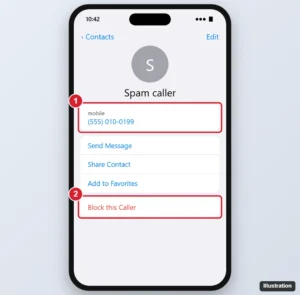
iPhone contact card for a newly saved number with Block this Caller highlighted

How to Block a Number on iPhone That Hasn’t Called or Texted You

November 17, 2026February 16, 2021 by Kermit Matthews

Block a number on iPhone that hasn’t called: save it as a contact, then tap Block this Caller. Plus how to block many numbers and stop spam calls. Continue Reading How to Block a Number on iPhone That Hasn’t Called or Texted You

Categories iPhone Tags iphone 7
Phone storage settings screen showing a colored bar of storage used by apps, photos, media and system, with recommendations below

iPhone Storage vs. iCloud Storage: What Is the Difference?

November 16, 2026February 15, 2021 by Kermit Matthews

iPhone storage is the fixed space in your phone; iCloud storage is online space for backups and photos. Learn how to check and manage both. Continue Reading iPhone Storage vs. iCloud Storage: What Is the Difference?

Categories iPhone Tags iphone 7, Storage
how to keep all people the same size in FaceTime on iPhone

How to Stop FaceTime Tiles from Getting Bigger on an iPhone

November 18, 2026December 17, 2020 by Kermit Matthews

FaceTime is very popular as a simple method for doing video calls with other people that own iOS devices. You can even create a FaceTime… Continue Reading How to Stop FaceTime Tiles from Getting Bigger on an iPhone

Categories iPhone
how to transfer more than one Pokemon in Pokemon Go

How to Transfer More than One Pokemon at a Time in Pokemon Go

November 14, 2026November 18, 2020 by Kermit Matthews

If you play Pokemon Go for an extended period of time, it’s likely that you will eventually run out of storage space. Use these steps… Continue Reading How to Transfer More than One Pokemon at a Time in Pokemon Go

Categories iPhone
Google Docs Borders and shading dialog with the bottom border selected and Border width set to 3pt highlighted

How to Adjust Horizontal Line Thickness in Google Docs

November 10, 2026November 13, 2020 by Kermit Matthews

Google Docs’ built-in horizontal line can’t be resized, so use a paragraph border, a drawing, or a table to make a thicker or colored line. Continue Reading How to Adjust Horizontal Line Thickness in Google Docs

Categories Google Docs
how to email a note from an iPhone

How to Send Notes from iPhone to Email

November 16, 2026November 10, 2020 by Kermit Matthews

The Notes app on your iPhone is a great way to write down thoughts and make notes about grocery lists, ideas, work information, and more.… Continue Reading How to Send Notes from iPhone to Email

Categories iPhone
how to review iPhone downloaded videos

How to Review Downloaded Videos on iPhone 11

November 10, 2026October 20, 2020 by Kermit Matthews

Many of the streaming apps on your iPhone are able to download movies and TV shows directly to the device. Use these steps to review… Continue Reading How to Review Downloaded Videos on iPhone 11

Categories iPhone
Presentation app Paragraph dialog with the Before spacing value highlighted and a bulleted slide showing extra space between bullets

How to Change Spacing Between Bullets in PowerPoint

November 10, 2026October 19, 2020 by Kermit Matthews

Change the space between bullet points in PowerPoint, adjust the gap between each bullet and its text, apply spacing to every slide, and stop AutoFit. Continue Reading How to Change Spacing Between Bullets in PowerPoint

Categories Powerpoint
iphone text vibrate

iPhone Text Vibrate Guide

November 18, 2026October 5, 2020 by Kermit Matthews

When you receive a text message on your iPhone it’s possible for the device to vibrate in addition to making an alert sound. Use these… Continue Reading iPhone Text Vibrate Guide

Categories iPhone
Spreadsheet with a commented cell right-clicked and Delete Comment highlighted

How to Delete a Comment in Excel for Microsoft 365 (One or All)

November 10, 2026September 9, 2020 by Kermit Matthews

Delete a comment in Excel for Microsoft 365 with the right-click menu or Review tab, delete all comments at once, and remove notes too. Continue Reading How to Delete a Comment in Excel for Microsoft 365 (One or All)

Categories Excel
Older posts
Newer posts
← Previous Page1 … Page45 Page46 Page47 … Page56 Next →

Join Our Free Newsletter

Featured guides and deals

You may opt out at any time.
Read our Privacy Policy

Live2Tech

Plain-English, step-by-step guides for the devices and apps you use every day.

Apple

  • iPhone
  • iPad
  • Mac
  • Apple Watch

Windows

  • Windows 11
  • Windows 10

Microsoft Office

  • Word
  • Excel
  • Powerpoint
  • Outlook

Google

  • Google Docs
  • Google Sheets
  • Google Slides
  • Gmail
  • Chrome
  • Google Drive
  • About Us
  • Contact
  • Disclaimer
  • Privacy Policy
© Live2Tech.com 2026
  • iPhone
  • Windows
    • Windows 11
    • Windows 10
  • Office
    • Word
    • Excel
    • Powerpoint
    • Outlook
  • Google
    • Google Docs
    • Google Sheets
    • Google Slides
    • Gmail
    • Chrome
    • Google Drive
  • Mac & Apple
    • Mac
    • iPad
    • Apple Watch
  • All Tutorials