Skip to content
Live2Tech
  • iPhone
  • Windows
    • Windows 11
    • Windows 10
  • Office
    • Word
    • Excel
    • Powerpoint
    • Outlook
  • Google
    • Google Docs
    • Google Sheets
    • Google Slides
    • Gmail
    • Chrome
    • Google Drive
  • Mac & Apple
    • Mac
    • iPad
    • Apple Watch
  • All Tutorials

Kermit Matthews

Kermit Matthews runs Live2Tech from just outside Philadelphia. He is an IT specialist with over 20 years of experience, from a university help desk to small-business IT, IT management and his own consulting practice, and has written tech guides full time since 2020. Steps are checked against the current software on a real device or the maker's official documentation. More about Kermit.
Google Slides Page setup dialog with Custom size set to 7.5 by 10 inches and the Apply button highlighted

How to Make Google Slides Vertical

November 14, 2026August 28, 2020 by Kermit Matthews

Go to File > Page setup, choose Custom, and enter a width smaller than the height, like 7.5 x 10 inches. Common portrait sizes and how to fix layouts. Continue Reading How to Make Google Slides Vertical

Categories Google Tags Featured Slides Guides, Orientation
how to turn off Spotify cellular downloads on iPhone

How to Stop Spotify Downloading Over Cellular on iPhone

November 10, 2026August 26, 2020 by Kermit Matthews

In Spotify on iPhone, tap your profile picture, then Settings and privacy > Data-saving and offline, and turn off Downloads over cellular (older versions of… Continue Reading How to Stop Spotify Downloading Over Cellular on iPhone

Categories iPhone
Laptop BIOS setup Main tab with the boot sound and boot animation options set to Disabled

How to Turn Off the Acer Predator Boot Sound and Animation

November 14, 2026August 24, 2020 by Kermit Matthews

Turn off the Acer Predator boot sound and logo animation in the BIOS by pressing F2 and disabling Boot Sound on the Main tab, or check PredatorSense. Continue Reading How to Turn Off the Acer Predator Boot Sound and Animation

Categories Windows 10, Windows 11
how to format all cells in a column in Excel

How to Switch the Format for a Whole Column in Excel for Office 365

November 17, 2026August 17, 2020 by Kermit Matthews

Microsoft Excel gives you the option to specify the formatting for your cells. This is helpful if you are entering percentages, or currency, as anything… Continue Reading How to Switch the Format for a Whole Column in Excel for Office 365

Categories Excel
Spanish keyboard layout with the N with tilde key, the accent dead key, and the inverted exclamation key highlighted

How to Stop Your iPhone From Speaking Words While You Type

November 18, 2026August 7, 2020 by Kermit Matthews

Stop your iPhone from speaking letters and words as you type by turning off Typing Feedback in Spoken Content, or VoiceOver if the whole screen is read. Continue Reading How to Stop Your iPhone From Speaking Words While You Type

Categories iPhone Tags iOS 13, Keyboard, Sounds
how to change iPhone night shift times

How to Start Night Shift at a Different Time on an iPhone 11

November 18, 2026July 31, 2020 by Kermit Matthews

The Night Shift feature on your iPhone 11 allows you to easily adjust the display of the device so that the lighting and screen brightness… Continue Reading How to Start Night Shift at a Different Time on an iPhone 11
Categories iPhone
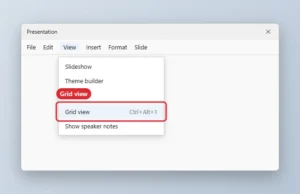
View menu with Grid view highlighted

How to Display Slides as a Grid in Google Slides

November 10, 2026July 10, 2020 by Kermit Matthews

Show all slides as a grid in Google Slides with View, Grid view or Ctrl+Alt+1, then reorder, skip, or delete slides in bulk. Continue Reading How to Display Slides as a Grid in Google Slides
Categories Google Slides
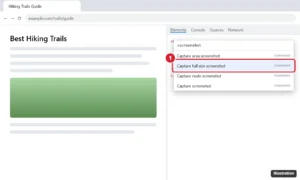
Browser developer tools command menu with screenshot typed and Capture full size screenshot highlighted

How to Take a Full-Page Screenshot in Google Chrome

November 10, 2026June 30, 2020 by Kermit Matthews

Take a screenshot of an entire web page in Chrome with the built-in Developer Tools command, an extension, Edge, Print to PDF, or on your phone. Continue Reading How to Take a Full-Page Screenshot in Google Chrome

Categories Chrome
Tablet app store settings with App Updates turned off under Automatic downloads

How to Stop an iPad From Updating Apps Automatically

November 10, 2026June 23, 2020 by Kermit Matthews

Stop automatic app updates on iPad in Settings > App Store > App Updates, then update apps manually from your App Store profile. Continue Reading How to Stop an iPad From Updating Apps Automatically
Categories iPad
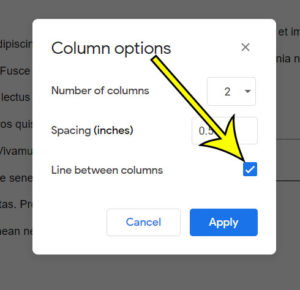
how to add a line between columns  in Google Docs

How to Add a Line Between Columns in Google Docs

November 10, 2026June 19, 2020 by Kermit Matthews

When you have multiple columns in a document and you don’t have a lot of space between those columns, the content in each column can… Continue Reading How to Add a Line Between Columns in Google Docs
Categories Google Docs
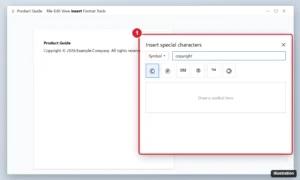
Online document editor with the Special characters dialog searching for copyright and the copyright symbol highlighted

How to Add a Copyright Symbol in Google Docs (3 Ways)

November 17, 2026June 10, 2020 by Kermit Matthews

Add the copyright symbol in Google Docs by typing (c), using Insert > Special characters, or shortcuts like Alt+0169 and Option+G. Mobile tips too. Continue Reading How to Add a Copyright Symbol in Google Docs (3 Ways)

Categories Google Docs
Windows 10 Print Server Properties dialog on the Drivers tab listing installed printer drivers

Back Up Printer Drivers and Move Them to Another PC

November 18, 2026June 8, 2020 by Kermit Matthews

Export a printer’s driver package with pnputil, carry it to a new or reset Windows PC, add it back and re-add the printer. What the backup leaves out, and why. Continue Reading Back Up Printer Drivers and Move Them to Another PC

Categories Windows 10 Tags Printers
how to set up a signature in Outlook

How to Set Up a Signature in Outlook

May 16, 2023May 29, 2020 by Kermit Matthews

The steps above were performed in Microsoft Outlook for Office 365, but will work in most other versions of Microsoft Outlook as well. Note that… Continue Reading How to Set Up a Signature in Outlook

Categories Outlook
iPhone mail account settings with the Mail switch and Delete Account button highlighted

How to Log Out of Mail on an iPhone 11

November 10, 2026May 19, 2020 by Kermit Matthews

Go to Settings > Apps > Mail > Mail Accounts, tap the account, then turn off Mail or tap Delete Account. Your email stays safe on the server. Continue Reading How to Log Out of Mail on an iPhone 11
Categories iPhone
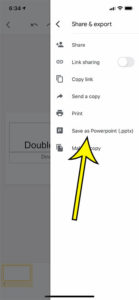
how to convert to Powerpoint in the Google Slides iPhone app

How to Convert to Powerpoint in the Google Slides iPhone App

November 18, 2026May 14, 2020 by Kermit Matthews

These steps will show you how to convert your Google Slides file to Powerpoint in the Google Slides iPhone app, then save that converted file… Continue Reading How to Convert to Powerpoint in the Google Slides iPhone App
Categories Google Docs Tags File Conversion, iphone
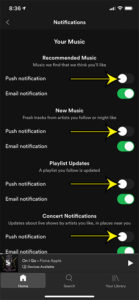
how to turn off Spotify in app notifications on an iPhone

How to Turn Off or Customize Spotify Notifications on iPhone

November 9, 2026May 12, 2020 by Kermit Matthews

If Spotify keeps lighting up your iPhone with concert alerts, new releases and offers, you can trim them to the few you want or shut… Continue Reading How to Turn Off or Customize Spotify Notifications on iPhone
Categories iPhone Tags spotify
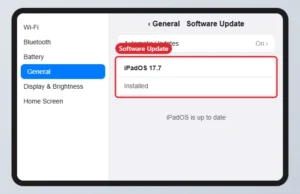
iPad Settings General Software Update screen showing the installed iPadOS version and that it is up to date

How to Update an iPad 6th Generation (and Its Latest iPadOS)

November 18, 2026May 4, 2020 by Kermit Matthews

Update an iPad 6th generation in Settings > General > Software Update. Its newest supported version is iPadOS 17; it cannot install iPadOS 18 or later. Continue Reading How to Update an iPad 6th Generation (and Its Latest iPadOS)
Categories iPad
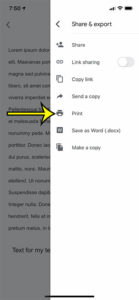
how to print in Google Docs mobile

How to Print in Google Docs Mobile

November 10, 2026April 23, 2020 by Kermit Matthews

The steps below will show you how to print in the Google Docs mobile app on your iPhone.  When you get to the Print menu… Continue Reading How to Print in Google Docs Mobile

Categories Google Docs Tags iphone
Online account Profile picture dialog with Change and Remove buttons

How to Remove Your Google Profile Picture

November 15, 2026April 21, 2020 by Kermit Matthews

Remove your Google profile picture from Personal info in your Google Account on a computer or phone, and see where the change appears. Continue Reading How to Remove Your Google Profile Picture

Categories Gmail, Google
PowerPoint File Info pane with all properties shown and the Words count highlighted

How to Get a Word Count in PowerPoint

November 18, 2026April 20, 2020 by Kermit Matthews

Get a word count in PowerPoint from File > Info > Show All Properties, or File > Properties on a Mac, and count words on specific slides or notes. Continue Reading How to Get a Word Count in PowerPoint
Categories Powerpoint
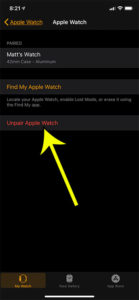
how to unpair an apple watch

How to Unpair an Apple Watch

November 16, 2026April 14, 2020 by Kermit Matthews

If you read Apple’s guide on what to do when selling your iPhone, then one of the steps you will find there involves how to… Continue Reading How to Unpair an Apple Watch

Categories Apple Watch
what does show holiday events mean in Photos on my iPhone

What Does Show Holiday Events Mean on My iPhone?

November 18, 2026March 26, 2020 by Kermit Matthews

Examine the Photos settings on your iPhone and you’ll find a switch named Show Holiday Events. When it’s on, Photos is allowed to build memories… Continue Reading What Does Show Holiday Events Mean on My iPhone?

Categories iPhone
can I delete an app but keep its data on my iPhone

Can I Delete an App But Keep Its Data on My iPhone 11?

November 10, 2026March 20, 2020 by Kermit Matthews

Manually offloading certain apps can be a good habit if you are often near the storage capacity of your iPhone. There is also an option… Continue Reading Can I Delete an App But Keep Its Data on My iPhone 11?

Categories iPhone
iPhone Clock app Edit Alarm screen with the Snooze switch and Snooze Duration option highlighted

Can I Change the Snooze Time on an iPhone Alarm?

November 13, 2026March 19, 2020 by Kermit Matthews

Yes. In iOS 26 and later, tap an alarm in the Clock app, then Snooze Duration to pick 1 to 15 minutes. Workarounds for older iPhones stuck at 9 minutes. Continue Reading Can I Change the Snooze Time on an iPhone Alarm?
Categories iPhone
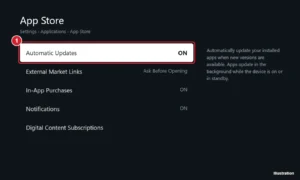
TV streaming device settings for the app store with Automatic Updates set to On

How to Update Apps Automatically on an Amazon Fire TV

November 10, 2026March 16, 2020 by Kermit Matthews

Turn on automatic app updates on Amazon Fire TV in Settings > Applications > Appstore, update apps manually, and fix apps that won’t update. Continue Reading How to Update Apps Automatically on an Amazon Fire TV
Categories Fire TV
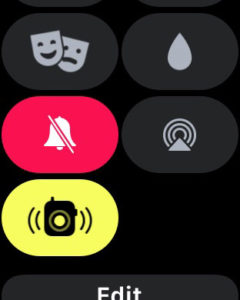
a muted Apple Watch

How to Mute an Apple Watch

November 10, 2026March 11, 2020 by Kermit Matthews

These steps are going to show you how to mute an Apple Watch. Like most of the other electronic devices that you own, your Apple… Continue Reading How to Mute an Apple Watch

Categories Apple Watch
Spreadsheet with the Data tab Group button highlighted and three selected rows grouped with an outline bar and collapse button in the left margin

How to Group Rows in Excel for Microsoft 365 (Collapse and Expand)

November 17, 2026March 4, 2020 by Kermit Matthews

Group rows in Excel for Microsoft 365 to collapse and expand sections, with shortcuts, nested levels, Auto Outline, Subtotal, and how to ungroup. Continue Reading How to Group Rows in Excel for Microsoft 365 (Collapse and Expand)

Categories Excel Tags Rows
how to cancel a scheduled update on an Apple Watch

How to Cancel a Scheduled Update on an Apple Watch

November 10, 2026February 21, 2020 by Kermit Matthews

The steps below show you how to cancel an update for an Apple Watch that was previously scheduled. Open the Watch app on your iPhone.… Continue Reading How to Cancel a Scheduled Update on an Apple Watch

Categories iPhone
how to stop videos and Live photos from playing automatically on an iPhone

How to Stop Videos and Live Photos from Auto-playing in Your iPhone Photos App

November 18, 2026February 14, 2020 by Kermit Matthews

These steps show you how to stop the videos and Live photos in the Photos app on your iPhone from playing automatically. Open the Settings… Continue Reading How to Stop Videos and Live Photos from Auto-playing in Your iPhone Photos App
Categories iPhone
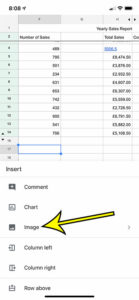
how to insert a picture in Google Sheets on an iPhone

How to Insert a Picture in the Google Sheets iPhone App

November 12, 2026February 7, 2020 by Kermit Matthews

These steps are going to show you how to insert a picture from your iPhone into a cell in one of your Google Sheets spreadsheets.… Continue Reading How to Insert a Picture in the Google Sheets iPhone App
Categories Google Sheets
how to change paper size in the Google Docs iPhone app

How to Change Paper Size on iPhone in the Google Docs App

November 15, 2026January 29, 2020 by Kermit Matthews

While your focus when creating or editing a document in the Google Docs iPhone app is probably more on the content, you may also need… Continue Reading How to Change Paper Size on iPhone in the Google Docs App
Categories Google Docs
how to enable dark mode in the Microsoft Edge iPhone app

How to Switch to Dark Mode in the Microsoft Edge iPhone App

November 10, 2026January 14, 2020 by Kermit Matthews

These steps will show you how to enable dark mode in the Microsoft Edge iPhone app. Open Microsoft Edge. Touch the menu button at the… Continue Reading How to Switch to Dark Mode in the Microsoft Edge iPhone App

Categories Edge
iPhone Accessibility Motion settings with Auto-Play Message Effects turned on

How to Play Message Effects Automatically on iPhone (Happy Birthday Balloons and More)

November 18, 2026January 8, 2020 by Kermit Matthews

Turn on Auto-Play Message Effects in Settings > Accessibility > Motion so iPhone plays balloons, confetti, and fireworks for trigger phrases in iMessage. Continue Reading How to Play Message Effects Automatically on iPhone (Happy Birthday Balloons and More)

Categories iPhone
Phone Display and Brightness settings with Dark appearance selected, which switches music and other apps to dark mode

How to Use Dark Mode in the Apple Music App

November 10, 2026January 7, 2020 by Kermit Matthews

Turn on dark mode in Apple Music on iPhone, iPad, Mac, Android, and Windows by switching the system appearance, plus fixes when dark mode will not apply. Continue Reading How to Use Dark Mode in the Apple Music App
Categories iPhone
Online spreadsheet with rows 3 through 5 selected by their row numbers and the right-click menu open with Copy highlighted

How to Copy Multiple Rows in Google Sheets

November 15, 2026December 18, 2019 by Kermit Matthews

Copy multiple rows in Google Sheets: click the row numbers with Shift, press Ctrl + C, then paste. Plus non-adjacent rows and values-only paste. Continue Reading How to Copy Multiple Rows in Google Sheets
Categories Google Sheets Tags Featured Sheets Guides, Rows
how to use autofill in google sheets 5 How to Use Autofill in Google Sheets

How to Use Autofill in Google Sheets

November 18, 2026December 13, 2019 by Kermit Matthews

To autofill in Google Sheets, select the cell (or cells) with the starting value, then drag the small blue square in the bottom-right corner of… Continue Reading How to Use Autofill in Google Sheets
Categories Google Sheets
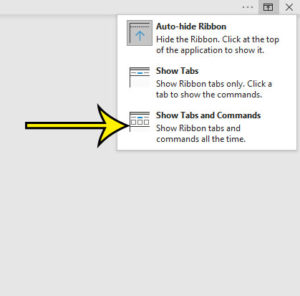
how to show the full ribbon in Microsoft Word 2016

Where Did the Ribbon Go in Word? How to Show It Again

November 14, 2026November 27, 2019 by Kermit Matthews

In most cases the Word ribbon isn’t gone, it’s just collapsed. In Word for Microsoft 365 on Windows, press Ctrl+F1 to show it again, or… Continue Reading Where Did the Ribbon Go in Word? How to Show It Again
Categories Word
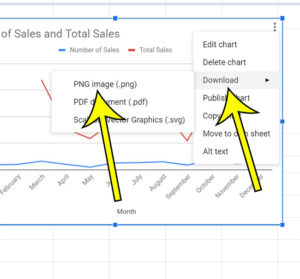
how to download a Google Sheets chart as a png image

How to Download a Google Sheets Chart as a PNG

November 18, 2026November 15, 2019 by Kermit Matthews

The steps below show you how to download a chart or graph in your Google Sheets spreadsheet as a .png file so that you can… Continue Reading How to Download a Google Sheets Chart as a PNG

Categories Google Sheets
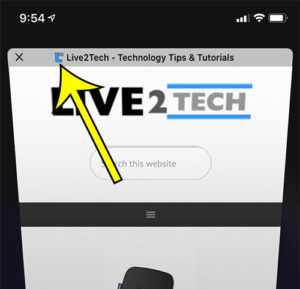
select the additional tools menu

How to Draw on a Web Page in Safari on an iPhone

November 10, 2026November 12, 2019 by Kermit Matthews

These steps are going to show you how to use the markup tool to draw on a Web page in the Safari browser on your… Continue Reading How to Draw on a Web Page in Safari on an iPhone
Categories iPhone
how to hide icons in iPhone Safari tabs

How to Hide Web Page Icons in Safari Tabs on an iPhone 11

November 10, 2026November 6, 2019 by Kermit Matthews

These steps will show you how to change a setting on your iPhone 11 so that it doesn’t show Web page icons on tabs in… Continue Reading How to Hide Web Page Icons in Safari Tabs on an iPhone 11

Categories iPhone
how to automatically reset camera filter settings after pictures on iPhone 11

How to Stop Saving Filter Settings on an iPhone 11

April 22, 2023October 29, 2019 by Kermit Matthews

These steps are going to show you how to adjust a setting that automatically saves your last used filter in the Camera app on your… Continue Reading How to Stop Saving Filter Settings on an iPhone 11

Categories iPhone
PowerPoint Slide Size dialog with Portrait orientation for slides selected and highlighted

How to Make PowerPoint Slides Vertical (Office 365)

November 10, 2026October 23, 2019 by Kermit Matthews

Make PowerPoint slides vertical in Office 365 with Design > Slide Size > Custom Slide Size > Portrait, choose a size, and fit your content. Continue Reading How to Make PowerPoint Slides Vertical (Office 365)

Categories Powerpoint
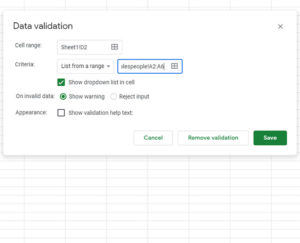
how to clear cache in Internet Explorer 11

How to Clear Cache in Internet Explorer 11

November 10, 2026October 8, 2019 by Kermit Matthews

These steps are going to show you how to clear the cache from the Internet Explorer 11 Web browser. We cover the steps for doing… Continue Reading How to Clear Cache in Internet Explorer 11
Categories Internet Explorer
how to create a Google Sheets drop down

How to Create a Google Sheets Drop Down Menu

November 18, 2026September 20, 2019 by Kermit Matthews

The steps below show you how to create a drop down menu in Google Sheets. This menu will be either created from a list of… Continue Reading How to Create a Google Sheets Drop Down Menu

Categories Google Sheets
Phone App Switcher showing open app cards with the music radio app card highlighted and an arrow showing an upward swipe to close it

How to Close Pandora on an iPhone 7 (or Stop It Playing)

November 10, 2026September 4, 2019 by Kermit Matthews

Close Pandora on iPhone 7 from the App Switcher, pause it from Control Center or the Lock Screen, and set a sleep timer so music stops on its own. Continue Reading How to Close Pandora on an iPhone 7 (or Stop It Playing)

Categories iPhone
Formulas tab with Watch Window highlighted and a watch list showing cells and values

How to Open the Watch Window in Excel

November 10, 2026August 28, 2019 by Kermit Matthews

Open the Watch Window in Excel from Formulas > Watch Window, then Add Watch to track cell values and formulas while you work on other sheets. Continue Reading How to Open the Watch Window in Excel

Categories Excel
how to stop a picture from printing in Microsoft Excel

How to Stop a Picture from Printing in Excel for Office 365

November 10, 2026August 21, 2019 by Kermit Matthews

Here’s how to change the settings for a picture in Microsoft Excel so that the picture doesn’t print. We will give a brief overview of… Continue Reading How to Stop a Picture from Printing in Excel for Office 365

Categories Excel
Folder Properties dialog with Size and Size on disk highlighted

How to View the Size of a Folder in Windows 10

November 10, 2026August 13, 2019 by Kermit Matthews

Check a folder size in Windows 10 with Properties, folder tooltips or Storage settings, and what Size on disk means. Continue Reading How to View the Size of a Folder in Windows 10
Categories Windows 10
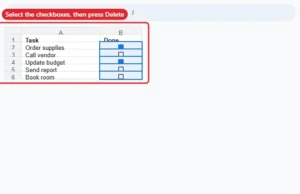
Spreadsheet with a column of checkboxes selected, ready to press Delete to remove them

How to Remove Multiple Checkboxes in Google Sheets

November 10, 2026July 31, 2019 by Kermit Matthews

Remove many checkboxes at once in Google Sheets by selecting them and pressing Delete, or remove the data validation rule. Continue Reading How to Remove Multiple Checkboxes in Google Sheets
Categories Google Sheets Tags Objects
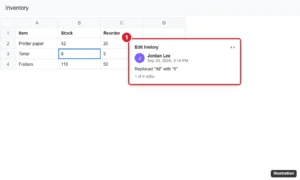
Online spreadsheet with a cell right-clicked and its edit history popup showing who changed the value, when, and the previous value

How to View Cell History in Google Sheets

November 10, 2026July 19, 2019 by Kermit Matthews

View a cell’s edit history in Google Sheets with right-click > Show edit history, use Version history for bigger changes, and get edit notifications. Continue Reading How to View Cell History in Google Sheets

Categories Google Sheets
Older posts
Newer posts
← Previous Page1 … Page46 Page47 Page48 … Page56 Next →

Join Our Free Newsletter

Featured guides and deals

You may opt out at any time.
Read our Privacy Policy

Live2Tech

Plain-English, step-by-step guides for the devices and apps you use every day.

Apple

  • iPhone
  • iPad
  • Mac
  • Apple Watch

Windows

  • Windows 11
  • Windows 10

Microsoft Office

  • Word
  • Excel
  • Powerpoint
  • Outlook

Google

  • Google Docs
  • Google Sheets
  • Google Slides
  • Gmail
  • Chrome
  • Google Drive
  • About Us
  • Contact
  • Disclaimer
  • Privacy Policy
© Live2Tech.com 2026
  • iPhone
  • Windows
    • Windows 11
    • Windows 10
  • Office
    • Word
    • Excel
    • Powerpoint
    • Outlook
  • Google
    • Google Docs
    • Google Sheets
    • Google Slides
    • Gmail
    • Chrome
    • Google Drive
  • Mac & Apple
    • Mac
    • iPad
    • Apple Watch
  • All Tutorials