Skip to content
Live2Tech
  • iPhone
  • Windows
    • Windows 11
    • Windows 10
  • Office
    • Word
    • Excel
    • Powerpoint
    • Outlook
  • Google
    • Google Docs
    • Google Sheets
    • Google Slides
    • Gmail
    • Chrome
    • Google Drive
  • Mac & Apple
    • Mac
    • iPad
    • Apple Watch
  • All Tutorials

Kermit Matthews

Kermit Matthews runs Live2Tech from just outside Philadelphia. He is an IT specialist with over 20 years of experience, from a university help desk to small-business IT, IT management and his own consulting practice, and has written tech guides full time since 2020. Steps are checked against the current software on a real device or the maker's official documentation. More about Kermit.
how to stop Google Docs from automatically detecting lists

How to Stop Google Docs From Turning Text Into Lists

November 9, 2026July 17, 2019 by Kermit Matthews

To stop Google Docs from turning text into lists, open a document on a computer, go to Tools > Preferences and clear the checkbox that… Continue Reading How to Stop Google Docs From Turning Text Into Lists

Categories Google Docs
how to open links in tabs instead of windows in firefox

How to Open Links in a New Tab in Firefox

May 3, 2023July 10, 2019 by Kermit Matthews

To open a single link in a new tab in Firefox, middle-click it (press the mouse wheel) or hold Ctrl while you click it (Command… Continue Reading How to Open Links in a New Tab in Firefox

Categories Web
click the change button next to current download folder

Can I Change the Download Folder in Google Chrome in Windows 10?

November 14, 2026July 5, 2019 by Kermit Matthews

Most Web browsers that you use in Windows 10 are going to download files to your computer’s Downloads folder by default. This can help to… Continue Reading Can I Change the Download Folder in Google Chrome in Windows 10?

Categories Chrome
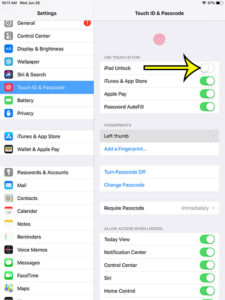
how to stop touch id from unlocking your ipad

How to Stop Your iPad From Unlocking With Touch ID

November 10, 2026June 26, 2019 by Kermit Matthews

To make your iPad stop opening with a fingerprint, go to Settings > Touch ID & Passcode, enter your passcode, and under Use Touch ID… Continue Reading How to Stop Your iPad From Unlocking With Touch ID

Categories iPad
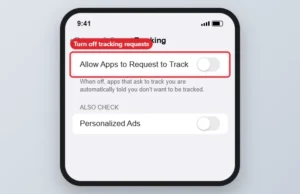
Tablet privacy settings with Allow Apps to Request to Track switched off

How to Limit Ad Tracking on an iPad

November 10, 2026June 25, 2019 by Kermit Matthews

Limit ad tracking on iPad: turn off Allow Apps to Request to Track and Personalized Ads in Settings > Privacy & Security. Continue Reading How to Limit Ad Tracking on an iPad

Categories iPad
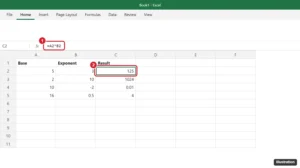
Excel worksheet with the formula =A2^B2 in the formula bar and the result highlighted in column C

How to Make an Exponent in Excel

November 10, 2026May 31, 2019 by Kermit Matthews

Use the caret, like =5^3, or =POWER(5,3). How to use cell references, negative and fractional exponents, and show exponents as superscript. Continue Reading How to Make an Exponent in Excel

Categories Excel
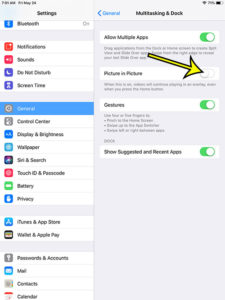
how to turn off picture in picture on an ipad

How to Stop Videos from Playing on an iPad When You Press the Home Button

November 10, 2026May 24, 2019 by Kermit Matthews

Your iPad has a feature called Picture in Picture that you can use to keep a video playing as an overlay on the screen, even… Continue Reading How to Stop Videos from Playing on an iPad When You Press the Home Button

Categories iPad
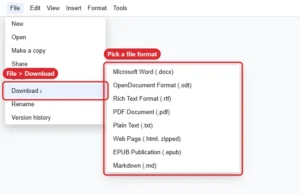
Online document editor File > Download menu listing export formats

What File Formats Can Google Docs Convert To?

November 17, 2026May 23, 2019 by Kermit Matthews

Google Docs downloads as Word, ODT, RTF, PDF, TXT, zipped HTML, EPUB and Markdown. See how to convert and which format to choose. Continue Reading What File Formats Can Google Docs Convert To?

Categories Google Docs
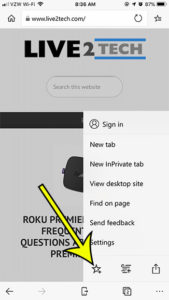
how to favorite a page in the microsoft edge iphone app

How to Add a Site to Favorites in the Microsoft Edge iPhone App

November 18, 2026May 17, 2019 by Kermit Matthews

The Web browser that you use on your desktop or laptop computer includes a bunch of settings and options that make browsing the Internet a… Continue Reading How to Add a Site to Favorites in the Microsoft Edge iPhone App

Categories iPhone
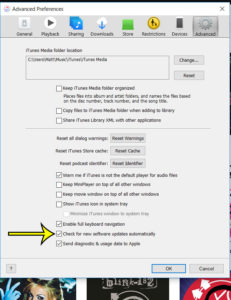
itunes windows 10 how to check for updates automatically

How to Change iTunes Update Settings on Windows

November 14, 2026May 4, 2019 by Kermit Matthews

Where you change iTunes update settings on Windows depends on which iTunes you installed. The Microsoft Store version gets its updates through the Store, while… Continue Reading How to Change iTunes Update Settings on Windows

Categories iTunes
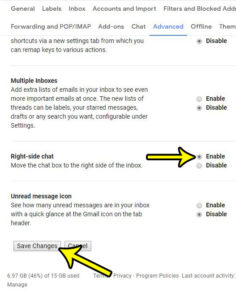
how to enable right side chat in gmail

Can You Move Chat to the Right Side in Gmail?

November 14, 2026April 30, 2019 by Kermit Matthews

Not with any setting Google documents today. Google’s current Gmail help has no option for moving Chat to the right side of the window, and… Continue Reading Can You Move Chat to the Right Side in Gmail?

Categories Gmail
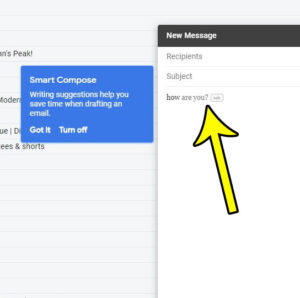
how to turn off writing suggestions in gmail

How to Turn Off Smart Compose Writing Suggestions in Gmail

November 16, 2026April 29, 2019 by Kermit Matthews

The grey text Gmail suggests as you type is Smart Compose, and you turn it off on a computer in Settings > See all settings… Continue Reading How to Turn Off Smart Compose Writing Suggestions in Gmail

Categories Gmail
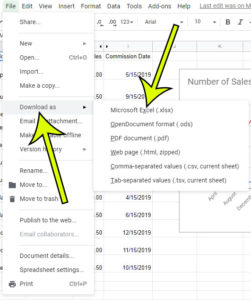
how to download the excel version of a google sheets file

How to Download an Excel Version of a Google Sheets File

November 15, 2026April 23, 2019 by Kermit Matthews

Google Sheets is very similar to Microsoft Excel in many ways and, for a large number of users, is a perfectly acceptable replacement. Sheets lets… Continue Reading How to Download an Excel Version of a Google Sheets File

Categories Google Sheets
how to turn off outlook desktop alerts

How to Disable Desktop Alerts in Outlook for Office 365

November 18, 2026April 19, 2019 by Kermit Matthews

When I am working at my computer, it’s pretty common for me to have a few different programs open all the time. One of those… Continue Reading How to Disable Desktop Alerts in Outlook for Office 365

Categories Outlook
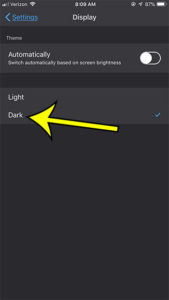
how to enable night mode in the firefox iphone app

How to Turn On Night Mode (Dark Mode) in Firefox on iPhone

November 18, 2026April 9, 2019 by Kermit Matthews

Firefox for iPhone no longer has an option called Night Mode. Its replacement is Website Dark Mode: tap the menu button at the bottom of… Continue Reading How to Turn On Night Mode (Dark Mode) in Firefox on iPhone

Categories iPhone Tags firefox
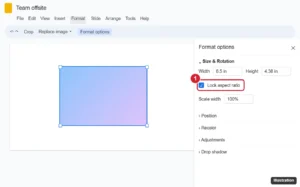
Online presentation editor with a picture selected and the Format options panel open to Size and Rotation, the Lock aspect ratio checkbox highlighted

How to Lock a Picture’s Aspect Ratio in Google Slides

November 10, 2026April 2, 2019 by Kermit Matthews

Lock a picture’s aspect ratio in Google Slides with Format options > Size & Rotation, resize proportionally with the mouse, and fix distorted images. Continue Reading How to Lock a Picture’s Aspect Ratio in Google Slides

Categories Google Slides
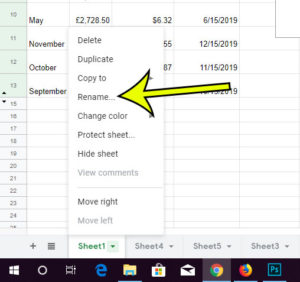
how to rename a worksheet tab in google sheets

How to Rename a Google Sheets Worksheet Tab

November 18, 2026March 26, 2019 by Kermit Matthews

Google Sheets, much like Microsoft Excel, lets you add new worksheets to your file. This makes it easy for you to organize all of your… Continue Reading How to Rename a Google Sheets Worksheet Tab

Categories Google Sheets
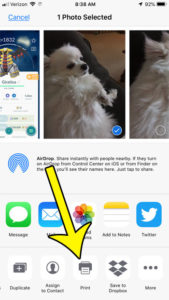
how to print pictures from the iphone 7

How to Print Pictures from an iPhone 7

May 12, 2023March 18, 2019 by Kermit Matthews

The Photos app on your iPhone is the location on the device where pictures that you take with the camera are saved. This Photos app… Continue Reading How to Print Pictures from an iPhone 7

Categories iPhone
Phone video sharing app with the Create menu open from the plus button, showing Upload a video, Create a Short and Go live, with Upload a video highlighted

How to Upload a Video to YouTube From an iPhone

November 11, 2026March 14, 2019 by Kermit Matthews

Upload a video to YouTube from your iPhone: open the YouTube app, tap +, choose Upload a video, add details and tap Upload. Plus Shorts and fixes. Continue Reading How to Upload a Video to YouTube From an iPhone

Categories iPhone Tags youtube
how to expand all sections in powerpoint

How to Expand or Collapse All Sections in PowerPoint

November 18, 2026March 13, 2019 by Kermit Matthews

To open or fold a single section in PowerPoint, click the small triangle next to the section name in the slide thumbnail pane; the number… Continue Reading How to Expand or Collapse All Sections in PowerPoint

Categories Powerpoint
Mobile game Battle tab with a Training section listing three team leaders

Where Are the Team Leader Battles in Pokemon GO?

November 14, 2026March 6, 2019 by Kermit Matthews

Find Team Leader battles in Pokemon GO: tap the Poke Ball, then Battle, scroll to Training and pick Blanche, Candela or Spark. Rewards come once a day. Continue Reading Where Are the Team Leader Battles in Pokemon GO?

Categories iPhone Tags pokemon go
how to only spin pokestops or only catch pokemon with pokemon go plus

How to Change Pokemon Go Plus Settings in Pokemon Go

November 14, 2026February 26, 2019 by Kermit Matthews

This article contains affiliate links. If you buy through one of them, Live2Tech may earn a commission at no extra cost to you. As an… Continue Reading How to Change Pokemon Go Plus Settings in Pokemon Go

Categories iPhone Tags pokemon go
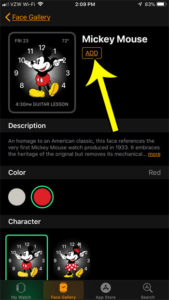
how to add a new face to apple watch

How to Add a Watch Face on Apple Watch

November 18, 2026February 18, 2019 by Kermit Matthews

Start on the watch: with the current face showing, touch and hold the display, swipe left all the way to the end, tap the Add… Continue Reading How to Add a Watch Face on Apple Watch

Categories Apple Watch
Phone Sounds and Haptics settings with the Vibrate on Ring and Vibrate on Silent switches turned off and highlighted

Why Isn’t My iPhone Vibrating on Silent? 7 Fixes

November 18, 2026February 14, 2019 by Kermit Matthews

iPhone not vibrating on silent? Turn on haptics in Silent mode, enable Vibration in Accessibility, check alert haptics and Focus, and test the motor. Continue Reading Why Isn’t My iPhone Vibrating on Silent? 7 Fixes

Categories iPhone
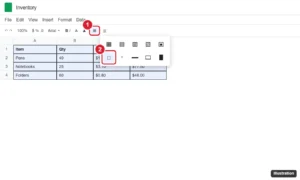
Spreadsheet with bordered cells selected and the toolbar Borders menu open with the Clear borders option highlighted

How to Remove Cell Borders in Google Sheets

November 10, 2026February 12, 2019 by Kermit Matthews

Remove cell borders in Google Sheets with Borders > Clear borders, clear the whole sheet, keep some lines, and hide gray gridlines on screen and in print. Continue Reading How to Remove Cell Borders in Google Sheets

Categories Google Sheets
how to change windows 10 focus assist settings

How to Change Focus Assist Settings in Windows 10

November 18, 2026February 8, 2019 by Kermit Matthews

Getting control over the notifications on your devices can be a relaxing situation. We are so inundated with alerts, banners, notification sounds, and other types… Continue Reading How to Change Focus Assist Settings in Windows 10

Categories Windows 10
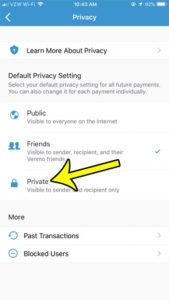
how to make venmo private by default on iphone

How to Change Venmo Transactions to Private By Default

November 10, 2026February 4, 2019 by Kermit Matthews

Venmo is a really helpful app that makes it simple to send money to other people. Additionally, transferring money out of your Venmo account to… Continue Reading How to Change Venmo Transactions to Private By Default

Categories iPhone Tags venmo
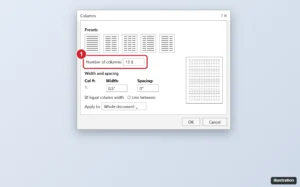
Word processor Columns dialog with Number of columns set to 13 and highlighted, a width and spacing table, and a preview of narrow columns

What Is the Maximum Number of Columns in Word 365?

November 17, 2026January 30, 2019 by Kermit Matthews

Word allows up to 45 columns, but each must be at least 0.5 inch wide, so a letter page fits about 13 in portrait. How to fit more. Continue Reading What Is the Maximum Number of Columns in Word 365?

Categories Word
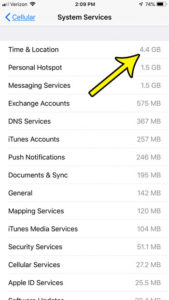
iphone time and location view data usage

How to See Cellular Data Used by iPhone System Services

June 20, 2023January 28, 2019 by Kermit Matthews

You open the cellular data list, add up the apps, and the total still falls short. Part of the gap is data that iPhone uses… Continue Reading How to See Cellular Data Used by iPhone System Services

Categories iPhone
Image editor Keyboard Shortcuts and Menus dialog on the Menus tab with the visibility eye column and a hidden menu item highlighted

How to Hide a Menu Item in Photoshop CC

November 14, 2026January 25, 2019 by Kermit Matthews

Hide menu items in Photoshop CC with Edit > Menus, show hidden commands again, color-code menus, save a custom menu set, and reset to the defaults. Continue Reading How to Hide a Menu Item in Photoshop CC

Categories Photoshop
select the system info option

How to Check Your System Info in Photoshop

November 14, 2026January 23, 2019 by Kermit Matthews

In Photoshop, choose Help > System Info. A window opens with a plain-text report of your Photoshop version, operating system, processor, memory, graphics card and… Continue Reading How to Check Your System Info in Photoshop

Categories Photoshop
how to choose what power button does in windows 7

How to Change What the Power Button Does in Windows

November 18, 2026January 22, 2019 by Kermit Matthews

You press the power button expecting the PC to shut down, and it goes to sleep instead. Or you wanted sleep and it turned off… Continue Reading How to Change What the Power Button Does in Windows

Categories Windows 7
iPhone Mail settings screen with the Ask Before Deleting switch highlighted in the Messages section

How to Stop iPhone Mail From Asking Before Deleting Emails

November 10, 2026January 21, 2019 by Kermit Matthews

Stop your iPhone asking for confirmation when you delete an email by turning off Ask Before Deleting, plus how to delete instead of archive and undo a delete. Continue Reading How to Stop iPhone Mail From Asking Before Deleting Emails

Categories iPhone
how to open new folders in separate windows in windows 10

How to Open Each Folder in Its Own Window in Windows 10

November 17, 2026January 11, 2019 by Kermit Matthews

Do you like to keep a lot of folders open on your computer so that you can quickly navigate between the different files and directories… Continue Reading How to Open Each Folder in Its Own Window in Windows 10

Categories Windows 10
how set width height image excel 4 How to Set Picture Height and Width in Inches in Excel

How to Set Picture Height and Width in Inches in Excel

November 8, 2026January 10, 2019 by Kermit Matthews

When an image has to come out at an exact printed size, such as a 2-inch logo on an invoice or a 1.5-inch product photo… Continue Reading How to Set Picture Height and Width in Inches in Excel

Categories Excel
Mobile game General settings list with the Adventure Sync checkbox highlighted and checked

How to Change the Adventure Sync Setting in Pokémon GO

November 14, 2026January 3, 2019 by Kermit Matthews

Turn Adventure Sync on or off in Pokémon GO on iPhone or Android, set the right permissions, and fix it when walking distance stops counting. Continue Reading How to Change the Adventure Sync Setting in Pokémon GO

Categories iPhone Tags pokemon go
how to show or hide the people button in windows 10

How to Hide the People Icon on the Windows 10 Taskbar

November 10, 2026December 27, 2018 by Kermit Matthews

To hide the People icon on the Windows 10 taskbar, right-click an empty part of the taskbar and clear the check mark next to the… Continue Reading How to Hide the People Icon on the Windows 10 Taskbar

Categories Windows 10
how to enable airplane mode in windows 10

How to Turn On Airplane Mode in Windows 11 and 10

November 9, 2026December 21, 2018 by Kermit Matthews

The quickest way to turn on airplane mode in Windows 11 is to press Windows key + A to open Quick Settings and select the… Continue Reading How to Turn On Airplane Mode in Windows 11 and 10

Categories Windows 10
Image editor Performance preferences showing the detected graphics processor and a Windows graphics setting note

How to Check if Photoshop Uses Integrated or Dedicated Graphics

November 18, 2026December 19, 2018 by Kermit Matthews

See which GPU Photoshop uses in Preferences > Performance, and switch it to the dedicated card with Windows Graphics settings set to High performance. Continue Reading How to Check if Photoshop Uses Integrated or Dedicated Graphics

Categories Photoshop Tags photoshop cc
how stop pop up on hover in windows 10

How to Turn Off Icon Pop-Up Descriptions in Windows

November 18, 2026December 17, 2018 by Kermit Matthews

To stop the small info box that appears when you rest the pointer on a desktop icon, open File Explorer’s folder options, select the View… Continue Reading How to Turn Off Icon Pop-Up Descriptions in Windows

Categories Windows 10
turn off windows 10 lock screen notifications

How to Turn Off Lock Screen Notifications in Windows

November 18, 2026December 14, 2018 by Kermit Matthews

In Windows 11, go to Settings > System > Notifications, select Notifications to expand its options, and clear Show notifications on the lock screen if… Continue Reading How to Turn Off Lock Screen Notifications in Windows

Categories Windows 10
iPhone Screen Time settings with Content and Privacy Restrictions and Change Screen Time Passcode highlighted

What Is a Restrictions Passcode on an iPhone?

November 17, 2026December 12, 2018 by Kermit Matthews

The iPhone Restrictions passcode is now the Screen Time passcode. See what it locks and how to set, change, turn off or reset it on your iPhone or a child’s. Continue Reading What Is a Restrictions Passcode on an iPhone?

Categories iPhone
always switch to new tabs in internet explorer

How to Switch to New Tabs Automatically in Internet Explorer

November 10, 2026December 3, 2018 by Kermit Matthews

Tabbed browsing is a convenient way to navigate the Internet because it allows you to have multiple Web pages open at the same time. So… Continue Reading How to Switch to New Tabs Automatically in Internet Explorer

Categories Internet Explorer
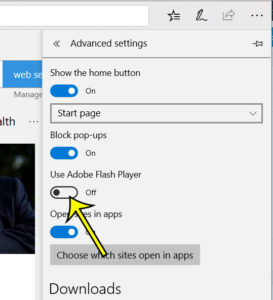
how to disable adobe flash player in microsoft edge

How to Disable Adobe Flash Player in Microsoft Edge

May 13, 2023November 30, 2018 by Kermit Matthews

Adobe Flash Player has long been a part of the online ecosystem, and it’s been used by a lot of websites to give you the… Continue Reading How to Disable Adobe Flash Player in Microsoft Edge

Categories Edge
how to wrap text in excel 2013

How to Wrap Text in Excel

November 9, 2026November 28, 2018 by Kermit Matthews

You type a long product description or note into a cell, and Excel either spills it across the empty cells to the right or chops… Continue Reading How to Wrap Text in Excel

Categories Excel Tags Text Formatting
how to add a signature line in excel 2103

How to Add a Signature Line in Excel

November 9, 2026November 27, 2018 by Kermit Matthews

Timesheets, expense forms and approval sheets often start life in Excel, and sooner or later someone has to sign one. In Excel for Windows, go… Continue Reading How to Add a Signature Line in Excel

Categories Excel Tags excel 2013, Lines
Safari Settings window on a Mac with the Search tab selected and the Search engine drop-down menu open

How to Change the Default Search Engine in Safari on a Mac

November 18, 2026November 21, 2018 by Kermit Matthews

Change Safari’s search engine on a Mac in Safari > Settings > Search, switch it from the Smart Search field, set a private engine and stop it changing back. Continue Reading How to Change the Default Search Engine in Safari on a Mac

Categories MacBook Air, Mac
Phone map with a dropped pin labelled Marked Location and options to save or share it

How to Mark Your Location in Apple Maps

November 18, 2026November 15, 2018 by Kermit Matthews

Mark where you are or any spot in Apple Maps, save it to Places > Pinned using Pin, then rename, share, copy coordinates or delete it on iPhone and Mac. Continue Reading How to Mark Your Location in Apple Maps

Categories iPhone
iPhone Settings Notifications Screen Time page with the Allow Notifications switch turned off

How to Turn Off Screen Time Notifications on iPhone

November 17, 2026November 12, 2018 by Kermit Matthews

Turn off Screen Time notifications on an iPhone 7: stop weekly reports in Notifications, change App Limits and Downtime, or turn Screen Time off completely. Continue Reading How to Turn Off Screen Time Notifications on iPhone

Categories iPhone
how to stop showing limited search results in outlook 2013

How to Stop Outlook From Limiting Search Results

November 10, 2026November 7, 2018 by Kermit Matthews

Your Outlook search returns a handful of messages, or only mail from the last few months, and the one you need is missing. In classic… Continue Reading How to Stop Outlook From Limiting Search Results

Categories Outlook
Older posts
Newer posts
← Previous Page1 … Page47 Page48 Page49 … Page56 Next →

Join Our Free Newsletter

Featured guides and deals

You may opt out at any time.
Read our Privacy Policy

Live2Tech

Plain-English, step-by-step guides for the devices and apps you use every day.

Apple

  • iPhone
  • iPad
  • Mac
  • Apple Watch

Windows

  • Windows 11
  • Windows 10

Microsoft Office

  • Word
  • Excel
  • Powerpoint
  • Outlook

Google

  • Google Docs
  • Google Sheets
  • Google Slides
  • Gmail
  • Chrome
  • Google Drive
  • About Us
  • Contact
  • Disclaimer
  • Privacy Policy
© Live2Tech.com 2026
  • iPhone
  • Windows
    • Windows 11
    • Windows 10
  • Office
    • Word
    • Excel
    • Powerpoint
    • Outlook
  • Google
    • Google Docs
    • Google Sheets
    • Google Slides
    • Gmail
    • Chrome
    • Google Drive
  • Mac & Apple
    • Mac
    • iPad
    • Apple Watch
  • All Tutorials