Skip to content
Live2Tech
  • iPhone
  • Windows
    • Windows 11
    • Windows 10
  • Office
    • Word
    • Excel
    • Powerpoint
    • Outlook
  • Google
    • Google Docs
    • Google Sheets
    • Google Slides
    • Gmail
    • Chrome
    • Google Drive
  • Mac & Apple
    • Mac
    • iPad
    • Apple Watch
  • All Tutorials

Kermit Matthews

Kermit Matthews runs Live2Tech from just outside Philadelphia. He is an IT specialist with over 20 years of experience, from a university help desk to small-business IT, IT management and his own consulting practice, and has written tech guides full time since 2020. Steps are checked against the current software on a real device or the maker's official documentation. More about Kermit.
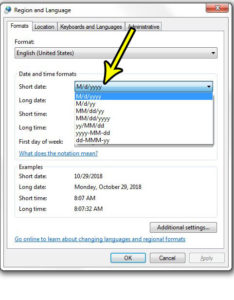
how to change the date format in windows 7

How to Change the Date Format in Windows 10

November 18, 2026October 29, 2018 by Kermit Matthews

Want the taskbar to show 09/11/2026 instead of 11/9/2026, an ISO date like 2026-11-09, or the full “Monday, November 9, 2026”? On a Windows 10… Continue Reading How to Change the Date Format in Windows 10

Categories Windows 7
Change Action Center settings with the Windows Backup message checkbox cleared

How to Turn Off Windows Backup Notifications

November 18, 2026October 25, 2018 by Kermit Matthews

Stop Windows 7 Action Center backup reminders by unchecking Windows Backup in Change Action Center settings, and keep a backup plan. Continue Reading How to Turn Off Windows Backup Notifications

Categories Windows 7
Control Panel Create New Account page with a name typed, Standard user selected, and the Create Account button highlighted

How to Create a User Account in Windows 7

November 10, 2026October 23, 2018 by Kermit Matthews

Create a new user account in Windows 7 from Control Panel or with net user, choose Standard or Administrator, and add a password. Continue Reading How to Create a User Account in Windows 7
Categories Windows 7
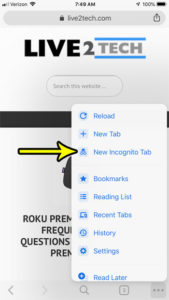
how to open incognito tab in chrome on iphone

Two Ways to Create a Private Browsing Tab in Chrome on an iPhone

November 10, 2026October 22, 2018 by Kermit Matthews

Private browsing is a feature that has long been available in popular Web browsers that you use on your computer. It’s a useful feature, and… Continue Reading Two Ways to Create a Private Browsing Tab in Chrome on an iPhone

Categories Chrome
Watch display settings with Wake on Wrist Raise switched off

How to Stop the Apple Watch Screen Turning On When You Raise Your Wrist

November 10, 2026October 19, 2018 by Kermit Matthews

Stop your Apple Watch screen waking on wrist raise: Settings > Display & Brightness > turn off Wake on Wrist Raise, on the watch or the iPhone Watch app. Continue Reading How to Stop the Apple Watch Screen Turning On When You Raise Your Wrist
Categories iPhone
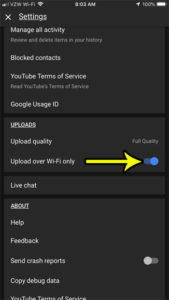
only upload over wifi in youtube iphone app

How to Only Upload Over Wi-Fi in the YouTube iPhone App

November 14, 2026October 18, 2018 by Kermit Matthews

The combination of the iPhone’s excellent camera and the very useful YouTube app on the device makes uploading videos from your iPhone to YouTube a… Continue Reading How to Only Upload Over Wi-Fi in the YouTube iPhone App

Categories iPhone
how to allow international domain names in outlook 2013

How to Allow International Domain Names in Outlook

November 10, 2026October 16, 2018 by Kermit Matthews

You type an address like anna@café.example or one with a Cyrillic or Chinese domain, and classic Outlook will not accept it or the message never… Continue Reading How to Allow International Domain Names in Outlook

Categories Outlook
how disable notifications for youtube subscriptions on iphone

How to Turn Off Subscription Notifications in the iPhone YouTube App

May 15, 2023October 15, 2018 by Kermit Matthews

Subscribing to a channel on YouTube is a great way to stay updated whenever your favorite content creators add more videos. Since it’s very easy… Continue Reading How to Turn Off Subscription Notifications in the iPhone YouTube App
Categories iPhone
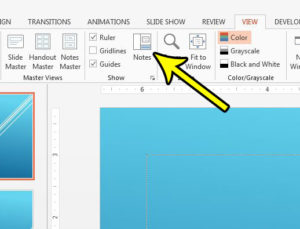
how to show speaker notes in powerpoint

Where Are the Speaker Notes in PowerPoint?

November 10, 2026October 9, 2018 by Kermit Matthews

You typed talking points under a slide, came back later, and the box is gone. Or you want them on your screen but not the… Continue Reading Where Are the Speaker Notes in PowerPoint?
Categories Powerpoint
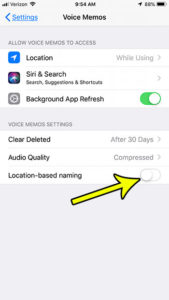
stop iphone from naming voice memos by location

How to Turn Off Location Naming in Voice Memos on iPhone

November 18, 2026October 5, 2018 by Kermit Matthews

Voice Memos on iPhone can save a new recording under the name of the place where you made it instead of “New Recording.” Apple’s iPhone… Continue Reading How to Turn Off Location Naming in Voice Memos on iPhone
Categories iPhone
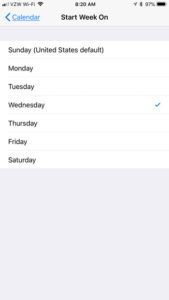
iphone calendar chage week start day

How to Change What Day Your Weeks Start on the iPhone Calendar

November 10, 2026October 2, 2018 by Kermit Matthews

Does your work week consist of something other than Monday to Friday? If so, then the default method of displaying the calendar weeks on your… Continue Reading How to Change What Day Your Weeks Start on the iPhone Calendar
Categories iPhone Tags Calendar, iphone 7
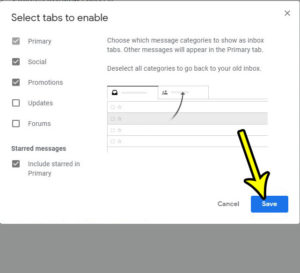
how to change the inbox tabs in gmail

How to Add or Remove Tabs in the New Gmail Inbox

November 10, 2026October 1, 2018 by Kermit Matthews

The Gmail inbox can be customized to display your messages in a couple of different ways. The default option, however, creates tabs in the inbox,… Continue Reading How to Add or Remove Tabs in the New Gmail Inbox
Categories Gmail
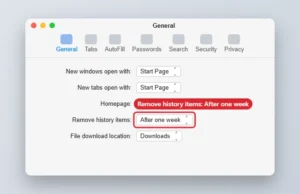
Mac web browser General settings with Remove history items set to After one week

How to Automatically Clear Safari History Every Week on a Mac

November 16, 2026September 26, 2018 by Kermit Matthews

Set Safari on a Mac to remove history items after one week in Settings > General, or clear history immediately from the History menu. Continue Reading How to Automatically Clear Safari History Every Week on a Mac
Categories MacBook Air, Mac
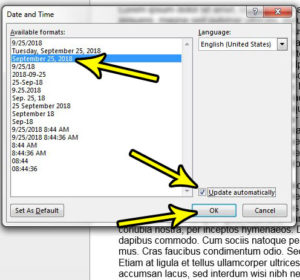
auto update the date in microsoft word

How to Insert a Date That Updates Automatically in Word

November 8, 2026September 25, 2018 by Kermit Matthews

A form letter, invoice or memo template is only useful if the date at the top is right, and that line is easy to forget.… Continue Reading How to Insert a Date That Updates Automatically in Word

Categories Word Tags word 2013
Home tab with the Increase Decimal button highlighted

Why Is Excel Only Showing Two Decimal Places?

November 14, 2026September 24, 2018 by Kermit Matthews

Excel shows two decimals because of the cell format, not the stored value. Use Increase Decimal or Format Cells to show more digits. Continue Reading Why Is Excel Only Showing Two Decimal Places?
Categories Excel Tags excel 2013
how make workout pause automatically apple watch

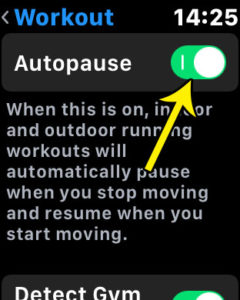
How to Enable Autopause for Workouts on the Apple Watch

November 10, 2026September 19, 2018 by Kermit Matthews

Some people use the workout timer on their watch so that they run for a specific period of time. Others will use it to try… Continue Reading How to Enable Autopause for Workouts on the Apple Watch
Categories Apple Watch
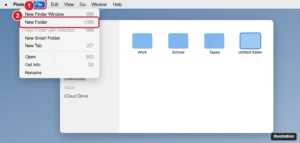
Mac Finder with the File menu open and New Folder highlighted

How to Create a New Folder on a MacBook Air

November 17, 2026September 14, 2018 by Kermit Matthews

Create a new folder on a MacBook Air with Shift + Command + N, the File menu, or a right-click, and make folders from selected files. Continue Reading How to Create a New Folder on a MacBook Air
Categories MacBook Air, Mac
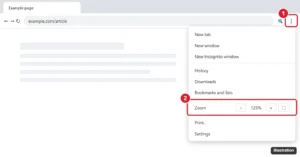
Chrome three-dot menu open with the Zoom plus and minus controls highlighted

How to Change the Page Zoom in Google Chrome

November 10, 2026September 6, 2018 by Kermit Matthews

Zoom in and out in Chrome with shortcuts or the menu, set a default zoom for all sites, reset site zoom levels, and zoom on Android and iPhone. Continue Reading How to Change the Page Zoom in Google Chrome
Categories Chrome
how to stop automatically selecting entire word in powerpoint for mac

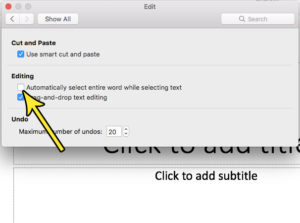
How to Stop Automatically Selecting Entire Word in Powerpoint for Mac

November 18, 2026September 3, 2018 by Kermit Matthews

Adding text boxes and lists to a presentation in Powerpoint for Mac is an important element of almost any presentation that you would create in… Continue Reading How to Stop Automatically Selecting Entire Word in Powerpoint for Mac

Categories Powerpoint
how to enable dark mode in a youtube desktop web browser

How to Enable Dark Mode in the Youtube Desktop Site

November 10, 2026August 31, 2018 by Kermit Matthews

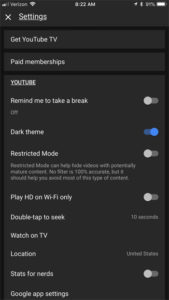
Have you seen someone else using Youtube on their computer and noticed that their screen was a dark gray color instead of white? Not only… Continue Reading How to Enable Dark Mode in the Youtube Desktop Site
Categories Chrome Tags youtube
how to get dark screen youtube iphone

How Do I Get the Dark Screen in the Youtube iPhone App?

November 10, 2026August 30, 2018 by Kermit Matthews

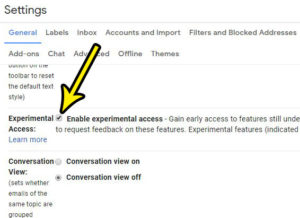
Have you ever seen a screenshot of someone’s Youtube app and noticed that all of the menus and screens had a dark gray background instead… Continue Reading How Do I Get the Dark Screen in the Youtube iPhone App?
Categories iPhone
how to enable experimental access in gmail

How to Get Early Access to New Gmail Features

November 16, 2026August 28, 2018 by Kermit Matthews

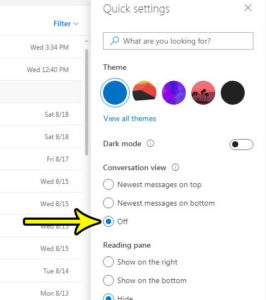
Gmail’s old experimental access checkbox is gone. Learn who can join Google Workspace Experiments, how to check access, what you get and why leaving is final. Continue Reading How to Get Early Access to New Gmail Features
Categories Gmail
how to stop grouping messages by conversation in outlook.com

Why is Outlook.com Combining Messages from a Conversation?

November 10, 2026August 23, 2018 by Kermit Matthews

Your Outlook.com email account has a number of options that can control the way your emails are displayed and handled. You may have noticed that… Continue Reading Why is Outlook.com Combining Messages from a Conversation?
Categories Outlook
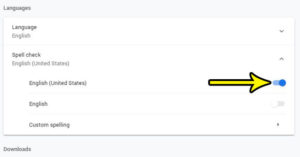
google chrome english spell check

How to Enable Spell Check in the Google Chrome Web Browser

November 10, 2026August 20, 2018 by Kermit Matthews

Spell check is a feature that some people like to rely on heavily, but feels like a nuisance for others. If you are one of… Continue Reading How to Enable Spell Check in the Google Chrome Web Browser
Categories Chrome
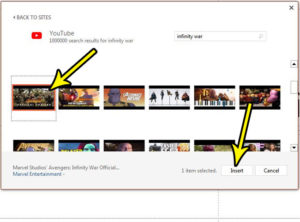
how to embed video in powerpoint 2013

How to Embed Video in Powerpoint 2013

May 3, 2023August 13, 2018 by Kermit Matthews

The increase in availability of high-speed Internet has led to a dramatic increase in the usage of video. Coupled with the fact that most smartphones… Continue Reading How to Embed Video in Powerpoint 2013
Categories Powerpoint
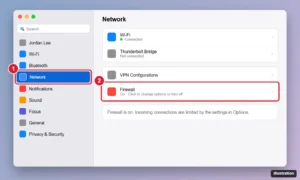
Mac System Settings window with Network selected in the sidebar and the Firewall toggle highlighted

How to Turn Off the Firewall on a Mac (All macOS Versions)

November 10, 2026August 12, 2018 by Kermit Matthews

Turn the Mac firewall off or on in macOS Sequoia, Sonoma, Ventura, and older versions like High Sierra, plus the Terminal command and how to allow a single app. Continue Reading How to Turn Off the Firewall on a Mac (All macOS Versions)
Categories Mac
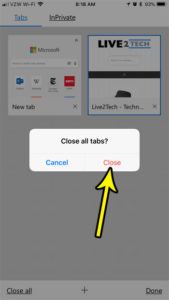
how to close all tabs at once in the iphone edge app

How to Close All Tabs in the Microsoft Edge iPhone App

November 12, 2026August 9, 2018 by Kermit Matthews

The tabbed browsing feature in mobile Web browsers like Microsoft Edge on your iPhone allows you to have multiple Web pages open at the same… Continue Reading How to Close All Tabs in the Microsoft Edge iPhone App
Categories iPhone
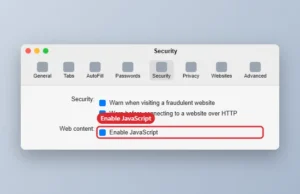
Mac browser Settings window on the Security tab with the Enable JavaScript checkbox

How to Disable JavaScript in Safari on a Mac

November 17, 2026August 8, 2018 by Kermit Matthews

Turn off JavaScript in Safari on a Mac in Settings > Security, disable it temporarily from the Develop menu, and see what changes when it is off. Continue Reading How to Disable JavaScript in Safari on a Mac

Categories Mac
is my internet fast enough for the fire tv stick

What Does a Firestick Do?

November 18, 2026August 7, 2018 by Kermit Matthews

This article contains affiliate links. If you buy through one of them, Live2Tech may earn a commission at no extra cost to you. As an… Continue Reading What Does a Firestick Do?
Categories Fire TV
how to hide the file type in windows 7

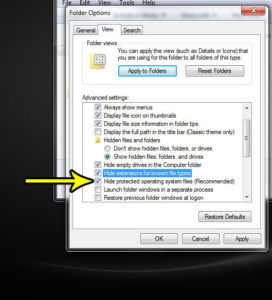
How to Hide File Extensions in Windows

November 11, 2026August 6, 2018 by Kermit Matthews

Names like report.docx and holiday.jpg can make a folder look cluttered, and when the ending is visible it is easy to change it by accident… Continue Reading How to Hide File Extensions in Windows

Categories Windows 7
change download quality prime video iphone

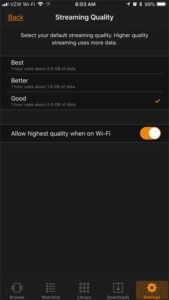
How Much Space Will Infinity War Use If I Download It in Prime Video on My iPhone?

November 10, 2026August 3, 2018 by Kermit Matthews

This article contains affiliate links. If you buy through one of them, Live2Tech may earn a commission at no extra cost to you. As an… Continue Reading How Much Space Will Infinity War Use If I Download It in Prime Video on My iPhone?
Categories iPhone
how to increase streaming quality prime video iphone

How to Increase the Streaming Quality in the Prime Video App on an iPhone

November 10, 2026August 2, 2018 by Kermit Matthews

The Prime Video app on your iPhone lets you stream movies and TV shows to which you have access through your Amazon account. This can… Continue Reading How to Increase the Streaming Quality in the Prime Video App on an iPhone

Categories iPhone
Print dialog with Multiple pages per sheet and 3 pages per sheet highlighted

How to Print Handouts in PowerPoint for the Web

November 10, 2026July 30, 2018 by Kermit Matthews

PowerPoint for the web has no handout layout. Print to PDF and use multiple pages per sheet, or open the desktop app for Handouts. Continue Reading How to Print Handouts in PowerPoint for the Web

Categories Powerpoint Tags powerpoint online
Slide Show tab with From Beginning highlighted

How to Play a Presentation in PowerPoint for the Web

November 10, 2026July 27, 2018 by Kermit Matthews

Present from PowerPoint for the web: open the Slide Show tab and click From Beginning. Use arrow keys to move and Esc to end. Continue Reading How to Play a Presentation in PowerPoint for the Web

Categories Powerpoint
Word for the web Insert tab with Page Numbers open and the bottom center position highlighted

How to Number Pages in Word for the Web

November 18, 2026July 26, 2018 by Kermit Matthews

Add page numbers in Word for the web from Insert > Page Numbers, show Page X of Y, skip the first page, and see which options need the desktop app. Continue Reading How to Number Pages in Word for the Web
Categories Word Tags Page Numbers, Word Online
how to change margins in word online

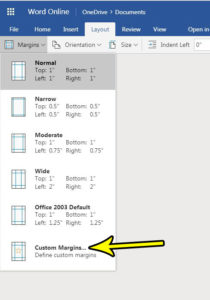
How to Change Margins in Word Online

November 10, 2026July 24, 2018 by Kermit Matthews

When you create a new document in Word Online, the size of the margins will use the “Normal” option by default. This means that the… Continue Reading How to Change Margins in Word Online
Categories Word
how to rename a spreadsheet in excel online

How to Change the Name of a Document in Excel Online

November 10, 2026July 23, 2018 by Kermit Matthews

When you create a new spreadsheet in Microsoft Excel Online, the name of the spreadsheet is going to be something generic like “Book1,” If you… Continue Reading How to Change the Name of a Document in Excel Online

Categories Excel
why is there a crescent moon next to text message in ios 11

Why Is There a Crescent Moon Next to a Text Message in iOS 11 or iOS 12?

November 18, 2026July 20, 2018 by Kermit Matthews

Getting the notification settings correct on your iPhone is something that can take a lot of time and tweaking to get right. You may have… Continue Reading Why Is There a Crescent Moon Next to a Text Message in iOS 11 or iOS 12?

Categories iPhone
Excel for the web Home tab with the Number Format dropdown open and Currency highlighted

How to Apply Currency Formatting in Excel Online

November 14, 2026July 19, 2018 by Kermit Matthews

Apply currency formatting in Excel Online: select cells, then Home > Number Format > Currency or Accounting. Plus changing symbols and decimals. Continue Reading How to Apply Currency Formatting in Excel Online
Categories Excel
how to change cell format in excel online

How to Change the Format of a Cell in Excel Online

November 10, 2026July 17, 2018 by Kermit Matthews

One of the best parts about using Excel online is how many of the program’s features are available in that version. You can perform most… Continue Reading How to Change the Format of a Cell in Excel Online

Categories Excel Tags excel online
Phone Control Center with the flashlight brightness control expanded into a tall four-level slider, with the level highlighted and the flashlight icon below

How to Change the Flashlight Brightness on an iPhone 7 (and Newer)

November 10, 2026July 16, 2018 by Kermit Matthews

Change iPhone flashlight brightness: open Control Center, press and hold the flashlight, then drag the slider. Works on iPhone 7 and newer. Continue Reading How to Change the Flashlight Brightness on an iPhone 7 (and Newer)

Categories iPhone Tags iphone 7
Mobile game research screen with the Field tab selected and a completed task showing a gift icon to tap and claim the reward

How to Claim a Field Research Reward in Pokémon GO

November 10, 2026July 9, 2018 by Kermit Matthews

Claim completed Field Research rewards in Pokémon GO from Today View, earn stamps toward a Research Breakthrough, and fix tasks that will not claim. Continue Reading How to Claim a Field Research Reward in Pokémon GO

Categories iPhone Tags iphone, pokemon go
Google Sheets Insert menu open with the Checkbox option highlighted and checkboxes in column B

How to Insert a Checkbox in Google Sheets

November 10, 2026July 5, 2018 by Kermit Matthews

Select cells and click Insert > Checkbox. How to use custom values, count checked boxes with COUNTIF, cross out done tasks, and remove checkboxes. Continue Reading How to Insert a Checkbox in Google Sheets

Categories Google Tags Featured Sheets Guides, Objects
Phone watch companion app Clock settings with the 24-Hour Time switch turned on and highlighted, plus Push Alerts from iPhone and other clock options

How to Enable or Disable the 24-Hour Clock on an Apple Watch

November 18, 2026July 3, 2018 by Kermit Matthews

Switch your Apple Watch to 24-hour time: open the Watch app on iPhone, tap My Watch > Clock, and turn 24-Hour Time on or off. Continue Reading How to Enable or Disable the 24-Hour Clock on an Apple Watch

Categories Apple Watch
how many days left friendship increase pokemon go

How Can I Tell How Many Days Are Left Before the Next Friendship Level in Pokemon Go?

November 10, 2026July 2, 2018 by Kermit Matthews

When you accept a friend request in Pokemon Go you are establishing a relationship with another player that will eventually be mutually beneficial to the… Continue Reading How Can I Tell How Many Days Are Left Before the Next Friendship Level in Pokemon Go?

Categories iPhone Tags pokemon go
Mobile game trainer profile screen showing total distance walked, with the distance statistic highlighted

How to See How Far You’ve Walked in Pokémon GO

November 10, 2026June 27, 2018 by Kermit Matthews

See your total distance walked in Pokémon GO on your Trainer profile or Jogger medal, check weekly Adventure Sync distance, and fix steps not counting. Continue Reading How to See How Far You’ve Walked in Pokémon GO
Categories iPhone Tags pokemon go
how to apply alternating colors in google sheets

How to Highlight Every Other Row in Google Sheets (Alternating Colors)

November 14, 2026June 26, 2018 by Kermit Matthews

To highlight every other row in Google Sheets, select your data, click Format > Alternating colors, pick a style in the side panel, and click… Continue Reading How to Highlight Every Other Row in Google Sheets (Alternating Colors)
Categories Google Sheets
Online spreadsheet with a list of names selected and the Data menu open showing Randomize range highlighted

How to Randomize a List in Google Sheets

November 10, 2026June 25, 2018 by Kermit Matthews

Randomize data in Google Sheets with Data > Randomize range, shuffle with SORT and RANDARRAY, pick random entries, and freeze results. Continue Reading How to Randomize a List in Google Sheets
Categories Google Sheets
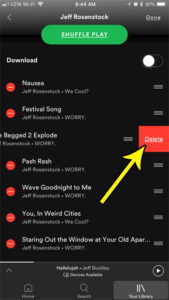
how remove song playlist spotify iphone

How to Remove a Song From a Spotify Playlist on iPhone

November 10, 2026June 18, 2018 by Kermit Matthews

Most playlists end up with one track you skip every single time it comes on. To take it out in the Spotify app on your… Continue Reading How to Remove a Song From a Spotify Playlist on iPhone
Categories iPhone Tags iphone 7
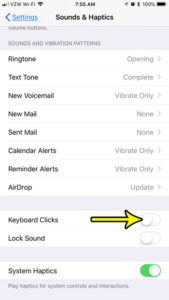
how to get rid of typing sounds on iphone 7

How to Turn Off Keyboard Clicks on iPhone

November 18, 2026June 14, 2018 by Kermit Matthews

In a quiet library, a meeting room or a bedroom late at night, every tap on the iPhone keyboard can sound like a tiny typewriter.… Continue Reading How to Turn Off Keyboard Clicks on iPhone

Categories iPhone Tags iphone 7
Older posts
Newer posts
← Previous Page1 … Page48 Page49 Page50 … Page56 Next →

Join Our Free Newsletter

Featured guides and deals

You may opt out at any time.
Read our Privacy Policy

Live2Tech

Plain-English, step-by-step guides for the devices and apps you use every day.

Apple

  • iPhone
  • iPad
  • Mac
  • Apple Watch

Windows

  • Windows 11
  • Windows 10

Microsoft Office

  • Word
  • Excel
  • Powerpoint
  • Outlook

Google

  • Google Docs
  • Google Sheets
  • Google Slides
  • Gmail
  • Chrome
  • Google Drive
  • About Us
  • Contact
  • Disclaimer
  • Privacy Policy
© Live2Tech.com 2026
  • iPhone
  • Windows
    • Windows 11
    • Windows 10
  • Office
    • Word
    • Excel
    • Powerpoint
    • Outlook
  • Google
    • Google Docs
    • Google Sheets
    • Google Slides
    • Gmail
    • Chrome
    • Google Drive
  • Mac & Apple
    • Mac
    • iPad
    • Apple Watch
  • All Tutorials