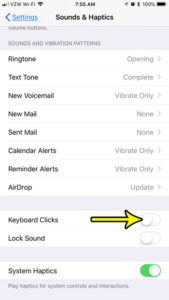
How to Turn Off Keyboard Clicks on iPhone
In a quiet library, a meeting room or a bedroom late at night, every tap on the iPhone keyboard can sound like a tiny typewriter.… Continue Reading How to Turn Off Keyboard Clicks on iPhone
 Kermit Matthews
In a quiet library, a meeting room or a bedroom late at night, every tap on the iPhone keyboard can sound like a tiny typewriter.… Continue Reading How to Turn Off Keyboard Clicks on iPhone

The security of your information is a big concern in this digital age, and certain locations that might contain a lot of important personal information,… Continue Reading How to Remove a Passcode from the iPhone Dropbox App

Create a photo album on iPhone 7 in the Photos app, add pictures later with Add to Album, make shared albums, and rename, reorder, or delete albums. Continue Reading How to Create a Photo Album on an iPhone 7
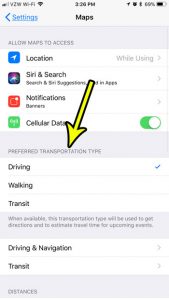
The directions that you get from the Maps app on your iPhone can be customized based on the type of transportation that you will be… Continue Reading How to Set the Preferred Transportation Type in Apple Maps
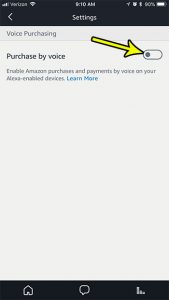
Voice control with the Amazon Alexa feature of your Echo devices is a surprisingly capable technology. You can accomplish a lot with those devices by… Continue Reading How to Turn Off Voice Purchasing Via the iPhone Alexa App

Unblock a website on iPhone in Screen Time Web Content settings, allow sites on a child’s iPhone, and check content blockers, profiles and network filters. Continue Reading How to Unblock a Website on iPhone
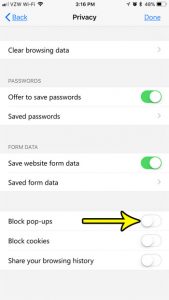
Pop ups on websites have served a useful purpose since they first appeared, but the good pop ups are far outweighed by the malicious or… Continue Reading How to Stop Blocking Pop-Ups in Edge on an iPhone

Audible is a great service from Amazon where you can purchase and download audiobooks. They also have an iPhone app that makes it easy for… Continue Reading How to Delete a Downloaded Audiobook in the iPhone Audible App
Sign in on a computer and click Go back to the old Yahoo Mail in the upper right. How to use Basic Mail, switch back, and what to do if the link is missing. Continue Reading Can You Still Switch to Classic Yahoo Mail?

Add a Bcc in AOL Mail on the web or in AOL Desktop Gold, see who can view which addresses, and what AOL says about sending limits and the AOL phone app. Continue Reading How to BCC Someone in AOL Mail
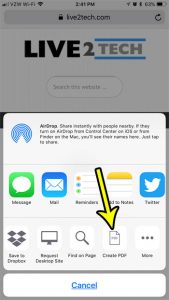
The PDF file format is popular because it’s something that can be opened in a variety of different applications. It’s a very versatile file format,… Continue Reading How to Save a Web Page as a PDF on an iPhone
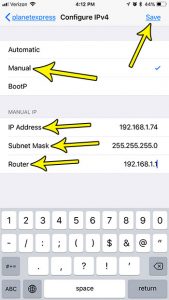
Typically when you connect to a Wi-Fi network you will first need to know the passphrase or password for that network to sign on. Once… Continue Reading How to Set a Manual IP Address on an iPhone 7
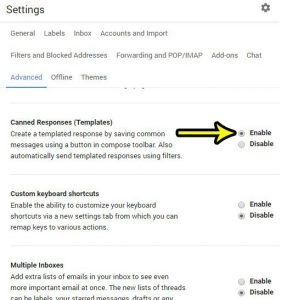
If you receive a lot of emails that are about the same subject, it’s possible that you find yourself typing the same email over and… Continue Reading How to Enable Canned Responses in Gmail

Print formulas in Excel by turning on Show Formulas (Ctrl + `), printing headings and gridlines, or using FORMULATEXT to print formulas beside results. Continue Reading How to Print Formulas in Excel Instead of Their Results
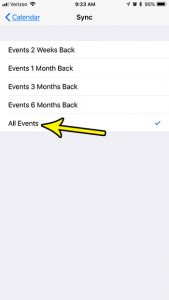
Have you ever opened the Calendar app on your iPhone because you wanted to check on an event that had happened in the past, only… Continue Reading How to Sync All Calendar Events on an iPhone
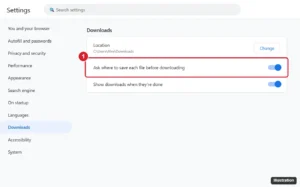
Make Chrome ask where to save downloads: Settings > Downloads > turn on Ask where to save each file before downloading. Plus changing the folder. Continue Reading How to Make Chrome Ask Where to Save Each File Before Downloading

You slide an old music CD into the drive and the wrong player pops up, or nothing happens at all. The quickest fix is usually… Continue Reading How to Set AutoPlay for Audio CDs in Windows 11 and 10
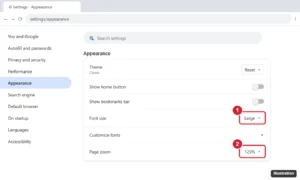
Make text bigger in Google Chrome by changing the font size, setting a minimum font size, or zooming pages on desktop, Android, and iPhone. Shortcuts included. Continue Reading How to Make Text Bigger in Google Chrome (Font Size and Zoom)
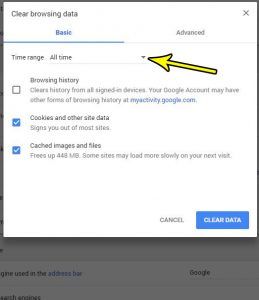
Google Chrome, like many other Web browsers, stores a lot of data when you browse the Internet. Typically this is done to improve your experience… Continue Reading How to Clear Browsing Data in Google Chrome
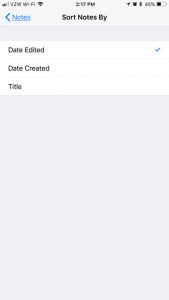
Your Notes list has grown long, and the note you need is buried somewhere in the middle because the list puts whatever you edited last… Continue Reading How to Change Note Sorting on iPhone

Stop websites checking for Apple Pay: Settings > Safari (Apps > Safari on iOS 18+) > Privacy & Security > turn off Check for Apple Pay. Continue Reading How to Turn Off Check for Apple Pay in Safari on iPhone

Stop your Mac ringing for iPhone calls: turn it off under Settings, Apps, Phone, Calls on Other Devices, or in FaceTime settings on the Mac. Continue Reading How to Stop Receiving iPhone Calls on Your Mac
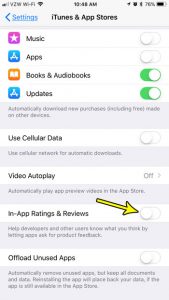
App reviews are incredibly important for developers that have apps available on the iPhone. A well-reviewed app can rank better in searches, and it provides… Continue Reading How to Turn Off In-App Ratings and Reviews on the iTunes Store
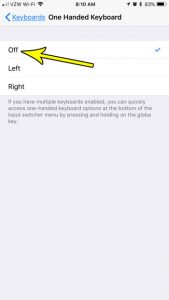
If your iPhone keyboard is squeezed against one side of the screen with an empty strip on the other, the one-handed keyboard is on. To… Continue Reading How to Turn Off the One-Handed Keyboard on iPhone
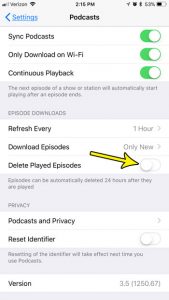
Podcasts are a fun source of entertainment that can provide you with content on almost any topic that interests you. You can even subscribe to… Continue Reading How to Stop Deleting Played Podcast Episodes on an iPhone
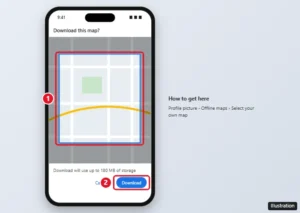
Download an offline map in Google Maps on your iPhone, see what works without data, manage updates and storage, and fix offline maps that won’t work. Continue Reading How to Download an Offline Map in Google Maps on iPhone

Set a Yahoo Mail vacation response: Settings > More Settings > Vacation response, turn it on, set dates and a message, then Save. Continue Reading How to Set a Vacation Response in Yahoo Mail
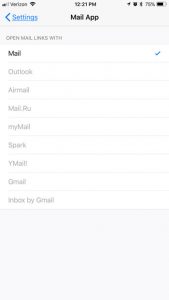
The Mail app on your iPhone lets you integrate multiple email accounts with your iPhone at once. All of those email accounts can then be… Continue Reading How to Use a Different Mail App in Firefox on Your iPhone
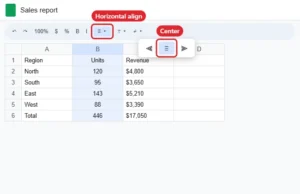
Center data horizontally in Google Sheets with the Horizontal align button, Format > Alignment, or Ctrl + Shift + E, and center vertically too. Continue Reading How to Center Data Horizontally in Google Sheets
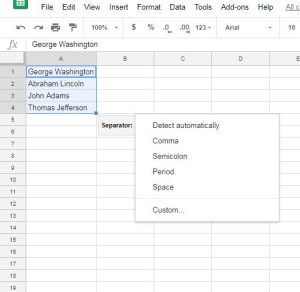
Splitting a column of full names takes one menu in Google Sheets, Data > Split text to columns, as long as the cells to the… Continue Reading How to Split Full Names in Google Sheets

Save a page to your favorites in Microsoft Edge with Ctrl + D or the star icon, bookmark all tabs, use the mobile app, and organize favorites. Continue Reading How to Bookmark a Web Page in Microsoft Edge

Download an Audible audiobook on your iPhone for offline listening, adjust download quality and Wi-Fi settings, remove downloads, and fix download issues. Continue Reading How to Download an Audible Audiobook on an iPhone
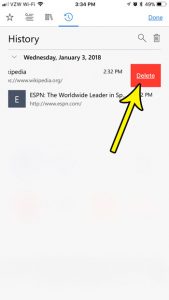
The history in your Web browser can be a useful tool that helps you find information that you had seen in the past. But someone… Continue Reading How to Delete a Single Web Page from the History of the Edge iPhone App
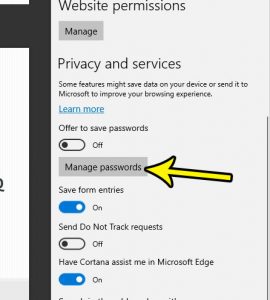
A good habit to have when you are creating online accounts is to never use the same password on two sites. This will make your… Continue Reading How to Stop Microsoft Edge from Offering to Save Passwords
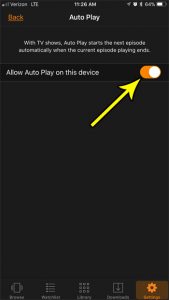
Online video streaming has changed the way that people watch TV shows. Many popular streaming services will put out entire seasons of TV shows at… Continue Reading How to Enable or Disable Auto Play in the Amazon Prime Video App on an iPhone
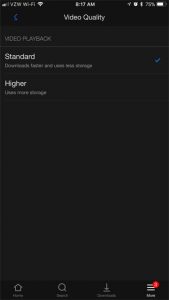
When Netflix first introduced the option to download movies and TV show episodes to your iPhone, it was met with excitement. Netflix users had long… Continue Reading How to Change Downloaded Video Quality in the Netflix iPhone App
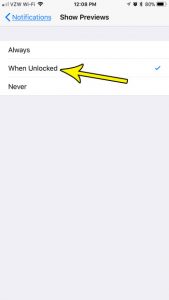
Most of the apps that you use on your iPhone will try to send you some type of notification. Whether it’s about a message that… Continue Reading How to Only Show Notification Previews When an iPhone is Unlocked

Stop the iPhone Mail app from using cellular data in Settings, or use less data with manual fetch, no remote images, and Low Data Mode. Step-by-step guide. Continue Reading How to Stop the iPhone Mail App From Using Cellular Data

Show lowercase keys on the iPhone 7 keyboard: Settings > Accessibility > Keyboards > Show Lowercase Keys. Plus Shift key symbols and Caps Lock tips. Continue Reading How to Show Lowercase Keys on the iPhone Keyboard
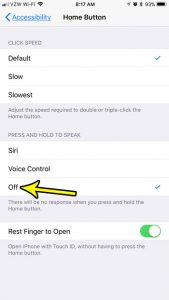
Siri has been around for several versions of iOS now, and her capabilities have only increased over time. Using Siri can make it easier for… Continue Reading How to Stop Siri or Voice Control from Launching When You Hold the Home Button on an iPhone

Restart Firefox in Safe Mode, now called Troubleshoot Mode, from the Help menu, with Shift or Option at startup, or the command line. Then fix issues. Continue Reading How to Restart Firefox in Safe Mode (Troubleshoot Mode)
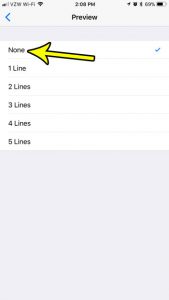
When every message in the iPhone Mail inbox carries two lines of preview text, only a handful of emails fit on the screen and the… Continue Reading How to Show Only the Subject Line in iPhone Mail
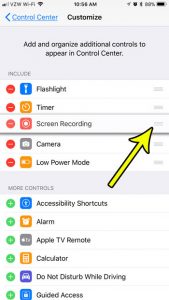
If you reach for the flashlight, the timer or Screen Recording several times a day, those controls belong where your thumb lands first, not tucked… Continue Reading How to Rearrange Controls in iPhone Control Center
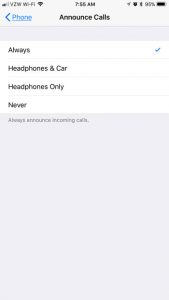
When your hands are full (driving, cooking, or walking with AirPods in), pulling out your iPhone to see who is calling is the last thing… Continue Reading How to Announce Calls on iPhone

Find your Photoshop version: Help > About Photoshop on Windows or Photoshop > About Photoshop on Mac. Plus Creative Cloud and a version list. Continue Reading What Version of Adobe Photoshop Do I Have? How to Check

Change canvas size in Photoshop CS5 with Image > Canvas Size (Ctrl+Alt+C). Set the anchor and fill color, add borders, or expand with the Crop tool. Continue Reading How to Change the Canvas Size in Photoshop CS5

Hide a layer in Photoshop CS5 by clicking its eye icon in the Layers panel. Alt-click an eye to show only that layer. Works in newer versions too. Continue Reading How to Hide a Layer in Photoshop CS5

Are you making a Photoshop image that has a very high resolution, and you’re finding that you just can’t make your text large enough? When… Continue Reading How to Use Bigger Font Sizes in Photoshop CS5
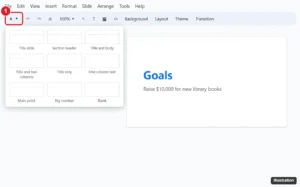
Add a new slide in Google Slides: press Ctrl + M or click + on the toolbar, and use the arrow to pick a layout. Plus duplicating and importing. Continue Reading Add a Slide With the Right Layout in Google Slides

Internet Explorer employs certain security levels for the sites that you visit. These are intended to protect you from different types of malicious attacks that… Continue Reading How to Change the Security Level in Internet Explorer