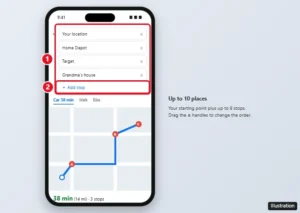
How to Plan Multiple Stops on Google Maps
Add multiple stops in Google Maps on iPhone, Android, or a computer, reorder them, and plan routes with more than 10 stops. Includes limits and tips.
Add multiple stops in Google Maps on iPhone, Android, or a computer, reorder them, and plan routes with more than 10 stops. Includes limits and tips.
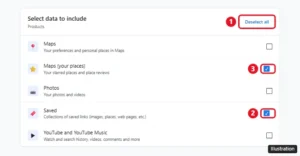
Google Maps has no transfer button, but you can share lists, re-save places, or use Takeout and My Maps to move saved places to a new Google Account.
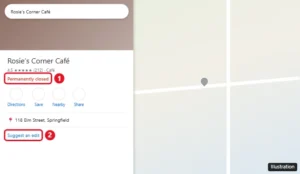
Google Maps hides closed businesses, but you can still find them by name, in your saved places and Timeline, or with older Street View imagery.
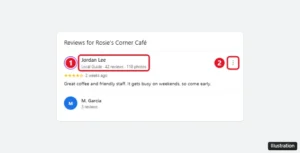
See who left a Google review by checking the reviewer’s name and public profile. Google never shares emails or phone numbers. How to report fake reviews too.
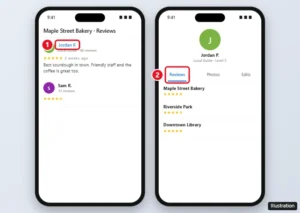
Find all of someone’s Google reviews by opening their Google Maps profile from any review, see your own reviews, and learn why some profiles are hidden.
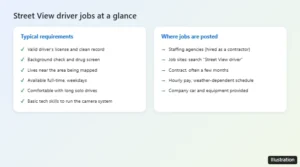
Google Street View drivers are contractors hired through staffing agencies. Here is how to find openings, what the job requires, typical pay, and other options.
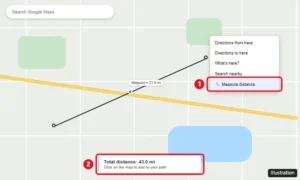
Google Maps has no midpoint button, but you can find one fast using directions, the Measure distance tool, or search along your route. Step-by-step guide.
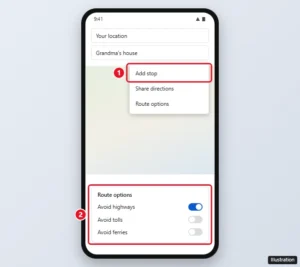
Google Maps has no setting to stop rerouting, but adding stops, route options, dismissing suggestions, and offline maps keep you on the route you want.
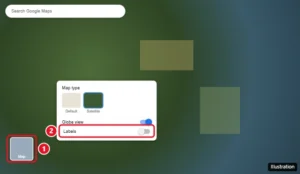
Turn off labels in Google Maps on a computer in Satellite view, plus label-free options in Google Earth and My Maps, and what works on the mobile app.
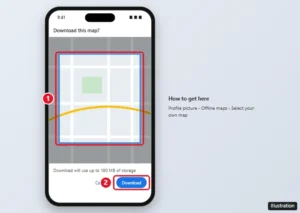
Download an offline map in Google Maps on your iPhone, see what works without data, manage updates and storage, and fix offline maps that won’t work.