Skip to content
Live2Tech
  • iPhone
  • Windows
    • Windows 11
    • Windows 10
  • Office
    • Word
    • Excel
    • Powerpoint
    • Outlook
  • Google
    • Google Docs
    • Google Sheets
    • Google Slides
    • Gmail
    • Chrome
    • Google Drive
  • Mac & Apple
    • Mac
    • iPad
    • Apple Watch
  • All Tutorials

Google Calendar

How-to guides and tutorials to help you perform specific tasks and use the Google Calendar application to manage your schedule.

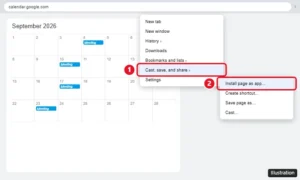
Chrome menu open on Google Calendar with Cast, save, and share expanded and Install page as app highlighted

How to Add Google Calendar to Your Windows 11 Desktop

October 12, 2026June 12, 2024 by Kermit Matthews

Add Google Calendar to your Windows 11 desktop by installing it as an app from Chrome or Edge, pinning it to the taskbar, or adding your account to Outlook. Continue Reading How to Add Google Calendar to Your Windows 11 Desktop
Categories Google Calendar, Windows 11

How to Make a Google Calendar Public (and Share or Embed It)

October 23, 2026May 15, 2024 by Kermit Matthews

Learn how to make your Google Calendar public with our simple, step-by-step guide. Share your events effortlessly and stay organized like never before! Continue Reading How to Make a Google Calendar Public (and Share or Embed It)

Categories Google Calendar
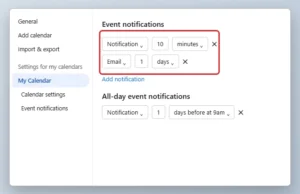
Online calendar settings page with the default Event notifications set to Notification 10 minutes highlighted

How to Change the Default Notification Time in Google Calendar

October 20, 2026May 13, 2024 by Kermit Matthews

Change default event and all-day notifications in Google Calendar on a computer or phone, and fix reminders that don’t pop up. Continue Reading How to Change the Default Notification Time in Google Calendar

Categories Google Calendar
Google Calendar settings with Import and export selected, the file picker, and the Import button highlighted

How to Import an ICS File into Google Calendar

September 28, 2026May 7, 2024 by Kermit Matthews

In Google Calendar on a computer, go to Settings > Import & export, select your .ics file, pick a calendar, and click Import. Plus mobile options and fixes. Continue Reading How to Import an ICS File into Google Calendar

Categories Google Calendar
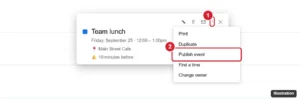
Google Calendar event details with the options menu open and Publish event highlighted

How to Share a Google Calendar Event Link

October 20, 2026May 1, 2024 by Kermit Matthews

Share a Google Calendar event link with Options > Publish event, or invite guests instead. Learn the difference and how to share from your phone. Continue Reading How to Share a Google Calendar Event Link

Categories Google Calendar
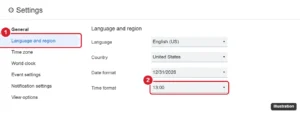
Calendar settings page with Language and region open and the Time format menu set to 13:00

How to Switch to a 24-Hour Clock in Google Calendar (Web, Android, iPhone)

October 20, 2026April 4, 2022 by Kermit Matthews

Switch Google Calendar to a 24-hour clock on the web in Language and region, and on Android or iPhone through your phone’s date and time settings. Continue Reading How to Switch to a 24-Hour Clock in Google Calendar (Web, Android, iPhone)

Categories Google Calendar
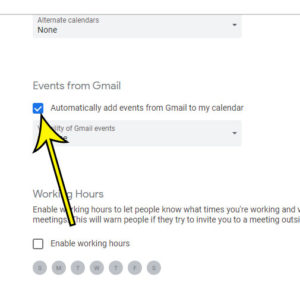
how stop gmail events google calendar 3 How to Stop Adding Gmail Events to Google Calendar

How to Stop Adding Gmail Events to Google Calendar

April 28, 2023February 4, 2020 by Kermit Matthews

The steps in this article are going to show you how to change a setting in Google Calendar to stop events from Gmail from being… Continue Reading How to Stop Adding Gmail Events to Google Calendar

Categories Google Calendar

Join Our Free Newsletter

Featured guides and deals

You may opt out at any time.
Read our Privacy Policy

Live2Tech

Plain-English, step-by-step guides for the devices and apps you use every day.

Apple

  • iPhone
  • iPad
  • Mac
  • Apple Watch

Windows

  • Windows 11
  • Windows 10

Microsoft Office

  • Word
  • Excel
  • Powerpoint
  • Outlook

Google

  • Google Docs
  • Google Sheets
  • Google Slides
  • Gmail
  • Chrome
  • Google Drive
  • About Us
  • Contact
  • Disclaimer
  • Privacy Policy
© Live2Tech.com 2026
  • iPhone
  • Windows
    • Windows 11
    • Windows 10
  • Office
    • Word
    • Excel
    • Powerpoint
    • Outlook
  • Google
    • Google Docs
    • Google Sheets
    • Google Slides
    • Gmail
    • Chrome
    • Google Drive
  • Mac & Apple
    • Mac
    • iPad
    • Apple Watch
  • All Tutorials