Skip to content
Live2Tech
  • iPhone
  • Windows
    • Windows 11
    • Windows 10
  • Office
    • Word
    • Excel
    • Powerpoint
    • Outlook
  • Google
    • Google Docs
    • Google Sheets
    • Google Slides
    • Gmail
    • Chrome
    • Google Drive
  • Mac & Apple
    • Mac
    • iPad
    • Apple Watch
  • All Tutorials

Kermit Matthews

Kermit Matthews runs Live2Tech from just outside Philadelphia. He is an IT specialist with over 20 years of experience, from a university help desk to small-business IT, IT management and his own consulting practice, and has written tech guides full time since 2020. Steps are checked against the current software on a real device or the maker's official documentation. More about Kermit.
Spreadsheet with the SQRT formula in the formula bar and a column of numbers with their square roots, plus a power formula alternative

How to Find the Square Root in Excel

November 10, 2026February 7, 2017 by Kermit Matthews

Find square roots in Excel with =SQRT(A2) or =A2^(1/2), calculate cube and nth roots, handle negative numbers and show the square root symbol. Continue Reading How to Find the Square Root in Excel

Categories Excel Tags excel 2013, Formulas
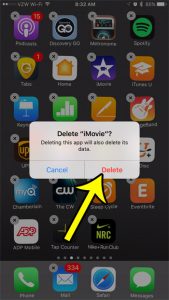
how to delete imovie on an iphone 7

How to Delete iMovie From Your iPhone

November 14, 2026January 23, 2017 by Kermit Matthews

Deleting iMovie also deletes the projects stored inside it, so export or share any project you want to keep before you remove the app. After… Continue Reading How to Delete iMovie From Your iPhone
Categories iPhone Tags iphone 7
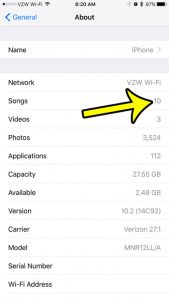
how to see how many songs are saved to your iphone

How to See How Many Songs Are on Your iPhone

November 9, 2026January 20, 2017 by Kermit Matthews

The Songs list in the Music app doesn’t show an obvious total, so the quickest place to look is Settings: tap General, then About, and… Continue Reading How to See How Many Songs Are on Your iPhone

Categories iPhone Tags iphone 7
Spreadsheet app with the plus New sheet button next to the sheet tabs and the Insert Sheet command on the Home tab

How to Insert a New Worksheet in Excel (4 Ways)

November 10, 2026January 18, 2017 by Kermit Matthews

Insert a new worksheet in Excel with the + button, Shift + F11, Home > Insert > Insert Sheet, or a right-click, and add several sheets at once. Continue Reading How to Insert a New Worksheet in Excel (4 Ways)

Categories Excel Tags excel 2010
Image editor Layers panel with two layers selected and the right-click menu showing Merge Layers highlighted

How to Merge Layers in Photoshop CS5 (and Newer)

November 17, 2026January 17, 2017 by Kermit Matthews

Merge layers in Photoshop CS5 with Merge Layers, Merge Down, Merge Visible, or Flatten Image, plus Stamp Visible and Smart Objects to keep originals. Continue Reading How to Merge Layers in Photoshop CS5 (and Newer)
Categories Photoshop
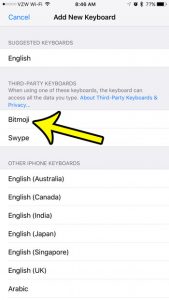
how to install the bitmoji keyboard on an iPhone

How to Get the Bitmoji Keyboard on iPhone

November 16, 2026December 30, 2016 by Kermit Matthews

To use Bitmoji on an iPhone you need three things: the Bitmoji app with an avatar you’ve created, the Bitmoji keyboard added in Settings, and… Continue Reading How to Get the Bitmoji Keyboard on iPhone

Categories iPhone Tags iphone 7
iPhone alarm Sound screen with the Pick a song option highlighted and a selected song checked

How to Set a Song as Your Alarm on iPhone (Any Model)

November 18, 2026December 29, 2016 by Kermit Matthews

Set a song as your iPhone alarm sound in the Clock app, see which songs work, change the Sleep schedule wake-up sound, and fix alarms that play the wrong tone. Continue Reading How to Set a Song as Your Alarm on iPhone (Any Model)

Categories iPhone Tags iphone 7
how to stop deleting meeting requests from your inbox in outlook 2013

How to Stop Outlook from Deleting Meeting Requests

November 9, 2026December 22, 2016 by Kermit Matthews

You accepted a meeting invitation, went back to check the agenda in the email, and it was no longer in your Inbox. Outlook did not… Continue Reading How to Stop Outlook from Deleting Meeting Requests

Categories Outlook Tags outlook 2013
Excel Format Cells dialog on the Number tab with the Text category highlighted

How to Stop Excel from Changing Numbers to Dates

November 14, 2026December 21, 2016 by Kermit Matthews

Stop Excel from changing numbers to dates by formatting cells as Text, typing an apostrophe, entering fractions correctly, or importing CSVs as text. Continue Reading How to Stop Excel from Changing Numbers to Dates

Categories Excel Tags excel 2013
Phone General About screen with the Serial Number row highlighted beneath model name, model number and software version

How to Find the Serial Number on an iPhone 7 (5 Ways)

November 18, 2026December 16, 2016 by Kermit Matthews

Find your iPhone 7 serial number in Settings > General > About, in Finder or iTunes, your Apple Account, or on the box, plus what to do if it won’t turn on. Continue Reading How to Find the Serial Number on an iPhone 7 (5 Ways)
Categories iPhone Tags iphone 7
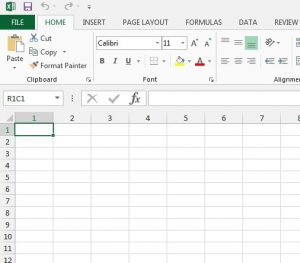
why do columns have number labels instead of letters in Excel 2013

Why Does Excel Show Column Numbers Instead of Letters?

November 15, 2026December 14, 2016 by Kermit Matthews

You open a spreadsheet and the column headings read 1, 2, 3 instead of A, B, C, and a simple formula in the formula bar… Continue Reading Why Does Excel Show Column Numbers Instead of Letters?
Categories Excel Tags excel 2013
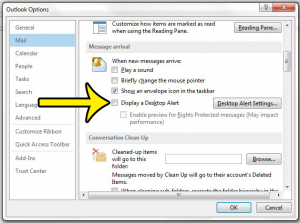
how to stop outlook notifications from appearing at the right side of the screen

How to Turn Off Desktop Alerts in Outlook

November 18, 2026December 13, 2016 by Kermit Matthews

You are halfway through a sentence and a new-mail pop-up slides into the corner of the screen. In classic Outlook for Windows you stop it… Continue Reading How to Turn Off Desktop Alerts in Outlook

Categories Outlook Tags outlook 2013
Font dialog with the Set As Default button highlighted

How to Change the Font for an Entire Document in Word

November 18, 2026December 12, 2016 by Kermit Matthews

Change the font of a whole Word document with Ctrl+A, theme fonts or the Normal style, check headers and text boxes, and set a default only if you want one. Continue Reading How to Change the Font for an Entire Document in Word
Categories Word
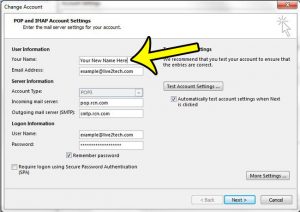
how to change the sent from name in outlook 2013

How to Change Your Name on Emails Sent From Outlook

November 16, 2026December 7, 2016 by Kermit Matthews

If your emails arrive showing an old name, a nickname or only your address, the fix depends on the kind of account you send from.… Continue Reading How to Change Your Name on Emails Sent From Outlook
Categories Outlook Tags outlook 2013
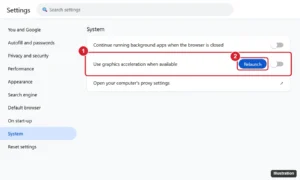
Browser Settings System page with the Use graphics acceleration when available switch and the Relaunch button highlighted

How to Turn Off Hardware Acceleration in Chrome, Edge, Firefox, Discord, and More

November 18, 2026December 2, 2016 by Kermit Matthews

Turn off hardware acceleration in Chrome, Edge, Firefox, Discord, Spotify, Slack, Steam, and Office to fix flickering, black screens, and crashes. Continue Reading How to Turn Off Hardware Acceleration in Chrome, Edge, Firefox, Discord, and More
Categories Chrome, Windows 11
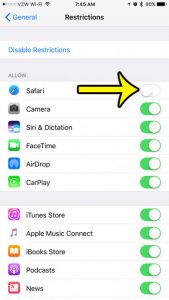
how to hide safari on an iphone 7

How to Hide Safari on iPhone

November 17, 2026November 29, 2016 by Kermit Matthews

If you are hiding Safari from a child, Screen Time’s parental controls let a parent block an app on the child’s iPhone until the parent… Continue Reading How to Hide Safari on iPhone
Categories iPhone
detailed icloud storage usage information

How to Check Remaining iCloud Storage on iPhone

November 9, 2026November 28, 2016 by Kermit Matthews

On a current iPhone, open Settings, tap your name, then tap iCloud. The bar graph at the top shows how much of your iCloud storage… Continue Reading How to Check Remaining iCloud Storage on iPhone
Categories iPhone Tags iphone 7
how to enable kiosk mode in powerpoint 2013

How to Use Kiosk Mode in PowerPoint

November 10, 2026November 21, 2016 by Kermit Matthews

A slide show playing in a trade-show booth, a hotel lobby or a museum corner has nobody standing beside it to press the arrow key.… Continue Reading How to Use Kiosk Mode in PowerPoint
Categories Powerpoint Tags powerpoint 2013
how to delete all songs from an iPhone at once

How to Delete Music From Your iPhone

November 13, 2026November 18, 2016 by Kermit Matthews

An offline music library can easily fill several gigabytes of iPhone storage. The fastest full clean-up is Settings > Apps > Music > Downloaded Music,… Continue Reading How to Delete Music From Your iPhone

Categories iPhone Tags ios 10
iPhone Date and Time settings with Set Automatically turned on and the Time Zone highlighted

Will My iPhone Change for Daylight Saving Time?

November 18, 2026November 7, 2016 by Kermit Matthews

An iPhone adjusts for daylight saving time when its automatic Date & Time switches are on. See which switches to check and what to do if the clock didn’t move. Continue Reading Will My iPhone Change for Daylight Saving Time?

Categories iPhone Tags ios 10
Phone messages conversation dragged to the left to reveal the time each message was sent on the right edge

How to See What Time a Text Message Was Sent on iPhone

November 18, 2026November 3, 2016 by Kermit Matthews

See the exact time each text was sent on iPhone by swiping left in Messages, plus how to find dates, delivered and read times. Continue Reading How to See What Time a Text Message Was Sent on iPhone
Categories iPhone Tags iphone 7
how to add filler or placeholder text in word 2013

How to Add Filler Text in Word

November 8, 2026November 2, 2016 by Kermit Matthews

When you are building a template, a brochure layout or a page mock-up, you often need the page to look full before the real words… Continue Reading How to Add Filler Text in Word
Categories Word Tags word 2013
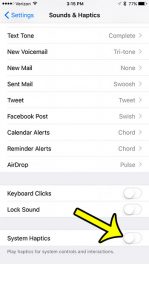
how to turn off vibrating feedback on iphone 7

How to Turn Off Haptic Feedback on iPhone

November 18, 2026October 24, 2016 by Kermit Matthews

If every switch you flip, every key you type and every long press makes your iPhone tap back at you, start with one setting: open… Continue Reading How to Turn Off Haptic Feedback on iPhone
Categories iPhone Tags iphone 7
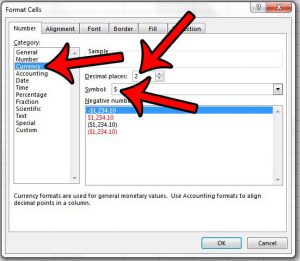
how to show a dollar symbol to the left of a number in excel 2013

How to Show a Dollar Sign Next to Numbers in Excel

November 18, 2026October 7, 2016 by Kermit Matthews

When people ask how to show a dollar sign in Excel, they usually mean one of two looks. Either the $ sits right against the… Continue Reading How to Show a Dollar Sign Next to Numbers in Excel
Categories Excel Tags excel 2013
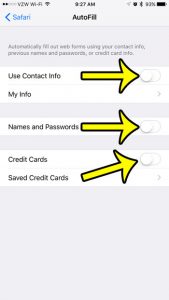
how to disable autofill on an iphone 7

How to Turn Off AutoFill on iPhone

November 18, 2026October 5, 2016 by Kermit Matthews

Safari keeps filling in your old address, a card you meant to delete, or a password on a phone the whole family uses. AutoFill has… Continue Reading How to Turn Off AutoFill on iPhone

Categories iPhone Tags iphone 7
Phone Calls on Other Devices settings with the main toggle on and a list of devices that can take calls

How to Turn On Calls on Other Devices on iPhone

November 18, 2026September 6, 2016 by Kermit Matthews

Turn on Calls on Other Devices on iPhone to answer calls on your iPad or Mac, check the requirements, and fix a switch that won’t turn on. Continue Reading How to Turn On Calls on Other Devices on iPhone

Categories iPhone Tags ios 9, Phone
iPhone Control Center with the moon icon in the status bar and the Do Not Disturb Focus button turned on

Why Is There a Moon on My iPhone? (And How to Turn It Off)

November 13, 2026August 26, 2016 by Kermit Matthews

The moon on your iPhone means Do Not Disturb is on. Learn what each moon icon means, how to turn it off in Control Center, and why it keeps coming back. Continue Reading Why Is There a Moon on My iPhone? (And How to Turn It Off)

Categories iPhone
how to change contact permissions on iphone 5

How to Manage Contact Permissions on iPhone

November 18, 2026July 1, 2016 by Kermit Matthews

Apps often ask for your contacts so they can find friends who already use the service or fill in recipients for you, and that list… Continue Reading How to Manage Contact Permissions on iPhone
Categories iPhone
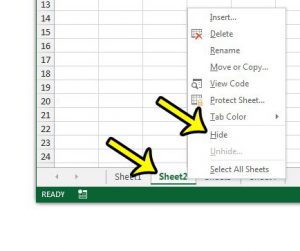
hide a worksheet in excel 2013

How to Hide a Worksheet in Excel

November 9, 2026June 16, 2016 by Kermit Matthews

A lookup table, a list of rates or a sheet full of helper formulas often needs to stay in the workbook without cluttering the view.… Continue Reading How to Hide a Worksheet in Excel
Categories Excel Tags excel 2013
turn off quicktype on iphone

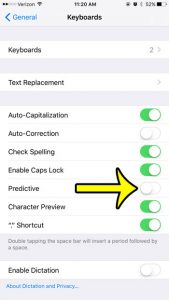
How to Turn Off Predictive Text (QuickType) on iPhone

November 16, 2026April 20, 2016 by Kermit Matthews

QuickType is the older name for what Apple now calls predictive text: the row of three word suggestions that sits above the iPhone keyboard. To… Continue Reading How to Turn Off Predictive Text (QuickType) on iPhone

Categories iPhone Tags ios 9, iphone 6
iPhone with a yellow battery icon in the status bar and the Low Power Mode switch in Battery settings

Yellow iPhone Battery Icon: What It Means and How to Fix It

November 18, 2026April 7, 2016 by Kermit Matthews

A yellow battery on your iPhone means Low Power Mode is on. Learn what it does, how to turn it off in Settings or Control Center, and why it keeps coming back. Continue Reading Yellow iPhone Battery Icon: What It Means and How to Fix It
Categories iPhone Tags battery, ios 9, iphone 6
turn off ios 9 hotspot

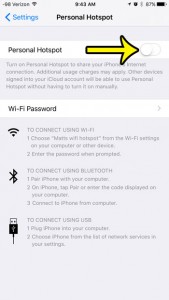
How to Turn Off Personal Hotspot on iPhone

November 18, 2026March 11, 2016 by Kermit Matthews

You glance at your iPhone and see the Personal Hotspot indicator, or you notice a laptop across the room is still browsing on your cellular… Continue Reading How to Turn Off Personal Hotspot on iPhone

Categories iPhone Tags ios 9
print powerpoint with notes

How to Print PowerPoint Slides With Notes

November 9, 2026February 5, 2016 by Kermit Matthews

The printout you’re after is called Notes Pages: each sheet of paper shows one slide on the top half and that slide’s speaker notes underneath.… Continue Reading How to Print PowerPoint Slides With Notes

Categories Powerpoint Tags powerpoint 2010
ciew email headers in outlook 2013

How to View Full Email Headers in Outlook

November 9, 2026December 23, 2015 by Kermit Matthews

An email that claims to come from your bank, or a reply that landed hours after it was sent, can be checked by reading its… Continue Reading How to View Full Email Headers in Outlook
Categories Outlook Tags outlook 2013
select the news option

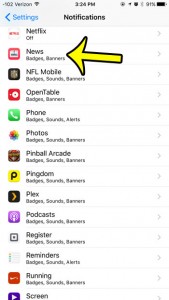
How to Turn Off Apple News Notifications on iPhone

November 10, 2026December 16, 2015 by Kermit Matthews

Breaking-news banners, channel updates and Top Stories alerts can pile up fast. To stop every Apple News alert on your iPhone, open Settings, tap Notifications,… Continue Reading How to Turn Off Apple News Notifications on iPhone
Categories iPhone Tags ios 9, iphone 6
edit the contact phone number in ios 9

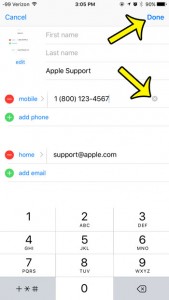
How to Change a Contact’s Phone Number on iPhone

November 17, 2026December 11, 2015 by Kermit Matthews

When a friend gets a new phone number, the quickest fix is to edit the contact you already have rather than saving a second card.… Continue Reading How to Change a Contact’s Phone Number on iPhone
Categories iPhone Tags ios 9, iphone 6
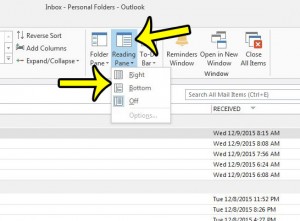
show the reading pane in outlook 2013

How to Show the Reading Pane in Outlook

November 18, 2026December 9, 2015 by Kermit Matthews

When Outlook shows only a list of messages and you have to double-click each one to read it, the Reading Pane is turned off. In… Continue Reading How to Show the Reading Pane in Outlook

Categories Outlook Tags outlook 2013
center across multiple cells in excel 2013

How to Center Text Across Multiple Cells in Excel

November 10, 2026December 8, 2015 by Kermit Matthews

You want a report title centered over the columns of a table, but you do not want merged cells getting in the way of sorting,… Continue Reading How to Center Text Across Multiple Cells in Excel

Categories Excel Tags excel 2013
how to unhide headings in excel 2013

How to Show Row Numbers and Column Letters in Excel

November 17, 2026December 7, 2015 by Kermit Matthews

The sheet opens, and the A, B, C labels across the top and the 1, 2, 3 labels down the side are gone. In current… Continue Reading How to Show Row Numbers and Column Letters in Excel
Categories Excel Tags excel 2013
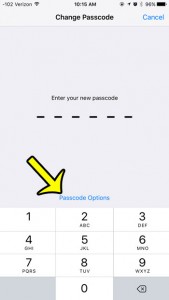
tap the passcode options button

How to Use a 4-Digit Passcode on iPhone

November 16, 2026December 4, 2015 by Kermit Matthews

If typing six digits every time feels like too much, your iPhone can still use a shorter code. Open Settings > Face ID & Passcode… Continue Reading How to Use a 4-Digit Passcode on iPhone
Categories iPhone Tags ios 9, iphone 6
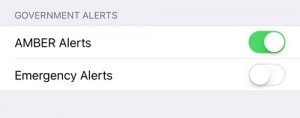
amber alerts and emergency alerts on iphone

How to Change Government Alert Settings on iPhone

November 13, 2026December 2, 2015 by Kermit Matthews

An AMBER or emergency alert arrives with a loud, alarm-like sound, often on every phone in the room at once. You can control some of… Continue Reading How to Change Government Alert Settings on iPhone
Categories iPhone Tags ios 9, iphone 6
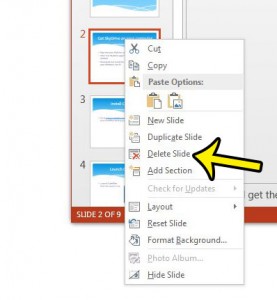
delete a slide in powerpoint 2013

How to Delete a Slide in PowerPoint

May 3, 2023December 1, 2015 by Kermit Matthews

To delete a slide in PowerPoint, click its thumbnail in the pane on the left side of the window and press Delete, or right-click the… Continue Reading How to Delete a Slide in PowerPoint
Categories Powerpoint Tags powerpoint 2013
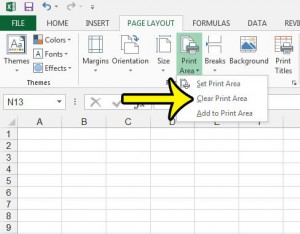
clear the print area in excel 2013

How to Clear a Print Area in Excel

November 9, 2026November 30, 2015 by Kermit Matthews

If Excel keeps printing the same small block of cells and ignores the rest of the sheet, the worksheet most likely has a saved print… Continue Reading How to Clear a Print Area in Excel

Categories Excel Tags excel 2013
change contact name in ios 9

How to Change a Contact Name on iPhone

November 17, 2026November 30, 2015 by Kermit Matthews

Saved someone as “Dentist Guy,” misspelled a coworker’s surname, or need to update a friend’s name after they changed it? You can fix it in… Continue Reading How to Change a Contact Name on iPhone

Categories iPhone Tags ios 9, iphone 6
Older Windows Explorer with the Organize menu open to Layout and Menu bar highlighted

How to Show the Menu Bar in Windows 7 Explorer

November 10, 2026November 18, 2015 by Kermit Matthews

Show the menu bar in Windows 7 Explorer with the Alt key, or turn it on permanently with Organize > Layout > Menu bar or Always show menus. Continue Reading How to Show the Menu Bar in Windows 7 Explorer

Categories Windows 7 Tags windows explorer
Desktop music manager app on Windows with songs selected in the library being dragged onto a connected music player listed under Devices

How to Check Available Storage Space on an iPad (iOS 9 and Later)

November 10, 2026November 14, 2015 by Kermit Matthews

Check free storage on an iPad in Settings > General > iPad Storage, or Storage & iCloud Usage on iOS 9. Learn what uses space and how to free it up. Continue Reading How to Check Available Storage Space on an iPad (iOS 9 and Later)

Categories iPad Tags ios 9, ipad 2
Spreadsheet Formulas tab Calculation Options menu with Manual selected

How to Switch to Manual Calculation in Excel

November 10, 2026November 12, 2015 by Kermit Matthews

Set Excel to manual calculation in Formulas > Calculation Options, recalculate with F9, and switch back to automatic. Continue Reading How to Switch to Manual Calculation in Excel
Categories Excel Tags excel 2013
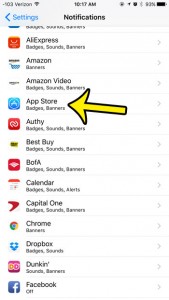
select the app store notifications

How to Turn Off App Store Notifications on iPhone

November 14, 2026November 2, 2015 by Kermit Matthews

If App Store banners and that red number on the App Store icon have worn out their welcome, open Settings, tap Notifications, tap App Store… Continue Reading How to Turn Off App Store Notifications on iPhone
Categories iPhone Tags ios 9, iphone 6
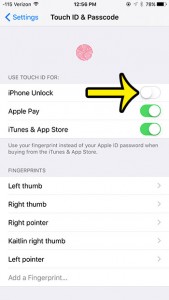
turn off the touch id on an iphone 6

How to Turn Off Touch ID on iPhone

November 9, 2026October 31, 2015 by Kermit Matthews

If you no longer want a fingerprint to open your iPhone or approve purchases, go to Settings > Touch ID & Passcode, enter your passcode,… Continue Reading How to Turn Off Touch ID on iPhone
Categories iPhone Tags ios 9, iphone 6
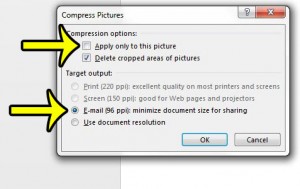
how to compress pictures in powerpoint 2013

How to Compress Video and Audio in PowerPoint

November 17, 2026October 29, 2015 by Kermit Matthews

Shrink a PowerPoint file with Compress Media under File > Info: pick Full HD, HD or Standard, trim clips first, link instead of embed, and see the Mac limits. Continue Reading How to Compress Video and Audio in PowerPoint

Categories Powerpoint Tags powerpoint 2013
Older posts
Newer posts
← Previous Page1 … Page35 Page36 Page37 Next →

Join Our Free Newsletter

Featured guides and deals

You may opt out at any time.
Read our Privacy Policy

Live2Tech

Plain-English, step-by-step guides for the devices and apps you use every day.

Apple

  • iPhone
  • iPad
  • Mac
  • Apple Watch

Windows

  • Windows 11
  • Windows 10

Microsoft Office

  • Word
  • Excel
  • Powerpoint
  • Outlook

Google

  • Google Docs
  • Google Sheets
  • Google Slides
  • Gmail
  • Chrome
  • Google Drive
  • About Us
  • Contact
  • Disclaimer
  • Privacy Policy
© Live2Tech.com 2026
  • iPhone
  • Windows
    • Windows 11
    • Windows 10
  • Office
    • Word
    • Excel
    • Powerpoint
    • Outlook
  • Google
    • Google Docs
    • Google Sheets
    • Google Slides
    • Gmail
    • Chrome
    • Google Drive
  • Mac & Apple
    • Mac
    • iPad
    • Apple Watch
  • All Tutorials