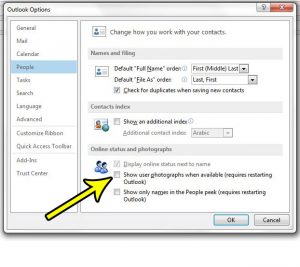
How to Hide User Photos in Outlook
Contact photos in message headers and contact cards can make a busy inbox feel crowded, and some people prefer names over faces. In classic Outlook… Continue Reading How to Hide User Photos in Outlook
 Kermit Matthews
Contact photos in message headers and contact cards can make a busy inbox feel crowded, and some people prefer names over faces. In classic Outlook… Continue Reading How to Hide User Photos in Outlook

See whether an image is RGB or CMYK in Photoshop from the document tab, Image > Mode, or Channels, and learn when and how to convert. Continue Reading How to Check if an Image Is RGB or CMYK in Photoshop
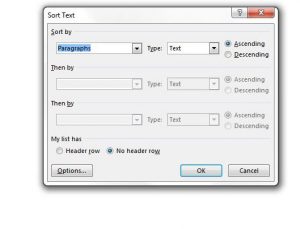
You have typed a guest list, glossary or reading list into Word in no particular order. Word can put them in A to Z order… Continue Reading How to Sort a List Alphabetically in Word
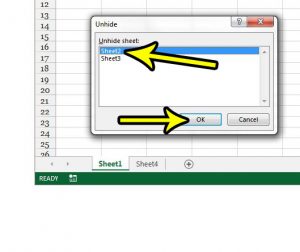
A worksheet tab that was there yesterday is gone, but the formulas that use it still work. The sheet is most likely hidden, not deleted.… Continue Reading How to Unhide a Worksheet Tab in Excel
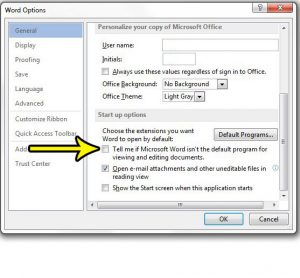
If Word greets you with a message saying it isn’t your default program for viewing and editing documents every time it opens, you have two… Continue Reading How to Turn Off the Default Program Prompt in Word

Change 3D Touch sensitivity on an iPhone 7 to Light, Medium or Firm in Settings > Accessibility > Touch, or turn 3D Touch off and use Haptic Touch instead. Continue Reading How to Adjust or Turn Off Haptic Touch on iPhone
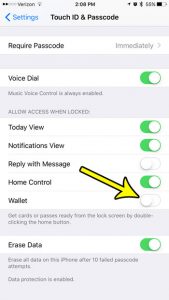
If Apple Pay keeps popping up when you press the side button, or you do not want your cards reachable from a locked iPhone, there… Continue Reading How to Remove Wallet From the iPhone Lock Screen
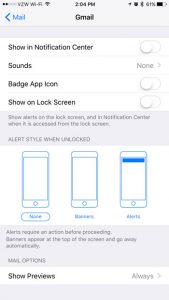
When a work mailbox and a personal mailbox share one iPhone, every newsletter and reply-all chain can light up your screen. You do not have… Continue Reading How to Turn Off Notifications for One Mail Account on iPhone

Switch between miles and kilometers in Apple Maps on iPhone from Maps settings, plus how to change units in Google Maps, Waze, and iOS region. Continue Reading How to Switch Between Miles and Kilometers in iPhone Maps

Outline text in Word with Home > Text Effects > Outline, set color and weight, make hollow letters with Format Text Effects, and remove outlines. Continue Reading How to Outline Text in Word
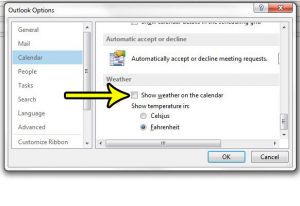
If a forecast strip sits above your calendar and you never asked for it, where you turn it off depends on which Outlook you use.… Continue Reading How to Remove Weather from the Outlook Calendar
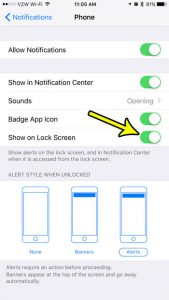
You pick up your iPhone, the Lock Screen is empty, and only later do you find out someone called. When missed calls never show up… Continue Reading How to Show Missed Calls on the iPhone Lock Screen
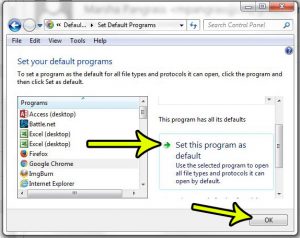
You click a link in a spreadsheet and it opens in a browser you never use. Excel has no browser setting of its own: it… Continue Reading How to Set the Default Browser for Excel Links

The 2017 Roku line-up has been replaced. Here is how to choose a Roku today: match 4K and HDR to your TV, then compare Wi-Fi, remotes and extras. Continue Reading Which Roku Should I Buy? How to Compare Roku Models

Turn off JavaScript in Safari on iPhone in Settings > Apps > Safari > Advanced (Settings > Safari > Advanced on older iOS), and what changes when it is off. Continue Reading How to Turn Off JavaScript in Safari on iPhone
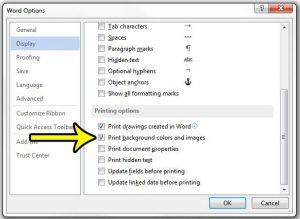
Your page color or background picture looks right on screen, but the printout comes out white. In desktop Word for Windows, the fix is one… Continue Reading How to Print Background Colors and Images in Word

Find the watchOS version on your Apple Watch or in the Apple Watch app on iPhone, see what the number means for watchOS 27, and what to do if you are behind. Continue Reading How to Check the watchOS Version on Apple Watch
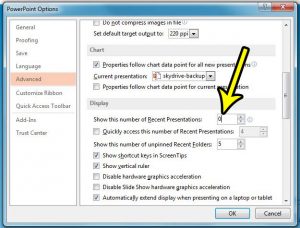
On a shared or family PC, anyone who opens PowerPoint can see the names of the presentations you worked on last. To hide that list… Continue Reading How to Stop Showing Recent Presentations in PowerPoint

Add a gradient fill in Excel 2013: select cells, press Ctrl + 1, go to Fill > Fill Effects, pick two colors and a style. Plus shapes and charts. Continue Reading How to Use a Gradient Fill Effect in Excel 2013

If you type in two languages, landing on the wrong keyboard every time you start a message gets old fast. On current versions of iOS,… Continue Reading How to Change the Order of Keyboards on iPhone
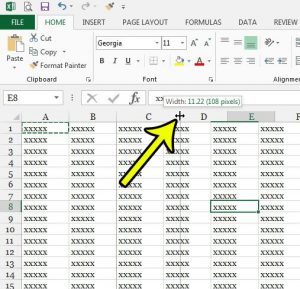
A cell in Excel can grow in two directions: wider, by changing the column width, or taller, by changing the row height. Either way, Excel… Continue Reading How to Make a Cell Longer in Excel
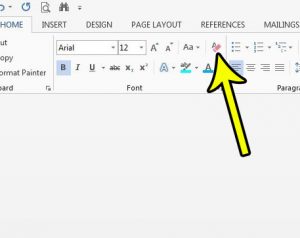
A paragraph copied from an email or a web page lands in your report with a different font, odd colors and extra spacing, while everything… Continue Reading How to Clear Formatting From Selected Text in Word
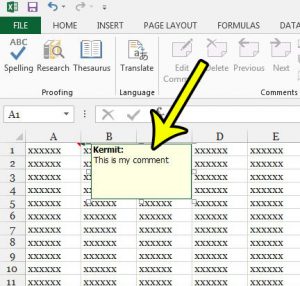
What Excel 2013 called a comment is now called a note, and a comment in current Excel is a threaded conversation that other people can… Continue Reading How to Add a Comment in Excel
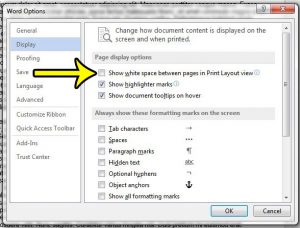
The fastest way to close the gap between pages in Word is to stay in Print Layout view, point to the top or bottom edge… Continue Reading How to Hide White Space Between Pages in Word
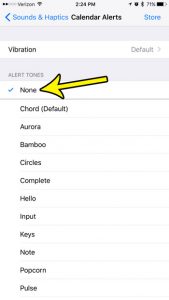
A chime for every meeting, birthday and reminder adds up fast, especially on a busy day. To silence it, open Settings > Sounds & Haptics… Continue Reading How to Turn Off Calendar Alert Sounds on iPhone
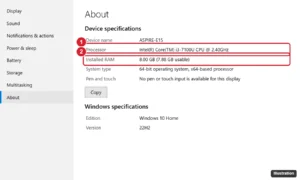
Acer Aspire E 15 E5-575-33BM specs and FAQ: Core i3-7100U, Full HD screen, 1 TB HDD. Can it run Windows 11, and how to upgrade the RAM and SSD. Continue Reading Acer Aspire E 15 E5-575-33BM: Specs and FAQ

Show the Developer tab in Excel 2013, 2016, 2019, 2021, and Microsoft 365 on Windows or Mac, and learn what its macro, VBA, and control tools do. Continue Reading How to Show the Developer Tab in Excel (2013 and Later)

Turn off International CDMA on an iPhone 7 in Settings > Cellular > Roaming. Learn what it does, how it differs from Data Roaming and why it may be missing. Continue Reading How to Turn Off International CDMA on an iPhone 7
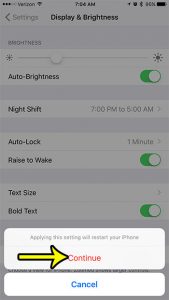
Thin system text can be hard to read in bright sunlight, on a dim screen at night, or when your eyes are tired at the… Continue Reading How to Turn On Bold Text on iPhone
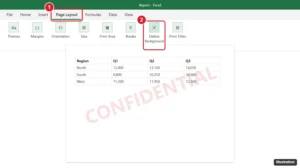
Most Excel watermarks are header pictures: open Page Layout view and delete &[Picture]. For backgrounds, click Page Layout > Delete Background. All methods. Continue Reading How to Remove a Watermark From a Spreadsheet in Excel 2013
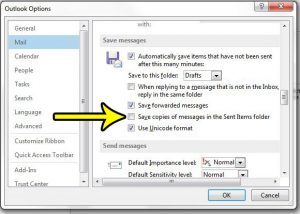
Maybe several people share one computer, your mailbox keeps hitting its size limit, or every message you send shows up twice. In classic Outlook for… Continue Reading How to Stop Saving Sent Messages in Outlook
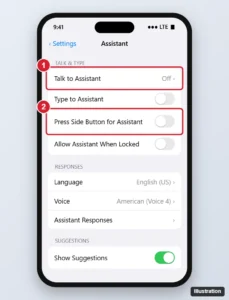
Turn off Siri on iPhone by disabling Talk to Siri and the side button option, block it on the Lock Screen and delete your Siri history. Continue Reading How to Turn Off Siri on iPhone (All iOS Versions)

If replies, upvotes and “trending” posts from Reddit keep lighting up your iPhone, there are two places to stop them. To pick which kinds of… Continue Reading How to Turn Off Reddit Notifications on iPhone

Print multiple Word documents at once from File Explorer (up to 15 at a time), combine them into one print job, and fix a missing Print option. Continue Reading How to Print Multiple Word Documents at Once

Paste vertical data horizontally in Excel, or the reverse, with Paste Special Transpose, the Ctrl+Alt+V shortcut, or the TRANSPOSE function. Continue Reading How to Paste Vertical Data Horizontally in Excel (Transpose)
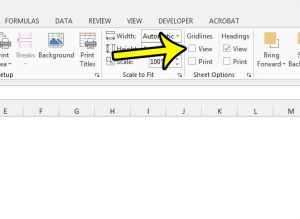
To hide gridlines in Excel, open the View tab and clear the Gridlines check box in the Show group. The faint gray lines vanish at… Continue Reading How to Hide Gridlines in Excel

Print two pages on one sheet in Word from the Print screen, use Page Setup for half-size pages, add double-sided printing, and keep shrunk pages readable. Continue Reading How to Print Two Pages on One Sheet in Word

Excel sheet tabs missing? Turn on Show sheet tabs in Options, move the scroll bar, maximize the window, or unhide hidden sheets. Steps for Windows, Mac, web. Continue Reading How to Show Sheet Tabs in Excel: 6 Fixes When Tabs Are Missing

Change the font of a whole text layer or selected words in Photoshop with the Type tool, Character panel, or Properties panel, plus common fixes. Continue Reading How to Change the Font of a Text Layer in Photoshop

Open Control Center on an iPhone 7 by swiping up from the bottom edge. Learn to use it inside apps and customize which controls appear. Continue Reading How to Open Control Center on iPhone

Go to Settings > General > About > Name and type a new name. It changes your Bluetooth, AirDrop, and hotspot name. How to rename accessories too. Continue Reading How to Change the Bluetooth Name on an iPhone

Remove gridlines in Word 2013 and later: hide page gridlines on the View tab, turn off table gridlines, and remove table borders that print. Continue Reading How to Show or Remove Gridlines in Word (Page and Table Gridlines)
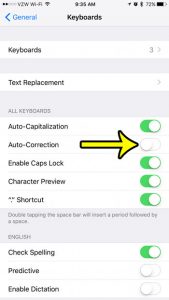
You type a name or a bit of slang, press Space, and your iPhone swaps it for a word you never meant. If that keeps… Continue Reading How to Turn Off Autocorrect on iPhone

Lock a picture to a cell in Excel with Move and size with cells or Place in Cell, and protect the sheet so images can’t be moved or deleted. Continue Reading How to Lock an Image to a Cell in Excel

Factory reset an iPhone 7 in Settings > General > Transfer or Reset iPhone > Erase All Content and Settings. Plus how to reset without the passcode. Continue Reading How to Factory Reset an iPhone 7
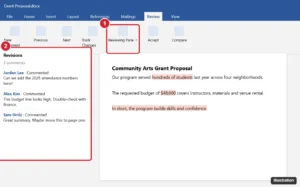
Set Excel column width and row height in inches using Page Layout view, change ruler units, and learn how Excel character widths convert. Continue Reading How to Set Excel Column Width in Inches
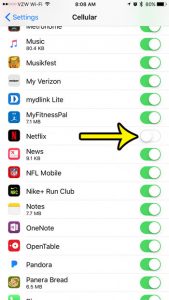
Netflix gives you two levels of control on an iPhone. To stop it from using cellular data at all, open Settings > Cellular and turn… Continue Reading How to Stop Netflix From Using Cellular Data on iPhone

Set up Netflix on an iPhone 7: install the last compatible app version from Purchased, sign in, adjust downloads and data, and what to do if it won’t install. Continue Reading How to Get Netflix on an Older iPhone
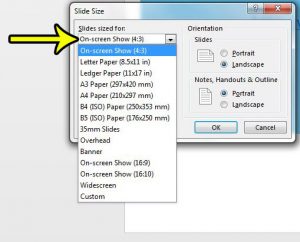
If your slides sit inside black bars on a TV or projector, or the edges get cut off when you print, the slide size does… Continue Reading How to Change the Slide Size in PowerPoint

Turn off iMessage on iPhone 7 in Settings > Messages, keep Send as SMS on, and deregister your number if you switch to Android. Continue Reading How to Turn Off iMessage on iPhone