Skip to content
Live2Tech
  • iPhone
  • Windows
    • Windows 11
    • Windows 10
  • Office
    • Word
    • Excel
    • Powerpoint
    • Outlook
  • Google
    • Google Docs
    • Google Sheets
    • Google Slides
    • Gmail
    • Chrome
    • Google Drive
  • Mac & Apple
    • Mac
    • iPad
    • Apple Watch
  • All Tutorials

Kermit Matthews

Kermit Matthews runs Live2Tech from just outside Philadelphia. He is an IT specialist with over 20 years of experience, from a university help desk to small-business IT, IT management and his own consulting practice, and has written tech guides full time since 2020. Steps are checked against the current software on a real device or the maker's official documentation. More about Kermit.
Presentation app Paragraph dialog with Line Spacing set to Multiple at 1.2 and the spacing Before and After boxes highlighted

How to Change Line Spacing in a PowerPoint Text Box

November 17, 2026January 30, 2018 by Kermit Matthews

Change line and paragraph spacing in a PowerPoint text box with the Line Spacing button or Paragraph dialog, stop AutoFit, and set spacing for every slide. Continue Reading How to Change Line Spacing in a PowerPoint Text Box
Categories Powerpoint Tags powerpoint 2013
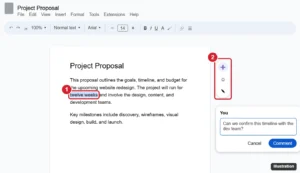
Document editor with text selected and the floating add comment button and comment box highlighted

How to Add a Comment in Google Docs (Desktop and Mobile)

November 18, 2026January 30, 2018 by Kermit Matthews

Add a comment in Google Docs with the margin button or Ctrl + Alt + M, then mention people, assign tasks, reply, resolve, and view comment history. Continue Reading How to Add a Comment in Google Docs (Desktop and Mobile)

Categories Google Docs
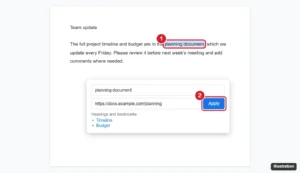
Online document with text selected and the Insert link box open with a URL pasted and the Apply button highlighted
How to Add a Hyperlink in Google Docs

November 10, 2026January 18, 2018 by Kermit Matthews

Add a hyperlink in Google Docs with Ctrl+K or Insert > Link, link to headings and bookmarks, edit or remove links, and add links in the mobile app. Continue Reading How to Add a Hyperlink in Google Docs

Categories Google Docs
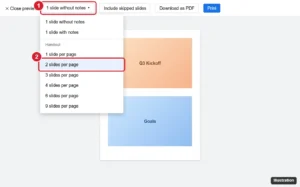
Presentation Print settings and preview toolbar with the layout dropdown open and Handout 2 slides per page highlighted

How to Remove Cell Shading in Google Sheets

November 18, 2026January 16, 2018 by Kermit Matthews

Remove cell shading in Google Sheets: select cells and click Fill color > Reset, or press Ctrl + \ to clear formatting. Plus banding and rule fixes. Continue Reading How to Remove Cell Shading in Google Sheets

Categories Google Sheets
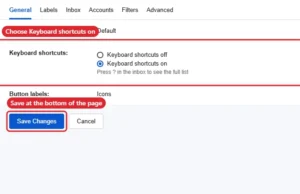
Mail settings General tab with Keyboard shortcuts on selected and Save Changes

How to Enable or Disable Keyboard Shortcuts in Gmail

November 10, 2026January 12, 2018 by Kermit Matthews

Turn Gmail keyboard shortcuts on or off in Settings > See all settings > General, then Save Changes. Includes key shortcuts and custom keys. Continue Reading How to Enable or Disable Keyboard Shortcuts in Gmail

Categories Gmail
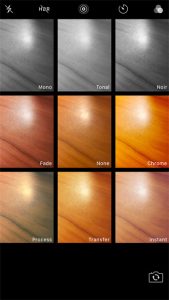
how to use filters on the iphone camera

How to Change the Camera Filter on iPhone

November 13, 2026January 9, 2018 by Kermit Matthews

What you see when you look for filters depends on your iPhone. On iPhone 12 models and earlier, the Camera app offers filters such as… Continue Reading How to Change the Camera Filter on iPhone

Categories iPhone Tags iphone 7
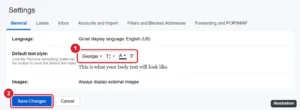
Gmail settings General tab with the Default text style font menu and Save Changes button highlighted

Set a Default Font, Size and Color for Gmail Emails

November 16, 2026January 8, 2018 by Kermit Matthews

Change the default font in Gmail under Settings > General > Default text style. Set font, size, and color, and fix a default that won’t stick. Continue Reading Set a Default Font, Size and Color for Gmail Emails

Categories Gmail
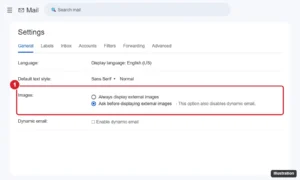
Email Settings General tab with the Images option set to Ask before displaying external images

How to Make Gmail Ask Before Displaying External Images

November 10, 2026January 4, 2018 by Kermit Matthews

Make Gmail ask before displaying external images on a computer, Android, or iPhone to block tracking pixels, and learn what changes when you do. Continue Reading How to Make Gmail Ask Before Displaying External Images

Categories Gmail Tags Pictures
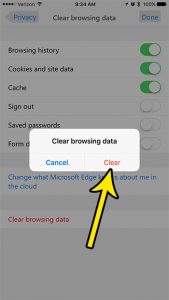
how to clear browsing data in the microsoft edge iphone app

How to Clear Browsing Data in the Microsoft Edge iPhone App

November 18, 2026January 3, 2018 by Kermit Matthews

Wipe Edge’s data from its own Settings, under Privacy & security: the Clear browsing data screen lets you choose which kinds of data go, such… Continue Reading How to Clear Browsing Data in the Microsoft Edge iPhone App

Categories iPhone Tags iphone 7, microsoft edge
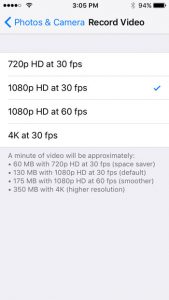
highest video recording resolution on iphone se

What Is the Highest Video Resolution on iPhone?

November 18, 2026January 2, 2018 by Kermit Matthews

Filming something that only happens once, like a graduation or a wedding toast? The highest video resolution on any iPhone is 4K. What changes from… Continue Reading What Is the Highest Video Resolution on iPhone?

Categories iPhone Tags iphone se
iPhone Camera app with the controls row open and the timer set to 10s highlighted

How to Set a Timer for a Picture on iPhone

November 18, 2026December 28, 2017 by Kermit Matthews

Set the iPhone Camera timer to 3, 5 or 10 seconds from the Camera Controls button, spot an older layout with 3s and 10s only, and turn the timer off again. Continue Reading How to Set a Timer for a Picture on iPhone

Categories iPhone Tags iphone se
Smartwatch Camera Remote app showing the phone camera preview with the shutter button and timer highlighted

Take iPhone Photos From Your Apple Watch With Camera Remote

November 18, 2026December 22, 2017 by Kermit Matthews

Use the Camera Remote app on Apple Watch to control your iPhone camera: preview, focus, zoom, use the timer, switch cameras, record video, and fix connections. Continue Reading Take iPhone Photos From Your Apple Watch With Camera Remote

Categories iPhone, Apple Watch Tags apple watch, iphone 7
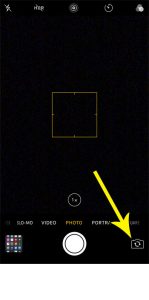
how to switch between front and rear camera on iphone

How to Switch Between the Front and Back Camera on iPhone

November 18, 2026December 22, 2017 by Kermit Matthews

You open Camera to photograph a menu and your own face fills the screen, or you want a selfie and the phone shows the ceiling.… Continue Reading How to Switch Between the Front and Back Camera on iPhone

Categories iPhone Tags iphone 7
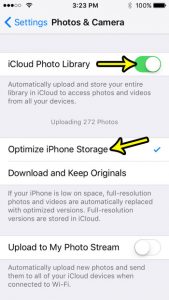
how to manage picture storage on an iphone se

How to Optimize iPhone Storage for Photos

November 18, 2026December 20, 2017 by Kermit Matthews

When the Photos library is the biggest thing on your iPhone, the Optimize iPhone Storage setting is the fix built into iOS. It keeps the… Continue Reading How to Optimize iPhone Storage for Photos

Categories iPhone Tags iphone se
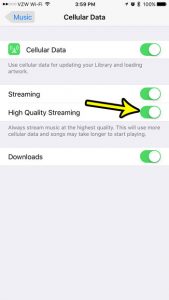
iphone music high quality streaming

How to Stream Higher-Quality Audio in Apple Music on iPhone

November 16, 2026December 18, 2017 by Kermit Matthews

Apple Music’s streaming quality now lives in Settings > Apps > Music > Audio Quality. There you can turn on Lossless Audio and choose the… Continue Reading How to Stream Higher-Quality Audio in Apple Music on iPhone

Categories iPhone Tags iphone 7
iPhone notification settings for an app with the Badges switch highlighted

How to Hide the Number of New Messages on iPhone

November 15, 2026December 15, 2017 by Kermit Matthews

Hide the number of new messages on iPhone: turn off the Messages badge, stop the Lock Screen count, hide previews, mute chats, and keep your number private. Continue Reading How to Hide the Number of New Messages on iPhone

Categories iPhone Tags iphone 7, Notifications, Text Messages
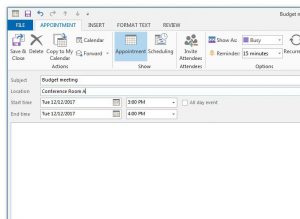
how to create an appointment in outlook 2013

How to Create an Appointment in Outlook

November 9, 2026December 12, 2017 by Kermit Matthews

When you need to block time for yourself (a dentist visit, a focus session, a school pickup) and nobody else needs an invitation, create an… Continue Reading How to Create an Appointment in Outlook

Categories Outlook Tags outlook 2013
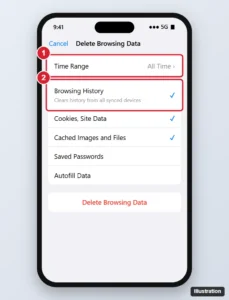
iPhone browser Delete Browsing Data screen with the time range and Browsing History option highlighted and the Delete button

How to Delete Browsing History in Chrome on iPhone

November 12, 2026December 12, 2017 by Kermit Matthews

Delete Chrome browsing history on iPhone for any time range, choose which data to clear, remove individual sites, and manage synced history and activity. Continue Reading How to Delete Browsing History in Chrome on iPhone

Categories iPhone, Chrome Tags chrome, iphone 7
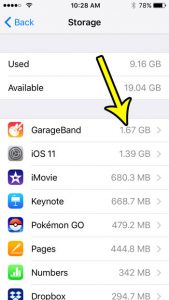
iphone se how to check storage usage by app

How Much Storage Do Built-In Apps Use on iPhone?

November 14, 2026December 11, 2017 by Kermit Matthews

When the “Storage Almost Full” alert appears, it is natural to suspect Apple’s own apps, since you never chose to install most of them. To… Continue Reading How Much Storage Do Built-In Apps Use on iPhone?

Categories iPhone Tags iphone se
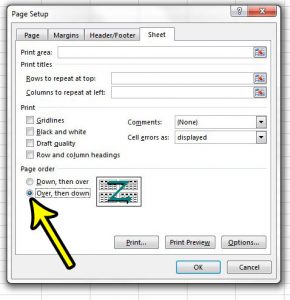
how to change the page order in excel 2013

How to Change Page Order in Excel

November 10, 2026December 8, 2017 by Kermit Matthews

You print a wide sheet, pick up the stack, and the pages make no sense: every page of the left-hand columns comes first, and the… Continue Reading How to Change Page Order in Excel

Categories Excel Tags excel 2013
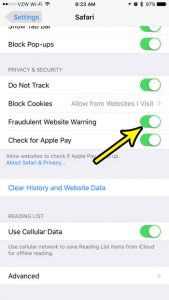
iphone 7 safari fraudulent website warning

How to Turn On Safari’s Fraudulent Website Warning on iPhone

November 17, 2026December 7, 2017 by Kermit Matthews

Want to know if Safari is already watching for fake websites? Open Settings, tap Apps, tap Safari, and look at the Fraudulent Website Warning switch.… Continue Reading How to Turn On Safari’s Fraudulent Website Warning on iPhone

Categories iPhone Tags iphone 7
Screen Time settings with Content and Privacy Restrictions switched off and highlighted

How to Turn Off Restrictions on an iPhone (Screen Time)

November 17, 2026December 1, 2017 by Kermit Matthews

Switch off Content & Privacy Restrictions on your own iPhone, lift one limit, remove limits from a child’s iPhone, and reset a forgotten Screen Time passcode. Continue Reading How to Turn Off Restrictions on an iPhone (Screen Time)

Categories iPhone Tags iphone se
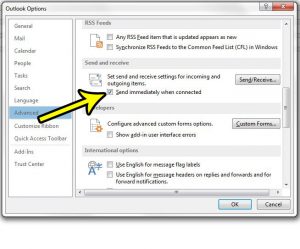
how to send messages immediately when connected outlook 2013

How to Send Emails Immediately in Outlook

November 9, 2026November 22, 2017 by Kermit Matthews

You click Send, the message disappears from the screen, and then it sits in the Outbox until Outlook runs its next send/receive or you press… Continue Reading How to Send Emails Immediately in Outlook

Categories Outlook Tags outlook 2013
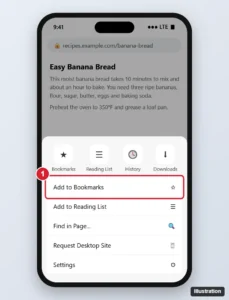
Phone browser with the three-dot menu open and Add to Bookmarks highlighted, above Add to Reading List and other options

How to Create a Bookmark in the Google Chrome App on iPhone

November 14, 2026November 8, 2017 by Kermit Matthews

Bookmark a page in Chrome on iPhone: tap the three dots, then Add to Bookmarks. Plus finding, editing, folders and syncing your bookmarks. Continue Reading How to Create a Bookmark in the Google Chrome App on iPhone

Categories iPhone
how switch fahrenhiet to celsius iphone 7

How to Change the Temperature Unit on iPhone

November 8, 2026November 2, 2017 by Kermit Matthews

Back from a trip abroad and your iPhone Weather app now says 22 degrees when you think in Fahrenheit? Or you moved to Canada and… Continue Reading How to Change the Temperature Unit on iPhone

Categories iPhone Tags iphone 7
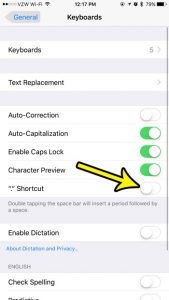
how turn off double spacebar shortcut iphone

How to Turn Off the Double-Space Period Shortcut on iPhone

November 10, 2026October 30, 2017 by Kermit Matthews

You tap the space bar twice to leave a little extra room, and the iPhone drops in a period instead. That is the “.” Shortcut,… Continue Reading How to Turn Off the Double-Space Period Shortcut on iPhone

Categories iPhone Tags iphone 7
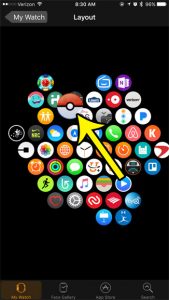
how to move apps around on the apple watch

How to Rearrange Apps on Apple Watch

November 10, 2026October 26, 2017 by Kermit Matthews

The quickest way to rearrange apps on Apple Watch from your iPhone is to open the Apple Watch app, tap My Watch, tap App View,… Continue Reading How to Rearrange Apps on Apple Watch

Categories Apple Watch
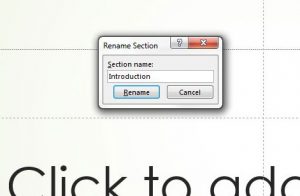
how to rename a section in powerpoint 2013

How to Rename a Section in PowerPoint

November 10, 2026October 24, 2017 by Kermit Matthews

You open a long deck and the thumbnail pane is a wall of “Untitled Section” and “Default Section” headers. The fix takes seconds: right-click the… Continue Reading How to Rename a Section in PowerPoint

Categories Powerpoint Tags powerpoint 2013
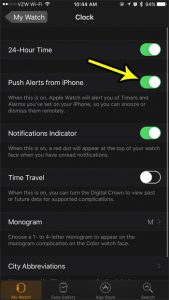
how to control timers and alarms on the apple watch

How to Get iPhone Alarms on Your Apple Watch

November 18, 2026October 23, 2017 by Kermit Matthews

Open the Apple Watch app on your iPhone, tap My Watch, tap Clock and turn on Push Alerts from iPhone. From then on, when an… Continue Reading How to Get iPhone Alarms on Your Apple Watch

Categories iPhone Tags apple watch, iphone 7
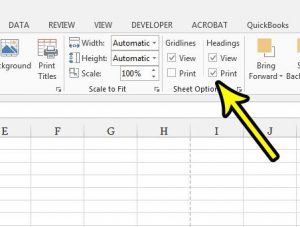
how to print headings in excel 2013

How to Print Row and Column Headings in Excel

November 13, 2026October 18, 2017 by Kermit Matthews

A printed spreadsheet full of numbers is hard to discuss when nobody can say “look at cell D14,” because the column letters and row numbers… Continue Reading How to Print Row and Column Headings in Excel

Categories Excel Tags excel 2013
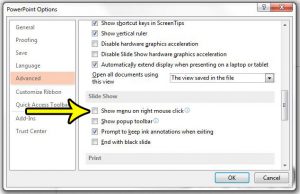
how to disable the right click menu in powerpoint 2013

How to Disable Right-Click in a PowerPoint Slide Show

November 8, 2026October 18, 2017 by Kermit Matthews

You right-click during a slide show, expecting to step back one slide, and a menu pops up on the big screen in front of everyone.… Continue Reading How to Disable Right-Click in a PowerPoint Slide Show

Categories Powerpoint Tags powerpoint 2013
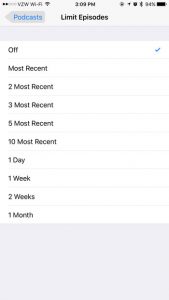
how to limit the number of podcast episodes on an iphone

How to Limit Downloaded Podcast Episodes on iPhone

November 14, 2026October 11, 2017 by Kermit Matthews

The old Limit Episodes setting is no longer part of the Podcasts app on current versions of iOS. Its job now belongs to Automatically Download,… Continue Reading How to Limit Downloaded Podcast Episodes on iPhone

Categories iPhone Tags iphone 7
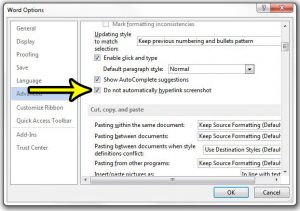
how to stop hyperlinking screenshots in word 2013

How to Stop Word from Hyperlinking Screenshots

November 8, 2026October 10, 2017 by Kermit Matthews

You inserted a screenshot of a web page into a Word document, clicked the picture to select it, and a browser opened the site instead.… Continue Reading How to Stop Word from Hyperlinking Screenshots

Categories Word Tags word 2013
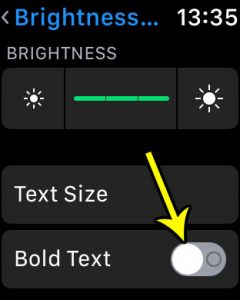
how to enable bold text on apple watch

How to Turn On Bold Text on Apple Watch

November 16, 2026October 6, 2017 by Kermit Matthews

Turn on Bold Text on Apple Watch in Settings > Accessibility or from the Apple Watch app on iPhone, then restart the watch so the heavier letters take effect. Continue Reading How to Turn On Bold Text on Apple Watch

Categories Apple Watch
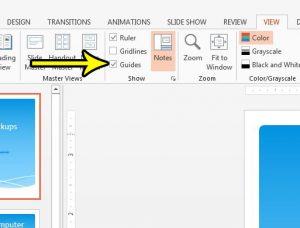
how to enable powerpoint 2013 guides

How to Turn On Guides in PowerPoint

November 17, 2026October 5, 2017 by Kermit Matthews

Lining up a logo, a photo and two text boxes by eye rarely works: something always ends up a few pixels off center. Guides fix… Continue Reading How to Turn On Guides in PowerPoint

Categories Powerpoint Tags powerpoint 2013
Smartwatch Control Center with the side button and the Silent Mode bell button highlighted

How to Put an Apple Watch in Silent Mode (4 Ways)

November 10, 2026October 5, 2017 by Kermit Matthews

Put your Apple Watch in Silent Mode from Control Center, watch Settings, or your iPhone, and learn how it differs from Do Not Disturb and Theater Mode. Continue Reading How to Put an Apple Watch in Silent Mode (4 Ways)

Categories Apple Watch
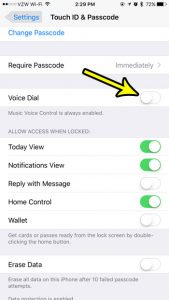
how to disable voice dial on iphone 7

How to Turn Off Voice Dial on iPhone

November 8, 2026September 27, 2017 by Kermit Matthews

A call you didn’t make shows up in your recent calls, or your iPhone says “Voice Dial” from your pocket while the screen is still… Continue Reading How to Turn Off Voice Dial on iPhone

Categories iPhone Tags iphone 7
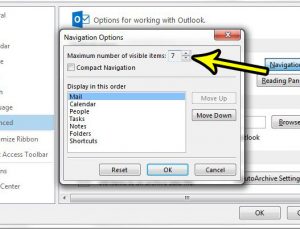
how to increase navigation options in outlook 2013

How to Show More Navigation Options in Outlook

November 9, 2026September 26, 2017 by Kermit Matthews

If the Calendar, People or Tasks shortcuts you used to click at the bottom of Outlook seem to have disappeared, they have most likely moved.… Continue Reading How to Show More Navigation Options in Outlook

Categories Outlook Tags outlook 2013
Phone storage screen for the Messages app showing app size and documents and data, with the Review Large Attachments option and category breakdown highlighted

How to View iMessage and Text Message Storage on an iPhone

November 18, 2026September 21, 2017 by Kermit Matthews

See how much storage iMessage and texts use: Settings > General > iPhone Storage > Messages. Plus how to delete large attachments and free space. Continue Reading How to View iMessage and Text Message Storage on an iPhone

Categories iPhone Tags iphone 7 plus
how to hide a ribbon tab in excel 2013

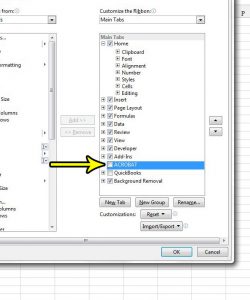
How to Hide a Ribbon Tab in Excel

November 8, 2026September 20, 2017 by Kermit Matthews

Draw, Developer, Help and a row of add-in tabs can crowd Excel’s ribbon until the tabs you actually use are hard to find. You can… Continue Reading How to Hide a Ribbon Tab in Excel

Categories Excel Tags excel 2013
Email app Options window on the Mail page with Always check spelling before sending checked and the Spelling and Autocorrect button highlighted

How to Automatically Spell Check Emails in Outlook

November 18, 2026September 19, 2017 by Kermit Matthews

Make Outlook 2013 spell check every email before sending, turn on spell check as you type, set the proofing language, and fix spell check that won’t run. Continue Reading How to Automatically Spell Check Emails in Outlook

Categories Outlook Tags outlook 2013
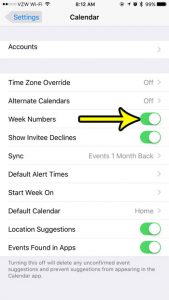
how to turn on week numbers iphone calendar

How to Show Week Numbers in the iPhone Calendar

November 14, 2026September 19, 2017 by Kermit Matthews

If your office, school or project plan talks about “week 37” instead of a date, you don’t have to count rows on a paper calendar.… Continue Reading How to Show Week Numbers in the iPhone Calendar

Categories iPhone Tags iphone 7
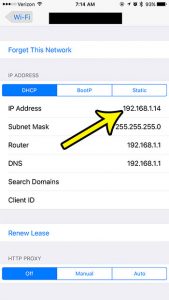
how to find ip address on iphone 7

How to Find the Local IP Address on iPhone

November 18, 2026September 15, 2017 by Kermit Matthews

A network printer, a game console, a router setting or a support agent may ask for your iPhone’s address on the home network. To see… Continue Reading How to Find the Local IP Address on iPhone

Categories iPhone Tags iphone 7
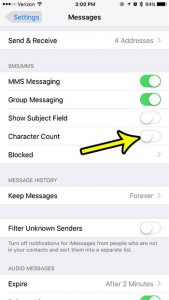
how to hide the character count on the iphone 7

How to Show or Hide Character Count in iPhone Messages

November 15, 2026September 8, 2017 by Kermit Matthews

That small number such as 45/160 sitting above the Send button while you type a text is the iPhone’s character counter. To remove it, open… Continue Reading How to Show or Hide Character Count in iPhone Messages

Categories iPhone Tags iphone 7
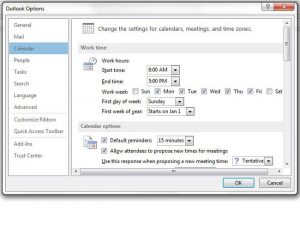
how to set work hours in outlook 2013

How to Set Working Hours in Outlook

November 10, 2026September 6, 2017 by Kermit Matthews

If colleagues keep sending you 7 a.m. meeting invitations, Outlook may think your day starts then. Your working hours tell other people’s scheduling tools when… Continue Reading How to Set Working Hours in Outlook

Categories Outlook Tags outlook 2013
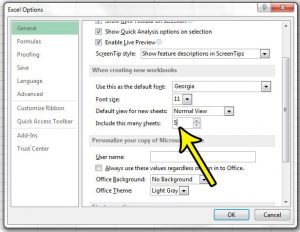
how to change default number of sheets in excel 2013

How to Change the Default Number of Sheets in Excel

November 8, 2026September 1, 2017 by Kermit Matthews

If every new workbook starts with one sheet and you immediately add two more so each month of a quarter has its own sheet, Excel… Continue Reading How to Change the Default Number of Sheets in Excel

Categories Excel Tags excel 2013
Smartwatch Nightstand Mode settings screen with the Nightstand Mode switch turned on and highlighted

How to Enable Nightstand Mode on an Apple Watch

November 10, 2026August 22, 2017 by Kermit Matthews

Turn on Apple Watch Nightstand Mode in Settings > General > Nightstand Mode, charge it on its side, use alarms, and fix it when it will not show. Continue Reading How to Enable Nightstand Mode on an Apple Watch

Categories Apple Watch
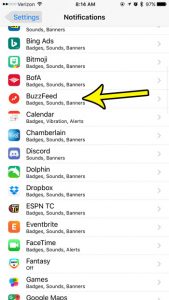
how to stop iphone buzzfeed notifications

How to Turn Off BuzzFeed Notifications on iPhone

November 9, 2026August 21, 2017 by Kermit Matthews

If BuzzFeed keeps lighting up your phone with quizzes, trending stories and breaking-news alerts, you can stop all of them in a few taps: open… Continue Reading How to Turn Off BuzzFeed Notifications on iPhone

Categories iPhone Tags iphone 7
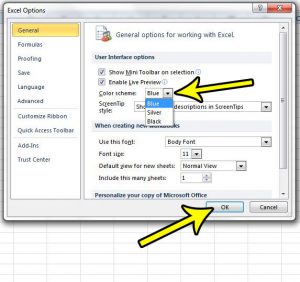
how to change the color scheme in excel 2010

How to Change the Color Scheme in Excel

November 10, 2026August 16, 2017 by Kermit Matthews

If Excel’s bright white window is tiring your eyes by mid-afternoon, or you want it to look different, the setting you need is the Office… Continue Reading How to Change the Color Scheme in Excel

Categories Excel Tags excel 2010
how to make phoen call on iphone 7

How to Dial a Phone Number on iPhone

November 17, 2026August 14, 2017 by Kermit Matthews

When the number you need is on a flyer, a receipt or a business card rather than in your contacts, you type it in yourself.… Continue Reading How to Dial a Phone Number on iPhone

Categories iPhone Tags iphone 7
Older posts
Newer posts
← Previous Page1 … Page33 Page34 Page35 … Page37 Next →

Join Our Free Newsletter

Featured guides and deals

You may opt out at any time.
Read our Privacy Policy

Live2Tech

Plain-English, step-by-step guides for the devices and apps you use every day.

Apple

  • iPhone
  • iPad
  • Mac
  • Apple Watch

Windows

  • Windows 11
  • Windows 10

Microsoft Office

  • Word
  • Excel
  • Powerpoint
  • Outlook

Google

  • Google Docs
  • Google Sheets
  • Google Slides
  • Gmail
  • Chrome
  • Google Drive
  • About Us
  • Contact
  • Disclaimer
  • Privacy Policy
© Live2Tech.com 2026
  • iPhone
  • Windows
    • Windows 11
    • Windows 10
  • Office
    • Word
    • Excel
    • Powerpoint
    • Outlook
  • Google
    • Google Docs
    • Google Sheets
    • Google Slides
    • Gmail
    • Chrome
    • Google Drive
  • Mac & Apple
    • Mac
    • iPad
    • Apple Watch
  • All Tutorials