Skip to content
Live2Tech
  • iPhone
  • Windows
    • Windows 11
    • Windows 10
  • Office
    • Word
    • Excel
    • Powerpoint
    • Outlook
  • Google
    • Google Docs
    • Google Sheets
    • Google Slides
    • Gmail
    • Chrome
    • Google Drive
  • Mac & Apple
    • Mac
    • iPad
    • Apple Watch
  • All Tutorials

Microsoft

How-to guides and tutorials to help you perform specific tasks and use products and applications made by Microsoft.

Word Layout tab with the Size menu open showing Letter, Legal, and A4 paper sizes, with A4 highlighted

How to Change Paper Size in Word for Office 365

November 10, 2026December 7, 2021 by Kermit Matthews

Change the paper size in Word for Office 365 with Layout > Size, set a custom size, use different sizes in one document, and make it your default. Continue Reading How to Change Paper Size in Word for Office 365

Categories Word
Spreadsheet app with a picture selected, the Picture Format tab open and the Crop menu showing Crop to Shape and Aspect Ratio options

How to Crop a Picture in Excel (Shapes, Ratios and More)

November 10, 2026December 2, 2021 by Kermit Matthews

Crop a picture in Excel with the Picture Format tab: trim edges, crop to a circle or aspect ratio, reset a crop and delete cropped areas. Continue Reading How to Crop a Picture in Excel (Shapes, Ratios and More)

Categories Excel Tags Cropping, excel 2013, Pictures
Windows 10 Touchpad settings with the Touchpad sensitivity dropdown open and options highlighted

How to Change Touchpad Sensitivity in Windows 10

November 10, 2026November 12, 2021 by Kermit Matthews

Change touchpad sensitivity in Windows 10 in Settings or your touchpad maker’s software, adjust cursor speed, and stop accidental palm taps. Continue Reading How to Change Touchpad Sensitivity in Windows 10

Categories Windows 10
PowerPoint Picture Tools Format tab with the Rotate menu open and Flip Horizontal highlighted

How to Flip a Picture in PowerPoint 2013

November 10, 2026November 9, 2021 by Kermit Matthews

Flip a picture in PowerPoint 2013 and later with Format > Rotate > Flip Horizontal or Flip Vertical, plus how to flip shapes and undo a flip. Continue Reading How to Flip a Picture in PowerPoint 2013

Categories Powerpoint Tags Featured Powerpoint Guides, Image Rotation, Pictures, powerpoint 2013
how to turn off drag and drop in word 2013

How to Disable the Drag and Drop Word 2013 Feature

November 15, 2026November 8, 2021 by Kermit Matthews

Have you ever been proofreading a document that you wrote and discovered that an entire phrase, sentence, or paragraph seemed to be completely misplaced? While… Continue Reading How to Disable the Drag and Drop Word 2013 Feature

Categories Word Tags word 2013
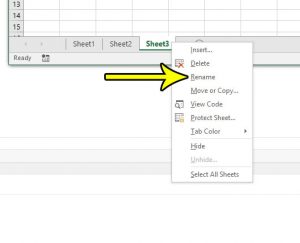
how to rename a tab in excel 2016

How to Change a Tab Name in Excel 2016

November 15, 2026November 5, 2021 by Kermit Matthews

When you first start working with Microsoft Excel and are familiarizing yourself with some basic formulas, you may not give much thought to the names… Continue Reading How to Change a Tab Name in Excel 2016

Categories Excel Tags excel 2016
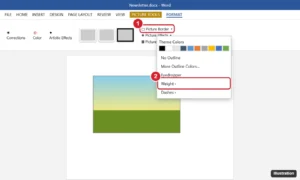
Word 2013 Picture Tools Format tab with the Picture Border menu open showing colors, Weight, and Dashes

How to Add a Border to a Picture in Word

November 7, 2026October 27, 2021 by Kermit Matthews

Add a border to a picture in Word 2013: select it, then Format > Picture Border to pick a color, weight, and dashes. Plus picture styles and fixes. Continue Reading How to Add a Border to a Picture in Word

Categories Word Tags word 2013
Word Options Display page with the formatting marks checkboxes highlighted under Always show these formatting marks on the screen

How to Hide Formatting Marks in Word

November 14, 2026October 26, 2021 by Kermit Matthews

Hide formatting marks in Word 2013 and later with Show/Hide ¶ or Ctrl + Shift + 8, and turn off marks that stay visible in Word Options. Continue Reading How to Hide Formatting Marks in Word

Categories Word Tags Featured Word Guides, Formatting, word 2013
how to switch to a4 paper in excel 2013

How to Print Excel Sheet in A4 Size in Excel 2013

November 15, 2026October 21, 2021 by Kermit Matthews

The print settings for an Excel spreadsheet are frequently an afterthought for Excel users, as the focus is on ensuring that the data in the… Continue Reading How to Print Excel Sheet in A4 Size in Excel 2013

Categories Excel Tags excel 2013
Spanish keyboard layout with the N with tilde key, the accent dead key, and the inverted exclamation key highlighted

How to Turn Off the Spell Checker in Word 2013

November 10, 2026October 13, 2021 by Kermit Matthews

Turn off spell check in Word 2013: File > Options > Proofing, uncheck Check spelling as you type. Plus per-document and selected-text options. Continue Reading How to Turn Off the Spell Checker in Word 2013

Categories Word Tags word 2013
Word Font dialog with the Small caps effect checked and a preview showing small capital letters

How to Type in Small Caps in Word 2013

November 10, 2026October 8, 2021 by Kermit Matthews

Select the text and press Ctrl + Shift + K, or open the Font dialog with Ctrl + D and check Small caps. How small caps differs from All caps, plus tips. Continue Reading How to Type in Small Caps in Word 2013

Categories Word Tags word 2013
Word Paragraph dialog on the Line and Page Breaks tab with the Widow/Orphan control checkbox highlighted

How to Turn Off Widow/Orphan Control in Word

November 17, 2026October 7, 2021 by Kermit Matthews

Turn off Widow/Orphan control in Word for one document or every new one, see why pages end early, and check the other pagination settings that leave gaps. Continue Reading How to Turn Off Widow/Orphan Control in Word

Categories Word Tags Breaks, word 2010
Email app Options dialog on the Mail page with the Tracking section showing the read receipt request box unchecked and Never send a read receipt selected, highlighted

How to Turn Off Read Receipts in Outlook 2013

November 10, 2026September 29, 2021 by Kermit Matthews

Turn off read receipts in Outlook 2013: stop requesting them, stop sending them to others, change a single message, and find the settings in newer Outlook. Continue Reading How to Turn Off Read Receipts in Outlook 2013

Categories Outlook Tags outlook 2013, read receipt
print 4 slides per page in powerpoint 2013

How to Print Multiple Slides on One Page in PowerPoint

November 9, 2026August 31, 2021 by Kermit Matthews

A 30-slide lecture deck printed one slide per sheet uses 30 pieces of paper; printed six to a page it uses five. To put several… Continue Reading How to Print Multiple Slides on One Page in PowerPoint

Categories Powerpoint Tags powerpoint 2013
how to change the default save location in powerpoint 2010

How to Change the Default Save Location in Powerpoint 2010

November 10, 2026August 23, 2021 by Kermit Matthews

Remembering to save work that you have completed in Microsoft Office programs like Powerpoint, Excel, and Word can save you a lot of headaches and… Continue Reading How to Change the Default Save Location in Powerpoint 2010

Categories Powerpoint Tags powerpoint 2010
Outlook 2013 new message window with the Options tab, the Bcc button, and the Bcc field highlighted

How to Show the Bcc Field in Outlook

November 16, 2026July 12, 2021 by Kermit Matthews

Turn on the Bcc field in new Outlook (Options > Show fields > Show Bcc), classic Outlook (Options > Bcc) or Outlook for Mac, and see who you Bcc’d afterward. Continue Reading How to Show the Bcc Field in Outlook

Categories Outlook Tags outlook 2013
Word processor Design tab with the Watermark button open, showing Confidential and Do Not Copy watermark thumbnails and the Custom Watermark and Remove Watermark options highlighted

How to Add a Watermark in Microsoft Word 2016

November 13, 2026June 8, 2021 by Kermit Matthews

Add a watermark in Word 2016: Design > Watermark, then pick one or choose Custom Watermark for text or a logo. Plus removing and one-page tips. Continue Reading How to Add a Watermark in Microsoft Word 2016

Categories Word Tags Background, Featured Word Guides
Windows Create Shortcut wizard with a website address typed in the location box and the Next button highlighted

How to Put a Netflix Icon on Your Windows Desktop

November 14, 2026April 29, 2021 by Kermit Matthews

Put a Netflix icon on your desktop with a website shortcut, install Netflix as an app from Edge or Chrome, or use the Store app, and give it the right icon. Continue Reading How to Put a Netflix Icon on Your Windows Desktop

Categories Windows 7, Windows 10 Tags Netflix
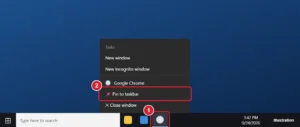
Windows 10 taskbar with the Chrome jump list open and Pin to taskbar highlighted

How to Add Google Chrome to the Taskbar in Windows 10

November 12, 2026April 22, 2021 by Kermit Matthews

Pin Google Chrome to the Windows 10 taskbar from the taskbar or Start menu, plus how to pin websites and Chrome profiles and fix a missing option. Continue Reading How to Add Google Chrome to the Taskbar in Windows 10

Categories Windows 10, Chrome
Word Shape Format tab with the Text Direction menu open and Rotate all text 90 degrees highlighted

How to Rotate Text in Word (Sideways or Any Angle)

November 13, 2026April 21, 2021 by Kermit Matthews

Put text in a text box, then use Shape Format > Text Direction to rotate 90 or 270 degrees, or drag the rotation handle. Steps for tables and WordArt too. Continue Reading How to Rotate Text in Word (Sideways or Any Angle)

Categories Word Tags Orientation
Spreadsheet ribbon on the Page Layout tab with the Sheet Options Headings Print checkbox highlighted

How to Print Without Column Letters and Row Numbers in Excel

November 13, 2026April 21, 2021 by Kermit Matthews

Print Excel sheets without column letters and row numbers by unchecking Headings > Print in Page Layout. Works in Excel 2013 through Microsoft 365. Continue Reading How to Print Without Column Letters and Row Numbers in Excel

Categories Excel Tags excel 2013
Phone Passwords app showing a saved website login in edit mode with the red Delete Password button highlighted

How to Double Space in Word (Every Version)

November 12, 2026April 5, 2021 by Kermit Matthews

Double space in Word with Home > Line Spacing > 2.0 or Ctrl + 2, remove extra paragraph space, and make double spacing the default. Continue Reading How to Double Space in Word (Every Version)

Categories Word Tags word 2010
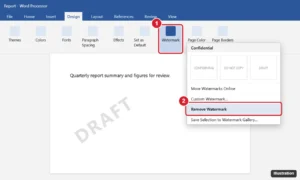
Word processor Design tab with the Watermark menu open and Remove Watermark highlighted below the watermark gallery

How to Remove a Watermark in Microsoft Word

November 12, 2026April 1, 2021 by Kermit Matthews

Remove a watermark in Word with Design > Watermark > Remove Watermark, delete it from the header, or use the Selection Pane when it won’t go away. Continue Reading How to Remove a Watermark in Microsoft Word

Categories Word Tags word 2013
request a read receipt n outlook 2013

How to Request a Read Receipt in Outlook 2013

November 15, 2026March 29, 2021 by Kermit Matthews

Many popular email applications provide you with some advanced ways that you can send an email. One of these options involves read receipts, which is… Continue Reading How to Request a Read Receipt in Outlook 2013

Categories Outlook Tags outlook 2013
Word Home tab with the Strikethrough button highlighted and struck-through text selected in the document

How to Remove Strikethrough in Word (All Versions)

November 10, 2026March 24, 2021 by Kermit Matthews

Remove strikethrough in Microsoft Word with the Home tab button or Font dialog, clear it from a whole document, and remove Track Changes deletion lines. Continue Reading How to Remove Strikethrough in Word (All Versions)

Categories Word Tags word 2013
Word Picture Format tab with the Rotate menu open and Flip Horizontal highlighted

How to Mirror an Image in Word

November 12, 2026March 19, 2021 by Kermit Matthews

Click the picture, go to Picture Format > Rotate, and choose Flip Horizontal. How to mirror text and shapes, use Word for the web, and fix a grayed-out button. Continue Reading How to Mirror an Image in Word

Categories Word
Word Symbol dialog with the Greek and Coptic subset selected and the pi symbol highlighted, showing character code 03C0

How to Add a Pi Symbol (Ï€) in Microsoft Word

November 10, 2026March 4, 2021 by Kermit Matthews

Add π in Word: type 03C0 then Alt + X, type \pi in an equation, or use Insert > Symbol. On a Mac, press Option + P. Plus capital Π and shortcuts. Continue Reading How to Add a Pi Symbol (π) in Microsoft Word

Categories Word
how to unhide desktop icons in windows 7

How to Hide or Unhide Desktop Icons in Windows 7

November 15, 2026February 26, 2021 by Kermit Matthews

The desktop icons on your Windows 7 computer are something that you might rely on heavily, or they might be blocking your favorite picture. Depending… Continue Reading How to Hide or Unhide Desktop Icons in Windows 7

Categories Windows 7
how to unhide columns in Excel 2016

How to Unhide Columns in Excel 2016

November 15, 2026February 25, 2021 by Kermit Matthews

Hiding columns is a great tool in Microsoft Excel when you have data that you can’t delete, but don’t want to leave visible. But you… Continue Reading How to Unhide Columns in Excel 2016

Categories Excel
Outlook new email with the Format Text tab open and the Strikethrough button highlighted, with struck-through text in the message

How to Strike Through Text in Microsoft Outlook

November 10, 2026February 19, 2021 by Kermit Matthews

Strike through text in Outlook with the Format Text tab, the Font dialog (Ctrl + D), or the new Outlook toolbar. Plus fixes when strikethrough is grayed out. Continue Reading How to Strike Through Text in Microsoft Outlook

Categories Outlook
Presentation app Paragraph dialog with the Before spacing value highlighted and a bulleted slide showing extra space between bullets

How to Change Spacing Between Bullets in PowerPoint

November 10, 2026October 19, 2020 by Kermit Matthews

Change the space between bullet points in PowerPoint, adjust the gap between each bullet and its text, apply spacing to every slide, and stop AutoFit. Continue Reading How to Change Spacing Between Bullets in PowerPoint

Categories Powerpoint
Spreadsheet with a commented cell right-clicked and Delete Comment highlighted

How to Delete a Comment in Excel for Microsoft 365 (One or All)

November 10, 2026September 9, 2020 by Kermit Matthews

Delete a comment in Excel for Microsoft 365 with the right-click menu or Review tab, delete all comments at once, and remove notes too. Continue Reading How to Delete a Comment in Excel for Microsoft 365 (One or All)

Categories Excel
Laptop BIOS setup Main tab with the boot sound and boot animation options set to Disabled

How to Turn Off the Acer Predator Boot Sound and Animation

November 14, 2026August 24, 2020 by Kermit Matthews

Turn off the Acer Predator boot sound and logo animation in the BIOS by pressing F2 and disabling Boot Sound on the Main tab, or check PredatorSense. Continue Reading How to Turn Off the Acer Predator Boot Sound and Animation

Categories Windows 10, Windows 11
how to format all cells in a column in Excel

How to Switch the Format for a Whole Column in Excel for Office 365

November 10, 2026August 17, 2020 by Kermit Matthews

Microsoft Excel gives you the option to specify the formatting for your cells. This is helpful if you are entering percentages, or currency, as anything… Continue Reading How to Switch the Format for a Whole Column in Excel for Office 365

Categories Excel
Windows 10 Print Server Properties dialog on the Drivers tab listing installed printer drivers

How to View Installed Printer Drivers in Windows 11 and 10

November 12, 2026June 8, 2020 by Kermit Matthews

View installed printer drivers in Windows 10 with Print Server Properties, Print Management, or PowerShell, check which driver a printer uses, and remove them. Continue Reading How to View Installed Printer Drivers in Windows 11 and 10

Categories Windows 10 Tags Printers
how to set up a signature in Outlook

How to Set Up a Signature in Outlook

May 16, 2023May 29, 2020 by Kermit Matthews

The steps above were performed in Microsoft Outlook for Office 365, but will work in most other versions of Microsoft Outlook as well. Note that… Continue Reading How to Set Up a Signature in Outlook

Categories Outlook
PowerPoint Insert Symbol dialog with the Segoe UI Symbol font, the check mark character selected, and its character code 2713 highlighted

How to Insert a Check Mark in PowerPoint

November 10, 2026April 28, 2020 by Kermit Matthews

Insert a check mark in PowerPoint with Insert > Symbol (code 2713), the emoji panel, check mark bullets, or an icon, and set up a quick AutoCorrect shortcut. Continue Reading How to Insert a Check Mark in PowerPoint

Categories Powerpoint Tags Featured Powerpoint Guides, Objects
PowerPoint File Info pane with all properties shown and the Words count highlighted

How to Get a Word Count in PowerPoint

November 10, 2026April 20, 2020 by Kermit Matthews

Get a word count in PowerPoint from File > Info > Show All Properties, or File > Properties on a Mac, and count words on specific slides or notes. Continue Reading How to Get a Word Count in PowerPoint

Categories Powerpoint
Spreadsheet with the Data tab Group button highlighted and three selected rows grouped with an outline bar and collapse button in the left margin

How to Group Rows in Excel for Microsoft 365 (Collapse and Expand)

November 10, 2026March 4, 2020 by Kermit Matthews

Group rows in Excel for Microsoft 365 to collapse and expand sections, with shortcuts, nested levels, Auto Outline, Subtotal, and how to ungroup. Continue Reading How to Group Rows in Excel for Microsoft 365 (Collapse and Expand)

Categories Excel Tags Rows
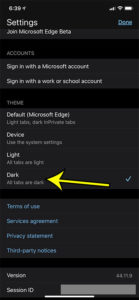
how to enable dark mode in the Microsoft Edge iPhone app

How to Switch to Dark Mode in the Microsoft Edge iPhone App

November 10, 2026January 14, 2020 by Kermit Matthews

These steps will show you how to enable dark mode in the Microsoft Edge iPhone app. Open Microsoft Edge. Touch the menu button at the… Continue Reading How to Switch to Dark Mode in the Microsoft Edge iPhone App

Categories Edge
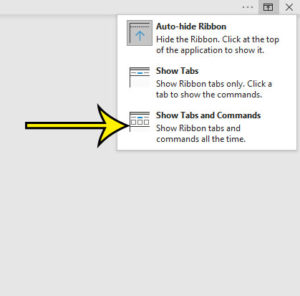
how to show the full ribbon in Microsoft Word 2016

Where Did the Ribbon Go in Word? How to Show It Again

November 14, 2026November 27, 2019 by Kermit Matthews

In most cases the Word ribbon isn’t gone, it’s just collapsed. In Word for Microsoft 365 on Windows, press Ctrl+F1 to show it again, or… Continue Reading Where Did the Ribbon Go in Word? How to Show It Again

Categories Word
PowerPoint Slide Size dialog with Portrait orientation for slides selected and highlighted

How to Make PowerPoint Slides Vertical (Office 365)

November 10, 2026October 23, 2019 by Kermit Matthews

Make PowerPoint slides vertical in Office 365 with Design > Slide Size > Custom Slide Size > Portrait, choose a size, and fit your content. Continue Reading How to Make PowerPoint Slides Vertical (Office 365)

Categories Powerpoint
how to clear cache in Internet Explorer 11

How to Clear Cache in Internet Explorer 11

November 10, 2026October 8, 2019 by Kermit Matthews

These steps are going to show you how to clear the cache from the Internet Explorer 11 Web browser. We cover the steps for doing… Continue Reading How to Clear Cache in Internet Explorer 11

Categories Internet Explorer
Formulas tab with Watch Window highlighted and a watch list showing cells and values

How to Open the Watch Window in Excel

November 10, 2026August 28, 2019 by Kermit Matthews

Open the Watch Window in Excel from Formulas > Watch Window, then Add Watch to track cell values and formulas while you work on other sheets. Continue Reading How to Open the Watch Window in Excel

Categories Excel
how to stop a picture from printing in Microsoft Excel

How to Stop a Picture from Printing in Excel for Office 365

November 10, 2026August 21, 2019 by Kermit Matthews

Here’s how to change the settings for a picture in Microsoft Excel so that the picture doesn’t print. We will give a brief overview of… Continue Reading How to Stop a Picture from Printing in Excel for Office 365

Categories Excel
Excel Home tab with the AutoSum button highlighted and a SUM formula totaling a column of amounts, plus the Sum shown in the status bar

How to Sum a Column in Excel

November 10, 2026August 14, 2019 by Kermit Matthews

Sum a column in Excel with AutoSum (Alt + =), the SUM function, the status bar, or a table total row, and fix totals that show 0 or the wrong number. Continue Reading How to Sum a Column in Excel

Categories Excel Tags Columns
Folder Properties dialog with Size and Size on disk highlighted

How to View the Size of a Folder in Windows 10

November 10, 2026August 13, 2019 by Kermit Matthews

Check a folder size in Windows 10 with Properties, folder tooltips or Storage settings, and what Size on disk means. Continue Reading How to View the Size of a Folder in Windows 10

Categories Windows 10
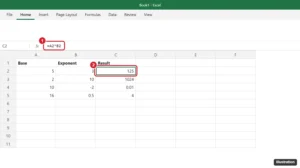
Excel worksheet with the formula =A2^B2 in the formula bar and the result highlighted in column C

How to Make an Exponent in Excel

November 10, 2026May 31, 2019 by Kermit Matthews

Use the caret, like =5^3, or =POWER(5,3). How to use cell references, negative and fractional exponents, and show exponents as superscript. Continue Reading How to Make an Exponent in Excel

Categories Excel
how to turn off outlook desktop alerts

How to Disable Desktop Alerts in Outlook for Office 365

November 10, 2026April 19, 2019 by Kermit Matthews

When I am working at my computer, it’s pretty common for me to have a few different programs open all the time. One of those… Continue Reading How to Disable Desktop Alerts in Outlook for Office 365

Categories Outlook
how to expand all sections in powerpoint

How to Expand or Collapse All Sections in PowerPoint

November 10, 2026March 13, 2019 by Kermit Matthews

To open or fold a single section in PowerPoint, click the small triangle next to the section name in the slide thumbnail pane; the number… Continue Reading How to Expand or Collapse All Sections in PowerPoint

Categories Powerpoint
Older posts
Newer posts
← Previous Page1 … Page28 Page29 Page30 … Page32 Next →

Join Our Free Newsletter

Featured guides and deals

You may opt out at any time.
Read our Privacy Policy

Live2Tech

Plain-English, step-by-step guides for the devices and apps you use every day.

Apple

  • iPhone
  • iPad
  • Mac
  • Apple Watch

Windows

  • Windows 11
  • Windows 10

Microsoft Office

  • Word
  • Excel
  • Powerpoint
  • Outlook

Google

  • Google Docs
  • Google Sheets
  • Google Slides
  • Gmail
  • Chrome
  • Google Drive
  • About Us
  • Contact
  • Disclaimer
  • Privacy Policy
© Live2Tech.com 2026
  • iPhone
  • Windows
    • Windows 11
    • Windows 10
  • Office
    • Word
    • Excel
    • Powerpoint
    • Outlook
  • Google
    • Google Docs
    • Google Sheets
    • Google Slides
    • Gmail
    • Chrome
    • Google Drive
  • Mac & Apple
    • Mac
    • iPad
    • Apple Watch
  • All Tutorials