Skip to content
Live2Tech
  • iPhone
  • Windows
    • Windows 11
    • Windows 10
  • Office
    • Word
    • Excel
    • Powerpoint
    • Outlook
  • Google
    • Google Docs
    • Google Sheets
    • Google Slides
    • Gmail
    • Chrome
    • Google Drive
  • Mac & Apple
    • Mac
    • iPad
    • Apple Watch
  • All Tutorials

Microsoft

How-to guides and tutorials to help you perform specific tasks and use products and applications made by Microsoft.

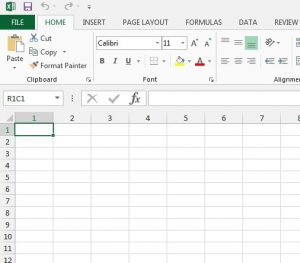
why do columns have number labels instead of letters in Excel 2013

Why Does Excel Show Column Numbers Instead of Letters?

November 15, 2026December 14, 2016 by Kermit Matthews

You open a spreadsheet and the column headings read 1, 2, 3 instead of A, B, C, and a simple formula in the formula bar… Continue Reading Why Does Excel Show Column Numbers Instead of Letters?
Categories Excel Tags excel 2013
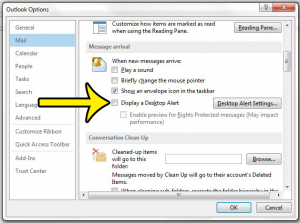
how to stop outlook notifications from appearing at the right side of the screen

How to Turn Off Desktop Alerts in Outlook

November 9, 2026December 13, 2016 by Kermit Matthews

You are halfway through a sentence and a new-mail pop-up slides into the corner of the screen. In classic Outlook for Windows you stop it… Continue Reading How to Turn Off Desktop Alerts in Outlook

Categories Outlook Tags outlook 2013
Font dialog with the Set As Default button highlighted

How to Change the Font for an Entire Document in Word

November 17, 2026December 12, 2016 by Kermit Matthews

Change the font of a whole Word document with Ctrl+A, theme fonts or the Normal style, check headers and text boxes, and set a default only if you want one. Continue Reading How to Change the Font for an Entire Document in Word
Categories Word
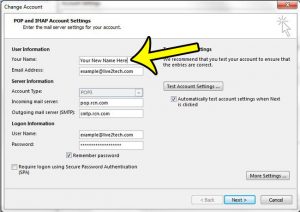
how to change the sent from name in outlook 2013

How to Change Your Name on Emails Sent From Outlook

November 16, 2026December 7, 2016 by Kermit Matthews

If your emails arrive showing an old name, a nickname or only your address, the fix depends on the kind of account you send from.… Continue Reading How to Change Your Name on Emails Sent From Outlook
Categories Outlook Tags outlook 2013
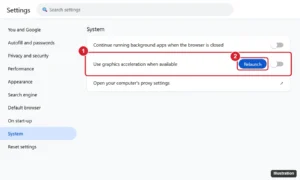
Browser Settings System page with the Use graphics acceleration when available switch and the Relaunch button highlighted

How to Turn Off Hardware Acceleration in Chrome, Edge, Firefox, Discord, and More

November 12, 2026December 2, 2016 by Kermit Matthews

Turn off hardware acceleration in Chrome, Edge, Firefox, Discord, Spotify, Slack, Steam, and Office to fix flickering, black screens, and crashes. Continue Reading How to Turn Off Hardware Acceleration in Chrome, Edge, Firefox, Discord, and More
Categories Chrome, Windows 11
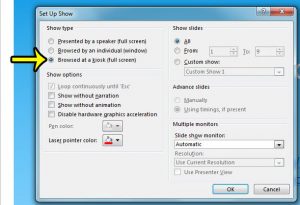
how to enable kiosk mode in powerpoint 2013

How to Use Kiosk Mode in PowerPoint

November 10, 2026November 21, 2016 by Kermit Matthews

A slide show playing in a trade-show booth, a hotel lobby or a museum corner has nobody standing beside it to press the arrow key.… Continue Reading How to Use Kiosk Mode in PowerPoint
Categories Powerpoint Tags powerpoint 2013
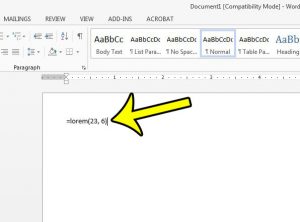
how to add filler or placeholder text in word 2013

How to Add Filler Text in Word

November 8, 2026November 2, 2016 by Kermit Matthews

When you are building a template, a brochure layout or a page mock-up, you often need the page to look full before the real words… Continue Reading How to Add Filler Text in Word
Categories Word Tags word 2013
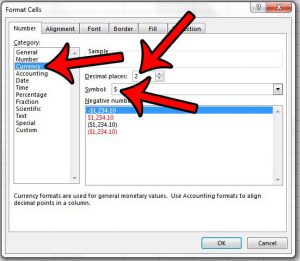
how to show a dollar symbol to the left of a number in excel 2013

How to Show a Dollar Sign Next to Numbers in Excel

November 14, 2026October 7, 2016 by Kermit Matthews

When people ask how to show a dollar sign in Excel, they usually mean one of two looks. Either the $ sits right against the… Continue Reading How to Show a Dollar Sign Next to Numbers in Excel
Categories Excel Tags excel 2013
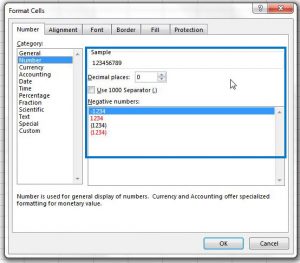
switch to numerical formatting - step 4

How to Apply Number Formatting to a Cell in Excel 2013

November 14, 2026July 14, 2016 by Kermit Matthews

Excel 2013 can do a very good job of automatically detecting the type of information that you have entered into a cell. Unfortunately it does not… Continue Reading How to Apply Number Formatting to a Cell in Excel 2013
Categories Excel Tags excel 2013
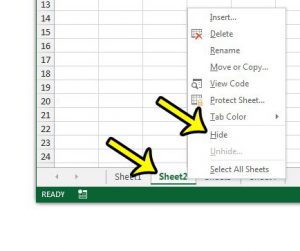
hide a worksheet in excel 2013

How to Hide a Worksheet in Excel

November 9, 2026June 16, 2016 by Kermit Matthews

A lookup table, a list of rates or a sheet full of helper formulas often needs to stay in the workbook without cluttering the view.… Continue Reading How to Hide a Worksheet in Excel

Categories Excel Tags excel 2013
print powerpoint with notes

How to Print PowerPoint Slides With Notes

November 9, 2026February 5, 2016 by Kermit Matthews

The printout you’re after is called Notes Pages: each sheet of paper shows one slide on the top half and that slide’s speaker notes underneath.… Continue Reading How to Print PowerPoint Slides With Notes

Categories Powerpoint Tags powerpoint 2010
ciew email headers in outlook 2013

How to View Full Email Headers in Outlook

November 9, 2026December 23, 2015 by Kermit Matthews

An email that claims to come from your bank, or a reply that landed hours after it was sent, can be checked by reading its… Continue Reading How to View Full Email Headers in Outlook
Categories Outlook Tags outlook 2013
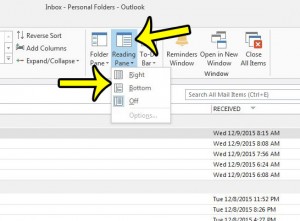
show the reading pane in outlook 2013

How to Show the Reading Pane in Outlook

November 17, 2026December 9, 2015 by Kermit Matthews

When Outlook shows only a list of messages and you have to double-click each one to read it, the Reading Pane is turned off. In… Continue Reading How to Show the Reading Pane in Outlook

Categories Outlook Tags outlook 2013
center across multiple cells in excel 2013

How to Center Text Across Multiple Cells in Excel

November 10, 2026December 8, 2015 by Kermit Matthews

You want a report title centered over the columns of a table, but you do not want merged cells getting in the way of sorting,… Continue Reading How to Center Text Across Multiple Cells in Excel

Categories Excel Tags excel 2013
how to unhide headings in excel 2013

How to Show Row Numbers and Column Letters in Excel

November 13, 2026December 7, 2015 by Kermit Matthews

The sheet opens, and the A, B, C labels across the top and the 1, 2, 3 labels down the side are gone. In current… Continue Reading How to Show Row Numbers and Column Letters in Excel
Categories Excel Tags excel 2013
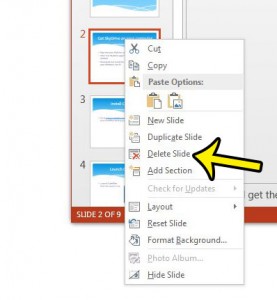
delete a slide in powerpoint 2013

How to Delete a Slide in PowerPoint

May 3, 2023December 1, 2015 by Kermit Matthews

To delete a slide in PowerPoint, click its thumbnail in the pane on the left side of the window and press Delete, or right-click the… Continue Reading How to Delete a Slide in PowerPoint
Categories Powerpoint Tags powerpoint 2013
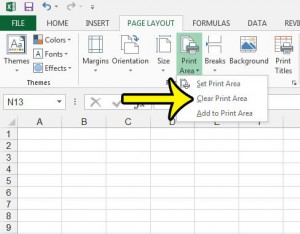
clear the print area in excel 2013

How to Clear a Print Area in Excel

November 9, 2026November 30, 2015 by Kermit Matthews

If Excel keeps printing the same small block of cells and ignores the rest of the sheet, the worksheet most likely has a saved print… Continue Reading How to Clear a Print Area in Excel

Categories Excel Tags excel 2013
Older Windows Explorer with the Organize menu open to Layout and Menu bar highlighted

How to Show the Menu Bar in Windows 7 Explorer

November 10, 2026November 18, 2015 by Kermit Matthews

Show the menu bar in Windows 7 Explorer with the Alt key, or turn it on permanently with Organize > Layout > Menu bar or Always show menus. Continue Reading How to Show the Menu Bar in Windows 7 Explorer

Categories Windows 7 Tags windows explorer
Spreadsheet Formulas tab Calculation Options menu with Manual selected

How to Switch to Manual Calculation in Excel

November 10, 2026November 12, 2015 by Kermit Matthews

Set Excel to manual calculation in Formulas > Calculation Options, recalculate with F9, and switch back to automatic. Continue Reading How to Switch to Manual Calculation in Excel
Categories Excel Tags excel 2013
how to compress pictures in powerpoint 2013

How to Compress Pictures in PowerPoint

November 9, 2026October 29, 2015 by Kermit Matthews

A presentation full of photos can grow too big to email or upload. The quickest fix in PowerPoint for Windows: select any picture, go to… Continue Reading How to Compress Pictures in PowerPoint
Categories Powerpoint Tags powerpoint 2013
remove the hyperlinks in excel 2013

How to Remove All Hyperlinks in Excel

November 9, 2026October 28, 2015 by Kermit Matthews

To remove every hyperlink on a sheet in Excel, press Ctrl+A to select all cells, right-click any selected cell, and choose Remove Hyperlinks. The words… Continue Reading How to Remove All Hyperlinks in Excel

Categories Excel Tags excel 2013
Word processor View tab with the Ruler checkbox selected and the horizontal and vertical rulers showing

How to Show the Ruler in Word (Horizontal and Vertical)

November 13, 2026October 27, 2015 by Kermit Matthews

Show the ruler in Word from View > Ruler, turn on the vertical ruler in Word Options, and fix a missing ruler in Word 2013 through Microsoft 365. Continue Reading How to Show the Ruler in Word (Horizontal and Vertical)
Categories Word Tags word 2013
click the show tabs and commands button

How to Show the Ribbon in Outlook

November 10, 2026October 15, 2015 by Kermit Matthews

The Outlook toolbar with Home, Send / Receive and View has vanished, leaving tab names or nothing at all. It’s only hidden. In classic Outlook… Continue Reading How to Show the Ribbon in Outlook
Categories Outlook Tags outlook, outlook 2013, ribbon
check the box to the left of slide number

How to Add Page Numbers in PowerPoint

November 14, 2026October 14, 2015 by Kermit Matthews

PowerPoint calls them slide numbers, not page numbers. To add them, go to Insert > Slide Number (or Insert > Header & Footer), check Slide… Continue Reading How to Add Page Numbers in PowerPoint
Categories Powerpoint Tags powerpoint 2010
turn on the view gridlines option

Excel Gridlines Missing? How to Show Them Again

November 13, 2026October 7, 2015 by Kermit Matthews

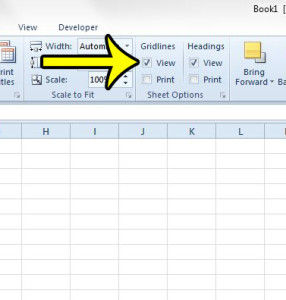
Missing Excel gridlines almost always come down to one of three things: the Gridlines check box on the View tab is cleared, the cells have… Continue Reading Excel Gridlines Missing? How to Show Them Again
Categories Excel Tags excel, excel 2010, gridlines
how to check for new mail more frequently in outlook 2013

How to Make Outlook Check for Mail More Often in Outlook 2013

November 17, 2026November 13, 2013 by Kermit Matthews

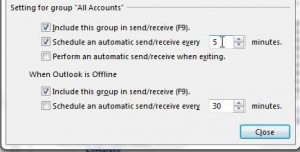
This article contains affiliate links. If you buy through one of them, Live2Tech may earn a commission at no extra cost to you. As an… Continue Reading How to Make Outlook Check for Mail More Often in Outlook 2013

Categories Outlook Tags outlook 2013
Newer posts
← Previous Page1 … Page31 Page32

Join Our Free Newsletter

Featured guides and deals

You may opt out at any time.
Read our Privacy Policy

Live2Tech

Plain-English, step-by-step guides for the devices and apps you use every day.

Apple

  • iPhone
  • iPad
  • Mac
  • Apple Watch

Windows

  • Windows 11
  • Windows 10

Microsoft Office

  • Word
  • Excel
  • Powerpoint
  • Outlook

Google

  • Google Docs
  • Google Sheets
  • Google Slides
  • Gmail
  • Chrome
  • Google Drive
  • About Us
  • Contact
  • Disclaimer
  • Privacy Policy
© Live2Tech.com 2026
  • iPhone
  • Windows
    • Windows 11
    • Windows 10
  • Office
    • Word
    • Excel
    • Powerpoint
    • Outlook
  • Google
    • Google Docs
    • Google Sheets
    • Google Slides
    • Gmail
    • Chrome
    • Google Drive
  • Mac & Apple
    • Mac
    • iPad
    • Apple Watch
  • All Tutorials