Skip to content
Live2Tech
  • iPhone
  • Windows
    • Windows 11
    • Windows 10
  • Office
    • Word
    • Excel
    • Powerpoint
    • Outlook
  • Google
    • Google Docs
    • Google Sheets
    • Google Slides
    • Gmail
    • Chrome
    • Google Drive
  • Mac & Apple
    • Mac
    • iPad
    • Apple Watch
  • All Tutorials

Google

How-to guides and tutorials to help you perform specific tasks and use applications and devices made by Google.

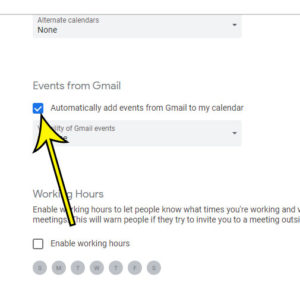
how to stop automatically adding Gmail events to Google Calendar

How to Stop Adding Gmail Events to Google Calendar

November 10, 2026February 4, 2020 by Kermit Matthews

The steps below are going to show you how to change a setting in Google Calendar to stop events from Gmail from being added to… Continue Reading How to Stop Adding Gmail Events to Google Calendar
Categories Google Calendar
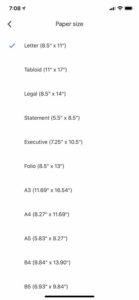
how to change paper size in the Google Docs iPhone app

How to Change Paper Size on iPhone in the Google Docs App

November 15, 2026January 29, 2020 by Kermit Matthews

While your focus when creating or editing a document in the Google Docs iPhone app is probably more on the content, you may also need… Continue Reading How to Change Paper Size on iPhone in the Google Docs App
Categories Google Docs
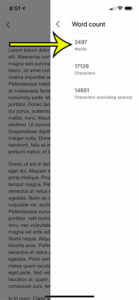
how to view a document word count in the Google Docs iPhone app

How to Check Word Count in Google Docs (Computer, iPhone, Android)

November 13, 2026January 22, 2020 by Kermit Matthews

Got a 500-word essay limit or a 250-word application box to fill? Google Docs counts for you. On a computer, select Tools > Word count… Continue Reading How to Check Word Count in Google Docs (Computer, iPhone, Android)
Categories Google Docs
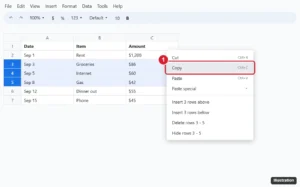
Online spreadsheet with rows 3 through 5 selected by their row numbers and the right-click menu open with Copy highlighted

How to Copy Multiple Rows in Google Sheets

November 15, 2026December 18, 2019 by Kermit Matthews

Copy multiple rows in Google Sheets: click the row numbers with Shift, press Ctrl + C, then paste. Plus non-adjacent rows and values-only paste. Continue Reading How to Copy Multiple Rows in Google Sheets
Categories Google Sheets Tags Featured Sheets Guides, Rows
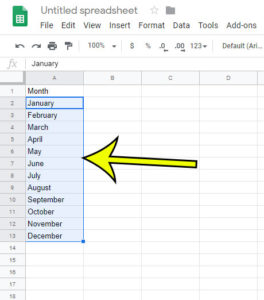
how to use autofill in google sheets 5 How to Use Autofill in Google Sheets

How to Use Autofill in Google Sheets

November 15, 2026December 13, 2019 by Kermit Matthews

To autofill in Google Sheets, select the cell (or cells) with the starting value, then drag the small blue square in the bottom-right corner of… Continue Reading How to Use Autofill in Google Sheets
Categories Google Sheets
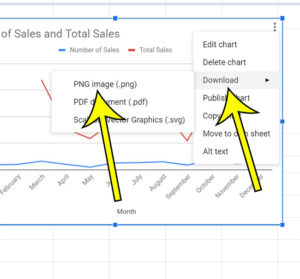
how to download a Google Sheets chart as a png image

How to Download a Google Sheets Chart as a PNG

November 10, 2026November 15, 2019 by Kermit Matthews

The steps below show you how to download a chart or graph in your Google Sheets spreadsheet as a .png file so that you can… Continue Reading How to Download a Google Sheets Chart as a PNG
Categories Google Sheets
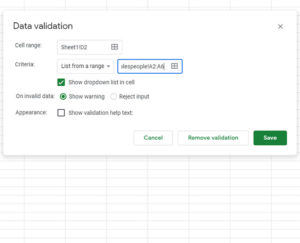
how to create a Google Sheets drop down

How to Create a Google Sheets Drop Down Menu

November 10, 2026September 20, 2019 by Kermit Matthews

The steps below show you how to create a drop down menu in Google Sheets. This menu will be either created from a list of… Continue Reading How to Create a Google Sheets Drop Down Menu
Categories Google Sheets
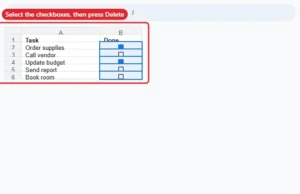
Spreadsheet with a column of checkboxes selected, ready to press Delete to remove them

How to Remove Multiple Checkboxes in Google Sheets

November 10, 2026July 31, 2019 by Kermit Matthews

Remove many checkboxes at once in Google Sheets by selecting them and pressing Delete, or remove the data validation rule. Continue Reading How to Remove Multiple Checkboxes in Google Sheets
Categories Google Sheets Tags Objects
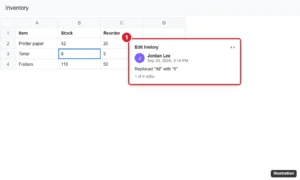
Online spreadsheet with a cell right-clicked and its edit history popup showing who changed the value, when, and the previous value

How to View Cell History in Google Sheets

November 10, 2026July 19, 2019 by Kermit Matthews

View a cell’s edit history in Google Sheets with right-click > Show edit history, use Version history for bigger changes, and get edit notifications. Continue Reading How to View Cell History in Google Sheets
Categories Google Sheets
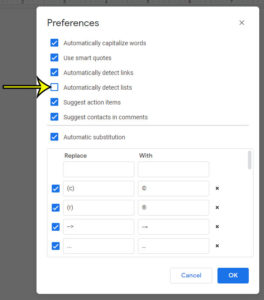
how to stop Google Docs from automatically detecting lists

How to Stop Google Docs From Turning Text Into Lists

November 9, 2026July 17, 2019 by Kermit Matthews

To stop Google Docs from turning text into lists, open a document on a computer, go to Tools > Preferences and clear the checkbox that… Continue Reading How to Stop Google Docs From Turning Text Into Lists
Categories Google Docs
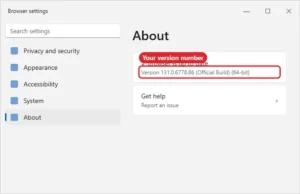
Web browser About page showing the version number and that it is up to date

How to Find Your Google Chrome Version Number

November 10, 2026July 16, 2019 by Kermit Matthews

Find your Chrome version: menu > Help > About Google Chrome, which also checks for updates. Or type chrome://version for full details. Continue Reading How to Find Your Google Chrome Version Number

Categories Chrome
click the change button next to current download folder

Can I Change the Download Folder in Google Chrome in Windows 10?

November 14, 2026July 5, 2019 by Kermit Matthews

Most Web browsers that you use in Windows 10 are going to download files to your computer’s Downloads folder by default. This can help to… Continue Reading Can I Change the Download Folder in Google Chrome in Windows 10?
Categories Chrome
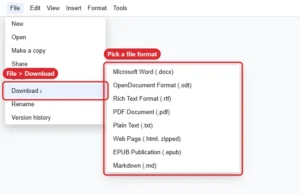
Online document editor File > Download menu listing export formats

What File Formats Can Google Docs Convert To?

November 17, 2026May 23, 2019 by Kermit Matthews

Google Docs downloads as Word, ODT, RTF, PDF, TXT, zipped HTML, EPUB and Markdown. See how to convert and which format to choose. Continue Reading What File Formats Can Google Docs Convert To?
Categories Google Docs
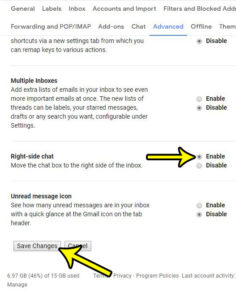
how to enable right side chat in gmail

Can You Move Chat to the Right Side in Gmail?

November 14, 2026April 30, 2019 by Kermit Matthews

Not with any setting Google documents today. Google’s current Gmail help has no option for moving Chat to the right side of the window, and… Continue Reading Can You Move Chat to the Right Side in Gmail?
Categories Gmail
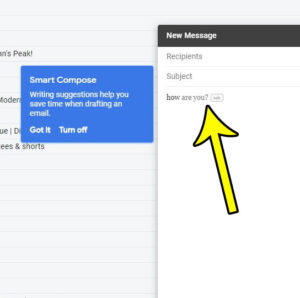
how to turn off writing suggestions in gmail

How to Turn Off Smart Compose Writing Suggestions in Gmail

November 16, 2026April 29, 2019 by Kermit Matthews

The grey text Gmail suggests as you type is Smart Compose, and you turn it off on a computer in Settings > See all settings… Continue Reading How to Turn Off Smart Compose Writing Suggestions in Gmail
Categories Gmail
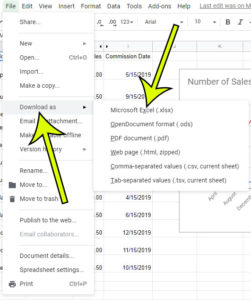
how to download the excel version of a google sheets file

How to Download an Excel Version of a Google Sheets File

November 15, 2026April 23, 2019 by Kermit Matthews

Google Sheets is very similar to Microsoft Excel in many ways and, for a large number of users, is a perfectly acceptable replacement. Sheets lets… Continue Reading How to Download an Excel Version of a Google Sheets File
Categories Google Sheets
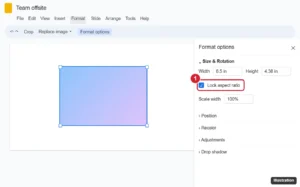
Online presentation editor with a picture selected and the Format options panel open to Size and Rotation, the Lock aspect ratio checkbox highlighted

How to Lock a Picture’s Aspect Ratio in Google Slides

November 10, 2026April 2, 2019 by Kermit Matthews

Lock a picture’s aspect ratio in Google Slides with Format options > Size & Rotation, resize proportionally with the mouse, and fix distorted images. Continue Reading How to Lock a Picture’s Aspect Ratio in Google Slides
Categories Google Slides
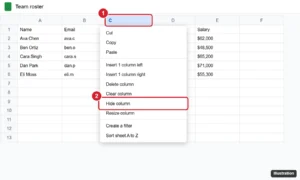
Google Sheets with column C selected and the right-click menu showing Hide column highlighted

How to Hide a Column in Google Sheets

November 10, 2026March 27, 2019 by Kermit Matthews

Hide a column in Google Sheets: right-click the column letter and choose Hide column, or press Ctrl+Alt+0. Plus how to unhide columns and hide several. Continue Reading How to Hide a Column in Google Sheets
Categories Google Sheets
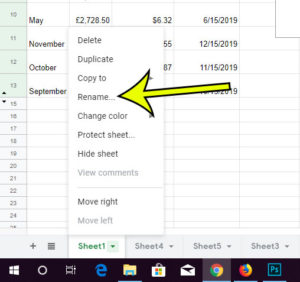
how to rename a worksheet tab in google sheets

How to Rename a Google Sheets Worksheet Tab

November 10, 2026March 26, 2019 by Kermit Matthews

Google Sheets, much like Microsoft Excel, lets you add new worksheets to your file. This makes it easy for you to organize all of your… Continue Reading How to Rename a Google Sheets Worksheet Tab
Categories Google Sheets
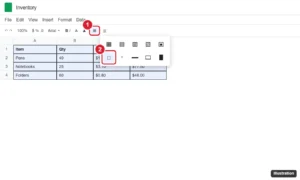
Spreadsheet with bordered cells selected and the toolbar Borders menu open with the Clear borders option highlighted

How to Remove Cell Borders in Google Sheets

November 10, 2026February 12, 2019 by Kermit Matthews

Remove cell borders in Google Sheets with Borders > Clear borders, clear the whole sheet, keep some lines, and hide gray gridlines on screen and in print. Continue Reading How to Remove Cell Borders in Google Sheets
Categories Google Sheets
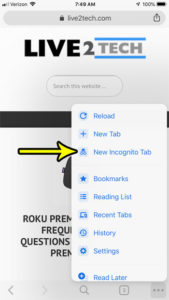
how to open incognito tab in chrome on iphone

Two Ways to Create a Private Browsing Tab in Chrome on an iPhone

November 10, 2026October 22, 2018 by Kermit Matthews

Private browsing is a feature that has long been available in popular Web browsers that you use on your computer. It’s a useful feature, and… Continue Reading Two Ways to Create a Private Browsing Tab in Chrome on an iPhone
Categories Chrome
how to change the inbox tabs in gmail

How to Add or Remove Tabs in the New Gmail Inbox

November 10, 2026October 1, 2018 by Kermit Matthews

The Gmail inbox can be customized to display your messages in a couple of different ways. The default option, however, creates tabs in the inbox,… Continue Reading How to Add or Remove Tabs in the New Gmail Inbox
Categories Gmail
Chrome three-dot menu open with the Zoom plus and minus controls highlighted

How to Change the Page Zoom in Google Chrome

November 10, 2026September 6, 2018 by Kermit Matthews

Zoom in and out in Chrome with shortcuts or the menu, set a default zoom for all sites, reset site zoom levels, and zoom on Android and iPhone. Continue Reading How to Change the Page Zoom in Google Chrome

Categories Chrome
how to enable dark mode in a youtube desktop web browser

How to Enable Dark Mode in the Youtube Desktop Site

November 10, 2026August 31, 2018 by Kermit Matthews

Have you seen someone else using Youtube on their computer and noticed that their screen was a dark gray color instead of white? Not only… Continue Reading How to Enable Dark Mode in the Youtube Desktop Site
Categories Chrome Tags youtube
how to enable experimental access in gmail

How to Get Early Access to New Gmail Features

November 16, 2026August 28, 2018 by Kermit Matthews

Gmail’s old experimental access checkbox is gone. Learn who can join Google Workspace Experiments, how to check access, what you get and why leaving is final. Continue Reading How to Get Early Access to New Gmail Features
Categories Gmail
google chrome english spell check

How to Enable Spell Check in the Google Chrome Web Browser

November 10, 2026August 20, 2018 by Kermit Matthews

Spell check is a feature that some people like to rely on heavily, but feels like a nuisance for others. If you are one of… Continue Reading How to Enable Spell Check in the Google Chrome Web Browser

Categories Chrome
Google Sheets Insert menu open with the Checkbox option highlighted and checkboxes in column B

How to Insert a Checkbox in Google Sheets

November 10, 2026July 5, 2018 by Kermit Matthews

Select cells and click Insert > Checkbox. How to use custom values, count checked boxes with COUNTIF, cross out done tasks, and remove checkboxes. Continue Reading How to Insert a Checkbox in Google Sheets
Categories Google Tags Featured Sheets Guides, Objects
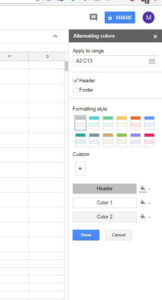
how to apply alternating colors in google sheets

How to Highlight Every Other Row in Google Sheets (Alternating Colors)

November 14, 2026June 26, 2018 by Kermit Matthews

To highlight every other row in Google Sheets, select your data, click Format > Alternating colors, pick a style in the side panel, and click… Continue Reading How to Highlight Every Other Row in Google Sheets (Alternating Colors)
Categories Google Sheets
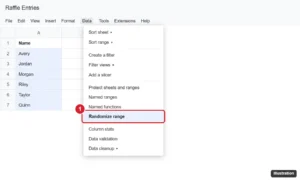
Online spreadsheet with a list of names selected and the Data menu open showing Randomize range highlighted

How to Randomize a List in Google Sheets

November 10, 2026June 25, 2018 by Kermit Matthews

Randomize data in Google Sheets with Data > Randomize range, shuffle with SORT and RANDARRAY, pick random entries, and freeze results. Continue Reading How to Randomize a List in Google Sheets
Categories Google Sheets
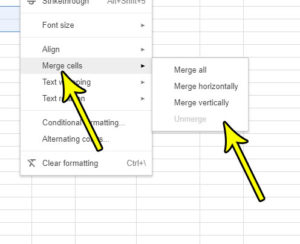
how to merge cells in google sheets

How to Merge Cells in Google Sheets

November 15, 2026June 22, 2018 by Kermit Matthews

When you first create a spreadsheet in Google Sheets it will contain a series of cells arranged into rows and columns. These cells will be… Continue Reading How to Merge Cells in Google Sheets
Categories Google Sheets
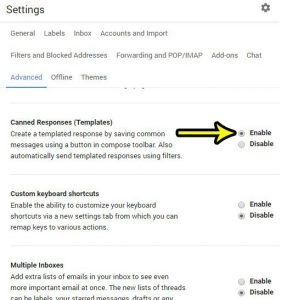
how enable canned responses in gmail

How to Enable Canned Responses in Gmail

November 10, 2026May 15, 2018 by Kermit Matthews

If you receive a lot of emails that are about the same subject, it’s possible that you find yourself typing the same email over and… Continue Reading How to Enable Canned Responses in Gmail
Categories Gmail
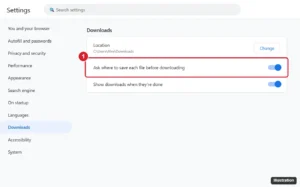
Browser Settings Downloads page with the Ask where to save each file before downloading switch turned on and highlighted, below the download location and Change button

How to Make Chrome Ask Where to Save Each File Before Downloading

November 14, 2026May 7, 2018 by Kermit Matthews

Make Chrome ask where to save downloads: Settings > Downloads > turn on Ask where to save each file before downloading. Plus changing the folder. Continue Reading How to Make Chrome Ask Where to Save Each File Before Downloading
Categories Google
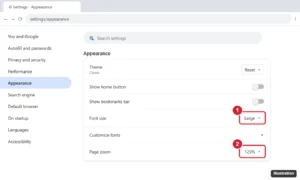
Browser Appearance settings with the Font size and Page zoom menus highlighted

How to Make Text Bigger in Google Chrome (Font Size and Zoom)

November 10, 2026May 3, 2018 by Kermit Matthews

Make text bigger in Google Chrome by changing the font size, setting a minimum font size, or zooming pages on desktop, Android, and iPhone. Shortcuts included. Continue Reading How to Make Text Bigger in Google Chrome (Font Size and Zoom)
Categories Chrome
how clear browsing data google chrome

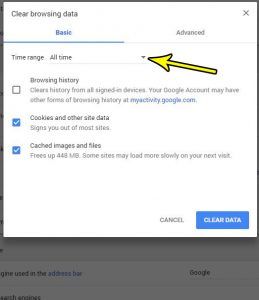
How to Clear Browsing Data in Google Chrome

November 14, 2026May 3, 2018 by Kermit Matthews

Google Chrome, like many other Web browsers, stores a lot of data when you browse the Internet. Typically this is done to improve your experience… Continue Reading How to Clear Browsing Data in Google Chrome
Categories Chrome
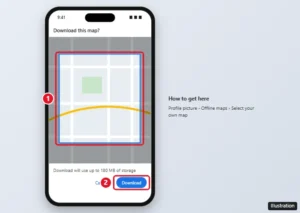
Google Maps app on iPhone showing the Download this map screen with the selected area and the Download button highlighted

How to Download an Offline Map in Google Maps on iPhone

November 10, 2026April 27, 2018 by Kermit Matthews

Download an offline map in Google Maps on your iPhone, see what works without data, manage updates and storage, and fix offline maps that won’t work. Continue Reading How to Download an Offline Map in Google Maps on iPhone
Categories iPhone, Google Maps
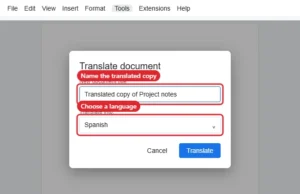
Translate document dialog with a new document title and a target language chosen

How to Translate a Document in Google Docs

November 12, 2026April 19, 2018 by Kermit Matthews

Use Tools > Translate document in Google Docs to make a translated copy in over 100 languages, plus tips for partial and file translations. Continue Reading How to Translate a Document in Google Docs
Categories Google Docs
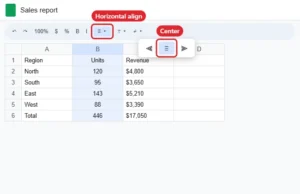
Online spreadsheet with a column selected and the horizontal align menu open with Center chosen

How to Center Data Horizontally in Google Sheets

November 10, 2026April 19, 2018 by Kermit Matthews

Center data horizontally in Google Sheets with the Horizontal align button, Format > Alignment, or Ctrl + Shift + E, and center vertically too. Continue Reading How to Center Data Horizontally in Google Sheets
Categories Google Sheets
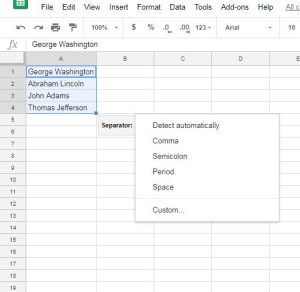
how to split data into columns in google sheets

How to Split Full Names in Google Sheets

November 15, 2026April 17, 2018 by Kermit Matthews

Splitting a column of full names takes one menu in Google Sheets, Data > Split text to columns, as long as the cells to the… Continue Reading How to Split Full Names in Google Sheets
Categories Google Sheets
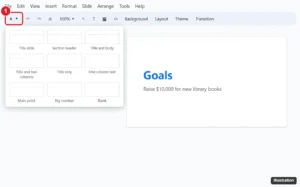
Online presentation editor with the New slide plus button on the toolbar highlighted and its layout menu open showing Title slide, Title and body and other layouts

Add a Slide With the Right Layout in Google Slides

November 17, 2026March 6, 2018 by Kermit Matthews

Add a new slide in Google Slides: press Ctrl + M or click + on the toolbar, and use the arrow to pick a layout. Plus duplicating and importing. Continue Reading Add a Slide With the Right Layout in Google Slides
Categories Google Slides
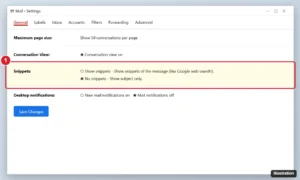
Webmail settings General tab with the Snippets option set to No snippets to hide message previews in the inbox

How to Stop Showing Message Previews in Gmail

November 14, 2026February 27, 2018 by Kermit Matthews

Stop Gmail from showing message previews by setting Snippets to No snippets, turning off the reading pane, and hiding notification previews on your phone. Continue Reading How to Stop Showing Message Previews in Gmail
Categories Gmail
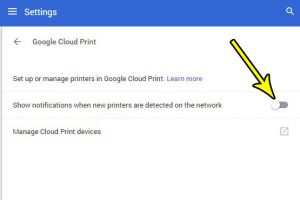
how to stop google cloud print notifications for new network printers

How to Turn Off Google Cloud Print Notifications for New Printers

November 10, 2026February 22, 2018 by Kermit Matthews

Google Cloud Print is a handy feature in Google Chrome that lets you print to local, network, and even remote printers. Part of the Google… Continue Reading How to Turn Off Google Cloud Print Notifications for New Printers
Categories Chrome
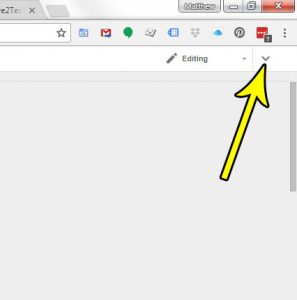
how to show the menu bar in google docs

Where Did the Top Menu Go in Google Docs?

November 10, 2026February 20, 2018 by Kermit Matthews

The top menu in Google Docs contains links that expand to provide you with a number of different settings and options for your document. The… Continue Reading Where Did the Top Menu Go in Google Docs?
Categories Google Docs
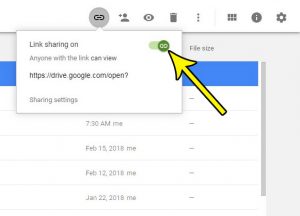
how to stop sharing a link to a google sheets file

How to Stop Sharing a Link to a Google Sheets File

November 10, 2026February 20, 2018 by Kermit Matthews

Google Drive makes it very easy for you to share a link to one of the Google Sheets files that you’ve created. Turn on a… Continue Reading How to Stop Sharing a Link to a Google Sheets File
Categories Google Sheets
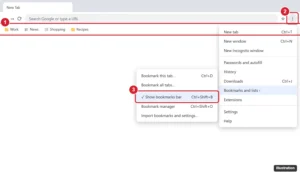
Chrome three-dot menu open to Bookmarks and lists with Show bookmarks bar highlighted

How to Hide the Bookmarks Bar in Google Chrome

November 14, 2026February 15, 2018 by Kermit Matthews

Press Ctrl + Shift + B (Command + Shift + B on Mac), or open the Chrome menu > Bookmarks and lists and uncheck Show bookmarks bar. Plus other options. Continue Reading How to Hide the Bookmarks Bar in Google Chrome
Categories Chrome
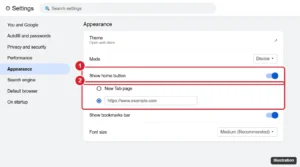
Browser Appearance settings with Show home button toggle and home page options highlighted

How to Show or Hide the Home Button in Google Chrome

November 10, 2026February 14, 2018 by Kermit Matthews

Show or hide the Home button in Google Chrome from Settings > Appearance, choose the page it opens, and change it on Android. Plus troubleshooting. Continue Reading How to Show or Hide the Home Button in Google Chrome
Categories Chrome
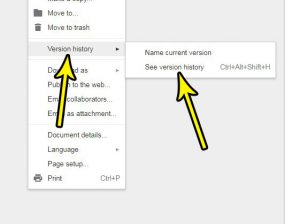
how to view version history in google docs

How to View a Document’s Version History in Google Docs

November 10, 2026February 12, 2018 by Kermit Matthews

Have you ever made a lot of changes to a document, only to discover later that those changes were unnecessary, or unwanted? Rolling back a… Continue Reading How to View a Document’s Version History in Google Docs
Categories Google Docs
how to reset a picture in google docs

How to Reset an Image in Google Docs (Undo All Edits)

November 10, 2026February 12, 2018 by Kermit Matthews

To throw away the changes you made to a picture in Google Docs, right-click the image and choose Reset image. Google says the edited image… Continue Reading How to Reset an Image in Google Docs (Undo All Edits)
Categories Google Docs
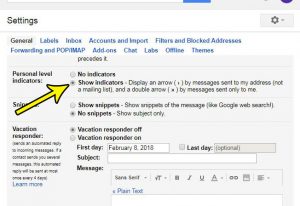
how to show personal level indicators in gmail

How to Show Personal Level Indicators in Gmail

November 10, 2026February 9, 2018 by Kermit Matthews

Gmail does a good job of fitting a lot of information into your inbox. You might already be seeing different labels and indicators that let… Continue Reading How to Show Personal Level Indicators in Gmail
Categories Gmail
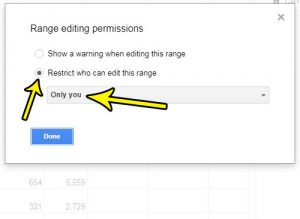
how to protect a worksheet in google sheets

How to Protect a Worksheet in Google Sheets

November 10, 2026February 7, 2018 by Kermit Matthews

The collaboration feature in Google Sheets makes it easier for a group of people to work on the same file. But if you have shared… Continue Reading How to Protect a Worksheet in Google Sheets
Categories Google Sheets
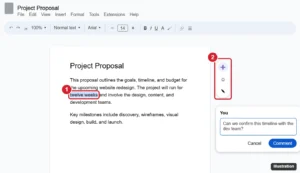
Document editor with text selected and the floating add comment button and comment box highlighted

How to Add a Comment in Google Docs (Desktop and Mobile)

November 12, 2026January 30, 2018 by Kermit Matthews

Add a comment in Google Docs with the margin button or Ctrl + Alt + M, then mention people, assign tasks, reply, resolve, and view comment history. Continue Reading How to Add a Comment in Google Docs (Desktop and Mobile)

Categories Google Docs
Older posts
Newer posts
← Previous Page1 … Page10 Page11 Page12 Next →

Join Our Free Newsletter

Featured guides and deals

You may opt out at any time.
Read our Privacy Policy

Live2Tech

Plain-English, step-by-step guides for the devices and apps you use every day.

Apple

  • iPhone
  • iPad
  • Mac
  • Apple Watch

Windows

  • Windows 11
  • Windows 10

Microsoft Office

  • Word
  • Excel
  • Powerpoint
  • Outlook

Google

  • Google Docs
  • Google Sheets
  • Google Slides
  • Gmail
  • Chrome
  • Google Drive
  • About Us
  • Contact
  • Disclaimer
  • Privacy Policy
© Live2Tech.com 2026
  • iPhone
  • Windows
    • Windows 11
    • Windows 10
  • Office
    • Word
    • Excel
    • Powerpoint
    • Outlook
  • Google
    • Google Docs
    • Google Sheets
    • Google Slides
    • Gmail
    • Chrome
    • Google Drive
  • Mac & Apple
    • Mac
    • iPad
    • Apple Watch
  • All Tutorials