Skip to content
Live2Tech
  • iPhone
  • Windows
    • Windows 11
    • Windows 10
  • Office
    • Word
    • Excel
    • Powerpoint
    • Outlook
  • Google
    • Google Docs
    • Google Sheets
    • Google Slides
    • Gmail
    • Chrome
    • Google Drive
  • Mac & Apple
    • Mac
    • iPad
    • Apple Watch
  • All Tutorials

iphone 7

How-to guides and tutorials to help you perform specific tasks and use your IPhone 7 smartphone and applications.

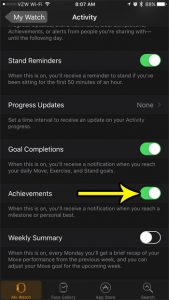
how to enable achievements in the apple watch activity app

How to Enable Activity Achievements on the Apple Watch

November 10, 2026January 2, 2018 by Kermit Matthews

Completing all of the goals and meeting your Move, Exercise, and Stand goals on the Apple Watch can be a satisfying experience. This reward system… Continue Reading How to Enable Activity Achievements on the Apple Watch

Categories Apple Watch Tags iphone 7
Smartwatch Camera Remote app showing the phone camera preview with the shutter button and timer highlighted

Take iPhone Photos From Your Apple Watch With Camera Remote

November 18, 2026December 22, 2017 by Kermit Matthews

Use the Camera Remote app on Apple Watch to control your iPhone camera: preview, focus, zoom, use the timer, switch cameras, record video, and fix connections. Continue Reading Take iPhone Photos From Your Apple Watch With Camera Remote

Categories iPhone, Apple Watch Tags apple watch, iphone 7
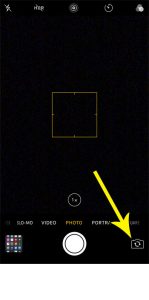
how to switch between front and rear camera on iphone

How to Switch Between the Front and Back Camera on iPhone

November 18, 2026December 22, 2017 by Kermit Matthews

You open Camera to photograph a menu and your own face fills the screen, or you want a selfie and the phone shows the ceiling.… Continue Reading How to Switch Between the Front and Back Camera on iPhone

Categories iPhone Tags iphone 7
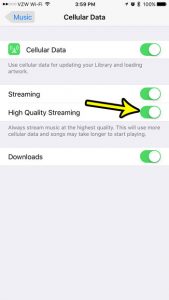
iphone music high quality streaming

How to Stream Higher-Quality Audio in Apple Music on iPhone

November 16, 2026December 18, 2017 by Kermit Matthews

Apple Music’s streaming quality now lives in Settings > Apps > Music > Audio Quality. There you can turn on Lossless Audio and choose the… Continue Reading How to Stream Higher-Quality Audio in Apple Music on iPhone

Categories iPhone Tags iphone 7
iPhone notification settings for an app with the Badges switch highlighted

How to Hide the Number of New Messages on iPhone

November 15, 2026December 15, 2017 by Kermit Matthews

Hide the number of new messages on iPhone: turn off the Messages badge, stop the Lock Screen count, hide previews, mute chats, and keep your number private. Continue Reading How to Hide the Number of New Messages on iPhone

Categories iPhone Tags iphone 7, Notifications, Text Messages
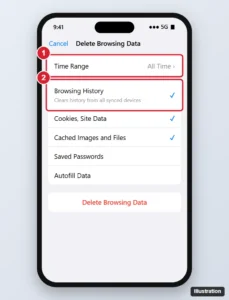
iPhone browser Delete Browsing Data screen with the time range and Browsing History option highlighted and the Delete button

How to Delete Browsing History in Chrome on iPhone

November 12, 2026December 12, 2017 by Kermit Matthews

Delete Chrome browsing history on iPhone for any time range, choose which data to clear, remove individual sites, and manage synced history and activity. Continue Reading How to Delete Browsing History in Chrome on iPhone

Categories iPhone, Chrome Tags chrome, iphone 7
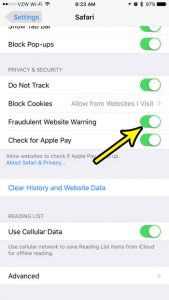
iphone 7 safari fraudulent website warning

How to Turn On Safari’s Fraudulent Website Warning on iPhone

November 17, 2026December 7, 2017 by Kermit Matthews

Want to know if Safari is already watching for fake websites? Open Settings, tap Apps, tap Safari, and look at the Fraudulent Website Warning switch.… Continue Reading How to Turn On Safari’s Fraudulent Website Warning on iPhone

Categories iPhone Tags iphone 7
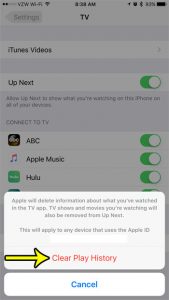
how to clear play history in the iphone tv app

How to Clear Your Play History in TV on an iPhone

November 10, 2026November 16, 2017 by Kermit Matthews

The TV app on your iPhone can consolidate a number of different movie and video streaming apps, allowing you to play a lot of different… Continue Reading How to Clear Your Play History in TV on an iPhone

Categories iPhone Tags iphone 7
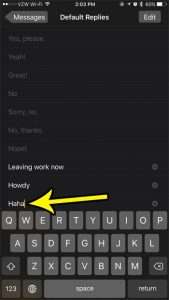
how to add more message replies to the apple watch

How to Add a New Default Reply for Messages on Your Apple Watch

November 10, 2026November 3, 2017 by Kermit Matthews

Your Apple Watch interacts with your iPhone really well, and has probably reduced the number of times that you need to perform certain tasks, or… Continue Reading How to Add a New Default Reply for Messages on Your Apple Watch

Categories iPhone Tags iphone 7
how switch fahrenhiet to celsius iphone 7

How to Change the Temperature Unit on iPhone

November 8, 2026November 2, 2017 by Kermit Matthews

Back from a trip abroad and your iPhone Weather app now says 22 degrees when you think in Fahrenheit? Or you moved to Canada and… Continue Reading How to Change the Temperature Unit on iPhone

Categories iPhone Tags iphone 7
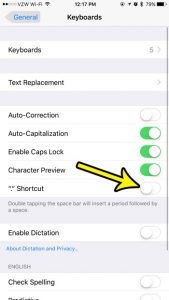
how turn off double spacebar shortcut iphone

How to Turn Off the Double-Space Period Shortcut on iPhone

November 10, 2026October 30, 2017 by Kermit Matthews

You tap the space bar twice to leave a little extra room, and the iPhone drops in a period instead. That is the “.” Shortcut,… Continue Reading How to Turn Off the Double-Space Period Shortcut on iPhone

Categories iPhone Tags iphone 7
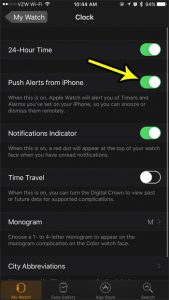
how to control timers and alarms on the apple watch

How to Get iPhone Alarms on Your Apple Watch

November 18, 2026October 23, 2017 by Kermit Matthews

Open the Apple Watch app on your iPhone, tap My Watch, tap Clock and turn on Push Alerts from iPhone. From then on, when an… Continue Reading How to Get iPhone Alarms on Your Apple Watch

Categories iPhone Tags apple watch, iphone 7
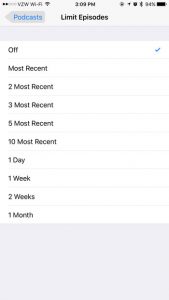
how to limit the number of podcast episodes on an iphone

How to Limit Downloaded Podcast Episodes on iPhone

November 14, 2026October 11, 2017 by Kermit Matthews

The old Limit Episodes setting is no longer part of the Podcasts app on current versions of iOS. Its job now belongs to Automatically Download,… Continue Reading How to Limit Downloaded Podcast Episodes on iPhone

Categories iPhone Tags iphone 7
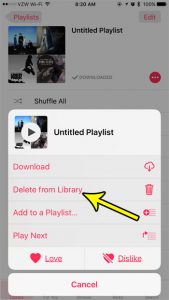
how to delete music playlist on iphone 7

How to Delete a Playlist from the iPhone Music App

May 3, 2023September 28, 2017 by Kermit Matthews

Playlists are fun to make. Whether you are looking for a group of songs that are fun based on a particular mood, or if you… Continue Reading How to Delete a Playlist from the iPhone Music App

Categories iPhone Tags iphone 7
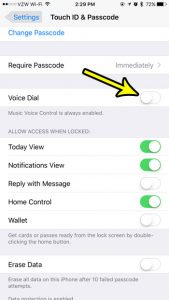
how to disable voice dial on iphone 7

How to Turn Off Voice Dial on iPhone

November 8, 2026September 27, 2017 by Kermit Matthews

A call you didn’t make shows up in your recent calls, or your iPhone says “Voice Dial” from your pocket while the screen is still… Continue Reading How to Turn Off Voice Dial on iPhone

Categories iPhone Tags iphone 7
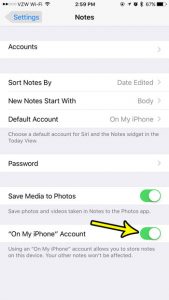
how to enable the on my iphone notes account

How to Enable the “On My iPhone” Account in Notes

November 10, 2026September 20, 2017 by Kermit Matthews

The Notes app on the iPhone is a great place to jot down ideas and save information that you think you may need again in… Continue Reading How to Enable the “On My iPhone” Account in Notes

Categories iPhone Tags iphone 7
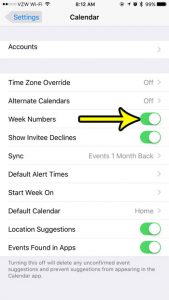
how to turn on week numbers iphone calendar

How to Show Week Numbers in the iPhone Calendar

November 14, 2026September 19, 2017 by Kermit Matthews

If your office, school or project plan talks about “week 37” instead of a date, you don’t have to count rows on a paper calendar.… Continue Reading How to Show Week Numbers in the iPhone Calendar

Categories iPhone Tags iphone 7
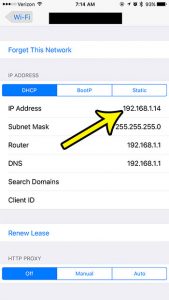
how to find ip address on iphone 7

How to Find the Local IP Address on iPhone

November 18, 2026September 15, 2017 by Kermit Matthews

A network printer, a game console, a router setting or a support agent may ask for your iPhone’s address on the home network. To see… Continue Reading How to Find the Local IP Address on iPhone

Categories iPhone Tags iphone 7
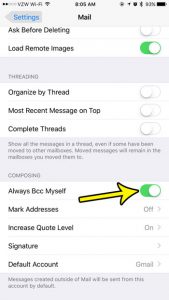
how to always bcc emails on iphone 7

How to Send Yourself a Copy of Every Email You Write on Your iPhone

November 10, 2026September 11, 2017 by Kermit Matthews

Keeping track of your sent emails can be a little tricky if you often access your email on a number of different devices. Certain types… Continue Reading How to Send Yourself a Copy of Every Email You Write on Your iPhone

Categories iPhone Tags iphone 7
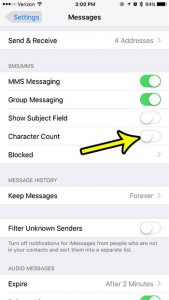
how to hide the character count on the iphone 7

How to Show or Hide Character Count in iPhone Messages

November 15, 2026September 8, 2017 by Kermit Matthews

That small number such as 45/160 sitting above the Send button while you type a text is the iPhone’s character counter. To remove it, open… Continue Reading How to Show or Hide Character Count in iPhone Messages

Categories iPhone Tags iphone 7
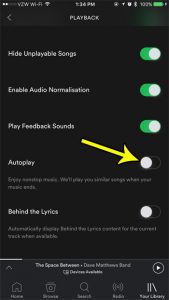
how to turn off autoplay in the iphone spotify app

How to Turn Off Autoplay in the iPhone Spotify App

November 14, 2026August 30, 2017 by Kermit Matthews

The Spotify music subscription service is some of the best money that I spend each month. You get access to a huge library of songs,… Continue Reading How to Turn Off Autoplay in the iPhone Spotify App

Categories iPhone Tags iphone 7
how to stop iphone buzzfeed notifications

How to Turn Off BuzzFeed Notifications on iPhone

November 9, 2026August 21, 2017 by Kermit Matthews

If BuzzFeed keeps lighting up your phone with quizzes, trending stories and breaking-news alerts, you can stop all of them in a few taps: open… Continue Reading How to Turn Off BuzzFeed Notifications on iPhone

Categories iPhone Tags iphone 7
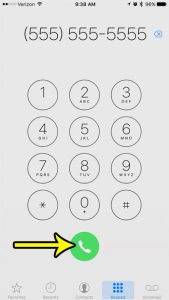
how to make phoen call on iphone 7

How to Dial a Phone Number on iPhone

November 17, 2026August 14, 2017 by Kermit Matthews

When the number you need is on a flyer, a receipt or a business card rather than in your contacts, you type it in yourself.… Continue Reading How to Dial a Phone Number on iPhone

Categories iPhone Tags iphone 7
Calendar notification settings with Allow Notifications highlighted

How to Turn Off Calendar Notifications on iPhone

November 14, 2026August 10, 2017 by Kermit Matthews

Stop iPhone calendar alerts in Settings, Notifications, Calendar, or turn off specific alert types and default alert times. Continue Reading How to Turn Off Calendar Notifications on iPhone

Categories iPhone Tags iphone 7
Calendar Default Alert Times settings with Time to Leave turned off

How to Stop Time to Leave Alerts in iPhone Calendar

November 14, 2026August 2, 2017 by Kermit Matthews

Turn off Time to Leave alerts on iPhone in Settings > Apps > Calendar > Default Alert Times, and change alerts for single events. Continue Reading How to Stop Time to Leave Alerts in iPhone Calendar

Categories iPhone Tags iphone 7
Phone app store Purchased list where apps not on the device show a cloud download icon instead of an Open button

Why Is There a Cloud Next to an App in the iPhone App Store?

November 10, 2026July 28, 2017 by Kermit Matthews

A cloud next to an app in the App Store means you own it but it isn’t on this iPhone. Tap to re-download free. Learn about offloading and download fixes. Continue Reading Why Is There a Cloud Next to an App in the iPhone App Store?

Categories iPhone Tags iphone 7
Phone 3D and Haptic Touch settings with the 3D Touch switch on and a sensitivity slider set between Light, Medium and Firm

How to Adjust or Turn Off Haptic Touch on iPhone

November 18, 2026July 18, 2017 by Kermit Matthews

Change 3D Touch sensitivity on an iPhone 7 to Light, Medium or Firm in Settings > Accessibility > Touch, or turn 3D Touch off and use Haptic Touch instead. Continue Reading How to Adjust or Turn Off Haptic Touch on iPhone

Categories iPhone Tags iphone 7
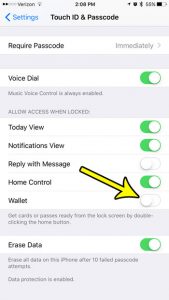
how to disable wallet on the iphone lock screen

How to Remove Wallet From the iPhone Lock Screen

November 10, 2026July 14, 2017 by Kermit Matthews

If Apple Pay keeps popping up when you press the side button, or you do not want your cards reachable from a locked iPhone, there… Continue Reading How to Remove Wallet From the iPhone Lock Screen

Categories iPhone Tags iphone 7
how to turn off email notifications for one account on an iphone 7

How to Turn Off Notifications for One Mail Account on iPhone

November 17, 2026July 14, 2017 by Kermit Matthews

When a work mailbox and a personal mailbox share one iPhone, every newsletter and reply-all chain can light up your screen. You do not have… Continue Reading How to Turn Off Notifications for One Mail Account on iPhone

Categories iPhone Tags iphone 7
iPhone Maps settings with the Distances options In Miles and In Kilometers highlighted

How to Switch Between Miles and Kilometers in iPhone Maps

November 17, 2026July 13, 2017 by Kermit Matthews

Switch between miles and kilometers in Apple Maps on iPhone from Maps settings, plus how to change units in Google Maps, Waze, and iOS region. Continue Reading How to Switch Between Miles and Kilometers in iPhone Maps

Categories iPhone Tags iphone 7
how to show missed calls on the iphone 7 lock screen

How to Show Missed Calls on the iPhone Lock Screen

November 17, 2026July 10, 2017 by Kermit Matthews

You pick up your iPhone, the Lock Screen is empty, and only later do you find out someone called. When missed calls never show up… Continue Reading How to Show Missed Calls on the iPhone Lock Screen

Categories iPhone Tags iphone 7
iPhone Settings for the browser Advanced page with the JavaScript toggle

How to Turn Off JavaScript in Safari on iPhone

November 17, 2026July 6, 2017 by Kermit Matthews

Turn off JavaScript in Safari on iPhone in Settings > Apps > Safari > Advanced (Settings > Safari > Advanced on older iOS), and what changes when it is off. Continue Reading How to Turn Off JavaScript in Safari on iPhone

Categories iPhone Tags iphone 7
iPhone Settings Safari Tabs section with the Tab Bar layout selected and highlighted

How to Show the Tab Bar in Safari on iPhone 7

November 17, 2026June 27, 2017 by Kermit Matthews

Show the Safari tab bar on iPhone 7: Settings > Safari > Tabs > Tab Bar. Plus Landscape Tab Bar, Single Tab, and tab tricks for iOS 15. Continue Reading How to Show the Tab Bar in Safari on iPhone 7

Categories iPhone Tags iphone 7
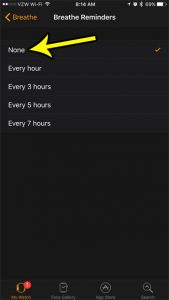
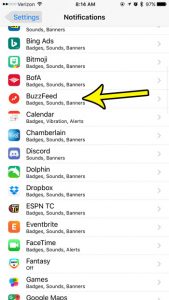
how to stop breathe reminders on the apple watch

How to Stop Breathe Reminders on the Apple Watch
November 10, 2026June 22, 2017 by Kermit Matthews

When I first got my Apple Watch, it was like a new toy, and I wanted to use it for everything. I also wanted to… Continue Reading How to Stop Breathe Reminders on the Apple Watch
Categories Apple Watch Tags Fitness, iphone 7
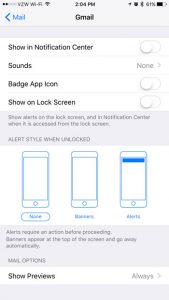
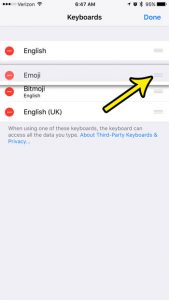
how to change the keyboard order on an iphone 7

How to Change the Order of Keyboards on iPhone

November 9, 2026June 15, 2017 by Kermit Matthews

If you type in two languages, landing on the wrong keyboard every time you start a message gets old fast. On current versions of iOS,… Continue Reading How to Change the Order of Keyboards on iPhone

Categories iPhone Tags iphone 7
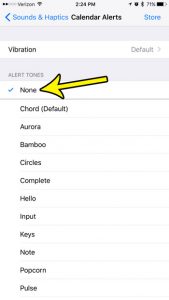
how to turn off calendar alert sound iphone 7

How to Turn Off Calendar Alert Sounds on iPhone

November 18, 2026June 7, 2017 by Kermit Matthews

A chime for every meeting, birthday and reminder adds up fast, especially on a busy day. To silence it, open Settings > Sounds & Haptics… Continue Reading How to Turn Off Calendar Alert Sounds on iPhone

Categories iPhone Tags iphone 7
Phone cellular Roaming settings with Voice Roaming, Data Roaming and an International CDMA switch turned off

How to Turn Off International CDMA on an iPhone 7

November 10, 2026June 1, 2017 by Kermit Matthews

Turn off International CDMA on an iPhone 7 in Settings > Cellular > Roaming. Learn what it does, how it differs from Data Roaming and why it may be missing. Continue Reading How to Turn Off International CDMA on an iPhone 7

Categories iPhone Tags iphone 7
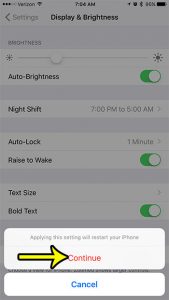
how to bold text on the iphone 7

How to Turn On Bold Text on iPhone

November 16, 2026May 31, 2017 by Kermit Matthews

Thin system text can be hard to read in bright sunlight, on a dim screen at night, or when your eyes are tired at the… Continue Reading How to Turn On Bold Text on iPhone

Categories iPhone Tags iphone 7
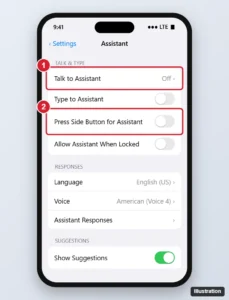
Phone voice assistant settings with Talk to the assistant set to Off and the side button option switched off

How to Turn Off Siri on iPhone (All iOS Versions)

November 16, 2026May 24, 2017 by Kermit Matthews

Turn off Siri on iPhone by disabling Talk to Siri and the side button option, block it on the Lock Screen and delete your Siri history. Continue Reading How to Turn Off Siri on iPhone (All iOS Versions)

Categories iPhone Tags iphone 7, siri
how to disable reddit app notifications on iphone 7

How to Turn Off Reddit Notifications on iPhone

November 18, 2026May 23, 2017 by Kermit Matthews

If replies, upvotes and “trending” posts from Reddit keep lighting up your iPhone, there are two places to stop them. To pick which kinds of… Continue Reading How to Turn Off Reddit Notifications on iPhone

Categories iPhone Tags iphone 7
App Store account screen with the Update All button and pending app updates

How to Check for App Updates on iPhone

November 10, 2026May 16, 2017 by Kermit Matthews

Check for app updates on iPhone from your App Store profile, tap Update All, and turn on automatic app updates in Settings. Continue Reading How to Check for App Updates on iPhone

Categories iPhone Tags iphone 7
iPhone Storage screen with the storage usage bar and the Offload Unused Apps recommendation highlighted

iPhone 7 Low on Space? Try These 5 Ways to Free Up Storage

November 18, 2026May 10, 2017 by Kermit Matthews

Free up space on an iPhone 7: check Settings > General > iPhone Storage, offload apps, optimize photos, delete old messages, and clear downloads. Continue Reading iPhone 7 Low on Space? Try These 5 Ways to Free Up Storage

Categories iPhone Tags Featured iPhone Guides, iphone 7
Control Center settings with Access Within Apps highlighted

How to Open Control Center on iPhone

November 18, 2026April 21, 2017 by Kermit Matthews

Open Control Center on an iPhone 7 by swiping up from the bottom edge. Learn to use it inside apps and customize which controls appear. Continue Reading How to Open Control Center on iPhone

Categories iPhone Tags iphone 7
iPhone Settings General About screen with the Name row highlighted

How to Change the Bluetooth Name on an iPhone

November 18, 2026April 19, 2017 by Kermit Matthews

Go to Settings > General > About > Name and type a new name. It changes your Bluetooth, AirDrop, and hotspot name. How to rename accessories too. Continue Reading How to Change the Bluetooth Name on an iPhone

Categories iPhone Tags bluetooth, iphone 7
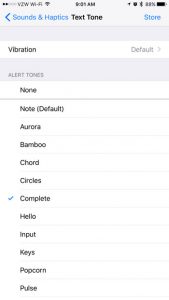
how to change iphone text messaging sounds

How to Change iPhone Text Messaging Sounds

November 13, 2026April 10, 2017 by Kermit Matthews

Learning how to change the iPhone text messaging sounds is one of the first pieces of information that many iPhone users will seek out when they… Continue Reading How to Change iPhone Text Messaging Sounds

Categories iPhone Tags iphone 7
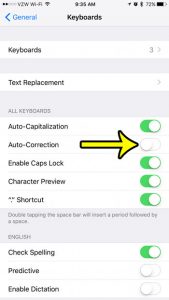
how to turn off autocorrect on an iphone 7

How to Turn Off Autocorrect on iPhone

November 10, 2026March 29, 2017 by Kermit Matthews

You type a name or a bit of slang, press Space, and your iPhone swaps it for a word you never meant. If that keeps… Continue Reading How to Turn Off Autocorrect on iPhone

Categories iPhone Tags iphone 7
iPhone Transfer or Reset iPhone screen with Erase All Content and Settings highlighted

How to Factory Reset an iPhone 7

November 15, 2026March 3, 2017 by Kermit Matthews

Factory reset an iPhone 7 in Settings > General > Transfer or Reset iPhone > Erase All Content and Settings. Plus how to reset without the passcode. Continue Reading How to Factory Reset an iPhone 7

Categories iPhone Tags iphone 7
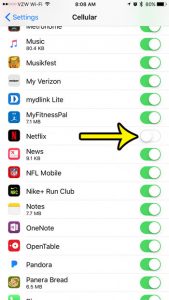
how to stop netflix from using cellular data on iphone

How to Stop Netflix From Using Cellular Data on iPhone

November 18, 2026February 21, 2017 by Kermit Matthews

Netflix gives you two levels of control on an iPhone. To stop it from using cellular data at all, open Settings > Cellular and turn… Continue Reading How to Stop Netflix From Using Cellular Data on iPhone

Categories iPhone Tags iphone 7
iPhone App Store prompt offering to download the last compatible version of an app on an older iOS version with the Download button highlighted

How to Get Netflix on an Older iPhone

November 15, 2026February 20, 2017 by Kermit Matthews

Set up Netflix on an iPhone 7: install the last compatible app version from Purchased, sign in, adjust downloads and data, and what to do if it won’t install. Continue Reading How to Get Netflix on an Older iPhone

Categories iPhone Tags iphone 7
Messages settings with the online messaging switch turned off

How to Turn Off iMessage on iPhone

November 17, 2026February 9, 2017 by Kermit Matthews

Turn off iMessage on iPhone 7 in Settings > Messages, keep Send as SMS on, and deregister your number if you switch to Android. Continue Reading How to Turn Off iMessage on iPhone

Categories iPhone Tags iphone 7
Older posts
Newer posts
← Previous Page1 Page2 Page3 Next →

Join Our Free Newsletter

Featured guides and deals

You may opt out at any time.
Read our Privacy Policy

Live2Tech

Plain-English, step-by-step guides for the devices and apps you use every day.

Apple

  • iPhone
  • iPad
  • Mac
  • Apple Watch

Windows

  • Windows 11
  • Windows 10

Microsoft Office

  • Word
  • Excel
  • Powerpoint
  • Outlook

Google

  • Google Docs
  • Google Sheets
  • Google Slides
  • Gmail
  • Chrome
  • Google Drive
  • About Us
  • Contact
  • Disclaimer
  • Privacy Policy
© Live2Tech.com 2026
  • iPhone
  • Windows
    • Windows 11
    • Windows 10
  • Office
    • Word
    • Excel
    • Powerpoint
    • Outlook
  • Google
    • Google Docs
    • Google Sheets
    • Google Slides
    • Gmail
    • Chrome
    • Google Drive
  • Mac & Apple
    • Mac
    • iPad
    • Apple Watch
  • All Tutorials