
How to Change the Home Screen on iPhone 11
Change your iPhone 11 Home Screen: set a new wallpaper, rearrange apps, add widgets, tint icons, and hide pages. Updated for iOS 18 and iOS 26. Continue Reading How to Change the Home Screen on iPhone 11
How-to guides and tutorials to help you perform specific tasks and use various Apple electronic devices.
Change your iPhone 11 Home Screen: set a new wallpaper, rearrange apps, add widgets, tint icons, and hide pages. Updated for iOS 18 and iOS 26. Continue Reading How to Change the Home Screen on iPhone 11

Attach Google Drive files to emails on iPhone 13 through the Files picker in Mail, the Gmail app, or share a Drive link. Continue Reading How to Attach Google Drive Files to an Email on iPhone 13

Make app icons bigger on iPhone 7 with Display Zoom, plus larger text, bold text, and Zoom options for easier reading on your iPhone. Continue Reading How to Make App Icons Bigger on iPhone 7 (Display Zoom)

See missed calls on iPhone in Phone > Recents > Missed. Missed calls show in red, with a badge and Lock Screen alerts if notifications are on. Continue Reading Where Can I See My iPhone Missed Calls?

Delete your YouTube search history on an iPad: remove single searches, clear all history in the app or at My Activity, and pause search history. Continue Reading How to Delete Your YouTube Search History on an iPad
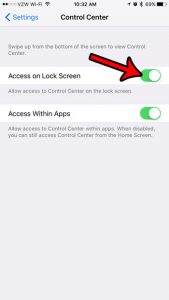
The Control Center has a lot of handy settings that let you adjust the features of your iPhone pretty quickly. One place where you are… Continue Reading How to Enable the Control Center on the iPhone Lock Screen

Make your iPhone 7 camera light flash for text messages with LED Flash for Alerts, flash in silent mode, and fix a flash that does not work. Continue Reading How to Make the Camera Flash When You Get a Text on iPhone 7
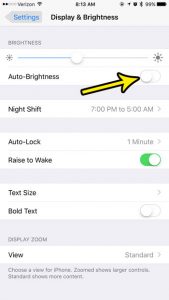
Auto-Brightness adjusts an iPhone’s display brightness based on ambient light. On the iPhone 7, Apple moved this control between different Settings locations across iOS versions,… Continue Reading How to Turn Off Auto Brightness on an iPhone 7

Reset network settings on an iPhone 11 to fix Wi-Fi, cellular, and Bluetooth problems: the exact steps, what gets erased, and how to set things up again. Continue Reading How to Reset Network Settings on an iPhone 11

Delete Pandora stations on iPhone: open My Collection, swipe left on the station, and tap Delete. Plus web steps and what happens to your thumbs. Continue Reading How to Delete Stations on Pandora on an iPhone

Turn on group messaging on an iPhone 7 in Settings > Messages with MMS Messaging and Group Messaging, learn how group texts work, and fix common problems. Continue Reading How to Turn On Group Messaging on an iPhone 7
Do you often find yourself watching video game streams or other content on twitch? it’s a great platform that offers a tremendous variety of content… Continue Reading How to Hide Twitch Chat in the iPhone App

Turn the iPhone camera QR scanner on or off in Settings > Camera > Scan QR Codes, and add the Code Scanner control to Control Center. Continue Reading How to Turn the iPhone Camera QR Code Scanner On or Off

The red number on the YouTube icon is a notification badge. Clear it by checking notifications, or turn off Badges in iPhone Settings > Notifications > YouTube. Continue Reading Why Is There a Red Number on My YouTube App Icon? (iPhone)
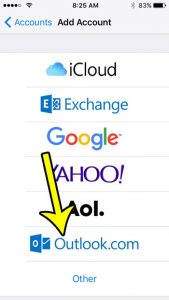
Setting up an email account on their smartphone is one of the first things that many people will do on their devices. The iPhone’s Mail… Continue Reading How to Add Email Account to iPhone SE from Outlook.com

Turn off Low Quality Image Mode on iPhone 7 in Settings > Messages so photos send at full quality. Check Low Data Mode if images still look compressed. Continue Reading How to Turn Off Low Quality Image Mode on an iPhone 7

Turn on Battery Percentage in iPhone Settings > Battery to see the exact charge on iPhone 7 and newer, plus Control Center and widget options. Continue Reading How to Show Battery Percentage on iPhone 7 (and Newer iPhones)

Change the Spotify volume level on iPhone to Loud, Normal, or Quiet under Settings and privacy > Playback, and fix low or uneven Spotify volume. Continue Reading How to Change the Spotify Volume Level on iPhone

Turn off vibration on iPhone 7 with Vibrate on Ring and Silent, use the Haptics menu on iOS 17 and later, or disable all vibrations in Accessibility. Continue Reading How to Turn Off Vibration on iPhone 7 (and Newer iPhones)

Delete apps on iPhone SE from the Home Screen, App Library or Settings, offload apps to save space, and fix apps that won’t delete. Continue Reading How to Delete Apps on iPhone SE (and Any iPhone)

Go to Settings > Cellular, turn on Cellular Data, and switch on FaceTime. How much data FaceTime uses, tips to save data, and fixes if calls fail. Continue Reading How to Use FaceTime Without Wi-Fi on an iPhone 6
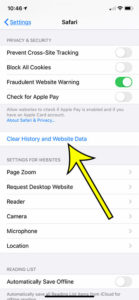
When you visit a website in the Safari browser on your iPhone, that page is saved to your history. Use these steps if you need… Continue Reading How to Check History on iPhone 6
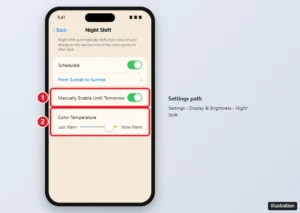
The iPhone’s blue light filter is Night Shift. Turn it on in Settings or Control Center, schedule it, make it warmer, or use Color Filters for a stronger tint. Continue Reading Where Is the Blue Light Filter on an iPhone? (Night Shift)

Double space a whole document in the Google Docs iPhone app: select all, open Format > Paragraph, and set line spacing to 2.00, plus troubleshooting tips. Continue Reading How to Double Space an Entire Document in the Google Docs iPhone App

Unlock screen rotation on an iPad from Control Center, check the side switch on older iPads, and fix an iPad that won’t rotate. Continue Reading How to Unlock Screen Rotation on an iPad

Microsoft retired the Edge Coupons feature, so the iPhone toggle is gone. Here is what changed and how to find valid discount codes now. Continue Reading Microsoft Edge Coupons on iPhone: Feature Retired

Stop your iPhone from deleting apps by turning off Offload Unused Apps, restore offloaded apps, and block app deletion with Screen Time. Continue Reading How to Stop Your iPhone From Deleting Apps Automatically

Keep your last filter in the iPhone Camera app by turning on Creative Controls in Settings > Camera > Preserve Settings. What each option saves and more. Continue Reading How to Keep Your Photo Filter Settings in the iPhone Camera App

The clock icon at the top of an iPhone 7 means an alarm is set. Turn off alarms in the Clock app, including sleep schedule alarms, to remove it. Continue Reading What Is the Clock Icon at the Top of My iPhone 7 Screen?

Turn off Do Not Disturb on iPhone from Control Center, the Lock Screen or Settings, and stop Focus schedules from turning it back on. Continue Reading How to Turn Off Do Not Disturb on iPhone (and Stop It Coming Back)

Turn off the passcode on an iPhone 7 in Touch ID & Passcode settings, learn what stops working, fix a grayed-out option, and faster unlock alternatives. Continue Reading How to Turn Off the Passcode on an iPhone 7

Include original attachments when replying in iPhone Mail by tapping Include, forwarding the email, or attaching the file again manually. Continue Reading How to Include Attachments When Replying on an iPhone

Turn off microphone access on iPhone 7 in Settings > Privacy > Microphone, or per app in Settings. Plus the orange dot, Siri, and Safari mic settings. Continue Reading How to Turn Off Microphone Access on an iPhone 7

Turn off read receipts on Apple Watch in the Watch app with a custom Messages setting, turn them off on iPhone for both, or change them per conversation. Continue Reading How to Turn Off Message Read Receipts on Apple Watch
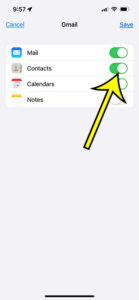
It’s always a good practice to backup all your iPhone data to a safe location. This way, you can retrieve your important pictures, videos, and… Continue Reading How to Back Up iPhone 13 Contacts to Gmail

Remove the iPhone volume limit: turn off Reduce Loud Audio in Headphone Safety, or use Music > Volume Limit on older iOS. Plus Screen Time fixes. Continue Reading How to Turn Off the Volume Limit on an iPhone (Music and Headphones)

Forward an email on iPhone 13 in the Mail app with or without attachments, forward in Gmail and Outlook, and work around forwarding several emails. Continue Reading How to Forward an Email on iPhone 13 (Mail, Gmail, Outlook)
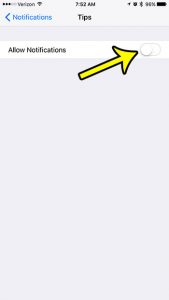
Your iPhone has an app called Tips that offers assorted pointers and guides for ways to do things on your device. This is helpful for… Continue Reading How to Turn Off Tips on iPhone 7

Remove a contact from Favorites on iPhone 13 in the Phone app with Edit or a swipe, plus how to reorder favorites and stop them from coming back. Continue Reading How to Remove a Contact from Favorites on iPhone 13
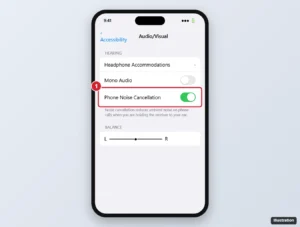
Turn on Phone Noise Cancellation on an iPhone 7 in Accessibility settings, learn what it does on calls, and get tips to reduce noise the other person hears. Continue Reading How to Enable Phone Noise Cancellation on an iPhone 7

Stop your iPhone from erasing all data after 10 failed passcode attempts: turn off Erase Data in Face ID & Passcode, and learn what happens after lockouts. Continue Reading How to Disable the iPhone Setting That Erases Data After 10 Failed Attempts

Auto-Lock is grayed out because Low Power Mode is on. Turn it off in Settings > Battery, then change Auto-Lock. Other causes like management profiles. Continue Reading How to Fix iPhone Auto-Lock Greyed Out
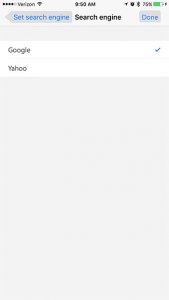
If you are a user of the Microsoft edge iPhone app then you may not like that your searches from the address bar are occurring… Continue Reading How to Change the Default Search Engine in Edge on an iPhone

Turn off TTY on an iPhone 7 or newer in Settings > Accessibility > RTT/TTY by switching off Software RTT/TTY and Hardware TTY. Learn what each setting does. Continue Reading How to Turn Off TTY on iPhone 7 (and Newer iPhones)

Keep your iPhone 7 or any iPhone from going to sleep by changing Auto-Lock to Never or a longer time, and fix Auto-Lock when Low Power Mode greys it out. Continue Reading How to Keep Your iPhone From Going to Sleep (Auto-Lock)
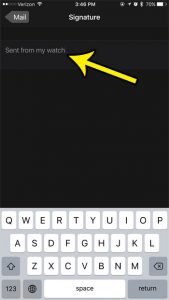
Email sent from an Apple Watch can use a signature configured through the Watch app on its paired iPhone. The exact wording and location of… Continue Reading How to Change Apple Watch Email Signature

Remove a city from the iPhone Weather app by swiping left in the city list or using Edit List, reorder cities, and hide My Location. Continue Reading How to Remove a City From the iPhone Weather App

Turn on Night Shift in iOS 10 from Control Center or Settings, schedule it from sunset to sunrise, adjust color warmth, and fix a missing schedule. Continue Reading How to Enable Night Shift Mode in iOS 10 (Schedule and Settings)

Switch an iPhone SE to the 12-hour clock in Settings, General, Date and Time by turning off 24-Hour Time. Includes fixes if it is greyed out. Continue Reading How to Switch to a 12-Hour Clock on an iPhone SE
