Skip to content
Live2Tech
  • iPhone
  • Windows
    • Windows 11
    • Windows 10
  • Office
    • Word
    • Excel
    • Powerpoint
    • Outlook
  • Google
    • Google Docs
    • Google Sheets
    • Google Slides
    • Gmail
    • Chrome
    • Google Drive
  • Mac & Apple
    • Mac
    • iPad
    • Apple Watch
  • All Tutorials

Google Docs

How-to guides and tutorials to help you perform specific tasks and use the Google Docs word-processing application.

Google Docs Insert special characters window with a search for e acute and the é character highlighted

How to Put an Accent Over a Letter in Google Docs

November 17, 2026December 9, 2021 by Kermit Matthews

Add accented letters in Google Docs with Insert > Symbols > Special characters, or type them from a Windows, Mac, Chromebook or phone keyboard. Steps for each. Continue Reading How to Put an Accent Over a Letter in Google Docs
Categories Google Docs
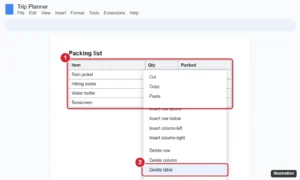
Online document with a table and the right-click menu open showing Delete table highlighted

How to Delete a Table in Google Docs (Computer and Mobile)

November 13, 2026October 6, 2021 by Kermit Matthews

Delete a table in Google Docs on a computer, Android, or iPhone, remove only rows or columns, keep the text without the table, or hide the borders instead. Continue Reading How to Delete a Table in Google Docs (Computer and Mobile)

Categories Google Docs Tags Objects, Tables
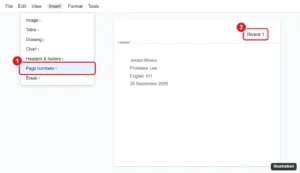
Document header with a last name and page number aligned to the top right, and the Insert Page numbers option highlighted

How to Add Your Last Name and Page Number in Google Docs
November 14, 2026October 5, 2021 by Kermit Matthews

Add your last name and page number to the top right of Google Docs for an MLA header: insert page numbers, type your name, and fix spacing issues. Continue Reading How to Add Your Last Name and Page Number in Google Docs
Categories Google Docs Tags Featured Docs Guides, Header
Online document editor with a hyperlink selected, the link preview card open, and the Edit link pencil button highlighted

How to Edit a Hyperlink in Google Docs (Computer and Mobile)
November 10, 2026September 30, 2021 by Kermit Matthews

Edit a hyperlink in Google Docs: change link text and address from the link card or Ctrl+K, edit on mobile, remove links, and stop automatic links. Continue Reading How to Edit a Hyperlink in Google Docs (Computer and Mobile)
Categories Google Docs
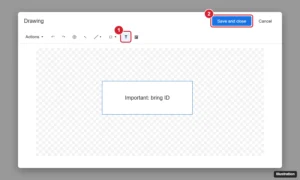
Google Docs Drawing window with the Text box tool highlighted and the Save and close button

Make a Text Box in Google Docs With Drawing or a Table
November 12, 2026June 16, 2021 by Kermit Matthews

Click Insert > Drawing > New, choose the Text box tool, draw and type, then Save and close. Or use a one-cell table. How to style, move, and edit it. Continue Reading Make a Text Box in Google Docs With Drawing or a Table

Categories Google Docs Tags Featured Docs Guides, Text Box
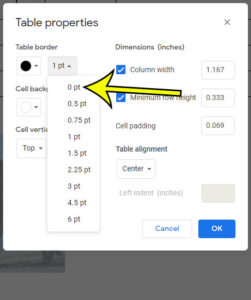
how to remove a table border in Google Docs

How to Remove a Table Border in Google Docs

November 17, 2026April 5, 2021 by Kermit Matthews

Google Docs has a number of different tools and formatting settings that let you customize your document. If you’ve inserted a table into your document,… Continue Reading How to Remove a Table Border in Google Docs

Categories Google Docs
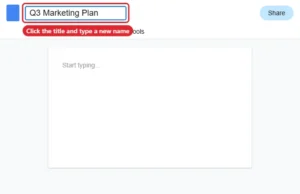
Online document editor with the title box at the top left selected for renaming

How to Rename a Document in Google Docs

November 13, 2026April 2, 2021 by Kermit Matthews

Rename a Google Doc by clicking its title, using File > Rename, or renaming it in Google Drive on a computer or phone. Continue Reading How to Rename a Document in Google Docs

Categories Google Docs Tags Files
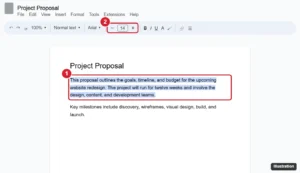
Document editor toolbar with selected text and the font size box with minus and plus buttons highlighted

How to Change Font Size in Google Docs (Computer and Mobile)

September 25, 2026March 2, 2021 by Kermit Matthews

Change font size in Google Docs with the size box, keyboard shortcuts, or paragraph styles, set a default size, and adjust text in the mobile app. Continue Reading How to Change Font Size in Google Docs (Computer and Mobile)

Categories Google Docs
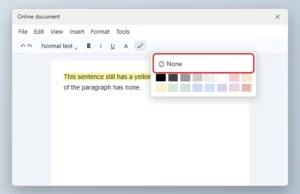
Online document editor highlight color palette open with the None option highlighted

How to Remove Text Highlighting in Google Docs

November 10, 2026March 1, 2021 by Kermit Matthews

Remove highlight color in Google Docs with Highlight color > None, and fix colors from comments, suggestions, table shading, or pasted text. Continue Reading How to Remove Text Highlighting in Google Docs

Categories Google Docs Tags Text Formatting
Google Docs Page setup dialog with the Landscape orientation option and OK button highlighted

How to Switch to Landscape Orientation in Google Docs (Computer and App)

November 7, 2026February 26, 2021 by Kermit Matthews

Switch a Google Doc to landscape with File > Page setup, rotate just one page, change it in the mobile app, and make landscape your default. Continue Reading How to Switch to Landscape Orientation in Google Docs (Computer and App)

Categories Google Docs
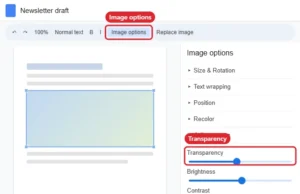
Online document editor with an image selected and the Image options panel open to Adjustments with the Transparency slider

How to Make a Picture More Transparent in Google Docs

November 17, 2026February 26, 2021 by Kermit Matthews

Make an image more transparent in Google Docs with Image options > Adjustments > Transparency, add a faded watermark, and handle transparent backgrounds. Continue Reading How to Make a Picture More Transparent in Google Docs

Categories Google Docs
Online document with the footer open for editing, the page number selected, and the Options menu showing Page numbers highlighted

How to Remove Page Numbers in Google Docs (All, First Page, or One Section)

November 10, 2026February 19, 2021 by Kermit Matthews

Remove page numbers in Google Docs from every page, hide them on the first page, or remove them from one section, on computer or mobile. Continue Reading How to Remove Page Numbers in Google Docs (All, First Page, or One Section)

Categories Google Docs
Google Docs Borders and shading dialog with the bottom border selected and Border width set to 3pt highlighted

How to Adjust Horizontal Line Thickness in Google Docs

November 10, 2026November 13, 2020 by Kermit Matthews

Google Docs’ built-in horizontal line can’t be resized, so use a paragraph border, a drawing, or a table to make a thicker or colored line. Continue Reading How to Adjust Horizontal Line Thickness in Google Docs

Categories Google Docs
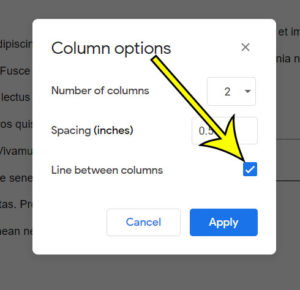
how to add a line between columns  in Google Docs

How to Add a Line Between Columns in Google Docs

November 10, 2026June 19, 2020 by Kermit Matthews

When you have multiple columns in a document and you don’t have a lot of space between those columns, the content in each column can… Continue Reading How to Add a Line Between Columns in Google Docs

Categories Google Docs
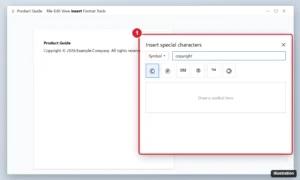
Online document editor with the Special characters dialog searching for copyright and the copyright symbol highlighted

How to Add a Copyright Symbol in Google Docs (3 Ways)

November 17, 2026June 10, 2020 by Kermit Matthews

Add the copyright symbol in Google Docs by typing (c), using Insert > Special characters, or shortcuts like Alt+0169 and Option+G. Mobile tips too. Continue Reading How to Add a Copyright Symbol in Google Docs (3 Ways)

Categories Google Docs
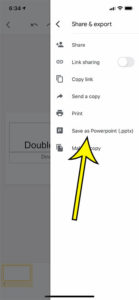
how to convert to Powerpoint in the Google Slides iPhone app

How to Convert to Powerpoint in the Google Slides iPhone App

November 10, 2026May 14, 2020 by Kermit Matthews

These steps will show you how to convert your Google Slides file to Powerpoint in the Google Slides iPhone app, then save that converted file… Continue Reading How to Convert to Powerpoint in the Google Slides iPhone App

Categories Google Docs Tags File Conversion, iphone
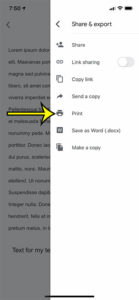
how to print in Google Docs mobile

How to Print in Google Docs Mobile

November 10, 2026April 23, 2020 by Kermit Matthews

The steps below will show you how to print in the Google Docs mobile app on your iPhone.  When you get to the Print menu… Continue Reading How to Print in Google Docs Mobile

Categories Google Docs Tags iphone
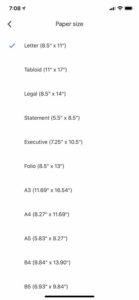
how to change paper size in the Google Docs iPhone app

How to Change Paper Size on iPhone in the Google Docs App

November 15, 2026January 29, 2020 by Kermit Matthews

While your focus when creating or editing a document in the Google Docs iPhone app is probably more on the content, you may also need… Continue Reading How to Change Paper Size on iPhone in the Google Docs App

Categories Google Docs
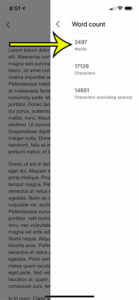
how to view a document word count in the Google Docs iPhone app

How to Check Word Count in Google Docs (Computer, iPhone, Android)

November 13, 2026January 22, 2020 by Kermit Matthews

Got a 500-word essay limit or a 250-word application box to fill? Google Docs counts for you. On a computer, select Tools > Word count… Continue Reading How to Check Word Count in Google Docs (Computer, iPhone, Android)

Categories Google Docs
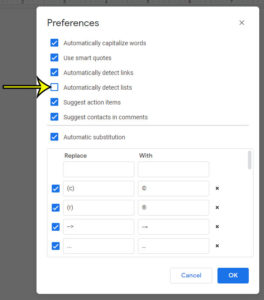
how to stop Google Docs from automatically detecting lists

How to Stop Google Docs From Turning Text Into Lists

November 9, 2026July 17, 2019 by Kermit Matthews

To stop Google Docs from turning text into lists, open a document on a computer, go to Tools > Preferences and clear the checkbox that… Continue Reading How to Stop Google Docs From Turning Text Into Lists

Categories Google Docs
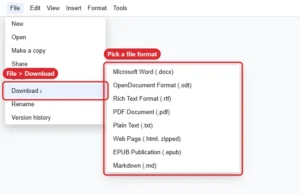
Online document editor File > Download menu listing export formats

What File Formats Can Google Docs Convert To?

November 10, 2026May 23, 2019 by Kermit Matthews

Google Docs downloads as Word, ODT, RTF, PDF, TXT, zipped HTML, EPUB and Markdown. See how to convert and which format to choose. Continue Reading What File Formats Can Google Docs Convert To?

Categories Google Docs
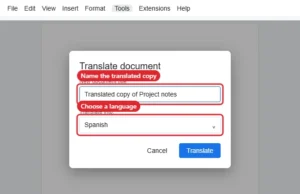
Translate document dialog with a new document title and a target language chosen

How to Translate a Document in Google Docs

November 12, 2026April 19, 2018 by Kermit Matthews

Use Tools > Translate document in Google Docs to make a translated copy in over 100 languages, plus tips for partial and file translations. Continue Reading How to Translate a Document in Google Docs

Categories Google Docs
how to show the menu bar in google docs

Where Did the Top Menu Go in Google Docs?

November 10, 2026February 20, 2018 by Kermit Matthews

The top menu in Google Docs contains links that expand to provide you with a number of different settings and options for your document. The… Continue Reading Where Did the Top Menu Go in Google Docs?

Categories Google Docs
how to view version history in google docs

How to View a Document’s Version History in Google Docs

November 10, 2026February 12, 2018 by Kermit Matthews

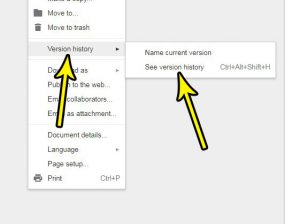
Have you ever made a lot of changes to a document, only to discover later that those changes were unnecessary, or unwanted? Rolling back a… Continue Reading How to View a Document’s Version History in Google Docs

Categories Google Docs
how to reset a picture in google docs

How to Reset an Image in Google Docs (Undo All Edits)

November 10, 2026February 12, 2018 by Kermit Matthews

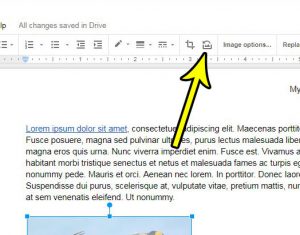
To throw away the changes you made to a picture in Google Docs, right-click the image and choose Reset image. Google says the edited image… Continue Reading How to Reset an Image in Google Docs (Undo All Edits)

Categories Google Docs
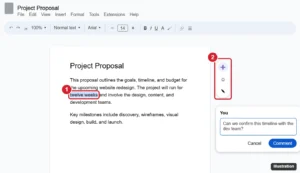
Document editor with text selected and the floating add comment button and comment box highlighted

How to Add a Comment in Google Docs (Desktop and Mobile)

November 12, 2026January 30, 2018 by Kermit Matthews

Add a comment in Google Docs with the margin button or Ctrl + Alt + M, then mention people, assign tasks, reply, resolve, and view comment history. Continue Reading How to Add a Comment in Google Docs (Desktop and Mobile)

Categories Google Docs
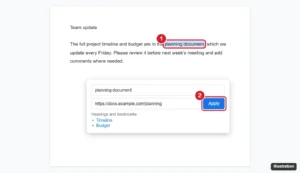
Online document with text selected and the Insert link box open with a URL pasted and the Apply button highlighted

How to Add a Hyperlink in Google Docs

November 10, 2026January 18, 2018 by Kermit Matthews

Add a hyperlink in Google Docs with Ctrl+K or Insert > Link, link to headings and bookmarks, edit or remove links, and add links in the mobile app. Continue Reading How to Add a Hyperlink in Google Docs

Categories Google Docs
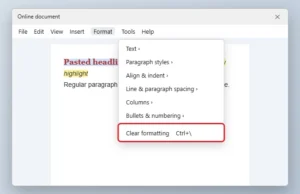
Online document editor Format menu open with Clear formatting highlighted over selected text

How to Remove Formatting in Google Docs

November 16, 2026January 15, 2018 by Kermit Matthews

Clear formatting from selected text in Google Docs with Ctrl + backslash or Format > Clear formatting, reset headings, and paste without formatting. Continue Reading How to Remove Formatting in Google Docs

Categories Google Docs
Newer posts
← Previous Page1 Page2 Page3

Join Our Free Newsletter

Featured guides and deals

You may opt out at any time.
Read our Privacy Policy

Live2Tech

Plain-English, step-by-step guides for the devices and apps you use every day.

Apple

  • iPhone
  • iPad
  • Mac
  • Apple Watch

Windows

  • Windows 11
  • Windows 10

Microsoft Office

  • Word
  • Excel
  • Powerpoint
  • Outlook

Google

  • Google Docs
  • Google Sheets
  • Google Slides
  • Gmail
  • Chrome
  • Google Drive
  • About Us
  • Contact
  • Disclaimer
  • Privacy Policy
© Live2Tech.com 2026
  • iPhone
  • Windows
    • Windows 11
    • Windows 10
  • Office
    • Word
    • Excel
    • Powerpoint
    • Outlook
  • Google
    • Google Docs
    • Google Sheets
    • Google Slides
    • Gmail
    • Chrome
    • Google Drive
  • Mac & Apple
    • Mac
    • iPad
    • Apple Watch
  • All Tutorials