Skip to content
Live2Tech
  • iPhone
  • Windows
    • Windows 11
    • Windows 10
  • Office
    • Word
    • Excel
    • Powerpoint
    • Outlook
  • Google
    • Google Docs
    • Google Sheets
    • Google Slides
    • Gmail
    • Chrome
    • Google Drive
  • Mac & Apple
    • Mac
    • iPad
    • Apple Watch
  • All Tutorials

Google Docs

How-to guides and tutorials to help you perform specific tasks and use the Google Docs word-processing application.

How to Center in Google Docs: Text, Images, Tables, and Pages

November 10, 2026April 24, 2024 by Kermit Matthews

Struggling to center your content in Google Docs? Our step-by-step guide will show you how to align text, images, and tables with ease. Continue Reading How to Center in Google Docs: Text, Images, Tables, and Pages
Categories Google Docs
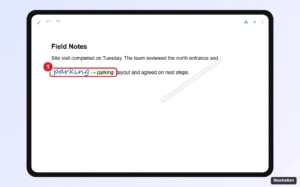
Tablet document editing app with a stylus writing a word in the text area that converts to typed text

How to Use Apple Pencil With Google Docs (What Works)

November 16, 2026April 24, 2024 by Kermit Matthews

Use Apple Pencil with Google Docs on iPad: Scribble handwriting to text, why drawing is not supported, and how to add sketches or annotate a PDF copy. Continue Reading How to Use Apple Pencil With Google Docs (What Works)

Categories Google Docs

How to Remove a Horizontal Line in Google Docs (Every Type)

November 10, 2026April 24, 2024 by Kermit Matthews

Struggling with unwanted horizontal lines in your Google Docs? Our step-by-step guide will show you how to easily remove them in no time! Continue Reading How to Remove a Horizontal Line in Google Docs (Every Type)

Categories Google Docs

How to Add a Vertical Line in Google Docs: 5 Easy Methods

November 11, 2026April 22, 2024 by Kermit Matthews

Learn how to easily add a vertical line to your Google Docs with this step-by-step guide. Perfect for organizing text and creating sections! Continue Reading How to Add a Vertical Line in Google Docs: 5 Easy Methods

Categories Google Docs
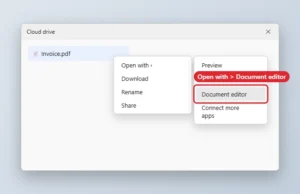
Cloud drive right-click menu with Open with and the document editor option highlighted

How to Open a PDF in Google Docs

November 16, 2026April 19, 2024 by Kermit Matthews

Open a PDF in Google Docs by uploading it to Drive and choosing Open with, Google Docs. Formatting may shift on complex PDFs. Continue Reading How to Open a PDF in Google Docs

Categories Google Docs
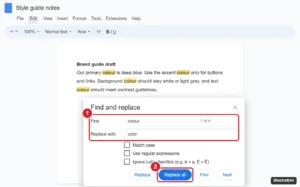
Online document editor with the Find and replace dialog open, Find set to colour and Replace with set to color, matches highlighted in the text and the Replace all button highlighted

How to Replace Words in Google Docs (Find and Replace Guide)

November 13, 2026April 18, 2024 by Kermit Matthews

Replace words in Google Docs with Find and replace (Ctrl + H): use Match case, replace whole words with regular expressions, and do it on mobile. Continue Reading How to Replace Words in Google Docs (Find and Replace Guide)

Categories Google Docs
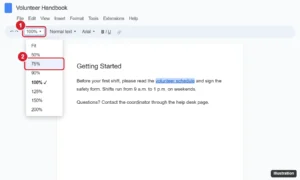
Online document editor with the toolbar zoom menu open showing Fit and percentages from 50 to 200 percent
How to Zoom In and Out in Google Docs (Computer and Mobile)

November 10, 2026April 17, 2024 by Kermit Matthews

Zoom out or in on Google Docs with the toolbar zoom box, browser shortcuts like Ctrl + minus, or pinch zoom on mobile, plus fixes for zoom problems. Continue Reading How to Zoom In and Out in Google Docs (Computer and Mobile)

Categories Google Docs
Online document with the writing assistant button highlighted in the lower-right corner and an underlined suggestion

How to Add Grammarly to Google Docs (Chrome, Edge, Firefox and Safari)

November 13, 2026March 15, 2024 by Kermit Matthews

Add Grammarly to Google Docs in Chrome, Edge, Firefox or Safari, use its suggestions, turn it off for Docs, and fix a missing Grammarly button. Continue Reading How to Add Grammarly to Google Docs (Chrome, Edge, Firefox and Safari)

Categories Google Docs
Document editor with an image selected and the In front of text wrapping option chosen to overlay it on another image

How to Overlay Pictures in Google Docs

November 13, 2026January 18, 2024 by Kermit Matthews

Overlay images in Google Docs with Behind text and In front of text wrapping, or layer pictures precisely in a Google Drawing. Continue Reading How to Overlay Pictures in Google Docs
Categories Google Docs

How to Upload a Document to Google Docs on PC or Mac

November 16, 2026January 11, 2024 by Kermit Matthews

Upload a Word or other document to Google Docs from a PC or Mac, convert it to Google Docs format, or edit the .docx as is. Includes fixes. Continue Reading How to Upload a Document to Google Docs on PC or Mac

Categories Google Docs
Google Docs document with a page break at the end of page 1 and an empty page 2 highlighted

How to Delete a Page in Google Docs

November 10, 2026January 4, 2024 by Kermit Matthews

Select the page content and press Delete. For a blank page, remove page breaks, extra lines, or space after a table. Steps for computer and mobile. Continue Reading How to Delete a Page in Google Docs

Categories Google Docs
Google Docs page with a two-column table of business cards and the Table properties panel set to 3.5 by 2 inches

How to Make a Business Card Template in Google Docs

November 17, 2026January 2, 2024 by Kermit Matthews

Build a business card sheet in Google Docs with a table sized in Table options, save it as a master file, and copy it for every new batch of cards you print. Continue Reading How to Make a Business Card Template in Google Docs

Categories Google Docs

How to Make Address Labels in Google Docs

November 17, 2026November 6, 2023 by Kermit Matthews

Creating address labels in Google Docs is a breeze once you know the steps. Start by setting up a new document in Google Docs, then… Continue Reading How to Make Address Labels in Google Docs

Categories Google Docs
Tablet note-taking app settings on the Cloud and Backup page with the cross-platform cloud sync option and its Get started button highlighted, and a laptop showing the same notebooks

How to Add Notes to a Google Doc

November 10, 2026November 6, 2023 by Kermit Matthews

Add notes to a Google Doc with comments, footnotes, the Keep side panel or Suggesting mode, on computer and mobile, plus how to print or hide them. Continue Reading How to Add Notes to a Google Doc

Categories Google Docs
Browser print dialog with More settings expanded and the Print on both sides option with Flip on long edge highlighted

How to Print Double-Sided on Google Docs

November 17, 2026November 6, 2023 by Kermit Matthews

Print double-sided from Google Docs using the browser print dialog or your printer settings, or print odd and even pages manually if your printer cannot duplex. Continue Reading How to Print Double-Sided on Google Docs

Categories Google Docs

How to Make Fractions in Google Docs

November 15, 2026November 3, 2023 by Kermit Matthews

To create a fraction in Google Docs, you can use the equation tool or insert a drawing of a fraction. Open the document, click on… Continue Reading How to Make Fractions in Google Docs

Categories Google Docs
Page setup dialog with the Page color option open showing a color palette

How to Change the Page Color (Background) of a Google Doc

November 14, 2026November 3, 2023 by Kermit Matthews

Change a Google Doc background with File > Page setup > Page color, set it as default, and color text, highlights and table cells. Continue Reading How to Change the Page Color (Background) of a Google Doc

Categories Google Docs

How to MLA Format Google Docs

September 28, 2026November 3, 2023 by Kermit Matthews

To MLA format a document in Google Docs, you start by setting the correct margins, choosing the appropriate font, and organizing your header with your… Continue Reading How to MLA Format Google Docs

Categories Google Docs

How to Add a Heading in Google Docs

November 14, 2026November 3, 2023 by Kermit Matthews

Adding a heading in Google Docs is a simple task. Just click on the “Normal text” dropdown menu on the toolbar, select “Heading,” then choose… Continue Reading How to Add a Heading in Google Docs

Categories Google Docs
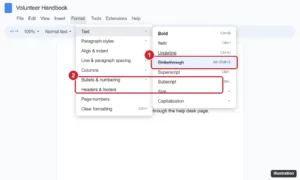
Online document editor Format menu with the Text submenu open and Strikethrough highlighted, and struck-through text in the document

How to Add or Remove Strikethrough in Google Docs

November 16, 2026October 31, 2023 by Kermit Matthews

Use strikethrough in Google Docs with Alt+Shift+5 or Command+Shift+X, the Format menu, or the mobile app, and remove it or use checklists instead. Continue Reading How to Add or Remove Strikethrough in Google Docs

Categories Google Docs

How to Add Google Docs Page Numbers

November 15, 2026October 31, 2023 by Kermit Matthews

Adding page numbers to your Google Docs document can be done in a few simple steps: Click on ‘Insert’ at the top, select ‘Header &… Continue Reading How to Add Google Docs Page Numbers

Categories Google Docs
Google Docs Format menu with Text and Superscript highlighted

How to Use Superscript in Google Docs

September 24, 2026October 31, 2023 by Kermit Matthews

Add superscript in Google Docs with Ctrl + . (Command + . on Mac) or Format > Text > Superscript, on desktop and mobile. Plus subscript and symbols. Continue Reading How to Use Superscript in Google Docs

Categories Google Docs

How to Delete a Google Docs Text Box

November 10, 2026October 31, 2023 by Kermit Matthews

Deleting a text box in Google Docs can be done in a few simple steps: click on the text box, press the delete or backspace… Continue Reading How to Delete a Google Docs Text Box

Categories Google Docs
how to delete a document in Google Drive

How to Delete a Document in Google Drive

November 14, 2026February 14, 2023 by Kermit Matthews

The Google Drive cloud storage that comes with your Google account can accommodate a lot of documents and spreadsheets. But even if you aren’t running… Continue Reading How to Delete a Document in Google Drive

Categories Google Docs
how to do subscript in Google Docs

How to Do Subscript in Google Docs

November 16, 2026February 6, 2023 by Kermit Matthews

You may discover many of the same features in Google Docs that you would find in Microsoft Word, including a large number of text formatting… Continue Reading How to Do Subscript in Google Docs

Categories Google Docs
Google Docs Format menu with Columns open and the one-column preset highlighted

How to Remove Columns in Google Docs

November 10, 2026December 28, 2022 by Kermit Matthews

Remove columns in Google Docs with Format > Columns > one column, delete column breaks, or delete a table column with a right-click. Continue Reading How to Remove Columns in Google Docs

Categories Google Docs
Online document editor Format menu open to Columns with the single-column preset highlighted

How to Switch Back to One Column in Google Docs

November 10, 2026December 28, 2022 by Kermit Matthews

Switch Google Docs back to one column with Format > Columns, fix sections that stay in columns, and remove column and section breaks. Continue Reading How to Switch Back to One Column in Google Docs

Categories Google Docs
Google Docs Insert menu open with Break and Page break highlighted

How to Add a Page in Google Docs

November 10, 2026December 11, 2022 by Kermit Matthews

Add a page in Google Docs with Ctrl + Enter or Insert > Break > Page break on a computer or phone, switch from Pageless to Pages, and delete extra pages. Continue Reading How to Add a Page in Google Docs

Categories Google Docs Tags Breaks, Featured Docs Guides
Google Docs app on iPhone with the Share and export menu open and Send a copy highlighted

How to Save a Google Doc to Your iPhone

November 10, 2026December 10, 2022 by Kermit Matthews

In the Google Docs app, tap More > Share & export > Send a copy, choose PDF or Word, then Save to Files. Or turn on Available offline to use it without Wi-Fi. Continue Reading How to Save a Google Doc to Your iPhone

Categories Google Docs Tags Featured iPhone Guides
Online document editor with an Email this file dialog showing recipient, subject, message and the PDF attachment format selected

How to Email a Google Docs File as a PDF Attachment

November 12, 2026November 30, 2022 by Kermit Matthews

Email a Google Doc as a PDF with File > Email > Email this file, or download and attach it, plus steps for the mobile app. Continue Reading How to Email a Google Docs File as a PDF Attachment

Categories Google Docs
Online document editor with an image selected showing its rotation handle, and the Image options panel open to Size and Rotation with the Angle box and rotate 90 degree buttons

How to Rotate (or Flip) a Picture in Google Docs

November 10, 2026November 9, 2022 by Kermit Matthews

Rotate a picture in Google Docs by dragging its handle or setting an exact angle in Image options, flip it with Google Drawings, and rotate on mobile. Continue Reading How to Rotate (or Flip) a Picture in Google Docs

Categories Google Docs
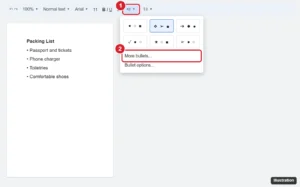
Online document toolbar with the bulleted list dropdown open showing bullet style presets and More bullets highlighted

How to Change the Bullet Point Style in Google Docs

November 10, 2026November 8, 2022 by Kermit Matthews

Change bullet point styles in Google Docs with toolbar presets or More bullets for any symbol, and adjust bullet color, size, and list levels. Continue Reading How to Change the Bullet Point Style in Google Docs

Categories Google Docs
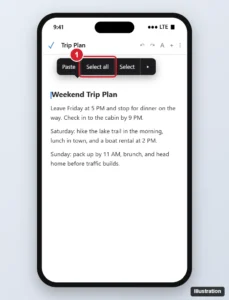
Document editing app on a phone with the pop-up menu open after a long press and Select all highlighted

How to Select All in the Google Docs iPhone App

November 10, 2026November 8, 2022 by Kermit Matthews

Select all text in the Google Docs iPhone app: tap the pencil, touch and hold the text, then tap Select all. Plus formatting tips and fixes. Continue Reading How to Select All in the Google Docs iPhone App

Categories Google Docs
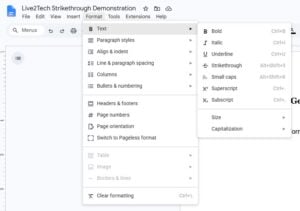
Google Docs Format menu expanded to Text, with Strikethrough and its Alt plus Shift plus 5 shortcut visible

How to Draw a Line Through Text in Google Docs

November 16, 2026November 8, 2022 by Kermit Matthews

Cross out text in Google Docs from Format > Text > Strikethrough or a shortcut on Windows, Chromebook or Mac, take the line off, and fix a line that acts wrong. Continue Reading How to Draw a Line Through Text in Google Docs

Categories Google Docs Tags Featured Docs Guides, Strikethrough
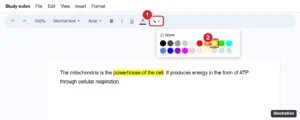
Google Docs toolbar with the Highlight color button and color palette open, yellow highlighted

How to Highlight in Google Docs

November 10, 2026November 8, 2022 by Kermit Matthews

Highlight text in Google Docs with the Highlight color button, use custom colors, highlight on mobile, and remove highlighting from the whole document. Continue Reading How to Highlight in Google Docs

Categories Google Docs
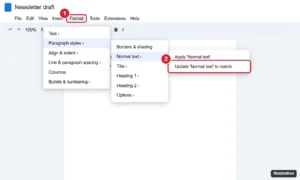
Google Docs Format menu with Paragraph styles, Normal text, and Update Normal text to match highlighted

How to Change the Font for a Whole Document in Google Docs

November 10, 2026November 8, 2022 by Kermit Matthews

Change the font of a whole Google Doc: press Ctrl + A and pick a font, or update the Normal text style and save it as your default for new docs. Continue Reading How to Change the Font for a Whole Document in Google Docs

Categories Google Docs
Document editor with table cells selected and the border colour palette open in the toolbar

How to Change Table Border Color in Google Docs

November 13, 2026October 21, 2022 by Kermit Matthews

Change table border colour in Google Docs: select cells and use Border color in the toolbar, or set it for the whole table in Table properties. Continue Reading How to Change Table Border Color in Google Docs

Categories Google Docs
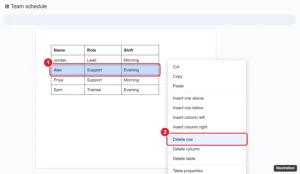
Google Docs table with a row selected and the right-click menu showing Delete row highlighted

How to Delete a Table Row in Google Docs

November 16, 2026October 20, 2022 by Kermit Matthews

Right-click a cell in the row and choose Delete row. How to delete several rows at once, remove rows in the mobile app, and fix rows that will not delete. Continue Reading How to Delete a Table Row in Google Docs

Categories Google Docs
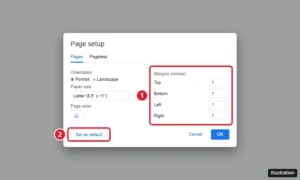
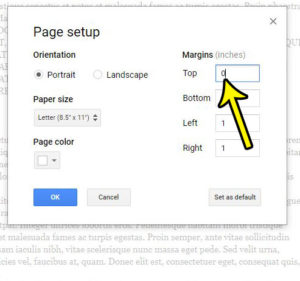
Google Docs Page setup dialog with Top, Bottom, Left, and Right margins set to 1 inch and the Set as default button

How to Set 1-Inch Margins in Google Docs

November 10, 2026August 16, 2022 by Kermit Matthews

Set 1-inch margins in Google Docs with File > Page setup, make them the default, and adjust margins with the ruler or on your phone. Continue Reading How to Set 1-Inch Margins in Google Docs

Categories Google Docs Tags Margins
Google Docs app on a phone with the Share and export menu open and the Send a copy PDF option highlighted

How to Save a Google Doc as a PDF on Your Phone

November 10, 2026June 15, 2022 by Kermit Matthews

Save a Google Doc as a PDF on iPhone or Android from Share & export, find where the PDF is saved, and use Print to PDF as an alternative. Continue Reading How to Save a Google Doc as a PDF on Your Phone

Categories Google Docs
Phone document editor with all text selected and the Format panel Paragraph tab open, Line spacing set to 2.00 and highlighted

How to Double Space an Entire Document in the Google Docs iPhone App

November 10, 2026May 23, 2022 by Kermit Matthews

Double space a whole document in the Google Docs iPhone app: select all, open Format > Paragraph, and set line spacing to 2.00, plus troubleshooting tips. Continue Reading How to Double Space an Entire Document in the Google Docs iPhone App

Categories iPhone, Google Docs Tags google docs
Online document toolbar with the Text color button open showing the color palette and the Custom option highlighted, with colored text in the document

How to Change Font Color in Google Docs (Desktop and Mobile)

September 29, 2026May 13, 2022 by Kermit Matthews

Change font color in Google Docs on a computer or phone, use custom hex colors, apply colors fast with paint format or styles, and set a default color. Continue Reading How to Change Font Color in Google Docs (Desktop and Mobile)

Categories Google Docs
Google Docs table with a cell right-clicked and the Insert column right option highlighted

How to Add a Column to a Table in Google Docs

November 16, 2026May 11, 2022 by Kermit Matthews

Add a column to a Google Docs table: right-click a cell and choose Insert column left or right, or use Format > Table. Plus mobile steps and sizing tips. Continue Reading How to Add a Column to a Table in Google Docs

Categories Google Docs
make smaller table in Google Docs

How to Make a Table Smaller in Google Docs

May 5, 2023May 4, 2022 by Kermit Matthews

Make a table smaller in Google Docs by dragging gridlines, setting sizes in Table options, trimming cell padding and font size, plus the iPhone and Android app. Continue Reading How to Make a Table Smaller in Google Docs

Categories Google Docs
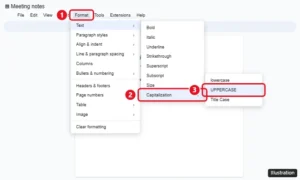
Google Docs Format menu open to Text, then Capitalization, with UPPERCASE highlighted

How to Convert Text to Uppercase in Google Docs

November 12, 2026April 29, 2022 by Kermit Matthews

Select the text and click Format > Text > Capitalization > UPPERCASE. The same menu has lowercase and Title Case. Plus mobile options and fixes. Continue Reading How to Convert Text to Uppercase in Google Docs

Categories Google Docs
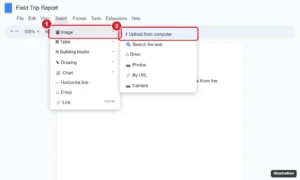
Online document editor with the Insert menu open, Image selected, and the Upload from computer option highlighted

How to Upload a Picture to Google Docs (Computer and Phone)

November 16, 2026April 19, 2022 by Kermit Matthews

Upload a picture to Google Docs from your computer, Drive, Photos, the web, or your phone, then resize it, wrap text around it, and add alt text. Continue Reading How to Upload a Picture to Google Docs (Computer and Phone)

Categories Google Docs
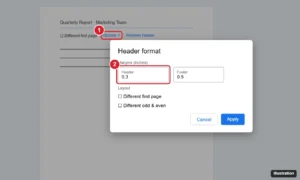
Google Docs Header format dialog with the Header margin field highlighted, opened from the header Options menu

How to Change the Header Margin in Google Docs

November 14, 2026March 21, 2022 by Kermit Matthews

Change the header margin in Google Docs: double-click the header, choose Options > Header format, and set a new Header margin. Plus fixes and tips. Continue Reading How to Change the Header Margin in Google Docs

Categories Google Docs Tags Header, Margins
google docs no header

How to Take Off Header in Google Docs

November 10, 2026March 3, 2022 by Kermit Matthews

The header section of your document is a useful place to put important information like your last name or page number. Many schools and corporations… Continue Reading How to Take Off Header in Google Docs

Categories Google Docs Tags Header
Google Docs table with a row selected and the right-click menu showing Insert row below highlighted

How to Add a Row to a Table in Google Docs

November 16, 2026February 8, 2022 by Kermit Matthews

Right-click a cell and choose Insert row above or below, or press Tab in the last cell to add a row at the end. Steps for several rows and the mobile app. Continue Reading How to Add a Row to a Table in Google Docs

Categories Google Docs Tags Rows
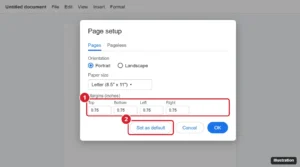
Google Docs Page setup dialog with the margin boxes and Set as default button highlighted

How to Set Default Margins in Google Docs

November 10, 2026January 27, 2022 by Kermit Matthews

Set default margins in Google Docs with File > Page setup > Set as default, change margins for one document or with the ruler, and fix defaults. Continue Reading How to Set Default Margins in Google Docs

Categories Google Docs Tags Margins
Older posts
Newer posts
← Previous Page1 Page2 Page3 Next →

Join Our Free Newsletter

Featured guides and deals

You may opt out at any time.
Read our Privacy Policy

Live2Tech

Plain-English, step-by-step guides for the devices and apps you use every day.

Apple

  • iPhone
  • iPad
  • Mac
  • Apple Watch

Windows

  • Windows 11
  • Windows 10

Microsoft Office

  • Word
  • Excel
  • Powerpoint
  • Outlook

Google

  • Google Docs
  • Google Sheets
  • Google Slides
  • Gmail
  • Chrome
  • Google Drive
  • About Us
  • Contact
  • Disclaimer
  • Privacy Policy
© Live2Tech.com 2026
  • iPhone
  • Windows
    • Windows 11
    • Windows 10
  • Office
    • Word
    • Excel
    • Powerpoint
    • Outlook
  • Google
    • Google Docs
    • Google Sheets
    • Google Slides
    • Gmail
    • Chrome
    • Google Drive
  • Mac & Apple
    • Mac
    • iPad
    • Apple Watch
  • All Tutorials