Skip to content
Live2Tech
  • iPhone
  • Windows
    • Windows 11
    • Windows 10
  • Office
    • Word
    • Excel
    • Powerpoint
    • Outlook
  • Google
    • Google Docs
    • Google Sheets
    • Google Slides
    • Gmail
    • Chrome
    • Google Drive
  • Mac & Apple
    • Mac
    • iPad
    • Apple Watch
  • All Tutorials

Windows 10

How-to guides and tutorials to help you perform specific tasks and use the Windows 10 operating system and its apps.

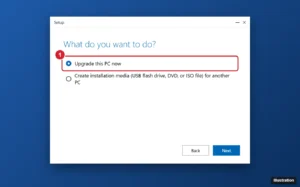
Operating system setup tool asking What do you want to do, with Upgrade this PC now selected and highlighted, and the Next button

How to Upgrade a Windows 8 PC to Windows 10 or 11

November 16, 2026May 13, 2025 by Kermit Matthews

Windows 8.1 and 10 are out of support. Back up first, then use Microsoft’s Windows 10 tool with a license, or clean install Windows 11 if the PC qualifies. Continue Reading How to Upgrade a Windows 8 PC to Windows 10 or 11
Categories Windows 10
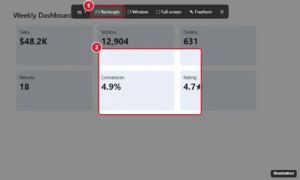
Windows screen dimmed by the Snipping Tool with the snip mode toolbar at the top and a rectangle being drawn around part of the screen

How to Take a Partial Screenshot on Windows

November 17, 2026May 13, 2025 by Kermit Matthews

Take a partial screenshot on Windows with Windows + Shift + S, then drag around the area. Plus Snipping Tool tips, save locations, and fixes. Continue Reading How to Take a Partial Screenshot on Windows

Categories Windows 10, Windows 11
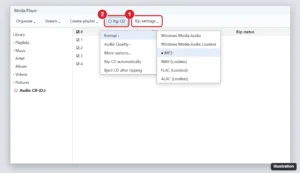
Media Player with an audio CD inserted, the Rip settings Format menu set to MP3, and the Rip CD button highlighted

How to Rip a CD on Windows 10: A Step-by-Step Guide for Beginners

November 10, 2026May 12, 2025 by Kermit Matthews

Rip a CD on Windows 10 with Windows Media Player: choose MP3 or FLAC, set quality, change where files save, fix track names, and solve ripping errors. Continue Reading How to Rip a CD on Windows 10: A Step-by-Step Guide for Beginners

Categories Windows 10
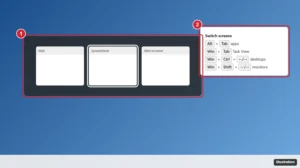
Windows Alt+Tab switcher showing open app windows with one selected, and keyboard shortcuts for switching screens

How to Switch Between Screens on Windows

November 17, 2026May 9, 2025 by Kermit Matthews

Press Alt + Tab to switch apps, Windows key + Ctrl + arrow for desktops, and Windows key + Shift + arrow to move windows between monitors. Full guide. Continue Reading How to Switch Between Screens on Windows

Categories Windows 10, Windows 11
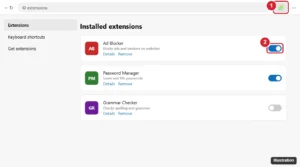
Browser Extensions page with an ad blocker extension toggle and the extensions menu entry highlighted

How to Turn Off an Ad Blocker on Windows 10 (Edge, Chrome, Firefox)

November 10, 2026May 9, 2025 by Kermit Matthews

Turn off an ad blocker on Windows 10 in Edge, Chrome, or Firefox, allow ads on one site, and disable built-in tracking protection or other blockers. Continue Reading How to Turn Off an Ad Blocker on Windows 10 (Edge, Chrome, Firefox)

Categories Windows 10
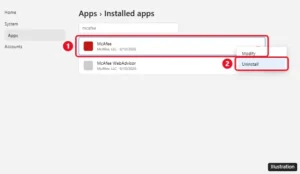
Windows 11 Settings Installed apps list with the McAfee three-dot menu open and Uninstall highlighted

How to Remove McAfee From a Windows PC

November 17, 2026May 1, 2025 by Kermit Matthews

Remove McAfee from Windows through Settings or Control Panel, use McAfee’s MCPR tool only if that fails, keep leftover folders, and confirm Defender is on. Continue Reading How to Remove McAfee From a Windows PC

Categories Windows 10, Windows 11
Windows emoji and symbols panel open to the symbols tab with the em dash highlighted

How to Type an Em Dash on Windows

November 10, 2026May 1, 2025 by Kermit Matthews

Hold Alt and type 0151 on the number pad, or press Windows key + period and pick the em dash from Symbols. Word shortcuts and the en dash explained. Continue Reading How to Type an Em Dash on Windows

Categories Windows 10, Windows 11
Settings Accounts Sign-in options page with the If you have been away setting set to Never and highlighted, plus Dynamic lock turned off

How to Turn Off Windows Auto Lock (Windows 11 and 10)

November 12, 2026April 16, 2025 by Kermit Matthews

Stop Windows locking itself: set Sign-in options > If you have been away to Never, sleep to Never, and turn off Dynamic lock and screen saver lock. Continue Reading How to Turn Off Windows Auto Lock (Windows 11 and 10)

Categories Windows 10, Windows 11
Text editor open on a game configuration INI file with the General section lines bUseThreadedAI=1 and iNumHWThreads=2 highlighted

How to Get Fallout 3 to Work on Windows 10 and 11

November 10, 2026April 16, 2025 by Kermit Matthews

Get Fallout 3 working on Windows 10 and 11: fix new-game crashes with an INI edit, run as admin, handle Games for Windows Live, and more fixes. Continue Reading How to Get Fallout 3 to Work on Windows 10 and 11

Categories Windows 10, Windows 11
Administrator Command Prompt showing ipconfig /flushdns and the message Successfully flushed the DNS Resolver Cache

How to Clear the DNS Cache in Windows 10 (Flush DNS)

November 10, 2026April 14, 2025 by Kermit Matthews

Clear the DNS cache in Windows 10 with ipconfig /flushdns or PowerShell, clear your browser DNS cache, and fix DNS errors that remain. Continue Reading How to Clear the DNS Cache in Windows 10 (Flush DNS)

Categories Windows 10
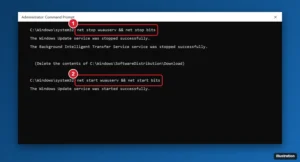
Administrator Command Prompt stopping the Windows Update and BITS services, then starting them again after clearing the cache

How to Clear the Windows Update Cache

November 12, 2026April 8, 2025 by Kermit Matthews

Stop wuauserv and bits, delete the files in C:\Windows\SoftwareDistribution\Download, then restart the services. Plus Disk Cleanup and more fixes. Continue Reading How to Clear the Windows Update Cache

Categories Windows 10, Windows 11
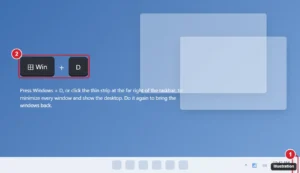
Windows 11 taskbar with the Show desktop sliver in the far right corner highlighted, plus the Windows key and D keys

How to Minimize All Windows at Once (Windows 11 and 10 Shortcuts)

November 15, 2026April 4, 2025 by Kermit Matthews

Minimize all windows at once in Windows 11 or 10 with Windows+D, Windows+M, the Show desktop button, or window shake, and restore them just as fast. Continue Reading How to Minimize All Windows at Once (Windows 11 and 10 Shortcuts)

Categories Windows 10, Windows 11
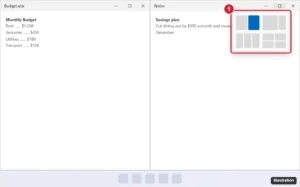
Desktop with two app windows snapped side by side and the snap layouts menu open from the maximize button, with the two-column layout highlighted

How to Open Two Windows Side by Side in Windows 11 and 10

November 17, 2026April 3, 2025 by Kermit Matthews

Put two windows side by side in Windows: press Windows + Left or Right arrow, or drag to the screen edge. Plus Snap Layouts and fixes. Continue Reading How to Open Two Windows Side by Side in Windows 11 and 10

Categories Windows 10, Windows 11
Disk Cleanup system files list with Windows Setup temporary files checked

How to Delete Windows Setup Files in Windows 10

November 10, 2026April 1, 2025 by Kermit Matthews

Remove leftover Windows 10 setup files safely with Disk Cleanup, Clean up system files, or Storage, Temporary files. Continue Reading How to Delete Windows Setup Files in Windows 10

Categories Windows 10
UEFI firmware settings Boot tab with the Secure Boot option set to Disabled and highlighted

How to Disable Secure Boot in Windows 10

November 18, 2026March 27, 2025 by Kermit Matthews

Open UEFI Firmware Settings from Advanced startup, find Secure Boot on the Boot or Security tab, set it to Disabled, and press F10. What to know first. Continue Reading How to Disable Secure Boot in Windows 10

Categories Windows 10
7-Zip Add to Archive dialog with archive format, password fields, and AES-256 encryption method highlighted

How to Password Protect a Folder in Windows

November 12, 2026March 27, 2025 by Kermit Matthews

Password-protect a folder in Windows 10 or 11 with a 7-Zip AES-256 archive, a BitLocker virtual drive, VeraCrypt, or EFS, and avoid folder lock scripts. Continue Reading How to Password Protect a Folder in Windows
Categories Windows 10, Windows 11
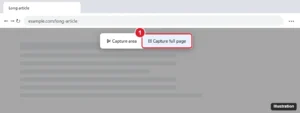
Microsoft Edge Web capture toolbar with Capture area and Capture full page, with Capture full page highlighted

How to Take a Scrolling Screenshot on Windows

November 10, 2026March 25, 2025 by Kermit Matthews

Take a scrolling screenshot on Windows with Edge’s Capture full page, Chrome’s developer tools, Firefox, or a free tool for other apps. Continue Reading How to Take a Scrolling Screenshot on Windows

Categories Windows 10, Windows 11
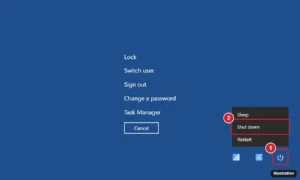
Windows Ctrl Alt Delete security screen with the power icon menu open and Shut down highlighted

How to Force Shut Down Windows

November 17, 2026March 21, 2025 by Kermit Matthews

Force shut down a frozen Windows PC by holding the power button 5 to 10 seconds, or use Ctrl + Alt + Delete or shutdown /s /f /t 0. Plus freeze fixes. Continue Reading How to Force Shut Down Windows

Categories Windows 10, Windows 11
Windows File Explorer showing a Pages file renamed to ZIP and opened, with the preview image file highlighted

How to Open a Pages Document on a Windows PC

November 17, 2026March 20, 2025 by Kermit Matthews

Upload it to Pages on iCloud.com with a free Apple Account, then download it as Word or PDF. Or rename .pages to .zip for a quick preview. Continue Reading How to Open a Pages Document on a Windows PC

Categories Windows 10, Windows 11
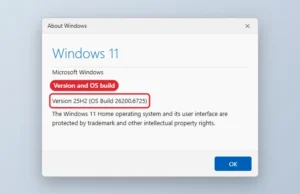
About Windows dialog showing the Windows version and OS build highlighted

How to Check Your Windows Version

November 18, 2026March 19, 2025 by Kermit Matthews

Check your Windows version with winver or Settings > System > About, match an OS build to its version, and see when Microsoft stops servicing each release. Continue Reading How to Check Your Windows Version

Categories Windows 10, Windows 11
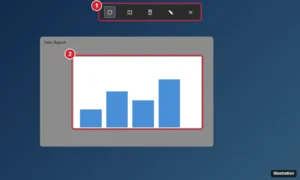
Dimmed desktop with a screen snipping toolbar at the top showing rectangle, window, full screen and freeform modes and a selected area being captured

How to Take a Snapshot (Screenshot) on Windows 11 and 10

November 17, 2026March 18, 2025 by Kermit Matthews

Take a snapshot on Windows with Windows + Shift + S, PrtScn, Windows + PrtScn or Game Bar, find saved screenshots and capture full pages. Continue Reading How to Take a Snapshot (Screenshot) on Windows 11 and 10

Categories Windows 10, Windows 11
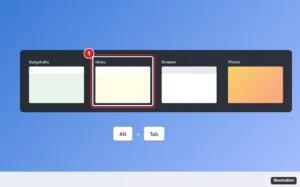
Desktop with the Alt plus Tab window switcher open showing thumbnails of open apps, the selected Notes window highlighted, and a keyboard hint for Alt and Tab

How to Switch Screens on Windows Using the Keyboard

November 14, 2026March 17, 2025 by Kermit Matthews

Switch screens on Windows with the keyboard: Alt + Tab for windows, Windows + Tab for Task View, and shortcuts for desktops and monitors. Continue Reading How to Switch Screens on Windows Using the Keyboard

Categories Windows 10, Windows 11
Video meeting desktop app profile menu with Check for Updates highlighted

How to Update Zoom on Windows 10

November 10, 2026March 14, 2025 by Kermit Matthews

Update Zoom on Windows 10 from the profile menu with Check for Updates, turn on automatic updates, or reinstall from the official site. Continue Reading How to Update Zoom on Windows 10

Categories Windows 10
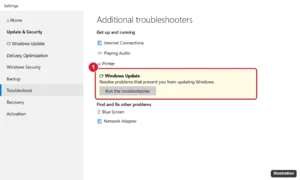
Windows 10 Settings Troubleshoot page with Windows Update selected and the Run the troubleshooter button highlighted

How to Fix Windows Update: Step-by-Step Troubleshooting

November 18, 2026March 13, 2025 by Kermit Matthews

Fix Windows Update errors in Windows 10 and 11: troubleshooter, disk space, DISM and SFC, resetting update components, manual installs and error codes. Continue Reading How to Fix Windows Update: Step-by-Step Troubleshooting

Categories Windows 10
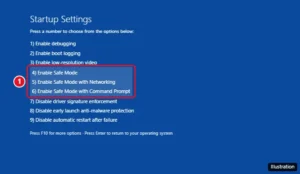
Windows 10 Startup Settings screen listing numbered options with Enable Safe Mode, Safe Mode with Networking, and Safe Mode with Command Prompt highlighted

How to Boot Into Safe Mode on Windows 10

November 16, 2026March 12, 2025 by Kermit Matthews

Boot Windows 10 into Safe Mode from the desktop, the sign-in screen or a PC that won’t start, pick the right Startup Settings option, and get back to normal. Continue Reading How to Boot Into Safe Mode on Windows 10

Categories Windows 10
Windows 11 Start menu with the Power button menu open and Restart highlighted

How to Restart Windows 11 and 10 (Mouse, Keyboard, Command, and More)

November 17, 2026March 6, 2025 by Kermit Matthews

Restart Windows from Start > Power > Restart, or use Alt + F4 or Ctrl + Alt + Delete from the keyboard. Plus the shutdown command and frozen-PC fixes. Continue Reading How to Restart Windows 11 and 10 (Mouse, Keyboard, Command, and More)

Categories Windows 10, Windows 11
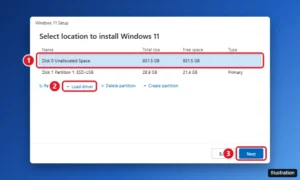
Windows 11 Setup Select location to install Windows 11 screen with the unallocated drive selected and the Load driver option

How to Install Windows on a New PC

November 18, 2026March 6, 2025 by Kermit Matthews

Install Windows 11 on a new PC: make a USB installer, boot from it, pick the empty drive, fix missing drives, then install drivers and activate Windows. Continue Reading How to Install Windows on a New PC

Categories Windows 10, Windows 11
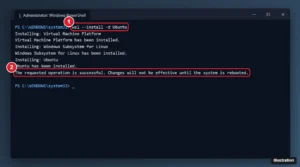
Administrator PowerShell window running wsl --install -d Ubuntu with the command and the installation success message highlighted

How to Install Ubuntu on Windows 10 (WSL Guide)

November 14, 2026March 6, 2025 by Kermit Matthews

Install Ubuntu on Windows 10 with WSL in one command, set up your Linux account, share files with Windows, and fix common installation errors. Continue Reading How to Install Ubuntu on Windows 10 (WSL Guide)

Categories Windows 10
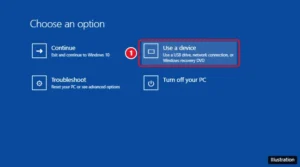
Windows 10 advanced startup Choose an option screen with Use a device highlighted for booting from a USB drive

How to Boot Windows 10 From USB

November 14, 2026March 4, 2025 by Kermit Matthews

Boot a Windows 10 PC from USB with the boot menu key, the Use a device option, or BIOS boot order. Includes keys for each brand and fixes if the USB is missing. Continue Reading How to Boot Windows 10 From USB

Categories Windows 10
Windows User Accounts dialog with the Users must enter a user name and password to use this computer checkbox unchecked

How to Stop Typing Your Password on Windows 10

November 14, 2026March 4, 2025 by Kermit Matthews

Disable the Windows 10 password: sign in automatically with netplwiz, skip the password after sleep, remove a local account password, or use a PIN. Continue Reading How to Stop Typing Your Password on Windows 10

Categories Windows 10
Windows 10 Bluetooth and other devices settings with Add Bluetooth or other device and the Bluetooth option in the Add a device window highlighted

How to Connect Bluetooth Headphones to a Windows 10 PC

November 17, 2026February 27, 2025 by Kermit Matthews

Pair Bluetooth headphones with a Windows 10 PC, make sound play through them, and fix headphones that won’t show up, connect, or sound choppy. Continue Reading How to Connect Bluetooth Headphones to a Windows 10 PC

Categories Windows 10
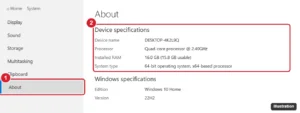
Windows 10 Settings About page with Device specifications including processor and installed RAM highlighted

How to Check Computer Specs in Windows 10

November 18, 2026February 26, 2025 by Kermit Matthews

Check your computer specs in Windows 10 in Settings > System > About, System Information, Task Manager, or dxdiag. See CPU, RAM, GPU, and storage. Continue Reading How to Check Computer Specs in Windows 10

Categories Windows 10
Security app Virus and threat protection settings with the Real-time protection switch turned off and highlighted, plus a warning that the device may be vulnerable

How to Turn Off Windows Security (Microsoft Defender) in Windows 10 and 11

November 12, 2026February 21, 2025 by Kermit Matthews

Turn off Windows Security: Virus & threat protection > Manage settings > Real-time protection off. Plus exclusions and why permanent tricks fail. Continue Reading How to Turn Off Windows Security (Microsoft Defender) in Windows 10 and 11

Categories Windows 10, Windows 11
Windows screen dimmed after pressing Windows+Shift+S, with the Snipping Tool capture bar and Rectangle mode highlighted

How to Take a Screenshot on Windows 11 and 10 (Every Method)

November 18, 2026February 21, 2025 by Kermit Matthews

Take a screenshot on Windows 11 or 10 with Windows+Shift+S, Print Screen, Windows+Print Screen, or the Snipping Tool. Where screenshots save and fixes. Continue Reading How to Take a Screenshot on Windows 11 and 10 (Every Method)

Categories Windows 10, Windows 11
Browser Clear browsing data dialog with the time range and Cookies and other site data checkbox highlighted

How to Delete Cookies on Windows 10 (Edge, Chrome, and Firefox)

November 16, 2026February 20, 2025 by Kermit Matthews

Delete cookies on Windows 10 in Edge, Chrome, or Firefox with Ctrl+Shift+Delete, remove cookies for one site, and clear cookies automatically on close. Continue Reading How to Delete Cookies on Windows 10 (Edge, Chrome, and Firefox)

Categories Windows 10, Windows 11
App store Library page listing installed apps and games with update status, and the Get updates button highlighted at the top right

How to Update Minecraft on Windows 10

November 12, 2026February 19, 2025 by Kermit Matthews

Update Minecraft on Windows 10: open the Minecraft Launcher and click Play, or use Microsoft Store > Library > Get updates. Plus Java and fixes. Continue Reading How to Update Minecraft on Windows 10

Categories Windows 10
Windows PowerShell showing the command that reads the Windows product key stored in the PC firmware, with the key partly hidden

How to Find Your Windows Product Key (Windows 11 and 10)

November 17, 2026February 18, 2025 by Kermit Matthews

Find your Windows 11 or 10 product key with a PowerShell command, check if you have a digital license, and see where else your key might be stored. Continue Reading How to Find Your Windows Product Key (Windows 11 and 10)

Categories Windows 10, Windows 11
Windows 10 taskbar right-click menu with the Show Copilot button option highlighted

How to Disable Copilot in Windows 10 (4 Ways)

November 11, 2026February 18, 2025 by Kermit Matthews

Disable Copilot in Windows 10: hide the taskbar button, uninstall the Copilot app, block it with Group Policy or the registry, and turn it off in Edge. Continue Reading How to Disable Copilot in Windows 10 (4 Ways)

Categories Windows 10
Windows 10 Advanced options screen with UEFI Firmware Settings highlighted for entering the BIOS

How to Enter the BIOS on Windows 10

November 14, 2026February 17, 2025 by Kermit Matthews

Enter the BIOS on Windows 10 from Settings with UEFI Firmware Settings, with the BIOS key for your PC brand, or a command, plus fixes if you can’t get in. Continue Reading How to Enter the BIOS on Windows 10

Categories Windows 10
Windows Ctrl+Alt+Del security screen with the power button menu open and Restart highlighted

How to Force Restart Windows (5 Ways, Safest First)

November 17, 2026February 14, 2025 by Kermit Matthews

Force restart a frozen Windows 11 or 10 PC with Ctrl+Alt+Del, an emergency restart, a shutdown command, or the power button, plus fixes for repeated freezes. Continue Reading How to Force Restart Windows (5 Ways, Safest First)

Categories Windows 10, Windows 11
Windows 11 window with the Maximize button hovered, showing snap layouts with the two-column layout highlighted

Split Screen on a Windows PC: Snap Keys, Layouts and Fixes

November 17, 2026February 13, 2025 by Kermit Matthews

Split your screen on Windows 11 or 10 with Snap: halves, corners, top and bottom, Snap layouts and groups, plus the Multitasking settings and fixes. Continue Reading Split Screen on a Windows PC: Snap Keys, Layouts and Fixes

Categories Windows 10, Windows 11
A Windows app window with the Maximize button highlighted and the F11 key shown for full screen

How to Go Full Screen on Windows: Keys, Apps and Games

November 17, 2026February 13, 2025 by Kermit Matthews

Press F11 (or Fn + F11) to go full screen in browsers and File Explorer. Use Windows key + Up to maximize, and Alt + Enter in games. Plus fixes. Continue Reading How to Go Full Screen on Windows: Keys, Apps and Games

Categories Windows 10, Windows 11
Windows 10 taskbar right-click menu with Task Manager highlighted and the Ctrl Shift Esc shortcut shown

How to Open Task Manager on Windows 10 (9 Ways)

November 17, 2026February 11, 2025 by Kermit Matthews

Open Task Manager on Windows 10 with Ctrl + Shift + Esc, Ctrl + Alt + Delete, the taskbar, Run, and more, plus fixes if Task Manager will not open. Continue Reading How to Open Task Manager on Windows 10 (9 Ways)

Categories Windows 10
Windows 10 Settings Family and other users page with Add someone else to this PC highlighted

How to Create a New User on Windows 10 (Local or Microsoft Account)

November 14, 2026February 10, 2025 by Kermit Matthews

Create a new user on Windows 10 with a Microsoft or local account in Settings, make them an admin, or use Netplwiz and Command Prompt. Continue Reading How to Create a New User on Windows 10 (Local or Microsoft Account)

Categories Windows 10
Windows 11 Settings Recovery page with the Reset PC button highlighted and the Choose an option dialog showing Keep my files and Remove everything

How to Factory Reset Windows 11 and 10

November 18, 2026February 5, 2025 by Kermit Matthews

Factory reset Windows in Settings > System > Recovery > Reset PC. Learn Keep my files vs. Remove everything, cloud vs. local, and reset without signing in. Continue Reading How to Factory Reset Windows 11 and 10

Categories Windows 10, Windows 11
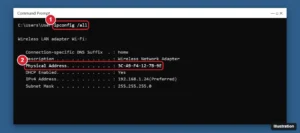
Command Prompt showing ipconfig /all output with the Physical Address line highlighted for the Wi-Fi adapter

How to Find Your MAC Address in Windows 10

November 18, 2026February 3, 2025 by Kermit Matthews

Find your MAC address in Windows 10 in Settings, with ipconfig /all or getmac, or in Control Panel, and learn why random hardware addresses change it. Continue Reading How to Find Your MAC Address in Windows 10

Categories Windows 10
Windows 11 File Explorer with a RAR file selected and the right-click menu showing Extract All highlighted

How to Open RAR Files on Windows

November 18, 2026January 31, 2025 by Kermit Matthews

Open RAR files on Windows 11 with built-in Extract All, or on Windows 10 with free 7-Zip, and handle multi-part and password-protected RAR archives. Continue Reading How to Open RAR Files on Windows

Categories Windows 10, Windows 11
Windows 10 Format dialog for a data drive with File system NTFS and Quick Format highlighted

How to Reformat a Hard Drive in Windows 10

November 18, 2026January 27, 2025 by Kermit Matthews

Reformat a hard drive in Windows 10 with File Explorer or Disk Management, choose NTFS or exFAT, and wipe the Windows drive safely. Continue Reading How to Reformat a Hard Drive in Windows 10

Categories Windows 10
Windows Magnifier toolbar showing zoom level with plus and minus buttons highlighted

How to Zoom In and Out on Windows (Magnifier, Apps, Scaling)

November 12, 2026January 24, 2025 by Kermit Matthews

Zoom on Windows with Magnifier (Windows + Plus), Ctrl + scroll in apps, display scaling, or text size settings. Plus how to zoom back out. Continue Reading How to Zoom In and Out on Windows (Magnifier, Apps, Scaling)

Categories Windows 10, Windows 11
Administrator Command Prompt running DISM RestoreHealth and sfc /scannow commands

How to Fix a Broken Registry in Windows 10

November 10, 2026January 21, 2025 by Kermit Matthews

Run DISM and sfc /scannow, use System Restore, or run Startup Repair. As a last resort, Reset this PC and keep your files. Why to skip registry cleaners. Continue Reading How to Fix a Broken Registry in Windows 10

Categories Windows 10
Older posts
Newer posts
← Previous Page1 Page2 Page3 Page4 … Page12 Next →

Join Our Free Newsletter

Featured guides and deals

You may opt out at any time.
Read our Privacy Policy

Live2Tech

Plain-English, step-by-step guides for the devices and apps you use every day.

Apple

  • iPhone
  • iPad
  • Mac
  • Apple Watch

Windows

  • Windows 11
  • Windows 10

Microsoft Office

  • Word
  • Excel
  • Powerpoint
  • Outlook

Google

  • Google Docs
  • Google Sheets
  • Google Slides
  • Gmail
  • Chrome
  • Google Drive
  • About Us
  • Contact
  • Disclaimer
  • Privacy Policy
© Live2Tech.com 2026
  • iPhone
  • Windows
    • Windows 11
    • Windows 10
  • Office
    • Word
    • Excel
    • Powerpoint
    • Outlook
  • Google
    • Google Docs
    • Google Sheets
    • Google Slides
    • Gmail
    • Chrome
    • Google Drive
  • Mac & Apple
    • Mac
    • iPad
    • Apple Watch
  • All Tutorials