Skip to content
Live2Tech
  • iPhone
  • Windows
    • Windows 11
    • Windows 10
  • Office
    • Word
    • Excel
    • Powerpoint
    • Outlook
  • Google
    • Google Docs
    • Google Sheets
    • Google Slides
    • Gmail
    • Chrome
    • Google Drive
  • Mac & Apple
    • Mac
    • iPad
    • Apple Watch
  • All Tutorials

Windows 10

How-to guides and tutorials to help you perform specific tasks and use the Windows 10 operating system and its apps.

Windows 11 File Explorer with a RAR file selected and the right-click menu showing Extract All highlighted

How to Open RAR Files on Windows

November 17, 2026January 31, 2025 by Kermit Matthews

Open RAR files on Windows 11 with built-in Extract All, or on Windows 10 with free 7-Zip, and handle multi-part and password-protected RAR archives. Continue Reading How to Open RAR Files on Windows

Categories Windows 10, Windows 11
Windows 10 Format dialog for a data drive with File system NTFS and Quick Format highlighted

How to Reformat a Hard Drive in Windows 10

November 10, 2026January 27, 2025 by Kermit Matthews

Reformat a hard drive in Windows 10 with File Explorer or Disk Management, choose NTFS or exFAT, and wipe the Windows drive safely. Continue Reading How to Reformat a Hard Drive in Windows 10

Categories Windows 10
Windows Magnifier toolbar showing zoom level with plus and minus buttons highlighted

How to Zoom In and Out on Windows (Magnifier, Apps, Scaling)

November 12, 2026January 24, 2025 by Kermit Matthews

Zoom on Windows with Magnifier (Windows + Plus), Ctrl + scroll in apps, display scaling, or text size settings. Plus how to zoom back out. Continue Reading How to Zoom In and Out on Windows (Magnifier, Apps, Scaling)

Categories Windows 10, Windows 11
Administrator Command Prompt running DISM RestoreHealth and sfc /scannow commands

How to Fix a Broken Registry in Windows 10

November 10, 2026January 21, 2025 by Kermit Matthews

Run DISM and sfc /scannow, use System Restore, or run Startup Repair. As a last resort, Reset this PC and keep your files. Why to skip registry cleaners. Continue Reading How to Fix a Broken Registry in Windows 10

Categories Windows 10
Windows 10 Setup tool asking what you want to do with the Create installation media for another PC option and the Next button highlighted

How to Download Windows 10 (Media Creation Tool or ISO)

November 12, 2026January 10, 2025 by Kermit Matthews

Download Windows 10 from Microsoft with the Media Creation Tool or a direct ISO, make a bootable USB, and what end of support means for you. Continue Reading How to Download Windows 10 (Media Creation Tool or ISO)

Categories Windows 10
Command Prompt showing gpupdate /force updating computer and user policy successfully

How to Update Your Graphics Driver in Windows 10

November 17, 2026January 7, 2025 by Kermit Matthews

Get the newest driver from NVIDIA, AMD, or Intel, or use Windows Update or Device Manager. How to find your GPU, update it, and roll back if needed. Continue Reading How to Update Your Graphics Driver in Windows 10

Categories Windows 10
Word style document showing field codes in braces for the date, page number, and table of contents after pressing Alt+F9, with a keyboard shortcut callout highlighted

How to Force Quit an App on Windows 11 and 10 (6 Ways)

November 10, 2026December 27, 2024 by Kermit Matthews

Force close a frozen app on Windows with Alt + F4, Task Manager, the Windows 11 taskbar End task option, or taskkill, and what to do if the PC is frozen. Continue Reading How to Force Quit an App on Windows 11 and 10 (6 Ways)

Categories Windows 10, Windows 11
Windows Notepad with selected text and the right-click menu showing Copy and Paste highlighted

How to Copy and Paste on Windows With Keys, Mouse or Touch

November 13, 2026December 20, 2024 by Kermit Matthews

Copy and paste on Windows with Ctrl + C and Ctrl + V or the right-click menu, plus clipboard history, plain-text pasting, and fixes. Continue Reading How to Copy and Paste on Windows With Keys, Mouse or Touch

Categories Windows 10, Windows 11
Windows 10 Date and time settings with Set time automatically turned off and the Change button highlighted

How to Change the Time and Time Zone on Windows 10

November 17, 2026December 19, 2024 by Kermit Matthews

Right-click the taskbar clock > Adjust date/time, turn off Set time automatically, and click Change. How to fix the time zone, format, and a drifting clock. Continue Reading How to Change the Time and Time Zone on Windows 10

Categories Windows 10
Windows Security Virus and threat protection settings with Real-time protection turned on

How to Turn On Windows Defender in Windows 10

November 17, 2026December 12, 2024 by Kermit Matthews

Open Windows Security > Virus & threat protection > Manage settings and turn on Real-time protection. What to do if it is grayed out or won’t turn on. Continue Reading How to Turn On Windows Defender in Windows 10

Categories Windows 10
Windows 10 Run dialog with control typed in the Open box and the OK button highlighted

How to Open Control Panel in Windows 10 (and Keep It Handy)

November 12, 2026December 12, 2024 by Kermit Matthews

Type control panel in the taskbar search box, or press Windows key + R and type control. Six more ways to open it, plus how to pin it for quick access. Continue Reading How to Open Control Panel in Windows 10 (and Keep It Handy)

Categories Windows 10
Windows Add a device window with Bluetooth selected and AirPods listed as a device to pair

How to Connect AirPods to Windows

November 17, 2026December 9, 2024 by Kermit Matthews

Open the AirPods case, hold the setup button until it flashes white, then go to Settings > Bluetooth & devices > Add device. Tips and fixes inside. Continue Reading How to Connect AirPods to Windows

Categories Windows 10, Windows 11
New Outbound Rule Wizard on the Action step with Block the connection selected and the Next button highlighted

How to Block a Program in Windows Firewall (Windows 10 and 11)

November 12, 2026October 23, 2024 by Kermit Matthews

Block a program from accessing the internet with a Windows Defender Firewall outbound rule on Windows 10 or 11, using the wizard or a single netsh command. Continue Reading How to Block a Program in Windows Firewall (Windows 10 and 11)

Categories Windows 10, Windows 11
App store window showing a search result for a note-taking app with the Get button highlighted

How to Download Apps on an HP Laptop With Windows 10

November 10, 2026October 16, 2024 by Kermit Matthews

Install apps on an HP laptop with Windows 10 from the Microsoft Store, official websites, or winget, get HP drivers, and switch out of S mode. Continue Reading How to Download Apps on an HP Laptop With Windows 10

Categories Windows 10

How to Get a Windows 10 License Key

November 10, 2026October 16, 2024 by Kermit Matthews

Unlock your Windows 10 experience with our comprehensive step-by-step guide on obtaining your license key. Easy methods and tips for a seamless process await! Continue Reading How to Get a Windows 10 License Key

Categories Windows 10
Windows 10 folder Permissions dialog with the Users group selected and Modify set to Allow

How to Let a Standard User Run a Program Without Admin Rights on Windows 10

November 10, 2026October 16, 2024 by Kermit Matthews

Let a standard user run a program without admin rights on Windows 10 using RunAsInvoker, folder or registry permissions, or a Task Scheduler task. Continue Reading How to Let a Standard User Run a Program Without Admin Rights on Windows 10

Categories Windows 10
Operating system setup partition screen with drive partitions listed and Delete and New options

How to Install Windows on a PC Running Ubuntu

November 10, 2026October 15, 2024 by Kermit Matthews

Replace Ubuntu with Windows 10 or 11, or dual-boot, by booting from a Windows USB and choosing Custom install, deleting or keeping the Linux partitions. Continue Reading How to Install Windows on a PC Running Ubuntu

Categories Windows 10
Windows 10 Change account type dialog with Administrator selected and the OK button highlighted

How to Become an Administrator on Windows 10

November 11, 2026October 14, 2024 by Kermit Matthews

Sign in as an admin, go to Settings > Accounts > Family & other users, pick the account, and choose Change account type > Administrator. Other methods too. Continue Reading How to Become an Administrator on Windows 10

Categories Windows 10
Browser settings Start, home, and new tabs page with Open these pages selected and the Add a new page dialog highlighted

How to Make Yahoo Your Homepage in Windows 11 and 10

November 12, 2026October 14, 2024 by Kermit Matthews

Make Yahoo your homepage on Windows 10 in Microsoft Edge, Chrome, or Firefox, set the Home button, choose Yahoo search, and stop hijacked homepages. Continue Reading How to Make Yahoo Your Homepage in Windows 11 and 10

Categories Windows 10
Windows 10 Ease of Access Mouse pointer settings with the pointer size slider and pointer color options highlighted

How to Change the Mouse Pointer in Windows 10

November 10, 2026October 8, 2024 by Kermit Matthews

Go to Settings > Ease of Access > Mouse pointer to change size and color, or open Mouse Properties > Pointers to pick a new scheme. Tips and defaults. Continue Reading How to Change the Mouse Pointer in Windows 10

Categories Windows 10
Browser downloads panel with Show in folder highlighted

How to Open a Downloaded File on Windows 10

November 14, 2026October 3, 2024 by Kermit Matthews

Open downloaded files on Windows 10 from your browser download list (Ctrl+J) or the Downloads folder, and handle ZIP files and installers safely. Continue Reading How to Open a Downloaded File on Windows 10

Categories Windows 10
Administrator Command Prompt running chkdsk E: /f on an external drive with the results summary highlighted

How to Run CHKDSK on an External Drive in Windows 10 and 11

November 16, 2026October 3, 2024 by Kermit Matthews

Run CHKDSK on an external hard drive or USB drive in Windows 10 or 11 to fix errors and find bad sectors, with the right switches and fixes for RAW drives. Continue Reading How to Run CHKDSK on an External Drive in Windows 10 and 11

Categories Windows 10, Windows 11
Device Manager with the Bluetooth category expanded, the wireless Bluetooth adapter right-clicked and Uninstall device highlighted

Roll Back a Bluetooth Driver After a Windows 10 Update

November 17, 2026October 1, 2024 by Kermit Matthews

Bluetooth broke after a Windows 10 update? Roll back the adapter driver in Device Manager, confirm it worked, and reinstall only if Roll Back Driver is gray. Continue Reading Roll Back a Bluetooth Driver After a Windows 10 Update

Categories Windows 10
Windows 10 Credential Manager with Web Credentials selected and the Show link next to a saved password highlighted

How to Find Passwords Used on Your Windows Computer

November 17, 2026October 1, 2024 by Kermit Matthews

Find your saved passwords on Windows 10 in Credential Manager, your browser’s password manager, or Wi-Fi settings, and learn how to keep them secure. Continue Reading How to Find Passwords Used on Your Windows Computer

Categories Windows 10
File Explorer searching This PC for star dot pdf with the search box highlighted and matching PDF files listed

How to Find Files in Windows 10 With File Explorer Search

November 17, 2026September 25, 2024 by Kermit Matthews

Search for a specific file type in Windows 10 File Explorer with *.ext, ext:, and kind: filters, combine date and size filters, and speed up search. Continue Reading How to Find Files in Windows 10 With File Explorer Search

Categories Windows 10
Settings Display page with display 2 selected and the Multiple displays menu set to Disconnect this display

How to Disable a Display on Windows 10 Without Unplugging It

November 10, 2026September 25, 2024 by Kermit Matthews

Turn off a second monitor in Windows 10 with Disconnect this display or Windows + P, keep a laptop working with the lid closed, and fix common issues. Continue Reading How to Disable a Display on Windows 10 Without Unplugging It

Categories Windows 10
Windows 10 Apps and features list with a web browser selected and its Uninstall button highlighted

How to Reinstall Chrome on Windows 10 (Clean Reinstall Steps)

November 10, 2026September 24, 2024 by Kermit Matthews

Reinstall Google Chrome on Windows 10: back up bookmarks, uninstall, delete leftover data for a clean install, download again and fix errors. Continue Reading How to Reinstall Chrome on Windows 10 (Clean Reinstall Steps)

Categories Windows 10
Sound dialog on the Sounds tab with Notification selected and the Browse button highlighted

How to Change the Notification Sound on Windows 10

November 16, 2026September 23, 2024 by Kermit Matthews

Change the Windows 10 notification sound in the Sound dialog: select Notification on the Sounds tab and pick a sound or a custom .wav file. Continue Reading How to Change the Notification Sound on Windows 10

Categories Windows 10
Speaker Setup dialog with 5.1 Surround selected in the audio channels list and a diagram of six speakers around a listener

How to Set Up 5.1 Surround Sound on a Windows 10 PC

November 12, 2026September 23, 2024 by Kermit Matthews

Set up 5.1 surround sound on Windows 10: connect speakers by analog, HDMI or optical, configure 5.1 in Sound settings, test and troubleshoot. Continue Reading How to Set Up 5.1 Surround Sound on a Windows 10 PC
Categories Windows 10
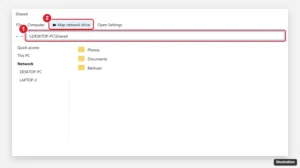
Windows File Explorer with a network share path typed in the address bar and Map network drive highlighted

How to Use SMB File Sharing on Windows 10

November 12, 2026September 20, 2024 by Kermit Matthews

Turn on network discovery and file sharing, share a folder from its Properties, then open \\ComputerName\Folder on another PC or map it as a drive. Fixes too. Continue Reading How to Use SMB File Sharing on Windows 10

Categories Windows 10
Web browser menu open on History showing Recently closed items including a closed window with several tabs, and the reopen shortcut

How to Reopen a Closed Window in Windows 10

November 10, 2026September 18, 2024 by Kermit Matthews

Reopen a closed window in Windows 10: Ctrl + Shift + T for browsers, Quick access for File Explorer, jump lists for apps, and Alt + Tab for hidden windows. Continue Reading How to Reopen a Closed Window in Windows 10

Categories Windows 10

How to Install CorelDRAW X4 in Windows 10 (What Works and the Risks)

November 6, 2026September 18, 2024 by Kermit Matthews

Learn how to install CorelDRAW X4 on Windows 10 with our step-by-step guide. Follow these simple instructions to get your design software up and running smoothly. Continue Reading How to Install CorelDRAW X4 in Windows 10 (What Works and the Risks)

Categories Windows 10
Device Manager with the HID-compliant touch screen device and Enable device highlighted

How to Enable the Touch Screen in Windows 10 (Including HP)

November 10, 2026September 18, 2024 by Kermit Matthews

Turn a disabled touch screen back on in Windows 10 with Device Manager, Human Interface Devices, HID-compliant touch screen, Enable. Continue Reading How to Enable the Touch Screen in Windows 10 (Including HP)

Categories Windows 10
Windows Project panel opened with Windows key plus P showing display options with Second screen only highlighted

How to Switch to HDMI on Windows 10 (Display and Sound)

November 12, 2026September 17, 2024 by Kermit Matthews

Switch your Windows 10 display and sound to HDMI with Windows+P, choose duplicate or second screen only, set HDMI audio, and fix no signal or no sound. Continue Reading How to Switch to HDMI on Windows 10 (Display and Sound)

Categories Windows 10, Windows 11
Installer Workloads tab with Desktop development with C++ checked and highlighted

How to Install C++ on Windows 10

November 10, 2026September 17, 2024 by Kermit Matthews

Set up C++ on Windows 10 with Visual Studio Community or with VS Code and GCC, run your first program, and fix common setup errors. Continue Reading How to Install C++ on Windows 10

Categories Windows 10
Local Users and Groups user Properties dialog with the Account is locked out and Account is disabled checkboxes highlighted

How to Unlock a User Account in Windows 10

November 15, 2026September 17, 2024 by Kermit Matthews

Unlock a locked Windows 10 account by waiting out the lockout, unchecking Account is locked out in lusrmgr.msc, or enabling it with net user. Step by step. Continue Reading How to Unlock a User Account in Windows 10

Categories Windows 10
Disk Management window with the Action menu open and Attach VHD highlighted, and the Attach Virtual Hard Disk dialog showing a file path

How to Open a VHD File in Windows 10 (Mount and Attach)

November 10, 2026September 17, 2024 by Kermit Matthews

Open a VHD or VHDX file in Windows 10 by double-clicking to mount it, using Disk Management Attach VHD read-only, or PowerShell, and fix mount errors. Continue Reading How to Open a VHD File in Windows 10 (Mount and Attach)

Categories Windows 10
Cloud sync app settings window on the Account tab with Unlink this PC highlighted

How to Completely Remove OneDrive From Windows 10 (Without Losing Files)

November 15, 2026September 16, 2024 by Kermit Matthews

Completely remove OneDrive from Windows 10: stop folder backup, keep your files, unlink your PC, uninstall the app, and clean up leftovers safely. Continue Reading How to Completely Remove OneDrive From Windows 10 (Without Losing Files)
Categories Windows 10
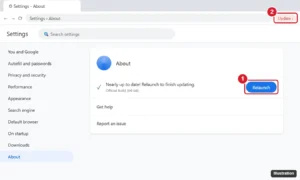
Browser Settings About page showing an update ready with the Relaunch button highlighted

How to Update Chrome on Windows 10 (and Fix Update Errors)

November 12, 2026September 12, 2024 by Kermit Matthews

Update Chrome on Windows 10 from Help > About Google Chrome, understand the Update button, and fix Chrome updates that fail or are disabled. Continue Reading How to Update Chrome on Windows 10 (and Fix Update Errors)

Categories Chrome, Windows 10
Virtual machine app New Virtual Machine wizard with an ISO image selected, 2 GB of memory and a 32 GB virtual disk for an older Windows guest

How to Run Windows 7 in Windows 10 With a Virtual Machine

November 10, 2026September 12, 2024 by Kermit Matthews

Run Windows 7 inside Windows 10 with Hyper-V, VirtualBox or VMware Workstation Pro. What you need, full setup steps and how to keep the VM secure. Continue Reading How to Run Windows 7 in Windows 10 With a Virtual Machine

Categories Windows 10
Command Prompt showing the default Java max heap size check and a program started with -Xms and -Xmx heap size options

How to Increase Java Heap Size in Windows 10 (-Xmx Guide)

November 10, 2026September 12, 2024 by Kermit Matthews

Increase Java heap size on Windows 10 with -Xmx on the command line, JAVA_TOOL_OPTIONS, or IDE and build tool settings to fix OutOfMemoryError crashes. Continue Reading How to Increase Java Heap Size in Windows 10 (-Xmx Guide)

Categories Windows 10, Windows 11
Infographic comparing legal ways to use a professional photo editor for free on Windows: 7-day desktop trial, free mobile tier, school license and free alternatives, with the trial card highlighted

How to Get Photoshop Free on Windows 10 (Legal Options Only)

November 14, 2026September 12, 2024 by Kermit Matthews

Legal ways to get Photoshop free on Windows 10: the 7-day trial and how to cancel, the free mobile tier, school licenses, and free alternatives. Continue Reading How to Get Photoshop Free on Windows 10 (Legal Options Only)

Categories Photoshop, Windows 10
Windows 10 File Explorer with cmd typed in the address bar and a Command Prompt window opened in that folder

How to Open a Folder in Command Prompt on Windows 10

November 17, 2026September 12, 2024 by Kermit Matthews

Open any folder in Command Prompt on Windows 10 by typing cmd in the File Explorer address bar, using cd, or Shift + right-click, plus admin tips. Continue Reading How to Open a Folder in Command Prompt on Windows 10

Categories Windows 10

How to Find Your Network Name in Windows 10

November 10, 2026September 12, 2024 by Kermit Matthews

Learn how to find your network name on Windows 10 with our step-by-step guide. Follow these easy instructions to identify your Wi-Fi network name quickly! Continue Reading How to Find Your Network Name in Windows 10
Categories Windows 10
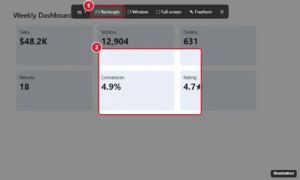
Windows screen dimmed by the Snipping Tool with the snip mode toolbar at the top and a rectangle being drawn around part of the screen

How to Open PowerShell in Windows 10: A Step-by-Step Guide for Beginners

November 17, 2026September 12, 2024 by Kermit Matthews

Open PowerShell in Windows 10 from the Win+X menu, Start search, Run, File Explorer, or Task Manager, including as administrator and in a specific folder. Continue Reading How to Open PowerShell in Windows 10: A Step-by-Step Guide for Beginners

Categories Windows 10

How to Fix “Invalid Value for Registry” in Windows 10

November 10, 2026September 11, 2024 by Kermit Matthews

Learn how to fix the “Invalid Value for Registry” error in Windows 10 with our step-by-step guide. Troubleshoot and resolve the issue quickly and efficiently. Continue Reading How to Fix “Invalid Value for Registry” in Windows 10

Categories Windows 10
slmgr /dli window showing VOLUME_KMSCLIENT channel

How to Remove KMS Activation and Activate Windows Legally

November 12, 2026September 11, 2024 by Kermit Matthews

Remove a KMS key and server setting with slmgr, clean up activator leftovers, check for malware, and activate Windows 10 or 11 with a genuine license. Continue Reading How to Remove KMS Activation and Activate Windows Legally

Categories Windows 10, Windows 11
Windows 10 Credential Manager with Web Credentials selected and the Show link next to a saved password highlighted

Back Up Saved Passwords Before Leaving a Windows 10 PC

November 17, 2026September 11, 2024 by Kermit Matthews

Before you reset or replace a Windows 10 PC, move browser passwords and Wi-Fi networks with sync or export, list other sign-ins and handle the files safely. Continue Reading Back Up Saved Passwords Before Leaving a Windows 10 PC

Categories Windows 10

How to Delete a User Profile in Windows 11 and 10

November 10, 2026September 11, 2024 by Kermit Matthews

Delete a Windows 10 user profile the supported way in System Properties, then safely clean leftover ProfileList registry entries with a backup first. Continue Reading How to Delete a User Profile in Windows 11 and 10

Categories Windows 10
Windows Storage Spaces create a storage space screen with Resiliency type set to Two-way mirror

How to Mirror a Hard Drive in Windows 10 (Storage Spaces)

November 10, 2026September 11, 2024 by Kermit Matthews

Mirror two drives in Windows 10 with a Storage Spaces two-way mirror, compare Disk Management and RAID 1 options, and see why a mirror is not a backup. Continue Reading How to Mirror a Hard Drive in Windows 10 (Storage Spaces)

Categories Windows 10
Older posts
Newer posts
← Previous Page1 … Page3 Page4 Page5 … Page12 Next →

Join Our Free Newsletter

Featured guides and deals

You may opt out at any time.
Read our Privacy Policy

Live2Tech

Plain-English, step-by-step guides for the devices and apps you use every day.

Apple

  • iPhone
  • iPad
  • Mac
  • Apple Watch

Windows

  • Windows 11
  • Windows 10

Microsoft Office

  • Word
  • Excel
  • Powerpoint
  • Outlook

Google

  • Google Docs
  • Google Sheets
  • Google Slides
  • Gmail
  • Chrome
  • Google Drive
  • About Us
  • Contact
  • Disclaimer
  • Privacy Policy
© Live2Tech.com 2026
  • iPhone
  • Windows
    • Windows 11
    • Windows 10
  • Office
    • Word
    • Excel
    • Powerpoint
    • Outlook
  • Google
    • Google Docs
    • Google Sheets
    • Google Slides
    • Gmail
    • Chrome
    • Google Drive
  • Mac & Apple
    • Mac
    • iPad
    • Apple Watch
  • All Tutorials