Skip to content
Live2Tech
  • iPhone
  • Windows
    • Windows 11
    • Windows 10
  • Office
    • Word
    • Excel
    • Powerpoint
    • Outlook
  • Google
    • Google Docs
    • Google Sheets
    • Google Slides
    • Gmail
    • Chrome
    • Google Drive
  • Mac & Apple
    • Mac
    • iPad
    • Apple Watch
  • All Tutorials

Kermit Matthews

Kermit Matthews runs Live2Tech from just outside Philadelphia. He is an IT specialist with over 20 years of experience, from a university help desk to small-business IT, IT management and his own consulting practice, and has written tech guides full time since 2020. Steps are checked against the current software on a real device or the maker's official documentation. More about Kermit.
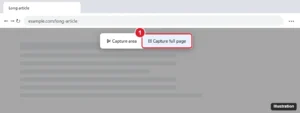
Microsoft Edge Web capture toolbar with Capture area and Capture full page, with Capture full page highlighted

How to Take a Scrolling Screenshot on Windows

November 10, 2026March 25, 2025 by Kermit Matthews

Take a scrolling screenshot on Windows with Edge’s Capture full page, Chrome’s developer tools, Firefox, or a free tool for other apps. Continue Reading How to Take a Scrolling Screenshot on Windows

Categories Windows 10, Windows 11
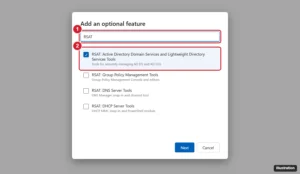
Windows 11 Add an optional feature window with a search for RSAT and the Active Directory tools checked

How to Install Active Directory Tools on Windows 11

November 10, 2026March 24, 2025 by Kermit Matthews

Windows 11 cannot be a domain controller, but you can add AD tools: Settings > System > Optional features > View features > RSAT: Active Directory. Continue Reading How to Install Active Directory Tools on Windows 11
Categories Windows 11
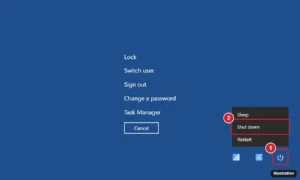
Windows Ctrl Alt Delete security screen with the power icon menu open and Shut down highlighted

How to Force Shut Down Windows

November 14, 2026March 21, 2025 by Kermit Matthews

Force shut down a frozen Windows PC by holding the power button 5 to 10 seconds, or use Ctrl + Alt + Delete or shutdown /s /f /t 0. Plus freeze fixes. Continue Reading How to Force Shut Down Windows

Categories Windows 10, Windows 11

How to Rotate a Video for Windows Media Player (3 Free Ways)

November 10, 2026March 20, 2025 by Kermit Matthews

Windows Media Player can’t rotate a video. Neither the classic Windows Media Player nor the newer Media Player app in Windows 10 and 11 has… Continue Reading How to Rotate a Video for Windows Media Player (3 Free Ways)

Categories Windows 11
Windows File Explorer showing a Pages file renamed to ZIP and opened, with the preview image file highlighted

How to Open a Pages Document on a Windows PC

November 13, 2026March 20, 2025 by Kermit Matthews

Upload it to Pages on iCloud.com with a free Apple Account, then download it as Word or PDF. Or rename .pages to .zip for a quick preview. Continue Reading How to Open a Pages Document on a Windows PC
Categories Windows 10, Windows 11
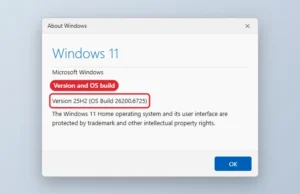
About Windows dialog showing the Windows version and OS build highlighted

How to Check Your Windows Version

November 13, 2026March 19, 2025 by Kermit Matthews

Check your Windows version, edition and OS build with winver or Settings, System, About, and what each number means. Continue Reading How to Check Your Windows Version
Categories Windows 10, Windows 11
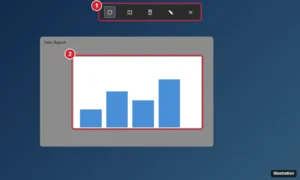
Dimmed desktop with a screen snipping toolbar at the top showing rectangle, window, full screen and freeform modes and a selected area being captured

How to Take a Snapshot (Screenshot) on Windows 11 and 10

November 12, 2026March 18, 2025 by Kermit Matthews

Take a snapshot on Windows with Windows + Shift + S, PrtScn, Windows + PrtScn or Game Bar, find saved screenshots and capture full pages. Continue Reading How to Take a Snapshot (Screenshot) on Windows 11 and 10
Categories Windows 10, Windows 11
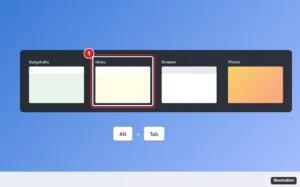
Desktop with the Alt plus Tab window switcher open showing thumbnails of open apps, the selected Notes window highlighted, and a keyboard hint for Alt and Tab

How to Switch Screens on Windows Using the Keyboard

November 14, 2026March 17, 2025 by Kermit Matthews

Switch screens on Windows with the keyboard: Alt + Tab for windows, Windows + Tab for Task View, and shortcuts for desktops and monitors. Continue Reading How to Switch Screens on Windows Using the Keyboard
Categories Windows 10, Windows 11
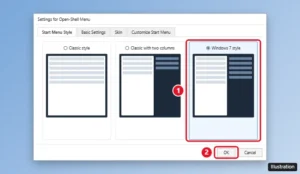
Open-Shell Menu Settings with the Windows 7 style Start menu option selected on Windows 11

How to Make Windows 11 Look Like Windows 7

November 14, 2026March 17, 2025 by Kermit Matthews

Make Windows 11 look like Windows 7 with a free Open-Shell Start menu, a left-aligned taskbar, the classic right-click menu, and Windows 7-style colors. Continue Reading How to Make Windows 11 Look Like Windows 7

Categories Windows 11
Video meeting desktop app profile menu with Check for Updates highlighted

How to Update Zoom on Windows 10

November 10, 2026March 14, 2025 by Kermit Matthews

Update Zoom on Windows 10 from the profile menu with Check for Updates, turn on automatic updates, or reinstall from the official site. Continue Reading How to Update Zoom on Windows 10
Categories Windows 10
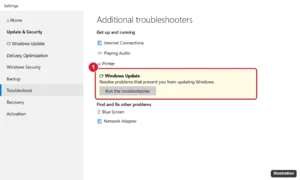
Windows 10 Settings Troubleshoot page with Windows Update selected and the Run the troubleshooter button highlighted

How to Fix Windows Update: Step-by-Step Troubleshooting

November 11, 2026March 13, 2025 by Kermit Matthews

Fix Windows Update errors in Windows 10 and 11: troubleshooter, disk space, DISM and SFC, resetting update components, manual installs and error codes. Continue Reading How to Fix Windows Update: Step-by-Step Troubleshooting
Categories Windows 10
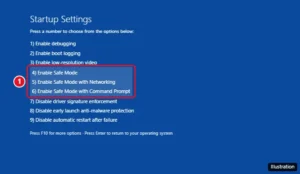
Windows 10 Startup Settings screen listing numbered options with Enable Safe Mode, Safe Mode with Networking, and Safe Mode with Command Prompt highlighted

How to Boot Into Safe Mode on Windows 10

November 16, 2026March 12, 2025 by Kermit Matthews

Boot Windows 10 into Safe Mode from the desktop, the sign-in screen or a PC that won’t start, pick the right Startup Settings option, and get back to normal. Continue Reading How to Boot Into Safe Mode on Windows 10

Categories Windows 10
Windows Features dialog with the Telnet Client checkbox checked and the OK button highlighted

How to Enable Telnet on Windows 11 (and Windows 10)

November 14, 2026March 11, 2025 by Kermit Matthews

Enable Telnet on Windows 11 by checking Telnet Client in Windows Features, or run a DISM command. Plus how to use it, test ports, and turn it off. Continue Reading How to Enable Telnet on Windows 11 (and Windows 10)

Categories Windows 10, Windows 11
Windows 11 Display settings showing monitors numbered 1 and 2 with the Identify button and Make this my main display option

Monitor Numbers in Windows 11: Why They Can’t Be Changed

November 13, 2026March 10, 2025 by Kermit Matthews

Windows 11 has no renumber setting, but you can swap ports, set a main display, rearrange screens, and clear old monitors to fix wrong monitor numbers. Continue Reading Monitor Numbers in Windows 11: Why They Can’t Be Changed

Categories Windows 11
Microsoft Word with the Show/Hide paragraph marks button on and extra paragraph marks and a page break selected on a blank page

How to Delete a Page in Word (Including Blank Pages)

November 17, 2026March 10, 2025 by Kermit Matthews

Delete a page in Word, including stubborn blank pages at the end. Use Go To \page, show paragraph marks, and fix page breaks, section breaks, and tables. Continue Reading How to Delete a Page in Word (Including Blank Pages)
Categories Word
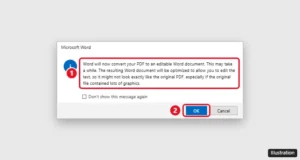
Microsoft Word message saying it will convert a PDF to an editable Word document, with the OK button highlighted

How to Convert a PDF to Word

November 13, 2026March 10, 2025 by Kermit Matthews

Convert a PDF to an editable Word document with Microsoft Word, Google Docs for free, or Adobe Acrobat, including scanned PDFs, plus tips to keep formatting. Continue Reading How to Convert a PDF to Word
Categories Word
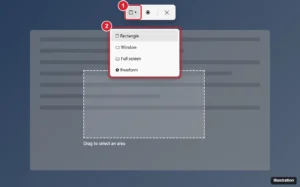
Windows snipping overlay toolbar with Rectangle mode and snip mode dropdown highlighted

How to Take a Snippet on Windows 11 and 10

November 12, 2026March 7, 2025 by Kermit Matthews

Take a snippet on Windows with Windows + Shift + S, the Snipping Tool, Print Screen, or Game Bar, plus delays, screen recording, and where snips save. Continue Reading How to Take a Snippet on Windows 11 and 10

Categories Windows 11
System Information window with System Summary selected and the BIOS Version/Date and System Model rows highlighted

How to Update BIOS on Windows 11 (Safely)

November 13, 2026March 7, 2025 by Kermit Matthews

Update your BIOS on Windows 11 safely with Windows Update, your PC maker app, or a USB flash utility, and check the current version with msinfo32. Continue Reading How to Update BIOS on Windows 11 (Safely)

Categories Windows 11
Windows 11 Start menu with the Power button menu open and Restart highlighted

How to Restart Windows 11 and 10 (Mouse, Keyboard, Command, and More)

November 14, 2026March 6, 2025 by Kermit Matthews

Restart Windows from Start > Power > Restart, or use Alt + F4 or Ctrl + Alt + Delete from the keyboard. Plus the shutdown command and frozen-PC fixes. Continue Reading How to Restart Windows 11 and 10 (Mouse, Keyboard, Command, and More)
Categories Windows 10, Windows 11
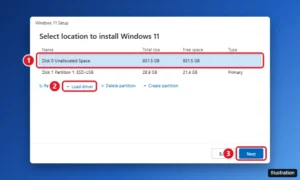
Windows 11 Setup Select location to install Windows 11 screen with the unallocated drive selected and the Load driver option

How to Install Windows on a New PC

November 16, 2026March 6, 2025 by Kermit Matthews

Install Windows 11 on a new PC: make a USB installer, boot from it, pick the empty drive, fix missing drives, then install drivers and activate Windows. Continue Reading How to Install Windows on a New PC
Categories Windows 10, Windows 11
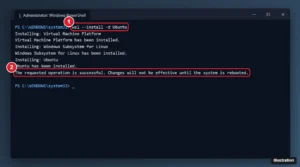
Administrator PowerShell window running wsl --install -d Ubuntu with the command and the installation success message highlighted

How to Install Ubuntu on Windows 10 (WSL Guide)

November 14, 2026March 6, 2025 by Kermit Matthews

Install Ubuntu on Windows 10 with WSL in one command, set up your Linux account, share files with Windows, and fix common installation errors. Continue Reading How to Install Ubuntu on Windows 10 (WSL Guide)

Categories Windows 10
Windows 11 Settings Installed apps page with the AI assistant app menu open and Uninstall highlighted

How to Uninstall or Hide Copilot in Windows 11

November 11, 2026March 5, 2025 by Kermit Matthews

Turn off or uninstall Copilot in Windows 11: remove the app, remap the Copilot key, disable it in Edge and Office, and use the 2026 policy to keep it removed. Continue Reading How to Uninstall or Hide Copilot in Windows 11
Categories Windows 11
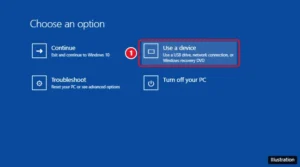
Windows 10 advanced startup Choose an option screen with Use a device highlighted for booting from a USB drive

How to Boot Windows 10 From USB

November 14, 2026March 4, 2025 by Kermit Matthews

Boot a Windows 10 PC from USB with the boot menu key, the Use a device option, or BIOS boot order. Includes keys for each brand and fixes if the USB is missing. Continue Reading How to Boot Windows 10 From USB

Categories Windows 10
Windows User Accounts dialog with the Users must enter a user name and password to use this computer checkbox unchecked

How to Stop Typing Your Password on Windows 10

November 14, 2026March 4, 2025 by Kermit Matthews

Disable the Windows 10 password: sign in automatically with netplwiz, skip the password after sleep, remove a local account password, or use a PIN. Continue Reading How to Stop Typing Your Password on Windows 10

Categories Windows 10
OneDrive settings on Windows 11 with the Account page open and Unlink this PC highlighted

How to Turn Off OneDrive on Windows 11 (Pause, Unlink, or Uninstall)

November 15, 2026February 28, 2025 by Kermit Matthews

Turn off OneDrive on Windows 11: stop folder backup, pause or quit syncing, unlink your PC, stop it at startup, or uninstall it without losing files. Continue Reading How to Turn Off OneDrive on Windows 11 (Pause, Unlink, or Uninstall)

Categories Windows 11
Windows 10 Bluetooth and other devices settings with Add Bluetooth or other device and the Bluetooth option in the Add a device window highlighted

How to Connect Bluetooth Headphones to a Windows 10 PC

November 13, 2026February 27, 2025 by Kermit Matthews

Pair Bluetooth headphones with a Windows 10 PC, make sound play through them, and fix headphones that won’t show up, connect, or sound choppy. Continue Reading How to Connect Bluetooth Headphones to a Windows 10 PC
Categories Windows 10
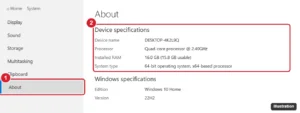
Windows 10 Settings About page with Device specifications including processor and installed RAM highlighted

How to Check Computer Specs in Windows 10

November 17, 2026February 26, 2025 by Kermit Matthews

Check your computer specs in Windows 10 in Settings > System > About, System Information, Task Manager, or dxdiag. See CPU, RAM, GPU, and storage. Continue Reading How to Check Computer Specs in Windows 10
Categories Windows 10
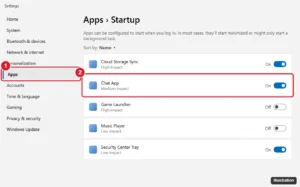
Windows 11 style Settings Apps Startup page listing startup apps with impact ratings and on off toggles, one toggle highlighted

How to Change What Opens on Startup in Windows 10 and 11

November 10, 2026February 25, 2025 by Kermit Matthews

Control which apps open at startup in Windows 10 and 11 with Settings or Task Manager, add programs with the Startup folder, and stop apps from reopening. Continue Reading How to Change What Opens on Startup in Windows 10 and 11

Categories Windows 11
Windows 11 Start search results for Command Prompt with Run as administrator highlighted in the right pane

How to Run as Administrator in Windows 11 (7 Ways)

November 10, 2026February 24, 2025 by Kermit Matthews

Run apps as administrator in Windows 11 from Start search, the right-click menu, keyboard shortcuts, or Terminal (Admin), and make apps always run elevated. Continue Reading How to Run as Administrator in Windows 11 (7 Ways)

Categories Windows 11
Security app Virus and threat protection settings with the Real-time protection switch turned off and highlighted, plus a warning that the device may be vulnerable

How to Turn Off Windows Security (Microsoft Defender) in Windows 10 and 11

November 12, 2026February 21, 2025 by Kermit Matthews

Turn off Windows Security: Virus & threat protection > Manage settings > Real-time protection off. Plus exclusions and why permanent tricks fail. Continue Reading How to Turn Off Windows Security (Microsoft Defender) in Windows 10 and 11

Categories Windows 10, Windows 11
Windows screen dimmed after pressing Windows+Shift+S, with the Snipping Tool capture bar and Rectangle mode highlighted

How to Take a Screenshot on Windows 11 and 10 (Every Method)

November 12, 2026February 21, 2025 by Kermit Matthews

Take a screenshot on Windows 11 or 10 with Windows+Shift+S, Print Screen, Windows+Print Screen, or the Snipping Tool. Where screenshots save and fixes. Continue Reading How to Take a Screenshot on Windows 11 and 10 (Every Method)
Categories Windows 10, Windows 11
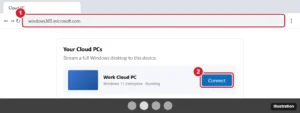
Chromebook browser showing a cloud PC portal with the Connect button highlighted to open a Windows desktop

Can You Install Windows on a Chromebook? (Your Real Options)

November 13, 2026February 20, 2025 by Kermit Matthews

Most Chromebooks can’t install Windows, but you can use it through a cloud PC, Remote Desktop, or Parallels. Here are the real options and risks. Continue Reading Can You Install Windows on a Chromebook? (Your Real Options)

Categories Google
Browser Clear browsing data dialog with the time range and Cookies and other site data checkbox highlighted

How to Delete Cookies on Windows 10 (Edge, Chrome, and Firefox)

November 16, 2026February 20, 2025 by Kermit Matthews

Delete cookies on Windows 10 in Edge, Chrome, or Firefox with Ctrl+Shift+Delete, remove cookies for one site, and clear cookies automatically on close. Continue Reading How to Delete Cookies on Windows 10 (Edge, Chrome, and Firefox)

Categories Windows 10, Windows 11
Windows 7 Snipping Tool with the New button menu open showing Free-form, Rectangular, Window, and Full-screen Snip

How to Take a Screenshot on Windows 7

November 10, 2026February 20, 2025 by Kermit Matthews

Take a screenshot on Windows 7 with Print Screen or Alt + Print Screen, then paste into Paint, or use the Snipping Tool. Laptop tips included. Continue Reading How to Take a Screenshot on Windows 7

Categories Windows 7
App store Library page listing installed apps and games with update status, and the Get updates button highlighted at the top right

How to Update Minecraft on Windows 10

November 12, 2026February 19, 2025 by Kermit Matthews

Update Minecraft on Windows 10: open the Minecraft Launcher and click Play, or use Microsoft Store > Library > Get updates. Plus Java and fixes. Continue Reading How to Update Minecraft on Windows 10

Categories Windows 10
Windows PowerShell showing the command that reads the Windows product key stored in the PC firmware, with the key partly hidden

How to Find Your Windows Product Key (Windows 11 and 10)

November 17, 2026February 18, 2025 by Kermit Matthews

Find your Windows 11 or 10 product key with a PowerShell command, check if you have a digital license, and see where else your key might be stored. Continue Reading How to Find Your Windows Product Key (Windows 11 and 10)

Categories Windows 10, Windows 11
Windows 10 taskbar right-click menu with the Show Copilot button option highlighted

How to Disable Copilot in Windows 10 (4 Ways)

November 11, 2026February 18, 2025 by Kermit Matthews

Disable Copilot in Windows 10: hide the taskbar button, uninstall the Copilot app, block it with Group Policy or the registry, and turn it off in Edge. Continue Reading How to Disable Copilot in Windows 10 (4 Ways)

Categories Windows 10
Windows 10 Advanced options screen with UEFI Firmware Settings highlighted for entering the BIOS

How to Enter the BIOS on Windows 10

November 14, 2026February 17, 2025 by Kermit Matthews

Enter the BIOS on Windows 10 from Settings with UEFI Firmware Settings, with the BIOS key for your PC brand, or a command, plus fixes if you can’t get in. Continue Reading How to Enter the BIOS on Windows 10

Categories Windows 10
Windows Ctrl+Alt+Del security screen with the power button menu open and Restart highlighted

How to Force Restart Windows (5 Ways, Safest First)

November 10, 2026February 14, 2025 by Kermit Matthews

Force restart a frozen Windows 11 or 10 PC with Ctrl+Alt+Del, an emergency restart, a shutdown command, or the power button, plus fixes for repeated freezes. Continue Reading How to Force Restart Windows (5 Ways, Safest First)

Categories Windows 10, Windows 11
Optimize Drives window in Windows 11 listing a solid state drive and a hard disk drive with the Optimize button highlighted

How to Defrag Windows 11 (HDD and SSD)

November 10, 2026February 14, 2025 by Kermit Matthews

Defrag Windows 11 with Defragment and Optimize Drives, see why SSDs get TRIM instead, check the weekly schedule, and run defrag from Terminal. Continue Reading How to Defrag Windows 11 (HDD and SSD)

Categories Windows 11
Windows 11 window with the Maximize button hovered, showing snap layouts with the two-column layout highlighted

How to Split Screen on Windows 11 and 10

November 14, 2026February 13, 2025 by Kermit Matthews

Press Windows key + Left or Right to snap a window to half the screen, then pick another window. How to use snap layouts, quarters, and fix Snap. Continue Reading How to Split Screen on Windows 11 and 10

Categories Windows 10, Windows 11
A Windows app window with the Maximize button highlighted and the F11 key shown for full screen

How to Go Full Screen on Windows: Keys, Apps and Games

November 17, 2026February 13, 2025 by Kermit Matthews

Press F11 (or Fn + F11) to go full screen in browsers and File Explorer. Use Windows key + Up to maximize, and Alt + Enter in games. Plus fixes. Continue Reading How to Go Full Screen on Windows: Keys, Apps and Games

Categories Windows 10, Windows 11
Windows 10 taskbar right-click menu with Task Manager highlighted and the Ctrl Shift Esc shortcut shown

How to Open Task Manager on Windows 10 (9 Ways)

November 13, 2026February 11, 2025 by Kermit Matthews

Open Task Manager on Windows 10 with Ctrl + Shift + Esc, Ctrl + Alt + Delete, the taskbar, Run, and more, plus fixes if Task Manager will not open. Continue Reading How to Open Task Manager on Windows 10 (9 Ways)

Categories Windows 10
Windows 10 Settings Family and other users page with Add someone else to this PC highlighted

How to Create a New User on Windows 10 (Local or Microsoft Account)

November 14, 2026February 10, 2025 by Kermit Matthews

Create a new user on Windows 10 with a Microsoft or local account in Settings, make them an admin, or use Netplwiz and Command Prompt. Continue Reading How to Create a New User on Windows 10 (Local or Microsoft Account)

Categories Windows 10

How to Enable Virtualization in Windows 11 (No BIOS Key)

November 15, 2026February 10, 2025 by Kermit Matthews

Your Android emulator, WSL or a new virtual machine refuses to start because “virtualization is disabled.” First check Task Manager > Performance > CPU. If… Continue Reading How to Enable Virtualization in Windows 11 (No BIOS Key)

Categories Windows 11
Windows 11 Settings System Recovery page with the Go back option to return to the previous version of Windows highlighted

How to Revert to Windows 10 From Windows 11 (Go Back or Clean Install)

November 16, 2026February 7, 2025 by Kermit Matthews

Roll back from Windows 11 to Windows 10 with Go back within 10 days, extend the window to 60 days, or clean install. Plus what end of support means. Continue Reading How to Revert to Windows 10 From Windows 11 (Go Back or Clean Install)

Categories Windows 11
Windows 11 Settings Date and time page with Set time automatically off and a Change button for manual time

How to Change the Time and Time Zone on Windows 11

November 14, 2026February 6, 2025 by Kermit Matthews

Change the time on Windows 11: Settings, Time and language, Date and time, turn off Set time automatically, then click Change and enter the time. Continue Reading How to Change the Time and Time Zone on Windows 11

Categories Windows 11
Windows 11 Settings Recovery page with the Reset PC button highlighted and the Choose an option dialog showing Keep my files and Remove everything

How to Factory Reset Windows 11 and 10

November 13, 2026February 5, 2025 by Kermit Matthews

Factory reset Windows in Settings > System > Recovery > Reset PC. Learn Keep my files vs. Remove everything, cloud vs. local, and reset without signing in. Continue Reading How to Factory Reset Windows 11 and 10

Categories Windows 10, Windows 11

How to Get Out of Full Screen on Windows

November 17, 2026February 5, 2025 by Kermit Matthews

Exit full screen on Windows with F11, Esc or Alt + Enter, plus fixes for browsers, videos, games, Store apps, tablet mode and a hidden taskbar. Continue Reading How to Get Out of Full Screen on Windows
Categories Windows 11
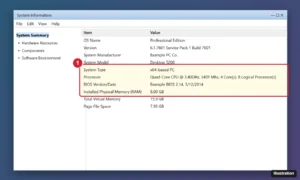
Older Windows System Information window with System Summary showing processor, installed memory, system type and BIOS details

How to Find Computer Specs in Windows 7 (5 Ways)

November 16, 2026February 3, 2025 by Kermit Matthews

Find computer specs in Windows 7 with System Properties, msinfo32, dxdiag, Device Manager or Command Prompt, and see if your PC can run newer Windows. Continue Reading How to Find Computer Specs in Windows 7 (5 Ways)

Categories Windows 7
Older posts
Newer posts
← Previous Page1 … Page7 Page8 Page9 … Page59 Next →

Join Our Free Newsletter

Featured guides and deals

You may opt out at any time.
Read our Privacy Policy

Live2Tech

Plain-English, step-by-step guides for the devices and apps you use every day.

Apple

  • iPhone
  • iPad
  • Mac
  • Apple Watch

Windows

  • Windows 11
  • Windows 10

Microsoft Office

  • Word
  • Excel
  • Powerpoint
  • Outlook

Google

  • Google Docs
  • Google Sheets
  • Google Slides
  • Gmail
  • Chrome
  • Google Drive
  • About Us
  • Contact
  • Disclaimer
  • Privacy Policy
© Live2Tech.com 2026
  • iPhone
  • Windows
    • Windows 11
    • Windows 10
  • Office
    • Word
    • Excel
    • Powerpoint
    • Outlook
  • Google
    • Google Docs
    • Google Sheets
    • Google Slides
    • Gmail
    • Chrome
    • Google Drive
  • Mac & Apple
    • Mac
    • iPad
    • Apple Watch
  • All Tutorials