Skip to content
Live2Tech
  • iPhone
  • Windows
    • Windows 11
    • Windows 10
  • Office
    • Word
    • Excel
    • Powerpoint
    • Outlook
  • Google
    • Google Docs
    • Google Sheets
    • Google Slides
    • Gmail
    • Chrome
    • Google Drive
  • Mac & Apple
    • Mac
    • iPad
    • Apple Watch
  • All Tutorials

Kermit Matthews

Kermit Matthews runs Live2Tech from just outside Philadelphia. He is an IT specialist with over 20 years of experience, from a university help desk to small-business IT, IT management and his own consulting practice, and has written tech guides full time since 2020. Steps are checked against the current software on a real device or the maker's official documentation. More about Kermit.
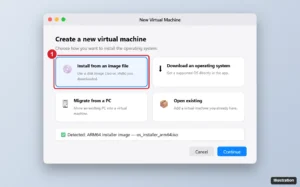
Virtual machine app on a laptop showing the new virtual machine assistant with Install from an image file selected and highlighted, and an ARM installer image detected

How to Install Windows 11 or 10 on a Mac (Intel and Apple Silicon)

November 7, 2026December 12, 2024 by Kermit Matthews

Install Windows on a Mac: use a virtual machine with Windows 11 Arm on Apple silicon, or Boot Camp with Windows 10 on Intel Macs. Plus licensing. Continue Reading How to Install Windows 11 or 10 on a Mac (Intel and Apple Silicon)

Categories Mac, Windows 11
Windows Add a device window with Bluetooth selected and AirPods listed as a device to pair

How to Connect AirPods to Windows

November 17, 2026December 9, 2024 by Kermit Matthews

Open the AirPods case, hold the setup button until it flashes white, then go to Settings > Bluetooth & devices > Add device. Tips and fixes inside. Continue Reading How to Connect AirPods to Windows

Categories Windows 10, Windows 11
Settings update page with the Pause updates row and its date picker highlighted

How to Turn Off Windows Update in Windows 11 (Pause It Safely)

November 10, 2026December 9, 2024 by Kermit Matthews

Pause Windows Update for up to 35 days, stop surprise restarts with active hours, and use metered connections or Group Policy for more control. Continue Reading How to Turn Off Windows Update in Windows 11 (Pause It Safely)

Categories Windows 11
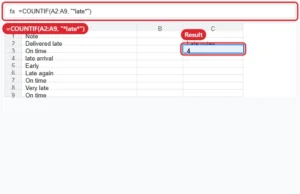
Spreadsheet with a COUNTIF formula counting how many cells contain a word

How to Count How Many Times a Word Appears in Google Sheets

November 18, 2026December 6, 2024 by Kermit Matthews

Count a word in Google Sheets with COUNTIF, use wildcards for partial matches, and SUMPRODUCT with SUBSTITUTE to count repeats inside cells. Continue Reading How to Count How Many Times a Word Appears in Google Sheets

Categories Google Sheets
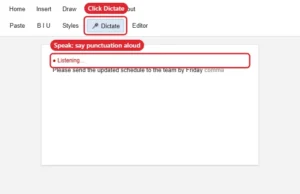
Document Home tab on a Mac with the Dictate microphone button active and listening

How to Dictate in Word on a Mac

November 10, 2026December 6, 2024 by Kermit Matthews

Dictate in Word on a Mac with Home > Dictate (Microsoft 365) or macOS Dictation, plus voice commands for punctuation and fixes. Continue Reading How to Dictate in Word on a Mac

Categories Word
Windows Advanced options recovery screen with the UEFI Firmware Settings tile highlighted

How to Open BIOS in Windows 11 (4 Ways)

November 18, 2026December 5, 2024 by Kermit Matthews

Open the BIOS in Windows 11 from Settings, Shift + Restart, a command, or your PC’s BIOS key, plus fixes if you can’t get in. Continue Reading How to Open BIOS in Windows 11 (4 Ways)

Categories Windows 11

How to Reinstall Windows 11: Repair, Reset, or Clean Install

November 18, 2026December 5, 2024 by Kermit Matthews

Learn how to reinstall Windows 11 easily with our step-by-step guide. Perfect for beginners looking to refresh their system and improve performance. Continue Reading How to Reinstall Windows 11: Repair, Reset, or Clean Install

Categories Windows 11
Windows 11 Display settings with the Display orientation menu open and Portrait highlighted

How to Rotate or Fix a Sideways Screen in Windows 11

November 18, 2026December 2, 2024 by Kermit Matthews

Rotate your screen in Windows 11 from Display settings or with Ctrl+Alt+arrow shortcuts, rotate one monitor, and fix a sideways or grayed-out orientation. Continue Reading How to Rotate or Fix a Sideways Screen in Windows 11

Categories Windows 11
Windows 11 Win+X power user menu with Shut down or sign out expanded and Restart highlighted with underlined shortcut letters

How to Restart a Laptop With the Keyboard in Windows 11 (Every Way)

November 17, 2026November 26, 2024 by Kermit Matthews

Restart a Windows 11 laptop using only the keyboard: Win+X U R, Alt+F4, Ctrl+Alt+Delete, the shutdown command, and what to do when it is frozen. Continue Reading How to Restart a Laptop With the Keyboard in Windows 11 (Every Way)

Categories Windows 11
Windows 11 Settings Regional format page with Change formats open and the Short date drop-down highlighted

How to Change the Date Format in Windows 11 (Custom Formats Too)

November 18, 2026November 25, 2024 by Kermit Matthews

Change the date format in Windows 11 from Settings, create custom formats like yyyy-MM-dd in Control Panel, and show the weekday in the taskbar clock. Continue Reading How to Change the Date Format in Windows 11 (Custom Formats Too)

Categories Windows 11
Windows 11 Accessibility Keyboard settings with Sticky keys switched off and the keyboard shortcut option expanded

How to Turn Off Sticky Keys in Windows 11

November 17, 2026November 25, 2024 by Kermit Matthews

Turn off Sticky Keys in Windows 11 in Settings > Accessibility > Keyboard, disable the Shift-five-times shortcut, and fix Filter Keys problems. Continue Reading How to Turn Off Sticky Keys in Windows 11

Categories Windows 11
Windows 11 setup screen with a Command Prompt window open over it showing a registry command, and the I don't have internet link highlighted

Windows 11 Without a Microsoft Account: What’s Supported

November 18, 2026November 14, 2024 by Kermit Matthews

Set up Windows 11 with a local account instead of a Microsoft account using methods that still work: switching after setup, Rufus, or the BypassNRO command. Continue Reading Windows 11 Without a Microsoft Account: What’s Supported

Categories Windows 11
Windows 11 recovery environment Advanced options screen with Startup Repair, Startup Settings, Command Prompt, Uninstall Updates, UEFI Firmware Settings and System Restore tiles, System Restore highlighted

How to Enter Recovery Mode in Windows 11 and 10 (5 Ways)

November 16, 2026November 8, 2024 by Kermit Matthews

Open the Windows 11 recovery environment from Settings, Shift + Restart, a command, or when Windows will not boot, and learn what each repair tool does. Continue Reading How to Enter Recovery Mode in Windows 11 and 10 (5 Ways)

Categories Windows 11

How to Map a Network Drive in Windows 11

November 18, 2026November 7, 2024 by Kermit Matthews

Learn how to map a network drive in Windows 11 with our simple, step-by-step guide, making it easy to access shared files and folders. Continue Reading How to Map a Network Drive in Windows 11

Categories Windows 11
Microsoft Edge Address bar and search settings with the Search engine used in the address bar menu set to Google

How to Make Google Your Default Search Engine on Windows 11

November 18, 2026November 7, 2024 by Kermit Matthews

In Edge, go to Settings > Privacy, search, and services > Address bar and search and choose Google. Steps for Chrome and Firefox, plus taskbar search. Continue Reading How to Make Google Your Default Search Engine on Windows 11

Categories Windows 11
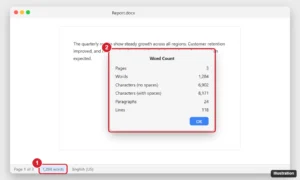
Mac word processor with the word count shown in the status bar and the Word Count dialog listing words, characters, paragraphs and lines

How to Check Word Count on a Mac (Word, Pages, Google Docs)

November 18, 2026October 31, 2024 by Kermit Matthews

Check word count on a Mac in Word, Pages and Google Docs, count a selection, and find workarounds for TextEdit and Notes using Shortcuts or Terminal. Continue Reading How to Check Word Count on a Mac (Word, Pages, Google Docs)

Categories Mac

How to Cut a Word in Excel (Move, Extract or Remove Text)

November 17, 2026October 30, 2024 by Kermit Matthews

Learn how to cut words in Excel with our step-by-step guide. Simplify your editing process and enhance productivity with these easy tips and tricks. Continue Reading How to Cut a Word in Excel (Move, Extract or Remove Text)

Categories Excel
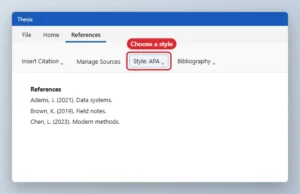
References tab with the citation Style drop-down highlighted

How to Put a Bibliography in Alphabetical Order in Word

November 10, 2026October 29, 2024 by Kermit Matthews

Alphabetize a Word bibliography by updating a generated one or sorting a typed list with Home, Sort, Paragraphs, Text, Ascending. Continue Reading How to Put a Bibliography in Alphabetical Order in Word

Categories Word
Word style Shape Format tab with the Text Direction menu open and Rotate all text 90 degrees highlighted next to a text box showing vertical text

How to Make Text Vertical in Word (Text Box, Table, Stacked)

November 18, 2026October 28, 2024 by Kermit Matthews

Make text vertical in Word by rotating it in a text box or table cell, stacking letters, or rotating to any angle, and change it back to horizontal. Continue Reading How to Make Text Vertical in Word (Text Box, Table, Stacked)

Categories Word
File manager open to the AppData Signatures folder showing signature files in htm, rtf and txt formats and a files folder

How to Put a Signature Over a Printed Name in Word

November 10, 2026October 28, 2024 by Kermit Matthews

Place your signature over a printed name in Word: insert the image, set Wrap Text to In Front of Text, make its background transparent and drag it into place. Continue Reading How to Put a Signature Over a Printed Name in Word

Categories Word
New Outbound Rule Wizard on the Action step with Block the connection selected and the Next button highlighted

How to Block a Program in Windows Firewall (Windows 10 and 11)

November 18, 2026October 23, 2024 by Kermit Matthews

Block a program from accessing the internet with a Windows Defender Firewall outbound rule on Windows 10 or 11, using the wizard or a single netsh command. Continue Reading How to Block a Program in Windows Firewall (Windows 10 and 11)

Categories Windows 10, Windows 11
App store window showing a search result for a note-taking app with the Get button highlighted

How to Download Apps on an HP Laptop With Windows 10

November 10, 2026October 16, 2024 by Kermit Matthews

Install apps on an HP laptop with Windows 10 from the Microsoft Store, official websites, or winget, get HP drivers, and switch out of S mode. Continue Reading How to Download Apps on an HP Laptop With Windows 10

Categories Windows 10

How to Get a Windows 10 License Key

November 10, 2026October 16, 2024 by Kermit Matthews

Unlock your Windows 10 experience with our comprehensive step-by-step guide on obtaining your license key. Easy methods and tips for a seamless process await! Continue Reading How to Get a Windows 10 License Key

Categories Windows 10
Windows 10 folder Permissions dialog with the Users group selected and Modify set to Allow

How to Let a Standard User Run a Program Without Admin Rights on Windows 10

November 10, 2026October 16, 2024 by Kermit Matthews

Let a standard user run a program without admin rights on Windows 10 using RunAsInvoker, folder or registry permissions, or a Task Scheduler task. Continue Reading How to Let a Standard User Run a Program Without Admin Rights on Windows 10

Categories Windows 10
Operating system setup partition screen with drive partitions listed and Delete and New options

How to Install Windows on a PC Running Ubuntu

November 10, 2026October 15, 2024 by Kermit Matthews

Replace Ubuntu with Windows 10 or 11, or dual-boot, by booting from a Windows USB and choosing Custom install, deleting or keeping the Linux partitions. Continue Reading How to Install Windows on a PC Running Ubuntu

Categories Windows 10
Windows 10 Change account type dialog with Administrator selected and the OK button highlighted

How to Become an Administrator on Windows 10

November 18, 2026October 14, 2024 by Kermit Matthews

Sign in as an admin, go to Settings > Accounts > Family & other users, pick the account, and choose Change account type > Administrator. Other methods too. Continue Reading How to Become an Administrator on Windows 10

Categories Windows 10
Browser settings Start, home, and new tabs page with Open these pages selected and the Add a new page dialog highlighted

How to Make Yahoo Your Homepage in Windows 11 and 10

November 18, 2026October 14, 2024 by Kermit Matthews

Make Yahoo your homepage on Windows 10 in Microsoft Edge, Chrome, or Firefox, set the Home button, choose Yahoo search, and stop hijacked homepages. Continue Reading How to Make Yahoo Your Homepage in Windows 11 and 10

Categories Windows 10
Windows 10 Ease of Access Mouse pointer settings with the pointer size slider and pointer color options highlighted

How to Change the Mouse Pointer in Windows 10

November 10, 2026October 8, 2024 by Kermit Matthews

Go to Settings > Ease of Access > Mouse pointer to change size and color, or open Mouse Properties > Pointers to pick a new scheme. Tips and defaults. Continue Reading How to Change the Mouse Pointer in Windows 10

Categories Windows 10
Browser downloads panel with Show in folder highlighted

How to Open a Downloaded File on Windows 10

November 14, 2026October 3, 2024 by Kermit Matthews

Open downloaded files on Windows 10 from your browser download list (Ctrl+J) or the Downloads folder, and handle ZIP files and installers safely. Continue Reading How to Open a Downloaded File on Windows 10

Categories Windows 10
Administrator Command Prompt running chkdsk E: /f on an external drive with the results summary highlighted

How to Run CHKDSK on an External Drive in Windows 10 and 11

November 16, 2026October 3, 2024 by Kermit Matthews

Run CHKDSK on an external hard drive or USB drive in Windows 10 or 11 to fix errors and find bad sectors, with the right switches and fixes for RAW drives. Continue Reading How to Run CHKDSK on an External Drive in Windows 10 and 11

Categories Windows 10, Windows 11
Device Manager with the Bluetooth category expanded, the wireless Bluetooth adapter right-clicked and Uninstall device highlighted

Roll Back a Bluetooth Driver After a Windows 10 Update

November 17, 2026October 1, 2024 by Kermit Matthews

Bluetooth broke after a Windows 10 update? Roll back the adapter driver in Device Manager, confirm it worked, and reinstall only if Roll Back Driver is gray. Continue Reading Roll Back a Bluetooth Driver After a Windows 10 Update

Categories Windows 10
File Explorer searching This PC for star dot pdf with the search box highlighted and matching PDF files listed

How to Find Files in Windows 10 With File Explorer Search

November 17, 2026September 25, 2024 by Kermit Matthews

Search for a specific file type in Windows 10 File Explorer with *.ext, ext:, and kind: filters, combine date and size filters, and speed up search. Continue Reading How to Find Files in Windows 10 With File Explorer Search

Categories Windows 10
Settings Display page with display 2 selected and the Multiple displays menu set to Disconnect this display

How to Disable a Display on Windows 10 Without Unplugging It

November 10, 2026September 25, 2024 by Kermit Matthews

Turn off a second monitor in Windows 10 with Disconnect this display or Windows + P, keep a laptop working with the lid closed, and fix common issues. Continue Reading How to Disable a Display on Windows 10 Without Unplugging It

Categories Windows 10
Windows 10 Apps and features list with a web browser selected and its Uninstall button highlighted

How to Reinstall Chrome on Windows 10 (Clean Reinstall Steps)

November 18, 2026September 24, 2024 by Kermit Matthews

Reinstall Google Chrome on Windows 10: back up bookmarks, uninstall, delete leftover data for a clean install, download again and fix errors. Continue Reading How to Reinstall Chrome on Windows 10 (Clean Reinstall Steps)

Categories Windows 10
Sound dialog on the Sounds tab with Notification selected and the Browse button highlighted

How to Change the Notification Sound on Windows 10

November 16, 2026September 23, 2024 by Kermit Matthews

Change the Windows 10 notification sound in the Sound dialog: select Notification on the Sounds tab and pick a sound or a custom .wav file. Continue Reading How to Change the Notification Sound on Windows 10

Categories Windows 10
Speaker Setup dialog with 5.1 Surround selected in the audio channels list and a diagram of six speakers around a listener

How to Set Up 5.1 Surround Sound on a Windows 10 PC

November 12, 2026September 23, 2024 by Kermit Matthews

Set up 5.1 surround sound on Windows 10: connect speakers by analog, HDMI or optical, configure 5.1 in Sound settings, test and troubleshoot. Continue Reading How to Set Up 5.1 Surround Sound on a Windows 10 PC

Categories Windows 10
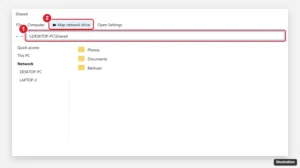
Windows File Explorer with a network share path typed in the address bar and Map network drive highlighted

How to Use SMB File Sharing on Windows 10

November 18, 2026September 20, 2024 by Kermit Matthews

Turn on network discovery and file sharing, share a folder from its Properties, then open \\ComputerName\Folder on another PC or map it as a drive. Fixes too. Continue Reading How to Use SMB File Sharing on Windows 10

Categories Windows 10
Web browser menu open on History showing Recently closed items including a closed window with several tabs, and the reopen shortcut

How to Reopen a Closed Window in Windows 10

November 10, 2026September 18, 2024 by Kermit Matthews

Reopen a closed window in Windows 10: Ctrl + Shift + T for browsers, Quick access for File Explorer, jump lists for apps, and Alt + Tab for hidden windows. Continue Reading How to Reopen a Closed Window in Windows 10

Categories Windows 10

How to Install CorelDRAW X4 in Windows 10 (What Works and the Risks)

November 6, 2026September 18, 2024 by Kermit Matthews

Learn how to install CorelDRAW X4 on Windows 10 with our step-by-step guide. Follow these simple instructions to get your design software up and running smoothly. Continue Reading How to Install CorelDRAW X4 in Windows 10 (What Works and the Risks)

Categories Windows 10
Device Manager with the HID-compliant touch screen device and Enable device highlighted

How to Enable the Touch Screen in Windows 10 (Including HP)

November 10, 2026September 18, 2024 by Kermit Matthews

Turn a disabled touch screen back on in Windows 10 with Device Manager, Human Interface Devices, HID-compliant touch screen, Enable. Continue Reading How to Enable the Touch Screen in Windows 10 (Including HP)

Categories Windows 10
Windows Project panel opened with Windows key plus P showing display options with Second screen only highlighted

How to Switch to HDMI on Windows 10 (Display and Sound)

November 18, 2026September 17, 2024 by Kermit Matthews

Switch your Windows 10 display and sound to HDMI with Windows+P, choose duplicate or second screen only, set HDMI audio, and fix no signal or no sound. Continue Reading How to Switch to HDMI on Windows 10 (Display and Sound)

Categories Windows 10, Windows 11
Installer Workloads tab with Desktop development with C++ checked and highlighted

How to Install C++ on Windows 10

November 10, 2026September 17, 2024 by Kermit Matthews

Set up C++ on Windows 10 with Visual Studio Community or with VS Code and GCC, run your first program, and fix common setup errors. Continue Reading How to Install C++ on Windows 10

Categories Windows 10
Local Users and Groups user Properties dialog with the Account is locked out and Account is disabled checkboxes highlighted

How to Unlock a User Account in Windows 10

November 18, 2026September 17, 2024 by Kermit Matthews

Unlock a locked Windows 10 account by waiting out the lockout, unchecking Account is locked out in lusrmgr.msc, or enabling it with net user. Step by step. Continue Reading How to Unlock a User Account in Windows 10

Categories Windows 10
Disk Management window with the Action menu open and Attach VHD highlighted, and the Attach Virtual Hard Disk dialog showing a file path

How to Open a VHD File in Windows 10 (Mount and Attach)

November 10, 2026September 17, 2024 by Kermit Matthews

Open a VHD or VHDX file in Windows 10 by double-clicking to mount it, using Disk Management Attach VHD read-only, or PowerShell, and fix mount errors. Continue Reading How to Open a VHD File in Windows 10 (Mount and Attach)

Categories Windows 10
Cloud sync app settings window on the Account tab with Unlink this PC highlighted

How to Completely Remove OneDrive From Windows 10 (Without Losing Files)

November 18, 2026September 16, 2024 by Kermit Matthews

Completely remove OneDrive from Windows 10: stop folder backup, keep your files, unlink your PC, uninstall the app, and clean up leftovers safely. Continue Reading How to Completely Remove OneDrive From Windows 10 (Without Losing Files)

Categories Windows 10
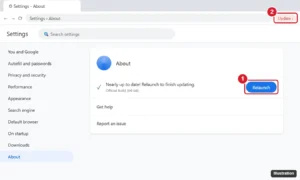
Browser Settings About page showing an update ready with the Relaunch button highlighted

How to Update Chrome on Windows 10 (and Fix Update Errors)

November 18, 2026September 12, 2024 by Kermit Matthews

Update Chrome on Windows 10 from Help > About Google Chrome, understand the Update button, and fix Chrome updates that fail or are disabled. Continue Reading How to Update Chrome on Windows 10 (and Fix Update Errors)

Categories Chrome, Windows 10
Virtual machine app New Virtual Machine wizard with an ISO image selected, 2 GB of memory and a 32 GB virtual disk for an older Windows guest

How to Run Windows 7 in Windows 10 With a Virtual Machine

November 10, 2026September 12, 2024 by Kermit Matthews

Run Windows 7 inside Windows 10 with Hyper-V, VirtualBox or VMware Workstation Pro. What you need, full setup steps and how to keep the VM secure. Continue Reading How to Run Windows 7 in Windows 10 With a Virtual Machine

Categories Windows 10
Command Prompt showing the default Java max heap size check and a program started with -Xms and -Xmx heap size options

How to Increase Java Heap Size in Windows 10 (-Xmx Guide)

November 10, 2026September 12, 2024 by Kermit Matthews

Increase Java heap size on Windows 10 with -Xmx on the command line, JAVA_TOOL_OPTIONS, or IDE and build tool settings to fix OutOfMemoryError crashes. Continue Reading How to Increase Java Heap Size in Windows 10 (-Xmx Guide)

Categories Windows 10, Windows 11
Infographic comparing legal ways to use a professional photo editor for free on Windows: 7-day desktop trial, free mobile tier, school license and free alternatives, with the trial card highlighted

How to Get Photoshop Free on Windows 10 (Legal Options Only)

November 14, 2026September 12, 2024 by Kermit Matthews

Legal ways to get Photoshop free on Windows 10: the 7-day trial and how to cancel, the free mobile tier, school licenses, and free alternatives. Continue Reading How to Get Photoshop Free on Windows 10 (Legal Options Only)

Categories Photoshop, Windows 10
Windows 10 File Explorer with cmd typed in the address bar and a Command Prompt window opened in that folder

How to Open a Folder in Command Prompt on Windows 10

November 17, 2026September 12, 2024 by Kermit Matthews

Open any folder in Command Prompt on Windows 10 by typing cmd in the File Explorer address bar, using cd, or Shift + right-click, plus admin tips. Continue Reading How to Open a Folder in Command Prompt on Windows 10

Categories Windows 10
Older posts
Newer posts
← Previous Page1 … Page8 Page9 Page10 … Page56 Next →

Join Our Free Newsletter

Featured guides and deals

You may opt out at any time.
Read our Privacy Policy

Live2Tech

Plain-English, step-by-step guides for the devices and apps you use every day.

Apple

  • iPhone
  • iPad
  • Mac
  • Apple Watch

Windows

  • Windows 11
  • Windows 10

Microsoft Office

  • Word
  • Excel
  • Powerpoint
  • Outlook

Google

  • Google Docs
  • Google Sheets
  • Google Slides
  • Gmail
  • Chrome
  • Google Drive
  • About Us
  • Contact
  • Disclaimer
  • Privacy Policy
© Live2Tech.com 2026
  • iPhone
  • Windows
    • Windows 11
    • Windows 10
  • Office
    • Word
    • Excel
    • Powerpoint
    • Outlook
  • Google
    • Google Docs
    • Google Sheets
    • Google Slides
    • Gmail
    • Chrome
    • Google Drive
  • Mac & Apple
    • Mac
    • iPad
    • Apple Watch
  • All Tutorials