Skip to content
Live2Tech
  • iPhone
  • Windows
    • Windows 11
    • Windows 10
  • Office
    • Word
    • Excel
    • Powerpoint
    • Outlook
  • Google
    • Google Docs
    • Google Sheets
    • Google Slides
    • Gmail
    • Chrome
    • Google Drive
  • Mac & Apple
    • Mac
    • iPad
    • Apple Watch
  • All Tutorials

Kermit Matthews

Kermit Matthews runs Live2Tech from just outside Philadelphia. He is an IT specialist with over 20 years of experience, from a university help desk to small-business IT, IT management and his own consulting practice, and has written tech guides full time since 2020. Steps are checked against the current software on a real device or the maker's official documentation. More about Kermit.
Windows 10 File Explorer with cmd typed in the address bar and a Command Prompt window opened in that folder

How to Open a Folder in Command Prompt on Windows 10

November 17, 2026September 12, 2024 by Kermit Matthews

Open any folder in Command Prompt on Windows 10 by typing cmd in the File Explorer address bar, using cd, or Shift + right-click, plus admin tips. Continue Reading How to Open a Folder in Command Prompt on Windows 10

Categories Windows 10

How to Find Your Network Name in Windows 10

November 10, 2026September 12, 2024 by Kermit Matthews

Learn how to find your network name on Windows 10 with our step-by-step guide. Follow these easy instructions to identify your Wi-Fi network name quickly! Continue Reading How to Find Your Network Name in Windows 10

Categories Windows 10
Spreadsheet with the Symbol dialog open and the n with tilde character selected, and a cell using the CHAR 241 formula

How to Type Ñ and ñ on Windows (Laptop, Word and Excel)

November 17, 2026September 12, 2024 by Kermit Matthews

Type ñ on a laptop without a number pad: use Windows + period, Insert Symbol or =CHAR(241) in Excel, AutoCorrect, the touch keyboard or US-International. Continue Reading How to Type Ñ and ñ on Windows (Laptop, Word and Excel)

Categories Excel
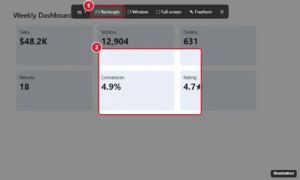
Windows screen dimmed by the Snipping Tool with the snip mode toolbar at the top and a rectangle being drawn around part of the screen

How to Open PowerShell in Windows 10: A Step-by-Step Guide for Beginners

November 17, 2026September 12, 2024 by Kermit Matthews

Open PowerShell in Windows 10 from the Win+X menu, Start search, Run, File Explorer, or Task Manager, including as administrator and in a specific folder. Continue Reading How to Open PowerShell in Windows 10: A Step-by-Step Guide for Beginners

Categories Windows 10

How to Fix “Invalid Value for Registry” in Windows 10

November 10, 2026September 11, 2024 by Kermit Matthews

Learn how to fix the “Invalid Value for Registry” error in Windows 10 with our step-by-step guide. Troubleshoot and resolve the issue quickly and efficiently. Continue Reading How to Fix “Invalid Value for Registry” in Windows 10

Categories Windows 10
slmgr /dli window showing VOLUME_KMSCLIENT channel

How to Remove KMS Activation and Activate Windows Legally

November 18, 2026September 11, 2024 by Kermit Matthews

Remove a KMS key and server setting with slmgr, clean up activator leftovers, check for malware, and activate Windows 10 or 11 with a genuine license. Continue Reading How to Remove KMS Activation and Activate Windows Legally

Categories Windows 10, Windows 11
Windows 10 Credential Manager with Web Credentials selected and the Show link next to a saved password highlighted

Back Up Saved Passwords Before Leaving a Windows 10 PC

November 17, 2026September 11, 2024 by Kermit Matthews

Before you reset or replace a Windows 10 PC, move browser passwords and Wi-Fi networks with sync or export, list other sign-ins and handle the files safely. Continue Reading Back Up Saved Passwords Before Leaving a Windows 10 PC

Categories Windows 10

How to Delete a User Profile in Windows 11 and 10

November 18, 2026September 11, 2024 by Kermit Matthews

Delete a Windows 10 user profile the supported way in System Properties, then safely clean leftover ProfileList registry entries with a backup first. Continue Reading How to Delete a User Profile in Windows 11 and 10

Categories Windows 10
Windows Storage Spaces create a storage space screen with Resiliency type set to Two-way mirror

How to Mirror a Hard Drive in Windows 10 (Storage Spaces)

November 18, 2026September 11, 2024 by Kermit Matthews

Mirror two drives in Windows 10 with a Storage Spaces two-way mirror, compare Disk Management and RAID 1 options, and see why a mirror is not a backup. Continue Reading How to Mirror a Hard Drive in Windows 10 (Storage Spaces)

Categories Windows 10
PowerShell showing the Get-CimInstance Win32_SystemSlot command listing PCI Express slots and whether each is in use or available

How to Check PCI Slots in Windows 11 and 10

November 18, 2026September 11, 2024 by Kermit Matthews

Check PCI and PCIe slots in Windows 10 with PowerShell, Device Manager, and System Information, see which are free, and find your motherboard model. Continue Reading How to Check PCI Slots in Windows 11 and 10

Categories Windows 10
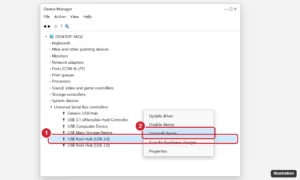
Windows Device Manager with Universal Serial Bus controllers expanded, a USB Root Hub right-clicked, and Uninstall device highlighted

How to Reset USB Ports on Windows 10 (7 Fixes)

November 15, 2026September 11, 2024 by Kermit Matthews

Reset USB ports on Windows 10 by power cycling, reinstalling USB controllers in Device Manager, turning off USB power saving, and updating drivers. Continue Reading How to Reset USB Ports on Windows 10 (7 Fixes)

Categories Windows 10
Windows Event Viewer with System log selected and a MemoryDiagnostics-Results event highlighted with its details

How to Check Windows Memory Diagnostic Results

November 18, 2026September 11, 2024 by Kermit Matthews

Find Windows Memory Diagnostic results after the restart: the sign-in notification, two Event Viewer spots Microsoft documents, PowerShell and what errors mean. Continue Reading How to Check Windows Memory Diagnostic Results

Categories Windows 10
Command prompt showing the installed runtime version check and a command that runs a JAR file from the Downloads folder

How to Run a JAR File on Windows 10 and 11

November 10, 2026September 11, 2024 by Kermit Matthews

Run a JAR file on Windows 10 or 11: install Java, double-click or use java -jar in Command Prompt, and fix association and manifest errors. Continue Reading How to Run a JAR File on Windows 10 and 11

Categories Windows 10, Windows 11
Game launcher window with the edition selector showing Java Edition and Bedrock Edition and a large Install button

How to Install Minecraft on Windows 10 (Java and Bedrock)

November 17, 2026September 11, 2024 by Kermit Matthews

Install Minecraft on Windows 10: buy or claim Java and Bedrock, install the Minecraft Launcher, choose an edition, check requirements and fix install errors. Continue Reading How to Install Minecraft on Windows 10 (Java and Bedrock)

Categories Windows 10
Text editor showing the contents of a VCF contact file with the BEGIN VCARD block and the name, phone, and title fields highlighted

How to Open a VCF File in Windows 10 (Contacts, Outlook, Google)

November 11, 2026September 11, 2024 by Kermit Matthews

Open a VCF contact file in Windows 10 with Windows Contacts or Notepad, import it into Outlook or Google Contacts, and handle files with many contacts. Continue Reading How to Open a VCF File in Windows 10 (Contacts, Outlook, Google)

Categories Windows 10
Windows 10 Settings Manage known networks page with a saved Wi-Fi network selected and the Forget button highlighted

How to Forget a Wi-Fi Network in Windows 10

November 6, 2026September 11, 2024 by Kermit Matthews

Forget a Wi-Fi network in Windows 10 from Settings, the taskbar or netsh, remove all saved networks at once, and stop auto-connecting without forgetting. Continue Reading How to Forget a Wi-Fi Network in Windows 10

Categories Windows 10
Printing Preferences dialog with the Color option highlighted

Why Won’t My Printer Print in Color on Windows 10?

November 17, 2026September 11, 2024 by Kermit Matthews

A color printer printing only black on Windows 10? Check the app’s color choice, the grayscale default in Printing preferences, the printer, driver and ink. Continue Reading Why Won’t My Printer Print in Color on Windows 10?

Categories Windows 10
Windows 10 Settings camera page with a live preview and the Brightness and Contrast sliders highlighted

How to Adjust Webcam Settings on Windows 10

November 12, 2026September 10, 2024 by Kermit Matthews

Adjust webcam brightness, contrast, and quality on Windows 10 in Settings, the Camera app, video apps, or maker software, and fix privacy and driver issues. Continue Reading How to Adjust Webcam Settings on Windows 10

Categories Windows 10
File Explorer open to the Outlook RoamCache folder with cache files selected for deletion

How to Clear the Outlook Cache in Windows 10 (Classic and New Outlook)

November 10, 2026September 10, 2024 by Kermit Matthews

Clear the Outlook cache in Windows 10 by emptying RoamCache, rebuilding the .ost file, clearing AutoComplete, and resetting the new Outlook app. Continue Reading How to Clear the Outlook Cache in Windows 10 (Classic and New Outlook)

Categories Outlook, Windows 10
Power Options Advanced settings dialog with System cooling policy expanded and set to Active

How to Change Fan Speed in Windows 11 and 10

November 18, 2026September 10, 2024 by Kermit Matthews

Make your laptop fan run sooner in Windows 10 with the Active cooling policy, your laptop maker’s thermal app, or BIOS fan options, and fix overheating. Continue Reading How to Change Fan Speed in Windows 11 and 10

Categories Windows 10, Windows 11
Windows Resource Monitor Network tab listing processes with network activity, sorted by total bytes per second, with the Network tab highlighted

How to Monitor Network Traffic on Windows 10 (8 Built-In and Free Tools)

November 10, 2026September 10, 2024 by Kermit Matthews

Monitor network traffic on Windows 10 with Task Manager, Resource Monitor, Data usage, netstat, Performance Monitor, pktmon, and Wireshark. Continue Reading How to Monitor Network Traffic on Windows 10 (8 Built-In and Free Tools)

Categories Windows 10

Change account type dialog with Standard User selected instead of Administrator

How to Limit User Access in Windows 10

November 17, 2026September 10, 2024 by Kermit Matthews

Limit user access in Windows 10 with Standard accounts, family settings for children, assigned access for one app, and folder permissions. Continue Reading How to Limit User Access in Windows 10

Categories Windows 10
Windows 10 Language settings showing preferred languages with an extra language and the Options button highlighted

How to Change Keyboard Settings Back to Normal in Windows 10

November 13, 2026September 10, 2024 by Kermit Matthews

Fix a Windows 10 keyboard typing wrong symbols or acting strangely: switch layouts, remove extra languages, turn off Sticky and Filter Keys, and more. Continue Reading How to Change Keyboard Settings Back to Normal in Windows 10

Categories Windows 10

How to Enable Noise Suppression on Windows 10 (5 Ways)

November 10, 2026September 10, 2024 by Kermit Matthews

Discover how to enable noise suppression on Windows 10 with our step-by-step guide. Enhance your audio experience for calls and recordings effortlessly. Continue Reading How to Enable Noise Suppression on Windows 10 (5 Ways)

Categories Windows 10
Windows 10 Settings Network and Internet Wi-Fi page with the Wi-Fi toggle turned on

How to Turn On Wi-Fi on an ASUS Laptop (Windows 10)

November 10, 2026September 10, 2024 by Kermit Matthews

Turn on Wi-Fi on an ASUS laptop with Windows 10 from Settings, the taskbar, or the ASUS airplane key, and fix a missing Wi-Fi option or adapter. Continue Reading How to Turn On Wi-Fi on an ASUS Laptop (Windows 10)

Categories Windows 10
Windows IPv4 Properties dialog with Obtain an IP address automatically and Obtain DNS server address automatically selected

How to Enable DHCP in Windows 10 (3 Ways)

November 10, 2026September 10, 2024 by Kermit Matthews

Turn on DHCP in Windows 10 from Settings, the IPv4 Properties dialog, or netsh, then confirm it with ipconfig /all and fix 169.254 addresses. Continue Reading How to Enable DHCP in Windows 10 (3 Ways)

Categories Windows 10
Windows 10 Settings Family and other users page with Set up a kiosk and the Assigned access Get started button highlighted

How to Set Up Kiosk Mode in Windows 10

November 15, 2026September 9, 2024 by Kermit Matthews

Set up kiosk mode in Windows 10 with assigned access: create a kiosk account, pick one app or Microsoft Edge, exit with Ctrl+Alt+Del, and remove it when done. Continue Reading How to Set Up Kiosk Mode in Windows 10

Categories Windows 10
Network Connections window with a disabled Wi-Fi adapter right-clicked and Enable highlighted in the menu

How to Enable the Wi-Fi Adapter in Windows 10 (and 11)

November 14, 2026September 9, 2024 by Kermit Matthews

Turn your Wi-Fi adapter back on in Windows 10 or 11 from Network Connections, Device Manager, or a command, plus fixes for when the adapter will not enable. Continue Reading How to Enable the Wi-Fi Adapter in Windows 10 (and 11)

Categories Windows 10, Windows 11
Tablet showing a Trust This Computer prompt next to Windows File Explorer listing the tablet under This PC

How to Connect an iPad to a Windows 10 Laptop (USB and Wireless)

November 10, 2026September 9, 2024 by Kermit Matthews

Connect an iPad to a Windows 10 laptop with a USB cable or wirelessly to transfer photos and files, back up with Apple Devices, and fix recognition problems. Continue Reading How to Connect an iPad to a Windows 10 Laptop (USB and Wireless)

Categories Windows 10, Windows 11
File Explorer with an IMG disk image selected and the right-click menu showing Mount at the top

How to Open an IMG File in Windows 10

November 18, 2026September 9, 2024 by Kermit Matthews

Open an IMG file in Windows 10 by mounting it, extracting it with 7-Zip, or writing it to a USB drive or SD card, and fix disc image corrupted errors. Continue Reading How to Open an IMG File in Windows 10

Categories Windows 10
File In Use dialog saying the file is open in another program, and Resource Monitor searching associated handles to find the program

How to Unlock a File That’s Open in Another Program in Windows 10

November 10, 2026September 9, 2024 by Kermit Matthews

Fix file open in another program errors in Windows 10: close apps, turn off the preview pane, find the program with Resource Monitor, or use Safe Mode. Continue Reading How to Unlock a File That’s Open in Another Program in Windows 10

Categories Windows 10
Windows 10 Downloads Properties window with the Location tab open and the Move button highlighted

How to Change the Download Location in Windows 10

November 14, 2026September 9, 2024 by Kermit Matthews

Change the download location in Windows 10 by moving the Downloads folder, changing the folder in Edge, Chrome, or Firefox, and setting where apps save. Continue Reading How to Change the Download Location in Windows 10

Categories Windows 10

How to Disable Ethernet in Windows 10 (6 Ways)

November 10, 2026September 9, 2024 by Kermit Matthews

Learn how to disable Ethernet on Windows 10 with our step-by-step guide. Easily disconnect your network for troubleshooting or security purposes. Continue Reading How to Disable Ethernet in Windows 10 (6 Ways)

Categories Windows 10
Sound dialog Sounds tab with the Sound Scheme drop-down highlighted

How to Change System Sounds in Windows 10

November 10, 2026September 9, 2024 by Kermit Matthews

Change Windows 10 system sounds in the Sound control panel: pick a sound scheme, change single events, or turn the startup sound on or off. Continue Reading How to Change System Sounds in Windows 10

Categories Windows 10
Web globe app Projects panel with the Open menu showing Import KML file from computer highlighted

How to Open a KMZ File on Windows 10

November 18, 2026September 9, 2024 by Kermit Matthews

Open a KMZ file on Windows 10 with Google Earth Pro, Google Earth on the web, or Google My Maps, or rename it to ZIP to see the KML inside. Continue Reading How to Open a KMZ File on Windows 10

Categories Windows 10
Administrator Command Prompt running chkdsk C: /f /r and asking to schedule the check at the next restart

How to Use CHKDSK in Windows 10 to Fix Disk Errors

November 14, 2026September 6, 2024 by Kermit Matthews

Run CHKDSK in Windows 10 from Command Prompt with /f and /r or from File Explorer, see the results in Event Viewer, and use it safely on SSDs. Continue Reading How to Use CHKDSK in Windows 10 to Fix Disk Errors

Categories Windows 10
Firmware setup utility on the Security tab with Trusted Computing, Security Device Support set to Enabled and the firmware TPM option highlighted

How to Enable TPM in BIOS on Windows 10

November 18, 2026September 6, 2024 by Kermit Matthews

Enable TPM in BIOS on Windows 10: check tpm.msc, open UEFI Firmware Settings, and turn on Intel PTT, AMD fTPM or Security Device Support. Continue Reading How to Enable TPM in BIOS on Windows 10

Categories Windows 10
Apps and features list with the search box highlighted

How to Check Installed Apps in Windows 10

November 18, 2026September 6, 2024 by Kermit Matthews

See every installed app in Windows 10 in Settings, Apps and features, or Programs and Features, and export a list with winget. Continue Reading How to Check Installed Apps in Windows 10

Categories Windows 10
Windows 10 Settings Ease of Access Display page with the Make text bigger slider and Apply button highlighted

How to Change Font Size in Windows 10

November 14, 2026September 6, 2024 by Kermit Matthews

Change the font size in Windows 10 with Make text bigger, display scaling, or app zoom, plus tips for sharper text and fixes for blurry or cut-off text. Continue Reading How to Change Font Size in Windows 10

Categories Windows 10
Windows 10 game Properties dialog on the Compatibility tab with compatibility mode and Run this program as an administrator highlighted

How to Run The Sims 2 on Windows 10

November 15, 2026September 6, 2024 by Kermit Matthews

Run The Sims 2 on Windows 10 with the Legacy Collection or an older copy: compatibility mode, graphics card and resolution fixes, and solutions for crashes. Continue Reading How to Run The Sims 2 on Windows 10

Categories Windows 10
UEFI firmware settings screen with the overclocking memory profile option and Load Optimized Defaults highlighted

How to Turn Off Overclocking on Windows 10 (CPU, RAM, and GPU)

November 13, 2026September 6, 2024 by Kermit Matthews

Turn off overclocking on a Windows 10 PC by loading BIOS defaults, disabling XMP, and resetting GPU and CPU tuning apps to stock speeds. Continue Reading How to Turn Off Overclocking on Windows 10 (CPU, RAM, and GPU)

Categories Windows 10
Game launcher window with the Bedrock Edition entry selected in the left sidebar and the Install button highlighted, with Java Edition listed above it

How to Switch From Minecraft Java to Bedrock on Windows 10

November 17, 2026September 6, 2024 by Kermit Matthews

Switch from Minecraft Java to Bedrock on Windows 10: install Minecraft for Windows from the launcher, then convert worlds and import skins. Continue Reading How to Switch From Minecraft Java to Bedrock on Windows 10

Categories Windows 10
Windows recovery Troubleshoot screen with Reset this PC highlighted and the Remove everything option

How to Factory Reset a Lenovo Laptop Without a Password (Windows 10)

November 10, 2026September 6, 2024 by Kermit Matthews

Factory reset your own Lenovo laptop running Windows 10 without the password from the sign-in screen or Novo button, and handle BitLocker recovery key prompts. Continue Reading How to Factory Reset a Lenovo Laptop Without a Password (Windows 10)

Categories Windows 10
Windows Device Manager with the Wi-Fi adapter selected under Network adapters and the Uninstall Device confirmation dialog with the delete driver checkbox

How to Reinstall the Wi-Fi Driver on Windows 10

November 17, 2026September 6, 2024 by Kermit Matthews

Reinstall the Wi-Fi driver on Windows 10 with Device Manager, install the manufacturer driver, roll back a bad update, or run a network reset. Continue Reading How to Reinstall the Wi-Fi Driver on Windows 10

Categories Windows 10
Minecraft Java Edition style F3 debug screen over a game scene with the FPS counter in the top-left highlighted

How to Show FPS in Minecraft on Windows 10

November 17, 2026September 5, 2024 by Kermit Matthews

Show FPS in Minecraft on Windows 10: press F3 in Java Edition, or use Xbox Game Bar or a GPU overlay in Bedrock. Plus tips to raise your frame rate. Continue Reading How to Show FPS in Minecraft on Windows 10

Categories Gaming, Windows 10
Windows 10 desktop right-click menu with New and Text Document highlighted

How to Make a Text File on Windows 10 (4 Easy Ways)

November 11, 2026September 5, 2024 by Kermit Matthews

Make a text file on Windows 10 with right-click New Text Document, Notepad, Command Prompt, or PowerShell. Plus how to show .txt extensions and set encoding. Continue Reading How to Make a Text File on Windows 10 (4 Easy Ways)

Categories Windows 10
Windows 10 Mouse settings with Select your primary button set to Left and the Additional mouse options link highlighted

How to Fix an Inverted Mouse in Windows 10 (Buttons, Scrolling, Pointer)

November 10, 2026September 5, 2024 by Kermit Matthews

Fix an inverted mouse in Windows 10: swapped buttons, reversed wheel or touchpad scrolling, a pointer moving backward, and inverted game controls. Continue Reading How to Fix an Inverted Mouse in Windows 10 (Buttons, Scrolling, Pointer)

Categories Windows 10
Settings Network status page showing Ethernet as the active connection with the message You are connected to the Internet

How to Switch From Wi-Fi to Ethernet on Windows 10

November 10, 2026September 5, 2024 by Kermit Matthews

Switch Windows 10 from Wi-Fi to a wired Ethernet connection, confirm it is active, and set interface metrics so Windows always prefers the cable. Continue Reading How to Switch From Wi-Fi to Ethernet on Windows 10

Categories Windows 10
Windows 10 Advanced Security Settings for a folder with the Disable inheritance button and the Convert inherited permissions option highlighted

How to Turn Off Inherited Permissions in Windows 10

November 17, 2026September 5, 2024 by Kermit Matthews

Turn off inherited permissions in Windows 10 with Advanced Security Settings or icacls, choose to convert or remove inherited entries, and undo mistakes safely. Continue Reading How to Turn Off Inherited Permissions in Windows 10

Categories Windows 10
Sound control panel Sounds tab with Device Connect selected and the Sounds dropdown set to None

How to Turn Off the USB Connection Sound in Windows 10

November 10, 2026September 5, 2024 by Kermit Matthews

Silence the USB connect and disconnect sounds in Windows 10 from the Sound control panel, and find the device if the sound keeps repeating. Continue Reading How to Turn Off the USB Connection Sound in Windows 10

Categories Windows 10
Older posts
Newer posts
← Previous Page1 … Page9 Page10 Page11 … Page56 Next →

Join Our Free Newsletter

Featured guides and deals

You may opt out at any time.
Read our Privacy Policy

Live2Tech

Plain-English, step-by-step guides for the devices and apps you use every day.

Apple

  • iPhone
  • iPad
  • Mac
  • Apple Watch

Windows

  • Windows 11
  • Windows 10

Microsoft Office

  • Word
  • Excel
  • Powerpoint
  • Outlook

Google

  • Google Docs
  • Google Sheets
  • Google Slides
  • Gmail
  • Chrome
  • Google Drive
  • About Us
  • Contact
  • Disclaimer
  • Privacy Policy
© Live2Tech.com 2026
  • iPhone
  • Windows
    • Windows 11
    • Windows 10
  • Office
    • Word
    • Excel
    • Powerpoint
    • Outlook
  • Google
    • Google Docs
    • Google Sheets
    • Google Slides
    • Gmail
    • Chrome
    • Google Drive
  • Mac & Apple
    • Mac
    • iPad
    • Apple Watch
  • All Tutorials