Skip to content
Live2Tech
  • iPhone
  • Windows
    • Windows 11
    • Windows 10
  • Office
    • Word
    • Excel
    • Powerpoint
    • Outlook
  • Google
    • Google Docs
    • Google Sheets
    • Google Slides
    • Gmail
    • Chrome
    • Google Drive
  • Mac & Apple
    • Mac
    • iPad
    • Apple Watch
  • All Tutorials

Kermit Matthews

Kermit Matthews runs Live2Tech from just outside Philadelphia. He is an IT specialist with over 20 years of experience, from a university help desk to small-business IT, IT management and his own consulting practice, and has written tech guides full time since 2020. Steps are checked against the current software on a real device or the maker's official documentation. More about Kermit.

How to Remove the Windows 11 Update in Windows 10

November 18, 2026September 5, 2024 by Kermit Matthews

Learn how to remove a Windows 11 update from your Windows 10 system with our step-by-step guide. Ensure your PC runs smoothly with this simple process. Continue Reading How to Remove the Windows 11 Update in Windows 10

Categories Windows 10
Windows recovery Command Prompt showing the bootrec rebuildbcd command finding one Windows installation and asking to add it to the boot list

How to Rebuild the BCD in Windows 10

November 10, 2026September 5, 2024 by Kermit Matthews

Rebuild the BCD in Windows 10 from the recovery Command Prompt with bootrec /rebuildbcd, or recreate UEFI boot files with bcdboot. Fixes boot errors. Continue Reading How to Rebuild the BCD in Windows 10

Categories Windows 10
Windows 10 File Explorer showing action camera video files with the MP4 files highlighted and LRV and THM files listed

How to View GoPro Videos on Windows 10

November 14, 2026September 5, 2024 by Kermit Matthews

View GoPro videos on Windows 10: copy them over USB or an SD card reader, play them in Media Player or VLC, and fix HEVC videos that will not play. Continue Reading How to View GoPro Videos on Windows 10

Categories Windows 10
Administrator Command Prompt window running the del command to delete files in the TEMP folder

Signed In With a Temporary Profile in Windows 10? What to Do

November 18, 2026September 5, 2024 by Kermit Matthews

Fix “signed in with a temporary profile” in Windows 10: restart, repair the ProfileList .bak key in the registry, fix system files, and recover your files. Continue Reading Signed In With a Temporary Profile in Windows 10? What to Do

Categories Windows 10
A PRN file opened in Notepad showing a PostScript header line at the top highlighted

How to Open a PRN File in Windows 10

November 18, 2026September 5, 2024 by Kermit Matthews

A PRN file is a saved print job. Learn how to identify it in Notepad, send it to a printer with copy /b, or convert it to PDF with Ghostscript. Continue Reading How to Open a PRN File in Windows 10

Categories Windows 10
Windows 10 File Explorer Home tab with two files selected and the Move to menu open listing folders and Choose location, highlighted

How to Move Files Around in a Folder in Windows 10

November 10, 2026September 5, 2024 by Kermit Matthews

Move files between folders in Windows 10 with drag and drop, Move to, or cut and paste, and rearrange files in a folder with sorting, grouping and custom names. Continue Reading How to Move Files Around in a Folder in Windows 10

Categories Windows 10
Windows 10 Virtual Memory dialog with Automatically manage paging file size unchecked and Custom size fields highlighted

How to Open a VMDK File in Windows 10

November 6, 2026September 5, 2024 by Kermit Matthews

Open a VMDK file in Windows 10 with VirtualBox or VMware, extract files with 7-Zip, or convert it to VHDX and mount it as a drive. All free options. Continue Reading How to Open a VMDK File in Windows 10

Categories Windows 10
Windows touch keyboard with the U key held down and the ü umlaut option highlighted

How to Type an Umlaut on Windows 10 (ä, ö, ü)

November 17, 2026September 5, 2024 by Kermit Matthews

Type umlauts on Windows 10 with Alt codes like Alt + 0252 for ü, the US-International keyboard, the touch keyboard, or Word shortcuts. Continue Reading How to Type an Umlaut on Windows 10 (ä, ö, ü)

Categories Windows 10
Administrator PowerShell window running Get-WindowsUpdate and Install-WindowsUpdate commands

How to Force a Windows 10 Update from the Command Line

November 10, 2026September 5, 2024 by Kermit Matthews

Force Windows 10 updates from the command line with the PSWindowsUpdate PowerShell module, usoclient, or ms-settings, and fix stuck updates. Continue Reading How to Force a Windows 10 Update from the Command Line

Categories Windows 10
Properties dialog Compatibility tab with Run this program as an administrator checked

How to Run a Game as Administrator in Windows 10

November 18, 2026September 5, 2024 by Kermit Matthews

Run a game as administrator in Windows 10 with right-click, Run as administrator, or set it permanently on the Compatibility tab in Properties. Continue Reading How to Run a Game as Administrator in Windows 10

Categories Windows 10
File Explorer folder of phone photos and videos with an Open with menu listing a photo viewer and video player apps for a MOV clip

How to Open iPhone HEIC Photos and HEVC Videos on Windows 10

November 18, 2026September 5, 2024 by Kermit Matthews

iPhone videos or HEIC photos won’t open on Windows 10? Install the HEVC and HEIF extensions, use a free player, convert files, or change iPhone settings. Continue Reading How to Open iPhone HEIC Photos and HEVC Videos on Windows 10

Categories Windows 10
Android archive app showing the sources folder inside a Windows 10 ISO, with the install.wim file size highlighted next to the FAT32 USB drive

How to Make a Bootable Windows 10 USB on Android

November 10, 2026September 4, 2024 by Kermit Matthews

Can you make a Windows 10 bootable USB on Android? Download the ISO on your phone, try the FAT32 method or DriveDroid, and learn what to do if they fail. Continue Reading How to Make a Bootable Windows 10 USB on Android

Categories Windows 10
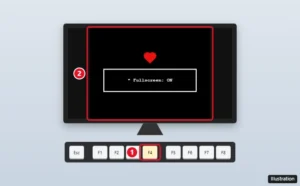
Illustration of a monitor showing a 4:3 game window with side borders in fullscreen, and the F4 key highlighted on a keyboard

How to Make Undertale Full Screen on Windows

November 17, 2026September 4, 2024 by Kermit Matthews

Make Undertale full screen with the F4 key its own tutorial mentions, fix F4 on a laptop, and set Windows display resolution so the picture looks right. Continue Reading How to Make Undertale Full Screen on Windows

Categories Gaming, Windows 10

How to Check RAM Manufacturer in Windows 10: A Step-by-Step Guide

November 10, 2026September 4, 2024 by Kermit Matthews

Discover how to easily check your RAM manufacturer on Windows 10 with our step-by-step guide. Uncover the essential commands and tools to get accurate details. Continue Reading How to Check RAM Manufacturer in Windows 10: A Step-by-Step Guide

Categories Windows 10
Windows Format dialog for an external SSD with exFAT selected as the file system and the Start button highlighted

How to Format a SanDisk Extreme Portable SSD on Windows 10

November 10, 2026September 4, 2024 by Kermit Matthews

Right-click the SSD in File Explorer, choose Format, pick exFAT or NTFS, and click Start. Which file system to pick and how to use Disk Management. Continue Reading How to Format a SanDisk Extreme Portable SSD on Windows 10

Categories Windows 10
Windows media player playback controls with the Repeat button highlighted to loop a video

How to Loop a Video in Windows 10 (VLC and Other Options)

November 13, 2026September 4, 2024 by Kermit Matthews

Loop a video on Windows 10 with the Repeat button in Media Player, Ctrl+T in Windows Media Player, or VLC, including A-B repeat to loop part of a video. Continue Reading How to Loop a Video in Windows 10 (VLC and Other Options)

Categories Windows 10
Laptop side view with USB-C ports labeled with DisplayPort and Thunderbolt icons compared to a data-only port

How to Use DP Alt Mode in Windows (USB-C to Monitor)

November 18, 2026September 4, 2024 by Kermit Matthews

DP Alt Mode is a USB-C hardware feature, not a Windows setting. Find a video-capable port, use the right cable, and update drivers. Continue Reading How to Use DP Alt Mode in Windows (USB-C to Monitor)

Categories Windows 10
Windows Security Core isolation page with the Memory integrity toggle switched Off and highlighted, and a warning that the device may be vulnerable

How to Disable HVCI (Memory Integrity) in Windows 10

November 10, 2026September 4, 2024 by Kermit Matthews

Disable HVCI in Windows 10 by turning off Memory integrity in Core isolation, or with the registry or Group Policy, and find the driver causing problems. Continue Reading How to Disable HVCI (Memory Integrity) in Windows 10

Categories Windows 10, Windows 11
File Explorer showing CR2 raw photo thumbnails with the right-click Open with menu and the Photos option highlighted

How to View CR2 Files on Windows 10 (Free Methods)

November 10, 2026September 4, 2024 by Kermit Matthews

Open and view Canon CR2 raw photos on Windows 10 with the free Raw Image Extension and Photos, get thumbnails in File Explorer, and convert CR2 to JPG. Continue Reading How to View CR2 Files on Windows 10 (Free Methods)

Categories Windows 10, Windows 11
New Outlook for Windows settings with Accounts selected and the Add account button highlighted

How to Sync Your Outlook Calendar on Windows 10

November 10, 2026September 4, 2024 by Kermit Matthews

Sync your Outlook calendar on Windows 10 with the new Outlook app or classic Outlook, add calendars by link, and fix a calendar that won’t update. Continue Reading How to Sync Your Outlook Calendar on Windows 10

Categories Outlook, Windows 10

How to Change a Disk or Volume UUID in Windows

November 11, 2026September 4, 2024 by Kermit Matthews

Learn how to change the UUID in Windows 10 with our step-by-step guide. Follow these instructions to modify your system’s unique identifier safely and efficiently. Continue Reading How to Change a Disk or Volume UUID in Windows

Categories Windows 10
Windows 10 Settings Power and sleep page with the Screen and Sleep drop-downs set to Never highlighted

How to Stop Windows 10 From Locking After Inactivity

November 18, 2026September 4, 2024 by Kermit Matthews

Stop Windows 10 from locking or turning off the screen when idle: change power and sleep timeouts, Require sign-in, screen saver and Dynamic Lock. Continue Reading How to Stop Windows 10 From Locking After Inactivity

Categories Windows 10
Remote Desktop Connection window on the Display tab with the display configuration slider highlighted

How to Change Screen Resolution in a Remote Desktop Session

November 10, 2026September 4, 2024 by Kermit Matthews

Set Remote Desktop resolution on Windows 10 from the Display tab or with mstsc /w and /h, toggle full screen, and fix blurry or boxed sessions. Continue Reading How to Change Screen Resolution in a Remote Desktop Session

Categories Windows 10
Windows Security and Maintenance Control Panel with the Security section expanded showing Virus protection On and the name of the active antivirus app

How to Find Out What Antivirus You Have on Windows 10

November 17, 2026September 3, 2024 by Kermit Matthews

Find out what antivirus you have on Windows 10 using Windows Security, Security and Maintenance, PowerShell, or the system tray, and what to do next. Continue Reading How to Find Out What Antivirus You Have on Windows 10

Categories Windows 10
Windows 10 Recovery settings with Reset this PC Get started button and the Keep my files option highlighted

How to Factory Reset an HP Stream Laptop (Windows 10)

November 10, 2026September 3, 2024 by Kermit Matthews

Factory reset an HP Stream laptop running Windows 10 from Settings, the sign-in screen, or HP recovery tools, with tips for low-storage models. Continue Reading How to Factory Reset an HP Stream Laptop (Windows 10)

Categories Windows 10
Windows 10 Smart Card service properties with Startup type set to Automatic and the Start button highlighted

How to Enable Smart Card Logon on Windows 10

November 14, 2026September 3, 2024 by Kermit Matthews

Enable smart card logon on Windows 10: what you need, how to set up the reader and Smart Card service, sign in with your PIN, and fix common errors. Continue Reading How to Enable Smart Card Logon on Windows 10

Categories Windows 10
Command Prompt showing the sysprep generalize command and a DISM capture command

How to Create a Custom Windows 10 Image for Deployment

November 10, 2026September 3, 2024 by Kermit Matthews

Build a custom Windows 10 image: customize a reference PC in Audit mode, generalize with Sysprep and capture it with DISM from Windows PE. Continue Reading How to Create a Custom Windows 10 Image for Deployment

Categories Windows 10
Infographic of ways to build iPhone apps from a Windows PC: rent a cloud Mac, use a cross-platform framework with cloud builds, use Swift on Windows, or get a Mac

Can You Install Xcode on Windows? What to Do Instead

November 17, 2026September 3, 2024 by Kermit Matthews

Xcode runs only on a Mac. Here’s what Apple documents for Windows users: Swift from swift.org, Swift Playground on iPad, and what a Mac needs for Xcode. Continue Reading Can You Install Xcode on Windows? What to Do Instead

Categories Windows 10

How to Install OneDrive on Windows 10 (and Set It Up)

November 18, 2026September 3, 2024 by Kermit Matthews

Learn how to easily install OneDrive on your Windows 10 device with our step-by-step guide. Sync and access your files seamlessly. Start today! Continue Reading How to Install OneDrive on Windows 10 (and Set It Up)

Categories Windows 10
Windows 10 Registry Editor at the Tcpip Parameters key with the IPEnableRouter value set to 1 highlighted

How to Enable IP Routing in Windows 10: A Step-by-Step Guide

November 10, 2026September 3, 2024 by Kermit Matthews

Enable IP routing in Windows 10 with the IPEnableRouter registry value or PowerShell forwarding, add the routes other devices need, and test the setup. Continue Reading How to Enable IP Routing in Windows 10: A Step-by-Step Guide

Categories Windows 10
Legacy office suite setup window asking for a 25-character product key with the Continue button highlighted

Can You Still Install Office 2007 on Windows 10?

November 11, 2026September 3, 2024 by Kermit Matthews

Install Microsoft Office 2007 on Windows 10 from a disc or ISO with your product key, fix setup errors, and see the risks and free modern alternatives. Continue Reading Can You Still Install Office 2007 on Windows 10?

Categories Windows 10
Windows 10 Display settings with the Scale and layout menu set to 100 percent and the Display resolution menu highlighted

How to Make Your Screen Smaller in Windows 10

November 18, 2026September 3, 2024 by Kermit Matthews

Right-click the desktop > Display settings, lower the scale to 100%, and use the recommended resolution. Quick fixes for zoomed web pages and big icons. Continue Reading How to Make Your Screen Smaller in Windows 10

Categories Windows 10
Windows 10 Apps and features list with Adobe Acrobat selected and the Uninstall button highlighted

How to Completely Remove Adobe Acrobat From Windows

November 18, 2026September 3, 2024 by Kermit Matthews

Uninstall Adobe Acrobat DC from Settings or Creative Cloud, then run the Acrobat Cleaner Tool to remove leftovers on Windows 10 or 11. Plus fixes. Continue Reading How to Completely Remove Adobe Acrobat From Windows

Categories Windows 10, Windows 11
Windows 10 Add a device window listing Bluetooth headphones in pairing mode, with the headphones highlighted

How to Connect JBL Headphones to Windows 10 (Bluetooth or Wired)

November 10, 2026September 3, 2024 by Kermit Matthews

Connect JBL headphones or earbuds to Windows 10: enter pairing mode, add them in Bluetooth settings, choose them as the output, or use a cable. Continue Reading How to Connect JBL Headphones to Windows 10 (Bluetooth or Wired)

Categories Windows 10
German QWERTZ keyboard with the Druck (Print Screen) key and the Windows, Shift, and S keys highlighted

How to Take a Screenshot on a German Keyboard in Windows

November 12, 2026September 3, 2024 by Kermit Matthews

On a German keyboard, Print Screen is the Druck key. Use Windows+Druck, Alt+Druck, or Windows+Umschalt+S to take screenshots in Windows 11 and 10. Continue Reading How to Take a Screenshot on a German Keyboard in Windows

Categories Windows 10, Windows 11
Spanish keyboard layout with the N with tilde key, the accent dead key, and the inverted exclamation key highlighted

How to Use a Spanish Keyboard on Windows 10 (Add, Switch, Type)

November 14, 2026September 3, 2024 by Kermit Matthews

Add a Spanish keyboard in Windows 10, switch with Windows+Space, and type ñ, accents, ¿ and ¡ on the Spanish or US-International layout. Continue Reading How to Use a Spanish Keyboard on Windows 10 (Add, Switch, Type)

Categories Windows 10
Administrator terminal window listing physical disks and running the wsl --mount command for an ext4 partition

How to Read ext4 Drives on Windows 10 and 11 (3 Safe Methods)

November 10, 2026August 30, 2024 by Kermit Matthews

Read an ext4 Linux drive on Windows 10 or 11 using WSL 2 wsl –mount, a free read-only reader, or a Linux live USB, without formatting or losing data. Continue Reading How to Read ext4 Drives on Windows 10 and 11 (3 Safe Methods)

Categories Windows 10, Windows 11
Task Manager Performance tab showing memory in use, available memory and the memory usage graph

How to Allocate More RAM in Windows 10 (What Actually Works)

November 10, 2026August 30, 2024 by Kermit Matthews

Windows 10 already uses all installed RAM. Free more memory, remove msconfig limits, adjust virtual memory, and know when to add RAM. Continue Reading How to Allocate More RAM in Windows 10 (What Actually Works)

Categories Windows 10
UEFI firmware setup Advanced CPU Configuration screen with Virtualization Technology set to Disabled and highlighted

How to Disable Virtualization in Windows 10

November 11, 2026August 30, 2024 by Kermit Matthews

Disable virtualization in Windows 10 by turning off VT-x or SVM in the BIOS, or stop Windows using it by disabling Hyper-V and related features. Continue Reading How to Disable Virtualization in Windows 10

Categories Windows 10
Group Policy setting Turn off smart multi-homed name resolution set to Enabled

How to Fix a DNS Leak on Windows 10

November 10, 2026August 30, 2024 by Kermit Matthews

Fix a DNS leak on Windows 10: test with your VPN on, enable leak protection and kill switch, handle IPv6 and set the multi-homed DNS policy. Continue Reading How to Fix a DNS Leak on Windows 10

Categories Windows 10

How to Set Up a Blue Yeti Microphone in Windows 11 and 10

November 12, 2026August 30, 2024 by Kermit Matthews

Learn how to set up your Blue Yeti microphone on Windows 10 with our easy step-by-step guide. Get crystal-clear audio for streaming, podcasting, and more! Continue Reading How to Set Up a Blue Yeti Microphone in Windows 11 and 10

Categories Windows 10
Windows 10 Stereo Mix Properties on the Listen tab with Listen to this device checked and a second monitor selected for playback

How to Get Sound From Both Monitors in Windows 10

November 12, 2026August 30, 2024 by Kermit Matthews

Get sound from both monitors in Windows 10 with the Stereo Mix Listen trick, send apps to different monitors, or use a virtual audio mixer. Includes fixes. Continue Reading How to Get Sound From Both Monitors in Windows 10

Categories Windows 10
Windows Mobility Center on a Windows 10 laptop with the Keyboard Brightness tile and its settings button highlighted

How to Turn Off the Keyboard Light on Windows 10

November 18, 2026August 30, 2024 by Kermit Matthews

Turn off the keyboard light on a Windows 10 laptop with Fn + the backlight key (F5, F9, F10, or Spacebar). Shortcuts by brand plus auto-off settings. Continue Reading How to Turn Off the Keyboard Light on Windows 10

Categories Windows 10
Windows 10 File Explorer with a ZIP file selected and the Extract all button on the Compressed Folder Tools tab highlighted

How to Extract ZIP Files in Windows 11 and 10 (No Software Needed)

November 18, 2026August 30, 2024 by Kermit Matthews

Unzip files in Windows 10 with Extract All in File Explorer, extract single files, use PowerShell, and fix ZIP errors. No extra software needed. Continue Reading How to Extract ZIP Files in Windows 11 and 10 (No Software Needed)

Categories Windows 10
Command Prompt showing gpupdate /force updating computer and user policy successfully

How to Run gpupdate /force on Windows 10

November 15, 2026August 30, 2024 by Kermit Matthews

Run gpupdate /force on Windows 10 to reapply Group Policy, use options like /target and /boot, check results with gpresult, and fix update failures. Continue Reading How to Run gpupdate /force on Windows 10

Categories Networking, Windows 10
Windows 10 Ease of Access Mouse pointer settings with the pointer size slider and pointer color options highlighted

How to Make the Mouse Pointer Bigger in Windows 10

November 18, 2026August 30, 2024 by Kermit Matthews

Make the mouse pointer bigger in Windows 10 with the pointer size slider, change its color, and use pointer schemes, trails, and Ctrl location. Continue Reading How to Make the Mouse Pointer Bigger in Windows 10

Categories Windows 10
Device Manager with Audio inputs and outputs expanded, a microphone right-clicked, and Update driver highlighted

How to Install a Microphone Driver in Windows 10

November 10, 2026August 29, 2024 by Kermit Matthews

Install or reinstall a microphone driver in Windows 10 with Device Manager, Windows Update, or your PC maker, then fix privacy and input settings. Continue Reading How to Install a Microphone Driver in Windows 10

Categories Windows 10
Command Prompt window showing the mkdir command creating a folder and the dir command listing it

How to Create a Folder in Command Prompt (mkdir Guide for Windows)

November 17, 2026August 29, 2024 by Kermit Matthews

Create a folder in Command Prompt on Windows 10 or 11 with mkdir, including names with spaces, nested folders, several folders at once, and fixes for errors. Continue Reading How to Create a Folder in Command Prompt (mkdir Guide for Windows)

Categories Windows 10, Windows 11
Windows 10 Automatic Repair screen saying Startup Repair couldn’t repair your PC, with the Advanced options button highlighted

How to Fix “Startup Repair Couldn’t Repair Your PC” in Windows 10

November 10, 2026August 29, 2024 by Kermit Matthews

Fix Startup Repair loops in Windows 10: uninstall updates, use System Restore, run chkdsk and bootrec, read SrtTrail.txt, and reset Windows as a last resort. Continue Reading How to Fix “Startup Repair Couldn’t Repair Your PC” in Windows 10

Categories Windows 10

How to Set Up Windows 10 After End of Support

November 18, 2026August 29, 2024 by Kermit Matthews

Navigate Windows 10 setup effortlessly with our step-by-step guide. From initial boot to personalization, we cover everything to get you started seamlessly. Continue Reading How to Set Up Windows 10 After End of Support

Categories Windows 10
Older posts
Newer posts
← Previous Page1 … Page10 Page11 Page12 … Page56 Next →

Join Our Free Newsletter

Featured guides and deals

You may opt out at any time.
Read our Privacy Policy

Live2Tech

Plain-English, step-by-step guides for the devices and apps you use every day.

Apple

  • iPhone
  • iPad
  • Mac
  • Apple Watch

Windows

  • Windows 11
  • Windows 10

Microsoft Office

  • Word
  • Excel
  • Powerpoint
  • Outlook

Google

  • Google Docs
  • Google Sheets
  • Google Slides
  • Gmail
  • Chrome
  • Google Drive
  • About Us
  • Contact
  • Disclaimer
  • Privacy Policy
© Live2Tech.com 2026
  • iPhone
  • Windows
    • Windows 11
    • Windows 10
  • Office
    • Word
    • Excel
    • Powerpoint
    • Outlook
  • Google
    • Google Docs
    • Google Sheets
    • Google Slides
    • Gmail
    • Chrome
    • Google Drive
  • Mac & Apple
    • Mac
    • iPad
    • Apple Watch
  • All Tutorials