Skip to content
Live2Tech
  • iPhone
  • Windows
    • Windows 11
    • Windows 10
  • Office
    • Word
    • Excel
    • Powerpoint
    • Outlook
  • Google
    • Google Docs
    • Google Sheets
    • Google Slides
    • Gmail
    • Chrome
    • Google Drive
  • Mac & Apple
    • Mac
    • iPad
    • Apple Watch
  • All Tutorials

Windows 11

Guides for Windows 11: settings, security, activation, troubleshooting, and more.

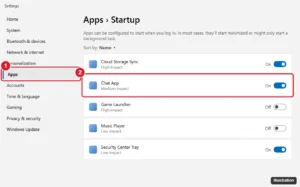
Windows 11 style Settings Apps Startup page listing startup apps with impact ratings and on off toggles, one toggle highlighted

How to Change What Opens on Startup in Windows 10 and 11

November 17, 2026February 25, 2025 by Kermit Matthews

Control which apps open at startup in Windows 10 and 11 with Settings or Task Manager, add programs with the Startup folder, and stop apps from reopening. Continue Reading How to Change What Opens on Startup in Windows 10 and 11

Categories Windows 11
Windows 11 Start search results for Command Prompt with Run as administrator highlighted in the right pane

How to Run as Administrator in Windows 11 (7 Ways)

November 10, 2026February 24, 2025 by Kermit Matthews

Run apps as administrator in Windows 11 from Start search, the right-click menu, keyboard shortcuts, or Terminal (Admin), and make apps always run elevated. Continue Reading How to Run as Administrator in Windows 11 (7 Ways)

Categories Windows 11
Security app Virus and threat protection settings with the Real-time protection switch turned off and highlighted, plus a warning that the device may be vulnerable

How to Turn Off Windows Security (Microsoft Defender) in Windows 10 and 11

November 12, 2026February 21, 2025 by Kermit Matthews

Turn off Windows Security: Virus & threat protection > Manage settings > Real-time protection off. Plus exclusions and why permanent tricks fail. Continue Reading How to Turn Off Windows Security (Microsoft Defender) in Windows 10 and 11

Categories Windows 10, Windows 11
Windows screen dimmed after pressing Windows+Shift+S, with the Snipping Tool capture bar and Rectangle mode highlighted

How to Take a Screenshot on Windows 11 and 10 (Every Method)

November 12, 2026February 21, 2025 by Kermit Matthews

Take a screenshot on Windows 11 or 10 with Windows+Shift+S, Print Screen, Windows+Print Screen, or the Snipping Tool. Where screenshots save and fixes. Continue Reading How to Take a Screenshot on Windows 11 and 10 (Every Method)

Categories Windows 10, Windows 11
Browser Clear browsing data dialog with the time range and Cookies and other site data checkbox highlighted

How to Delete Cookies on Windows 10 (Edge, Chrome, and Firefox)

November 16, 2026February 20, 2025 by Kermit Matthews

Delete cookies on Windows 10 in Edge, Chrome, or Firefox with Ctrl+Shift+Delete, remove cookies for one site, and clear cookies automatically on close. Continue Reading How to Delete Cookies on Windows 10 (Edge, Chrome, and Firefox)

Categories Windows 10, Windows 11
Windows PowerShell showing the command that reads the Windows product key stored in the PC firmware, with the key partly hidden

How to Find Your Windows Product Key (Windows 11 and 10)

November 17, 2026February 18, 2025 by Kermit Matthews

Find your Windows 11 or 10 product key with a PowerShell command, check if you have a digital license, and see where else your key might be stored. Continue Reading How to Find Your Windows Product Key (Windows 11 and 10)

Categories Windows 10, Windows 11
Windows Ctrl+Alt+Del security screen with the power button menu open and Restart highlighted

How to Force Restart Windows (5 Ways, Safest First)

November 10, 2026February 14, 2025 by Kermit Matthews

Force restart a frozen Windows 11 or 10 PC with Ctrl+Alt+Del, an emergency restart, a shutdown command, or the power button, plus fixes for repeated freezes. Continue Reading How to Force Restart Windows (5 Ways, Safest First)

Categories Windows 10, Windows 11
Optimize Drives window in Windows 11 listing a solid state drive and a hard disk drive with the Optimize button highlighted

How to Defrag Windows 11 (HDD and SSD)

November 10, 2026February 14, 2025 by Kermit Matthews

Defrag Windows 11 with Defragment and Optimize Drives, see why SSDs get TRIM instead, check the weekly schedule, and run defrag from Terminal. Continue Reading How to Defrag Windows 11 (HDD and SSD)

Categories Windows 11
Windows 11 window with the Maximize button hovered, showing snap layouts with the two-column layout highlighted

How to Split Screen on Windows 11 and 10

November 14, 2026February 13, 2025 by Kermit Matthews

Press Windows key + Left or Right to snap a window to half the screen, then pick another window. How to use snap layouts, quarters, and fix Snap. Continue Reading How to Split Screen on Windows 11 and 10

Categories Windows 10, Windows 11
A Windows app window with the Maximize button highlighted and the F11 key shown for full screen

How to Go Full Screen on Windows: Keys, Apps and Games

November 17, 2026February 13, 2025 by Kermit Matthews

Press F11 (or Fn + F11) to go full screen in browsers and File Explorer. Use Windows key + Up to maximize, and Alt + Enter in games. Plus fixes. Continue Reading How to Go Full Screen on Windows: Keys, Apps and Games

Categories Windows 10, Windows 11

How to Enable Virtualization in Windows 11 (No BIOS Key)

November 15, 2026February 10, 2025 by Kermit Matthews

Your Android emulator, WSL or a new virtual machine refuses to start because “virtualization is disabled.” First check Task Manager > Performance > CPU. If… Continue Reading How to Enable Virtualization in Windows 11 (No BIOS Key)

Categories Windows 11
Windows 11 Settings System Recovery page with the Go back option to return to the previous version of Windows highlighted

How to Revert to Windows 10 From Windows 11 (Go Back or Clean Install)

November 16, 2026February 7, 2025 by Kermit Matthews

Roll back from Windows 11 to Windows 10 with Go back within 10 days, extend the window to 60 days, or clean install. Plus what end of support means. Continue Reading How to Revert to Windows 10 From Windows 11 (Go Back or Clean Install)

Categories Windows 11
Windows 11 Settings Date and time page with Set time automatically off and a Change button for manual time

How to Change the Time and Time Zone on Windows 11

November 17, 2026February 6, 2025 by Kermit Matthews

Change the time on Windows 11: Settings, Time and language, Date and time, turn off Set time automatically, then click Change and enter the time. Continue Reading How to Change the Time and Time Zone on Windows 11

Categories Windows 11
Windows 11 Settings Recovery page with the Reset PC button highlighted and the Choose an option dialog showing Keep my files and Remove everything

How to Factory Reset Windows 11 and 10

November 13, 2026February 5, 2025 by Kermit Matthews

Factory reset Windows in Settings > System > Recovery > Reset PC. Learn Keep my files vs. Remove everything, cloud vs. local, and reset without signing in. Continue Reading How to Factory Reset Windows 11 and 10

Categories Windows 10, Windows 11

How to Get Out of Full Screen on Windows

November 17, 2026February 5, 2025 by Kermit Matthews

Exit full screen on Windows with F11, Esc or Alt + Enter, plus fixes for browsers, videos, games, Store apps, tablet mode and a hidden taskbar. Continue Reading How to Get Out of Full Screen on Windows

Categories Windows 11
Windows 11 File Explorer with a RAR file selected and the right-click menu showing Extract All highlighted

How to Open RAR Files on Windows

November 17, 2026January 31, 2025 by Kermit Matthews

Open RAR files on Windows 11 with built-in Extract All, or on Windows 10 with free 7-Zip, and handle multi-part and password-protected RAR archives. Continue Reading How to Open RAR Files on Windows

Categories Windows 10, Windows 11
Windows 11 Settings Personalization Lock screen page with Personalize your lock screen dropdown highlighted

How to Change the Lock Screen on Windows 11

November 13, 2026January 30, 2025 by Kermit Matthews

Change your Windows 11 lock screen in Settings > Personalization > Lock screen. Use a picture, slideshow, or Spotlight, plus fixes if it won’t change. Continue Reading How to Change the Lock Screen on Windows 11

Categories Windows 11
Right-click menu on the taskbar with Task Manager highlighted

Open Task Manager Fast When an App or Game Freezes

November 15, 2026January 24, 2025 by Kermit Matthews

Open Task Manager in Windows 11 with Ctrl + Shift + Esc, the taskbar or Start menu, and use it to close frozen apps. Continue Reading Open Task Manager Fast When an App or Game Freezes

Categories Windows 11
Windows Magnifier toolbar showing zoom level with plus and minus buttons highlighted

How to Zoom In and Out on Windows (Magnifier, Apps, Scaling)

November 12, 2026January 24, 2025 by Kermit Matthews

Zoom on Windows with Magnifier (Windows + Plus), Ctrl + scroll in apps, display scaling, or text size settings. Plus how to zoom back out. Continue Reading How to Zoom In and Out on Windows (Magnifier, Apps, Scaling)

Categories Windows 10, Windows 11
Windows 11 File Explorer View menu with Show submenu open and Hidden items highlighted

How to Show Hidden Files on Windows 11

November 17, 2026January 21, 2025 by Kermit Matthews

Show hidden files on Windows 11 with File Explorer’s View > Show > Hidden items, Folder Options, or Settings, and unhide a single file. Continue Reading How to Show Hidden Files on Windows 11

Categories Windows 11
Windows 11 File Explorer with three non-adjacent files selected and the items selected count in the status bar

How to Select Multiple Files on Windows

November 10, 2026January 7, 2025 by Kermit Matthews

Select multiple files on Windows with Ctrl + click, Shift + click, Ctrl + A, dragging, or check boxes. Works in Windows 11 and 10 File Explorer. Continue Reading How to Select Multiple Files on Windows

Categories Windows 11
Word style document showing field codes in braces for the date, page number, and table of contents after pressing Alt+F9, with a keyboard shortcut callout highlighted

How to Force Quit an App on Windows 11 and 10 (6 Ways)

November 10, 2026December 27, 2024 by Kermit Matthews

Force close a frozen app on Windows with Alt + F4, Task Manager, the Windows 11 taskbar End task option, or taskkill, and what to do if the PC is frozen. Continue Reading How to Force Quit an App on Windows 11 and 10 (6 Ways)

Categories Windows 10, Windows 11
Windows Notepad with selected text and the right-click menu showing Copy and Paste highlighted

How to Copy and Paste on Windows With Keys, Mouse or Touch

November 13, 2026December 20, 2024 by Kermit Matthews

Copy and paste on Windows with Ctrl + C and Ctrl + V or the right-click menu, plus clipboard history, plain-text pasting, and fixes. Continue Reading How to Copy and Paste on Windows With Keys, Mouse or Touch

Categories Windows 10, Windows 11
Windows 11 Device Manager with a display adapter right-clicked and Update driver highlighted

How to Update Windows 11 Drivers

November 17, 2026December 13, 2024 by Kermit Matthews

Update Windows 11 drivers through Windows Update optional updates, Device Manager or the maker’s site, roll back a bad driver, and skip driver-updater apps. Continue Reading How to Update Windows 11 Drivers

Categories Windows 11
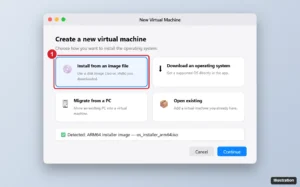
Virtual machine app on a laptop showing the new virtual machine assistant with Install from an image file selected and highlighted, and an ARM installer image detected

How to Install Windows 11 or 10 on a Mac (Intel and Apple Silicon)

November 7, 2026December 12, 2024 by Kermit Matthews

Install Windows on a Mac: use a virtual machine with Windows 11 Arm on Apple silicon, or Boot Camp with Windows 10 on Intel Macs. Plus licensing. Continue Reading How to Install Windows 11 or 10 on a Mac (Intel and Apple Silicon)

Categories Mac, Windows 11
Windows Add a device window with Bluetooth selected and AirPods listed as a device to pair

How to Connect AirPods to Windows

November 17, 2026December 9, 2024 by Kermit Matthews

Open the AirPods case, hold the setup button until it flashes white, then go to Settings > Bluetooth & devices > Add device. Tips and fixes inside. Continue Reading How to Connect AirPods to Windows

Categories Windows 10, Windows 11
Settings update page with the Pause updates row and its date picker highlighted

How to Turn Off Windows Update in Windows 11 (Pause It Safely)

November 10, 2026December 9, 2024 by Kermit Matthews

Pause Windows Update for up to 35 days, stop surprise restarts with active hours, and use metered connections or Group Policy for more control. Continue Reading How to Turn Off Windows Update in Windows 11 (Pause It Safely)

Categories Windows 11
Windows Advanced options recovery screen with the UEFI Firmware Settings tile highlighted

How to Open BIOS in Windows 11 (4 Ways)

November 15, 2026December 5, 2024 by Kermit Matthews

Open the BIOS in Windows 11 from Settings, Shift + Restart, a command, or your PC’s BIOS key, plus fixes if you can’t get in. Continue Reading How to Open BIOS in Windows 11 (4 Ways)

Categories Windows 11

How to Reinstall Windows 11: Repair, Reset, or Clean Install

November 13, 2026December 5, 2024 by Kermit Matthews

Learn how to reinstall Windows 11 easily with our step-by-step guide. Perfect for beginners looking to refresh their system and improve performance. Continue Reading How to Reinstall Windows 11: Repair, Reset, or Clean Install

Categories Windows 11
Windows 11 Get Help app with the search box and the Contact Support option highlighted

How to Get Help in Windows 11: Every Built-In Option

November 16, 2026December 4, 2024 by Kermit Matthews

Get help in Windows 11 with the Get Help app, troubleshooters, Tips, Quick Assist, and Microsoft support, plus how to avoid tech support scams. Continue Reading How to Get Help in Windows 11: Every Built-In Option

Categories Windows 11
Windows Settings Default apps page for a browser with the Set default button highlighted

How to Change the Default Browser in Windows 11 (and Windows 10)

November 10, 2026December 3, 2024 by Kermit Matthews

Set a new default browser in Windows 11 from Settings, Apps, Default apps, and fix links that still open in the old browser. Continue Reading How to Change the Default Browser in Windows 11 (and Windows 10)

Categories Windows 11
Windows 11 Display settings with the Display orientation menu open and Portrait highlighted

How to Rotate or Fix a Sideways Screen in Windows 11

November 12, 2026December 2, 2024 by Kermit Matthews

Rotate your screen in Windows 11 from Display settings or with Ctrl+Alt+arrow shortcuts, rotate one monitor, and fix a sideways or grayed-out orientation. Continue Reading How to Rotate or Fix a Sideways Screen in Windows 11

Categories Windows 11
Windows 11 Win+X power user menu with Shut down or sign out expanded and Restart highlighted with underlined shortcut letters

How to Restart a Laptop With the Keyboard in Windows 11 (Every Way)

November 14, 2026November 26, 2024 by Kermit Matthews

Restart a Windows 11 laptop using only the keyboard: Win+X U R, Alt+F4, Ctrl+Alt+Delete, the shutdown command, and what to do when it is frozen. Continue Reading How to Restart a Laptop With the Keyboard in Windows 11 (Every Way)

Categories Windows 11
Windows 11 Settings Regional format page with Change formats open and the Short date drop-down highlighted

How to Change the Date Format in Windows 11 (Custom Formats Too)

November 10, 2026November 25, 2024 by Kermit Matthews

Change the date format in Windows 11 from Settings, create custom formats like yyyy-MM-dd in Control Panel, and show the weekday in the taskbar clock. Continue Reading How to Change the Date Format in Windows 11 (Custom Formats Too)

Categories Windows 11
Windows 11 Accessibility Keyboard settings with Sticky keys switched off and the keyboard shortcut option expanded

How to Turn Off Sticky Keys in Windows 11

November 14, 2026November 25, 2024 by Kermit Matthews

Turn off Sticky Keys in Windows 11 in Settings > Accessibility > Keyboard, disable the Shift-five-times shortcut, and fix Filter Keys problems. Continue Reading How to Turn Off Sticky Keys in Windows 11

Categories Windows 11
Windows Control Panel User Accounts page with Change your account name highlighted

How to Change Your User Name in Windows 11

November 10, 2026November 22, 2024 by Kermit Matthews

Change your user name in Windows 11 for a Microsoft account online or a local account in Control Panel or Netplwiz, plus the user folder name. Continue Reading How to Change Your User Name in Windows 11

Categories Windows 11
Windows 11 setup screen with a Command Prompt window open over it showing a registry command, and the I don't have internet link highlighted

Windows 11 Without a Microsoft Account: What’s Supported

November 13, 2026November 14, 2024 by Kermit Matthews

Set up Windows 11 with a local account instead of a Microsoft account using methods that still work: switching after setup, Rufus, or the BypassNRO command. Continue Reading Windows 11 Without a Microsoft Account: What’s Supported

Categories Windows 11
Windows 11 recovery environment Advanced options screen with Startup Repair, Startup Settings, Command Prompt, Uninstall Updates, UEFI Firmware Settings and System Restore tiles, System Restore highlighted

How to Enter Recovery Mode in Windows 11 and 10 (5 Ways)

November 16, 2026November 8, 2024 by Kermit Matthews

Open the Windows 11 recovery environment from Settings, Shift + Restart, a command, or when Windows will not boot, and learn what each repair tool does. Continue Reading How to Enter Recovery Mode in Windows 11 and 10 (5 Ways)

Categories Windows 11
Laptop keyboard top row with the F5 keyboard backlight key and the Fn key highlighted, with the keys glowing under the backlight

How to Turn On the Keyboard Light on an HP Laptop (Windows 11)

November 10, 2026November 8, 2024 by Kermit Matthews

Turn on the keyboard backlight on an HP laptop in Windows 11 with the F5, F4, F9, or F11 key, keep it on longer in BIOS, and fix a light that will not work. Continue Reading How to Turn On the Keyboard Light on an HP Laptop (Windows 11)

Categories Windows 11

How to Map a Network Drive in Windows 11

November 12, 2026November 7, 2024 by Kermit Matthews

Learn how to map a network drive in Windows 11 with our simple, step-by-step guide, making it easy to access shared files and folders. Continue Reading How to Map a Network Drive in Windows 11

Categories Windows 11
Microsoft Edge Address bar and search settings with the Search engine used in the address bar menu set to Google

How to Make Google Your Default Search Engine on Windows 11

November 16, 2026November 7, 2024 by Kermit Matthews

In Edge, go to Settings > Privacy, search, and services > Address bar and search and choose Google. Steps for Chrome and Firefox, plus taskbar search. Continue Reading How to Make Google Your Default Search Engine on Windows 11

Categories Windows 11
New Outbound Rule Wizard on the Action step with Block the connection selected and the Next button highlighted

How to Block a Program in Windows Firewall (Windows 10 and 11)

November 12, 2026October 23, 2024 by Kermit Matthews

Block a program from accessing the internet with a Windows Defender Firewall outbound rule on Windows 10 or 11, using the wizard or a single netsh command. Continue Reading How to Block a Program in Windows Firewall (Windows 10 and 11)

Categories Windows 10, Windows 11
Administrator Command Prompt running chkdsk E: /f on an external drive with the results summary highlighted

How to Run CHKDSK on an External Drive in Windows 10 and 11

November 16, 2026October 3, 2024 by Kermit Matthews

Run CHKDSK on an external hard drive or USB drive in Windows 10 or 11 to fix errors and find bad sectors, with the right switches and fixes for RAW drives. Continue Reading How to Run CHKDSK on an External Drive in Windows 10 and 11
Categories Windows 10, Windows 11
Windows Project panel opened with Windows key plus P showing display options with Second screen only highlighted

How to Switch to HDMI on Windows 10 (Display and Sound)

November 12, 2026September 17, 2024 by Kermit Matthews

Switch your Windows 10 display and sound to HDMI with Windows+P, choose duplicate or second screen only, set HDMI audio, and fix no signal or no sound. Continue Reading How to Switch to HDMI on Windows 10 (Display and Sound)

Categories Windows 10, Windows 11
Command Prompt showing the default Java max heap size check and a program started with -Xms and -Xmx heap size options

How to Increase Java Heap Size in Windows 10 (-Xmx Guide)

November 10, 2026September 12, 2024 by Kermit Matthews

Increase Java heap size on Windows 10 with -Xmx on the command line, JAVA_TOOL_OPTIONS, or IDE and build tool settings to fix OutOfMemoryError crashes. Continue Reading How to Increase Java Heap Size in Windows 10 (-Xmx Guide)

Categories Windows 10, Windows 11
slmgr /dli window showing VOLUME_KMSCLIENT channel

How to Remove KMS Activation and Activate Windows Legally

November 12, 2026September 11, 2024 by Kermit Matthews

Remove a KMS key and server setting with slmgr, clean up activator leftovers, check for malware, and activate Windows 10 or 11 with a genuine license. Continue Reading How to Remove KMS Activation and Activate Windows Legally

Categories Windows 10, Windows 11
Command prompt showing the installed runtime version check and a command that runs a JAR file from the Downloads folder

How to Run a JAR File on Windows 10 and 11

November 10, 2026September 11, 2024 by Kermit Matthews

Run a JAR file on Windows 10 or 11: install Java, double-click or use java -jar in Command Prompt, and fix association and manifest errors. Continue Reading How to Run a JAR File on Windows 10 and 11

Categories Windows 10, Windows 11
Power Options Advanced settings dialog with System cooling policy expanded and set to Active

How to Change Fan Speed in Windows 11 and 10

November 15, 2026September 10, 2024 by Kermit Matthews

Make your laptop fan run sooner in Windows 10 with the Active cooling policy, your laptop maker’s thermal app, or BIOS fan options, and fix overheating. Continue Reading How to Change Fan Speed in Windows 11 and 10

Categories Windows 10, Windows 11
Network Connections window with a disabled Wi-Fi adapter right-clicked and Enable highlighted in the menu

How to Enable the Wi-Fi Adapter in Windows 10 (and 11)

November 14, 2026September 9, 2024 by Kermit Matthews

Turn your Wi-Fi adapter back on in Windows 10 or 11 from Network Connections, Device Manager, or a command, plus fixes for when the adapter will not enable. Continue Reading How to Enable the Wi-Fi Adapter in Windows 10 (and 11)

Categories Windows 10, Windows 11
Tablet showing a Trust This Computer prompt next to Windows File Explorer listing the tablet under This PC

How to Connect an iPad to a Windows 10 Laptop (USB and Wireless)

November 10, 2026September 9, 2024 by Kermit Matthews

Connect an iPad to a Windows 10 laptop with a USB cable or wirelessly to transfer photos and files, back up with Apple Devices, and fix recognition problems. Continue Reading How to Connect an iPad to a Windows 10 Laptop (USB and Wireless)

Categories Windows 10, Windows 11
Older posts
Newer posts
← Previous Page1 … Page4 Page5 Page6 … Page11 Next →

Join Our Free Newsletter

Featured guides and deals

You may opt out at any time.
Read our Privacy Policy

Live2Tech

Plain-English, step-by-step guides for the devices and apps you use every day.

Apple

  • iPhone
  • iPad
  • Mac
  • Apple Watch

Windows

  • Windows 11
  • Windows 10

Microsoft Office

  • Word
  • Excel
  • Powerpoint
  • Outlook

Google

  • Google Docs
  • Google Sheets
  • Google Slides
  • Gmail
  • Chrome
  • Google Drive
  • About Us
  • Contact
  • Disclaimer
  • Privacy Policy
© Live2Tech.com 2026
  • iPhone
  • Windows
    • Windows 11
    • Windows 10
  • Office
    • Word
    • Excel
    • Powerpoint
    • Outlook
  • Google
    • Google Docs
    • Google Sheets
    • Google Slides
    • Gmail
    • Chrome
    • Google Drive
  • Mac & Apple
    • Mac
    • iPad
    • Apple Watch
  • All Tutorials