Skip to content
Live2Tech
  • iPhone
  • Windows
    • Windows 11
    • Windows 10
  • Office
    • Word
    • Excel
    • Powerpoint
    • Outlook
  • Google
    • Google Docs
    • Google Sheets
    • Google Slides
    • Gmail
    • Chrome
    • Google Drive
  • Mac & Apple
    • Mac
    • iPad
    • Apple Watch
  • All Tutorials

Windows 11

Guides for Windows 11: settings, security, activation, troubleshooting, and more.

Windows Security Core isolation page with the Memory integrity toggle switched Off and highlighted, and a warning that the device may be vulnerable

How to Disable HVCI (Memory Integrity) in Windows 10

November 10, 2026September 4, 2024 by Kermit Matthews

Disable HVCI in Windows 10 by turning off Memory integrity in Core isolation, or with the registry or Group Policy, and find the driver causing problems. Continue Reading How to Disable HVCI (Memory Integrity) in Windows 10

Categories Windows 10, Windows 11
File Explorer showing CR2 raw photo thumbnails with the right-click Open with menu and the Photos option highlighted

How to View CR2 Files on Windows 10 (Free Methods)

November 10, 2026September 4, 2024 by Kermit Matthews

Open and view Canon CR2 raw photos on Windows 10 with the free Raw Image Extension and Photos, get thumbnails in File Explorer, and convert CR2 to JPG. Continue Reading How to View CR2 Files on Windows 10 (Free Methods)

Categories Windows 10, Windows 11
Windows 10 Apps and features list with Adobe Acrobat selected and the Uninstall button highlighted

How to Completely Remove Adobe Acrobat From Windows

November 12, 2026September 3, 2024 by Kermit Matthews

Uninstall Adobe Acrobat DC from Settings or Creative Cloud, then run the Acrobat Cleaner Tool to remove leftovers on Windows 10 or 11. Plus fixes. Continue Reading How to Completely Remove Adobe Acrobat From Windows

Categories Windows 10, Windows 11
German QWERTZ keyboard with the Druck (Print Screen) key and the Windows, Shift, and S keys highlighted

How to Take a Screenshot on a German Keyboard in Windows

November 12, 2026September 3, 2024 by Kermit Matthews

On a German keyboard, Print Screen is the Druck key. Use Windows+Druck, Alt+Druck, or Windows+Umschalt+S to take screenshots in Windows 11 and 10. Continue Reading How to Take a Screenshot on a German Keyboard in Windows

Categories Windows 10, Windows 11
Administrator terminal window listing physical disks and running the wsl --mount command for an ext4 partition

How to Read ext4 Drives on Windows 10 and 11 (3 Safe Methods)

November 10, 2026August 30, 2024 by Kermit Matthews

Read an ext4 Linux drive on Windows 10 or 11 using WSL 2 wsl –mount, a free read-only reader, or a Linux live USB, without formatting or losing data. Continue Reading How to Read ext4 Drives on Windows 10 and 11 (3 Safe Methods)

Categories Windows 10, Windows 11
Command Prompt window showing the mkdir command creating a folder and the dir command listing it

How to Create a Folder in Command Prompt (mkdir Guide for Windows)

November 17, 2026August 29, 2024 by Kermit Matthews

Create a folder in Command Prompt on Windows 10 or 11 with mkdir, including names with spaces, nested folders, several folders at once, and fixes for errors. Continue Reading How to Create a Folder in Command Prompt (mkdir Guide for Windows)

Categories Windows 10, Windows 11
Windows User Profiles dialog with an old profile selected and the Delete button highlighted

How to Replace a Corrupted User Profile in Windows 10 and 11

November 14, 2026August 29, 2024 by Kermit Matthews

Fix a corrupted or temporary profile in Windows 10 or 11: back up files, delete the profile in User Profiles settings, and sign in to rebuild it. Continue Reading How to Replace a Corrupted User Profile in Windows 10 and 11
Categories Windows 10, Windows 11
Windows Defender Firewall New Inbound Rule Wizard on the Action step with Block the connection selected

How to Close Ports on Windows 10 (and Windows 11)

November 10, 2026August 26, 2024 by Kermit Matthews

Close a port on Windows 10: find it with netstat, stop the program using it, and block it with a Windows Firewall inbound rule or PowerShell. Steps inside. Continue Reading How to Close Ports on Windows 10 (and Windows 11)

Categories Networking, Windows 10, Windows 11
Windows Disk Management with a new unallocated Disk 1 marked Not Initialized and the Initialize Disk dialog open with GPT selected

How to Install a Second Hard Drive in Windows 10 and 11

November 15, 2026August 23, 2024 by Kermit Matthews

Install a second hard drive or SSD, then initialize it as GPT and create a volume in Disk Management so it shows up in Windows 10 or 11 File Explorer. Continue Reading How to Install a Second Hard Drive in Windows 10 and 11

Categories Windows 10, Windows 11
Administrator Command Prompt showing arp -a output and the netsh interface ip delete arpcache command completing successfully

How to Clear the ARP Cache in Windows 10 and 11

November 10, 2026August 23, 2024 by Kermit Matthews

Clear the ARP cache in Windows 10 or 11 with netsh, arp -d, or PowerShell to fix stale network addresses, and view entries with arp -a before and after. Continue Reading How to Clear the ARP Cache in Windows 10 and 11

Categories Windows 10, Windows 11
Command Prompt showing cd commands to open a folder, go up a level, and switch drives with cd /d

How to Change Directory in CMD (cd Command)

November 17, 2026August 23, 2024 by Kermit Matthews

Change folders in Command Prompt with cd: go up with cd .., switch drives with cd /d, quote paths with spaces, and use pushd for network folders. Continue Reading How to Change Directory in CMD (cd Command)

Categories Windows 10, Windows 11
Dell one-time boot menu opened with F12 showing the UEFI USB drive option and SupportAssist OS Recovery highlighted

How to Install Windows on a Dell Laptop (Windows 11 or 10)

November 13, 2026August 21, 2024 by Kermit Matthews

Install Windows on a Dell laptop from a USB drive using the F12 boot menu, or reinstall with SupportAssist OS Recovery. Plus drivers and activation tips. Continue Reading How to Install Windows on a Dell Laptop (Windows 11 or 10)

Categories Windows 10, Windows 11
Settings Time and Language page with Korean added under Preferred languages and highlighted, and the language indicator in the taskbar showing the Korean input mode

How to Add a Korean Keyboard on Windows 10 and 11
November 14, 2026August 20, 2024 by Kermit Matthews

Add a Korean keyboard in Windows: Settings > Time & Language > Language > Add a language > Korean. Switch with Windows + Space and Right Alt. Continue Reading How to Add a Korean Keyboard on Windows 10 and 11

Categories Windows 10, Windows 11
60 percent keyboard layout with the Windows, Shift, and S keys highlighted for the screenshot shortcut

How to Screenshot on a 60% Keyboard in Windows 10 and 11 (No PrtSc Key)

November 17, 2026August 20, 2024 by Kermit Matthews

No Print Screen key? Screenshot on a 60% keyboard in Windows 10 or 11 with Windows+Shift+S, the Fn layer, Snipping Tool, or a PowerToys remap. Continue Reading How to Screenshot on a 60% Keyboard in Windows 10 and 11 (No PrtSc Key)

Categories Windows 10, Windows 11
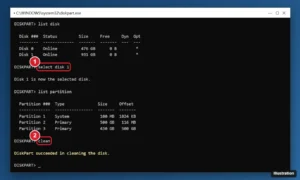
DiskPart window listing disks, selecting disk 1, and running the clean command to remove all partitions

How to Remove All Partitions from a Hard Drive in Windows 10 and 11

November 10, 2026August 20, 2024 by Kermit Matthews

Remove every partition from a hard drive or SSD in Windows 10 or 11 with DiskPart clean or Disk Management, including EFI and recovery partitions. Continue Reading How to Remove All Partitions from a Hard Drive in Windows 10 and 11

Categories Windows 10, Windows 11
Tablet app store page for a video meeting app with the Get button highlighted, and a Join a Meeting screen

How to Extract Multiple ZIP Files at Once in Windows 10 and 11

November 17, 2026August 19, 2024 by Kermit Matthews

Extract multiple ZIP files at once in Windows 10 and 11 with 7-Zip, a one-line PowerShell command, or tar, and handle split archives. Continue Reading How to Extract Multiple ZIP Files at Once in Windows 10 and 11

Categories Windows 10, Windows 11
Event Viewer showing the System log filtered to a BugCheck event 1001 with the stop code details highlighted

How to Check Blue Screen (BSOD) Logs in Windows 10 and 11

November 17, 2026August 19, 2024 by Kermit Matthews

Find blue screen logs in Windows 10 or 11 with Event Viewer, Reliability Monitor, and minidump files, read stop codes, and track down the driver behind a crash. Continue Reading How to Check Blue Screen (BSOD) Logs in Windows 10 and 11

Categories Windows 10, Windows 11
Task Manager Processes list with Windows Explorer selected and the Restart button highlighted

How to Restart Windows Explorer in Windows 10 and 11

November 13, 2026August 16, 2024 by Kermit Matthews

Restart Windows Explorer from Task Manager to fix a frozen taskbar or desktop, start it again if it closed, or use a command, in Windows 10 and 11. Continue Reading How to Restart Windows Explorer in Windows 10 and 11

Categories Windows 10, Windows 11
Windows Run dialog with the OneDrive reset command typed in and the OK button highlighted

How to Clear OneDrive Cache in Windows 10 and 11 (Reset Guide)

November 12, 2026August 16, 2024 by Kermit Matthews

Clear the OneDrive cache on Windows 10 or 11 with the reset command, fix stuck syncing, and free up space without losing files. Commands for every install type. Continue Reading How to Clear OneDrive Cache in Windows 10 and 11 (Reset Guide)

Categories Windows 10, Windows 11
Windows Setup Where do you want to install screen showing the error that Windows cannot be installed because the selected disk is of the GPT partition style

How to Install Windows 10 on a GPT Partition (Fix the GPT Error)

November 10, 2026August 16, 2024 by Kermit Matthews

Install Windows 10 on a GPT disk by booting the installer in UEFI mode, fix the “selected disk is of the GPT partition style” error, or convert to GPT. Continue Reading How to Install Windows 10 on a GPT Partition (Fix the GPT Error)

Categories Windows 10, Windows 11
File Explorer open to the app data folder with the Cache, Code Cache, and GPUCache folders selected and Delete highlighted

How to Clear Discord Cache on Windows 10 and 11 (Plus Mobile and Mac)

November 10, 2026August 16, 2024 by Kermit Matthews

Clear the Discord cache on Windows 10 or 11 to free space and fix loading problems without logging out, plus steps for the browser, Android, iPhone, and Mac. Continue Reading How to Clear Discord Cache on Windows 10 and 11 (Plus Mobile and Mac)

Categories Windows 10, Windows 11
Administrator Command Prompt running powercfg /hibernate off and powercfg /a confirming hibernation is not available

How to Disable Hibernate in Windows 10 (and Free Up Space)

November 12, 2026August 15, 2024 by Kermit Matthews

Disable hibernation in Windows 10 with powercfg /hibernate off to delete hiberfil.sys and free space, or hide the option or shrink the file instead. Continue Reading How to Disable Hibernate in Windows 10 (and Free Up Space)

Categories Windows 10, Windows 11
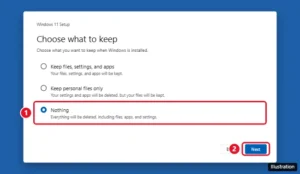
Windows Setup Choose what to keep screen with the Nothing option selected for a clean install

How to Install Windows Without a USB Drive

November 12, 2026August 13, 2024 by Kermit Matthews

Reinstall Windows 10 or 11 without a USB drive using Reset this PC, a mounted ISO, or the Installation Assistant, plus why a phone usually cannot help. Continue Reading How to Install Windows Without a USB Drive

Categories Windows 10, Windows 11
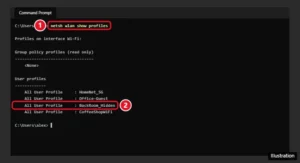
Command Prompt showing netsh wlan show profiles and a saved hidden network name

How to Find a Hidden Network’s SSID and Connect on Windows

November 13, 2026August 12, 2024 by Kermit Matthews

Windows cannot reveal an unknown hidden SSID, but you can find it in saved profiles or your router, then connect with Add network. Step by step. Continue Reading How to Find a Hidden Network’s SSID and Connect on Windows

Categories Networking, Windows 10, Windows 11
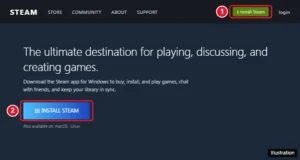
Steam website with the Install Steam button highlighted in the top-right corner and on the About page

How to Download and Install Steam on a Windows PC

November 15, 2026August 12, 2024 by Kermit Matthews

Download Steam from Valve, run SteamSetup.exe, and sign in to start installing games on Windows 11 or 10. Plus requirements, winget, and fixes. Continue Reading How to Download and Install Steam on a Windows PC

Categories Gaming, Windows 10, Windows 11
Windows 11 File Explorer with the View menu open and the Compact view option highlighted

How to Make Windows 11 Look Like Windows 10

November 14, 2026August 8, 2024 by Kermit Matthews

Make Windows 11 File Explorer look more like Windows 10 with compact view, the classic right-click menu, This PC, and navigation pane tweaks. Continue Reading How to Make Windows 11 Look Like Windows 10

Categories Windows 11
Word processor mail merge letter with field codes shown and a date format switch added to the MERGEFIELD for the date

How to Check Your Monitor Model in Windows 10 and 11

November 10, 2026August 7, 2024 by Kermit Matthews

Find your monitor model in Windows 10 or 11: Settings > System > Display > Advanced display, or use PowerShell, Device Manager or dxdiag. Continue Reading How to Check Your Monitor Model in Windows 10 and 11

Categories Windows 10, Windows 11
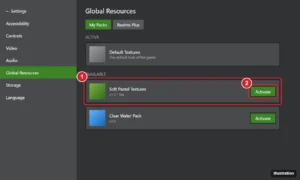
Game settings Global Resources screen with the My Packs list and the Activate button for a resource pack highlighted

How to Add Resource Packs to Minecraft Bedrock on Windows

November 10, 2026August 6, 2024 by Kermit Matthews

Add resource packs to Minecraft Bedrock on Windows 10 or 11 with .mcpack files or manual install in the new com.mojang folder, then activate them globally. Continue Reading How to Add Resource Packs to Minecraft Bedrock on Windows

Categories Windows 10, Windows 11
Disk Management with unallocated space next to the C drive and the right-click menu on C showing Extend Volume highlighted

How to Merge Partitions in Windows 10 and 11 (Disk Management)

November 10, 2026August 6, 2024 by Kermit Matthews

Merge partitions in Windows 10 or 11 by deleting one volume and extending its neighbor in Disk Management, fix a grayed-out Extend Volume, and use DiskPart. Continue Reading How to Merge Partitions in Windows 10 and 11 (Disk Management)

Categories Windows 10, Windows 11
About Windows dialog showing the Windows version and build highlighted

How to Tell If You Have Windows 10 or Windows 11 (and What It Means)

November 12, 2026August 6, 2024 by Kermit Matthews

Run winver or open Settings, System, About to see whether your PC runs Windows 10 or Windows 11, plus the version and build. Continue Reading How to Tell If You Have Windows 10 or Windows 11 (and What It Means)

Categories Windows 11
Desktop icons with green check mark sync badges next to a cloud backup settings dialog where the Desktop folder backup switch is highlighted

How to Remove Green Check Marks From Desktop Icons in Windows 10 and 11

November 14, 2026August 5, 2024 by Kermit Matthews

Green check marks on desktop icons come from OneDrive. Remove them by turning off Desktop backup in OneDrive Settings > Manage back up. Continue Reading How to Remove Green Check Marks From Desktop Icons in Windows 10 and 11

Categories Windows 10, Windows 11
PDF open in a browser viewer with a fillable form field selected and the Add text tool in the toolbar highlighted

How to Fill Out a PDF Form on Windows 10 (Free Methods)

November 10, 2026August 5, 2024 by Kermit Matthews

Fill out a PDF form on Windows 10 for free with Microsoft Edge or Adobe Acrobat Reader, add text to non-fillable forms, sign, save, and flatten the file. Continue Reading How to Fill Out a PDF Form on Windows 10 (Free Methods)

Categories Windows 10, Windows 11
Browser window with many tabs and a tab right-click menu open showing Close other tabs highlighted

How to Close All Tabs at Once in Windows (Edge, Chrome, Firefox)

November 10, 2026August 5, 2024 by Kermit Matthews

Close all browser tabs at once in Windows 10 or 11 with Ctrl+Shift+W, close other tabs, close windows from the taskbar, and reopen tabs you closed by mistake. Continue Reading How to Close All Tabs at Once in Windows (Edge, Chrome, Firefox)

Categories Windows 10, Windows 11
Chrome Notifications settings listing websites allowed to send notifications, with a suspicious site and its Remove option highlighted

How to Stop McAfee Pop-Ups on Windows 10 and 11

November 17, 2026August 2, 2024 by Kermit Matthews

Tell fake McAfee alerts from real ones, block the website sending them in Chrome, Edge or Firefox, quiet the McAfee app in Windows, or uninstall it for good. Continue Reading How to Stop McAfee Pop-Ups on Windows 10 and 11

Categories Windows 10, Windows 11
Remote Desktop message saying another user is signed in and will be disconnected if you continue

Multiple RDP Sessions in Windows 10 and 11: What’s Allowed

November 10, 2026August 2, 2024 by Kermit Matthews

Windows 10 and 11 allow one Remote Desktop session at a time. Learn the supported ways to allow multiple sessions with Windows Server RDS or AVD. Continue Reading Multiple RDP Sessions in Windows 10 and 11: What’s Allowed

Categories Windows 10, Windows 11
Windows Task Manager Startup apps page with a high-impact app selected and the Disable button highlighted

How to Debloat Windows 11 and 10 Safely (Built-In Tools)

November 13, 2026August 2, 2024 by Kermit Matthews

Debloat Windows 10 or 11 by uninstalling unused apps, disabling startup apps, and turning off ads and suggestions, without risky scripts. Step by step. Continue Reading How to Debloat Windows 11 and 10 Safely (Built-In Tools)

Categories Windows 10, Windows 11
Windows Script Host message after slmgr /ato reading Product activated successfully

How to Activate Windows 11 or 10 Using Command Prompt (slmgr)

November 16, 2026August 2, 2024 by Kermit Matthews

Activate Windows 11 or 10 from Command Prompt with slmgr /ipk and /ato using your genuine key, find a built-in OEM key, activate offline, and fix common errors. Continue Reading How to Activate Windows 11 or 10 Using Command Prompt (slmgr)

Categories Windows 10, Windows 11
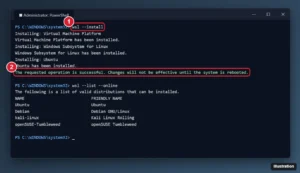
Administrator PowerShell window running wsl --install and showing Ubuntu installing, with the command and the restart prompt highlighted

How to Install Linux on Windows 10 (WSL, VM, or Dual Boot)

November 14, 2026July 30, 2024 by Kermit Matthews

Install Linux on Windows 10 with one WSL command, pick a distribution, share files with Windows, or run Linux in a virtual machine or dual boot instead. Continue Reading How to Install Linux on Windows 10 (WSL, VM, or Dual Boot)

Categories Windows 10, Windows 11
HP laptop keyboard top row with the prt sc key highlighted next to the Windows and Fn keys

How to Take a Screenshot on an HP Laptop

November 17, 2026July 29, 2024 by Kermit Matthews

Find the Print Screen key on your HP laptop, know when it needs Fn, and use the Windows shortcuts that copy or save a screenshot to Pictures > Screenshots. Continue Reading How to Take a Screenshot on an HP Laptop

Categories Windows 10, Windows 11
Command prompt showing the Python version check, a pip install command for the notebook package, and the command that launches the notebook server in the browser

How to Install Jupyter Notebook on Windows 10 and 11

November 10, 2026July 29, 2024 by Kermit Matthews

Install Jupyter Notebook on Windows 10 or 11 with pip or Anaconda, launch it in the right folder, use a virtual environment and fix PATH errors. Continue Reading How to Install Jupyter Notebook on Windows 10 and 11

Categories Windows 10, Windows 11
Windows 11 Home Settings Remote Desktop page showing that Home edition does not support Remote Desktop, with the upgrade link highlighted

How to Use Remote Desktop on Windows 11 Home

November 13, 2026June 25, 2024 by Kermit Matthews

Windows 11 Home can’t host Remote Desktop, but it can connect to other PCs. Use Quick Assist, Chrome Remote Desktop, or upgrade to Pro instead. Continue Reading How to Use Remote Desktop on Windows 11 Home

Categories Windows 11
Device Manager System devices list with an SMBus controller selected and its Properties Driver tab showing Driver Date and Driver Version highlighted

How to Check Chipset Driver Version in Windows 11

November 11, 2026June 25, 2024 by Kermit Matthews

Check your chipset driver version in Windows 11 with Device Manager, Installed apps, PowerShell or maker tools, and learn when and how to update it. Continue Reading How to Check Chipset Driver Version in Windows 11

Categories Windows 11

How to Set a Default Printer in Windows 11 and 10

November 12, 2026June 25, 2024 by Kermit Matthews

Learn how to set a default printer in Windows 11 with our step-by-step guide. Simplify your printing tasks by making this quick and easy adjustment today! Continue Reading How to Set a Default Printer in Windows 11 and 10

Categories Windows 11
Reliability Monitor chart with a red critical event on one day selected and the Windows shut down unexpectedly entry highlighted in the details list

How to Check the Blue Screen Log in Windows 11 (BSOD Crash Details)

November 17, 2026June 25, 2024 by Kermit Matthews

Find blue screen crash logs in Windows 11 with Reliability Monitor, Event Viewer, and minidump files, read stop codes, and fix the cause. Continue Reading How to Check the Blue Screen Log in Windows 11 (BSOD Crash Details)

Categories Windows 11
Windows 11 Settings Accounts Access work or school page with a Microsoft 365 work account expanded and the Disconnect button highlighted

How to Remove a Microsoft 365 Account From Windows 11

November 15, 2026June 25, 2024 by Kermit Matthews

Remove a Microsoft 365 work or school account from Windows 11: sign out of Office, disconnect it in Access work or school, and clear saved credentials. Continue Reading How to Remove a Microsoft 365 Account From Windows 11

Categories Windows 11
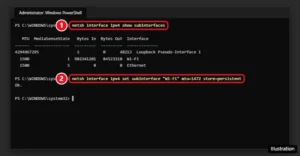
Windows Terminal running netsh commands to show and set the MTU for the Wi-Fi interface

How to Change the MTU Size in Windows 11 and 10

November 12, 2026June 25, 2024 by Kermit Matthews

Find the right MTU with a ping test, then change it on Windows 11 or 10 with a single netsh or PowerShell command. Plus how to reset it and fix errors. Continue Reading How to Change the MTU Size in Windows 11 and 10

Categories Windows 10, Windows 11
Windows 11 Select an app to open this .jnlp file dialog with OpenWebStart selected and the Always button highlighted

How to Open a JNLP File in Windows 11

November 10, 2026June 25, 2024 by Kermit Matthews

Open JNLP files on Windows 11 with the free OpenWebStart, or Java 8’s Java Web Start. Plus how to set the default app and fix blocked apps. Continue Reading How to Open a JNLP File in Windows 11

Categories Windows 10, Windows 11
Windows 11 local user Properties dialog on the General tab with Password never expires checked

How to Turn Off Password Expiration in Windows 11

November 15, 2026June 25, 2024 by Kermit Matthews

Disable password expiration on Windows 11 with Local Users and Groups, net accounts, PowerShell, or Local Security Policy, plus notes on Microsoft accounts. Continue Reading How to Turn Off Password Expiration in Windows 11

Categories Windows 11
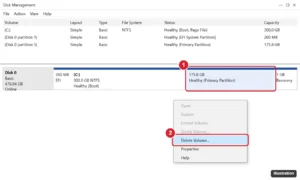
Disk Management showing Linux partitions on the Windows disk with the right-click Delete Volume option highlighted

How to Remove Dual Boot Ubuntu from Windows 11 (Safely)

November 10, 2026June 25, 2024 by Kermit Matthews

Remove a dual-boot Ubuntu install from Windows 11 safely: set Windows Boot Manager first, delete the GRUB boot files and Linux partitions, and reclaim space. Continue Reading How to Remove Dual Boot Ubuntu from Windows 11 (Safely)

Categories Windows 11

How to Run a Program or Game in Compatibility Mode in Windows 11

November 17, 2026June 25, 2024 by Kermit Matthews

Learn how to enable Compatibility Mode in Windows 11 to run older applications smoothly with our easy, step-by-step guide. Ensure seamless software performance! Continue Reading How to Run a Program or Game in Compatibility Mode in Windows 11

Categories Windows 11
Older posts
Newer posts
← Previous Page1 … Page5 Page6 Page7 … Page11 Next →

Join Our Free Newsletter

Featured guides and deals

You may opt out at any time.
Read our Privacy Policy

Live2Tech

Plain-English, step-by-step guides for the devices and apps you use every day.

Apple

  • iPhone
  • iPad
  • Mac
  • Apple Watch

Windows

  • Windows 11
  • Windows 10

Microsoft Office

  • Word
  • Excel
  • Powerpoint
  • Outlook

Google

  • Google Docs
  • Google Sheets
  • Google Slides
  • Gmail
  • Chrome
  • Google Drive
  • About Us
  • Contact
  • Disclaimer
  • Privacy Policy
© Live2Tech.com 2026
  • iPhone
  • Windows
    • Windows 11
    • Windows 10
  • Office
    • Word
    • Excel
    • Powerpoint
    • Outlook
  • Google
    • Google Docs
    • Google Sheets
    • Google Slides
    • Gmail
    • Chrome
    • Google Drive
  • Mac & Apple
    • Mac
    • iPad
    • Apple Watch
  • All Tutorials