Skip to content
Live2Tech
  • iPhone
  • Windows
    • Windows 11
    • Windows 10
  • Office
    • Word
    • Excel
    • Powerpoint
    • Outlook
  • Google
    • Google Docs
    • Google Sheets
    • Google Slides
    • Gmail
    • Chrome
    • Google Drive
  • Mac & Apple
    • Mac
    • iPad
    • Apple Watch
  • All Tutorials

Windows 11

Guides for Windows 11: settings, security, activation, troubleshooting, and more.

Windows 11 Settings Accessibility Text size page with the text size slider and Apply button highlighted

How to Change Font Size in File Explorer on Windows 11

November 15, 2026June 25, 2024 by Kermit Matthews

Change the font size in File Explorer on Windows 11 with the Text size setting, enlarge icons with Ctrl+scroll or View options, adjust scaling, and more. Continue Reading How to Change Font Size in File Explorer on Windows 11
Categories Windows 11
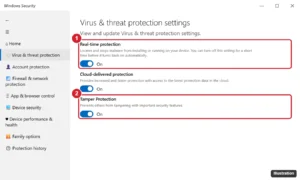
Windows Security Virus and threat protection settings with the Real-time protection switch turned on and highlighted

How to Turn On Windows Defender in Windows 11 (and Fix It)

November 17, 2026June 25, 2024 by Kermit Matthews

Turn on Windows Defender in Windows 11, check that it is working, and fix greyed-out switches or “managed by your organization” messages. Continue Reading How to Turn On Windows Defender in Windows 11 (and Fix It)

Categories Windows 11
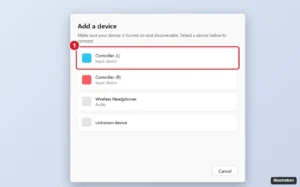
Windows 11 Add a device dialog listing found Bluetooth devices with a left game controller highlighted

How to Connect Joy-Cons to a Windows 11 PC

November 10, 2026June 25, 2024 by Kermit Matthews

Connect Nintendo Switch Joy-Cons to a Windows 11 PC over Bluetooth, use them in games with Steam or a controller utility, and fix pairing problems. Continue Reading How to Connect Joy-Cons to a Windows 11 PC

Categories Windows 11

How to Transfer Files From Windows 7 to Windows 11

November 10, 2026June 24, 2024 by Kermit Matthews

Learn how to transfer files from Windows 7 to Windows 11 effortlessly with our step-by-step guide. Ensure a smooth transition and keep your data intact. Continue Reading How to Transfer Files From Windows 7 to Windows 11

Categories Windows 11
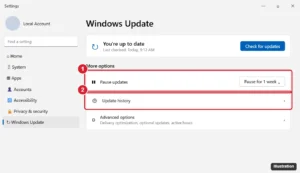
Windows 11 Windows Update settings with the Pause updates option and Update history highlighted

How to Hide Updates in Windows 11 (Block a Problem Update)

November 10, 2026June 24, 2024 by Kermit Matthews

Hide a problem update in Windows 11 with Microsoft’s Show or Hide Updates tool, pause updates temporarily, or stop driver updates with Group Policy. Continue Reading How to Hide Updates in Windows 11 (Block a Problem Update)

Categories Windows 11
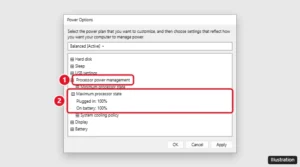
Windows Power Options Advanced settings with Processor power management expanded and Maximum processor state set to 100%

How to Check and Enable Turbo Boost on a Windows 11 PC

November 15, 2026June 24, 2024 by Kermit Matthews

Turbo Boost runs automatically in Windows 11. Make sure it works with Best performance mode, 100% maximum processor state, and the BIOS setting. Step by step. Continue Reading How to Check and Enable Turbo Boost on a Windows 11 PC

Categories Windows 11

How to Use a GoPro as a Webcam on Windows 11

November 14, 2026June 24, 2024 by Kermit Matthews

Transform your GoPro into a high-quality webcam on Windows 11 with our step-by-step guide. Discover how to optimize settings for the best video conferencing experience. Continue Reading How to Use a GoPro as a Webcam on Windows 11

Categories Windows 11

How to Delete the WindowsApps Folder in Windows 11 (and When Not To)

November 10, 2026June 24, 2024 by Kermit Matthews

Struggling to delete the WindowsApps folder on Windows 11? Our step-by-step guide will help you safely remove it without causing system issues. Continue Reading How to Delete the WindowsApps Folder in Windows 11 (and When Not To)

Categories Windows 11
Windows 11 Disk Management Shrink C: dialog with the amount of space to shrink entered and the Shrink button highlighted

How to Set Up a Dual Boot on a Windows 11 PC

November 14, 2026June 21, 2024 by Kermit Matthews

Dual boot Windows 11 with Linux or another copy of Windows: back up, shrink C:, create a bootable USB, install into free space, and pick a system at startup. Continue Reading How to Set Up a Dual Boot on a Windows 11 PC

Categories Windows 11
Installed apps list with the three-dot menu open and Uninstall highlighted

How to Uninstall Microsoft 365 on Windows 11

November 15, 2026June 21, 2024 by Kermit Matthews

Uninstall Microsoft 365 on Windows 11 from Settings, Apps, Installed apps, or with Microsoft’s uninstall tool. Your subscription and files stay. Continue Reading How to Uninstall Microsoft 365 on Windows 11

Categories Windows 11
Slide numbers dialog in a presentation app with On selected, Skip title slides checked, and the Apply button highlighted

How to Find the PC Serial Number in Windows 11: Simple Steps to Locate It

November 11, 2026June 21, 2024 by Kermit Matthews

Find your PC serial number in Windows 11 with PowerShell, Settings, your maker’s app, the device sticker, or BIOS, plus what to do if it shows as blank. Continue Reading How to Find the PC Serial Number in Windows 11: Simple Steps to Locate It

Categories Windows 11

How to Install and Use WSL on Windows 11

November 12, 2026June 21, 2024 by Kermit Matthews

Unlock the power of Linux on Windows 11 with our simple, step-by-step guide to installing Windows Subsystem for Linux (WSL) for beginners. Start coding today! Continue Reading How to Install and Use WSL on Windows 11

Categories Windows 11

How to Change Network Adapter Settings in Windows 11

November 12, 2026June 21, 2024 by Kermit Matthews

Learn how to effortlessly change network adapter settings in Windows 11 with our step-by-step guide. Enhance your connectivity and optimize your network performance. Continue Reading How to Change Network Adapter Settings in Windows 11

Categories Windows 11
Windows 11 File Explorer open to the Steam steamapps common folder with the address bar and a game folder highlighted

How to Find the Steam Folder on Windows 11 (Games, Libraries, and Screenshots)

November 15, 2026June 21, 2024 by Kermit Matthews

Find the Steam folder on Windows 11: default paths for games and screenshots, Browse local files, libraries on other drives, and where save files usually are. Continue Reading How to Find the Steam Folder on Windows 11 (Games, Libraries, and Screenshots)

Categories Windows 11
Windows 11 taskbar hidden icons with the Safely Remove Hardware icon and the Eject USB Drive menu option highlighted

How to Eject a USB Drive in Windows 11

November 17, 2026June 20, 2024 by Kermit Matthews

Eject a USB drive in Windows 11 from the taskbar icon or Settings, fix a drive Windows says is busy, and see when Quick removal lets you unplug with no eject. Continue Reading How to Eject a USB Drive in Windows 11

Categories Windows 11
Laptop BIOS setup System Configuration screen with the Action Keys Mode option highlighted and its menu showing Enabled and Disabled

How to Disable the Fn Key on an HP Laptop (Action Keys Mode)

November 17, 2026June 20, 2024 by Kermit Matthews

Make F1-F12 work without holding fn on an HP laptop by turning off Action Keys Mode in the BIOS or toggling Fn Lock, with fixes if the option is missing. Continue Reading How to Disable the Fn Key on an HP Laptop (Action Keys Mode)

Categories Windows 11
Windows 11 Settings Access work or school page with the Connect button and the option to join this device to the organization directory

How to Join Windows 11 to Microsoft Entra ID (Azure AD)

November 13, 2026June 20, 2024 by Kermit Matthews

Join a Windows 11 Pro, Enterprise, or Education PC to Microsoft Entra ID (formerly Azure AD) from Access work or school, and check that it worked. Continue Reading How to Join Windows 11 to Microsoft Entra ID (Azure AD)

Categories Windows 11
Settings Other users page with an account expanded showing Change account type and the Remove button highlighted

How to Remove an Administrator Account in Windows 11

November 10, 2026June 20, 2024 by Kermit Matthews

Remove an admin account in Windows 11 from Settings, or keep it as a standard user. Covers the built-in Administrator account and common errors. Continue Reading How to Remove an Administrator Account in Windows 11

Categories Windows 11

How to Install Trend Micro on Windows 11

November 10, 2026June 20, 2024 by Kermit Matthews

Learn how to easily install Trend Micro on Windows 11 with our step-by-step guide. Secure your PC in minutes by following these simple instructions. Continue Reading How to Install Trend Micro on Windows 11

Categories Windows 11
Windows 11 Settings Gaming Captures page with Record what happened switched Off and highlighted

How to Disable Game DVR in Windows 11
November 13, 2026June 20, 2024 by Kermit Matthews

Disable Game DVR in Windows 11 by turning off Record what happened, stop Game Bar shortcuts, and use registry or Group Policy to block game recording. Continue Reading How to Disable Game DVR in Windows 11

Categories Windows 11
Sound control panel Recording tab with a disabled Stereo Mix device right-clicked and Enable highlighted

How to Record Computer Audio on Windows 11 (Free Ways)

November 13, 2026June 20, 2024 by Kermit Matthews

Record internal audio on Windows 11 with Audacity loopback, Stereo Mix and Sound Recorder, Snipping Tool, Game Bar, or OBS, plus fixes for silent recordings. Continue Reading How to Record Computer Audio on Windows 11 (Free Ways)

Categories Windows 11
Settings Display page with Extend these displays selected for two monitors

How to Extend Your Display on Windows 11

November 12, 2026June 20, 2024 by Kermit Matthews

Extend your desktop across two monitors on Windows 11 with Windows + P or Display settings, then arrange screens and choose a main display. Continue Reading How to Extend Your Display on Windows 11

Categories Windows 11
Windows 11 Allowed apps firewall window with a web browser checked for Private and Public networks

How to Allow a Website Through the Firewall in Windows 11

November 15, 2026June 20, 2024 by Kermit Matthews

Windows Firewall filters apps, not websites. Allow your browser through it, then check SmartScreen, antivirus, router, and family filters. Continue Reading How to Allow a Website Through the Firewall in Windows 11

Categories Windows 11

How to Sign In to Windows 11 Automatically (Skip the Login Screen)

November 10, 2026June 20, 2024 by Kermit Matthews

Discover how to bypass the Windows 11 login screen with our easy, step-by-step guide. Simplify your access without compromising security. Follow along! Continue Reading How to Sign In to Windows 11 Automatically (Skip the Login Screen)

Categories Windows 11
Security app Core isolation page with the Memory integrity toggle switched on and highlighted

How to Harden Windows 11: A Security Checklist

November 15, 2026June 20, 2024 by Kermit Matthews

Harden Windows 11 with updates, a standard account, Memory integrity, encryption, Defender and Tamper Protection, Windows Hello, and offline backups. Continue Reading How to Harden Windows 11: A Security Checklist

Categories Windows 11
UEFI firmware setup Security tab with the TPM device option (Intel PTT or AMD fTPM) highlighted

How to Disable TPM on Windows 11 (and What to Do First)

November 13, 2026June 19, 2024 by Kermit Matthews

Disable TPM on a Windows 11 PC from the UEFI firmware settings, after suspending BitLocker and saving your recovery key. Plus how to clear or re-enable it. Continue Reading How to Disable TPM on Windows 11 (and What to Do First)

Categories Windows 11
Windows 11 Display settings with three monitors arranged and the Duplicate these displays option highlighted in the multiple displays menu

How to Duplicate Your Display on 3 Monitors in Windows 11

November 13, 2026June 19, 2024 by Kermit Matthews

Windows 11 often mirrors only two monitors at a time. Here is how to duplicate displays in Settings, clone all three with GPU software, or use a splitter. Continue Reading How to Duplicate Your Display on 3 Monitors in Windows 11

Categories Windows 11
Microphone Properties dialog on the Advanced tab with Allow applications to take exclusive control of this device unchecked and highlighted under Exclusive Mode

How to Stop the Microphone From Auto-Adjusting in Windows 11

November 10, 2026June 19, 2024 by Kermit Matthews

Stop your mic volume changing on its own in Windows 11: uncheck exclusive control in mic properties and turn off auto gain in Zoom, Teams and Discord. Continue Reading How to Stop the Microphone From Auto-Adjusting in Windows 11

Categories Windows 11

How to Enable Long Paths in Windows 11

November 10, 2026June 19, 2024 by Kermit Matthews

Learn to enable long paths in Windows 11 with our step-by-step guide. Simplify file management by surpassing the 260-character limit today! Continue Reading How to Enable Long Paths in Windows 11

Categories Windows 11

How to Enable High Performance Mode in Windows 11 for Peak Efficiency

November 15, 2026June 19, 2024 by Kermit Matthews

Discover how to enable High Performance Mode in Windows 11 to maximize your PC’s efficiency and speed up your tasks effortlessly with our step-by-step guide. Continue Reading How to Enable High Performance Mode in Windows 11 for Peak Efficiency

Categories Windows 11
Windows Features dialog with SMB 1.0/CIFS File Sharing Support expanded and SMB 1.0/CIFS Client checked

How to Enable SMB1 on Windows 11

November 6, 2026June 19, 2024 by Kermit Matthews

Enable SMB1 on Windows 11 with Windows Features or PowerShell to reach old NAS drives and printers, plus the security risks and safer alternatives. Continue Reading How to Enable SMB1 on Windows 11

Categories Networking, Windows 11
Windows 11 sign-in screen with the list of other user accounts in the bottom-left corner highlighted

How to Switch Users on Windows 11 From the Lock Screen

November 13, 2026June 19, 2024 by Kermit Matthews

Switch users from the Windows 11 lock screen by choosing an account in the bottom-left corner. Plus Ctrl+Alt+Delete, Start menu shortcuts, and fixes. Continue Reading How to Switch Users on Windows 11 From the Lock Screen

Categories Windows 11

How to Fix Mouse Lag on Windows 11

November 15, 2026June 19, 2024 by Kermit Matthews

Experiencing mouse lag on Windows 11? Discover effective solutions and tips to enhance your cursor’s responsiveness and improve your overall user experience. Continue Reading How to Fix Mouse Lag on Windows 11

Categories Windows 11
Start settings with the layout options and Show recently added apps highlighted

How to Customize the Windows 11 Start Menu

November 16, 2026June 18, 2024 by Kermit Matthews

Customize the Windows 11 Start menu: choose a layout, hide recommendations, add folder shortcuts, and pin, unpin or group apps. Continue Reading How to Customize the Windows 11 Start Menu

Categories Windows 11

How to Change a TXT File to CFG in Windows 11

November 10, 2026June 18, 2024 by Kermit Matthews

Learn how to easily convert a TXT file to a CFG file in Windows 11 with our step-by-step guide. Simplify file management with these straightforward instructions. Continue Reading How to Change a TXT File to CFG in Windows 11

Categories Windows 11
Windows 11 shortcut Properties dialog on the Shortcut tab with the Run dropdown set to Maximized

How to Change the Default Window Size in Windows 11

November 12, 2026June 18, 2024 by Kermit Matthews

Change the default window size in Windows 11: resize and close apps to save their size, set shortcuts to open maximized, use Snap, and fix windows that reset. Continue Reading How to Change the Default Window Size in Windows 11

Categories Windows 11

How to Remove an Email Account From Windows 11

November 10, 2026June 18, 2024 by Kermit Matthews

Learn how to effortlessly remove an email account from Windows 11 with our step-by-step guide, ensuring a clean and organized email experience. Continue Reading How to Remove an Email Account From Windows 11

Categories Windows 11

How to Check Maximum RAM Capacity in Windows 11

November 15, 2026June 18, 2024 by Kermit Matthews

Discover how to effortlessly check your Windows 11 PC’s maximum RAM capacity with our step-by-step guide, ensuring optimal performance for all your tasks. Continue Reading How to Check Maximum RAM Capacity in Windows 11

Categories Windows 11
Windows 11 Advanced options screen with UEFI Firmware Settings highlighted, next to the ASUS F2 and Delete BIOS keys

How to Open BIOS on an ASUS Computer in Windows 11

November 10, 2026June 18, 2024 by Kermit Matthews

Hold F2 on ASUS laptops or tap Delete on desktops while powering on. Or use Settings > System > Recovery > Advanced startup > UEFI Firmware Settings. Continue Reading How to Open BIOS on an ASUS Computer in Windows 11

Categories Windows 11

How to Disable Windows Hello in Windows 11

November 14, 2026June 18, 2024 by Kermit Matthews

Learn how to disable Windows Hello on Windows 11 with our step-by-step guide. Enhance your device security and manage login methods effortlessly. Continue Reading How to Disable Windows Hello in Windows 11

Categories Windows 11
7-Zip Add to Archive dialog with zip format selected and the Encryption password and AES-256 method highlighted

Open an Encrypted ZIP Someone Sent You in Windows 11

November 17, 2026June 18, 2024 by Kermit Matthews

Got a password-protected ZIP in Windows 11? Check the sender, get the password separately, try Extract All, then open it with 7-Zip if File Explorer fails. Continue Reading Open an Encrypted ZIP Someone Sent You in Windows 11

Categories Windows 11
Microsoft account Services and subscriptions page with Office Home and Student 2016 and its Install button highlighted

How to Install Office 2016 on Windows 11

November 15, 2026June 18, 2024 by Kermit Matthews

Install Office 2016 on Windows 11 from your Microsoft account or a product key. Support ended in October 2025, so here is what that means and alternatives. Continue Reading How to Install Office 2016 on Windows 11

Categories Windows 11

How to Create and Use a Recovery Drive in Windows 11

November 12, 2026June 18, 2024 by Kermit Matthews

Learn how to use a Recovery Drive in Windows 11 with our step-by-step guide. Safeguard your system and ensure quick recovery from unexpected issues. Continue Reading How to Create and Use a Recovery Drive in Windows 11

Categories Windows 11

How to Widen the Scroll Bar in Windows 11

November 10, 2026June 18, 2024 by Kermit Matthews

Easily widen the scroll bar in Windows 11 with our step-by-step guide. Enhance your user experience by adjusting the scroll bar width in just a few simple steps! Continue Reading How to Widen the Scroll Bar in Windows 11

Categories Windows 11

How to Disable Virtualization in BIOS on Windows 11

November 14, 2026June 18, 2024 by Kermit Matthews

Turn off Intel VT-x or AMD-V in UEFI/BIOS on Windows 11, or disable Hyper-V and Memory Integrity instead. Learn what breaks and how to undo it. Continue Reading How to Disable Virtualization in BIOS on Windows 11

Categories Windows 11
Windows Edit environment variable dialog for Path with a new C sqlite entry added and the New and OK buttons highlighted

How to Install SQLite on Windows 11 (winget or Manual)

November 13, 2026June 18, 2024 by Kermit Matthews

Install SQLite on Windows 11 with winget or the official sqlite-tools download, add it to PATH, verify it works, and create your first database. Continue Reading How to Install SQLite on Windows 11 (winget or Manual)

Categories Windows 11
Settings Storage Where new content is saved page with the New apps will save to drop-down set to a D drive and the Apply button highlighted

How to Change the Default Install Location in Windows 11

November 10, 2026June 18, 2024 by Kermit Matthews

Change where apps install in Windows 11: Settings > System > Storage > Where new content is saved. Plus installer, game launcher and move tips. Continue Reading How to Change the Default Install Location in Windows 11

Categories Windows 11
Format USB Drive dialog with the File system drop-down set to exFAT highlighted

How to Format a USB Drive in Windows 11

November 16, 2026June 18, 2024 by Kermit Matthews

Format a USB drive in Windows 11 from File Explorer and choose exFAT, FAT32 or NTFS. Back up first; formatting erases the drive. Continue Reading How to Format a USB Drive in Windows 11

Categories Windows 11
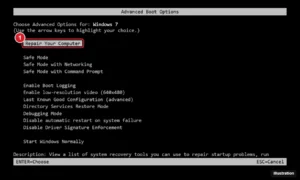
Windows 7 Advanced Boot Options screen with Repair Your Computer highlighted

How to Upgrade Windows 7 to Windows 11 Without Losing Data

November 16, 2026June 17, 2024 by Kermit Matthews

Moving from Windows 7 to Windows 11 erases the drive, so back up first. Check the requirements, get Microsoft’s USB installer, clean install and restore files. Continue Reading How to Upgrade Windows 7 to Windows 11 Without Losing Data

Categories Windows 11

How to Make Colors More Vibrant on Windows 11

November 10, 2026June 17, 2024 by Kermit Matthews

Enhancing colors on Windows 11 is simple! Follow our guide to adjust display settings, tweak HDR, and use color filters for a more vibrant screen experience. Continue Reading How to Make Colors More Vibrant on Windows 11

Categories Windows 11
Older posts
Newer posts
← Previous Page1 … Page6 Page7 Page8 … Page11 Next →

Join Our Free Newsletter

Featured guides and deals

You may opt out at any time.
Read our Privacy Policy

Live2Tech

Plain-English, step-by-step guides for the devices and apps you use every day.

Apple

  • iPhone
  • iPad
  • Mac
  • Apple Watch

Windows

  • Windows 11
  • Windows 10

Microsoft Office

  • Word
  • Excel
  • Powerpoint
  • Outlook

Google

  • Google Docs
  • Google Sheets
  • Google Slides
  • Gmail
  • Chrome
  • Google Drive
  • About Us
  • Contact
  • Disclaimer
  • Privacy Policy
© Live2Tech.com 2026
  • iPhone
  • Windows
    • Windows 11
    • Windows 10
  • Office
    • Word
    • Excel
    • Powerpoint
    • Outlook
  • Google
    • Google Docs
    • Google Sheets
    • Google Slides
    • Gmail
    • Chrome
    • Google Drive
  • Mac & Apple
    • Mac
    • iPad
    • Apple Watch
  • All Tutorials