Skip to content
Live2Tech
  • iPhone
  • Windows
    • Windows 11
    • Windows 10
  • Office
    • Word
    • Excel
    • Powerpoint
    • Outlook
  • Google
    • Google Docs
    • Google Sheets
    • Google Slides
    • Gmail
    • Chrome
    • Google Drive
  • Mac & Apple
    • Mac
    • iPad
    • Apple Watch
  • All Tutorials

Windows 11

Guides for Windows 11: settings, security, activation, troubleshooting, and more.

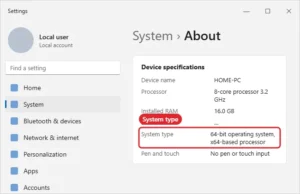
Settings About page showing System type 64-bit operating system, x64-based processor

How to Tell if You Have 64-Bit Windows

November 17, 2026June 9, 2025 by Kermit Matthews

Check System type in Settings > System > About to see if Windows is 64-bit or 32-bit, plus msinfo32 and what the results mean. Continue Reading How to Tell if You Have 64-Bit Windows

Categories Windows 10, Windows 11

How to Force Delete a File in Windows 11 (6 Ways)

November 10, 2026June 5, 2025 by Kermit Matthews

To force delete a file in Windows 11, first close whatever program is using it, then try again. If File Explorer still refuses, open Terminal… Continue Reading How to Force Delete a File in Windows 11 (6 Ways)

Categories Windows 11
Windows 11 Dynamic Lighting settings with a keyboard device, Use Dynamic Lighting on my devices turned on, and the Effects color options highlighted

Set Keyboard Color With Dynamic Lighting or the Maker’s App

November 6, 2026June 4, 2025 by Kermit Matthews

Change your keyboard backlight color in Windows 11 with Dynamic Lighting or your laptop maker app, and adjust brightness on single-color keyboards. Continue Reading Set Keyboard Color With Dynamic Lighting or the Maker’s App
Categories Windows 11
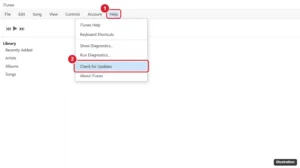
iTunes for Windows with the Help menu open and Check for Updates highlighted

How to Update iTunes on Windows

November 14, 2026May 29, 2025 by Kermit Matthews

Microsoft Store version: open the Store > Library > Get updates. Apple download: iTunes > Help > Check for Updates. Fixes and the newer Apple apps. Continue Reading How to Update iTunes on Windows
Categories Windows 10, Windows 11
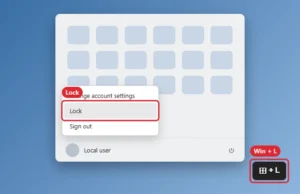
Windows Start menu with the account menu open showing Lock, Sign out and Change account settings

How to Lock Your Screen in Windows (Win + L and More)

November 10, 2026May 22, 2025 by Kermit Matthews

Lock your Windows 11 or 10 PC instantly with Win + L, Ctrl + Alt + Delete, or the Start menu, and set Dynamic Lock or a timeout to lock automatically. Continue Reading How to Lock Your Screen in Windows (Win + L and More)
Categories Windows 11
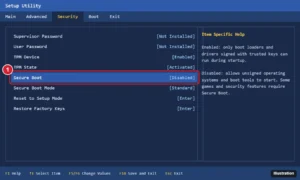
UEFI firmware setup Security tab with the Secure Boot option highlighted and set to Disabled

How to Turn Off Secure Boot on Windows 11

November 6, 2026May 20, 2025 by Kermit Matthews

Turn off Secure Boot on Windows 11 from the UEFI firmware settings, what to check first (BitLocker, games), and how to turn it back on. Continue Reading How to Turn Off Secure Boot on Windows 11
Categories Windows 11
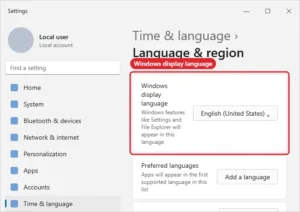
Language and region settings with the Windows display language drop-down highlighted

How to Change the Display Language in Windows 11 and 10

November 12, 2026May 15, 2025 by Kermit Matthews

Change the Windows 11 display language: Settings, Time and language, Language and region, add the language pack, select it, and sign out. Continue Reading How to Change the Display Language in Windows 11 and 10

Categories Windows 11
Windows setup media creation tool asking which media to use with USB flash drive selected

How to Put Windows 11 on a USB Drive (Bootable Installer)

November 14, 2026May 13, 2025 by Kermit Matthews

Make a bootable Windows 11 USB installer with the Media Creation Tool on an 8 GB or larger drive, then boot from it to install or reinstall Windows. Continue Reading How to Put Windows 11 on a USB Drive (Bootable Installer)
Categories Windows 11
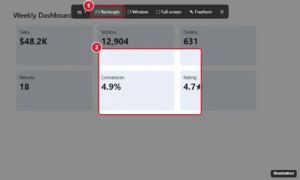
Windows screen dimmed by the Snipping Tool with the snip mode toolbar at the top and a rectangle being drawn around part of the screen

How to Take a Partial Screenshot on Windows

November 17, 2026May 13, 2025 by Kermit Matthews

Take a partial screenshot on Windows with Windows + Shift + S, then drag around the area. Plus Snipping Tool tips, save locations, and fixes. Continue Reading How to Take a Partial Screenshot on Windows

Categories Windows 10, Windows 11
Wireless Network Properties Security tab with Show characters checked to reveal the network security key

How to See Your Wi-Fi Password on Windows 11

November 17, 2026May 12, 2025 by Kermit Matthews

See saved Wi-Fi passwords on Windows 11 in Manage known networks, Wireless Properties with Show characters, or netsh with key=clear. Continue Reading How to See Your Wi-Fi Password on Windows 11
Categories Windows 11
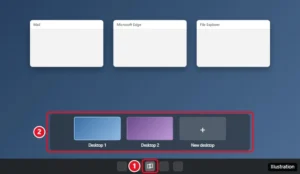
Windows 11 Task View showing open windows and the virtual desktops bar with Desktop 1, Desktop 2, and New desktop

How to Switch Between Virtual Desktops in Windows 11

November 13, 2026May 12, 2025 by Kermit Matthews

Switch between desktops in Windows 11 with Windows + Ctrl + Arrow keys, Task View, or four-finger swipes. Create, rename, and move windows between desktops. Continue Reading How to Switch Between Virtual Desktops in Windows 11
Categories Windows 11
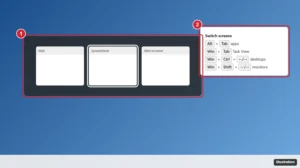
Windows Alt+Tab switcher showing open app windows with one selected, and keyboard shortcuts for switching screens

How to Switch Between Screens on Windows

November 14, 2026May 9, 2025 by Kermit Matthews

Press Alt + Tab to switch apps, Windows key + Ctrl + arrow for desktops, and Windows key + Shift + arrow to move windows between monitors. Full guide. Continue Reading How to Switch Between Screens on Windows
Categories Windows 10, Windows 11
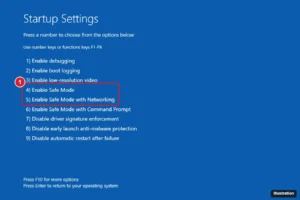
Windows 11 Startup Settings screen listing numbered options with Enable Safe Mode and Enable Safe Mode with Networking highlighted

How to Boot Into Safe Mode on Windows 11

November 16, 2026May 9, 2025 by Kermit Matthews

Boot Windows 11 into Safe Mode: hold Shift and click Restart, then Troubleshoot > Advanced options > Startup Settings. Plus fixes when Windows won’t start. Continue Reading How to Boot Into Safe Mode on Windows 11

Categories Windows 11
Windows 11 Setup media tool on the Choose which media to use screen with USB flash drive selected and the Next button highlighted

How to Download Windows 11 Onto a USB Drive

November 15, 2026May 6, 2025 by Kermit Matthews

Download Windows 11 onto a USB drive with the Media Creation Tool or the ISO and Rufus, then boot from it to install, plus fixes for common errors. Continue Reading How to Download Windows 11 Onto a USB Drive
Categories Windows 11
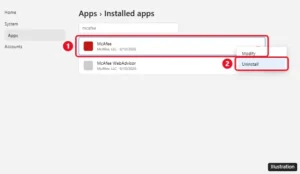
Windows 11 Settings Installed apps list with the McAfee three-dot menu open and Uninstall highlighted

How to Remove McAfee From a Windows PC

November 17, 2026May 1, 2025 by Kermit Matthews

Remove McAfee from Windows through Settings or Control Panel, use McAfee’s MCPR tool only if that fails, keep leftover folders, and confirm Defender is on. Continue Reading How to Remove McAfee From a Windows PC

Categories Windows 10, Windows 11
Windows emoji and symbols panel open to the symbols tab with the em dash highlighted

How to Type an Em Dash on Windows

November 10, 2026May 1, 2025 by Kermit Matthews

Hold Alt and type 0151 on the number pad, or press Windows key + period and pick the em dash from Symbols. Word shortcuts and the en dash explained. Continue Reading How to Type an Em Dash on Windows

Categories Windows 10, Windows 11

How to Get Windows for Free: Legitimate Methods and Tips

November 12, 2026April 30, 2025 by Kermit Matthews

Microsoft lets you download Windows installation media without paying for the download itself, but that does not mean every PC receives a free Windows license.… Continue Reading How to Get Windows for Free: Legitimate Methods and Tips

Categories Windows 11
Windows 11 Settings Installed apps list with an app three-dot menu open and Uninstall highlighted

How to Uninstall a Program on Windows 11 (4 Ways + Fixes)

November 15, 2026April 18, 2025 by Kermit Matthews

Uninstall programs on Windows 11 from Settings, the Start menu, Control Panel, or winget, and fix apps that will not uninstall or leave files behind. Continue Reading How to Uninstall a Program on Windows 11 (4 Ways + Fixes)

Categories Windows 11
Windows 11 Settings Apps Startup page listing apps with impact ratings and on/off switches, with one app being turned off

How to Stop Apps From Opening on Startup in Windows 11

November 17, 2026April 18, 2025 by Kermit Matthews

Stop apps from opening at startup in Windows 11 with Settings > Apps > Startup, Task Manager, the Startup folder or the app’s own settings. Continue Reading How to Stop Apps From Opening on Startup in Windows 11
Categories Windows 11
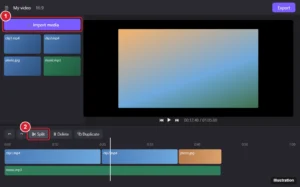
Video editor window with the Import media button and the Split tool on the timeline highlighted

How to Edit a Video on Windows: Free Beginner Guide (2026)

November 10, 2026April 17, 2025 by Kermit Matthews

Edit a video on Windows for free with Clipchamp: import clips, trim and split, add music, text, and captions, and export in 1080p. Plus alternatives. Continue Reading How to Edit a Video on Windows: Free Beginner Guide (2026)

Categories Windows 11
Settings Accounts Sign-in options page with the If you have been away setting set to Never and highlighted, plus Dynamic lock turned off

How to Turn Off Windows Auto Lock (Windows 11 and 10)

November 12, 2026April 16, 2025 by Kermit Matthews

Stop Windows locking itself: set Sign-in options > If you have been away to Never, sleep to Never, and turn off Dynamic lock and screen saver lock. Continue Reading How to Turn Off Windows Auto Lock (Windows 11 and 10)

Categories Windows 10, Windows 11
Text editor open on a game configuration INI file with the General section lines bUseThreadedAI=1 and iNumHWThreads=2 highlighted

How to Get Fallout 3 to Work on Windows 10 and 11

November 10, 2026April 16, 2025 by Kermit Matthews

Get Fallout 3 working on Windows 10 and 11: fix new-game crashes with an INI edit, run as admin, handle Games for Windows Live, and more fixes. Continue Reading How to Get Fallout 3 to Work on Windows 10 and 11

Categories Windows 10, Windows 11
Windows 11 File Explorer View menu with Show expanded and File name extensions highlighted, and files showing their extensions

How to Show File Extensions in Windows 11 (3 Easy Ways)

November 17, 2026April 15, 2025 by Kermit Matthews

Show file extensions in Windows 11 from the File Explorer View menu, Settings, or Folder Options, change an extension safely, and spot disguised malware. Continue Reading How to Show File Extensions in Windows 11 (3 Easy Ways)
Categories Windows 11
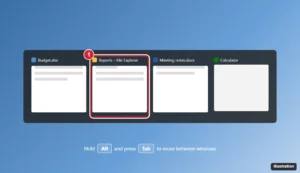
Windows Alt+Tab window switcher showing open window thumbnails with the selected window highlighted

How to Switch Between Open Windows in Windows 11 and 10

November 16, 2026April 9, 2025 by Kermit Matthews

Switch windows on Windows 11 and 10 with Alt+Tab, Task View, the taskbar, touchpad gestures, virtual desktops, and Snap, plus settings that speed it up. Continue Reading How to Switch Between Open Windows in Windows 11 and 10
Categories Windows 11
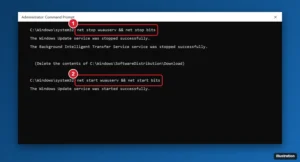
Administrator Command Prompt stopping the Windows Update and BITS services, then starting them again after clearing the cache

How to Clear the Windows Update Cache

November 12, 2026April 8, 2025 by Kermit Matthews

Stop wuauserv and bits, delete the files in C:\Windows\SoftwareDistribution\Download, then restart the services. Plus Disk Cleanup and more fixes. Continue Reading How to Clear the Windows Update Cache
Categories Windows 10, Windows 11
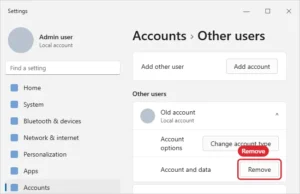
Windows 11 Settings Accounts Other users page with an account expanded and the Remove button for Account and data highlighted

How to Remove an Account From Windows 11

November 14, 2026April 7, 2025 by Kermit Matthews

Delete a user account in Windows 11 from Settings > Accounts > Other users, or remove email, work, and Microsoft accounts without deleting the profile. Continue Reading How to Remove an Account From Windows 11
Categories Windows 11
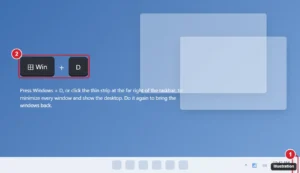
Windows 11 taskbar with the Show desktop sliver in the far right corner highlighted, plus the Windows key and D keys

How to Minimize All Windows at Once (Windows 11 and 10 Shortcuts)

November 15, 2026April 4, 2025 by Kermit Matthews

Minimize all windows at once in Windows 11 or 10 with Windows+D, Windows+M, the Show desktop button, or window shake, and restore them just as fast. Continue Reading How to Minimize All Windows at Once (Windows 11 and 10 Shortcuts)
Categories Windows 10, Windows 11
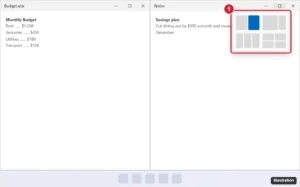
Desktop with two app windows snapped side by side and the snap layouts menu open from the maximize button, with the two-column layout highlighted

How to Open Two Windows Side by Side in Windows 11 and 10

November 12, 2026April 3, 2025 by Kermit Matthews

Put two windows side by side in Windows: press Windows + Left or Right arrow, or drag to the screen edge. Plus Snap Layouts and fixes. Continue Reading How to Open Two Windows Side by Side in Windows 11 and 10

Categories Windows 10, Windows 11
Windows 11 Settings Accounts Your info page with the Sign in with a local account instead link highlighted

Switch Your Windows 11 PC to a Different Microsoft Account

November 15, 2026March 31, 2025 by Kermit Matthews

Change the Microsoft account on Windows 11 by switching your user to a new account or adding a new admin user, plus how to change app accounts and move files. Continue Reading Switch Your Windows 11 PC to a Different Microsoft Account
Categories Windows 11
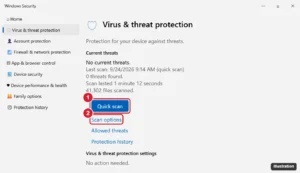
Windows Security Virus and threat protection page with the Quick scan button and Scan options link highlighted

How to Run a Virus Scan on Windows 11 (Quick, Full, and Offline)

November 10, 2026March 31, 2025 by Kermit Matthews

Run a virus scan on Windows 11 with Windows Security: quick, full, custom, and offline scans, plus scanning files from File Explorer and PowerShell. Continue Reading How to Run a Virus Scan on Windows 11 (Quick, Full, and Offline)
Categories Windows 11
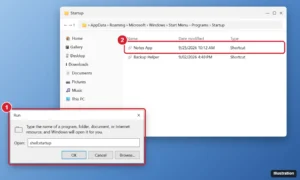
Windows 11 Run box with shell:startup typed and the Startup folder open in File Explorer containing an app shortcut

How to Add Programs to Startup in Windows 11 (3 Ways)

November 17, 2026March 27, 2025 by Kermit Matthews

Add programs to startup in Windows 11 with Settings, the shell:startup folder, or Task Scheduler, and disable startup apps that slow down sign-in. Continue Reading How to Add Programs to Startup in Windows 11 (3 Ways)

Categories Windows 11
Windows 11 Settings Recovery page with the Go back button for returning to Windows 10 highlighted

How to Downgrade from Windows 11 to Windows 10

November 10, 2026March 27, 2025 by Kermit Matthews

Downgrade from Windows 11 to Windows 10 with Go back within 10 days or a clean install after, plus what Windows 10 end of support means for you. Continue Reading How to Downgrade from Windows 11 to Windows 10

Categories Windows 11
7-Zip Add to Archive dialog with archive format, password fields, and AES-256 encryption method highlighted

How to Password Protect a Folder in Windows

November 12, 2026March 27, 2025 by Kermit Matthews

Password-protect a folder in Windows 10 or 11 with a 7-Zip AES-256 archive, a BitLocker virtual drive, VeraCrypt, or EFS, and avoid folder lock scripts. Continue Reading How to Password Protect a Folder in Windows
Categories Windows 10, Windows 11
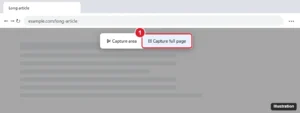
Microsoft Edge Web capture toolbar with Capture area and Capture full page, with Capture full page highlighted

How to Take a Scrolling Screenshot on Windows

November 10, 2026March 25, 2025 by Kermit Matthews

Take a scrolling screenshot on Windows with Edge’s Capture full page, Chrome’s developer tools, Firefox, or a free tool for other apps. Continue Reading How to Take a Scrolling Screenshot on Windows
Categories Windows 10, Windows 11
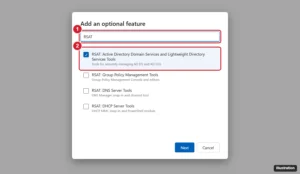
Windows 11 Add an optional feature window with a search for RSAT and the Active Directory tools checked

How to Install Active Directory Tools on Windows 11

November 10, 2026March 24, 2025 by Kermit Matthews

Windows 11 cannot be a domain controller, but you can add AD tools: Settings > System > Optional features > View features > RSAT: Active Directory. Continue Reading How to Install Active Directory Tools on Windows 11
Categories Windows 11
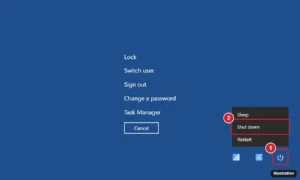
Windows Ctrl Alt Delete security screen with the power icon menu open and Shut down highlighted

How to Force Shut Down Windows

November 14, 2026March 21, 2025 by Kermit Matthews

Force shut down a frozen Windows PC by holding the power button 5 to 10 seconds, or use Ctrl + Alt + Delete or shutdown /s /f /t 0. Plus freeze fixes. Continue Reading How to Force Shut Down Windows

Categories Windows 10, Windows 11

How to Rotate a Video for Windows Media Player (3 Free Ways)

November 10, 2026March 20, 2025 by Kermit Matthews

Windows Media Player can’t rotate a video. Neither the classic Windows Media Player nor the newer Media Player app in Windows 10 and 11 has… Continue Reading How to Rotate a Video for Windows Media Player (3 Free Ways)

Categories Windows 11
Windows File Explorer showing a Pages file renamed to ZIP and opened, with the preview image file highlighted

How to Open a Pages Document on a Windows PC

November 17, 2026March 20, 2025 by Kermit Matthews

Upload it to Pages on iCloud.com with a free Apple Account, then download it as Word or PDF. Or rename .pages to .zip for a quick preview. Continue Reading How to Open a Pages Document on a Windows PC
Categories Windows 10, Windows 11
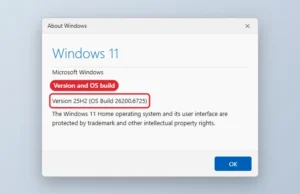
About Windows dialog showing the Windows version and OS build highlighted

How to Check Your Windows Version

November 17, 2026March 19, 2025 by Kermit Matthews

Check your Windows version with winver or Settings > System > About, match an OS build to its version, and see when Microsoft stops servicing each release. Continue Reading How to Check Your Windows Version
Categories Windows 10, Windows 11
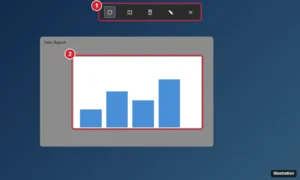
Dimmed desktop with a screen snipping toolbar at the top showing rectangle, window, full screen and freeform modes and a selected area being captured

How to Take a Snapshot (Screenshot) on Windows 11 and 10

November 17, 2026March 18, 2025 by Kermit Matthews

Take a snapshot on Windows with Windows + Shift + S, PrtScn, Windows + PrtScn or Game Bar, find saved screenshots and capture full pages. Continue Reading How to Take a Snapshot (Screenshot) on Windows 11 and 10
Categories Windows 10, Windows 11
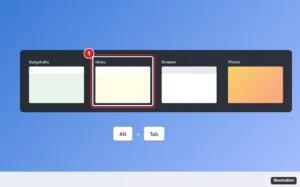
Desktop with the Alt plus Tab window switcher open showing thumbnails of open apps, the selected Notes window highlighted, and a keyboard hint for Alt and Tab

How to Switch Screens on Windows Using the Keyboard

November 14, 2026March 17, 2025 by Kermit Matthews

Switch screens on Windows with the keyboard: Alt + Tab for windows, Windows + Tab for Task View, and shortcuts for desktops and monitors. Continue Reading How to Switch Screens on Windows Using the Keyboard
Categories Windows 10, Windows 11
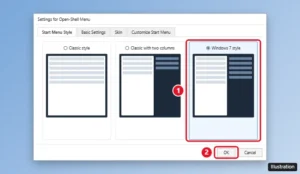
Open-Shell Menu Settings with the Windows 7 style Start menu option selected on Windows 11

How to Make Windows 11 Look Like Windows 7

November 14, 2026March 17, 2025 by Kermit Matthews

Make Windows 11 look like Windows 7 with a free Open-Shell Start menu, a left-aligned taskbar, the classic right-click menu, and Windows 7-style colors. Continue Reading How to Make Windows 11 Look Like Windows 7

Categories Windows 11
Windows Features dialog with the Telnet Client checkbox checked and the OK button highlighted

How to Enable Telnet on Windows 11 (and Windows 10)

November 14, 2026March 11, 2025 by Kermit Matthews

Enable Telnet on Windows 11 by checking Telnet Client in Windows Features, or run a DISM command. Plus how to use it, test ports, and turn it off. Continue Reading How to Enable Telnet on Windows 11 (and Windows 10)

Categories Windows 10, Windows 11
Windows 11 Display settings showing monitors numbered 1 and 2 with the Identify button and Make this my main display option

Monitor Numbers in Windows 11: Why They Can’t Be Changed

November 13, 2026March 10, 2025 by Kermit Matthews

Windows 11 has no renumber setting, but you can swap ports, set a main display, rearrange screens, and clear old monitors to fix wrong monitor numbers. Continue Reading Monitor Numbers in Windows 11: Why They Can’t Be Changed
Categories Windows 11
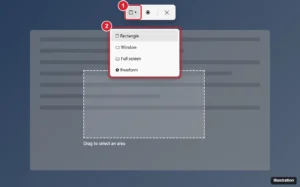
Windows snipping overlay toolbar with Rectangle mode and snip mode dropdown highlighted

How to Take a Snippet on Windows 11 and 10

November 12, 2026March 7, 2025 by Kermit Matthews

Take a snippet on Windows with Windows + Shift + S, the Snipping Tool, Print Screen, or Game Bar, plus delays, screen recording, and where snips save. Continue Reading How to Take a Snippet on Windows 11 and 10

Categories Windows 11
System Information window with System Summary selected and the BIOS Version/Date and System Model rows highlighted

How to Update BIOS on Windows 11 (Safely)

November 13, 2026March 7, 2025 by Kermit Matthews

Update your BIOS on Windows 11 safely with Windows Update, your PC maker app, or a USB flash utility, and check the current version with msinfo32. Continue Reading How to Update BIOS on Windows 11 (Safely)

Categories Windows 11
Windows 11 Start menu with the Power button menu open and Restart highlighted

How to Restart Windows 11 and 10 (Mouse, Keyboard, Command, and More)

November 14, 2026March 6, 2025 by Kermit Matthews

Restart Windows from Start > Power > Restart, or use Alt + F4 or Ctrl + Alt + Delete from the keyboard. Plus the shutdown command and frozen-PC fixes. Continue Reading How to Restart Windows 11 and 10 (Mouse, Keyboard, Command, and More)
Categories Windows 10, Windows 11
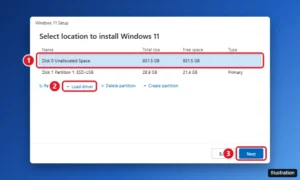
Windows 11 Setup Select location to install Windows 11 screen with the unallocated drive selected and the Load driver option

How to Install Windows on a New PC

November 17, 2026March 6, 2025 by Kermit Matthews

Install Windows 11 on a new PC: make a USB installer, boot from it, pick the empty drive, fix missing drives, then install drivers and activate Windows. Continue Reading How to Install Windows on a New PC

Categories Windows 10, Windows 11
Windows 11 Settings Installed apps page with the AI assistant app menu open and Uninstall highlighted

How to Uninstall or Hide Copilot in Windows 11

November 11, 2026March 5, 2025 by Kermit Matthews

Turn off or uninstall Copilot in Windows 11: remove the app, remap the Copilot key, disable it in Edge and Office, and use the 2026 policy to keep it removed. Continue Reading How to Uninstall or Hide Copilot in Windows 11

Categories Windows 11
OneDrive settings on Windows 11 with the Account page open and Unlink this PC highlighted

How to Turn Off OneDrive on Windows 11 (Pause, Unlink, or Uninstall)

November 17, 2026February 28, 2025 by Kermit Matthews

Turn off OneDrive on Windows 11: stop folder backup, pause or quit syncing, unlink your PC, stop it at startup, or uninstall it without losing files. Continue Reading How to Turn Off OneDrive on Windows 11 (Pause, Unlink, or Uninstall)

Categories Windows 11
Older posts
Newer posts
← Previous Page1 … Page3 Page4 Page5 … Page11 Next →

Join Our Free Newsletter

Featured guides and deals

You may opt out at any time.
Read our Privacy Policy

Live2Tech

Plain-English, step-by-step guides for the devices and apps you use every day.

Apple

  • iPhone
  • iPad
  • Mac
  • Apple Watch

Windows

  • Windows 11
  • Windows 10

Microsoft Office

  • Word
  • Excel
  • Powerpoint
  • Outlook

Google

  • Google Docs
  • Google Sheets
  • Google Slides
  • Gmail
  • Chrome
  • Google Drive
  • About Us
  • Contact
  • Disclaimer
  • Privacy Policy
© Live2Tech.com 2026
  • iPhone
  • Windows
    • Windows 11
    • Windows 10
  • Office
    • Word
    • Excel
    • Powerpoint
    • Outlook
  • Google
    • Google Docs
    • Google Sheets
    • Google Slides
    • Gmail
    • Chrome
    • Google Drive
  • Mac & Apple
    • Mac
    • iPad
    • Apple Watch
  • All Tutorials