Skip to content
Live2Tech
  • iPhone
  • Windows
    • Windows 11
    • Windows 10
  • Office
    • Word
    • Excel
    • Powerpoint
    • Outlook
  • Google
    • Google Docs
    • Google Sheets
    • Google Slides
    • Gmail
    • Chrome
    • Google Drive
  • Mac & Apple
    • Mac
    • iPad
    • Apple Watch
  • All Tutorials

Kermit Matthews

Kermit Matthews runs Live2Tech from just outside Philadelphia. He is an IT specialist with over 20 years of experience, from a university help desk to small-business IT, IT management and his own consulting practice, and has written tech guides full time since 2020. Steps are checked against the current software on a real device or the maker's official documentation. More about Kermit.
Settings Storage Where new content is saved page with the New apps will save to drop-down set to a D drive and the Apply button highlighted

How to Change the Default Install Location in Windows 11

November 10, 2026June 18, 2024 by Kermit Matthews

Change where apps install in Windows 11: Settings > System > Storage > Where new content is saved. Plus installer, game launcher and move tips. Continue Reading How to Change the Default Install Location in Windows 11

Categories Windows 11
Windows 7 Advanced Boot Options screen with Repair Your Computer highlighted

How to Upgrade Windows 7 to Windows 11 Without Losing Data

November 16, 2026June 17, 2024 by Kermit Matthews

Moving from Windows 7 to Windows 11 erases the drive, so back up first. Check the requirements, get Microsoft’s USB installer, clean install and restore files. Continue Reading How to Upgrade Windows 7 to Windows 11 Without Losing Data

Categories Windows 11

How to Make Colors More Vibrant on Windows 11

November 10, 2026June 17, 2024 by Kermit Matthews

Enhancing colors on Windows 11 is simple! Follow our guide to adjust display settings, tweak HDR, and use color filters for a more vibrant screen experience. Continue Reading How to Make Colors More Vibrant on Windows 11

Categories Windows 11

How to Add Another OneDrive Account in Windows 11

November 18, 2026June 17, 2024 by Kermit Matthews

Learn how to seamlessly add another OneDrive account in Windows 11 with our step-by-step guide, ensuring easy access and better file management. Continue Reading How to Add Another OneDrive Account in Windows 11

Categories Windows 11
Command Prompt running netsh mbn show interfaces with the command and the Device Id line showing the IMEI highlighted

How to Find the IMEI Number on a Windows 11 Laptop

November 10, 2026June 17, 2024 by Kermit Matthews

Find the IMEI on a Windows 11 laptop with netsh mbn show interfaces or Cellular settings, and learn why Wi-Fi-only laptops do not have one. Continue Reading How to Find the IMEI Number on a Windows 11 Laptop

Categories Windows 11
Task Manager Processes list with Windows Explorer right-clicked and Restart highlighted in the menu

Copy and Paste Not Working in Windows 11? 9 Fixes

November 13, 2026June 17, 2024 by Kermit Matthews

Fix copy and paste not working in Windows 11: restart Windows Explorer, clear the clipboard, fix Remote Desktop rdpclip, check the keyboard and repair files. Continue Reading Copy and Paste Not Working in Windows 11? 9 Fixes

Categories Windows 11
Family group web page with the More options menu open and Remove from family group highlighted

Approve Screen Time and App Requests in Microsoft Family

November 17, 2026June 17, 2024 by Kermit Matthews

Answer your child’s requests for more screen time, an app or a purchase in Microsoft Family, set rules so they stop repeating, and fix approvals that stall. Continue Reading Approve Screen Time and App Requests in Microsoft Family

Categories Windows 11
Microphone Properties Listen tab with Listen to this device ticked and playback set to speakers

How to Play Your Microphone Through Speakers on Windows 11

November 12, 2026June 17, 2024 by Kermit Matthews

Hear your microphone through speakers on Windows 11: Sound > More sound settings > Recording > Properties > Listen > Listen to this device. Continue Reading How to Play Your Microphone Through Speakers on Windows 11

Categories Windows 11
Windows Startup Settings screen listing numbered boot options with option 7, Disable driver signature enforcement, highlighted

How to Disable Driver Signature Enforcement in Windows 11

November 10, 2026June 14, 2024 by Kermit Matthews

Disable driver signature enforcement in Windows 11 for one boot with Startup Settings or long-term with test mode, then safely turn it back on. Continue Reading How to Disable Driver Signature Enforcement in Windows 11

Categories Windows 11
Windows 11 Settings Sound page with the output volume slider and the Enhance audio option highlighted

How to Increase Volume on an HP Laptop in Windows 11

November 14, 2026June 14, 2024 by Kermit Matthews

Increase the volume on an HP laptop in Windows 11 with the volume keys, Volume mixer, Loudness Equalization, HP’s audio app, and updated audio drivers. Continue Reading How to Increase Volume on an HP Laptop in Windows 11

Categories Windows 11

How to Change the Desktop Background in Windows 11 and 10

November 18, 2026June 14, 2024 by Kermit Matthews

Learn how to effortlessly change the background on Windows 11 with our step-by-step guide. Follow these simple instructions to personalize your desktop. Continue Reading How to Change the Desktop Background in Windows 11 and 10

Categories Windows 11
Command Prompt window creating a directory junction with mklink /J from the MobileSync Backup folder to a folder on the D drive, with the command highlighted and a success message

How to Change the iTunes Backup Location on Windows 11

November 14, 2026June 14, 2024 by Kermit Matthews

Move iTunes iPhone backups off your C: drive in Windows 11: move the MobileSync Backup folder to another drive and link it with mklink /J. Continue Reading How to Change the iTunes Backup Location on Windows 11

Categories Windows 11
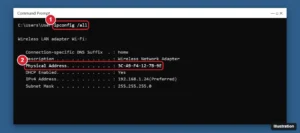
Command Prompt showing ipconfig /all output with the Physical Address line highlighted for the Wi-Fi adapter

How to Enable Macros in Excel Safely on Windows 11

November 15, 2026June 14, 2024 by Kermit Matthews

Enable macros in Excel on Windows 11 with Enable Content, Trust Center macro settings, unblocking downloaded files, or trusted locations, and stay safe. Continue Reading How to Enable Macros in Excel Safely on Windows 11

Categories Excel
Cloud storage app settings on Windows 11 with the Account section open and the Unlink this PC link highlighted

How to Change the OneDrive Account on Windows 11

November 18, 2026June 13, 2024 by Kermit Matthews

Switch OneDrive to another account on Windows 11 by unlinking this PC and signing in again, or add a work account alongside your personal one. Continue Reading How to Change the OneDrive Account on Windows 11

Categories Windows 11
MSYS2 UCRT64 terminal installing GCC with pacman and a Windows Terminal showing gcc --version

How to Install GCC on Windows 11 or 10 (MSYS2 or WSL)

November 18, 2026June 13, 2024 by Kermit Matthews

Install GCC on Windows 11 or 10 with MSYS2 and MinGW-w64, add it to your Path, and compile a test program. Plus the WSL option and common fixes. Continue Reading How to Install GCC on Windows 11 or 10 (MSYS2 or WSL)

Categories Windows 10, Windows 11
iPhone Battery settings with the Battery Percentage switch turned on

Can You Hide the Battery Icon in Windows 11?

November 10, 2026June 13, 2024 by Kermit Matthews

Windows 11 has no toggle to hide the battery icon. A Group Policy setting may work on some builds; auto-hiding the taskbar is the reliable option. Continue Reading Can You Hide the Battery Icon in Windows 11?

Categories Windows 11
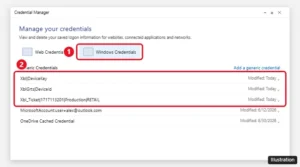
Windows Credential Manager Windows Credentials tab with Xbl generic credentials highlighted

Can You Reset Forza Horizon 5 Progress on PC?

November 12, 2026June 13, 2024 by Kermit Matthews

Forza Horizon 5 has no reset option because saves live on your Xbox profile. Here is how to start over on PC with a new account, on Steam or the Xbox app. Continue Reading Can You Reset Forza Horizon 5 Progress on PC?

Categories Gaming
Windows 11 Background settings with a recent image right-clicked and Set for monitor 2 highlighted

How to Set Two Different Wallpapers on Dual Monitors in Windows 11

November 11, 2026June 13, 2024 by Kermit Matthews

Set a different wallpaper on each monitor in Windows 11 with Set for monitor 1 and 2, span one image across both screens, or use a slideshow. Continue Reading How to Set Two Different Wallpapers on Dual Monitors in Windows 11

Categories Windows 11
Windows 11 Select an app to open this .ica file dialog with Citrix Connection Manager selected and the Always button highlighted

Fix a Citrix ICA File That Won’t Launch on Windows 11

November 18, 2026June 13, 2024 by Kermit Matthews

Open ICA files on Windows 11 with Citrix Workspace app, make them open automatically in Edge or Chrome, and fix ICA files opening in Notepad or expiring. Continue Reading Fix a Citrix ICA File That Won’t Launch on Windows 11

Categories Windows 11

How to Skip OOBE in Windows 11

November 18, 2026June 13, 2024 by Kermit Matthews

Learn how to bypass the Out-Of-Box Experience (OOBE) in Windows 11 with our step-by-step guide, helping you streamline your setup process effortlessly. Continue Reading How to Skip OOBE in Windows 11

Categories Windows 11
Device Manager with Ports (COM and LPT) expanded showing a USB serial device on COM3

Which COM Port Is My USB Serial Device Using?

November 18, 2026June 13, 2024 by Kermit Matthews

Find the COM number of one USB serial adapter in Windows 11: the unplug test in Device Manager, devices by connection, hardware IDs and a number that stays put. Continue Reading Which COM Port Is My USB Serial Device Using?

Categories Windows 11
Windows Terminal running vulkaninfo --summary showing the Vulkan instance version and GPU driver

How to Install Vulkan on Windows 11 or 10

November 17, 2026June 13, 2024 by Kermit Matthews

Vulkan comes with your graphics driver, so update your NVIDIA, AMD, or Intel driver to install it. How to check it works, get the SDK, and fix errors. Continue Reading How to Install Vulkan on Windows 11 or 10

Categories Gaming, Windows 10, Windows 11
Settings Recovery page with the Reset PC button next to Reset this PC highlighted

How to Reset an HP Laptop With Windows 11

November 10, 2026June 12, 2024 by Kermit Matthews

Reset an HP laptop with Windows 11 from Settings, from the F11 recovery screen, or with HP Cloud Recovery, and choose the right reset options. Continue Reading How to Reset an HP Laptop With Windows 11

Categories Windows 11
Windows 11 Advanced display settings showing Active signal mode and the Choose a refresh rate menu highlighted

How to Change the Active Signal Mode in Windows 11

November 18, 2026June 12, 2024 by Kermit Matthews

Active signal mode is the resolution and refresh rate sent to your monitor. Change it in Windows 11 with the refresh rate menu, resolution, or List All Modes. Continue Reading How to Change the Active Signal Mode in Windows 11

Categories Windows 11
Microsoft Teams Settings Devices page with the Mirror my video switch highlighted under Camera

How to Mirror or Flip Your Webcam on Windows 11 and 10

November 12, 2026June 12, 2024 by Kermit Matthews

Windows has no webcam mirror setting, but Teams and Zoom do, and OBS or your webcam’s software can flip video for every app. Plus fixes for upside-down cameras. Continue Reading How to Mirror or Flip Your Webcam on Windows 11 and 10

Categories Windows 10, Windows 11
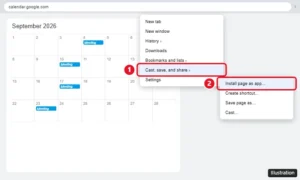
Chrome menu open on Google Calendar with Cast, save, and share expanded and Install page as app highlighted

How to Add Google Calendar to Your Windows 11 Desktop

November 10, 2026June 12, 2024 by Kermit Matthews

Add Google Calendar to your Windows 11 desktop by installing it as an app from Chrome or Edge, pinning it to the taskbar, or adding your account to Outlook. Continue Reading How to Add Google Calendar to Your Windows 11 Desktop

Categories Google Calendar, Windows 11
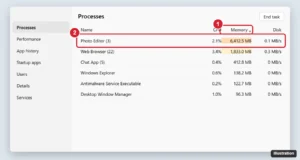
Windows 11 Task Manager Processes page sorted by Memory with one app using an unusually large amount of memory highlighted

How to Fix a Memory Leak in Windows 11

November 17, 2026June 12, 2024 by Kermit Matthews

Fix a memory leak in Windows 11: find the leaking app in Task Manager, restart it, update apps and drivers, trim startup apps, and test your RAM. Continue Reading How to Fix a Memory Leak in Windows 11

Categories Windows 11
Text editor with Japanese IME conversion candidates shown for a typed word and the taskbar input indicator showing the Hiragana mode highlighted

How to Add a Japanese Keyboard in Windows 11 and Type in Japanese

November 14, 2026June 12, 2024 by Kermit Matthews

Add the Japanese keyboard in Windows 11, switch between A and hiragana, type and convert kanji with the Microsoft IME, and fix common problems. Continue Reading How to Add a Japanese Keyboard in Windows 11 and Type in Japanese

Categories Windows 11

How to Switch From Ethernet to Wi-Fi on Windows 11

November 18, 2026June 11, 2024 by Kermit Matthews

Learn how to switch from Ethernet to WiFi on Windows 11 with our easy step-by-step guide. Perfect for seamless transitions and staying connected wirelessly! Continue Reading How to Switch From Ethernet to Wi-Fi on Windows 11

Categories Windows 11
Controller polling rate test page showing the average polling rate and input latency results highlighted

Can You Overclock a Controller on Windows 11?

November 15, 2026June 11, 2024 by Kermit Matthews

Overclock a controller on Windows 11 by raising its polling rate: test the current rate, use safe built-in options, and know the risks of third-party tools. Continue Reading Can You Overclock a Controller on Windows 11?

Categories Windows 11

How to Turn On Spatial Sound in Windows 11

November 12, 2026June 11, 2024 by Kermit Matthews

Unlock immersive audio: Learn how to enable Spatial Sound in Windows 11 with our easy step-by-step guide. Elevate your listening experience today! Continue Reading How to Turn On Spatial Sound in Windows 11

Categories Windows 11
Windows 11 folder Properties dialog on the Customize tab with the Change Icon button highlighted and the Change Icon picker open showing system icons

How to Make Custom Folder Icons in Windows 11

November 10, 2026June 10, 2024 by Kermit Matthews

Change folder icons in Windows 11 from Properties > Customize, use extra built-in icons or your own picture as an .ico, and fix icons that will not update. Continue Reading How to Make Custom Folder Icons in Windows 11

Categories Windows 11

How to Check Wireless Mouse Battery on Windows 11

November 18, 2026June 10, 2024 by Kermit Matthews

Check your wireless mouse battery on Windows 11 in Settings, Bluetooth and devices, or with maker apps like Logi Options+ for USB receiver mice. Continue Reading How to Check Wireless Mouse Battery on Windows 11

Categories Windows 11
Task View with desktop thumbnails and the close button on Desktop 2

How to Close Virtual Desktops on Windows 11

November 14, 2026June 10, 2024 by Kermit Matthews

Close a virtual desktop in Windows 11 from Task View (Windows + Tab) or with Windows + Ctrl + F4. Open apps move to the next desktop. Continue Reading How to Close Virtual Desktops on Windows 11

Categories Windows 11
Device Manager with Sound, video and game controllers expanded and the Uninstall device dialog with Attempt to remove the driver checked

How to Uninstall and Reinstall Audio Drivers in Windows 11

November 17, 2026June 10, 2024 by Kermit Matthews

Uninstall your audio driver in Device Manager, restart to reinstall it, or get the latest from your PC maker. Plus rollback steps and fixes for no sound. Continue Reading How to Uninstall and Reinstall Audio Drivers in Windows 11

Categories Windows 11
Text editor Save As dialog with the file name set to settings.ini and Save as type set to All files highlighted, behind it INI sections and keys

How to Create an INI File on Windows 11

November 18, 2026June 10, 2024 by Kermit Matthews

Create an INI file on Windows 11 with Notepad or File Explorer, learn the section and key=value format, choose the right encoding, and fix common mistakes. Continue Reading How to Create an INI File on Windows 11

Categories Windows 11
Mouse configuration software showing DPI stages with the 800 DPI stage selected and highlighted, a sensitivity slider set to 800, and a mouse diagram with a DPI button

Set Up Mouse DPI Stages and a Sniper Button

November 18, 2026June 10, 2024 by Kermit Matthews

Set the DPI stages your mouse button cycles through and a hold-to-slow sniper button in G HUB, Synapse, iCUE or SteelSeries GG, then save them to the mouse. Continue Reading Set Up Mouse DPI Stages and a Sniper Button

Categories Windows 11
Windows 10 File Explorer View tab with the Hidden items checkbox highlighted

How to Keep Apps Out of Sight on Windows 11

November 18, 2026June 7, 2024 by Kermit Matthews

Hide apps on Windows 11 from Start, All apps, the taskbar, and the desktop, turn off recent and most used apps, and use separate accounts for real privacy. Continue Reading How to Keep Apps Out of Sight on Windows 11

Categories Windows 11
Windows Disk Management showing the current system disk and a new unallocated SSD highlighted

How to Set Up (Activate) a New SSD in Windows 11

November 11, 2026June 7, 2024 by Kermit Matthews

Set up a new SSD in Windows 11: initialize it as GPT, create and format a volume in Disk Management or Settings, and fix an SSD that does not show up. Continue Reading How to Set Up (Activate) a New SSD in Windows 11

Categories Windows 11

How to Repair Windows 11 From a USB Drive

November 14, 2026June 7, 2024 by Kermit Matthews

Learn how to repair Windows 11 using a USB drive with our step-by-step guide. Follow these simple steps to troubleshoot and fix common problems effectively. Continue Reading How to Repair Windows 11 From a USB Drive

Categories Windows 11
Windows 11 Display settings Scale and layout section with the Scale dropdown set to 125 percent and the custom scaling arrow highlighted

How to Change DPI (Display Scaling) in Windows 11

November 17, 2026June 7, 2024 by Kermit Matthews

Change DPI in Windows 11 with display scaling: pick a Scale percentage, set custom scaling, fix blurry apps with high DPI settings, and adjust mouse DPI. Continue Reading How to Change DPI (Display Scaling) in Windows 11

Categories Windows 11
Device Manager with Human Interface Devices expanded and the right-click menu on HID-compliant touch screen showing Enable device

How to Turn On the Touch Screen on an HP Laptop in Windows 11

November 11, 2026June 7, 2024 by Kermit Matthews

Turn on an HP touch screen in Windows 11 by enabling HID-compliant touch screen in Device Manager, updating drivers, calibrating and checking the BIOS. Continue Reading How to Turn On the Touch Screen on an HP Laptop in Windows 11

Categories Windows 11
Performance Options Visual Effects tab with Use drop shadows for icon labels on the desktop checked and highlighted

How to Change the Font Color of Desktop Icons in Windows 11

November 14, 2026June 6, 2024 by Kermit Matthews

Windows 11 has no direct setting for desktop icon font color. Use the drop shadow option, a custom contrast theme, a new wallpaper or bigger text instead. Continue Reading How to Change the Font Color of Desktop Icons in Windows 11

Categories Windows 11
Windows Device Manager with Network adapters expanded and the right-click menu on the Wi-Fi adapter showing Uninstall device

How to Reinstall the Wi-Fi Driver in Windows 11

November 13, 2026June 6, 2024 by Kermit Matthews

Reinstall the Wi-Fi driver in Windows 11 by uninstalling the adapter in Device Manager and restarting, or install the maker’s driver and roll back bad updates. Continue Reading How to Reinstall the Wi-Fi Driver in Windows 11

Categories Windows 11
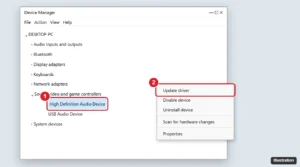
Windows 11 Device Manager with Sound, video and game controllers expanded and Update driver highlighted in the right-click menu

Where to Get and Install Audio Drivers in Windows 11

November 18, 2026June 5, 2024 by Kermit Matthews

Install audio drivers on Windows 11 with Windows Update, Device Manager, or your PC maker’s website, reinstall a driver, and fix sound that still won’t work. Continue Reading Where to Get and Install Audio Drivers in Windows 11
Categories Windows 11

How to Disable a Second Monitor in Windows 11

November 18, 2026June 5, 2024 by Kermit Matthews

Disable a second monitor in Windows 11 with Windows key + P or Display settings, turn it back on, and fix ghost monitors that won’t go away. Continue Reading How to Disable a Second Monitor in Windows 11

Categories Windows 11
Windows 11 desktop with the Start button and the Start menu search box highlighted

Windows 11 for Beginners: How to Learn the Basics

November 18, 2026June 5, 2024 by Kermit Matthews

New to Windows 11? Learn Start and search, the taskbar, File Explorer, Settings, Snap, key shortcuts, updates and Get Help, sorted by the task you want to do. Continue Reading Windows 11 for Beginners: How to Learn the Basics

Categories Windows 11
Windows 11 desktop with a shortcut icon right-clicked and the Delete icon highlighted in the context menu

How to Remove Desktop Icons in Windows 11 but Keep the Apps

November 18, 2026June 5, 2024 by Kermit Matthews

Remove app icons from your Windows 11 desktop without uninstalling: delete the shortcut, hide all icons, or hide system icons like Recycle Bin. Continue Reading How to Remove Desktop Icons in Windows 11 but Keep the Apps

Categories Windows 11
Windows Settings Other users page with the Add account button highlighted

How to Add a Guest Account on Windows 11

November 18, 2026June 5, 2024 by Kermit Matthews

Windows 11 has no built-in Guest account. Create a local Standard account named Visitor instead in Settings, Accounts, Other users. Continue Reading How to Add a Guest Account on Windows 11

Categories Windows 11
Windows 11 Extract Compressed Folders dialog with the destination folder, Show extracted files when complete, and Extract button highlighted

How to Extract Files on Windows 11 (ZIP, RAR, 7z and More)

November 18, 2026June 5, 2024 by Kermit Matthews

Extract ZIP, RAR, 7z, and TAR files on Windows 11 with Extract All, drag and drop, or PowerShell, and fix errors, blocked files, and protected archives. Continue Reading How to Extract Files on Windows 11 (ZIP, RAR, 7z and More)

Categories Windows 11
Older posts
Newer posts
← Previous Page1 … Page17 Page18 Page19 … Page37 Next →

Join Our Free Newsletter

Featured guides and deals

You may opt out at any time.
Read our Privacy Policy

Live2Tech

Plain-English, step-by-step guides for the devices and apps you use every day.

Apple

  • iPhone
  • iPad
  • Mac
  • Apple Watch

Windows

  • Windows 11
  • Windows 10

Microsoft Office

  • Word
  • Excel
  • Powerpoint
  • Outlook

Google

  • Google Docs
  • Google Sheets
  • Google Slides
  • Gmail
  • Chrome
  • Google Drive
  • About Us
  • Contact
  • Disclaimer
  • Privacy Policy
© Live2Tech.com 2026
  • iPhone
  • Windows
    • Windows 11
    • Windows 10
  • Office
    • Word
    • Excel
    • Powerpoint
    • Outlook
  • Google
    • Google Docs
    • Google Sheets
    • Google Slides
    • Gmail
    • Chrome
    • Google Drive
  • Mac & Apple
    • Mac
    • iPad
    • Apple Watch
  • All Tutorials