Skip to content
Live2Tech
  • iPhone
  • Windows
    • Windows 11
    • Windows 10
  • Office
    • Word
    • Excel
    • Powerpoint
    • Outlook
  • Google
    • Google Docs
    • Google Sheets
    • Google Slides
    • Gmail
    • Chrome
    • Google Drive
  • Mac & Apple
    • Mac
    • iPad
    • Apple Watch
  • All Tutorials

Kermit Matthews

Kermit Matthews runs Live2Tech from just outside Philadelphia. He is an IT specialist with over 20 years of experience, from a university help desk to small-business IT, IT management and his own consulting practice, and has written tech guides full time since 2020. Steps are checked against the current software on a real device or the maker's official documentation. More about Kermit.
Word processor Home tab with shaded gray text selected and the Shading menu open, the No Color option highlighted

How to Remove Gray Background in Word (Every Cause)

November 18, 2026June 26, 2024 by Kermit Matthews

Remove a gray background in Word from shading, pasted formatting, highlighting, field shading, form fields, page color, or dark mode. Continue Reading How to Remove Gray Background in Word (Every Cause)

Categories Word
Word processor Developer tab with the content controls group highlighted

How to Add Fillable Fields in Word

November 10, 2026June 26, 2024 by Kermit Matthews

Add fillable fields in Word with Developer tab content controls, then restrict editing to filling in forms so only the fields can change. Continue Reading How to Add Fillable Fields in Word

Categories Word
Word Page Setup dialog on the Layout tab with Vertical alignment set to Center

How to Vertically Align Text in Word

November 15, 2026June 26, 2024 by Kermit Matthews

Open Layout > Page Setup, go to the Layout tab, and set Vertical alignment to Center. How to center one page and align text in tables and text boxes. Continue Reading How to Vertically Align Text in Word

Categories Word
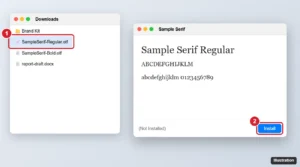
Mac font preview window for a downloaded font with the Install button highlighted, next to the font file in a Downloads folder

How to Import Fonts Into Word on a Mac (Step-by-Step)

November 10, 2026June 26, 2024 by Kermit Matthews

Import fonts into Word on a Mac by installing them with Font Book, restarting Word, and embedding fonts for sharing. Includes fixes for missing fonts. Continue Reading How to Import Fonts Into Word on a Mac (Step-by-Step)

Categories Mac
Excel with a REPT formula in the formula bar that repeats a word 100 times in cell A1

How to Copy and Paste a Word 100 Times

November 13, 2026June 26, 2024 by Kermit Matthews

Repeat a word 100 times instantly with =REPT(“word “,100) in Excel or Google Sheets, the Word doubling trick, or one PowerShell command. Step by step. Continue Reading How to Copy and Paste a Word 100 Times

Categories Word

Set Exact 1-Inch Margins in Word for MLA, APA and Chicago

November 18, 2026June 26, 2024 by Kermit Matthews

Learn to add 1-inch margins in Word effortlessly with our step-by-step guide, ensuring your documents always meet formatting requirements. Continue Reading Set Exact 1-Inch Margins in Word for MLA, APA and Chicago

Categories Word
Word style document with a table header row selected and the Repeat Header Rows button on the Table Layout tab highlighted

How to Repeat Table Header Rows in Word

November 18, 2026June 26, 2024 by Kermit Matthews

Repeat a table header row on every page in Microsoft Word with Repeat Header Rows or Table Properties, and fix headers that will not repeat. Continue Reading How to Repeat Table Header Rows in Word

Categories Word
Word processor Find and Replace dialog with the Special menu open and Manual Line Break highlighted, and ^l entered in Find what

How to Remove Line Breaks in Word (Keep Your Paragraphs)

November 18, 2026June 26, 2024 by Kermit Matthews

Remove line breaks in Word with Find and Replace codes like ^l and ^p, keep real paragraphs with a placeholder, and clear page and section breaks. Continue Reading How to Remove Line Breaks in Word (Keep Your Paragraphs)

Categories Word
Word Borders and Shading dialog with the Box setting and Apply to dropdown highlighted

How to Add Borders in Word (Text, Paragraphs, Tables and Pages)

November 14, 2026June 26, 2024 by Kermit Matthews

Put a border around text in Word with the Borders button or Borders and Shading, customize style and color, add shading, and remove borders. Continue Reading How to Add Borders in Word (Text, Paragraphs, Tables and Pages)

Categories Word
Word processor with a small picture placed on top of a larger one, Wrap Text set to In Front of Text and Bring Forward highlighted

How to Overlay Images in Word

November 13, 2026June 26, 2024 by Kermit Matthews

Overlay images in Word by setting Wrap Text to In Front of Text, layering with Bring Forward and Send Backward, adding transparency and grouping pictures. Continue Reading How to Overlay Images in Word

Categories Word
Chat app on a phone showing a message typed with tildes around a word and the sent message displayed with strikethrough

How to Cross Out Text in WhatsApp

November 15, 2026June 26, 2024 by Kermit Matthews

Cross out a word in WhatsApp by wrapping it in tildes, like ~text~, or with the Format menu on iPhone and Android, plus every other formatting code. Continue Reading How to Cross Out Text in WhatsApp

Categories Web
Word processor print settings with the sides menu open showing Print One Sided, Print on Both Sides flip on long edge or short edge, and Manually Print on Both Sides

How to Print Back to Back (Double-Sided) in Word

November 17, 2026June 26, 2024 by Kermit Matthews

Print back to back in Word with Print on Both Sides, or manually print odd and even pages if your printer lacks duplex. Fix upside-down backs. Continue Reading How to Print Back to Back (Double-Sided) in Word

Categories Word
Windows 11 Home Settings Remote Desktop page showing that Home edition does not support Remote Desktop, with the upgrade link highlighted

How to Use Remote Desktop on Windows 11 Home

November 13, 2026June 25, 2024 by Kermit Matthews

Windows 11 Home can’t host Remote Desktop, but it can connect to other PCs. Use Quick Assist, Chrome Remote Desktop, or upgrade to Pro instead. Continue Reading How to Use Remote Desktop on Windows 11 Home

Categories Windows 11
Device Manager System devices list with an SMBus controller selected and its Properties Driver tab showing Driver Date and Driver Version highlighted

How to Check Chipset Driver Version in Windows 11

November 18, 2026June 25, 2024 by Kermit Matthews

Check your chipset driver version in Windows 11 with Device Manager, Installed apps, PowerShell or maker tools, and learn when and how to update it. Continue Reading How to Check Chipset Driver Version in Windows 11

Categories Windows 11

How to Set a Default Printer in Windows 11 and 10

November 18, 2026June 25, 2024 by Kermit Matthews

Learn how to set a default printer in Windows 11 with our step-by-step guide. Simplify your printing tasks by making this quick and easy adjustment today! Continue Reading How to Set a Default Printer in Windows 11 and 10

Categories Windows 11
Reliability Monitor chart with a red critical event on one day selected and the Windows shut down unexpectedly entry highlighted in the details list

How to Check the Blue Screen Log in Windows 11 (BSOD Crash Details)

November 18, 2026June 25, 2024 by Kermit Matthews

Find blue screen crash logs in Windows 11 with Reliability Monitor, Event Viewer, and minidump files, read stop codes, and fix the cause. Continue Reading How to Check the Blue Screen Log in Windows 11 (BSOD Crash Details)

Categories Windows 11
Windows 11 Settings Accounts Access work or school page with a Microsoft 365 work account expanded and the Disconnect button highlighted

How to Remove a Microsoft 365 Account From Windows 11

November 18, 2026June 25, 2024 by Kermit Matthews

Remove a Microsoft 365 work or school account from Windows 11: sign out of Office, disconnect it in Access work or school, and clear saved credentials. Continue Reading How to Remove a Microsoft 365 Account From Windows 11

Categories Windows 11
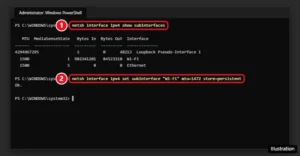
Windows Terminal running netsh commands to show and set the MTU for the Wi-Fi interface

How to Change the MTU Size in Windows 11 and 10

November 18, 2026June 25, 2024 by Kermit Matthews

Find the right MTU with a ping test, then change it on Windows 11 or 10 with a single netsh or PowerShell command. Plus how to reset it and fix errors. Continue Reading How to Change the MTU Size in Windows 11 and 10

Categories Windows 10, Windows 11
Windows 11 Select an app to open this .jnlp file dialog with OpenWebStart selected and the Always button highlighted

How to Open a JNLP File in Windows 11

November 18, 2026June 25, 2024 by Kermit Matthews

Open JNLP files on Windows 11 with the free OpenWebStart, or Java 8’s Java Web Start. Plus how to set the default app and fix blocked apps. Continue Reading How to Open a JNLP File in Windows 11

Categories Windows 10, Windows 11
Windows 11 local user Properties dialog on the General tab with Password never expires checked

How to Turn Off Password Expiration in Windows 11

November 18, 2026June 25, 2024 by Kermit Matthews

Disable password expiration on Windows 11 with Local Users and Groups, net accounts, PowerShell, or Local Security Policy, plus notes on Microsoft accounts. Continue Reading How to Turn Off Password Expiration in Windows 11

Categories Windows 11
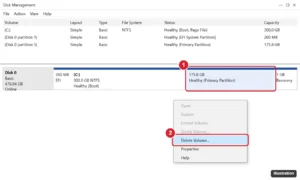
Disk Management showing Linux partitions on the Windows disk with the right-click Delete Volume option highlighted

How to Remove Dual Boot Ubuntu from Windows 11 (Safely)

November 10, 2026June 25, 2024 by Kermit Matthews

Remove a dual-boot Ubuntu install from Windows 11 safely: set Windows Boot Manager first, delete the GRUB boot files and Linux partitions, and reclaim space. Continue Reading How to Remove Dual Boot Ubuntu from Windows 11 (Safely)

Categories Windows 11
Windows 11 Settings Accessibility Text size page with the text size slider and Apply button highlighted

How to Change Font Size in File Explorer on Windows 11

November 15, 2026June 25, 2024 by Kermit Matthews

Change the font size in File Explorer on Windows 11 with the Text size setting, enlarge icons with Ctrl+scroll or View options, adjust scaling, and more. Continue Reading How to Change Font Size in File Explorer on Windows 11

Categories Windows 11
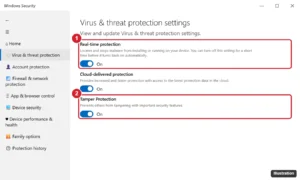
Windows Security Virus and threat protection settings with the Real-time protection switch turned on and highlighted

How to Turn On Windows Defender in Windows 11 (and Fix It)

November 18, 2026June 25, 2024 by Kermit Matthews

Turn on Windows Defender in Windows 11, check that it is working, and fix greyed-out switches or “managed by your organization” messages. Continue Reading How to Turn On Windows Defender in Windows 11 (and Fix It)

Categories Windows 11
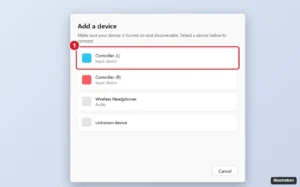
Windows 11 Add a device dialog listing found Bluetooth devices with a left game controller highlighted

How to Connect Joy-Cons to a Windows 11 PC

November 10, 2026June 25, 2024 by Kermit Matthews

Connect Nintendo Switch Joy-Cons to a Windows 11 PC over Bluetooth, use them in games with Steam or a controller utility, and fix pairing problems. Continue Reading How to Connect Joy-Cons to a Windows 11 PC

Categories Windows 11
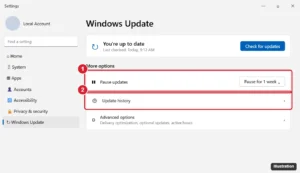
Windows 11 Windows Update settings with the Pause updates option and Update history highlighted

How to Hide Updates in Windows 11 (Block a Problem Update)

November 10, 2026June 24, 2024 by Kermit Matthews

Hide a problem update in Windows 11 with Microsoft’s Show or Hide Updates tool, pause updates temporarily, or stop driver updates with Group Policy. Continue Reading How to Hide Updates in Windows 11 (Block a Problem Update)

Categories Windows 11
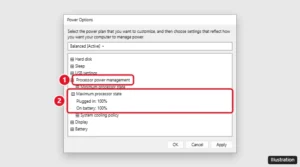
Windows Power Options Advanced settings with Processor power management expanded and Maximum processor state set to 100%

How to Check and Enable Turbo Boost on a Windows 11 PC

November 18, 2026June 24, 2024 by Kermit Matthews

Turbo Boost runs automatically in Windows 11. Make sure it works with Best performance mode, 100% maximum processor state, and the BIOS setting. Step by step. Continue Reading How to Check and Enable Turbo Boost on a Windows 11 PC

Categories Windows 11
Windows 11 Disk Management Shrink C: dialog with the amount of space to shrink entered and the Shrink button highlighted

How to Set Up a Dual Boot on a Windows 11 PC

November 18, 2026June 21, 2024 by Kermit Matthews

Dual boot Windows 11 with Linux or another copy of Windows: back up, shrink C:, create a bootable USB, install into free space, and pick a system at startup. Continue Reading How to Set Up a Dual Boot on a Windows 11 PC

Categories Windows 11

How to Install and Use WSL on Windows 11

November 12, 2026June 21, 2024 by Kermit Matthews

Unlock the power of Linux on Windows 11 with our simple, step-by-step guide to installing Windows Subsystem for Linux (WSL) for beginners. Start coding today! Continue Reading How to Install and Use WSL on Windows 11

Categories Windows 11
Windows 11 File Explorer open to the Steam steamapps common folder with the address bar and a game folder highlighted

How to Find the Steam Folder on Windows 11 (Games, Libraries, and Screenshots)

November 15, 2026June 21, 2024 by Kermit Matthews

Find the Steam folder on Windows 11: default paths for games and screenshots, Browse local files, libraries on other drives, and where save files usually are. Continue Reading How to Find the Steam Folder on Windows 11 (Games, Libraries, and Screenshots)

Categories Windows 11
Windows 11 taskbar hidden icons with the Safely Remove Hardware icon and the Eject USB Drive menu option highlighted

How to Eject a USB Drive in Windows 11

November 17, 2026June 20, 2024 by Kermit Matthews

Eject a USB drive in Windows 11 from the taskbar icon or Settings, fix a drive Windows says is busy, and see when Quick removal lets you unplug with no eject. Continue Reading How to Eject a USB Drive in Windows 11

Categories Windows 11
Laptop BIOS setup System Configuration screen with the Action Keys Mode option highlighted and its menu showing Enabled and Disabled

How to Disable the Fn Key on an HP Laptop (Action Keys Mode)

November 18, 2026June 20, 2024 by Kermit Matthews

Make F1-F12 work without holding fn on an HP laptop by turning off Action Keys Mode in the BIOS or toggling Fn Lock, with fixes if the option is missing. Continue Reading How to Disable the Fn Key on an HP Laptop (Action Keys Mode)

Categories Windows 11
Windows 11 Settings Access work or school page with the Connect button and the option to join this device to the organization directory

How to Join Windows 11 to Microsoft Entra ID (Azure AD)

November 18, 2026June 20, 2024 by Kermit Matthews

Join a Windows 11 Pro, Enterprise, or Education PC to Microsoft Entra ID (formerly Azure AD) from Access work or school, and check that it worked. Continue Reading How to Join Windows 11 to Microsoft Entra ID (Azure AD)

Categories Windows 11
Settings Other users page with an account expanded showing Change account type and the Remove button highlighted

How to Remove an Administrator Account in Windows 11

November 18, 2026June 20, 2024 by Kermit Matthews

Remove an admin account in Windows 11 from Settings, or keep it as a standard user. Covers the built-in Administrator account and common errors. Continue Reading How to Remove an Administrator Account in Windows 11

Categories Windows 11
Windows 11 Settings Gaming Captures page with Record what happened switched Off and highlighted

How to Disable Game DVR in Windows 11

November 18, 2026June 20, 2024 by Kermit Matthews

Disable Game DVR in Windows 11 by turning off Record what happened, stop Game Bar shortcuts, and use registry or Group Policy to block game recording. Continue Reading How to Disable Game DVR in Windows 11

Categories Windows 11
Sound control panel Recording tab with a disabled Stereo Mix device right-clicked and Enable highlighted

How to Record Computer Audio on Windows 11 (Free Ways)

November 18, 2026June 20, 2024 by Kermit Matthews

Record internal audio on Windows 11 with Audacity loopback, Stereo Mix and Sound Recorder, Snipping Tool, Game Bar, or OBS, plus fixes for silent recordings. Continue Reading How to Record Computer Audio on Windows 11 (Free Ways)

Categories Windows 11
Windows 11 Allowed apps firewall window with a web browser checked for Private and Public networks

How to Allow a Website Through the Firewall in Windows 11

November 18, 2026June 20, 2024 by Kermit Matthews

Windows Firewall filters apps, not websites. Allow your browser through it, then check SmartScreen, antivirus, router, and family filters. Continue Reading How to Allow a Website Through the Firewall in Windows 11

Categories Windows 11

How to Sign In to Windows 11 Automatically (Skip the Login Screen)

November 10, 2026June 20, 2024 by Kermit Matthews

Discover how to bypass the Windows 11 login screen with our easy, step-by-step guide. Simplify your access without compromising security. Follow along! Continue Reading How to Sign In to Windows 11 Automatically (Skip the Login Screen)

Categories Windows 11
UEFI firmware setup Security tab with the TPM device option (Intel PTT or AMD fTPM) highlighted

How to Disable TPM on Windows 11 (and What to Do First)

November 18, 2026June 19, 2024 by Kermit Matthews

Disable TPM on a Windows 11 PC from the UEFI firmware settings, after suspending BitLocker and saving your recovery key. Plus how to clear or re-enable it. Continue Reading How to Disable TPM on Windows 11 (and What to Do First)

Categories Windows 11
Windows 11 Display settings with three monitors arranged and the Duplicate these displays option highlighted in the multiple displays menu

How to Duplicate Your Display on 3 Monitors in Windows 11

November 18, 2026June 19, 2024 by Kermit Matthews

Windows 11 often mirrors only two monitors at a time. Here is how to duplicate displays in Settings, clone all three with GPU software, or use a splitter. Continue Reading How to Duplicate Your Display on 3 Monitors in Windows 11

Categories Windows 11

How to Enable Long Paths in Windows 11

November 10, 2026June 19, 2024 by Kermit Matthews

Learn to enable long paths in Windows 11 with our step-by-step guide. Simplify file management by surpassing the 260-character limit today! Continue Reading How to Enable Long Paths in Windows 11

Categories Windows 11
Windows Features dialog with SMB 1.0/CIFS File Sharing Support expanded and SMB 1.0/CIFS Client checked

How to Enable SMB1 on Windows 11

November 6, 2026June 19, 2024 by Kermit Matthews

Enable SMB1 on Windows 11 with Windows Features or PowerShell to reach old NAS drives and printers, plus the security risks and safer alternatives. Continue Reading How to Enable SMB1 on Windows 11

Categories Networking, Windows 11
Windows 11 sign-in screen with the list of other user accounts in the bottom-left corner highlighted

How to Switch Users on Windows 11 From the Lock Screen

November 18, 2026June 19, 2024 by Kermit Matthews

Switch users from the Windows 11 lock screen by choosing an account in the bottom-left corner. Plus Ctrl+Alt+Delete, Start menu shortcuts, and fixes. Continue Reading How to Switch Users on Windows 11 From the Lock Screen

Categories Windows 11
Start settings with the layout options and Show recently added apps highlighted

How to Customize the Windows 11 Start Menu

November 18, 2026June 18, 2024 by Kermit Matthews

Customize the Windows 11 Start menu: choose a layout, hide recommendations, add folder shortcuts, and pin, unpin or group apps. Continue Reading How to Customize the Windows 11 Start Menu

Categories Windows 11

How to Change a TXT File to CFG in Windows 11

November 18, 2026June 18, 2024 by Kermit Matthews

Learn how to easily convert a TXT file to a CFG file in Windows 11 with our step-by-step guide. Simplify file management with these straightforward instructions. Continue Reading How to Change a TXT File to CFG in Windows 11

Categories Windows 11
Windows 11 shortcut Properties dialog on the Shortcut tab with the Run dropdown set to Maximized

How to Change the Default Window Size in Windows 11

November 17, 2026June 18, 2024 by Kermit Matthews

Change the default window size in Windows 11: resize and close apps to save their size, set shortcuts to open maximized, use Snap, and fix windows that reset. Continue Reading How to Change the Default Window Size in Windows 11

Categories Windows 11
Windows 11 Advanced options screen with UEFI Firmware Settings highlighted, next to the ASUS F2 and Delete BIOS keys

How to Open BIOS on an ASUS Computer in Windows 11

November 10, 2026June 18, 2024 by Kermit Matthews

Hold F2 on ASUS laptops or tap Delete on desktops while powering on. Or use Settings > System > Recovery > Advanced startup > UEFI Firmware Settings. Continue Reading How to Open BIOS on an ASUS Computer in Windows 11

Categories Windows 11
7-Zip Add to Archive dialog with zip format selected and the Encryption password and AES-256 method highlighted

Open an Encrypted ZIP Someone Sent You in Windows 11

November 18, 2026June 18, 2024 by Kermit Matthews

Got a password-protected ZIP in Windows 11? Check the sender, get the password separately, try Extract All, then open it with 7-Zip if File Explorer fails. Continue Reading Open an Encrypted ZIP Someone Sent You in Windows 11

Categories Windows 11
Microsoft account Services and subscriptions page with Office Home and Student 2016 and its Install button highlighted

How to Install Office 2016 on Windows 11

November 15, 2026June 18, 2024 by Kermit Matthews

Install Office 2016 on Windows 11 from your Microsoft account or a product key. Support ended in October 2025, so here is what that means and alternatives. Continue Reading How to Install Office 2016 on Windows 11

Categories Windows 11

How to Disable Virtualization in BIOS on Windows 11

November 14, 2026June 18, 2024 by Kermit Matthews

Turn off Intel VT-x or AMD-V in UEFI/BIOS on Windows 11, or disable Hyper-V and Memory Integrity instead. Learn what breaks and how to undo it. Continue Reading How to Disable Virtualization in BIOS on Windows 11

Categories Windows 11
Windows Edit environment variable dialog for Path with a new C sqlite entry added and the New and OK buttons highlighted

How to Install SQLite on Windows 11 (winget or Manual)

November 13, 2026June 18, 2024 by Kermit Matthews

Install SQLite on Windows 11 with winget or the official sqlite-tools download, add it to PATH, verify it works, and create your first database. Continue Reading How to Install SQLite on Windows 11 (winget or Manual)

Categories Windows 11
Older posts
Newer posts
← Previous Page1 … Page16 Page17 Page18 … Page37 Next →

Join Our Free Newsletter

Featured guides and deals

You may opt out at any time.
Read our Privacy Policy

Live2Tech

Plain-English, step-by-step guides for the devices and apps you use every day.

Apple

  • iPhone
  • iPad
  • Mac
  • Apple Watch

Windows

  • Windows 11
  • Windows 10

Microsoft Office

  • Word
  • Excel
  • Powerpoint
  • Outlook

Google

  • Google Docs
  • Google Sheets
  • Google Slides
  • Gmail
  • Chrome
  • Google Drive
  • About Us
  • Contact
  • Disclaimer
  • Privacy Policy
© Live2Tech.com 2026
  • iPhone
  • Windows
    • Windows 11
    • Windows 10
  • Office
    • Word
    • Excel
    • Powerpoint
    • Outlook
  • Google
    • Google Docs
    • Google Sheets
    • Google Slides
    • Gmail
    • Chrome
    • Google Drive
  • Mac & Apple
    • Mac
    • iPad
    • Apple Watch
  • All Tutorials