Skip to content
Live2Tech
  • iPhone
  • Windows
    • Windows 11
    • Windows 10
  • Office
    • Word
    • Excel
    • Powerpoint
    • Outlook
  • Google
    • Google Docs
    • Google Sheets
    • Google Slides
    • Gmail
    • Chrome
    • Google Drive
  • Mac & Apple
    • Mac
    • iPad
    • Apple Watch
  • All Tutorials

Kermit Matthews

Kermit Matthews runs Live2Tech from just outside Philadelphia. He is an IT specialist with over 20 years of experience, from a university help desk to small-business IT, IT management and his own consulting practice, and has written tech guides full time since 2020. Steps are checked against the current software on a real device or the maker's official documentation. More about Kermit.

How to Format an SD Card on Windows 10: A Step-by-Step Guide

November 10, 2026August 7, 2024 by Kermit Matthews

Learn how to easily format your SD card on Windows 10 with our step-by-step guide, ensuring optimal performance and freeing up storage space. Continue Reading How to Format an SD Card on Windows 10: A Step-by-Step Guide

Categories Windows 10
Word processor mail merge letter with field codes shown and a date format switch added to the MERGEFIELD for the date

How to Check Your Monitor Model in Windows 10 and 11

November 18, 2026August 7, 2024 by Kermit Matthews

Find your monitor model in Windows 10 or 11: Settings > System > Display > Advanced display, or use PowerShell, Device Manager or dxdiag. Continue Reading How to Check Your Monitor Model in Windows 10 and 11

Categories Windows 10, Windows 11
Windows 10 File Explorer with a JSON file right-clicked and Open with Notepad highlighted

How to Open a JSON File in Windows 10 (4 Easy Ways)

November 10, 2026August 7, 2024 by Kermit Matthews

Open a JSON file in Windows 10 with Notepad, a web browser, a code editor, or Excel, and set a default app for .json files. Tips for safe editing. Continue Reading How to Open a JSON File in Windows 10 (4 Easy Ways)

Categories Windows 10
Database software installer wizard on the configuration option step with Create and configure a single instance database selected

How to Install Oracle 19c on Windows 10: Step-by-Step Guide

November 10, 2026August 7, 2024 by Kermit Matthews

Install Oracle Database 19c on Windows 10: requirements, download, extract to the Oracle home, run setup.exe, create a database, connect and fix errors. Continue Reading How to Install Oracle 19c on Windows 10: Step-by-Step Guide

Categories Windows 10
Windows 10 File Explorer right-click menu on a font file with Install for all users highlighted

How to Add a Font to Adobe Acrobat on Windows 10

November 10, 2026August 7, 2024 by Kermit Matthews

Add a font to Adobe Acrobat on Windows 10 by installing it for all users, then use it in Edit PDF and make sure fonts are embedded. Continue Reading How to Add a Font to Adobe Acrobat on Windows 10

Categories Windows 10

Forgot Your Windows Password? How to Get Back In (Windows 11 and 10)

November 18, 2026August 7, 2024 by Kermit Matthews

Discover simple methods to bypass your Windows 10 password safely and efficiently with our step-by-step guide. Unlock your system in no time! Continue Reading Forgot Your Windows Password? How to Get Back In (Windows 11 and 10)

Categories Windows 10
Administrator PowerShell window showing wsl --install completing, then wsl --set-default-version 2 and wsl --status reporting Default Version 2

How to Install WSL2 on Windows 10 (One Command or Manual)

November 13, 2026August 7, 2024 by Kermit Matthews

Install WSL 2 on Windows 10 with wsl –install, or manually on older builds, then convert WSL 1 distros and fix common errors like 0x80370102. Continue Reading How to Install WSL2 on Windows 10 (One Command or Manual)

Categories Windows 10

How to Install ADUC on Windows 10: A Step-by-Step Guide

November 18, 2026August 7, 2024 by Kermit Matthews

Learn how to install Active Directory Users and Computers (ADUC) on Windows 10 with our easy, step-by-step guide. Get started managing your network today! Continue Reading How to Install ADUC on Windows 10: A Step-by-Step Guide

Categories Windows 10
Administrator Command Prompt window running bcdedit /set testsigning off with the command highlighted and a success message

How to Remove Test Mode in Windows 10 (and Windows 11)

November 10, 2026August 7, 2024 by Kermit Matthews

Remove the Test Mode watermark in Windows 10: run bcdedit /set testsigning off as admin and restart. Plus fixes when it will not go away. Continue Reading How to Remove Test Mode in Windows 10 (and Windows 11)

Categories Windows 10
Windows 10 Themes settings with a theme tile highlighted

How to Change the Theme in Windows 10

November 14, 2026August 7, 2024 by Kermit Matthews

Change your Windows 10 theme in Settings, Personalization, Themes, get more from the Microsoft Store, or save your own. Continue Reading How to Change the Theme in Windows 10

Categories Windows 10
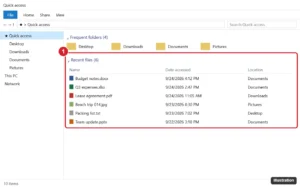
Windows 10 File Explorer Quick access view with the Recent files list highlighted, showing file names, dates and locations

How to Check Recent Files in Windows 11 and 10 (and See More Than 20)

November 18, 2026August 7, 2024 by Kermit Matthews

Find recently opened files in Windows 10 with Quick access, the shell:recent folder, jump lists and date search, plus how to clear or hide the list. Continue Reading How to Check Recent Files in Windows 11 and 10 (and See More Than 20)

Categories Windows 10
Virtual Memory dialog with Automatically manage paging file size unchecked, drive C selected, Custom size chosen with initial and maximum sizes entered and highlighted, and the Set button

How to Add Virtual RAM in Windows 10

November 10, 2026August 7, 2024 by Kermit Matthews

Increase virtual RAM in Windows 10: open sysdm.cpl > Advanced > Performance Settings > Virtual memory > Change, then set a custom paging file size. Continue Reading How to Add Virtual RAM in Windows 10

Categories Windows 10
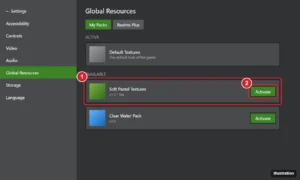
Game settings Global Resources screen with the My Packs list and the Activate button for a resource pack highlighted

How to Add Resource Packs to Minecraft Bedrock on Windows

November 10, 2026August 6, 2024 by Kermit Matthews

Add resource packs to Minecraft Bedrock on Windows 10 or 11 with .mcpack files or manual install in the new com.mojang folder, then activate them globally. Continue Reading How to Add Resource Packs to Minecraft Bedrock on Windows

Categories Windows 10, Windows 11
Windows 11 folder Properties dialog on the Customize tab with the Change Icon button highlighted and the Change Icon picker open showing system icons

How to Change a Folder Icon in Windows 10 (and 11)

November 10, 2026August 6, 2024 by Kermit Matthews

Change a folder icon in Windows 10 from Properties > Customize > Change Icon, use your own .ico, set a folder picture, restore defaults and fix stuck icons. Continue Reading How to Change a Folder Icon in Windows 10 (and 11)

Categories Windows 10
Windows 10 Create a user for this PC dialog with the user name Visitor typed and password fields left blank for a standard local account

How to Add a Guest Account on Windows 10 (What Actually Works)

November 10, 2026August 6, 2024 by Kermit Matthews

Windows 10 no longer lets you use the built-in Guest account. Create a local standard Visitor account instead, limit what it can do, and remove it later. Continue Reading How to Add a Guest Account on Windows 10 (What Actually Works)

Categories Windows 10
Command Prompt showing the net localgroup administrators command and the list of administrator accounts highlighted

Can You Find the Administrator Password in Windows 10 With Command Prompt?

November 11, 2026August 6, 2024 by Kermit Matthews

Windows 10 passwords cannot be viewed with Command Prompt, but you can list administrator accounts and reset passwords on your own PC. Here is how. Continue Reading Can You Find the Administrator Password in Windows 10 With Command Prompt?

Categories Windows 10
Windows Ethernet Properties dialog on the Authentication tab showing the Enable IEEE 802.1X authentication option and the network authentication method, highlighted

How to Find Your Ethernet Password on Windows 10

November 10, 2026August 6, 2024 by Kermit Matthews

Most Ethernet connections have no password. Learn which credential you really need on Windows 10 (802.1X, PPPoE, router or Wi-Fi) and where to find it. Continue Reading How to Find Your Ethernet Password on Windows 10

Categories Windows 10
Disk Management with unallocated space next to the C drive and the right-click menu on C showing Extend Volume highlighted

How to Merge Partitions in Windows 10 and 11 (Disk Management)

November 10, 2026August 6, 2024 by Kermit Matthews

Merge partitions in Windows 10 or 11 by deleting one volume and extending its neighbor in Disk Management, fix a grayed-out Extend Volume, and use DiskPart. Continue Reading How to Merge Partitions in Windows 10 and 11 (Disk Management)

Categories Windows 10, Windows 11
Windows PowerShell connecting to an IoT device over SSH using its private VPN address

How to SSH into IoT Devices from Anywhere on Windows 10

November 10, 2026August 6, 2024 by Kermit Matthews

SSH into your IoT devices from anywhere on Windows 10 using the built-in OpenSSH client and a private VPN, then secure access with SSH keys. Continue Reading How to SSH into IoT Devices from Anywhere on Windows 10

Categories Windows 10
Windows Setup window asking What do you want to do with Upgrade this PC now selected and the Next button highlighted

How to Upgrade Windows 7 to Windows 10 (and Better Options)

November 16, 2026August 6, 2024 by Kermit Matthews

Use the Media Creation Tool and choose Upgrade this PC now, but the free upgrade has ended and Windows 10 support is over. Steps and better options. Continue Reading How to Upgrade Windows 7 to Windows 10 (and Better Options)

Categories Windows 10, Windows 7

How to Stop Someone from Accessing My Computer Remotely in Windows 10

November 10, 2026August 6, 2024 by Kermit Matthews

Learn how to secure your Windows 10 PC by disabling remote access, using strong passwords, and enabling firewalls to protect against unauthorized entry. Continue Reading How to Stop Someone from Accessing My Computer Remotely in Windows 10

Categories Windows 10
Firewall New Outbound Rule Wizard on the Action step with Block the connection selected for a program rule

How to Block an App From the Internet in Windows 10

November 18, 2026August 5, 2024 by Kermit Matthews

Block an app from the internet in Windows 10 with a Windows Defender Firewall outbound rule, netsh or PowerShell, test the block, and undo it later. Continue Reading How to Block an App From the Internet in Windows 10

Categories Windows 10
Desktop icons with green check mark sync badges next to a cloud backup settings dialog where the Desktop folder backup switch is highlighted

How to Remove Green Check Marks From Desktop Icons in Windows 10 and 11

November 17, 2026August 5, 2024 by Kermit Matthews

Green check marks on desktop icons come from OneDrive. Remove them by turning off Desktop backup in OneDrive Settings > Manage back up. Continue Reading How to Remove Green Check Marks From Desktop Icons in Windows 10 and 11

Categories Windows 10, Windows 11
PDF open in a browser viewer with a fillable form field selected and the Add text tool in the toolbar highlighted

How to Fill Out a PDF Form on Windows 10 (Free Methods)

November 10, 2026August 5, 2024 by Kermit Matthews

Fill out a PDF form on Windows 10 for free with Microsoft Edge or Adobe Acrobat Reader, add text to non-fillable forms, sign, save, and flatten the file. Continue Reading How to Fill Out a PDF Form on Windows 10 (Free Methods)

Categories Windows 10, Windows 11
Windows Features dialog with Virtual Machine Platform and Windows Subsystem for Linux unchecked

How to Uninstall WSL in Windows 10

November 14, 2026August 5, 2024 by Kermit Matthews

Unregister each Linux distro with wsl –unregister, uninstall the WSL app, then turn off Windows Subsystem for Linux in Windows Features and restart. Continue Reading How to Uninstall WSL in Windows 10

Categories Windows 10
Windows 10 Ease of Access Keyboard settings with the Filter Keys switch highlighted

How to Unlock the Keyboard on an HP Laptop (Windows 10)

November 12, 2026August 5, 2024 by Kermit Matthews

Unlock a keyboard on an HP laptop with Windows 10 by turning off Filter Keys, checking Num Lock and Fn, and fixing the driver. Plus BIOS tests. Continue Reading How to Unlock the Keyboard on an HP Laptop (Windows 10)

Categories Windows 10
Windows 10 Date and Time dialog on the Additional Clocks tab with Show this clock checked and a time zone and display name entered

How to Add Extra Clocks in Windows (Clock Widget Options)

November 18, 2026August 5, 2024 by Kermit Matthews

Windows has no desktop clock widget, but the Clock app lists world cities and the taskbar clock can show seconds and two more time zones. How to set up each. Continue Reading How to Add Extra Clocks in Windows (Clock Widget Options)

Categories Windows 10
Browser window with many tabs and a tab right-click menu open showing Close other tabs highlighted

How to Close All Tabs at Once in Windows (Edge, Chrome, Firefox)

November 10, 2026August 5, 2024 by Kermit Matthews

Close all browser tabs at once in Windows 10 or 11 with Ctrl+Shift+W, close other tabs, close windows from the taskbar, and reopen tabs you closed by mistake. Continue Reading How to Close All Tabs at Once in Windows (Edge, Chrome, Firefox)

Categories Windows 10, Windows 11

How to Change Product Key in Windows 10

November 12, 2026August 5, 2024 by Kermit Matthews

Learn how to change your product key in Windows 10 with our step-by-step guide, ensuring a smooth and hassle-free process for activating your system. Continue Reading How to Change Product Key in Windows 10

Categories Windows 10

How to Recover a Windows 10 Password: A Guide to Regaining Access

November 10, 2026August 5, 2024 by Kermit Matthews

Struggling with a forgotten Windows 10 password? Our step-by-step guide will help you regain access quickly and easily. Follow these simple methods to recover your account. Continue Reading How to Recover a Windows 10 Password: A Guide to Regaining Access

Categories Windows 10
Keyboard illustration with the Fn key and the W key with an arrow swap icon highlighted

How to Fix WASD and Arrow Keys Swapped on a Keyboard

November 17, 2026August 2, 2024 by Kermit Matthews

WASD acting like arrow keys is usually a keyboard mode. Test with the On-Screen Keyboard, use the maker’s documented swap key, then check PowerToys and drivers. Continue Reading How to Fix WASD and Arrow Keys Swapped on a Keyboard

Categories Windows 10
Chrome Notifications settings listing websites allowed to send notifications, with a suspicious site and its Remove option highlighted

How to Stop McAfee Pop-Ups on Windows 10 and 11

November 18, 2026August 2, 2024 by Kermit Matthews

Tell fake McAfee alerts from real ones, block the website sending them in Chrome, Edge or Firefox, quiet the McAfee app in Windows, or uninstall it for good. Continue Reading How to Stop McAfee Pop-Ups on Windows 10 and 11

Categories Windows 10, Windows 11
Windows Alt Tab switcher showing open windows with the selected window highlighted

How to Toggle Between Screens in Windows 10

November 10, 2026August 2, 2024 by Kermit Matthews

Switch between windows, virtual desktops and monitors in Windows 10 with Alt+Tab, Task View and other keyboard shortcuts. Continue Reading How to Toggle Between Screens in Windows 10

Categories Windows 10
Windows 10 Family and other users settings with a local account selected and the Remove button highlighted

How to Remove Another User From a Windows 10 PC

November 18, 2026August 2, 2024 by Kermit Matthews

Remove a user from Windows 10 in Settings, netplwiz, Computer Management, or Command Prompt, back up their files first, and clean up old profiles. Continue Reading How to Remove Another User From a Windows 10 PC

Categories Windows 10
Remote Desktop message saying another user is signed in and will be disconnected if you continue

Multiple RDP Sessions in Windows 10 and 11: What’s Allowed

November 10, 2026August 2, 2024 by Kermit Matthews

Windows 10 and 11 allow one Remote Desktop session at a time. Learn the supported ways to allow multiple sessions with Windows Server RDS or AVD. Continue Reading Multiple RDP Sessions in Windows 10 and 11: What’s Allowed

Categories Windows 10, Windows 11

How to Use the Emoji Keyboard in Windows 11 and 10

November 17, 2026August 2, 2024 by Kermit Matthews

Discover how to easily access and use emojis on Windows 10! This guide for beginners will walk you through the steps to add fun and flair to your messages. Continue Reading How to Use the Emoji Keyboard in Windows 11 and 10

Categories Windows 10

How to Clear Cache and Cookies in Microsoft Edge on Windows 10

November 16, 2026August 2, 2024 by Kermit Matthews

Learn how to clear cache and cookies on Microsoft Edge for Windows 10 in a few easy steps. Improve your browser’s performance and protect your privacy today! Continue Reading How to Clear Cache and Cookies in Microsoft Edge on Windows 10

Categories Edge
Windows Task Manager Startup apps page with a high-impact app selected and the Disable button highlighted

How to Debloat Windows 11 and 10 Safely (Built-In Tools)

November 18, 2026August 2, 2024 by Kermit Matthews

Debloat Windows 10 or 11 by uninstalling unused apps, disabling startup apps, and turning off ads and suggestions, without risky scripts. Step by step. Continue Reading How to Debloat Windows 11 and 10 Safely (Built-In Tools)

Categories Windows 10, Windows 11
Settings Accounts Sign-in options page with the Password option expanded and the Add button highlighted, plus the Require sign-in When PC wakes up from sleep setting

How to Set a Lock Screen Password in Windows 10

November 14, 2026August 2, 2024 by Kermit Matthews

Set a lock screen password in Windows 10: Settings > Accounts > Sign-in options > Password > Add. Plus PIN, sign-in after sleep and auto-lock. Continue Reading How to Set a Lock Screen Password in Windows 10

Categories Windows 10
Windows Script Host message after slmgr /ato reading Product activated successfully

How to Activate Windows 11 or 10 Using Command Prompt (slmgr)

November 16, 2026August 2, 2024 by Kermit Matthews

Activate Windows 11 or 10 from Command Prompt with slmgr /ipk and /ato using your genuine key, find a built-in OEM key, activate offline, and fix common errors. Continue Reading How to Activate Windows 11 or 10 Using Command Prompt (slmgr)

Categories Windows 10, Windows 11
WinDbg command window after opening a minidump, with the !analyze -v command and the probable cause highlighted

How to Read Minidump Files in Windows 10

November 15, 2026August 1, 2024 by Kermit Matthews

Read Windows 10 minidump files with WinDbg and !analyze -v to find the driver behind a blue screen crash, plus a simpler tool and next steps. Continue Reading How to Read Minidump Files in Windows 10

Categories Windows 10
Laptop BIOS setup Main tab with the boot sound and boot animation options set to Disabled

How to Fix a Blue Screen (BSOD) in Windows 11 and 10

November 17, 2026August 1, 2024 by Kermit Matthews

Fix Windows 10 blue screens with Command Prompt: DISM, SFC and CHKDSK, offline repair from recovery, bootrec, Safe Mode driver removal and memory tests. Continue Reading How to Fix a Blue Screen (BSOD) in Windows 11 and 10

Categories Windows 10
Open-source video converter app with a home video DVD selected as the source, an MP4 preset chosen and the Start Encode button highlighted

How to Rip Your Own DVDs to MP4 on Windows 10 (Home Videos)

November 10, 2026August 1, 2024 by Kermit Matthews

Convert your own home video DVDs to MP4 on Windows 10 with free tools like HandBrake or VLC, copy the raw files, and back them up. Not for protected discs. Continue Reading How to Rip Your Own DVDs to MP4 on Windows 10 (Home Videos)

Categories Windows 10
Administrator Command Prompt running sfc scannow with the command and the result message about found and repaired corrupt files highlighted

How to Use System File Checker (SFC) in Windows 10

November 16, 2026July 31, 2024 by Kermit Matthews

Run sfc /scannow in Windows 10 to repair corrupted system files, pair it with DISM, understand the results, and fix files SFC cannot repair. Continue Reading How to Use System File Checker (SFC) in Windows 10

Categories Windows 10
Windows 10 disc image ISO download page with Select edition and the 64-bit Download button highlighted

How to Download the Windows 10 ISO File

November 14, 2026July 31, 2024 by Kermit Matthews

Download the official Windows 10 ISO free from Microsoft on Windows, Mac, or Linux, get the direct link on a Windows PC, and verify the file’s hash. Continue Reading How to Download the Windows 10 ISO File

Categories Windows 10
Wi-Fi adapter Properties dialog with the Internet Protocol Version 6 (TCP/IPv6) checkbox cleared and the OK button highlighted

How to Disable IPv6 in Windows 10 (and When You Should Not)

November 10, 2026July 31, 2024 by Kermit Matthews

Disable IPv6 in Windows 10 on one adapter or all adapters with PowerShell, or make Windows prefer IPv4 instead, with steps to check and undo the change. Continue Reading How to Disable IPv6 in Windows 10 (and When You Should Not)

Categories Windows 10
Windows 10 File Explorer with files selected, the right-click menu open on Send to, and Compressed (zipped) folder highlighted

How to Compress a File on Windows 10 (ZIP and More)

November 17, 2026July 31, 2024 by Kermit Matthews

Compress files on Windows 10 with Send to > Compressed (zipped) folder, extract ZIPs, save space with NTFS compression, and use 7-Zip for passwords. Continue Reading How to Compress a File on Windows 10 (ZIP and More)

Categories Windows 10
Task Manager Performance tab for a disk showing SSD type and capacity

How to Check SSD Size in Windows 10

November 11, 2026July 31, 2024 by Kermit Matthews

Check SSD size in Windows 10 in This PC, Task Manager > Performance > Disk or Disk Management, and why Windows shows less than the advertised size. Continue Reading How to Check SSD Size in Windows 10

Categories Windows 10
Sound dialog Recording tab with a microphone selected and Set Default highlighted

How to Change the Default Microphone in Windows 10

November 10, 2026July 31, 2024 by Kermit Matthews

Set the default microphone in Windows 10 in Settings, Sound, or in the Sound control panel with Set Default. Includes fixes for missing mics. Continue Reading How to Change the Default Microphone in Windows 10

Categories Windows 10

Can You Get Minecraft Free on Windows 10? Official Options

November 17, 2026July 31, 2024 by Kermit Matthews

Discover how to download Minecraft for free on your Windows 10 PC with our easy step-by-step guide! Follow these simple instructions to start your adventure today. Continue Reading Can You Get Minecraft Free on Windows 10? Official Options

Categories Windows 10
Older posts
Newer posts
← Previous Page1 … Page15 Page16 Page17 … Page56 Next →

Join Our Free Newsletter

Featured guides and deals

You may opt out at any time.
Read our Privacy Policy

Live2Tech

Plain-English, step-by-step guides for the devices and apps you use every day.

Apple

  • iPhone
  • iPad
  • Mac
  • Apple Watch

Windows

  • Windows 11
  • Windows 10

Microsoft Office

  • Word
  • Excel
  • Powerpoint
  • Outlook

Google

  • Google Docs
  • Google Sheets
  • Google Slides
  • Gmail
  • Chrome
  • Google Drive
  • About Us
  • Contact
  • Disclaimer
  • Privacy Policy
© Live2Tech.com 2026
  • iPhone
  • Windows
    • Windows 11
    • Windows 10
  • Office
    • Word
    • Excel
    • Powerpoint
    • Outlook
  • Google
    • Google Docs
    • Google Sheets
    • Google Slides
    • Gmail
    • Chrome
    • Google Drive
  • Mac & Apple
    • Mac
    • iPad
    • Apple Watch
  • All Tutorials