Skip to content
Live2Tech
  • iPhone
  • Windows
    • Windows 11
    • Windows 10
  • Office
    • Word
    • Excel
    • Powerpoint
    • Outlook
  • Google
    • Google Docs
    • Google Sheets
    • Google Slides
    • Gmail
    • Chrome
    • Google Drive
  • Mac & Apple
    • Mac
    • iPad
    • Apple Watch
  • All Tutorials

Windows 10

How-to guides and tutorials to help you perform specific tasks and use the Windows 10 operating system and its apps.

Hardware monitoring tool showing laptop CPU and GPU temperatures and fan speeds in RPM with the Fans section highlighted

How to Check Laptop Fan Performance in Windows 10

November 10, 2026August 28, 2024 by Kermit Matthews

Check if your laptop fan works properly in Windows 10: read fan RPM and temperatures, run a load test, use maker diagnostics, and fix weak cooling. Continue Reading How to Check Laptop Fan Performance in Windows 10

Categories Windows 10
Windows 10 Power and sleep settings with the Sleep drop-downs set to Never on battery and when plugged in

How to Make Your Computer Not Sleep in Windows 10

November 15, 2026August 28, 2024 by Kermit Matthews

Stop Windows 10 from sleeping: set Sleep to Never, keep a laptop awake with the lid closed, use PowerToys Awake or powercfg, and fix unexpected sleep. Continue Reading How to Make Your Computer Not Sleep in Windows 10

Categories Windows 10
Windows 10 Settings Apps and features with Dropbox selected and the Uninstall button highlighted

How to Remove Dropbox From Windows 10

November 10, 2026August 28, 2024 by Kermit Matthews

Remove Dropbox from Windows 10 completely: quit and uninstall the app, delete leftover folders, and remove it from File Explorer without losing files. Continue Reading How to Remove Dropbox From Windows 10

Categories Windows 10
PowerShell showing nvm version, nvm install lts, nvm use, and node -v commands with nvm for Windows

How to Install NVM on Windows 10

November 10, 2026August 28, 2024 by Kermit Matthews

Install NVM on Windows 10 with nvm-windows, remove old Node.js first, install and switch Node versions, and fix common errors like access denied. Continue Reading How to Install NVM on Windows 10

Categories Windows 10

How to Find a Backdoor on Windows 10: A Guide to Checking Your PC

November 15, 2026August 28, 2024 by Kermit Matthews

Discover how to identify and remove backdoors on Windows 10. This guide covers essential security steps to protect your system from hidden threats. Continue Reading How to Find a Backdoor on Windows 10: A Guide to Checking Your PC

Categories Windows 10
Windows Memory Diagnostic window with Restart now and check for problems highlighted

How to Run a Hardware Diagnostic on Windows 10

November 17, 2026August 28, 2024 by Kermit Matthews

Run hardware diagnostics on Windows 10 with Memory Diagnostic, CHKDSK, drive health, battery report, and your PC maker’s built-in tests. Continue Reading How to Run a Hardware Diagnostic on Windows 10

Categories Windows 10
Device Manager with Sound, video and game controllers expanded and the Uninstall device dialog with Attempt to remove the driver checked

How to Open Device Manager in Windows 10

November 17, 2026August 28, 2024 by Kermit Matthews

Open Device Manager in Windows 10 with Windows + X, devmgmt.msc, Start search, or Control Panel, and learn what you can fix there, like drivers and devices. Continue Reading How to Open Device Manager in Windows 10

Categories Windows 10
Task Manager Performance tab with GPU 0 selected in the sidebar and the graphics card name and dedicated memory details highlighted

How to Check GPU Usage in Windows 10

November 10, 2026August 28, 2024 by Kermit Matthews

Check GPU usage in Windows 10 with Task Manager’s Performance and Processes tabs or the Game Bar overlay, read the numbers and fix a missing GPU. Continue Reading How to Check GPU Usage in Windows 10

Categories Windows 10
Firmware setup Security page with the administrator password option highlighted

How to Remove a BIOS Password You Know (Windows 10 PCs)

November 10, 2026August 27, 2024 by Kermit Matthews

Remove a BIOS or UEFI password you know from firmware setup. Forgot it? Contact the PC maker with proof of ownership; no bypass steps here. Continue Reading How to Remove a BIOS Password You Know (Windows 10 PCs)

Categories Windows 10
PowerShell showing the Get-CimInstance Win32_BIOS command returning an HP laptop serial number, partly hidden

How to Find the Serial Number on an HP Laptop

November 17, 2026August 27, 2024 by Kermit Matthews

Find the serial number on an HP laptop from the label or box, HP System Information (fn + esc), HP Support Assistant or PowerShell, and which number HP needs. Continue Reading How to Find the Serial Number on an HP Laptop

Categories HP, Windows 10

How to Use Two Microphones at Once in Windows 11 and 10

November 17, 2026August 27, 2024 by Kermit Matthews

Use two microphones at once in Windows 10 with OBS Studio, a USB audio interface, RØDE Connect, or Voicemeeter, plus fixes for echo and missing mics. Continue Reading How to Use Two Microphones at Once in Windows 11 and 10

Categories Windows 10
Device Manager window with a network adapter right-click menu open and Uninstall device highlighted

How to Reset Drivers on Windows 10

November 17, 2026August 27, 2024 by Kermit Matthews

Reset a driver in Windows 10 by uninstalling and reinstalling it in Device Manager, rolling it back, or updating it, plus network and graphics resets. Continue Reading How to Reset Drivers on Windows 10

Categories Windows 10
Windows 10 Recovery Drive wizard with the Back up system files to the recovery drive checkbox checked and Next highlighted

How to Create a Windows 10 Recovery Disk (USB Recovery Drive)

November 10, 2026August 27, 2024 by Kermit Matthews

Create a Windows 10 recovery drive: search Create a recovery drive, keep Back up system files checked, and pick a 16 GB+ USB. Plus how to use it. Continue Reading How to Create a Windows 10 Recovery Disk (USB Recovery Drive)

Categories Windows 10
System Information with System Manufacturer and System Model highlighted

How to Check Your Lenovo Laptop Model in Windows 10

November 10, 2026August 27, 2024 by Kermit Matthews

Find your Lenovo laptop model and machine type in Windows 10 with System Information, PowerShell, or the label under the laptop. Continue Reading How to Check Your Lenovo Laptop Model in Windows 10

Categories Windows 10
Photo file Properties dialog on the Details tab with the Title and Subject fields filled in and highlighted

How to Add Captions to Photos in Windows 10

November 10, 2026August 27, 2024 by Kermit Matthews

Add captions to photos in Windows 10 with file Details for searchable labels, Paint for visible text, or Word for captions in documents. Continue Reading How to Add Captions to Photos in Windows 10

Categories Windows 10
Administrator Command Prompt showing the net user command listing accounts and changing a local account password

Reset a Windows 10 Password with Command Prompt (net user)

November 14, 2026August 27, 2024 by Kermit Matthews

Reset a local Windows 10 account password with the net user command in an admin Command Prompt, plus what to do for Microsoft accounts or if you’re locked out. Continue Reading Reset a Windows 10 Password with Command Prompt (net user)
Categories Windows 10
File Explorer open to the AppData Roaming .minecraft folder with the address bar and saves folder highlighted

How to Find the Minecraft Folder on Windows 10

November 17, 2026August 27, 2024 by Kermit Matthews

Find the Minecraft folder on Windows 10: type %appdata%\.minecraft in the Run box for Java, or %appdata%\Minecraft Bedrock for Bedrock. Worlds, mods, and more. Continue Reading How to Find the Minecraft Folder on Windows 10

Categories Windows 10

How to Update a Mouse Driver in Windows 10

November 14, 2026August 26, 2024 by Kermit Matthews

Learn how to update your mouse driver in Windows 10 with our step-by-step guide. Follow these simple instructions to ensure your device runs smoothly. Continue Reading How to Update a Mouse Driver in Windows 10

Categories Windows 10
Windows Terminal with Ubuntu on WSL showing Redis installed, the service started, and redis-cli ping returning PONG

How to Install Redis on Windows 10

November 6, 2026August 26, 2024 by Kermit Matthews

Install Redis on Windows 10 with WSL and Ubuntu, run it in Docker, or use a Windows-native alternative. Includes testing, auto-start, and security tips. Continue Reading How to Install Redis on Windows 10

Categories Windows 10
Web browser Site settings JavaScript page with the option Sites can use JavaScript selected and highlighted

How to Enable Java in Chrome on Windows 10 (and What Works Instead)

November 10, 2026August 26, 2024 by Kermit Matthews

Chrome can no longer run Java applets on Windows 10. Here is how to enable JavaScript instead, and your options for running legacy Java web apps. Continue Reading How to Enable Java in Chrome on Windows 10 (and What Works Instead)

Categories Windows 10
Firmware setup screen showing a reset date and a CMOS checksum warning

How to Check CMOS Battery Status on a Windows 10 PC

November 10, 2026August 26, 2024 by Kermit Matthews

Windows 10 cannot show CMOS battery status. Learn the warning signs, where firmware shows battery voltage, and when to replace the CR2032. Continue Reading How to Check CMOS Battery Status on a Windows 10 PC

Categories Windows 10
OBS Studio Settings Stream page with Service set to Twitch and the Connect Account button highlighted

How to Stream on Twitch From a Windows 10 PC

November 12, 2026August 26, 2024 by Kermit Matthews

Stream on Twitch from a Windows PC with free OBS Studio: connect your account, add sources, pick the right bitrate, and go live. Plus troubleshooting. Continue Reading How to Stream on Twitch From a Windows 10 PC

Categories Windows 10
Local Security Policy Security Options list with Interactive logon Do not display last signed-in highlighted and set to Enabled

How to Get the Other User Option on the Windows 10 Sign-In Screen

November 13, 2026August 26, 2024 by Kermit Matthews

Show the Other user option on the Windows 10 sign-in screen with Local Security Policy or the registry on Home. Hide the last user and undo it anytime. Continue Reading How to Get the Other User Option on the Windows 10 Sign-In Screen

Categories Windows 10
Task Manager Processes tab with an app selected and End task highlighted

How to Stop Running Apps in Windows 10

November 10, 2026August 26, 2024 by Kermit Matthews

Stop running apps in Windows 10 with Task Manager End task, disable startup apps, and limit background apps in Settings. Continue Reading How to Stop Running Apps in Windows 10

Categories Windows 10
Windows Defender Firewall New Outbound Rule Wizard on the Scope step with a remote IP address added to These IP addresses

How to Block an IP Address in Windows 10

November 15, 2026August 26, 2024 by Kermit Matthews

Block an IP address on Windows 10 with a Windows Defender Firewall rule, PowerShell, or netsh. Covers IP ranges, inbound vs. outbound rules, and undoing it. Continue Reading How to Block an IP Address in Windows 10

Categories Windows 10
Windows Defender Firewall New Inbound Rule Wizard on the Action step with Block the connection selected

How to Close Ports on Windows 10 (and Windows 11)

November 10, 2026August 26, 2024 by Kermit Matthews

Close a port on Windows 10: find it with netstat, stop the program using it, and block it with a Windows Firewall inbound rule or PowerShell. Steps inside. Continue Reading How to Close Ports on Windows 10 (and Windows 11)

Categories Networking, Windows 10, Windows 11
Windows Add Printer wizard Find a printer by other options page with Add a local printer or network printer with manual settings selected and highlighted

How to Install an HP LaserJet 1320 on Windows 10

November 12, 2026August 26, 2024 by Kermit Matthews

Install an HP LaserJet 1320 on Windows 10 over USB or network using the built-in driver from Windows Update, choose PCL 5 or 6, and fix common problems. Continue Reading How to Install an HP LaserJet 1320 on Windows 10

Categories Windows 10
Settings Activation page showing the activation status line reading Activated with a digital license linked to your account

How to Tell If Windows 10 Is Activated (Settings and slmgr)

November 16, 2026August 23, 2024 by Kermit Matthews

Check Windows 10 activation in Settings or with slmgr, learn what each status message means, and fix a “not activated” error. Continue Reading How to Tell If Windows 10 Is Activated (Settings and slmgr)

Categories Windows 10
Windows Disk Management with a new unallocated Disk 1 marked Not Initialized and the Initialize Disk dialog open with GPT selected

How to Install a Second Hard Drive in Windows 10 and 11

November 15, 2026August 23, 2024 by Kermit Matthews

Install a second hard drive or SSD, then initialize it as GPT and create a volume in Disk Management so it shows up in Windows 10 or 11 File Explorer. Continue Reading How to Install a Second Hard Drive in Windows 10 and 11

Categories Windows 10, Windows 11
Administrator Command Prompt showing arp -a output and the netsh interface ip delete arpcache command completing successfully

How to Clear the ARP Cache in Windows 10 and 11

November 10, 2026August 23, 2024 by Kermit Matthews

Clear the ARP cache in Windows 10 or 11 with netsh, arp -d, or PowerShell to fix stale network addresses, and view entries with arp -a before and after. Continue Reading How to Clear the ARP Cache in Windows 10 and 11

Categories Windows 10, Windows 11
Windows 10 Desktop Icon Settings dialog with the Computer checkbox checked to show This PC on the desktop

How to Add a This PC Shortcut to the Desktop in Windows 10

November 14, 2026August 23, 2024 by Kermit Matthews

Add This PC to your Windows 10 desktop from Desktop icon settings or by dragging it from File Explorer, and fix desktop icons that won’t show. Continue Reading How to Add a This PC Shortcut to the Desktop in Windows 10

Categories Windows 10
Command Prompt showing cd commands to open a folder, go up a level, and switch drives with cd /d

How to Change Directory in CMD (cd Command)

November 17, 2026August 23, 2024 by Kermit Matthews

Change folders in Command Prompt with cd: go up with cd .., switch drives with cd /d, quote paths with spaces, and use pushd for network folders. Continue Reading How to Change Directory in CMD (cd Command)

Categories Windows 10, Windows 11
Windows Internet Protocol Version 4 Properties with Use the following DNS server addresses selected and DNS fields highlighted

How to Change the DNS Server on Windows 10

November 12, 2026August 23, 2024 by Kermit Matthews

Change the DNS server on Windows 10 in Control Panel or Settings, pick a public DNS like 1.1.1.1 or 8.8.8.8, and switch back to automatic. Continue Reading How to Change the DNS Server on Windows 10

Categories Windows 10
Laptop Startup Menu with F9 Boot Device Options highlighted and the boot manager list showing the USB drive selected

How to Install Windows 10 on an HP Laptop from USB

November 13, 2026August 23, 2024 by Kermit Matthews

Install Windows 10 on an HP laptop from a USB drive: create the installer, open the HP boot menu with Esc and F9, clean install, and add HP drivers. Continue Reading How to Install Windows 10 on an HP Laptop from USB

Categories Windows 10
Power Options with When I close the lid set to Do nothing highlighted

How to Use 2 Monitors With the Laptop Closed in Windows 10

November 10, 2026August 23, 2024 by Kermit Matthews

Use two external monitors with your laptop lid closed in Windows 10: set the lid action to Do nothing when plugged in, then extend displays. Continue Reading How to Use 2 Monitors With the Laptop Closed in Windows 10

Categories Windows 10
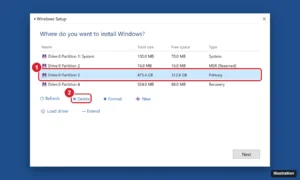
Windows Setup Where do you want to install Windows screen with a partition selected and the Delete option highlighted

How to Format and Reinstall Windows 10 with a USB Drive

November 17, 2026August 23, 2024 by Kermit Matthews

Format your PC and clean install Windows 10 from a USB drive: back up, create the installer, boot from USB, delete partitions, and finish setup with drivers. Continue Reading How to Format and Reinstall Windows 10 with a USB Drive

Categories Windows 10
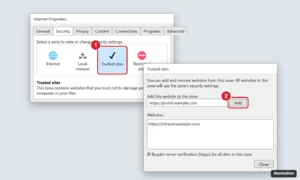
Windows Internet Options Security tab with Trusted sites selected and the Trusted sites dialog open showing the Add button

How to Add Trusted Sites in Google Chrome on Windows 10

November 10, 2026August 22, 2024 by Kermit Matthews

Chrome has no trusted sites list, but you can allow pop-ups, notifications, and more per site, or add sites to the Windows Trusted sites zone. Continue Reading How to Add Trusted Sites in Google Chrome on Windows 10

Categories Chrome, Windows 10
Windows Credential Manager on the Windows Credentials tab with a saved network credential expanded and the Remove link highlighted

How to Clear Cached Credentials in Windows 10

November 17, 2026August 22, 2024 by Kermit Matthews

Clear cached credentials in Windows 10 with Credential Manager or cmdkey, disconnect mapped drives, purge Kerberos tickets and fix sign-in errors. Continue Reading How to Clear Cached Credentials in Windows 10

Categories Windows 10
Windows 10 Power and sleep settings with the Screen and Sleep dropdowns highlighted

How to Adjust Power and Sleep Settings in Windows 10

November 17, 2026August 22, 2024 by Kermit Matthews

Adjust power and sleep settings in Windows 10: set screen and sleep timers, pick a power plan, choose what the lid does, and turn on hibernate. Continue Reading How to Adjust Power and Sleep Settings in Windows 10

Categories Windows 10
Services window listing background services with the browser updater service set to Disabled startup type and highlighted

How to Turn Off Chrome Auto Update in Windows 10

November 10, 2026August 22, 2024 by Kermit Matthews

Pause Chrome auto updates in Windows 10 by disabling the Google update services and tasks, or with Group Policy. Plus the risks and how to undo it. Continue Reading How to Turn Off Chrome Auto Update in Windows 10

Categories Windows 10

How to Turn on the Keyboard Light on a Dell Laptop in Windows 10

November 10, 2026August 22, 2024 by Kermit Matthews

Learn how to easily turn on the keyboard light on your Dell laptop running Windows 10 with our step-by-step guide. Illuminate your typing experience today! Continue Reading How to Turn on the Keyboard Light on a Dell Laptop in Windows 10

Categories Windows 10
MSYS2 UCRT64 terminal running pacman to install GCC and then gcc --version

How to Install GCC on Windows 10

November 12, 2026August 22, 2024 by Kermit Matthews

Install GCC on Windows 10 with MSYS2 and pacman, add it to your Path, or use WSL or a standalone MinGW-w64 build. Includes a quick test. Continue Reading How to Install GCC on Windows 10

Categories Windows 10
Dell one-time boot menu opened with F12 showing the UEFI USB drive option and SupportAssist OS Recovery highlighted

How to Install Windows on a Dell Laptop (Windows 11 or 10)

November 13, 2026August 21, 2024 by Kermit Matthews

Install Windows on a Dell laptop from a USB drive using the F12 boot menu, or reinstall with SupportAssist OS Recovery. Plus drivers and activation tips. Continue Reading How to Install Windows on a Dell Laptop (Windows 11 or 10)

Categories Windows 10, Windows 11
Computer monitor with its on-screen menu open on Brightness and Contrast, the Brightness slider at 75 percent highlighted, and the physical buttons on the lower edge

How to Adjust Brightness on a Dell Monitor in Windows 10

November 12, 2026August 21, 2024 by Kermit Matthews

Adjust a Dell monitor’s brightness on Windows 10: use the monitor’s Brightness/Contrast menu, Dell Display Manager, or a free DDC/CI app. Continue Reading How to Adjust Brightness on a Dell Monitor in Windows 10

Categories Windows 10
Windows 10 Settings Apps and features list with a media library app selected and its Uninstall button highlighted

How to Uninstall iTunes on Windows 10 (Complete Removal)

November 10, 2026August 21, 2024 by Kermit Matthews

Uninstall iTunes on Windows 10 from Apps & features, remove Apple support components in the right order, and keep your music library safe. Continue Reading How to Uninstall iTunes on Windows 10 (Complete Removal)

Categories Windows 10
Recovery settings page with the Advanced startup Restart now button

How to Open Advanced Startup Options in Windows 10

November 14, 2026August 21, 2024 by Kermit Matthews

Open Windows 10 Advanced options with Shift + Restart or Settings > Recovery, and use Startup Repair, Safe Mode and other tools. Continue Reading How to Open Advanced Startup Options in Windows 10

Categories Windows 10
Windows Internet Options Advanced tab with the Use TLS 1.2 checkbox checked and highlighted

How to Enable TLS 1.2 on Windows 10

November 10, 2026August 21, 2024 by Kermit Matthews

TLS 1.2 is on by default in Windows 10. If an app needs it, check Internet Options > Advanced, the Schannel registry keys, and .NET Framework settings. Continue Reading How to Enable TLS 1.2 on Windows 10

Categories Windows 10
Windows 10 Settings app Advanced options page for the calculator app with the Repair and Reset buttons highlighted

How to Reinstall Calculator on Windows 10 (4 Ways)

November 10, 2026August 21, 2024 by Kermit Matthews

Reinstall Calculator on Windows 10 from the Microsoft Store, repair or reset it in Settings, or restore it with winget or PowerShell when the Store fails. Continue Reading How to Reinstall Calculator on Windows 10 (4 Ways)

Categories Windows 10

How to Install SQL Server on Windows 10: A Complete Guide

November 17, 2026August 21, 2024 by Kermit Matthews

Learn to install SQL Server on Windows 10 with our comprehensive guide. From prerequisites to configuration, we cover all essential steps for a smooth setup. Continue Reading How to Install SQL Server on Windows 10: A Complete Guide

Categories Windows 10
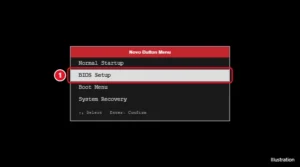
Lenovo Novo Button Menu with Normal Startup, BIOS Setup, Boot Menu, and System Recovery options and BIOS Setup highlighted

How to Enter the BIOS on a Lenovo Laptop (Windows 10)

November 10, 2026August 21, 2024 by Kermit Matthews

Enter the BIOS on a Lenovo laptop with F2 or Fn + F2, F1 on ThinkPads, the Novo button, or Windows 10 Advanced startup, plus common settings to change. Continue Reading How to Enter the BIOS on a Lenovo Laptop (Windows 10)

Categories Windows 10
Older posts
Newer posts
← Previous Page1 … Page6 Page7 Page8 … Page12 Next →

Join Our Free Newsletter

Featured guides and deals

You may opt out at any time.
Read our Privacy Policy

Live2Tech

Plain-English, step-by-step guides for the devices and apps you use every day.

Apple

  • iPhone
  • iPad
  • Mac
  • Apple Watch

Windows

  • Windows 11
  • Windows 10

Microsoft Office

  • Word
  • Excel
  • Powerpoint
  • Outlook

Google

  • Google Docs
  • Google Sheets
  • Google Slides
  • Gmail
  • Chrome
  • Google Drive
  • About Us
  • Contact
  • Disclaimer
  • Privacy Policy
© Live2Tech.com 2026
  • iPhone
  • Windows
    • Windows 11
    • Windows 10
  • Office
    • Word
    • Excel
    • Powerpoint
    • Outlook
  • Google
    • Google Docs
    • Google Sheets
    • Google Slides
    • Gmail
    • Chrome
    • Google Drive
  • Mac & Apple
    • Mac
    • iPad
    • Apple Watch
  • All Tutorials